A Guide to Jira Products: Features, Uses, and Key Choices
Unsure which Jira products fit your team? Compare features and uses to choose the right tool. Click to discover your best fit.
Choosing among Jira products can feel harder than managing the work itself. Jira, Jira Service Management, Jira Product Discovery, and Jira Align serve different teams, and their names do not always make the differences obvious.
Pick the wrong fit, and you may end up with workflows that need constant adjustment or capabilities your team never uses. Add overlapping tools and unclear ownership, and simple work can become difficult to coordinate.
But here's the truth: you can narrow the options by starting with the work you need to manage. This guide explains what each Jira product does, who it suits, and how to compare the choices. You’ll also see practical questions to ask before selecting a platform for your team.
Jira Products at a Glance
Jira products are Atlassian tools for managing software development, business work, IT services, product ideas, and enterprise strategy. The right choice depends on your team’s work, the workflows it needs, and how much coordination it requires.
For everyday project tracking, Jira supports tasks, boards, backlogs, and agile work. Jira Service Management helps service teams manage requests and incidents. Jira Product Discovery helps product teams gather, prioritize, and share ideas.
At the enterprise level, Jira Align connects strategic goals with planning and delivery across larger organizations. These products address related needs, but they are not interchangeable.

Quick comparison
| Product | Best suited to | Typical work |
|---|
| Jira | Software and business teams | Projects, tasks, backlogs, sprints, and workflows |
| Jira Service Management | IT and service teams | Service requests, incidents, changes, and support queues |
| Jira Product Discovery | Product teams | Collecting, evaluating, and prioritizing product ideas |
| Jira Align | Large organizations | Connecting strategic planning with delivery across teams |
Atlassian also offers Confluence for team knowledge sharing. It often works alongside Jira, but it is a separate product, not a Jira product.
What Each Jira Product Does
Jira for projects and delivery
Jira helps teams organize work as issues, which can represent tasks, bugs, stories, or other work items. Teams can view those issues on boards, plan sprints, manage backlogs, and define workflows.
A development team might use a Scrum board to plan a two-week sprint. A marketing team could use a business project to track campaign approvals and deadlines.
Teams can configure fields, permissions, automation, and reports to suit their processes. Available capabilities can vary by plan and deployment, so check the current offering when comparing specific features.
Jira Service Management for service work
Jira Service Management supports service teams handling requests from employees, customers, or other groups. A service portal gives people a structured way to ask for help, while queues help agents organize and respond to incoming work.
IT teams may use it to coordinate incidents, changes, and service requests. For example, an employee could request access to an application, while an IT agent tracks the request through review and completion.
Its focus is service delivery rather than general project planning. That makes it a better starting point when your team needs request intake, service workflows, and support operations.
Jira Product Discovery for early product planning
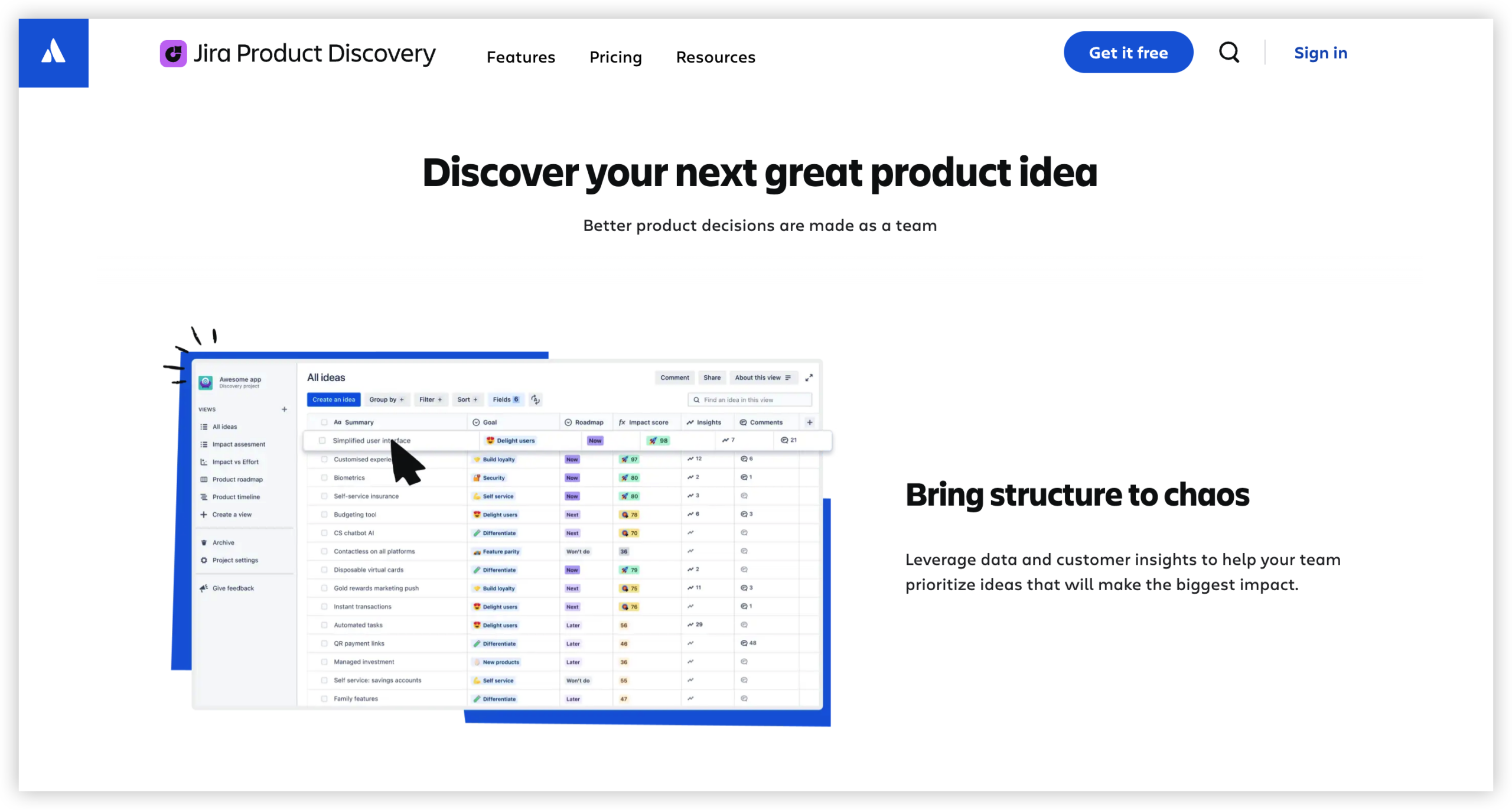
Jira Product Discovery helps product teams collect ideas, compare opportunities, and communicate priorities. It addresses an earlier stage of product work than Jira’s delivery boards, where teams plan and complete approved work.
For example, a product manager might gather feedback about onboarding, group related ideas, and compare their expected customer value. Once the team chooses an initiative, Jira can help track its delivery.
That distinction can make planning clearer: Product Discovery helps teams decide what may be worth doing, while Jira helps teams organize work that is moving forward.
Jira Align for enterprise planning
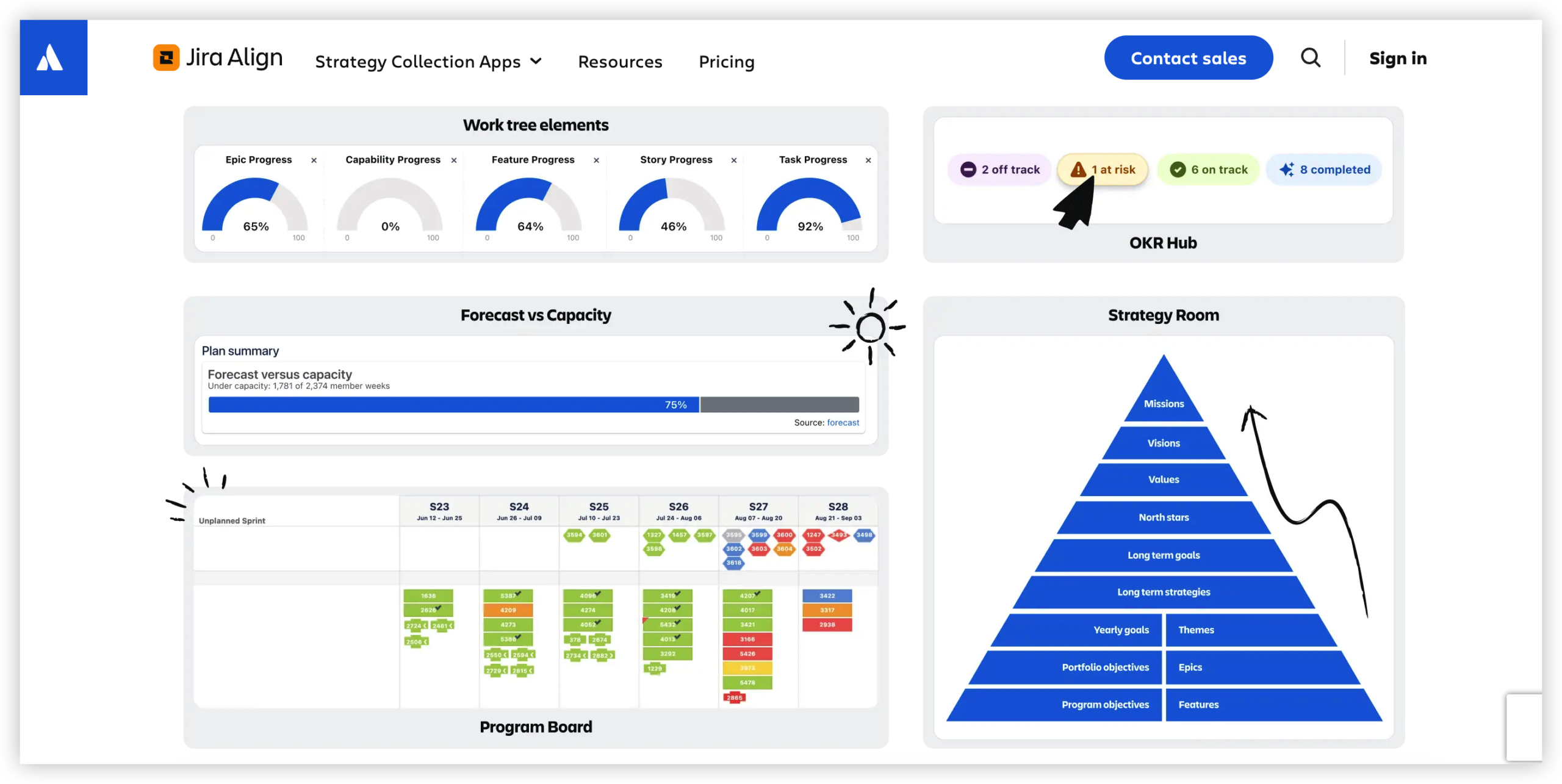
Jira Align is designed to connect business strategy with planning and delivery across large organizations. It can help leaders and teams view priorities, plans, and progress across multiple groups.
Imagine several teams contributing to a company-wide customer account project. Jira Align can support alignment around strategic goals, while Jira teams manage their day-to-day tasks and delivery details.
It is typically relevant when an organization needs coordination across many teams. A smaller team may find standard Jira planning more appropriate for its needs.
How to Choose the Right Jira Product
Start with the job you need the product to do, rather than choosing by brand familiarity. Here's why: a service desk, an idea portfolio, and a sprint board require different workflows.
- Name the work. Write down the work your team handles most often, such as software delivery, employee support, or product prioritization.
- Identify the people involved. Consider who creates requests, who manages them, and who needs visibility into progress.
- Map the workflow. Sketch the stages work passes through, from submission to completion. Include approvals, handoffs, and exceptions.
- Match the need to a product. Consider Jira for project tracking, Jira Service Management for service operations, Jira Product Discovery for idea planning, or Jira Align for enterprise coordination.
- Test a realistic example. Try a typical task or request in a small pilot. Check whether the workflow is clear to the people who will use it.
- Review administration and cost. Compare plans, deployment options, permissions, integrations, and the effort required to maintain the setup.
You might be wondering: what if several products seem relevant? Focus on the primary workflow first, then check how teams can connect related work without creating duplicate tracking.
For example, a product team could use Jira Product Discovery to prioritize ideas and Jira to plan approved development. A support team could use Jira Service Management to handle incoming customer issues and Jira to coordinate engineering fixes.
Important Differences to Check Before You Commit
Team needs and product boundaries
Jira products can work together, but each has a distinct purpose. Choosing a general project tracker for service operations may leave your team rebuilding request and support processes. Using a service product to manage every project can introduce unnecessary complexity.
List the must-have workflows before comparing products. If your team needs a customer-facing request portal, that points toward service management. If it needs sprint planning and a backlog, Jira is a more direct fit.
Configuration and administration
Jira can be adapted with workflows, fields, permissions, and automation. That flexibility helps teams reflect real processes, but every custom rule adds something to understand and maintain.
For instance, a small team may only need a few issue types and a straightforward approval step. Adding multiple statuses and exceptions without a clear need can make it harder for new team members to know what to do next.
Plans, deployment, and integrations
Features, limits, and administrative options can depend on the product plan and deployment. Check current plan details for the capabilities your team requires, especially when comparing access controls, automation, reporting, and administration.
Also review how each product connects with your existing tools. An integration may reduce repeated work, but it can also create extra maintenance if no one owns its setup and ongoing reliability.
Terminology and changing product names
Older guides may refer to Jira Software or Jira Work Management. Atlassian has brought software and business work under the broader Jira product experience, so older naming can create confusion while you research.
When you compare plans or follow setup instructions, use current Atlassian product pages and check the exact product name. This small step can prevent you from relying on outdated descriptions of features or packaging.
Jira Products Solution: ONES.com
ONES.com is a unified platform for project management and knowledge management, powered by ONES Assistant. ONES Project is its project management product and a Jira alternative; ONES Wiki is its knowledge management product and a Confluence alternative. They are sold separately.

The platform may suit teams that want Jira-compatible workflows and project capabilities, with the option to run in the cloud or a self-hosted environment. It is worth considering when deployment control, familiar workflows, or fewer add-ons matter to your decision.
Core capabilities
- Too many disconnected work practices: ONES Project supports project management workflows, giving teams a structured place to organize and track work.
- Need to preserve familiar Jira processes: Jira-compatible workflows help teams carry established ways of working into a Jira alternative.
- Difficulty tracking sprint work: Sprint management supports planning and monitoring work across development cycles.
- Limited visibility into progress: Built-in reporting helps teams review project status without relying entirely on separate add-ons.
- Rigid work structures: Custom workflows and fields let teams reflect how their work moves through stages and what information matters.
- Repeated manual steps: Automation can handle suitable routine actions, helping reduce recurring administrative effort.
- Separate project and knowledge needs: ONES Project and ONES Wiki offer project management and knowledge management as separate products, so teams can choose either or both.
- Deployment constraints: Cloud, On-Premise, Private Cloud, and Air-gapped deployment options provide different hosting choices. The self-hosted versions have feature parity with the cloud version.
Application scenarios
A software team moving away from Jira could assess ONES Project with a representative workflow, such as creating an issue, planning a sprint, and reviewing a report. The team can check whether its fields and processes transfer comfortably before making a wider decision.
An organization with restricted network requirements could evaluate an Air-gapped or other self-hosted deployment. Teams that also want a knowledge management product can consider ONES Wiki separately, without treating it as a required part of ONES Project.
Common Challenges When Selecting Jira Products
- Choosing by product name alone. Names do not always make the workflow differences clear. Write down the team’s main job, then compare products against that specific need.
- Overconfiguring a pilot. A complicated trial can hide whether the basic product fits. Start with a common workflow and add only the fields, statuses, and automation your team needs to test.
- Overlapping work across products. Teams may record the same task in multiple places. Define which product owns each type of work, and agree on how related work will be linked or communicated.
- Underestimating administration. Custom workflows and integrations need ongoing attention. Assign an owner and review whether each configuration still serves a clear purpose.
Frequently Asked Questions
What is the main Jira product?
Jira is Atlassian’s project and work management product for software and business teams. It supports tasks, backlogs, boards, workflows, and sprint planning. Teams can use it to coordinate work from assignment through completion. The best setup depends on the team’s process, and available capabilities may vary by plan and deployment.
What is the difference between Jira and Jira Service Management?
Jira is mainly used to plan and track project work. Jira Service Management is designed for service teams managing requests, incidents, changes, and support queues. A development team might use Jira to plan a release, while an IT support group uses Jira Service Management to receive and resolve employee requests.
Jira Product Discovery focuses on gathering, evaluating, and prioritizing product ideas. It helps product teams decide which opportunities to pursue and communicate those priorities. Jira is commonly used to plan and track delivery work after a team has decided to move forward. Some teams use both products for those connected stages.
Is Jira Align meant for small teams?
Jira Align is designed to connect strategic planning and delivery across larger organizations. It can be useful when many teams need a shared view of priorities and progress. A small team coordinating its own tasks may be able to manage its work in Jira without the additional enterprise planning layer.
Is Confluence one of the Jira products?
No. Confluence is a separate Atlassian product for team knowledge sharing and collaboration. It often works alongside Jira, such as when a team links planning information with delivery tasks, but it is not part of the Jira product family. Product selection and plan details should be checked separately.

Conclusion
Jira products serve different stages and types of work: Jira supports project tracking, Jira Service Management handles service operations, Jira Product Discovery helps prioritize ideas, and Jira Align connects enterprise planning with delivery.
Start by identifying your team’s main workflow, then test a realistic example before settling on a product. Keep configuration manageable and clarify how connected teams will coordinate. If Jira’s deployment choices or workflow fit do not match your needs, compare alternatives such as ONES Project and consider whether a separate knowledge management product would help.