Advanced Roadmaps Jira Pricing: A Practical Cost Guide
Wondering about advanced roadmaps jira pricing? Learn how plans, users, deployment, and hidden costs shape your budget. Read now to plan confidently.
Planning a portfolio across several Jira projects can become expensive before your team notices the full bill. The challenge is easy to miss: Advanced Roadmaps pricing usually depends on your Jira edition, user count, deployment model, and contract terms.
Then come the hidden cost questions. Do you need Jira Premium? Will inactive users count? Does a Data Center subscription change the calculation? Are extra apps, administration time, or migration work part of the real budget?
Advanced Roadmaps is generally included with Jira Premium and Enterprise, while lower Jira tiers may require a plan upgrade. This guide explains the pricing structure, cost drivers, budgeting method, and practical alternatives so you can estimate your total spend with confidence.
How Advanced Roadmaps Jira Pricing Works
Advanced Roadmaps is Jira’s portfolio planning capability for creating plans across teams, projects, releases, and dependencies. In Jira Cloud, access is commonly tied to eligible Jira Premium or Enterprise subscriptions rather than purchased as a simple standalone add-on.
That means your cost usually comes from the Jira subscription first. Your final amount may also reflect user volume, billing frequency, deployment choice, negotiated terms, and any related apps your teams need.

The main pricing factors
- Jira edition: Advanced planning features are generally associated with Premium and Enterprise tiers.
- Licensed users: Your Jira seat count is a major pricing driver, even when only some people build roadmaps.
- Cloud or self-managed deployment: Cloud and Data Center use different commercial models.
- Billing term: Monthly billing offers flexibility, while annual or longer agreements may have different rates.
- Additional applications: Service management, asset management, testing, reporting, and collaboration apps can increase total spend.
- Enterprise requirements: Security, governance, support, and administrative controls may affect the right subscription tier.
Here’s why: roadmapping rarely exists in isolation. A 100-person product organization may need planning access for 12 managers, Jira access for 100 contributors, and reporting for executives. The commercial calculation can still begin with the wider Jira user base.
What Advanced Roadmaps adds to Jira
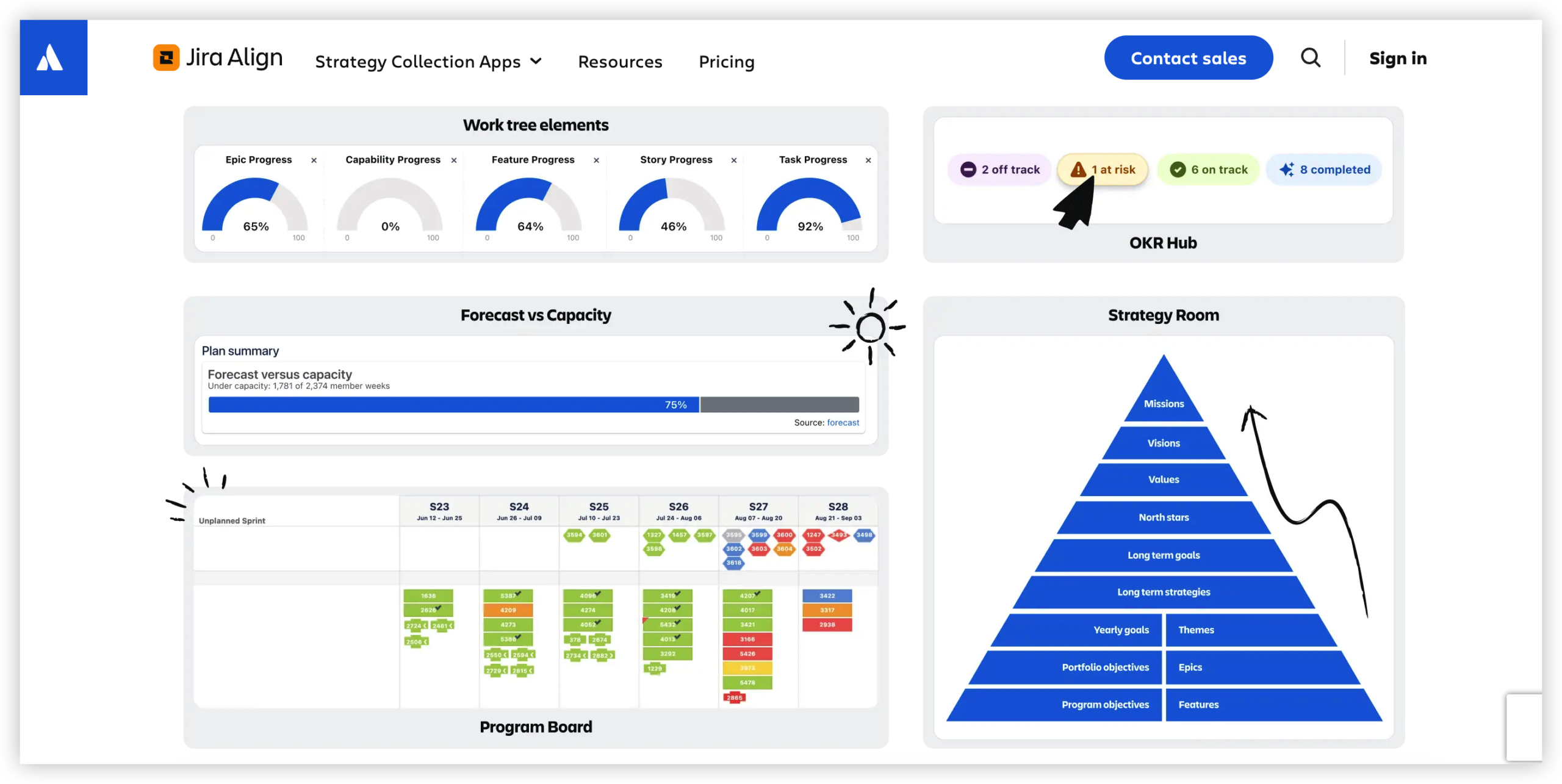
Standard Jira boards help teams manage day-to-day work. Advanced Roadmaps extends that view across multiple teams and projects.
- Build cross-team plans for products, programs, or portfolios.
- Map dependencies between initiatives and delivery teams.
- Compare capacity with planned work.
- Model different schedules and staffing scenarios.
- Track releases and target dates at a higher level.
- Connect strategic priorities with Jira issues.
What You May Pay For
The simplest budgeting formula is:
Total Jira planning cost = Jira subscription + related apps + administration + implementation + contract adjustments.
This formula matters because the visible subscription price is only one part of the ownership cost. For example, a 50-person team may pay for an eligible Jira tier, then spend additional time configuring hierarchy levels, permissions, custom fields, and reporting.
Cloud pricing considerations
Jira Cloud usually uses a per-user subscription model. The exact amount can vary by edition, user band, billing term, promotions, region, and commercial agreement.
For a reliable estimate, enter your expected Jira user count into Atlassian’s current pricing calculator. Then compare the result with your actual planning population. A roadmap editor may be one person, while the Jira subscription covers a much larger group.
Data Center pricing considerations
Jira Data Center generally follows a tiered annual subscription model rather than a simple monthly per-user bill. Your organization may also need infrastructure, identity management, backups, monitoring, disaster recovery, and upgrade support.
For example, a regulated company might choose self-managed deployment because its teams require greater control over hosting and network access. The subscription can then represent only part of the operating budget.
Enterprise agreements
Large organizations may negotiate commercial terms around multiple products, support levels, user volumes, and renewal periods. A public list price can therefore differ from the amount in an enterprise agreement.
You should ask for a line-by-line breakdown. Clarify which users are counted, which features are included, what happens at renewal, and whether premium support carries a separate charge.
| Cost area | Question to ask |
|---|
| Jira edition | Does the selected tier include Advanced Roadmaps? |
| User count | Which employees, contractors, and collaborators require access? |
| Deployment | Will Cloud or Data Center fit security and operations requirements? |
| Apps | Do reporting, testing, service, or asset features require extra subscriptions? |
| Implementation | Who will configure hierarchies, permissions, workflows, and integrations? |
| Renewal | How could user growth or contract changes affect the next term? |
How to Estimate Your Real Budget
You can create a useful estimate in five steps. The goal is to understand the complete planning environment before comparing subscription figures.
- Count every Jira user. Include product teams, engineering, quality assurance, delivery managers, and occasional contributors.
- Separate planners from viewers. Identify who will create plans, who will update work, and who only needs visibility.
- Choose the deployment model. Compare Cloud with Data Center using security, administration, infrastructure, and support requirements.
- List related applications. Include service management, test management, time tracking, reporting, identity, and collaboration tools.
- Add operating effort. Estimate configuration, training, governance, integrations, and ongoing administration.
Here’s a simple example. Imagine a 120-person technology organization with six product groups. Fifteen leaders need portfolio planning, 90 people actively manage Jira work, and the remaining employees need occasional visibility.
The budget should begin with the eligible Jira tier for the appropriate user population. Then add any applications, implementation assistance, training, and internal administration. Counting only the 15 roadmap owners could produce a misleading estimate.
Use three planning scenarios
Prepare a low, expected, and high scenario. The low scenario reflects current headcount and limited integrations. The expected scenario includes planned hiring and normal application needs. The high scenario accounts for acquisitions, additional teams, and expanded governance.
| Scenario | Typical assumption | Budget purpose |
|---|
| Low | Current seats and basic configuration | Short-term approval |
| Expected | Moderate growth and normal app usage | Annual planning |
| High | Rapid growth, integrations, and stronger controls | Risk preparation |
Features That Affect Value
Price alone does not tell you whether Advanced Roadmaps is suitable. You should compare the work it replaces and the decisions it improves.
Portfolio visibility
A product leader can view several initiatives in one plan instead of opening separate project boards. This makes it easier to spot schedule collisions, overloaded teams, and competing priorities.
Capacity planning
Capacity views help compare planned work with available team effort. For example, a release requiring 40 engineer-weeks becomes visibly risky when the assigned team has only 28 engineer-weeks available.
Cross-team dependencies can create delays even when every individual team appears healthy. A shared plan can show that a platform change must finish before a mobile release begins.
Scenario planning
Leaders can explore options such as delaying a feature, adding a team, or changing release order. The value comes from improving the decision before work is committed.
Jira alignment
Because the planning environment connects with Jira work, teams can reduce manual status reconciliation. That can save time during monthly portfolio reviews, especially when many projects share the same specialists.
Advanced Roadmaps Versus Other Planning Approaches
Many teams compare Advanced Roadmaps with spreadsheets, presentation-based planning, custom reporting, or separate portfolio tools. Each approach can work in a specific context, yet the trade-offs differ.
| Approach | Strength | Common limitation |
|---|
| Advanced Roadmaps | Connects portfolio plans with Jira delivery work | May require an eligible Jira tier and careful configuration |
| Manual planning | Fast to start and easy to customize | Updates can become inconsistent across teams |
| Separate portfolio platform | May offer specialized executive planning | Requires integration and another subscription |
| Custom reporting | Can fit unusual governance needs | Development and maintenance effort can grow quickly |
The best choice depends on your operating model. If teams already manage delivery in Jira, keeping planning close to that work may reduce reconciliation effort. If portfolio planning is highly independent, a separate platform could be worth evaluating.
The best part? You can test the decision with one portfolio before committing to a broad rollout. Choose a program with real dependencies, several teams, and a fixed planning cycle.
Common Budgeting Mistakes
Counting only roadmap creators
A common mistake is estimating cost from the number of portfolio managers. Jira licensing may apply to a broader set of people who create, update, or view work.
Better approach: map each user group to the access it needs, then confirm how the subscription counts those users.
Ignoring related applications
A team may start with planning and later add service management, testing, time tracking, or reporting capabilities. Those additions can change the annual total.
Better approach: create an application inventory before requesting approval.
Underestimating administration
Roadmaps need ownership. Someone must maintain hierarchies, permissions, custom fields, release structures, and planning conventions.
Better approach: assign an administrator and estimate recurring maintenance time.
Comparing list prices without deployment context
Cloud and Data Center have different operational responsibilities. A lower subscription figure may come with higher infrastructure or support requirements.
Better approach: compare total cost of ownership across a full contract period.
Advanced Roadmaps Alternative: ONES.com

Value Proposition
ONES.com combines project management and knowledge management in one platform. Its project management product, ONES Project, can serve as a Jira alternative for teams seeking portfolio planning, workflows, reporting, and deployment flexibility.
ONES Project and ONES Wiki are sold separately, so you can select the product that matches your planning and knowledge needs.
Core Capabilities
- Disconnected planning tools → unified project workspace: ONES Project brings planning, execution, reporting, and workflow management into one environment, reducing the need to reconcile several systems.
- Rigid work processes → custom workflows and fields: Teams can adapt statuses, fields, and approval paths to match product development, marketing, operations, or service work.
- Separate team plans → cross-team visibility: Portfolio and project views help leaders review schedules, ownership, dependencies, and progress across multiple workstreams.
- Manual progress reporting → built-in reporting: Reporting features give managers a consistent way to review delivery status without rebuilding every update by hand.
- Unstructured iteration planning → sprint management: Teams can organize sprint work, review progress, and connect short-term delivery with broader project goals.
- Repetitive administration → automation: Automation can handle recurring transitions, notifications, and routine workflow actions.
- Jira migration concerns → Jira-compatible workflows: Teams familiar with Jira-style project management can use comparable workflow concepts while evaluating an alternative platform.
- Hosting restrictions → deployment choice: ONES.com supports Cloud, On-Premise, Private Cloud, and Air-gapped deployments.
- Feature differences between hosting models → parity across deployments: The self-hosted version is designed to provide full feature parity with the cloud version.
- Knowledge scattered across project spaces → connected knowledge management: ONES Wiki provides a knowledge base option alongside ONES Project, with each product available separately.
Application Scenarios
Regulated engineering organization: A company with restricted network requirements can evaluate an air-gapped or on-premise deployment while maintaining structured project workflows and reporting.
Growing product department: A product organization moving beyond basic Jira boards can use custom workflows, sprint management, automation, and portfolio reporting without assembling many separate plugins.
Distributed delivery teams: Teams working across projects can use shared planning views and a connected knowledge base to keep delivery context easier to find.
Common Challenges
Challenge: The final price is unclear
Solution: Separate subscription cost, application cost, implementation effort, and administration. Ask for each item individually before comparing proposals.
Challenge: Your user count changes often
Solution: Build a 12-month forecast with hiring, contractors, reorganizations, and seasonal access. Review the estimate before renewal rather than after growth occurs.
Challenge: Portfolio plans become unreliable
Solution: Establish ownership for dates, dependencies, estimates, and team capacity. A planning tool only remains useful when teams maintain the underlying work consistently.
Challenge: Executives want simple reports
Solution: Define a small set of portfolio measures, such as milestone confidence, dependency risk, capacity pressure, and delivery trend. Avoid creating dozens of dashboards that nobody reviews.
Challenge: Migration feels risky
Solution: Start with one representative program. Test workflows, permissions, reporting, integrations, and user adoption before expanding the rollout.
FAQs
Is Advanced Roadmaps included in Jira?
Advanced Roadmaps is generally included with eligible Jira Premium and Enterprise subscriptions, while lower tiers may not provide the same planning capabilities. Availability and packaging can change, so check the current plan details for your deployment and contract. Also confirm whether every person who needs Jira access must be licensed, even when only a smaller group creates portfolio plans.
Is Advanced Roadmaps a separate Jira add-on?
For many Jira Cloud customers, Advanced Roadmaps is packaged within an eligible Jira plan rather than purchased as a simple standalone add-on. Your commercial arrangement may differ if you use an enterprise agreement or self-managed deployment. Review the product scope, user count, and renewal terms together before estimating the total.
Does Jira Premium pricing include every planning cost?
It may cover the eligible Jira planning capability, but your complete budget can include other applications, integrations, administration, training, and implementation. Data Center customers may also need infrastructure and operational support. Treat the subscription as the starting point, then add the services and internal effort required for a reliable rollout.
Should I choose Cloud or Data Center for portfolio planning?
Cloud usually reduces infrastructure responsibilities and can be quicker to launch. Data Center may suit organizations with strict hosting, network, or governance requirements. Compare security controls, internal operations, user growth, recovery plans, and administration effort instead of comparing subscription figures alone.
Can ONES.com replace Jira for portfolio planning?
ONES Project is designed as a Jira alternative with Jira-compatible workflows, custom fields, sprint management, automation, and built-in reporting. It also supports Cloud, On-Premise, Private Cloud, and Air-gapped deployments with feature parity between cloud and self-hosted versions. Run a pilot with representative workflows before deciding whether it fits your organization.
Conclusion
Advanced Roadmaps Jira pricing is usually shaped by the underlying Jira edition, user count, deployment model, contract terms, and related applications. Start with the subscription, then calculate implementation and operating effort.
But here’s the truth: the cheapest visible price may not produce the lowest total cost. A practical estimate includes licensing, administration, integrations, training, and expected growth.
Use a low, expected, and high scenario. Test the planning experience with a real portfolio. If hosting flexibility, fewer plugins, or a Jira alternative matter to your team, evaluate ONES Project through a focused pilot.