Agile Project Development: A Practical Jira Training Guide
Need hands-on Jira skills? This agile project development course offers practical training to plan sprints and manage work. Read now to learn.
Agile project work can feel confusing when sprint planning, task updates, and team discussions happen in different places. Jira gives you a practical way to organize that work, but a quick tour of its menus rarely teaches you how to run a project.
Without hands-on practice, you may create a board and still struggle to plan a sprint, handle changing priorities, or spot blocked work. That gap can waste meeting time and leave your team unsure what to do next. A practical Jira training guide can help you learn the agile workflow by building and managing a realistic project, one step at a time.
How to Build Practical Agile Project Skills in Jira
Learn Jira by completing a project cycle: define the work, plan a sprint, track progress, and review the outcome. Each step connects an agile practice with a specific action in Jira.
- Choose a realistic project. Pick a small product or service, such as a campus events app or a customer support portal. Write down the goal, the intended users, and what success would look like.
- Set up the project and board. Create a Jira project that suits the team’s way of working. Configure a Scrum board for sprint-based work or a Kanban board for continuous flow. Add a few clear workflow stages, such as To Do, In Progress, and Done.
- Turn goals into manageable work. Create epics for major areas, then add user stories or tasks beneath them. For example, an event app epic could include a story for browsing events and a task for testing search filters.
- Prepare and run a sprint. Estimate the work, agree on a sprint goal, and select a realistic amount of work for the team. During the sprint, update issues as work progresses and raise blockers early.
- Review progress with the team. Use the board and available reports to discuss completed work, unfinished items, and impediments. Ask what changed during the sprint and why, rather than treating a chart as a score.
- Improve the next cycle. Hold a short retrospective and choose one specific adjustment. If stories often remain unfinished, for example, break large stories into smaller pieces before the next planning session.
Here's why: each Jira action has more value when it supports a team decision. Creating an issue is useful; agreeing on who owns it, what “done” means, and how the team will verify it is what makes the practice stick.

What Agile Project Development Looks Like in Jira
Agile project development breaks larger goals into small pieces of work that a team can prioritize, complete, and review. Jira helps you represent those pieces as issues and follow their progress through a workflow.
A typical hierarchy might start with an epic for a substantial outcome. User stories describe a user need, while tasks and bugs capture supporting work or defects. The team then moves each issue through agreed workflow stages.
Choose a board that matches the work
A Scrum board works well when your team plans work in fixed-length sprints and reviews progress at the end of each cycle. A Kanban board can suit teams that manage a steady flow of requests without sprint commitments.
For example, a product team might use two-week sprints to deliver new features. A support team could use Kanban to handle incoming requests while limiting how many issues remain in progress.
Connect Jira activity to agile habits
A board will not create collaboration on its own. Teams still need clear priorities, useful sprint goals, regular communication, and shared definitions of completed work.
Let me explain: Jira makes work visible, while the team’s habits give that visibility meaning. If an issue sits in “In Progress” for days, the board can prompt a conversation about ownership, dependencies, or a blocker.
Plan a Hands-On Jira Training Course
A strong course gives learners a small project to manage from setup through review. Short explanations work best when followed by an exercise that produces a visible result in Jira.
| Session | Skill to practise | Exercise |
|---|
| 1. Project foundations | Understand agile roles, goals, and issue types | Write a project goal and create an epic with a few user stories |
| 2. Board setup | Choose Scrum or Kanban and configure workflow stages | Build a board that reflects how the team handles work |
| 3. Backlog refinement | Prioritize, clarify, and estimate issues | Rewrite vague stories and order the backlog by value |
| 4. Sprint practice | Set a sprint goal and select a workable scope | Plan a sprint, update issue progress, and raise a blocker |
| 5. Review and improvement | Read reports and discuss team learning | Present a sprint review and agree on one retrospective action |
The best part? Learners finish with a complete example they can explain, rather than a list of menus they once saw. A facilitator can make the exercise more realistic by introducing a changing priority halfway through the sprint.
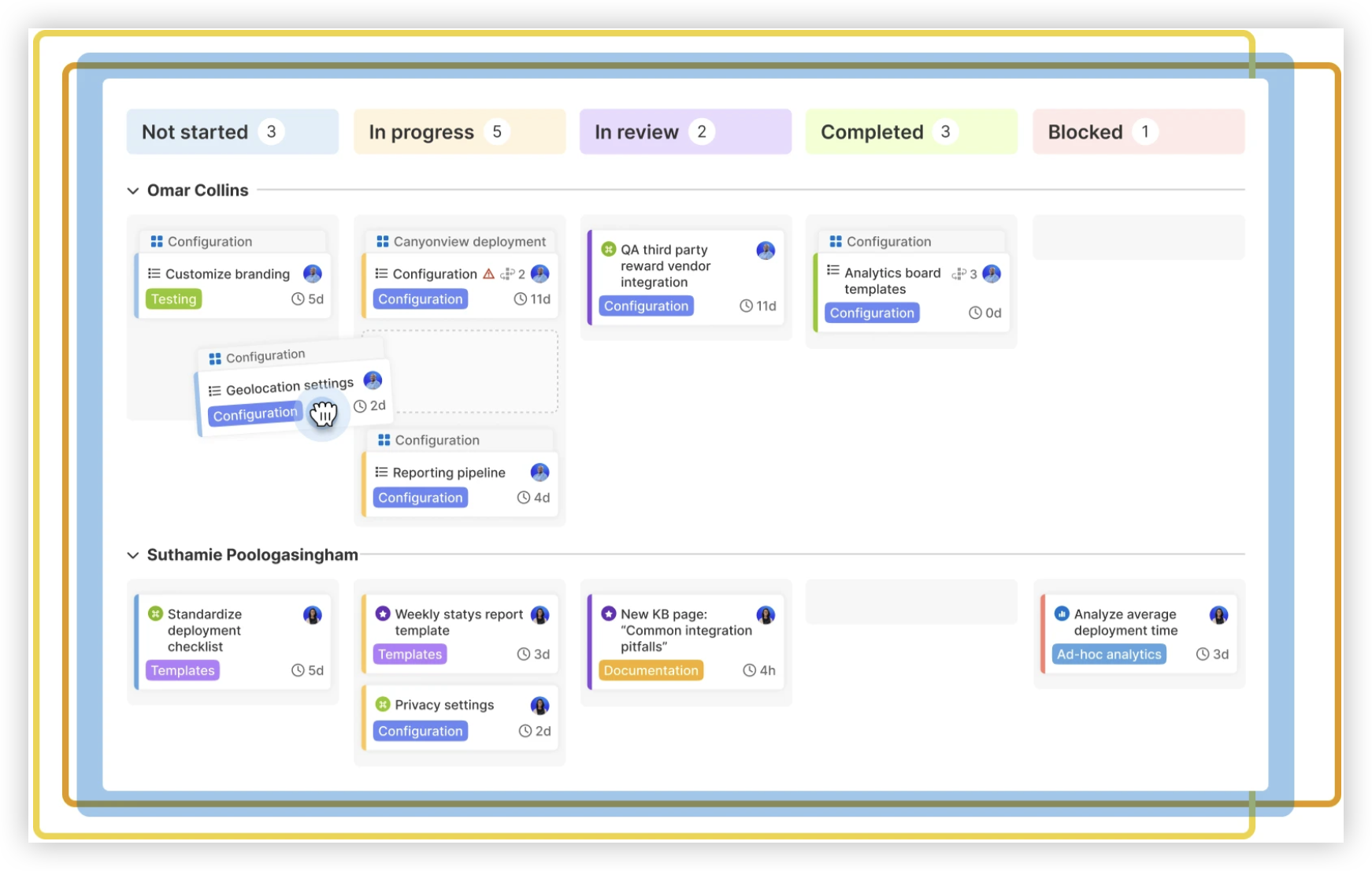
Keep practice close to real team work
Use sample issues that resemble the team’s actual tasks. A marketing team could plan a campaign launch, while a software group could refine a checkout improvement.
Give learners a clear outcome for each exercise. For instance, ask them to leave a planning session with a sprint goal, prioritized issues, and visible owners.
Practise Common Jira Workflows with Real Scenarios
Practical training becomes more useful when learners face realistic changes. A plan rarely stays untouched for an entire sprint, so exercises should include questions about scope, dependencies, and unexpected work.
Scenario: a priority changes mid-sprint
Imagine the team is building an event search feature when a critical accessibility issue appears. Learners should discuss urgency with the product owner, assess the sprint goal, and decide what work can move out.
In Jira, they can update issue priority, clarify the decision in the issue discussion, and adjust the sprint scope if the team agrees. The training point is the conversation behind the update, not simply changing a field.
Scenario: work is blocked by another team
Suppose a user story depends on an API change that another team has not completed. Learners can mark the issue’s status clearly, identify the dependency, and raise it during the team’s check-in.
This example teaches teams to make blockers visible before they threaten the sprint goal. It also gives the facilitator a chance to discuss how the team will communicate across project boundaries.
Scenario: a story is too large to finish
If a story includes several screens and multiple user actions, the team may struggle to estimate it or complete it within a sprint. Have learners split it into smaller outcomes that can be reviewed independently.
For example, a registration feature might become separate stories for entering details, confirming an email address, and handling validation errors. Smaller stories make progress easier to inspect and discuss.
Measure Learning Without Turning Jira into a Scoreboard
Reports can help a team understand patterns, but they need context. A burndown chart may show that work remains near the end of a sprint; a conversation can reveal whether estimates, scope, or an external dependency contributed.
During training, evaluate whether learners can explain their choices. Can they describe why an issue belongs in a sprint? Can they identify a blocker and suggest a next step? These questions tell you more than whether someone can click through a setup screen.
Use a practical skills check
- Ask each learner to create a clear story with acceptance criteria.
- Have the group prioritize a backlog and explain its order.
- Observe how learners respond when a new request appears during a sprint.
- Invite the team to review a report and describe a reasonable follow-up question.
Keep the assessment supportive. If someone cannot explain a workflow decision, revisit the exercise and let them try again with a different scenario.
ONES.com Solution for Agile Project Development
Value proposition: ONES.com combines project management and knowledge management in a unified platform powered by ONES Assistant. ONES Project is the project management product and a Jira alternative; ONES Wiki is a knowledge base alternative to Confluence, and the products are sold separately.

For teams learning agile project development, the platform can support project planning, sprint work, team knowledge, and controlled deployment choices. Its capabilities are relevant when you want Jira-compatible workflows with built-in project features and fewer added plugins.
Core capabilities
- Need: You want to carry familiar Jira practices into another environment. ONES capability: ONES Project supports Jira-compatible workflows. Result: Your team can map existing issue movement and agile routines into the project space.
- Need: Your sprint plan changes as work becomes clearer. ONES capability: Sprint management supports planning and tracking sprint work. Result: The team can organize a cycle and review progress in the same project environment.
- Need: A standard workflow does not match your approval or delivery process. ONES capability: Custom workflows let teams shape issue movement. Result: The workflow can reflect practical team steps instead of forcing an awkward fit.
- Need: Your team tracks specific details that common issue fields miss. ONES capability: Custom fields let you capture additional project information. Result: Teams can make relevant details visible when managing work.
- Need: Managers and teams want visibility into progress. ONES capability: Built-in reporting provides project reporting options. Result: The team can review progress without relying entirely on extra plugins.
- Need: Repetitive project actions take time. ONES capability: Automation supports routine workflow actions. Result: Teams can reduce manual steps for suitable recurring tasks.
- Need: You have strict infrastructure or network requirements. ONES capability: Deployment options include Cloud, On-Premise, Private Cloud, and Air-gapped environments. Result: You can consider a deployment model that fits your operating constraints.
- Need: You want to evaluate the platform with a small group. ONES capability: The free plan supports up to 30 seats. Result: A team can trial project practices before deciding how to expand.
ONES.com offers full feature parity between its cloud and self-hosted versions. That can matter to teams choosing between managed access and infrastructure they operate themselves.
Application scenarios
A software team moving from Jira: The team can map its existing workflows, fields, and sprint routines into ONES Project, then assess which additional plugins are still necessary.
A restricted-network organization: A team that cannot use a public cloud service can assess On-Premise, Private Cloud, or Air-gapped deployment options for its project management needs.
A team connecting project work with team knowledge: A group can use ONES Project for task and sprint management and evaluate ONES Wiki separately for knowledge management. The products are sold separately, so each can be considered for its own purpose.
Common Challenges in Jira Training
Training covers features without teaching decisions
Problem: Learners remember where to click but cannot decide how to prioritize work or handle a blocker.
Solution: Pair each feature demonstration with a team decision. After showing issue priority, ask learners to rank three competing requests and explain their reasoning.
The practice project feels too artificial
Problem: Generic examples can make the exercises seem disconnected from daily work.
Solution: Choose a familiar project and use realistic roles, dependencies, and changes. Keep the scenario small enough to finish during the course.
The team creates too many workflow stages
Problem: A board with many narrow statuses can make issue updates slower and harder to interpret.
Solution: Start with a few stages that show meaningful progress. Add a stage only when it helps the team coordinate or make a decision.
Reports become performance targets
Problem: A team may focus on making a chart look good instead of learning what affected delivery.
Solution: Use reports as prompts for discussion. Ask what changed, what helped, and what the team might try next, without treating one metric as a complete explanation.
FAQs About Practical Jira Training
What should a beginner learn first in Jira?
Start with the project goal, the team’s board, and the meaning of its workflow stages. Then learn how issues represent epics, stories, tasks, or bugs. Beginners should practise updating an issue and explaining why it belongs in a particular stage. This foundation makes sprint planning and reporting easier to understand later.
How long should a Jira training course take?
The right length depends on the team’s experience and the project’s complexity. A short introductory workshop can cover board basics and issue creation, while a practical course may need several sessions for backlog refinement, sprint planning, review, and retrospective practice. Include time for learners to complete exercises and ask questions instead of filling every minute with demonstrations.
Is Jira training useful for non-technical teams?
Yes. Marketing, operations, support, and other teams can use Jira to organize requests, coordinate ongoing work, and make responsibilities visible. The examples should match the team’s activities. For instance, a campaign team could practise planning content approvals, tracking launch tasks, and responding to a late change in priority.
Should teams use Scrum or Kanban in Jira?
Choose the method that fits how work arrives and gets completed. Scrum can suit teams that plan work in fixed-length sprints and review outcomes at regular intervals. Kanban may work better when requests arrive continuously and the team manages flow. A training exercise can help the team compare both approaches using its actual work patterns.
Conclusion
Practical Jira training works best when you connect agile ideas to a project the team can build, manage, and review. Start with a clear goal, practise backlog and sprint decisions, then use reports to support thoughtful conversations.
But here's the truth: learning menus alone will not prepare your team for changing priorities or blocked work. Give learners realistic scenarios and room to discuss their choices. With that approach, you can develop agile project skills that carry beyond the training session and into everyday team work.