Agile Project Development With Jira: A Hands-On Course
Struggling with Jira sprints? This agile project development course Jira tool practical training guides you through a real project. Read now to learn.
Agile project development can feel confusing when meetings, priorities, and tasks all seem to move at once. Jira gives you a place to manage the work, but opening a board won’t teach you how to plan a sprint or respond to change. Without practice, teams often create cluttered backlogs, unclear tasks, and reports that nobody uses.
That gap can make Agile feel like extra administration instead of a better way to deliver useful work. But here's the truth: you can learn the method and the Jira workflow together through a small, realistic project. This hands-on course guide gives you a practical learning path, from setting up a project to running a review. You’ll build a working board, practice common team routines, and learn how to spot problems before they slow delivery.
How to learn Agile project development with Jira
Learn by building one small project from idea to review. Use Jira to practice each Agile activity, then inspect what worked and adjust your process.
- Choose a simple project with a clear outcome. Pick something you can explain in one sentence, such as creating a basic event website or improving an online checkout. A focused example makes it easier to practice planning without getting lost in complicated requirements.
- Write a product goal and a few user needs. Describe the result you want, then express needs from the user’s point of view. For example: “As a shopper, I want to see delivery costs before checkout.” Keep each need small enough to discuss, estimate, and complete.
- Create a Jira project and organize the backlog. Add your work as issues, group related issues into epics if useful, and arrange tasks by priority. Give each issue a clear title and acceptance criteria so a teammate can understand what completion means.
- Plan a short sprint. Choose a sprint length, select a realistic amount of work, and agree on a sprint goal. A useful first goal might be “Let a visitor browse products and open a product page.” Avoid filling the sprint just because the team has available time.
- Track work as the team progresses. Move issues through the workflow when their status changes. Hold a brief daily check-in focused on progress, upcoming work, and blockers. If a task is stuck, make the obstacle visible and decide who can help.
- Review the outcome and improve the process. Demonstrate completed work, collect feedback, and compare results with the sprint goal. In the retrospective, choose one practical improvement, such as adding acceptance criteria before sprint planning.
Here's why: Agile skills become easier to understand when you can see how a decision changes the backlog, board, or sprint outcome. Treat each Jira action as part of a team conversation, rather than a button to click without context.

What your practical Agile course should teach
A useful course connects Agile principles with repeatable team habits. It should explain why teams prioritize, plan, collaborate, and inspect their work, while giving you time to practice those activities in Jira.
For example, a lesson on user stories should not stop at a template. It should ask you to write a story, clarify acceptance criteria, discuss edge cases, and split oversized work. A lesson on sprint planning should have you set a goal and choose work the team can reasonably finish.
You might be wondering: do you need to master every Jira feature first? No. Start with the workflow your project needs. Learn how to create and prioritize issues, manage a sprint, and review progress before exploring advanced configuration.
Skills to practice during the course
- Explain Agile, Scrum, and the purpose of iterative delivery in plain language.
- Write user stories with clear acceptance criteria and manageable scope.
- Prioritize a backlog around user value, risk, and dependencies.
- Plan and run sprint planning, daily check-ins, sprint reviews, and retrospectives.
- Use Jira boards, workflows, filters, and reports to make work visible.
- Recognize blockers, scope changes, and incomplete work early.
Set up a Jira project that supports learning
Start with a single team project and a straightforward workflow. A basic sequence such as “To Do,” “In Progress,” and “Done” is often enough for early exercises. Add a status only when the team needs it to clarify a real handoff or decision.
Then create a small backlog of around 10 to 15 issues for your example project. Use descriptive titles, include acceptance criteria, and add estimates only if your course is teaching estimation. For instance, “Add product search” is clearer when paired with criteria describing what a visitor can search and what happens when there are no results.
Let me explain: configuration should support the team’s work, not distract from learning it. If you add too many custom fields or workflow steps, beginners spend more time managing Jira than understanding Agile. Keep the board simple until you can explain what each setting helps the team do.
A starter project setup
- Project goal: State the user outcome you intend to improve.
- Backlog: Add prioritized stories and any essential technical tasks.
- Board: Show the team’s main work states clearly.
- Sprint: Choose a short timebox and a realistic goal.
- Completion agreement: Agree on the checks required before work is considered done.
Practice the Agile cycle, not just Jira clicks
Jira is most useful in training when it supports a complete cycle: decide what matters, plan a small batch of work, collaborate while completing it, and learn from the result. Practicing only issue creation leaves out the conversations that make Agile effective.
Try this example: your team is building an event page. During refinement, you clarify what visitors need to know. During planning, you choose the event details and registration work that fit the sprint goal. During the sprint, you track progress and discuss blockers. At review, you demonstrate the page and gather feedback.
The best part? A practice project gives you permission to revise your process. If work repeatedly carries over, inspect whether tasks are too large, priorities are unclear, or unexpected dependencies are slowing the team. Make one change, then observe what happens in the next sprint.
Use each Agile event to answer a real question
- Backlog refinement: Is this work understood, valuable, and small enough to plan?
- Sprint planning: What outcome can the team reasonably achieve next?
- Daily check-in: What has changed, and where does the team need help?
- Sprint review: What did the team complete, and what feedback matters?
- Retrospective: Which working habit should the team improve next?
Read Jira reports without losing sight of the work
Reports can help you notice patterns, but a chart needs a question to be useful. A sprint report can show completed and unfinished work. A burndown chart can help you see whether remaining work is changing as expected. Neither report explains the reason behind a change by itself.
For example, if the team finishes fewer issues than planned, check whether new work entered the sprint, tasks were larger than expected, or an external dependency caused delays. Discuss the cause with the team before changing estimates or setting a more aggressive target.
Here's why: a report is a prompt for a conversation, not a scorecard for judging people. Use it to improve planning and make delivery risks visible. Combine the chart with team context, then agree on a small adjustment you can evaluate in the next sprint.
Build a hands-on course project and show what you learned
Finish the course with a small project that demonstrates both your Agile decisions and your Jira skills. Keep the project modest enough to complete, but realistic enough to include prioritization, team coordination, and feedback.
For example, create a basic help center for a fictional service. Your backlog might include browsing categories, searching articles, and showing a helpful message when no results appear. Plan a short sprint around one user outcome, then review the finished work against your acceptance criteria.
At the end, explain what changed during the project and why. You might show how you refined a broad story, handled a blocker, or changed the next sprint after user feedback. This walkthrough is stronger evidence of practical learning than a list of Jira features you have seen.
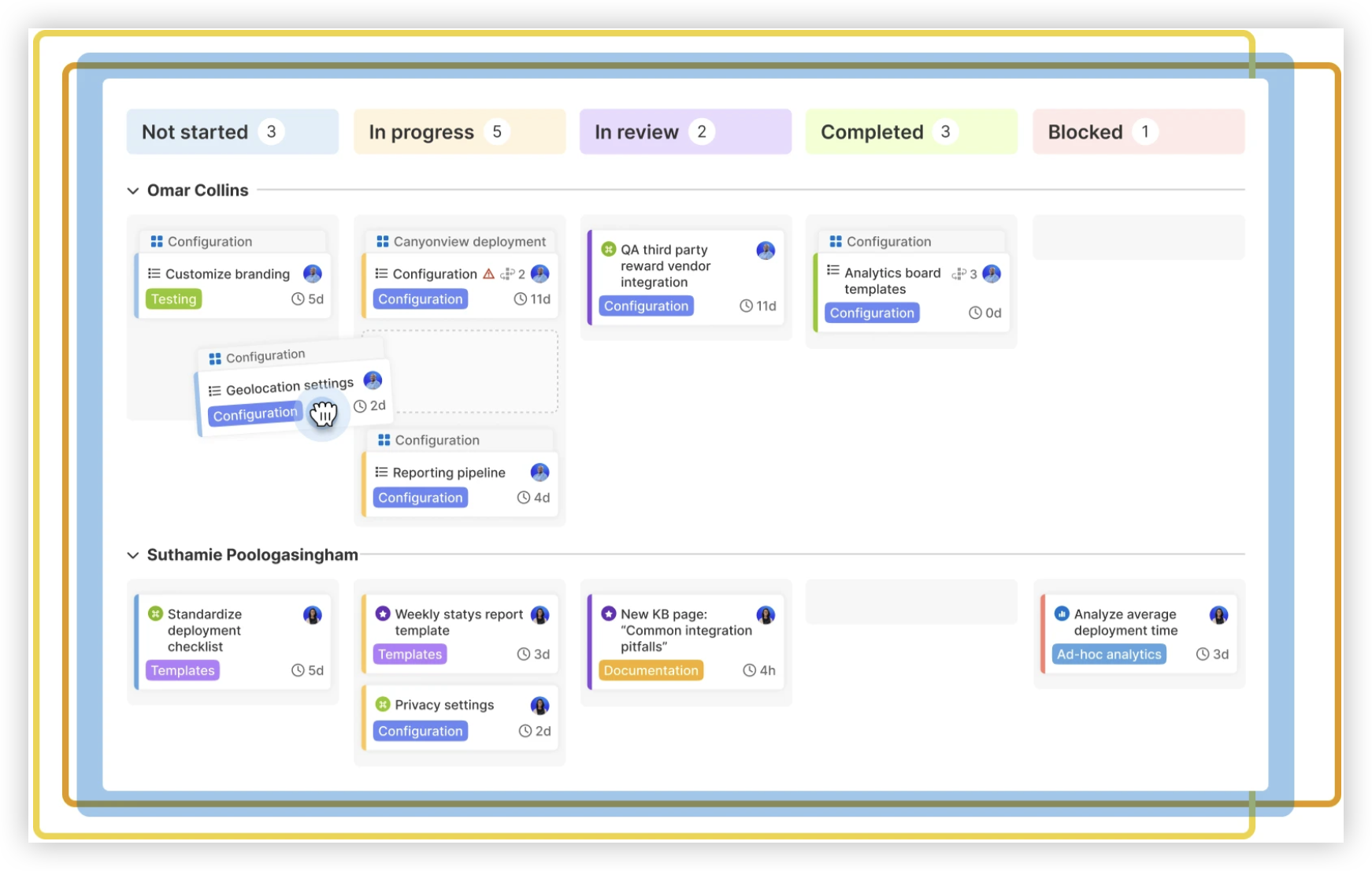
Course completion checklist
- You can describe the project goal and the user value behind the backlog.
- Your Jira issues have clear titles, priorities, and completion criteria.
- You have planned and completed at least one short sprint.
- You can explain how the team handled a blocker or changed priority.
- You can interpret a report and connect it to a team discussion.
- You have identified one improvement for the next iteration.
Value proposition: ONES.com is a unified project management and knowledge management platform powered by AI. ONES Project supports project and Agile work as a Jira alternative, while ONES Wiki provides knowledge management as a Confluence alternative; the products are sold separately.

If you’re learning Agile, the platform you practice with should make work and team decisions easy to follow. ONES Project offers Jira-compatible workflows, sprint management, custom workflows and fields, automation, and built-in reporting. That can help a team practice familiar Agile routines while reducing reliance on plugins.
Core capabilities: team pain, platform capability, and result
- Scattered project tasks: ONES Project brings team work into a project workspace, helping you see what needs attention.
- Unclear sprint progress: Sprint management supports planning and tracking, so the team can review its commitment as work moves forward.
- Workflows that don’t match team practice: Custom workflows let teams reflect necessary steps without adding irrelevant statuses.
- Fields that miss essential context: Custom fields capture details the team needs, making issues easier to understand and act on.
- Repeated manual actions: Automation can handle routine transitions or notifications, giving the team more time for coordination.
- Limited visibility into delivery: Built-in reporting helps teams examine progress and discuss potential problems.
- Extra plugins for common capabilities: Native project management capabilities can reduce plugin dependence and simplify the team’s setup.
- Restricted hosting requirements: Cloud, On-Premise, Private Cloud, and Air-gapped deployments provide hosting choices, with full feature parity between cloud and self-hosted versions.
Where teams might apply ONES.com
A software team could use ONES Project to organize a product backlog, plan sprints, and automate routine workflow updates. The team can use built-in reporting to discuss progress during reviews and retrospectives.
A team with internal hosting requirements could evaluate an On-Premise, Private Cloud, or Air-gapped deployment while maintaining access to the same feature set as the cloud version. For team knowledge, ONES Wiki can be considered separately from ONES Project. ONES.com offers a free plan for up to 30 seats.
ONES.com is worth considering when a team wants project and knowledge management options from one provider, but the two products remain separately sold. Choose a platform that fits your hosting, workflow, and learning needs; the Agile practices still depend on how the team works together.
Common challenges in Agile and Jira training
- Challenge: The backlog becomes a dumping ground. Solution: Review it regularly, remove stale work, and keep the next priorities clear. Give each active issue enough detail for a useful team discussion.
- Challenge: Sprint planning becomes a guessing contest. Solution: Agree on a sprint goal first, then select work using team experience and available capacity. Treat estimates as planning aids, not promises of exact delivery.
- Challenge: Jira feels more important than the outcome. Solution: Keep the workflow and fields lean. Ask whether each setting helps the team coordinate, understand progress, or make a decision.
- Challenge: Reports are used to blame the team. Solution: Discuss what changed and what the team can learn. Investigate blockers, interruptions, and unclear work before deciding how to improve planning.
FAQs about learning Agile project development with Jira
Do I need Jira experience before taking a practical Agile course?
No. A beginner can learn Jira basics alongside Agile practices. Start with creating issues, prioritizing a backlog, and moving work across a board. Then practice planning and reviewing a sprint. The important part is understanding why the team uses each activity, rather than memorizing every menu or configuration option.
Should I learn Scrum or Kanban first?
Choose the approach that matches the work you want to practice. Scrum is useful for learning timeboxed sprints, sprint goals, and regular review events. Kanban is useful for visualizing continuous work and limiting work in progress. If your course uses Jira, ask which framework its exercises support, then build your practice project around that method.
How long should a Jira training project last?
A small project can teach the basics in one or two short sprints. Give yourself enough time to create a backlog, plan work, track progress, and review an outcome. If you have only a few hours, use a compact example and simulate the team events. Extend the project when you want to practice handling changing priorities or multiple dependencies.
What should I include in a Jira portfolio example?
Show a clear project goal, a prioritized backlog, readable issues, and a board that reflects the team’s workflow. Include a sprint goal and explain what the team completed. Add a short reflection about one obstacle and how you responded. A simple, coherent example shows practical judgment more effectively than a crowded board filled with unrelated tasks.
Conclusion
Agile project development with Jira is best learned by taking a small project through the full cycle: define value, prioritize work, plan a sprint, collaborate, and review what happened. Jira helps make that work visible, while team conversations turn visibility into better decisions.
Start with a simple board and a realistic goal. Practice one sprint before adding complex workflows or reports. When you encounter unclear work or unfinished tasks, use them as clues for the next improvement. With steady practice, you can build a useful Agile workflow and explain the choices behind it.