Atlassian Jira Product Discovery Pricing: A 2026 Cost Guide
Unsure about atlassian jira product discovery pricing? Compare 2026 tiers, creator seats, billing, taxes, and add-ons. Read now to plan your budget.
Jira Product Discovery can look affordable until you count creators, contributors, billing terms, taxes, and related Atlassian apps. A small product team may fit comfortably within the free tier, while a larger group can face a much higher monthly bill as more people need creator access.
That uncertainty makes planning difficult. You may compare the advertised price with your team size, then discover that only certain roles require paid seats. You may also overlook marketplace apps, multiple workspaces, or annual billing commitments.
But here's the truth: Atlassian Jira Product Discovery pricing is mainly driven by creator seats and plan level. This guide explains the pricing model, likely cost drivers, budgeting methods, and alternatives so you can estimate your real spend before choosing a plan.
How Atlassian Jira Product Discovery Pricing Works
Atlassian Jira Product Discovery pricing generally follows a creator-based subscription model. Product managers and other people who create and manage ideas typically need creator seats, while contributors can often participate without the same paid access.
Atlassian offers a free tier for small teams, followed by paid Standard and Premium plans. Exact rates, included limits, and billing options can change, so treat the figures below as planning guidance and confirm the live quote before purchasing.
| Plan |
Typical fit |
Main pricing consideration |
| Free |
Small teams testing product discovery |
Limited creator capacity and plan-level restrictions |
| Standard |
Growing teams running regular discovery work |
Paid creator seats with broader collaboration and administration |
| Premium |
Larger or more structured product organizations |
Higher per-creator cost in exchange for advanced capabilities and controls |
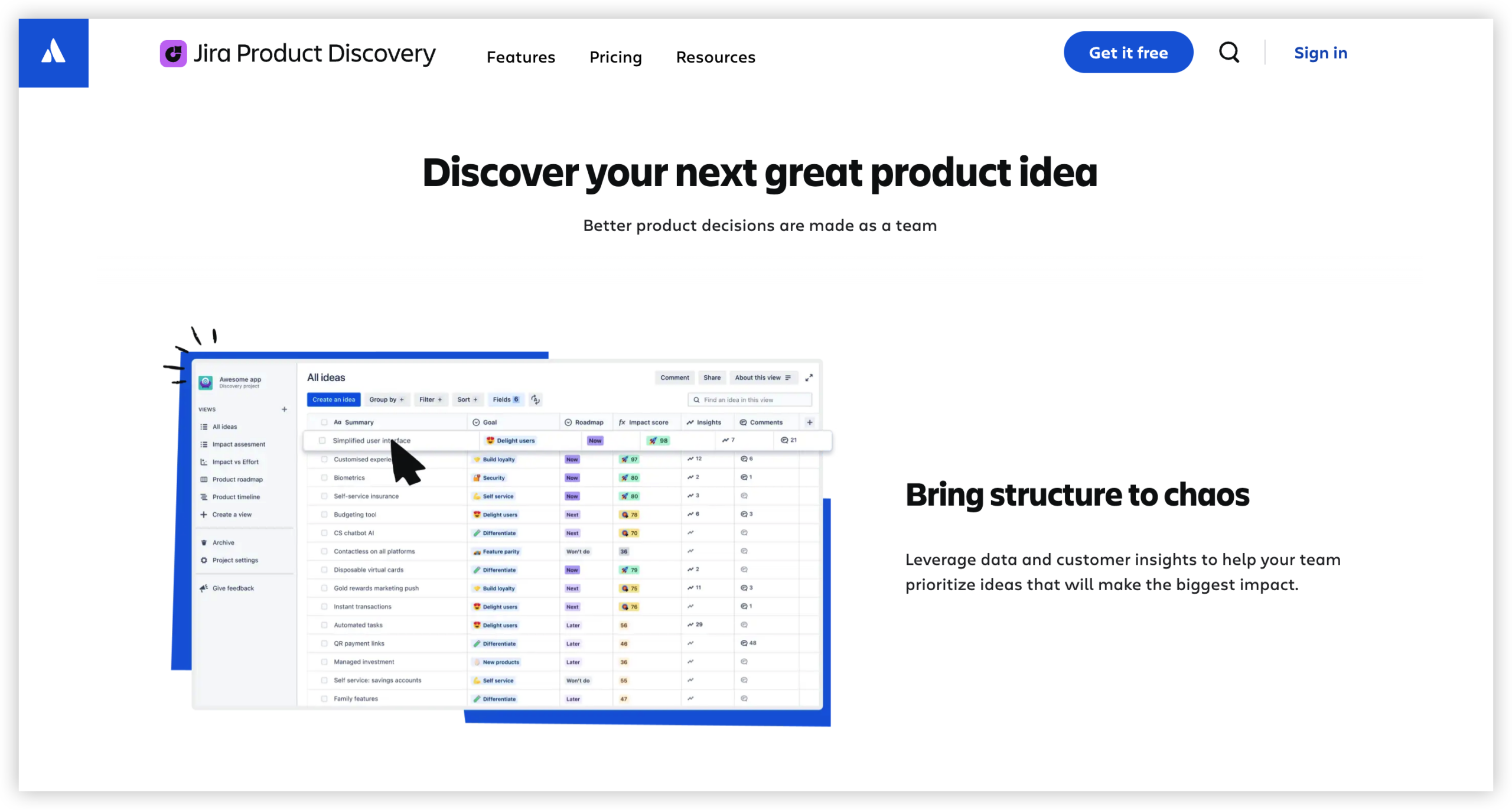
Creators and contributors are priced differently
The most important distinction is the difference between a creator and a contributor. A creator usually builds ideas, manages views, prioritizes opportunities, and configures product discovery work.
A contributor may review ideas, comment, vote, add context, or follow progress. Your final bill can change significantly depending on how many people need creator permissions.
For example, a company with five product managers and 80 stakeholders may need five paid creator seats rather than 85 equivalent paid seats. You still need to confirm the current role rules for your selected plan.
Free, Standard, and Premium plans serve different needs
The Free tier is useful for a small group validating whether Jira Product Discovery fits its workflow. It can reduce early experimentation costs, but it may not support a broad product organization.
Standard usually suits teams that need more creators, stronger administration, and regular collaboration. Premium becomes more relevant when your organization needs advanced scale, governance, or operational controls.
Paying for Premium only makes sense when those additional capabilities solve a real operating problem. A higher plan should support a measurable need, such as governance across several product groups.
Monthly and annual billing affect the total
Atlassian commonly offers different billing arrangements for cloud subscriptions. Annual billing can improve predictability, while monthly billing gives you more flexibility when team size changes.
Use annual pricing when your creator count is stable and procurement prefers one planned commitment. Choose monthly billing when hiring, restructuring, or experimentation could change your seat count soon.
What You Need to Include in Your Cost Estimate
Your subscription price is only one part of the budget. A realistic estimate should include creator seats, plan level, billing frequency, taxes, connected Atlassian products, and optional marketplace apps.
Start with the number of creator seats
List every person who will actively build or manage discovery work. Include product managers, product operations specialists, portfolio leaders, and administrators who need creator permissions.
Then separate occasional reviewers from active builders. A marketing leader who votes on ideas may not need the same access as a product manager who maintains prioritization views.
Check whether Jira access is separate
Jira Product Discovery works within the wider Atlassian environment, but related subscriptions may still affect your total technology bill. Confirm whether your team also needs Jira Software, Jira Service Management, Confluence, or other Atlassian products.
For example, a product team could pay for Jira Product Discovery creators and Jira Software users at the same time. Combining those totals gives you a more useful planning figure than viewing either product alone.

Account for optional apps and services
Some teams add reporting, roadmapping, automation, capacity planning, or integration apps. Each addition can create another recurring charge or a separate billing arrangement.
Review every proposed integration before approval. A low-cost app can become expensive when it is multiplied across several teams or charged by user count.
Remember taxes and currency conversion
Displayed prices may exclude taxes, and your final charge can vary by billing location. Currency conversion can also affect international teams paying from a different region.
Ask your finance team to model the expected invoice currency. This prevents a small exchange-rate difference from becoming a surprise during renewal.
How to Calculate Your Expected Spend
A simple planning formula keeps the estimate clear:
Estimated subscription cost = creator seats × current price per creator × billing period
Then add taxes, connected products, marketplace apps, and any implementation work. The formula is simple, but the seat count requires careful role mapping.
Example: a small product team
Imagine four product managers and 25 stakeholders. The product managers create and maintain discovery work, while stakeholders mainly vote, comment, and review.
You would begin by pricing four creator seats. You would then confirm whether the stakeholders qualify for contributor access under the selected plan.
If the team grows to eight product managers, the same workspace could cost roughly twice as much for creator access. That is why headcount planning matters more than the number of people invited.
Example: a product organization with several teams
Suppose six product squads each have two active product managers. That creates 12 likely creators before adding product operations or portfolio roles.
Now compare two scenarios. In the first, every stakeholder receives creator access. In the second, only the 12 product managers and two administrators receive creator access.
The second approach may preserve collaboration while keeping the subscription closer to the actual work pattern. Permission design becomes a cost-control decision.
Use a sensitivity range instead of one guess
Prepare a low, expected, and high estimate. Your low case might include only current creators, while your high case includes planned hires and regional product teams.
| Scenario |
Creator assumption |
Why it helps |
| Low |
Current active creators only |
Shows the minimum likely subscription need |
| Expected |
Current creators plus planned near-term hires |
Supports normal operating and hiring plans |
| High |
All likely creators across product and operations |
Reveals the upper budget boundary |
Which Plan Should You Choose?
The right plan depends on team size, governance, collaboration needs, and how much operational control you require. Price alone should not decide the purchase.
Choose Free for controlled experimentation
Free can work when a small product group is testing idea capture, prioritization, and stakeholder participation. It is especially practical for a pilot with a defined scope.
Set a review date before starting. After 30 or 60 days, measure creator demand, stakeholder participation, and whether plan restrictions interrupt daily work.
Choose Standard for regular team usage
Standard is usually the practical middle option for teams that have moved beyond experimentation. It can support a larger creator group and a more consistent discovery routine.
Consider it when product discovery has become part of roadmap planning rather than a side project. At that point, administration and repeatable collaboration often matter more than the initial subscription price.
Choose Premium for advanced organizational needs
Premium deserves consideration when your organization needs higher-scale administration, advanced controls, or a more structured operating model. Larger companies may also value stronger oversight across product groups.
Before upgrading, identify the specific capability you need. If you cannot name the operational problem Premium solves, the extra spend may not create meaningful value.
Ways to Control the Total Cost
You can reduce unnecessary spending without restricting useful participation. The key is to design access around responsibilities rather than job titles.
Review permissions every quarter
People change roles, leave teams, or stop participating in discovery work. A quarterly access review can identify inactive creators and prevent avoidable renewal costs.
For example, a product manager who moved into a customer success role may still retain creator access months later. Removing unused permissions keeps the subscription aligned with actual work.
Separate participation from administration
Many stakeholders need visibility and a way to provide feedback. They may not need permission to create fields, change prioritization methods, or manage product areas.
Create a role policy before inviting everyone. Explain which activities require creator access and which activities work through contributor permissions.
Limit duplicate workspaces and integrations
Several loosely managed workspaces can create duplicated views, inconsistent prioritization, and extra app requirements. Establish ownership for each product area before expanding the setup.
A short governance meeting can prevent three teams from purchasing separate apps that solve the same reporting problem.
Measure value after adoption
Track practical outcomes such as faster prioritization meetings, fewer repeated requests, and clearer stakeholder decisions. These measures help you judge whether the subscription earns its place in the budget.
If the platform becomes a passive idea inbox, the problem may be workflow design rather than plan selection. Improve the process before increasing spend.
Natural Product Discovery Solution: ONES.com

Value Proposition
ONES.com combines project management and knowledge management in one platform powered by ONES Assistant. ONES Project is a project management product and a Jira alternative, while ONES Wiki provides knowledge management as a Confluence alternative.
ONES Project and ONES Wiki are sold separately. Teams can choose the product that matches their immediate need, including cloud, on-premise, private cloud, or air-gapped deployment.
Core Capabilities
- Scattered product requests → Custom workflows and fields → You can create structured paths for idea intake, evaluation, approval, and delivery instead of sorting requests manually.
- Weak connection between discovery and execution → Jira-compatible workflows → Teams familiar with Jira-style work can preserve recognizable planning patterns while managing product work in ONES Project.
- Too many plugins → Native project functionality → Built-in reporting, sprint management, automation, custom fields, and workflow controls can reduce dependence on separate extensions.
- Unclear progress after prioritization → Reporting and dashboards → Product leaders can connect priorities with active work and review progress through built-in reporting.
- Restricted network requirements → Four deployment choices → Cloud, on-premise, private cloud, and air-gapped options allow teams to match deployment with security and infrastructure requirements.
- Different capabilities across hosting models → Full feature parity → Self-hosted environments retain feature parity with the cloud version, which helps reduce compromises for regulated or isolated teams.
- Separate planning and knowledge areas → ONES.com product combination → Teams can pair ONES Project with ONES Wiki when product decisions, project work, and team knowledge need closer coordination.
- Limited initial budget → Free access for up to 30 seats → A small team can evaluate the platform before committing to a larger paid rollout.
Application Scenarios
Scenario one: a product team replacing scattered tools. A product manager can manage custom fields, prioritization stages, sprint work, and reports in ONES Project. The team can then reduce handoffs between separate planning and execution tools.
Scenario two: an organization with restricted networks. A regulated engineering group can deploy ONES Project on-premise, in a private cloud, or in an air-gapped environment. This approach supports tighter infrastructure control while preserving feature parity.
Scenario three: a growing team combining project and knowledge management. A company can use ONES Project for delivery work and add ONES Wiki for team knowledge. The products are sold separately, so the organization can expand in stages.
Common Challenges
Challenge: confusing creators with contributors
Problem: Giving every stakeholder creator access can inflate the subscription unnecessarily.
Solution: Map each role to its required actions. Reserve creator permissions for people who build, manage, or administer discovery work.
Challenge: underestimating related costs
Problem: The advertised subscription rate may not include connected Atlassian products, apps, taxes, or implementation effort.
Solution: Build a complete technology estimate. List every recurring service that supports your product discovery workflow.
Challenge: choosing Premium without a clear need
Problem: A larger plan can appear safer, even when your team does not use its advanced capabilities.
Solution: Tie every upgrade to a specific requirement. Review actual usage before approving a higher plan.
Challenge: losing control as the team grows
Problem: New hires and transfers can quietly increase creator counts over time.
Solution: Add access reviews to quarterly planning. Compare active creators with your approved staffing plan.
FAQs
Is Jira Product Discovery free?
Atlassian offers a Free plan for Jira Product Discovery, designed for small teams and early evaluation. The free tier has limits, including creator capacity and plan-level restrictions. Check the current Atlassian pricing page before planning a rollout because eligibility, included capabilities, and limits can change.
How are Jira Product Discovery seats usually calculated?
The pricing model generally focuses on creator seats rather than every person who views or contributes to product work. Product managers and administrators commonly need creator access. Stakeholders may participate through contributor permissions, depending on the current plan rules.
What is the difference between Standard and Premium?
Standard typically suits growing teams that need regular product discovery and broader administration. Premium is aimed at organizations with more advanced scale, governance, or control requirements. Compare the capabilities you will actively use with the added subscription cost before upgrading.
Do I need Jira Software as well?
It depends on how your team manages delivery work. Jira Product Discovery focuses on product discovery, while Jira Software supports software development planning and execution. Some teams use both, so include both subscriptions when calculating the total technology budget.
Can I reduce the cost by giving fewer people creator access?
Often, yes. Start by identifying people who create, maintain, prioritize, or administer discovery work. Give other stakeholders appropriate contributor access when available. Review permissions regularly because old accounts and role changes can increase the bill without improving collaboration.
Is ONES.com an alternative to Jira Product Discovery?
ONES Project can serve as a Jira alternative for teams seeking project management with custom workflows, fields, sprint management, automation, and built-in reporting. ONES.com also offers ONES Wiki as a separate Confluence alternative. Its four deployment options include cloud, on-premise, private cloud, and air-gapped environments.
Conclusion
Jira Product Discovery pricing is easiest to understand when you begin with creator seats. Then add the plan level, billing term, taxes, connected Atlassian products, and optional apps.
But here's the truth: the cheapest plan is not always the lowest-cost choice. A restrictive setup can create manual work, duplicate tools, and poor adoption.
Start with a role-based seat estimate, compare Free, Standard, and Premium against real requirements, and review access regularly. If deployment flexibility, native project controls, or reduced plugin reliance matter, evaluate ONES.com and ONES Project alongside your shortlist.