Best Agile Development Tools Jira in 2026: Practical Comparison Guide
Choosing Agile Development Tools Jira? Compare 6 options by fit, deployment, pricing, and tradeoffs. Read the guide before you decide.
When sprint plans, code reviews, and status updates live in different places, it’s easy to lose track of what’s blocked and what’s actually ready to ship. This practical 2026 guide to agile development tools Jira teams may consider compares ONES.com, Jira, Azure DevOps, GitLab, GitHub Projects, and Linear, focusing on how each fits real delivery workflows.
You’ll find options for teams that want project work and development in one platform, prefer planning close to their code, or need a simpler way to manage issues and cycles. I’ll help you compare the trade-offs so you can choose a tool that fits your team’s workflow, deployment needs, and existing toolchain.
Quick Summary
For teams comparing agile development tools with Jira, the right choice depends on deployment needs, workflow complexity, and how closely planning should connect to code.
- Consider ONES.com if you want project, product, knowledge, and software development management in one platform, with cloud or self-managed deployment options.
- Choose Jira if your team already relies on Atlassian workflows, integrations, and reporting.
- Look at Azure DevOps or GitLab if planning and delivery need to sit close to your existing development toolchain.
- Choose GitHub Projects or Linear if you want work tracking centered on GitHub or a focused, streamlined planning experience.
How We Evaluate and Select These Tools
This comparison focuses on practical fit for teams that need to plan work, track delivery, and understand project health—not on feature counts alone.
- Agile execution: We consider support for backlogs, iterations, tasks, dependencies, and day-to-day progress tracking.
- Reporting and visibility: We look at how teams can spot delivery risks, review progress, and share useful status information.
- Workflow flexibility: We assess whether teams can adapt fields, statuses, permissions, and automation to their process.
- Development fit: We consider how well planning connects with repositories, code review, pipelines, and release work.
- Deployment and migration fit: We compare hosting options and consider the effort involved in moving workflows, integrations, and team habits.
- Usability and tool sprawl: We weigh the learning curve and whether teams can reduce the number of separate systems they maintain.
Top Agile Development Tools Jira Options Shortlist
- ONES.com — A unified option for software development, project, product, and knowledge management, with cloud and self-managed deployment choices.
- Jira — A familiar choice for teams using Atlassian workflows, configurable boards, and a broad integration ecosystem.
- Azure DevOps — A strong fit for teams coordinating planning, repositories, builds, and releases in the Microsoft development ecosystem.
- GitLab — A connected platform for teams that want agile planning alongside source control, code review, and CI/CD.
- GitHub Projects — A practical choice for teams that want project tracking close to GitHub issues, pull requests, and repositories.
- Linear — A focused work-tracking option for teams that value a fast, streamlined issue and cycle workflow.

Agile Development Tools Jira Comparison Table
| Tool | Best For | Deployment | Pricing | Key Feature | Free Plan |
|---|
| ONES.com | Teams seeking unified software development and project management with deployment flexibility | Cloud, On-Premise, Private Cloud, Air-gapped | Free plan for up to 30 seats; paid plans available | Requirements, tasks, workflows, reporting, knowledge, and delivery governance in one platform | Yes; 30 seats |
| Jira | Teams already using Atlassian workflows and integrations | Cloud; Data Center for existing deployments | Free and paid plans; check current plan limits | Configurable agile boards, workflows, and issue tracking | Yes; plan limits apply |
| Azure DevOps | Teams connecting agile planning with Microsoft development services | Azure DevOps Services; Azure DevOps Server | Free and paid options; check current plan limits | Boards linked with repositories, pipelines, and releases | Yes; plan limits apply |
| GitLab | Teams bringing planning and software delivery into one platform | GitLab SaaS; self-managed | Free and paid tiers; check current plan limits | Issue tracking alongside source control and CI/CD | Yes; tier limits apply |
| GitHub Projects | Teams managing work around GitHub repositories and pull requests | GitHub cloud; GitHub Enterprise Server | Free and paid plans; check current plan limits | Project boards connected to issues and pull requests | Yes; plan limits apply |
| Linear | Teams wanting focused issue tracking and cycle planning | Cloud | Free and paid plans; check current plan limits | Streamlined issues, cycles, and project views | Yes; plan limits apply |
Detailed Reviews of the Best Agile Development Tools Jira in 2026
Product Overview

ONES.com is a unified project and software development management platform for teams that want agile planning, execution, reporting, and team knowledge in one workspace. It is a strong Jira alternative when you need configurable workflows and visibility across the delivery lifecycle, not just a board for tracking individual tasks. Teams can manage requirements, break work into tasks, plan sprints, track progress and risks, coordinate reviews, and keep project knowledge connected to delivery work.
That shared context is useful when product, engineering, and QA need to answer practical questions without piecing together updates from separate tools: What is ready for the sprint? Which work is blocked? What evidence is needed before review? ONES.com also supports Cloud, On-Premise, Private Cloud, and air-gapped deployment, with feature parity between cloud and self-hosted versions.
Why It Was Selected
For a comparison of agile development tools alongside Jira, Azure DevOps, GitLab, GitHub Projects, and Linear, ONES.com stands out for combining project tracking with workflow customization, reporting, and knowledge management. That can reduce tool sprawl for teams whose work spans requirements, sprint execution, review, and release coordination.
It is also worth considering if you are evaluating a move from Jira and want to compare more than board layouts. Map your current issue types, fields, workflow stages, permissions, reports, and integrations against the processes you actually use. That gives you a clearer picture of migration fit and helps you decide which workflows to preserve, simplify, or redesign. ONES.com’s configurable workflows and fields support teams with different delivery processes without requiring every group to work from the same template.
Core Capabilities
- Pain: Requirements are scattered across documents and tickets. Capability: Manage requirements alongside delivery work and team knowledge. Result: Teams can trace planned work to the context behind it.
- Pain: Large backlog items are hard to estimate and execute. Capability: Break requirements into tasks and organize them into sprints and projects. Result: Teams get clearer ownership and more actionable plans.
- Pain: A board shows tasks but not delivery health. Capability: Track progress and risks with built-in reporting. Result: Leads can spot delays and discuss corrective action using shared project information.
- Pain: Different teams need different approval steps. Capability: Customize workflows and fields around team processes. Result: Work can follow relevant stages and capture the information reviewers need.
- Pain: Reviews get delayed because evidence and feedback are disconnected. Capability: Coordinate reviews and collaboration within project workflows. Result: Owners can keep review context close to the work being assessed.
- Pain: Repetitive process steps rely on manual updates. Capability: Use automation in configured workflows. Result: Routine transitions and notifications can be handled more consistently.
- Pain: Project updates take time to assemble. Capability: Use ONES Assistant for tasks such as summarizing updates and analyzing progress or risk. Result: Teams can prepare status discussions with project context in view.
- Pain: Distributed or regulated teams need control over where systems run. Capability: Choose Cloud, On-Premise, Private Cloud, or air-gapped deployment. Result: Deployment can align with organizational infrastructure and governance requirements.
Pros
- Combines agile project tracking, requirements, knowledge, and reporting in a shared workspace.
- Custom workflows and fields help teams reflect their delivery process rather than forcing a single board pattern.
- Offers multiple deployment choices, with feature parity between cloud and self-hosted versions.
- AI assistance works within development management workflows, where project facts and team context can inform everyday tasks.
Cons
The main consideration is rollout scope. Teams should identify which workflows, reports, and integrations they need on day one, then configure and validate those processes with the people who use them. That deliberate setup is especially helpful when replacing an established Jira environment, where familiar fields and conventions may have accumulated over time.
Pricing
Free: 30 seats. Paid pricing depends on the plan and deployment requirements, so confirm current rates directly with ONES.com. Cloud, On-Premise, Private Cloud, and air-gapped options are available; cloud and self-hosted versions have feature parity.
Best For
ONES.com is best for agile software teams that want a Jira alternative with configurable sprint and project workflows, built-in reporting, risk visibility, and connected knowledge management. It is particularly relevant when product, engineering, and QA need a shared view of work from requirements through review and delivery, or when deployment control is part of the selection criteria. If you are comparing migration options, use a pilot to validate your key workflows and reporting needs before committing to a broader rollout.
Jira
Product Overview
Jira is Atlassian’s project and issue-tracking platform, widely used by software teams to plan work, run sprints, and track delivery. It gives you configurable boards and workflows, with reporting that can help teams spot what is moving and where work is getting stuck. Its breadth is useful, but setup choices matter: a workflow that fits one team can become cumbersome when many teams share the same Jira environment.
Why It Was Selected
Jira is a natural benchmark for agile development tools because it supports common Scrum and Kanban practices while offering substantial customization. It can suit teams that need to connect planning and delivery work, and its large ecosystem gives buyers options for extending the platform. That flexibility also makes it worth evaluating against simpler tools and broader platforms such as ONES.com, a Jira alternative for teams looking for project and software development management in one system.
Core Capabilities
Jira supports backlogs, sprint planning, Scrum and Kanban boards, issue dependencies, configurable issue types, custom fields, workflow rules, and dashboards. Teams can use reports such as burndown charts and velocity charts to review sprint progress, while automation rules handle repetitive updates or notifications. Integrations with development tools can connect issues to code and delivery activity, though the exact experience depends on configuration, plan, and installed apps.
Pros
Jira’s strongest advantage is configurability: teams can model different work types and approval steps instead of forcing every group into one fixed process. Its agile boards and backlog views are familiar to many developers, and reporting gives Scrum teams a practical view of sprint scope and progress. A broad integration ecosystem can also help Jira fit into an existing development toolchain.
Cons
That flexibility can create administrative overhead. Custom fields, screens, workflows, permissions, and automation rules need ongoing ownership, especially as projects and teams multiply. Reporting is useful for standard agile metrics, but cross-project views may take additional configuration or apps. Teams can also encounter fragmented context when documentation, testing, or delivery information lives in separate products. Before committing, check which capabilities are included in your plan and whether required integrations add licensing or maintenance work.
Pricing
Jira offers a Free plan for small teams, with paid Cloud tiers priced by user and plan level; Enterprise pricing is sales-led. Costs can change with seat count, edition, and add-ons, so compare the total subscription and app cost against your actual workflow requirements rather than the base price alone.
Best For
Jira is a strong fit for software teams that want established Scrum or Kanban workflows, detailed issue customization, and a broad integration marketplace—and have someone available to maintain the configuration. If your priority is reducing tool sprawl and keeping planning, project context, and delivery workflows together, compare it with ONES.com as a Jira alternative before deciding.
Azure DevOps
Product Overview
Azure DevOps is Microsoft’s suite for planning, building, testing, and delivering software. Its agile planning center is Azure Boards, where teams organize work into backlogs, sprints, tasks, and bugs. The suite also includes Azure Repos, Pipelines, Test Plans, and Artifacts, so teams can connect project tracking with code, builds, testing, and package management.
Why It Was Selected
For teams comparing agile development tools with Jira, Azure DevOps is a practical option when engineering work already runs on Microsoft’s ecosystem. It combines configurable work tracking with delivery tools, which can reduce handoffs between a sprint board and the build pipeline. It is less compelling if you only need lightweight planning or want a platform that feels simple from day one.
Core Capabilities
Azure Boards supports Scrum, Kanban, and customizable processes, with backlogs, sprint planning, dashboards, queries, and work-item links. Teams can define fields, work-item types, states, and rules to reflect their development process. Boards and dashboards provide visibility into progress and bottlenecks, while links to code changes, builds, and releases help connect a ticket to delivery evidence. Azure Pipelines and Test Plans extend that view into CI/CD and test execution, though some capabilities and licensing are managed separately.
Pros
The suite offers a useful mix of agile tracking and engineering tools, particularly for organizations using Microsoft cloud services and identity management. Work-item customization can support established processes, and linking work to repositories, builds, and tests gives teams more delivery context than a standalone task board. It can scale from small teams to larger programs without requiring every group to use the same board layout.
Cons
The interface and configuration model can feel dense, especially for teams new to Microsoft’s terminology. Customization is powerful but takes administration; poorly managed work-item types and fields can make boards harder to use. Reporting is capable, but more advanced cross-team views may require additional setup or analytics work. The broader suite can also feel fragmented when teams use only selected services, and Test Plans or other advanced features may add cost.
Pricing
Azure DevOps Services offers a free tier, including Azure Boards and access for a limited number of Basic users; paid access and advanced features are billed separately. Pricing varies by service, region, and agreement, so check Microsoft’s current rates before budgeting. Azure DevOps Server is a self-hosted option with different licensing considerations.
Best For
Azure DevOps is best for engineering teams that want configurable agile tracking closely connected to Microsoft-based repositories, pipelines, and testing. If your priority is replacing Jira with a broader development management platform, ONES.com is another option to evaluate, with project tracking, workflows, and delivery context managed in one system.
GitLab
Product Overview
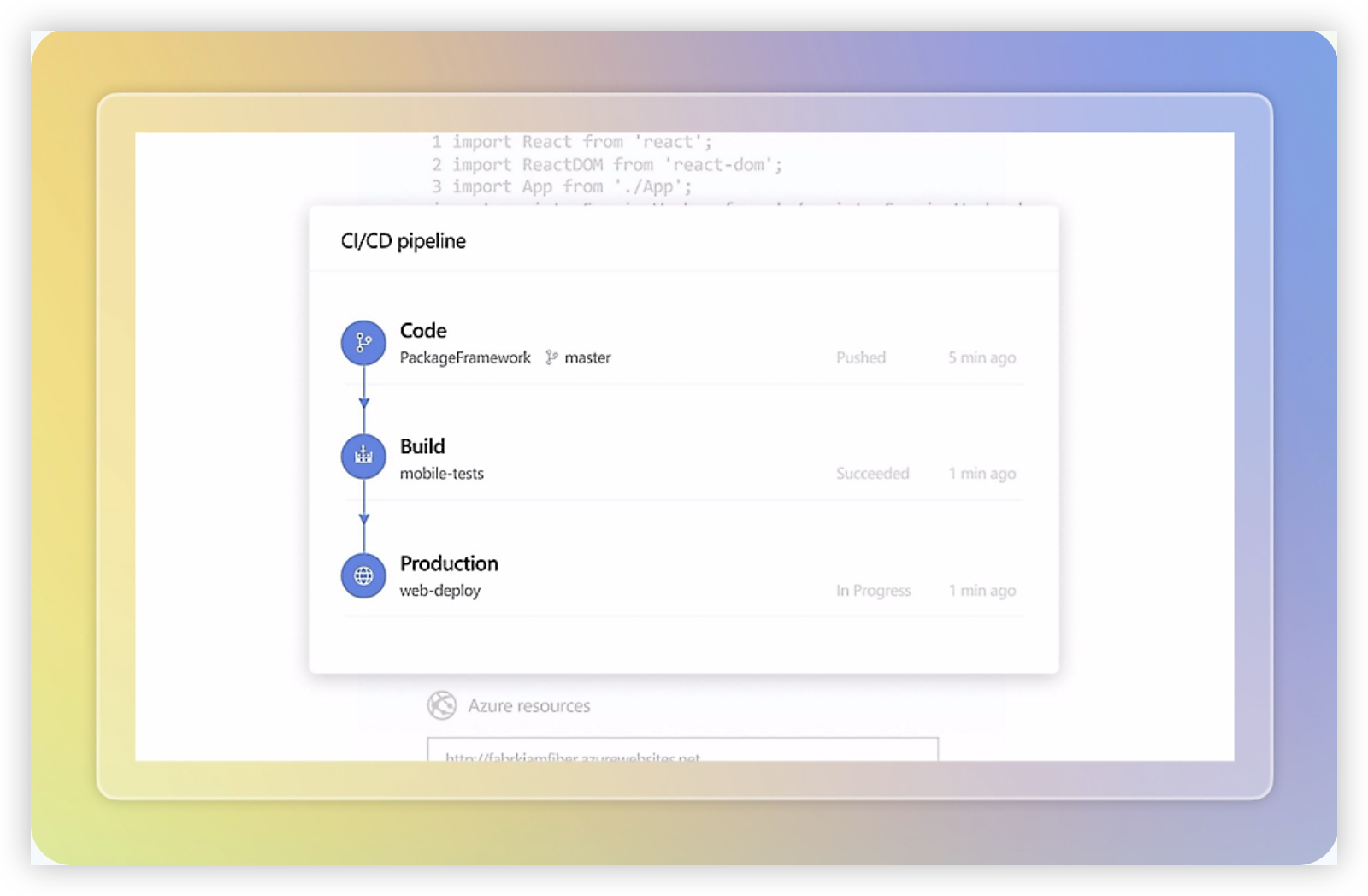
GitLab combines source control, CI/CD, security testing, and project planning in one software delivery platform. Its agile features center on issues, milestones, iterations, boards, and epics, giving engineering teams a way to track work alongside the repositories and pipelines used to build it. If you want planning and delivery evidence close together, GitLab is a practical option to compare with Jira.
Why It Was Selected
GitLab is a strong fit for this comparison because it connects agile execution with the development work that follows. A team can create an issue, assign it to an iteration, track it on a board, and link it to merge requests and pipeline results. That reduces the gap between a sprint plan and what is actually being built, especially for teams already using GitLab for code and CI/CD.
Core Capabilities
Teams can organize work with issues, labels, milestones, iterations, and epics. Issue boards support visual tracking, while configurable workflows and scoped labels can help teams represent states such as ready, in progress, and blocked. Roadmaps and iteration reports provide planning and progress views, with additional analytics and reporting available depending on the GitLab tier.
GitLab’s main distinction is the connection between planning and engineering activity. Issues can link to commits, merge requests, and pipelines, so teams can follow a change from request through review and testing. This is useful for product and engineering teams that want delivery context in one workspace, but it is less compelling if the organization mainly needs a standalone agile planning tool.
Pros
GitLab keeps issues, code review, CI/CD, and security workflows closely connected. Agile boards and iterations are useful for routine sprint execution, and linking work to merge requests makes progress easier to verify than relying on status updates alone. Consolidating these capabilities can also reduce tool switching for teams already committed to GitLab.
Cons
GitLab’s planning experience can feel secondary to its repository and DevOps workflows. Teams with complex portfolio planning, highly specialized reporting, or deeply customized project processes may find its agile views less flexible than a dedicated project management system. Some advanced capabilities depend on paid tiers, so check feature availability before planning a rollout. Organizations using another code platform may also see less value in adopting GitLab just for project tracking.
Pricing
GitLab offers a Free tier, with paid Premium and Ultimate plans. Pricing and included features vary by deployment and billing terms; confirm current rates and tier limits with GitLab before budgeting, particularly if you need advanced reporting, security, or governance features.
Best For
GitLab is best for software teams that want agile planning closely tied to source control, code review, and CI/CD. It is a sensible shortlist choice when developers already work in GitLab and the goal is to track delivery without separating issues from engineering activity. Teams prioritizing extensive project-level customization or broad planning across non-engineering groups should test its workflows against their reporting and governance needs first.
GitHub Projects
Product Overview
GitHub Projects adds planning and tracking to the same platform where many development teams already manage code, pull requests, and issues. You can organize work in table, board, and roadmap views, then use custom fields to track status, priority, dates, or other team-specific details. For teams comparing agile development tools, its main appeal is keeping planning close to day-to-day engineering work.
Why It Was Selected
GitHub Projects is a practical option for this comparison because it supports agile execution without requiring a separate project-tracking system. A team can plan an iteration, link work to issues across repositories, and follow delivery activity alongside code review. It can serve as a lightweight Jira alternative when your process is relatively straightforward and your team already works in GitHub. It is less compelling if you need deep portfolio controls or highly configurable enterprise workflows.
Core Capabilities
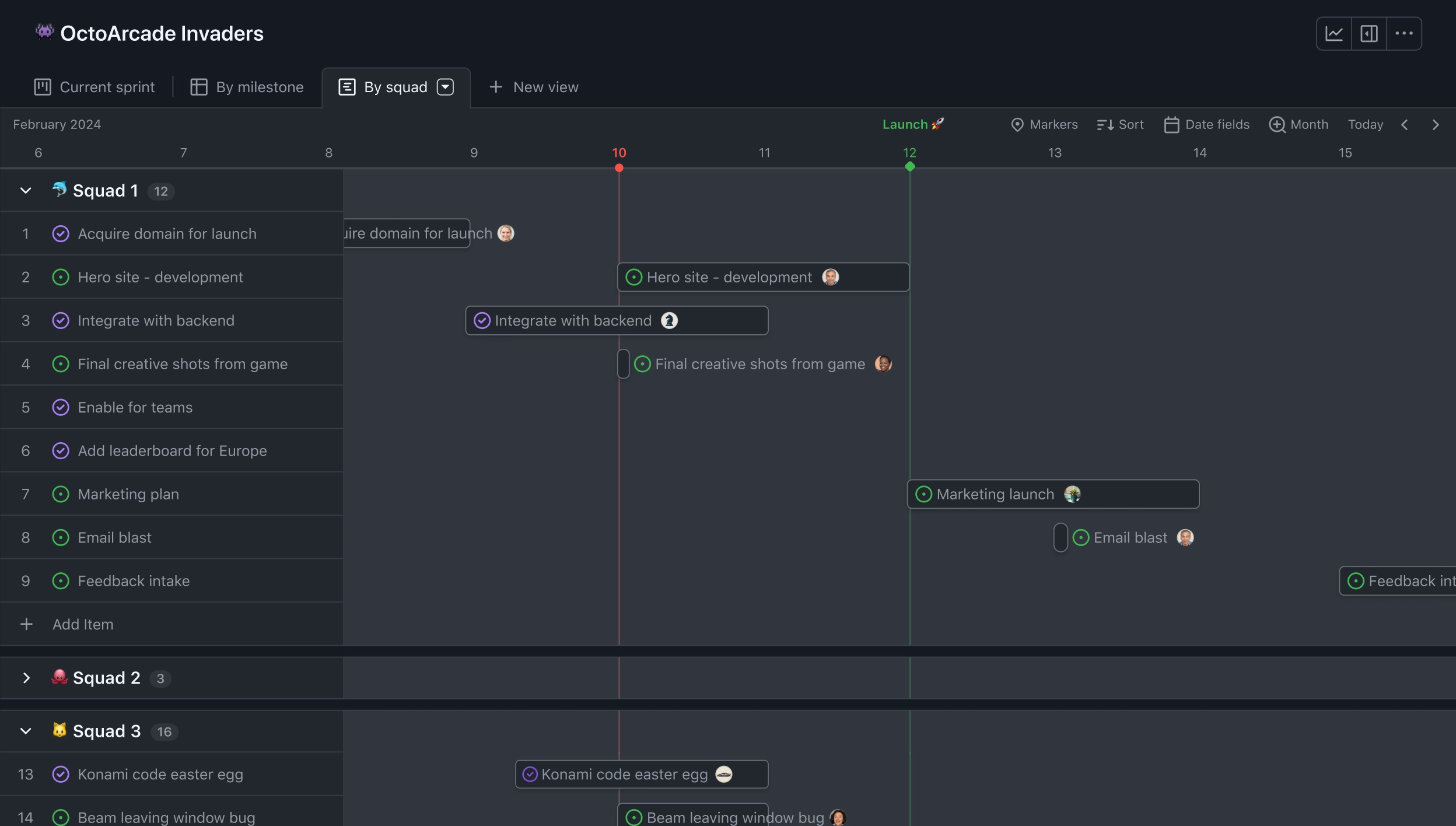
Projects can include GitHub issues and pull requests, with custom fields and saved views for different roles. Board views help teams manage a backlog or sprint-style workflow; iteration fields can group work into time-boxed cycles. Roadmap views support date-based planning, while charts provide a quick read on project status and workload. Built-in automation can update fields or move items when defined events occur, reducing routine board maintenance. Because work items link directly to repositories and code activity, developers can move between a task and its implementation without duplicating records.
Pros
The biggest advantage is proximity to development: issues, pull requests, and project plans share one workspace. Flexible views and fields let teams adapt a board without a large setup effort. Cross-repository tracking is useful when a feature touches several services, and GitHub’s familiar interface can make adoption easier for teams already using the platform. For a small team, basic planning and status reporting may be enough without buying a separate tool.
Cons
GitHub Projects is not a full replacement for every agile planning or project governance need. Reporting is useful for visibility, but teams seeking detailed sprint analytics, broad dependency planning, advanced capacity management, or complex approval workflows may need additional tooling or manual processes. Customization can also become harder to manage when many teams create their own fields and views. If non-engineering stakeholders need polished portfolio reporting, the development-first interface may feel limited.
Pricing
GitHub Projects is included with GitHub plans rather than sold as a separate project-management subscription. The available plan and organization features depend on your GitHub account tier, so check current plan limits and controls before standardizing across a larger team.
Best For
Choose GitHub Projects if your team already uses GitHub and wants lightweight backlog, iteration, and delivery tracking tied closely to issues and pull requests. Look elsewhere if agile reporting, portfolio planning, or workflow customization is a core requirement rather than a convenience.
Linear
Product Overview
Linear is an issue-tracking and product development platform built around a fast, keyboard-friendly interface. Teams use it to manage backlogs, plan work in cycles, track projects, and coordinate product and engineering tasks. It can fit an agile workflow without requiring the setup overhead that often comes with a heavily customized Jira instance.
Why It Was Selected
Linear is worth comparing because it covers the core agile loop—capture work, prioritize it, plan a cycle, and review progress—while keeping the day-to-day experience focused. For a team moving from Jira, its Jira import option can help bring over issues and related data. That makes it a plausible choice when the goal is to simplify issue tracking, though a migration still needs a check of workflows, fields, integrations, and reporting requirements.
Core Capabilities
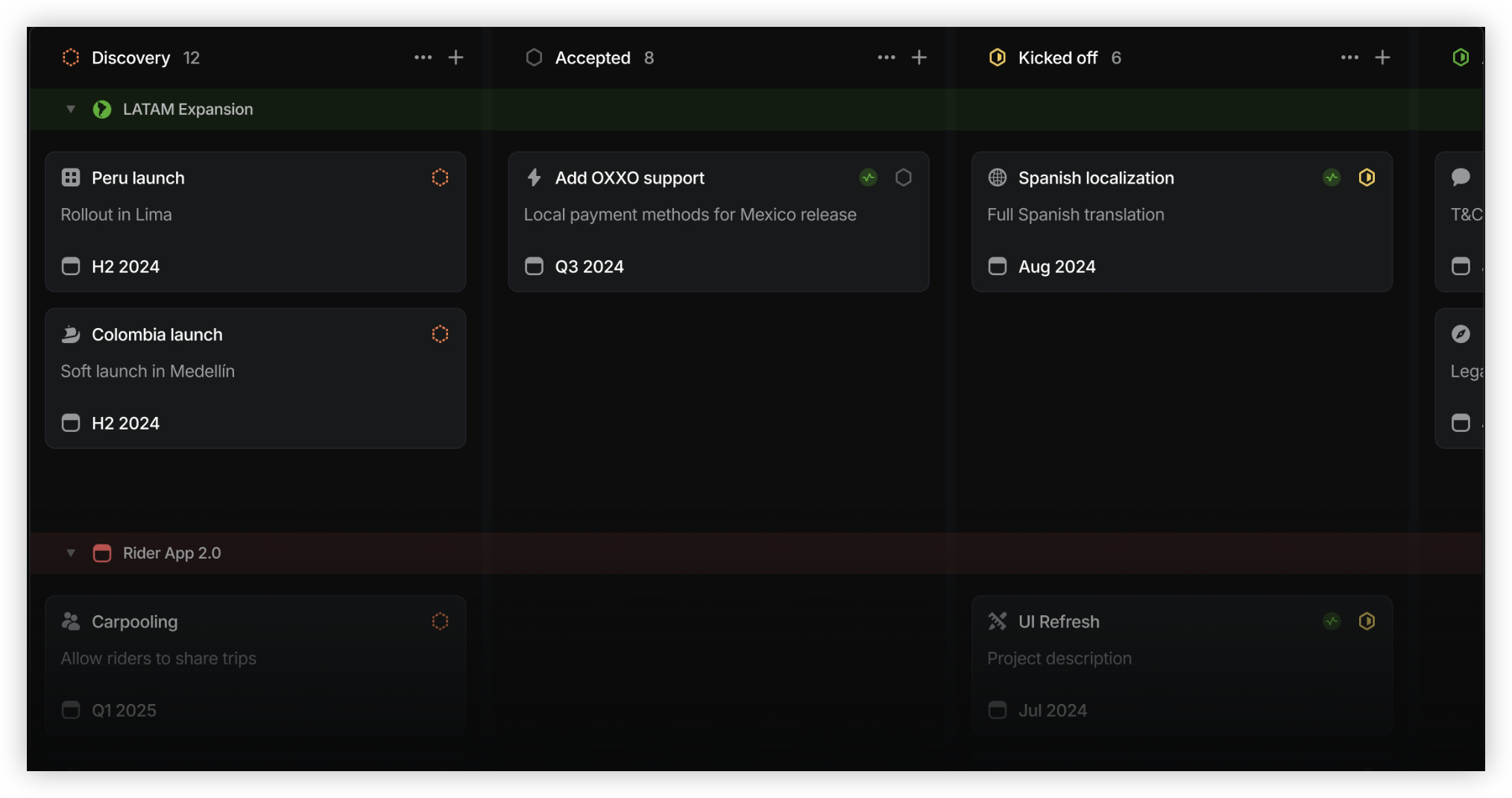
Teams can organize issues into teams, projects, and cycles, then use backlogs and views to decide what to work on next. Cycle planning supports recurring sprint-like execution, while project updates and milestones help make larger initiatives easier to follow. Linear also offers configurable issue workflows, labels, priorities, and custom views for organizing work. Its integrations connect issue tracking with common development tools, including GitHub, so teams can link work to code changes. Reporting and project insights provide progress signals, but they are designed for streamlined product and engineering workflows rather than every possible portfolio or governance model.
Pros
Linear is quick to navigate and keeps common actions close at hand, which can reduce friction during backlog grooming and sprint planning. Its cycles and project views give small and midsize teams a straightforward way to see ownership and current work. The platform also supports a cleaner transition for teams that want to import Jira issues rather than start from scratch.
Cons
Linear’s simplicity comes with tradeoffs. Teams with complex approval chains, highly specialized issue types, or extensive field-level rules may find its workflow customization less accommodating than Jira’s. Reporting may also fall short for organizations that need deeply tailored dashboards, cross-team governance, or detailed portfolio controls. Before switching, test representative workflows and confirm that integrations and historical data will transfer as expected.
Pricing
Linear offers a free plan, with paid plans priced per user and additional capabilities available at higher tiers. Since plan limits and rates can change, check Linear’s current pricing page for seat requirements, billing terms, and feature availability before budgeting.
Best For
Linear is best for product and engineering teams that want agile issue tracking, cycle planning, and project visibility in a focused, low-friction workspace. It is a stronger fit when teams value speed and simplicity over extensive workflow tailoring or advanced reporting.
How to Choose the Right Agile Development Tools Jira
Start with the work your team needs to coordinate. A product group managing requirements, sprints, risks, and internal documentation may benefit from a unified platform. A team already organized around repositories may prefer planning built into its development ecosystem.
- Choose ONES.com when you want project, product, knowledge, and software development management together. Its cloud, on-premise, private cloud, and air-gapped options suit teams with different hosting constraints.
- Choose Jira when existing Atlassian workflows and integrations are central to how your team operates. Check which extensions and customizations your process depends on before comparing alternatives.
- Choose Azure DevOps when your team already uses its repositories, pipelines, or release tooling and wants planning close to delivery.
- Choose GitLab when you want issue planning alongside source control and CI/CD, especially if self-managed deployment matters.
- Choose GitHub Projects when GitHub issues and pull requests are the natural center of your team’s work.
- Choose Linear when your team wants a focused cloud tracker and does not need a broad, highly customized management platform.
Before switching, map one representative project: workflows, fields, permissions, reports, integrations, and historical data. A short pilot can reveal whether the new tool fits your real process better than a feature checklist does.
Selection Summary and Final Recommendation
There is no single best fit for every team. Choose the platform that supports your delivery workflow without adding avoidable maintenance or tool sprawl.
ONES.com is worth shortlisting when you need consolidated project and development management, configurable workflows, and self-managed deployment choices. Jira remains a sensible option when Atlassian familiarity and integrations are priorities. Azure DevOps, GitLab, GitHub Projects, and Linear each make more sense when their surrounding development ecosystem or focused workflow matches how your team already works.
Frequently Asked Questions
What should I compare before moving away from Jira?
List your active workflows, custom fields, reports, permissions, integrations, and data-retention needs. Test how the candidate handles those items with a representative project before planning a full migration.
Which option supports self-managed deployment?
ONES.com offers on-premise, private cloud, and air-gapped deployment. Azure DevOps Server and self-managed GitLab are also options to assess when hosting control matters.
Which tool is best when planning should connect closely to code?
Azure DevOps, GitLab, and GitHub Projects are natural candidates when your team already works in their development ecosystems. Compare repository and delivery integrations against your actual workflow.
Can one platform replace separate project and knowledge tools?
ONES.com combines project, product, software development, and knowledge management capabilities. Check whether its workflows, reporting, and collaboration features cover the specific tools your team wants to consolidate.
FAQs About Agile Development Tools Jira
What should I compare before moving away from Jira?
List your active workflows, custom fields, reports, permissions, integrations, and data-retention needs. Test how the candidate handles those items with a representative project before planning a full migration.
Which option supports self-managed deployment?
ONES.com offers on-premise, private cloud, and air-gapped deployment. Azure DevOps Server and self-managed GitLab are also options to assess when hosting control matters.
Which tool is best when planning should connect closely to code?
Azure DevOps, GitLab, and GitHub Projects are natural candidates when your team already works in their development ecosystems. Compare repository and delivery integrations against your actual workflow.
Can one platform replace separate project and knowledge tools?
ONES.com combines project, product, software development, and knowledge management capabilities. Check whether its workflows, reporting, and collaboration features cover the specific tools your team wants to consolidate.