Best Alm and Jira in 2026: Practical Comparison Guide
Choosing Alm And Jira Tools? Compare 8 options by fit, deployment, pricing, and tradeoffs. Read the guide before you decide.
Choosing an ALM tool can get complicated when requirements, sprint work, testing, and reporting live in different places. This guide compares ONES.com, Jira, Azure DevOps, GitLab, IBM Engineering Lifecycle Management, Rally, Helix ALM, and Digital.ai Agility to help you find a fit for your team’s workflows.
I’ll focus on practical differences—what each tool supports, where it may suit your needs, and what to check before you commit. That way, you can narrow your alm and jira shortlist without overlooking deployment, traceability, or the effort of moving existing work.
Quick Summary
For a unified mix of requirements, project tracking, and flexible deployment, start with ONES.com. Choose Jira for familiar agile issue tracking, Azure DevOps for Microsoft-centered delivery, or GitLab when code and planning need to stay closely connected.
For regulated lifecycle traceability, compare IBM Engineering Lifecycle Management and Helix ALM. Rally and Digital.ai Agility are worth considering when your selection centers on enterprise agile planning.
- Shortlist two or three tools against your workflows, reporting needs, and deployment constraints.
- Test a real project, including a sprint, a change request, a report, and a workflow handoff.
- Check migration effort and ongoing licensing before committing to a platform.
How We Evaluate and Select These Tools
I compare these platforms by how well they support the work your team actually needs to coordinate, not by feature count alone.
- Project tracking: Can teams plan work, assign ownership, track progress, and see delivery risks?
- Agile execution: How well does the platform support backlogs, sprints, boards, and cross-team planning?
- Reporting: Can leads get useful status and delivery views without relying on manual updates?
- Workflow customization: Can teams adapt fields, states, and approvals without excessive maintenance?
- Deployment and governance: Does the hosting model meet security, data-control, and collaboration requirements?
- Migration fit: How much work might it take to move projects, history, integrations, and established processes?
- Overall fit: Does the tool bring related work together, or will your team need more systems and add-ons?
Top ALM and Jira Options Shortlist
- ONES.com — A unified platform for requirements, project tracking, product work, and knowledge, with cloud and self-managed deployment choices.
- Jira — A widely used option for issue tracking and agile team workflows.
- Azure DevOps — A practical fit for teams coordinating planning and delivery in Microsoft environments.
- GitLab — Connects software planning with code and delivery workflows in one platform.
- IBM Engineering Lifecycle Management — Consider it when formal lifecycle processes and traceability are priorities.
- Rally — A choice for organizations focused on agile planning across teams and portfolios.
- Helix ALM — Supports lifecycle management needs that include requirements, development, and testing.
- Digital.ai Agility — A platform to assess for enterprise agile planning and delivery coordination.

ALM and Jira Comparison Table
| Tool | Best For | Deployment | Pricing | Key Feature | Free Plan |
|---|
| ONES.com | Teams seeking unified requirements, project, and knowledge management | Cloud, On-Premise, Private Cloud, Air-gapped | Free plan for up to 30 seats; confirm paid-plan terms | Custom workflows, reporting, automation, and delivery visibility | Yes, 30 seats |
| Jira | Agile issue tracking and team project workflows | Cloud; self-managed availability depends on product and edition | Free and paid tiers; check current plan limits | Configurable issues, boards, and workflows | Yes, subject to current plan limits |
| Azure DevOps | Teams working within Microsoft development environments | Cloud and self-managed options | Free allowances and paid plans; check current terms | Boards connected with broader development services | Free allowance available; verify current limits |
| GitLab | Teams connecting software planning with code and delivery | SaaS and self-managed options | Free and paid tiers; check current plan limits | Planning and software delivery in one platform | Yes, Free tier |
| IBM Engineering Lifecycle Management | Organizations with formal lifecycle and traceability needs | Deployment options depend on offering | Typically quote-based; confirm current terms | Lifecycle coordination and traceability | No standard free tier confirmed |
| Rally | Organizations coordinating agile work across teams | Cloud; confirm current availability | Plan and quote details vary; confirm with vendor | Agile planning and portfolio visibility | Trial or free access varies; confirm current terms |
| Helix ALM | Teams managing requirements, development, and testing | Cloud and self-managed options; confirm current availability | Plan and quote details vary; confirm with vendor | Lifecycle support across related work | Trial availability varies; confirm current terms |
| Digital.ai Agility | Organizations coordinating enterprise agile delivery | Deployment options depend on offering | Typically quote-based; confirm current terms | Agile planning and delivery coordination | No standard free tier confirmed |
Plan names, limits, and deployment availability can change. Verify current vendor terms before comparing total cost or beginning a migration.
Detailed Reviews: Choosing Among the Best ALM and Jira Tools in 2026
Product Overview

ONES.com is a unified software development management platform that brings project tracking, product management, requirements, knowledge, and delivery coordination into one workspace. For teams comparing ALM options with Jira, it is a Jira alternative that connects planning and agile execution to the project context teams need for reviews and delivery—not just a board for tracking tickets.
That shared context is useful when work spans product, engineering, and QA. Teams can capture requirements, break them into tasks, plan sprints, monitor progress and risks, and coordinate reviews in configurable workflows. Built-in reporting, automation, and knowledge-base support help keep routine status and decision-making close to the work. ONES.com also supports AI-assisted development management, with AI actions grounded in project data and team context rather than isolated from the system of record.
Why It Was Selected
ONES.com is a strong fit for this comparison because it addresses the practical ALM questions behind the tool choice: how teams track work, adapt workflows, report delivery status, and choose a deployment model that fits their operating needs. A team moving beyond disconnected backlogs, documents, and reporting tools can manage more of that lifecycle in one place, with project facts, workflow state, and review evidence visible to the people responsible.
It is particularly relevant for organizations that want customizable agile execution without making every process change depend on a collection of add-ons. Cloud and self-hosted versions have feature parity, and deployment choices include Cloud, On-Premise, Private Cloud, and Air-gapped environments. That gives teams a path to align the platform with data residency, security, or infrastructure requirements while keeping the same core capabilities in view.
Core Capabilities
- Pain: Requirements are scattered across documents and tickets. Capability: Manage requirements and connect them to delivery work. Result: Teams can follow the path from a product need to its planned execution.
- Pain: Large initiatives are difficult to turn into actionable work. Capability: Break requirements into tasks and organize them within project workflows. Result: Owners have clearer next steps and teams can track progress at a useful level of detail.
- Pain: Sprint plans drift as priorities change. Capability: Support sprint planning and project tracking with configurable workflows. Result: Teams can adjust execution while keeping work status and ownership visible.
- Pain: Leaders discover schedule or delivery risks too late. Capability: Use progress and risk visibility alongside built-in reporting. Result: Project conversations can focus on emerging issues and practical decisions.
- Pain: Different teams need different fields and approval stages. Capability: Customize workflows and fields. Result: Teams can reflect their process in the system without forcing every project into the same pattern.
- Pain: Repeated updates consume time and are easy to miss. Capability: Use automation for recurring workflow steps and notifications. Result: Routine coordination can happen more consistently, leaving people to handle exceptions.
- Pain: Review feedback and supporting knowledge live outside the delivery record. Capability: Coordinate reviews and use knowledge-base support alongside project work. Result: Context and decisions are easier for collaborators to find.
- Pain: AI-generated analysis can be hard to verify when separated from project work. Capability: ONES Assistant can help refine requirements, break down tasks, summarize updates, analyze risks, support testing, and write results back into ONES. Result: AI-assisted work can remain connected to project facts and reviewable by the team.
Pros
- Combines project, product, requirements, and knowledge management in a shared workspace.
- Supports configurable workflows, custom fields, reporting, and automation for varied agile processes.
- Offers Cloud, On-Premise, Private Cloud, and Air-gapped deployment, with feature parity between cloud and self-hosted versions.
- AI assistance is embedded in development management work and can operate with project context.
Cons
ONES.com is designed for teams evaluating a broader software development management platform, so buyers should map their existing ALM processes, integrations, and reporting needs during evaluation. For a useful comparison, test a representative project from requirements through sprint execution, review, and reporting, and confirm how its workflows and deployment model fit your team.
Pricing
Free: 30 seats. ONES.com also offers paid plans; confirm current pricing and plan details directly with the vendor, particularly if you need a self-hosted deployment or specific enterprise capabilities.
Best For
ONES.com is best for software teams that want a Jira alternative with connected project tracking, agile execution, customizable workflows, reporting, and knowledge management. It is also a practical option for organizations that need deployment flexibility or want AI-assisted development management tied to project context, team workflows, and human review.
Jira
Product Overview
Jira is a widely used work and issue-tracking platform for software teams. It supports agile planning and delivery through backlogs, Scrum and Kanban boards, sprint tracking, configurable workflows, and project reporting. In an ALM comparison, Jira is strongest at coordinating day-to-day work; teams with deeper requirements traceability or formal lifecycle controls may need additional tools or integrations.
Why It Was Selected
Jira is a practical benchmark because many development teams already use it to plan, assign, and track work. Its flexible issue model can cover bugs, product tasks, and operational requests, while dashboards give teams a view of progress and blockers. For teams comparing ALM options, it is worth evaluating how much lifecycle coverage Jira provides natively and how much depends on configuration or add-ons. ONES.com is one Jira alternative to consider when a team wants project, product, and knowledge management capabilities within a unified platform.
Core Capabilities
Teams can organize work into projects and issues, define issue types and fields, and configure workflow stages to match their review and approval process. Agile teams can manage a backlog, plan sprints, and track execution on boards. Built-in reports and dashboards help show sprint progress, workload, and unresolved work. Automation rules can handle routine transitions or notifications, and integrations and Marketplace apps extend Jira for source control, testing, documentation, and other delivery needs.
Pros
Jira offers mature agile planning and issue tracking, with enough workflow customization for many teams to model their existing process. Its large integration ecosystem can connect planning to development and testing tools. Teams that already know Jira may also find it easier to adopt than a specialized ALM suite, particularly when their main need is coordinating backlogs, sprints, and defects.
Cons
Flexibility can create administrative overhead: complex workflows, custom fields, and permissions need ongoing ownership. Reporting across projects or connected products may require careful setup, and teams seeking end-to-end requirements traceability, test management, or formal engineering governance may need additional products or Marketplace apps. Those additions can increase cost and leave teams managing data and processes across several tools.
Pricing
Jira offers a Free plan for small teams and paid Standard and Premium tiers, with pricing dependent on team size, plan, and billing terms. Check current pricing and included limits before budgeting; add-on costs can change the total for teams relying on the Marketplace.
Best For
Jira is best for software teams that prioritize agile execution, configurable issue workflows, and broad integrations. It is a less complete fit as a standalone ALM environment when requirements, testing evidence, and governance must remain tightly linked across the full lifecycle without substantial configuration or extra tools.
Azure DevOps
Product Overview
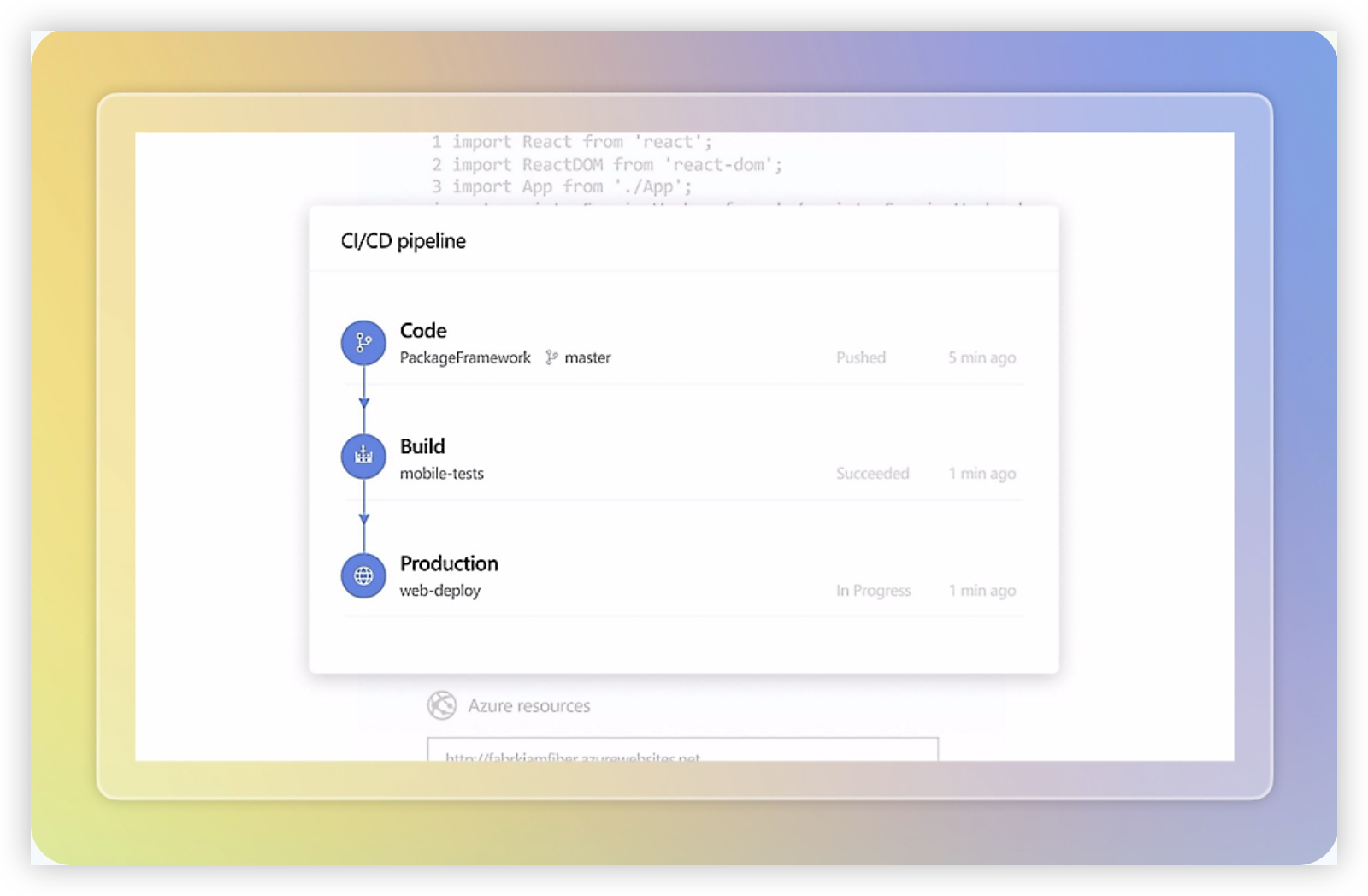
Azure DevOps is Microsoft’s software delivery suite, combining Azure Boards for work tracking, Repos for source control, Pipelines for CI/CD, Test Plans for testing, and Artifacts for package management. Teams can use the cloud service or Azure DevOps Server on-premises. That breadth makes it a credible ALM option alongside Jira, especially when planning and engineering already run in Microsoft’s ecosystem.
Why It Was Selected
It covers more than backlog management: a team can plan a sprint, link work items to code changes, run a build, and track test results in connected services. That gives buyers comparing ALM platforms with Jira a practical way to assess whether they want a tightly integrated Microsoft toolchain or a more flexible setup built around other products.
Core Capabilities
Azure Boards supports Scrum, Agile, and CMMI process templates, backlogs, sprint planning, queries, dashboards, and configurable work items. Teams can tailor fields, states, and workflows, though highly customized processes need careful administration. Repos provides Git repositories and pull-request collaboration; Pipelines automates builds and releases across Azure and other environments. Test Plans adds manual and exploratory testing, while dashboards and analytics help teams review delivery progress. Links between work items, commits, builds, and tests provide useful traceability, but reporting across complex portfolios may require additional setup or Power BI.
Pros
The main advantage is the connected workflow: a developer can trace a code change back to a requirement and see its build status without stitching together several vendors. Agile boards and sprint tools are capable, and Git support works for teams that do not host code in Azure Repos. The on-premises server option also suits organizations that need infrastructure control, while the cloud service reduces platform maintenance.
Cons
The interface and administration can feel fragmented because the suite is organized into separate services. Teams using Jira may need to re-create issue types, workflows, permissions, reports, and integrations during migration; moving work items alone does not guarantee equivalent processes. Some advanced testing capabilities require a separate, comparatively costly license. Azure DevOps is also less compelling if your team relies on a broad marketplace ecosystem or wants a single, highly configurable project workspace across non-engineering teams. On-premises deployments require upgrade and operational planning.
Pricing
Azure DevOps Services offers a free Basic access tier for the first five users; additional Basic users are generally billed per user monthly. Basic + Test Plans costs more and is intended for teams that need the advanced testing tools. Pipeline capacity and other services can have separate limits or charges. Check Microsoft’s current pricing and licensing terms before budgeting, particularly for larger teams or Azure DevOps Server.
Best For
Azure DevOps is best for engineering organizations that want agile planning, source control, CI/CD, and testing connected in a Microsoft-centered toolchain. It is a strong Jira contender when those integrations matter more than a familiar interface or extensive third-party app choice. Before switching, map a representative project and verify workflow, reporting, permissions, and integration requirements.
GitLab
Product Overview
GitLab combines source control, issue tracking, agile planning, CI/CD, and security features in one software delivery platform. Its ALM value comes from connecting planned work to code changes, tests, deployments, and operational feedback. That can make project status easier to validate than in a setup where planning and engineering activity live in separate tools.
Why It Was Selected
GitLab is a useful option in an ALM and Jira comparison because it brings project tracking close to the development workflow. Teams can manage issues and boards alongside repositories and pipelines, then follow work through delivery without relying on a separate system for every handoff. It is especially relevant when the goal is to consolidate tools around software engineering rather than adopt a dedicated enterprise requirements suite.
Core Capabilities
Teams can organize work with issues, labels, milestones, epics, and configurable boards, with features depending on the subscription tier. Planning views support backlog management and agile execution, while reports and dashboards help track work and delivery activity. Repository and merge request links connect tickets to code changes; CI/CD pipelines provide visibility into build and test progress. GitLab also offers workflow automation and security capabilities that can be integrated into delivery processes. This gives engineering managers a practical way to see whether a planned item is moving through development and validation, though it is not a substitute for every specialized ALM function.
Pros
The main advantage is end-to-end context: an issue can connect to its merge request, pipeline, and release activity. Keeping planning and development together can reduce manual status updates and tool switching. GitLab also scales from basic issue tracking to more structured planning, and teams can adapt boards and workflows to match how they deliver software.
Cons
GitLab’s planning experience may feel less focused than a dedicated project-management tool, especially for teams that need highly tailored portfolio views or complex cross-project governance. Requirements traceability, formal change control, and test management may require additional configuration or connected tools. Feature availability varies by tier, so compare the specific capabilities you need before treating the platform as a complete ALM replacement. Teams outside engineering may also find its repository-centered interface less intuitive.
Pricing
GitLab offers Free, Premium, and Ultimate tiers. Premium and Ultimate are paid per-user subscriptions, with pricing and included capabilities subject to change; Ultimate pricing is typically provided through sales. Check GitLab’s current pricing page and confirm which planning, security, and reporting features are included in the tier you are considering.
Best For
GitLab is best for software teams that want agile work tracking connected directly to source code, CI/CD, and security checks. It is a strong fit when reducing handoffs across development tools matters more than deep, specialized requirements management. Before moving from Jira or another ALM platform, map your workflows, reports, integrations, and historical data to verify that GitLab covers the processes your teams rely on.
IBM Engineering Lifecycle Management
Product Overview
IBM Engineering Lifecycle Management (ELM) is an enterprise application lifecycle management suite for teams that need requirements, development work, testing, and delivery records linked across a product’s lifecycle. Its appeal is strongest in complex engineering environments, where a project tracker alone may not provide enough traceability or control.
Why It Was Selected
ELM is a useful point of comparison in an ALM and Jira guide because it addresses a different level of process depth. Jira is often chosen for flexible issue tracking and agile execution; IBM ELM is more suited to organizations that must connect requirements to implementation and verification, maintain audit trails, and coordinate work across large programs. That depth can be valuable, but it also comes with greater implementation overhead.
Core Capabilities
- Manage requirements and preserve traceability to development tasks, tests, and releases.
- Plan and track team work, including backlogs, iterations, and project progress.
- Coordinate test plans, test cases, execution results, and defect records.
- Support configurable workflows, roles, and review practices for controlled processes.
- Link engineering artifacts across teams and tools, including through OSLC integrations.
- Provide reporting and evidence for status reviews, quality checks, and compliance activities.
These capabilities can help a program answer practical questions such as which requirements lack test coverage, what is blocking a release, or whether a change has been reviewed. The value depends on configuring the suite around real working practices rather than simply enabling every available component.
Pros
ELM’s strongest advantage is end-to-end traceability across requirements, implementation, and testing. Its configurable processes can support formal approvals and repeatable reporting, which is useful for regulated products, systems engineering, and large distributed teams. It can also provide a more complete ALM record than a general-purpose project tracker when engineering evidence matters.
Cons
The suite can be complex to deploy, administer, and teach. Teams may need specialist configuration and integration work, and the interface and workflows can feel heavy for groups that mainly need lightweight sprint planning. Migration from Jira is not a simple issue import when teams rely on custom fields, automations, reporting, or integrations; map workflows and historical data before committing.
Pricing
IBM ELM pricing is typically quote-based and depends on the products, deployment, licensing model, and number of users. Ask IBM or a reseller for a scoped estimate, including implementation, support, and any integration costs.
Best For
Choose IBM ELM when traceability, test management, governance, and cross-discipline engineering coordination outweigh simplicity and fast setup. For teams whose primary need is agile issue tracking with minimal administration, its depth may be more platform than they need.
Rally
Product Overview
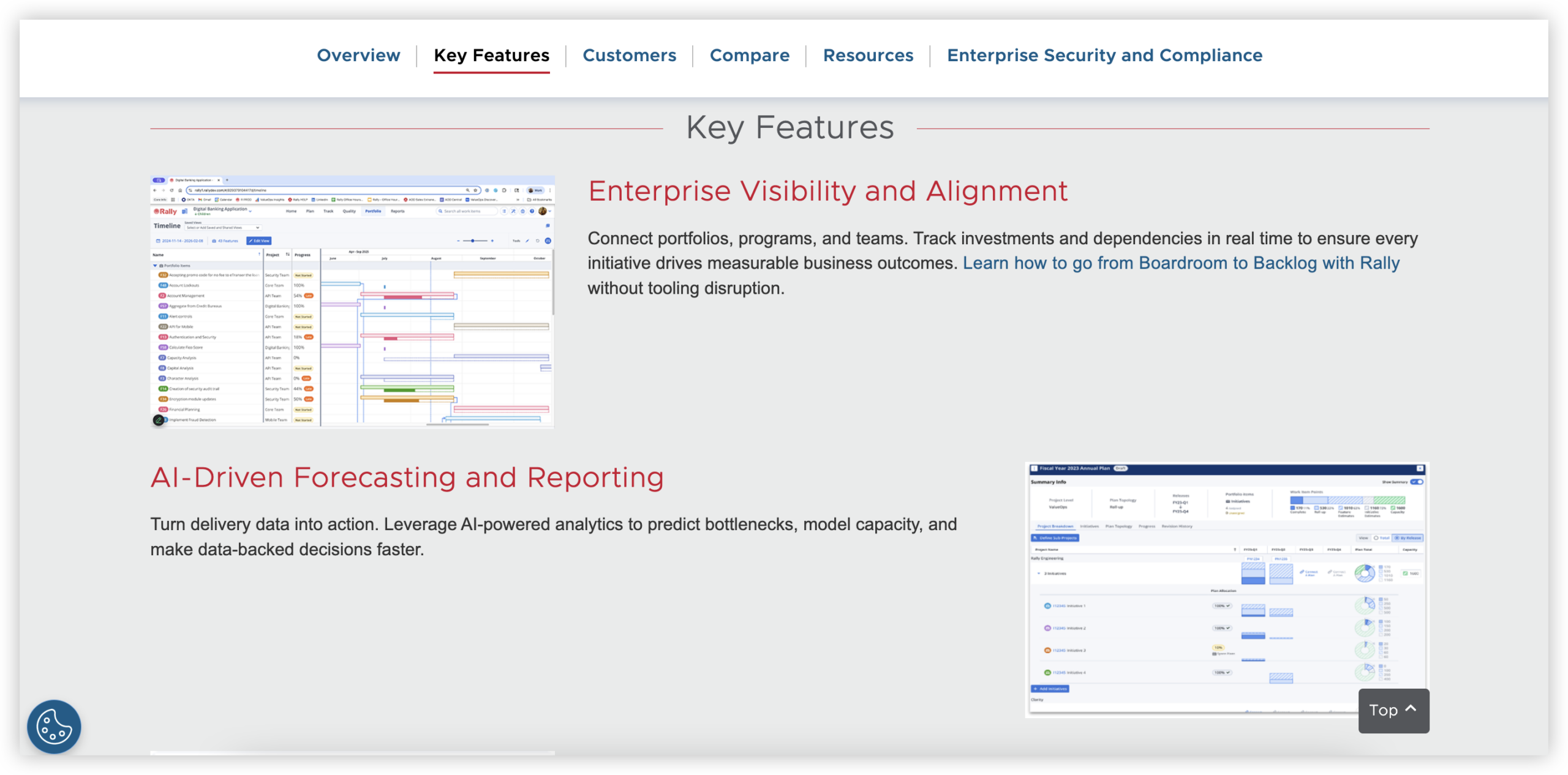
Rally is an enterprise agile planning and portfolio management platform, formerly known as CA Agile Central and now part of Broadcom’s software portfolio. It helps organizations coordinate work across teams, programs, and portfolios, with a focus on planning and tracking agile delivery rather than serving as a complete engineering toolchain on its own.
Why It Was Selected
Rally is a useful point of comparison in an ALM and Jira evaluation because it emphasizes scaled agile execution. Jira is often configured around issue tracking and team workflows; Rally is more oriented toward connecting team plans with program and portfolio goals. That distinction can matter when leaders need to see dependencies, capacity, and delivery progress across many teams.
Core Capabilities
Teams can organize work into portfolio items, features, user stories, and tasks, then plan delivery through releases and iterations. Rally supports backlogs, sprint planning, capacity planning, dependency tracking, and configurable workflows. Its dashboards and reports help teams review progress, predictability, and work in progress at team and portfolio levels. These features can support frameworks such as SAFe, though the quality of the resulting process depends on how carefully the organization configures its hierarchy and practices.
Pros
Rally’s strongest advantage is its ability to connect team execution with broader program planning. Portfolio views and dependency tracking can help a release train or a group of product teams spot coordination issues before they affect a committed delivery date. Its agile planning model is mature, and the platform can be tailored to fit established governance and reporting needs. For organizations already using Broadcom products, existing integrations may also make it easier to connect Rally to parts of the delivery environment.
Cons
Rally can feel complex for teams that only need straightforward backlog and sprint tracking. Its portfolio hierarchy and configuration options require consistent administration; without that discipline, teams may end up maintaining fields and reports that add overhead without improving decisions. The interface and terminology can also take time to learn, particularly for teams moving from a simpler work tracker. Rally is focused on planning and agile management, so buyers may still need separate tools for source control, CI/CD, testing, and detailed requirements traceability. Check integration coverage and data migration effort before committing, especially if your current Jira setup relies on custom workflows or marketplace apps.
Pricing
Rally does not provide a simple public price list for all plans. Pricing is generally handled through a sales quote, so confirm seat minimums, product scope, support, and any integration costs during evaluation. A proof of concept can help establish the total cost of ownership, including administration and connected tools.
Best For
Rally is best suited to larger organizations coordinating agile delivery across multiple teams or programs, especially those that need portfolio visibility and have the administrators to maintain a structured process. Smaller teams seeking a quick, low-overhead project tracker may find its planning model heavier than necessary.
Helix ALM
Product Overview
Helix ALM is Perforce’s application lifecycle management platform for connecting requirements, tests, and defects in one traceable system. It is less of a general-purpose team workspace than Jira: its value is strongest when teams need to show how a requirement was implemented, tested, and resolved. That makes it relevant to regulated or quality-focused software delivery, though the interface and working model may feel more specialized than newer agile tools.
Why It Was Selected
Helix ALM belongs in an ALM-and-Jira comparison because it approaches delivery management through lifecycle traceability, not just issue tracking. It can support project tracking and structured workflows while linking work items to verification evidence. The tradeoff is that teams seeking lightweight backlog management, broad marketplace integrations, or fast adoption may find Jira more flexible for day-to-day agile coordination.
Core Capabilities
Teams can manage requirements, test cases, and defects, then link related records to preserve traceability. Workflow rules and configurable fields help model review and approval stages. Reporting supports visibility into requirement coverage, test status, and defect activity, which can help teams prepare for audits or assess release readiness. Helix ALM also supports agile planning and iteration-based work, but buyers should validate whether its board, backlog, and reporting experience matches their preferred delivery practices. Integrations with development tools can connect lifecycle records to implementation work, though the fit depends on the tools and processes already in place.
Pros
Its main strength is end-to-end traceability across requirements, testing, and defects. That connection helps teams answer practical questions such as which tests cover a changed requirement or whether a reported defect blocks release. Configurable workflows suit organizations with formal review steps, and built-in lifecycle reporting can reduce manual status gathering. For teams with established quality processes, this structure can be more useful than treating every activity as a generic ticket.
Cons
Helix ALM can feel process-heavy for teams that mainly need quick sprint planning and simple task tracking. Its specialized lifecycle approach may require configuration and administrator support, and the experience may not be as familiar to teams accustomed to Jira’s broad ecosystem. Reporting and integrations should be tested against real workflows before migration; moving records alone will not preserve useful traceability unless relationships, fields, and approval rules are mapped. Teams should also assess how well the product supports their preferred collaboration habits and cloud or self-managed requirements.
Pricing
Pricing is typically quote-based rather than presented as a simple public per-seat plan. Request a proposal based on seat count, selected capabilities, deployment needs, support, and any migration services. Confirm recurring costs and what is included before comparing it with Jira or another ALM platform.
Best For
Helix ALM is best for engineering teams that need structured requirements-to-test-to-defect traceability, formal workflows, and evidence for quality or compliance reviews. It is a less natural fit for teams prioritizing a broad, highly customizable agile workspace with minimal process overhead.

Digital.ai Agility
Product Overview
Digital.ai Agility is an enterprise agile planning and delivery platform for coordinating work across teams, programs, and portfolios. It supports common agile approaches, including Scrum and Kanban, and is designed to connect day-to-day execution with higher-level planning. That makes it more than a team task board: organizations can use it to track delivery progress, dependencies, and business priorities across a larger software portfolio.
Why It Was Selected
Digital.ai Agility is worth considering in an ALM and Jira comparison because it focuses on scaling agile work beyond individual development teams. For example, a company coordinating several product groups can use portfolio and program views to see how team plans relate, where dependencies may delay delivery, and whether work is advancing against strategic goals. It is most relevant when a simple backlog and sprint board no longer provide enough visibility.
Core Capabilities
Agility provides backlog and release planning, sprint and iteration management, team boards, and portfolio-level views. Teams can track work items through configurable workflows, organize work by program or portfolio, and use dashboards and reports to monitor progress, predictability, and delivery risks. Dependency tracking helps surface cross-team coordination needs, while integrations with development and delivery tools can connect planning with execution systems. Its agile frameworks and reporting are useful for organizations that need consistent planning practices across many teams, though the value depends on investing in setup and adoption.
Pros
The strongest advantage is its support for scaled agile planning and portfolio visibility. Leaders can review work across teams without relying solely on manually assembled status reports, while delivery teams retain backlogs and iteration-level tracking. Configurable workflows and reporting also help larger organizations adapt the platform to established governance and planning practices.
Cons
That breadth can bring administrative overhead. Smaller teams may find portfolio structure, configuration, and reporting more elaborate than their needs justify. Teams should also check how well the available integrations cover their specific repositories, CI/CD tools, and reporting requirements; connecting systems does not automatically create a seamless end-to-end workflow. Organizations with inconsistent agile practices may need process alignment and training before dashboards become dependable. Evaluate usability with real team workflows rather than relying only on a portfolio-level demonstration.
Pricing
Digital.ai Agility pricing is generally quote-based for enterprise deployments. Costs can depend on the number of users, selected capabilities, and contract terms, so request a current quote and confirm what support, integrations, and implementation services are included.
Best For
Digital.ai Agility is best for medium-to-large organizations coordinating multiple agile teams that need portfolio planning, dependency visibility, and standardized reporting. It is less compelling for a small team looking mainly for an uncomplicated backlog, sprint board, and basic project reporting.
How to Choose the Right ALM and Jira Option
Start with the work that causes the most friction. If requirements, tasks, project status, and team knowledge are scattered, look for a platform that can bring those workflows together.
ONES.com is worth evaluating when you need customizable project and requirements workflows plus cloud, on-premise, private-cloud, or air-gapped deployment. Its free plan supports up to 30 seats, giving smaller teams a practical way to test the fit.
Choose Jira when agile issue tracking is the main need and its workflow model suits your teams. Consider Azure DevOps for Microsoft-centered delivery, or GitLab when you want planning close to code and delivery.
For stricter lifecycle traceability, assess IBM Engineering Lifecycle Management or Helix ALM against your compliance and testing processes. Rally and Digital.ai Agility are candidates when multi-team agile planning is central.
Before choosing, run a small pilot with representative work. Include a workflow change, a report, an integration, and a sample migration so hidden effort appears early.
Selection Summary and Final Recommendation
There is no single best fit for every ALM and Jira evaluation. For teams seeking one configurable place for requirements, project tracking, reporting, and knowledge, put ONES.com on the shortlist. For a narrower fit, match Jira, Azure DevOps, GitLab, IBM Engineering Lifecycle Management, Rally, Helix ALM, or Digital.ai Agility to the workflow your team needs most.
Compare the same project scenario across your finalists, then weigh day-to-day usability, deployment, integrations, migration work, and total cost. That will give you a more reliable decision than comparing feature lists alone.
FAQs About Choosing ALM and Jira Tools
What should I compare first when choosing an ALM platform?
Start with the workflows your team relies on most: planning, requirements, agile execution, reporting, and approvals. Then check deployment, integrations, migration effort, and total cost.
Which option is a good fit when requirements and project tracking need to work together?
ONES.com is worth evaluating for teams that want requirements, tasks, project tracking, reporting, and knowledge management in one platform. Confirm that its workflows and deployment options fit your team.
Which tools should Microsoft-centered teams compare?
Azure DevOps is a natural option to assess for teams already working in Microsoft environments. Compare it with Jira or GitLab if your planning, coding, and reporting needs span other systems.
How can I reduce risk when migrating from an existing ALM tool?
Pilot a representative project and test data, history, workflows, integrations, and reports. Estimate both the migration work and any process changes before moving all teams.