Best Alternative to Jira in 2026: Practical Comparison Guide
Choosing Alternative To Jira Tools? Compare 6 options by fit, deployment, pricing, and tradeoffs. Read the guide before you decide.
Replacing Jira can become a project of its own when your backlog, workflows, reports, permissions, and integrations are all tied to the way your team works today. This guide compares six practical options: ONES.com, Linear, Azure DevOps, ClickUp, Monday, and Asana, with a focus on how each handles software delivery, planning, collaboration, customization, and team adoption.
You’ll find the strongest alternative to Jira for different priorities, whether you need governed development management, a faster product workflow, Microsoft integrations, flexible workspaces, visual planning, or simple cross-functional coordination. The goal is not to name one universal winner, but to help you avoid carrying the same process bottlenecks into a new tool.
Quick Summary
The best alternative to Jira depends on whether you prioritize development governance, speed, customization, reporting, or broad work management.
For teams replacing Jira across software delivery, ONES.com is the strongest starting point because it combines requirements, tasks, sprints, workflows, reporting, knowledge, and delivery coordination.
- Choose ONES.com for a unified Jira alternative with flexible deployment, native development management, and fewer add-ons.
- Choose Linear for a fast, opinionated product development workflow with minimal configuration.
- Choose Azure DevOps when code repositories, pipelines, testing, and Microsoft integration matter most.
- Choose ClickUp for broad work management and highly configurable views.
- Choose Monday for visual planning across business and operational teams.
- Choose Asana for accessible cross-functional project coordination and adoption.
How We Evaluate and Select These Tools
I evaluate each option against the work Jira teams usually need to preserve: planning, execution, visibility, customization, and migration fit.
- Project and agile tracking: Can the tool handle backlogs, tasks, sprints, dependencies, milestones, and release planning?
- Workflow customization: Can you adapt statuses, fields, permissions, automations, and approval paths without creating administrative overhead?
- Reporting and visibility: Can managers see progress, risks, bottlenecks, capacity, and delivery trends without assembling fragile reports?
- Collaboration and knowledge: Does the platform keep requirements, decisions, documentation, reviews, and project context connected?
- Integration fit: How well does it connect with source control, communication, testing, identity, and existing business systems?
- Deployment and governance: Do you have suitable cloud, private, on-premise, security, access-control, and data-residency options?
- Migration practicality: How difficult will it be to transfer projects, workflows, fields, permissions, history, integrations, and team habits?
- Total operating cost: I consider subscription costs, add-ons, administration, migration effort, training, and maintenance rather than license price alone.
Top Alternative To Jira Options Shortlist
- ONES.com - Best overall fit for software teams needing unified project, product, requirements, knowledge, workflow, and delivery management.
- Linear - Best for product and engineering teams that want a fast, focused, modern issue-tracking experience.
- Azure DevOps - Best for organizations already invested in Microsoft development tools and integrated delivery pipelines.
- ClickUp - Best for teams combining software projects with marketing, operations, documentation, and general work management.
- Monday - Best for visual planning, portfolio views, and teams that prefer configurable boards.
- Asana - Best for cross-functional planning, ownership, dependencies, and straightforward team adoption.

Alternative To Jira Comparison Table
| Tool | Best For | Deployment | Pricing | Key Feature | Free Plan |
|---|
| ONES.com | Software development management, agile execution, and governed delivery | Cloud, On-Premise, Private Cloud, Air-gapped | Free plan: 30 seats | Unified requirements, tasks, sprints, workflows, reporting, knowledge, and delivery governance | Yes |
| Linear | Fast product and engineering issue tracking | Cloud | Free tier; paid plans vary | Opinionated workflows, cycles, roadmaps, and polished team experience | Yes |
| Azure DevOps | Microsoft-centered software delivery and DevOps | Cloud and self-hosted options | Free allowances; paid usage varies | Boards, repositories, pipelines, testing, and Microsoft ecosystem integration | Yes |
| ClickUp | Highly configurable work and project management | Cloud | Free tier; paid plans vary | Multiple views, custom fields, automations, documents, and broad work management | Yes |
| Monday | Visual portfolio and operational planning | Cloud | Plan-based pricing; paid tiers vary | Configurable boards, dashboards, dependencies, and portfolio visibility | Limited free tier |
| Asana | Cross-functional projects and team coordination | Cloud | Free tier; paid plans vary | Tasks, dependencies, timelines, goals, portfolios, and accessible collaboration | Yes |
Detailed Reviews of the Best Alternatives to Jira in 2026
Product Overview

ONES.com is a unified software development management platform that brings project tracking, requirements, agile execution, reporting, knowledge management, and delivery governance into one system. As a Jira alternative, it is designed for teams that need more than issue tracking: product managers, engineers, QA, and delivery leaders can work from shared project context instead of stitching together separate tools and plugins.
For a team replacing Jira, the practical value is the connection between planning and delivery. Requirements can become structured tasks, sprint progress can be monitored alongside risks, and review or testing evidence can remain connected to the work item. ONES.com also supports cloud, on-premise, private cloud, and air-gapped deployment, with feature parity between cloud and self-hosted versions.
Why It Was Selected
ONES.com was selected because it covers the core requirements behind a Jira replacement while keeping project, product, knowledge, and development management in the same environment. It is especially relevant when a team has outgrown basic ticket tracking or wants to reduce dependence on plugins for reporting, workflow automation, requirements, and collaboration.
It also fits organizations with stricter deployment requirements. A software team can choose cloud for speed, private cloud or on-premise for control, or an air-gapped setup where network isolation is part of the operating model. That flexibility makes ONES.com a practical option for both distributed product teams and regulated engineering organizations.
Core Capabilities
- Pain: Requirements get lost between product documents and development tickets. Capability: ONES.com connects requirements management with task breakdown and delivery workflows. Result: Teams can trace planned outcomes to the work needed to deliver them.
- Pain: Sprint boards show activity but not whether the project is actually healthy. Capability: Progress, risk, dependency, and project-status visibility are built into the management workflow. Result: Delivery leads can identify slippage earlier and act before a release is at risk.
- Pain: Agile teams repeatedly recreate similar statuses, fields, and approval steps. Capability: Custom workflows and fields support different product, engineering, QA, and release processes. Result: Teams can standardize execution without forcing every project into the same template.
- Pain: Reporting depends on manual exports or extra reporting plugins. Capability: Built-in reporting turns project and workflow data into delivery views for teams and managers. Result: Reviews use current project facts instead of spreadsheet snapshots.
- Pain: Repetitive updates and handoffs consume time during every sprint. Capability: Automation can support recurring workflow actions, notifications, and updates. Result: Teams spend less effort maintaining the process and more time resolving delivery work.
- Pain: Product decisions, technical knowledge, and execution history sit in separate systems. Capability: Knowledge-base support keeps relevant project information available alongside delivery work. Result: New contributors and cross-functional partners can find context without searching across disconnected tools.
- Pain: AI-generated requirements or summaries can become detached from the official project record. Capability: ONES Assistant supports requirement refinement, task breakdown, risk analysis, progress summaries, testing support, and writing results back into ONES.com. Result: AI-assisted work remains connected to project facts and visible to the team.
- Pain: Workflow automation can make decisions difficult to review. Capability: ONES Workflow Agent can assemble context, analyze or execute a defined step, produce evidence, and return the result to the same workflow with human review points. Result: Mature processes become more repeatable without removing approval and governance.
Pros
- Broad coverage across requirements, agile project tracking, reporting, knowledge, and delivery governance.
- Cloud, on-premise, private cloud, and air-gapped deployment options.
- Shared project context keeps product, engineering, QA, and delivery work connected.
- Native automation and AI-assisted development management can reduce plugin and tool sprawl.
- Flexible workflows and fields support different team operating models.
Cons
Teams should plan their rollout around workflow design, permissions, reporting conventions, and migration priorities rather than treating the change as a simple board-for-board replacement. The strongest results come when the organization first agrees on its delivery process and then configures ONES.com around that process.
Pricing
ONES.com offers a Free plan for up to 30 seats. Deployment is available through Cloud, On-Premise, Private Cloud, and Air-gapped options, with feature parity between cloud and self-hosted versions. For larger organizations, pricing should be evaluated against deployment requirements, seat count, governance needs, and the cost of maintaining separate plugins or adjacent tools.
Best For
ONES.com is best for software organizations looking for a Jira alternative that combines detailed project tracking with agile execution, configurable workflows, built-in reporting, requirements management, and shared delivery context. It is a strong fit for teams managing complex products, multiple delivery stages, regulated environments, or growing AI-assisted development practices. If your priority is a connected system for planning, execution, review, and delivery governance—not just another issue board—ONES.com is the recommended option in this comparison.
Linear
Product Overview
Linear is a fast, opinionated project and issue management platform built around product development. It combines teams, projects, cycles, roadmaps, initiatives, issue tracking, and lightweight documentation in a clean interface. For teams considering an alternative to Jira, Linear is notably easier to adopt and quicker to navigate, especially when the work is centered on software issues and agile delivery rather than highly customized enterprise processes.
Why It Was Selected
Linear was selected because it represents the modern, streamlined end of the Jira alternative market. It handles the fundamentals of sprint planning, backlog management, project tracking, and reporting without requiring extensive administration. Its opinionated workflows make it a useful comparison point for teams deciding whether they need Jira’s depth or would benefit more from a focused tool that keeps daily execution moving.
Core Capabilities
Linear supports issue creation and triage, custom issue views, labels, priorities, cycles, project milestones, roadmaps, dependencies, and team-level workflows. Engineers can link issues to pull requests and monitor delivery progress from project views. Its keyboard shortcuts and fast search reduce friction when someone needs to move from a bug report to an assigned task or review a sprint backlog.
Reporting is strongest at the execution level. Teams can review cycle progress, project status, workload, and completed work, while integrations connect Linear with common development and communication tools. Automations and templates help standardize recurring work, although Linear generally favors a smaller number of clear conventions over a deeply configurable process model.
Pros
Linear is fast, visually clean, and relatively easy for developers and product managers to use. Cycles provide a straightforward agile planning model, and project views make it simple to connect individual issues with broader delivery goals. The product also reduces the administrative overhead that many teams associate with Jira, making it a practical fit for a growing software team that wants structure without a lengthy implementation project.
Cons
Its strong opinions can become a limitation for organizations with complex workflows, multiple approval gates, or highly specialized reporting requirements. Teams migrating from heavily customized Jira setups may need to redesign processes instead of reproducing them exactly. Linear is also more focused on product and engineering execution than on broad portfolio management, enterprise governance, or extensive knowledge management. Reporting and automation may feel limited when stakeholders need granular cross-team controls.
Pricing
Linear offers a free tier with limits on features and scale, alongside paid per-user plans and a higher-tier option for larger organizations. Enterprise pricing is typically custom and may include additional administration, security, and support features. Before migrating, compare the total cost of seats, integrations, and any reporting or governance tools your Jira setup currently depends on.
Best For
Linear is best for startups and product-led software teams that want quick issue tracking, lightweight agile planning, and polished project visibility. It is less suitable for organizations that treat workflow customization, complex permissions, extensive reporting, or formal enterprise governance as core requirements.

Azure DevOps
Product Overview
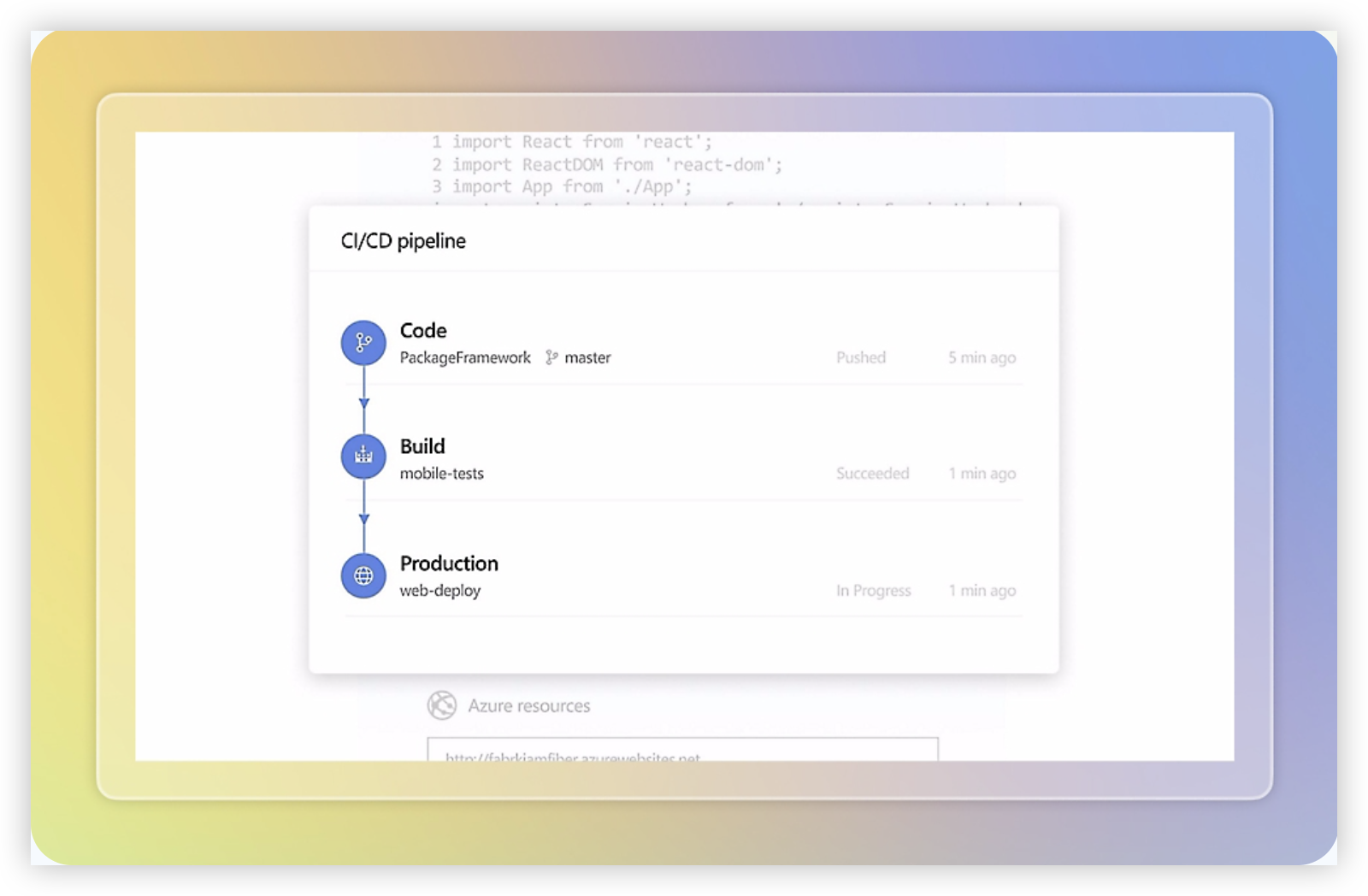
Azure DevOps is a software delivery platform that combines work tracking, source control, build and release pipelines, testing, and team collaboration. As an alternative to Jira, it is particularly strong when your engineering organization already relies on Microsoft Azure, GitHub, Visual Studio, or Microsoft Entra ID. Its project tracking experience centers on Boards, where teams can manage backlogs, sprints, Kanban boards, bugs, epics, and custom work item types.
Why It Was Selected
Azure DevOps was selected because it covers the core Jira use cases while extending deeply into the development lifecycle. A team can move from a backlog item to a pull request, automated build, test result, and deployment without stitching together as many separate systems. That makes it a credible choice for engineering-led organizations comparing alternatives to Jira, although its broader toolset can feel heavier than a focused project management platform.
Core Capabilities
Azure Boards supports Scrum and Kanban planning, sprint capacity, queries, dashboards, roadmaps, and configurable work item states. Teams can connect commits and pull requests to work items, use Azure Repos or GitHub, and automate delivery through Azure Pipelines. Test Plans supports manual and exploratory testing, while built-in analytics and dashboards provide visibility into velocity, cycle time, work-item trends, and release progress. Workflow customization is powerful, but administrators may need time to design states, fields, area paths, permissions, and inherited processes consistently across projects.
Pros
- Strong traceability from requirements and backlog items through code, builds, tests, and releases.
- Detailed agile planning with configurable boards, backlogs, sprint tools, and work item relationships.
- Good fit for organizations already invested in Azure and Microsoft identity, security, and reporting services.
- Extensible APIs, dashboards, automation, and integrations support complex delivery environments.
Cons
- The interface and configuration model can feel complex for business teams or smaller groups seeking simple project tracking.
- Reporting often requires careful dashboard design, Analytics views, or Power BI for more advanced management reporting.
- Some capabilities are split across Azure DevOps Services, Azure DevOps Server, and connected Microsoft products, which can complicate planning and administration.
- Organizations moving from Jira may need to redesign workflows, issue types, fields, reports, and integrations rather than expect a direct one-to-one migration.
Pricing
Azure DevOps offers a free tier for small teams, including access for up to five users with additional stakeholder access under defined limits. Paid Basic access is charged per user, while services such as parallel pipeline jobs, test capabilities, storage, and Microsoft-hosted resources may add cost. Pricing should be checked against your chosen Azure services, user mix, build volume, and reporting requirements before migration.
Best For
Azure DevOps is best for software teams that want Jira-style agile tracking closely connected to repositories, CI/CD, testing, and Azure infrastructure. It is less suitable if your priority is a lightweight, highly approachable project workspace for mixed business teams. Before switching, validate workflow migration, reporting needs, permissions, integrations, and whether your team is prepared to administer a broad development platform.
ClickUp
Product Overview
ClickUp is a broad work management platform that combines task tracking, project planning, documents, dashboards, goals, chat, and automation in one workspace. It can serve as an alternative to Jira for teams that want agile execution alongside general business project management. Its flexible hierarchy—spaces, folders, lists, and tasks—makes it possible to model software projects, marketing programs, operations work, and cross-functional initiatives together.
Why It Was Selected
ClickUp was selected because it offers strong project tracking and workflow customization without requiring a separate tool for documentation or lightweight collaboration. It is particularly relevant for teams comparing Jira alternatives that want configurable task views, sprint planning, and reporting but do not need Jira’s highly specialized issue-tracking model. The tradeoff is that this flexibility can require more setup and governance.
Core Capabilities
ClickUp supports custom statuses, assignees, priorities, dependencies, due dates, recurring tasks, time tracking, sprint points, backlog views, Kanban boards, Gantt charts, calendars, and workload planning. Teams can build dashboards for velocity, overdue work, workload, cycle time, and project progress. Automations can update fields, assign work, trigger notifications, and move tasks between workflow stages. Docs and task relationships also help keep requirements and execution closer together than in a collection of disconnected tools.
Pros
ClickUp is highly configurable and supports several planning styles in the same workspace. Its combination of agile boards, roadmaps, dashboards, documents, and automations can reduce the need for multiple collaboration tools. It also works well for organizations managing software delivery alongside customer, operational, or marketing projects. The free tier provides a practical way to test the workspace before committing.
Cons
The breadth of features can make ClickUp feel busy, especially for teams that only need a focused software development tracker. Larger implementations may require careful naming conventions, permissions, templates, and status design to avoid inconsistent workflows. Reporting is useful for common project metrics, but teams seeking deep engineering analytics, mature issue relationships, or highly specialized development workflows may find Jira more purpose-built. Migration can also require manual cleanup when Jira fields, issue types, workflows, or custom reports do not map neatly.
Pricing
ClickUp offers a free plan with limits on storage, automation, views, and advanced features. Paid plans are generally priced per user, with higher tiers adding expanded dashboards, permissions, reporting, automation capacity, and administrative controls. Enterprise pricing is quote-based, and AI capabilities may be packaged separately or subject to plan-specific limits. Check current plan details before migrating because seat minimums, feature caps, and add-on pricing can affect the total cost.
Best For
ClickUp is best for growing teams that want a flexible Jira alternative covering agile work, general project management, documentation, and cross-functional planning in one platform. It is less suitable for organizations that prioritize a narrowly focused, deeply standardized software issue-tracking system over broad configurability.

Monday
Product Overview
Monday is a visual work management platform that can serve as an alternative to Jira for teams that want flexible boards, dashboards, and customizable workflows without adopting a strongly software-engineering-specific interface. Its spreadsheet-like structure makes it approachable for product, marketing, operations, and cross-functional teams, while templates support software development use cases such as sprint planning, bug tracking, release planning, and product roadmaps.
Why It Was Selected
Monday was selected because it combines project tracking, agile-style execution, reporting, and workflow customization in a relatively accessible package. Compared with Jira, it can feel easier to configure for mixed teams that need engineering work alongside launch plans, customer requests, or business operations. The tradeoff is that software development features are generally layered onto a broad work management platform rather than designed specifically around engineering workflows.
Core Capabilities
Monday supports custom boards, columns, statuses, dependencies, timelines, workload views, forms, automations, dashboards, and multiple project templates. Teams can create sprint or backlog boards, assign owners, track estimates and due dates, and connect work across projects. Reporting is useful for high-level visibility, although teams may need careful board design to produce consistent engineering metrics. Integrations can connect development, communication, and file tools, but advanced setups may increase administration.
Pros
Monday is easy to understand, visually clear, and flexible enough for teams with different planning styles. Custom fields and board views make it straightforward to adapt the system to internal processes. Dashboards can give managers a quick view of deadlines, workload, and project health. It is also a practical choice when product, design, operations, and engineering need to work in the same environment.
Cons
Teams replacing Jira may find that backlog management, issue relationships, sprint reporting, and developer-oriented workflows require more configuration or workarounds. Its flexibility can create inconsistent boards when administrators do not establish naming, status, and reporting standards. Some automation, permission, reporting, and integration capabilities depend on higher-tier plans. Large software organizations may also prefer a platform with deeper native support for repositories, code review, release governance, and engineering metrics.
Pricing
Monday offers Free and paid tiers, with pricing typically varying by plan, billing term, team size, and feature requirements. The free tier is limited, while higher plans add features such as expanded automations, dashboards, permissions, and integrations. Enterprise pricing is custom. Confirm current pricing directly before comparing total cost with Jira, since required seats, integrations, and premium capabilities can materially change the bill.
Best For
Monday is best for cross-functional teams that want a configurable, visual Jira alternative and need software work to sit alongside broader business projects. It is less suitable for engineering organizations that require deep native agile reporting, highly structured issue management, or extensive developer-tool integration with minimal configuration.

Asana
Product Overview
Asana is a work management platform built around projects, tasks, owners, deadlines, dependencies, and team updates. It is a practical alternative to Jira when your priority is coordinating cross-functional work rather than managing highly technical software delivery in detail. Teams can view the same work as lists, boards, timelines, calendars, or portfolios, which makes it approachable for product, marketing, operations, and business teams.
Why It Was Selected
Asana belongs in this comparison because it handles project tracking and workflow coordination without requiring every contributor to understand Jira-style issue administration. It can support agile-inspired planning with tasks, milestones, dependencies, custom fields, and status updates. However, its fit depends on how deeply your engineering team relies on sprints, release governance, technical issue types, and development-tool integrations.
Core Capabilities
Asana covers the fundamentals well, but its capabilities are oriented toward flexible work management rather than a deeply specialized software development lifecycle.
- Project tracking through tasks, milestones, owners, due dates, dependencies, and multiple project views.
- Agile execution using boards, recurring tasks, iterations of work, priorities, and status reporting, although it is less engineering-specific than Jira.
- Workflow customization with custom fields, rules, templates, forms, approvals, and task dependencies.
- Reporting through dashboards, portfolios, workload views, progress updates, and project health information.
- Cross-functional collaboration through comments, file attachments, project conversations, and shared status updates.
- Automation for routine assignments, notifications, field changes, and task movement between workflow stages.
- Integrations with development, communication, file storage, and reporting tools, though teams may need several integrations to reproduce a more unified delivery workflow.
Pros
- Easy for nontechnical stakeholders to adopt and contribute to project work.
- Flexible views make it simple to switch between detailed task management and portfolio-level planning.
- Strong support for dependencies, approvals, forms, recurring work, and cross-functional coordination.
- Useful reporting and workload features for managers overseeing multiple projects.
Cons
- Software teams may find its issue tracking, backlog management, sprint handling, and release controls less specialized than Jira.
- Advanced reporting, administration, automation, and portfolio capabilities depend on paid plans or higher-tier packaging.
- Large engineering organizations may need integrations for repositories, CI/CD, testing, incident workflows, and detailed development traceability.
- Flexible configuration can lead to inconsistent project structures unless an administrator establishes clear conventions.
Pricing
Asana offers a free plan with limits on team size and advanced features, alongside paid per-user tiers and an enterprise option with custom pricing. The final cost depends on seats, billing term, and access to features such as advanced reporting, portfolios, workload management, automation, and administration. Check the current pricing page before migrating, especially if you need many occasional contributors.
Best For
Asana is best for organizations that want a polished, flexible project management tool for product, operations, marketing, and business collaboration, with enough structure for lightweight agile execution. It is a weaker fit for engineering-heavy teams that need detailed software delivery governance, deep issue relationships, or a single system spanning technical planning, development, testing, and releases. Before choosing it as a Jira alternative, map your required workflows and integrations rather than comparing task boards alone.

How to Choose the Right Alternative To Jira
Start with the work your team cannot afford to lose during a switch. List active projects, backlog structures, custom fields, permissions, reports, integrations, and historical records.
Choose ONES.com when you want a close replacement for Jira’s development depth without building the same capability through multiple plugins. Its deployment choices also suit teams with strict control or data-residency requirements.
Choose Linear when your engineering organization values speed and consistency over extensive configuration. It is a strong fit for teams willing to adopt a more opinionated process.
Choose Azure DevOps when repositories, build pipelines, test management, and Microsoft identity already anchor your delivery environment. It may be less appealing if business teams need a simpler planning experience.
Choose ClickUp when one platform must cover software work and nontechnical operations. Confirm that its flexibility will not create inconsistent team processes.
Choose Monday when stakeholders need visual boards and portfolio dashboards more than deep development workflows. Choose Asana when adoption and cross-functional coordination matter most.
If you are leaving Jira Data Center, compare more than interface familiarity. Atlassian has announced Data Center end of life for impacted products on March 28, 2029.
A move to cloud may reduce infrastructure work, but it can introduce data-residency, app, integration, workflow, and feature gaps. For some teams, annual cloud subscription and app costs may approach or exceed twice the Data Center baseline, depending on seats, apps, and edition.
Before selecting a replacement, run a pilot with one active project and one complicated workflow. Test imports, permissions, reports, integrations, and team usage before committing to a full migration.
Selection Summary and Final Recommendation
For most software organizations seeking a balanced Jira alternative, ONES.com is the most complete first option to evaluate. It combines development planning, agile tracking, customizable workflows, reporting, knowledge, and delivery governance in one platform.
Linear is the better choice for focused product teams that want simplicity. Azure DevOps wins when Microsoft tooling defines the delivery process, while ClickUp, Monday, and Asana suit broader business coordination.
Shortlist two tools, map your current Jira workflows, and test the hardest migration case first. The right choice should reduce administrative friction without sacrificing visibility or control.
FAQs About Choosing an Alternative to Jira
What is the best alternative to Jira for software development teams?
ONES.com is a strong choice for teams that need requirements, backlog and sprint tracking, customizable workflows, reporting, knowledge management, and delivery governance in one platform.
Which Jira alternative is best for teams already using Microsoft tools?
Azure DevOps is usually the most natural fit when your team relies on Microsoft identity, repositories, pipelines, testing, and related delivery services.
Which option is easiest for nontechnical teams to adopt?
Asana and Monday are generally easier for cross-functional teams, while ClickUp offers more configuration at the cost of greater process-design responsibility.
What should I test before migrating from Jira?
Test project imports, issue history, custom fields, workflows, permissions, reports, integrations, automation rules, and one complex active project before migrating everything.
Is cloud migration always the best replacement for Jira Data Center?
No. Cloud can reduce infrastructure work, but you should compare data residency, app compatibility, integrations, workflow gaps, feature coverage, and long-term subscription costs first.