Best Alternatives Jira in 2026: Practical Comparison Guide
Choosing Alternatives Jira? Compare 5 options by fit, deployment, pricing, and tradeoffs. Read the guide before you decide.
Jira can handle complex workflows, but it can also leave you wrestling with scattered documentation, plugin costs, rigid processes, and reports that take too much effort to maintain. This guide compares practical alternatives Jira users can evaluate in 2026: ONES.com, Linear, ClickUp, Monday, and Azure DevOps. I’ll look at where each tool fits, what it does well, and which trade-offs matter before you ask your team to change systems.
Whether you need stronger software development management, a faster product workflow, flexible cross-functional task tracking, visual project planning, or a Microsoft-centered engineering stack, the right choice depends on how your team works today. You’ll also find guidance for teams considering Jira migration, including deployment options, workflow coverage, reporting, integrations, and total cost.
Quick Summary
ONES.com is the strongest starting point for teams seeking a broad Jira alternative with native project, product, knowledge, and delivery management.
Choose Linear for fast, opinionated product development; ClickUp for flexible cross-functional work; Monday for accessible visual planning; and Azure DevOps for teams already centered on Microsoft engineering workflows.
If you currently run Jira Data Center, compare migration control, workflow coverage, deployment options, and total subscription costs before moving to a cloud-only replacement.
- Best overall fit: ONES.com for unified software development management, custom workflows, reporting, and private deployment.
- Best for speed: Linear for focused product and engineering teams that prefer a streamlined workflow.
- Best for flexibility: ClickUp for teams combining project tracking, documents, and varied work styles.
- Best for visual coordination: Monday for approachable boards, dashboards, and cross-functional planning.
- Best for Microsoft shops: Azure DevOps for integrated repositories, pipelines, testing, and agile planning.
How We Evaluate and Select These Tools
I compare these alternatives to Jira against the work that usually makes teams reconsider their current platform. A polished interface matters, but it cannot compensate for missing controls during planning, execution, reporting, or migration.
- Project and sprint tracking: Can teams break requirements into tasks, plan iterations, manage dependencies, and see delivery progress?
- Agile execution: Does the tool support backlogs, boards, sprint routines, issue ownership, reviews, and release coordination?
- Workflow customization: Can administrators adapt statuses, fields, permissions, automations, and approval paths without excessive plugins?
- Reporting and visibility: Can delivery leads identify risks, monitor progress, and produce useful reports without manual spreadsheet work?
- Collaboration and knowledge: Does the platform keep decisions, requirements, documentation, and delivery conversations connected?
- Deployment and governance: Do cloud, private, on-premise, or enterprise controls match your security and data-residency requirements?
- Migration fit: How difficult will it be to transfer projects, workflows, permissions, integrations, historical data, and team habits?
- Total operating effort: I consider licensing, administration, add-ons, integration maintenance, training, and the risk of rebuilding core functions.
Top Alternatives Jira Options Shortlist
- ONES.com: Best for teams wanting unified software development management, project management, requirements, knowledge, reporting, and controlled deployment with fewer plugins.
- Linear: Best for product and engineering teams that value a fast, focused, and opinionated issue-tracking experience.
- ClickUp: Best for organizations needing highly flexible task structures across technical and non-technical teams.
- Monday: Best for visual project coordination, status reporting, and accessible collaboration across departments.
- Azure DevOps: Best for Microsoft-centered engineering organizations that need planning alongside repositories, pipelines, and testing.

Alternatives Jira Comparison Table
| Tool | Best For | Deployment | Pricing | Key Feature | Free Plan |
|---|
| ONES.com | Unified software development management, project management, requirements, knowledge, and delivery governance | Cloud, On-Premise, Private Cloud, Air-gapped | Free plan: 30 seats | Custom workflows, requirements, task breakdown, sprint tracking, reporting, automation, collaboration, and native knowledge support | Yes |
| Linear | Focused product and engineering teams | Cloud | Free tier and paid plans; verify current limits | Fast issue tracking with streamlined cycles, projects, and product planning | Yes |
| ClickUp | Cross-functional teams needing flexible work management | Cloud | Free tier and paid plans; verify current limits | Customizable tasks, views, docs, dashboards, and automations | Yes |
| Monday | Visual planning and broad business collaboration | Cloud | Free tier and paid plans; verify current limits | Visual boards, dashboards, dependencies, and workflow automation | Yes |
| Azure DevOps | Microsoft-centered software engineering teams | Cloud and self-hosted Server options | Free tier and paid plans; verify current limits | Boards connected with repositories, pipelines, test management, and releases | Yes |
Detailed Reviews of the Best Alternatives Jira in 2026
Product Overview

ONES.com is a unified project, product, software development, and knowledge management platform that works well as a Jira alternative for teams that want project tracking, agile execution, reporting, and workflow customization in one system. Instead of relying on separate tools and plugins for requirements, sprint planning, documentation, risks, reviews, and delivery reporting, teams can manage those activities through connected workflows and shared project context.
It supports Cloud, On-Premise, Private Cloud, and air-gapped deployment. Cloud and self-hosted versions have feature parity, which gives security-conscious organizations more control over data location and operating requirements.
Why It Was Selected
ONES.com was selected because it covers the practical areas teams usually evaluate when replacing Jira: backlog and requirements management, task breakdown, sprint and project tracking, custom workflows, reporting, permissions, collaboration, and delivery governance. It also extends beyond issue tracking with built-in knowledge management and AI-assisted development management.
That broader scope matters when a team is tired of connecting a project tracker to separate documentation, reporting, risk, and review tools. ONES.com keeps project facts, workflow state, team knowledge, and delivery evidence closer together, while still supporting structured agile execution.
Core Capabilities
- Pain: Requirements become vague or disconnected from implementation work. Capability: Requirements management and AI-assisted requirement generation and refinement. Result: Teams can turn product intent into clearer, traceable work before sprint execution begins.
- Pain: Large work items are difficult to estimate and assign. Capability: Task breakdown supported by ONES Assistant and structured planning workflows. Result: Teams can create smaller, more actionable tasks with less manual preparation.
- Pain: Sprint progress is hard to understand until a deadline is close. Capability: Sprint planning, task tracking, progress views, and delivery reporting. Result: Product and engineering leads can see movement, blockers, and emerging schedule risks earlier.
- Pain: Every team manages work differently, but rigid workflows force unnecessary process changes. Capability: Custom workflows, fields, stages, owners, and approval points. Result: Teams can reflect their actual development process while preserving consistent governance.
- Pain: Risk information is scattered across comments, meetings, and spreadsheets. Capability: AI-supported progress and risk analysis using project data and team context. Result: Managers get more structured updates and can focus attention on issues that need intervention.
- Pain: Project decisions and delivery knowledge disappear into disconnected documentation. Capability: Integrated knowledge-base support linked to project and product work. Result: Teams have a more useful reference for onboarding, planning, technical decisions, and operational follow-up.
- Pain: Reviews and testing happen outside the main delivery workflow. Capability: Review coordination, testing support, evidence capture, and workflow-integrated updates. Result: Approval points and quality signals remain visible alongside the work they relate to.
- Pain: Repetitive process steps consume time but still require oversight. Capability: Automation, workflow agents, and human review points for repeatable processes. Result: Teams can automate activities such as ticket diagnosis or escaped-defect handling without removing accountability.
- Pain: AI-generated output lacks project context or a clear place for review. Capability: Embedded AI, shared project context, permissions, and multi-agent collaboration through ONES Factory. Result: AI-assisted work can return to the team workflow as visible updates, evidence, and review material.
Pros
- Combines project management, product management, software development management, and knowledge management.
- Provides strong support for custom agile workflows, reporting, permissions, and delivery governance.
- Offers embedded AI for requirements, task planning, risk analysis, summaries, testing support, and workflow updates.
- Supports workflow agents and multi-agent collaboration without treating code generation as the entire development process.
- Cloud, On-Premise, Private Cloud, and air-gapped deployment options support different compliance and data-control needs.
- Can reduce plugin dependence and tool sprawl by keeping related delivery activities in one platform.
Cons
- Teams moving from a simple issue tracker should plan time for workflow design, permissions, fields, and reporting configuration.
- The platform is broad, so smaller teams may need an intentional rollout rather than enabling every capability at once.
Pricing
ONES.com offers a Free plan for up to 30 seats, making it practical for smaller teams to evaluate the platform before a broader rollout. Paid packaging should be assessed against deployment requirements, team size, governance needs, and whether the organization chooses Cloud, On-Premise, Private Cloud, or air-gapped deployment.
Best For
ONES.com is best for software, product, and engineering organizations that need a capable Jira alternative with stronger connections between requirements, agile execution, reporting, documentation, reviews, and delivery governance. It is especially suitable for teams with complex workflows, regulated environments, self-hosting requirements, or a need to introduce AI-assisted development management without losing human review and project visibility.
Linear
Product Overview
Linear is a fast, modern work management platform built around issues, projects, cycles, roadmaps, and team-level planning. It is a credible Jira alternative for software teams that want a cleaner interface and quicker day-to-day execution, especially when their work is organized around agile cycles rather than highly customized enterprise workflows. Its opinionated design keeps issue creation, triage, prioritization, and status updates relatively focused.
Why It Was Selected
Linear was selected because it addresses several common Jira pain points: crowded screens, slow navigation, and complicated configuration. Teams comparing alternatives to Jira will likely notice the difference during routine work, such as turning a customer request into an issue, assigning it to a cycle, and checking delivery progress. The tradeoff is that Linear favors simplicity over the depth of customization and governance available in more configurable platforms.
Core Capabilities
- Issue tracking with labels, priorities, assignees, dependencies, and customizable workflow states.
- Cycles support sprint-style planning, workload visibility, and focused execution across engineering teams.
- Projects group related issues and provide progress tracking, milestones, updates, and target dates.
- Roadmaps and initiatives help connect team execution with larger product goals.
- Views, filters, and saved workflows make it easier to create focused backlogs for different teams.
- Integrations with tools such as GitHub and Slack can connect code activity, notifications, and issue updates.
- Built-in analytics and project updates provide useful visibility, although reporting is less extensive than Jira’s mature dashboard ecosystem.
Pros
- Clean interface with quick issue creation and keyboard-friendly navigation.
- Strong fit for product and engineering teams using cycles, projects, and lightweight agile planning.
- Roadmaps and initiatives make strategic work easier to connect to delivery activity.
- Good developer workflow integrations reduce manual status updates.
Cons
- Its opinionated structure can be limiting for organizations with complex approval chains, custom fields, or specialized workflows.
- Reporting and portfolio governance may require workarounds or external tools for larger enterprises.
- Linear is primarily cloud-based, so teams needing on-premise or air-gapped deployment may need another option.
- Migration from heavily customized Jira environments can require workflow redesign rather than a simple one-to-one transfer.
Pricing
Linear offers a free tier with limits on features and usage, alongside paid per-user plans for additional capabilities and administration. Pricing and included features can change, so teams should confirm the current plan structure before budgeting. Costs may remain attractive for smaller software teams, but enterprise requirements, integrations, and additional seats can raise the total subscription cost.
Best For
Linear is best for startups and product-led engineering organizations that want a focused Jira alternative for issue tracking, agile execution, and lightweight roadmapping. It is less suitable when you need deep workflow customization, extensive cross-department reporting, self-managed deployment, or a highly governed migration path from a complex Jira instance.

ClickUp
Product Overview
ClickUp is a broad work management platform that combines task tracking, project planning, documents, dashboards, goals, whiteboards, and workflow automation. As a Jira alternative, it is more flexible for mixed business and software teams than a tool built only around engineering backlogs. You can manage product work, marketing requests, customer projects, and internal operations in the same workspace.
Why It Was Selected
ClickUp was selected because it covers the main requirements in this comparison: project tracking, agile execution, reporting, workflow customization, and a relatively accessible migration path. A team leaving Jira can recreate epics, stories, tasks, sprints, statuses, custom fields, and dashboards. However, the move is not a direct one-to-one migration, so teams with complex Jira schemes or extensive Marketplace integrations should plan for process redesign rather than simply importing data.
Core Capabilities
ClickUp supports multiple project views, including list, board, calendar, Gantt, timeline, and workload views. Teams can create custom statuses, fields, automations, dependencies, recurring tasks, and approval steps. Agile teams can organize work in sprints, estimate tasks, track velocity-related information, and use dashboards for progress, workload, and delivery reporting. ClickUp Docs connect requirements and decisions to execution, while forms can turn incoming requests into structured work. Native integrations and an API help connect repositories, communication tools, and business systems, although the overall experience can become fragmented as integrations increase.
Pros
Its biggest strength is breadth. One workspace can support product requirements, engineering tasks, stakeholder approvals, documentation, and executive reporting. Custom fields and automations are useful when a team needs to adapt the system to an existing process. The interface also gives nontechnical stakeholders a gentler entry point than many engineering-focused platforms.
Cons
The large feature set creates a meaningful learning curve. Teams can end up with inconsistent spaces, statuses, and custom fields unless an administrator defines standards early. Reporting is capable, but advanced engineering metrics and highly specialized Jira workflows may require configuration or external integrations. ClickUp can also feel busy for teams that only need a focused backlog and sprint board. Migration may require rebuilding automations, permissions, dashboards, and integrations rather than relying on a clean one-click transfer.
Pricing
ClickUp offers a free tier with limits on storage, features, and usage. Paid plans are generally priced per user, with higher tiers adding expanded automation, reporting, storage, and administrative controls. AI features may carry separate usage or plan considerations, so buyers should confirm the current quote for their team size and required capabilities.
Best For
ClickUp is best for growing teams that want one configurable workspace for software delivery and broader business work. It is a practical Jira alternative when flexibility and cross-functional visibility matter more than preserving every Jira-specific workflow, report, and integration.

Monday
Product Overview
Monday is a visual work management platform built around customizable boards, columns, dashboards, and automations. It can support software teams that need a more flexible and approachable alternative to Jira for project tracking, sprint coordination, and cross-functional delivery. Its board-based model makes work easy to scan, although teams may need additional configuration to create the depth of engineering workflows found in specialist development platforms.
Why It Was Selected
Monday belongs in this comparison because it handles the practical parts of agile execution without requiring every stakeholder to learn a highly technical interface. A product manager can track roadmap items, engineering can manage tasks and dependencies, and leadership can review progress from dashboards. It is a reasonable fit when the goal is broad work visibility rather than highly detailed issue management.
Core Capabilities
- Custom boards and columns for organizing epics, tasks, bugs, owners, priorities, and delivery dates.
- Automations for status changes, notifications, assignments, reminders, and recurring work.
- Timeline, calendar, Kanban, workload, and Gantt-style views for different planning needs.
- Dashboards that combine information from multiple boards for portfolio and progress reporting.
- Dependencies and milestones for showing sequencing risks across projects.
- Forms for collecting requests, incidents, or enhancement ideas and routing them into a board.
- Templates that help teams set up product launches, sprint planning, roadmaps, and development workflows.
- Integrations with communication, file storage, CRM, and developer tools, depending on the plan and configuration.
Pros
- Clear visual interface that is approachable for technical and nontechnical teams.
- Strong customization for teams with different project structures and reporting preferences.
- Useful dashboards and workload views for managers overseeing several initiatives.
- Automation reduces repetitive coordination work without requiring extensive scripting.
Cons
- Its flexibility can lead to inconsistent board structures, naming, and reporting across teams.
- Advanced software development needs, such as deep backlog hierarchies, detailed defect handling, and engineering-specific traceability, may require workarounds or integrations.
- Important capabilities and integrations can depend on the selected plan, increasing total cost as the organization grows.
- Large, highly connected workspaces may become difficult to govern without clear ownership and board standards.
Pricing
Monday uses tiered subscription plans, with pricing generally based on seats, plan level, and billing frequency. A limited free option is available for smaller or simpler setups, while paid tiers add broader automation, dashboard, collaboration, and administrative capabilities. Check the current pricing page before budgeting because plan limits and included features can change.
Best For
Monday is best for product, operations, and engineering teams that want flexible project tracking with strong visual reporting and moderate agile requirements. It is less suitable for organizations seeking a deeply structured software development system out of the box. Before replacing Jira, test how it handles backlog hierarchy, sprint reporting, defects, permissions, and integrations at realistic scale.

Azure DevOps
Product Overview
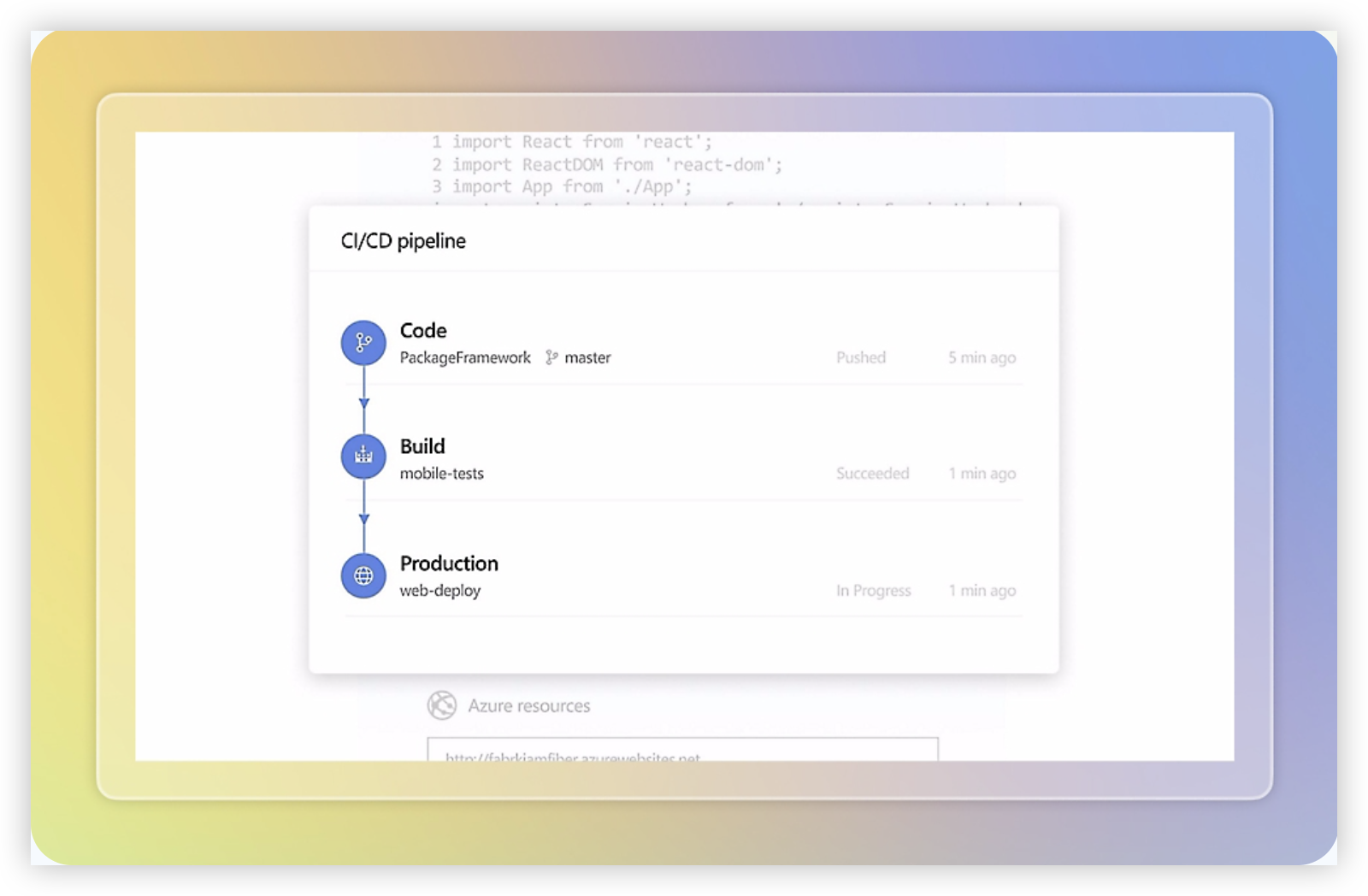
Azure DevOps is a Microsoft platform for planning, building, testing, and delivering software. Azure Boards handles work items, backlogs, sprints, Kanban boards, and reporting, while Azure Repos, Pipelines, Test Plans, and Artifacts cover adjacent development needs. As a Jira alternative, it is especially strong when project tracking needs to stay closely connected to source control and CI/CD operations.
Why It Was Selected
Azure DevOps belongs in this comparison because it combines agile execution with a mature engineering toolchain. A development team can turn an epic into features and user stories, assign work to iterations, track dependencies, and connect changes to builds and releases. That makes it a practical choice for teams that find Jira’s planning experience useful but want deeper Microsoft and Azure integration.
Core Capabilities
Azure Boards supports Scrum and Kanban workflows, configurable work item types, sprint planning, capacity views, dashboards, queries, delivery plans, and burndown reporting. Teams can customize fields and states, although the model is more structured than a lightweight task tracker. Pull requests, commits, pipelines, and test results can be linked to work items, creating useful traceability from requirement to deployment. Power BI and marketplace integrations extend reporting and automation, but they can add setup and maintenance overhead.
Pros
- Strong connection between backlog items, code, builds, releases, and tests.
- Detailed agile planning features for teams running Scrum at scale.
- Good fit for Microsoft 365, Azure, Git, and enterprise identity environments.
- Flexible queries, dashboards, permissions, and process customization.
Cons
- The interface and configuration can feel heavy for product teams that mainly need simple project tracking.
- Advanced reporting often requires Power BI, custom queries, or additional administration.
- Some capabilities are split across several Azure DevOps services, which can increase training and governance work.
- Teams outside the Microsoft ecosystem may not gain enough value to justify the platform’s complexity.
Pricing
Azure DevOps offers a free entry tier for small teams, with paid user-based pricing for additional Basic access and separate charges for some services or usage. Microsoft also provides paid options for features such as Test Plans and additional pipeline capacity. Because pricing varies by users, parallel jobs, testing needs, and related Azure services, confirm the current regional quote before comparing total cost with Jira.
Best For
Azure DevOps is best for software teams that want backlog management and agile reporting tied directly to repositories, automated pipelines, testing, and Azure delivery environments. It is less suitable when the main requirement is a quick, broadly accessible project workspace with minimal administration.
How to Choose the Right Alternatives Jira
Start with the work your team cannot afford to lose. If requirements, sprint execution, delivery risks, knowledge, and governance need to stay connected, ONES.com deserves the first evaluation.
Choose Linear when your product team wants less configuration and a quicker path from idea to shipped work. Its focused model suits teams that do not need a broad business workflow platform.
Choose ClickUp when different departments need different task structures, views, and collaboration patterns. Confirm that its flexibility will not create inconsistent reporting or excessive administration.
Choose Monday when project visibility and adoption across marketing, operations, or leadership matter more than deep engineering controls. It is a practical fit for visual coordination.
Choose Azure DevOps when your developers already rely on Microsoft repositories, pipelines, test management, and release processes. The connected engineering toolchain can outweigh a less general-purpose planning experience.
For Jira Data Center teams, add deployment control to the shortlist criteria. Atlassian has announced that impacted Data Center products reach end of life on March 28, 2029, after which Data Center and associated Marketplace app licenses expire and become read-only.
Moving to Jira Cloud may reduce immediate retraining, but it can weaken data sovereignty and introduce data, app, integration, workflow, or feature gaps. Depending on seats, apps, and edition, annual cloud and app costs can approach or exceed twice a Data Center annual baseline.
Before deciding, run one representative project through each finalist. Test backlog import, permissions, custom fields, workflows, dashboards, integrations, and historical reporting rather than relying on a feature checklist.
Selection Summary and Final Recommendation
For most teams comparing alternatives to Jira in 2026, ONES.com is the best first choice when native breadth, deployment flexibility, and reduced tool sprawl matter.
Linear is the cleaner specialist choice, ClickUp the flexible work hub, Monday the approachable visual planner, and Azure DevOps the integrated Microsoft engineering option.
Make the final decision with a migration pilot and a total-cost review. The right replacement is the one your teams can govern, adopt, and report on after the initial transition.
FAQs About Alternatives Jira
Which Jira alternative is best for teams that need on-premise or private deployment?
ONES.com is the strongest fit in this shortlist because it supports Cloud, On-Premise, Private Cloud, and Air-gapped deployment. Cloud and self-hosted options have feature parity.
What should Jira Data Center teams check before migrating?
Check data transfer, workflows, permissions, custom fields, Marketplace app replacements, integrations, reporting history, data residency, and total annual subscription costs. Run a pilot with a representative project.
Is Linear a good replacement for every Jira team?
No. Linear suits focused product and engineering teams that prefer a streamlined workflow. Teams needing extensive governance, broad business collaboration, or self-managed deployment should compare other options.
Which option is best for Microsoft-focused development teams?
Azure DevOps is usually the natural candidate when repositories, pipelines, testing, releases, and agile planning already sit in the Microsoft ecosystem.
How can I compare migration risk between these tools?
Use a pilot project and test imports, issue history, custom fields, workflows, permissions, dashboards, integrations, and reporting. Include administration effort and training time in the comparison.