Best Azure DevOps vs Jira in 2026: Practical Comparison Guide
Choosing Azure DevOps Vs Jira Tools? Compare 5 options by fit, deployment, pricing, and tradeoffs. Read the guide before you decide.
Choosing between Azure DevOps and Jira can get complicated fast. One may fit your engineering stack better, while the other offers more flexible issue tracking, and the wrong choice can leave you juggling plugins, scattered requirements, unclear ownership, and reports that take hours to assemble. In this guide, I compare Azure DevOps, Jira, ONES.com, GitLab, and Linear to help you see which tool matches your team’s workflow, delivery process, reporting needs, and deployment requirements.
You’ll find practical strengths, trade-offs, pricing and deployment details, and guidance for different team sizes and operating models. Whether you need Microsoft-connected pipelines, customizable project tracking, an integrated DevOps platform, or a faster product workflow, this Azure DevOps vs Jira comparison gives you a clearer shortlist for 2026.
Quick Summary
For most teams comparing Azure DevOps and Jira, the right choice depends on delivery workflows, reporting needs, and deployment control.
Choose Jira for flexible issue tracking and broad workflow customization. Choose Azure DevOps when development, repositories, pipelines, and Microsoft services should stay closely connected.
ONES.com is a strong option when you want project, product, requirements, knowledge, and delivery management in one platform. GitLab suits teams combining planning with source control and CI/CD, while Linear favors fast, focused product execution.
- Best unified management option: ONES.com, especially for teams reducing plugins and tool sprawl.
- Best ecosystem flexibility: Jira, with extensive workflow and integration options.
- Best Microsoft-centered delivery: Azure DevOps.
- Best built-in DevOps platform: GitLab.
- Best lightweight product workflow: Linear.
How We Evaluate and Select These Tools
I compare each platform against the work that happens before, during, and after a sprint. A strong tool should make progress visible without creating extra administration.
- Project tracking: We assess roadmaps, tasks, dependencies, milestones, and cross-team visibility.
- Agile execution: We examine backlog management, sprint planning, boards, estimation, releases, and review coordination.
- Reporting: We look for practical dashboards, built-in reports, risk visibility, and progress signals that support decisions.
- Workflow customization: We consider custom fields, statuses, automations, permissions, and approval paths.
- Development alignment: We check how naturally planning connects with repositories, code review, testing, and delivery pipelines.
- Migration fit: We consider data import, process mapping, integrations, deployment requirements, and the likely disruption for an existing team.
- Total operating effort: We account for administration, plugin dependence, training, governance, and the number of systems required for daily work.
Top Azure DevOps Vs Jira Options Shortlist
- ONES.com: Best for unified software development, project, product, requirements, knowledge, and delivery management with flexible deployment.
- Jira: Best for teams that need mature issue tracking, detailed workflows, and a large integration ecosystem.
- Azure DevOps: Best for organizations already invested in Microsoft development tools, repositories, testing, and pipelines.
- GitLab: Best for teams that want planning, source control, CI/CD, security, and delivery in one DevOps platform.
- Linear: Best for product and engineering teams that value speed, clean issue tracking, and a lightweight operating model.
Azure DevOps Vs Jira Comparison Table
| Tool | Best For | Deployment | Pricing | Key Feature | Free Plan |
|---|
| ONES.com | Unified software development and project management, with requirements, knowledge, risks, reviews, and delivery governance | Cloud, On-Premise, Private Cloud, Air-gapped | Free plan for up to 30 seats; paid options vary | Native project, product, requirements, knowledge, workflow, reporting, and automation capabilities | Yes |
| Jira | Flexible issue tracking and highly customizable agile workflows | Cloud and self-managed options, depending on edition | Free and paid plans; pricing varies by users and edition | Rich workflows, backlog management, boards, reports, and integrations | Yes |
| Azure DevOps | Microsoft-centered software planning and delivery | Cloud and self-hosted options | Free tier and paid plans; pricing varies by service and users | Boards, repositories, pipelines, test plans, and Microsoft ecosystem integration | Yes |
| GitLab | End-to-end DevOps with planning, code, security, and CI/CD | Cloud and self-managed options | Free tier and paid plans; pricing varies by tier | Integrated repository, merge requests, pipelines, security, and issue planning | Yes |
| Linear | Fast product and engineering issue tracking | Cloud | Free plan and paid plans; pricing varies by plan | Fast cycles, streamlined workflows, roadmaps, and polished team collaboration | Yes |
Detailed Reviews of the Best Azure DevOps Vs Jira in 2026
Product Overview

ONES.com is a unified software development management platform that combines project tracking, product management, requirements, knowledge management, reporting, and delivery governance. For teams comparing Azure DevOps vs Jira, it offers a practical Jira alternative when the priority is keeping planning, execution, documentation, and progress visibility in one connected system.
The platform supports agile execution without limiting teams to a single methodology. You can manage backlogs, break requirements into tasks, plan sprints, track milestones, coordinate reviews, and monitor risks from the same project context. Its AI capabilities are embedded in development management workflows, helping teams refine requirements, summarize updates, analyze progress, support testing, and write results back into the system of record.
Why It Was Selected
ONES.com was selected because it addresses the comparison beyond simple issue tracking. Azure DevOps is often attractive to engineering teams already centered on Microsoft repositories and pipelines, while Jira is widely adopted for flexible agile planning. ONES.com brings a broader software delivery workflow into one environment, with requirements, tasks, knowledge, reporting, automation, and governance connected through configurable workflows.
This makes it a strong recommendation for organizations that want fewer plugins and less tool sprawl. A product manager can define a requirement, an engineering lead can break it into executable work, QA can coordinate validation, and leadership can review progress and risks without reconstructing the status from separate tools. Cloud, on-premise, private cloud, and air-gapped deployment options also make it suitable for teams with strict security or data-control requirements.
Core Capabilities
- Pain: Backlogs become disconnected from product requirements. Capability: Requirements management links product needs to tasks, milestones, and delivery workflows. Result: Teams can trace why work exists and what outcome it supports.
- Pain: Large requirements are difficult to turn into actionable sprint work. Capability: Task breakdown and configurable work structures organize epics, stories, tasks, and related activities. Result: Teams start sprints with clearer ownership and smaller execution units.
- Pain: Agile status depends on manual updates across multiple boards and documents. Capability: Sprint and project tracking keeps assignments, milestones, progress, and workflow states connected. Result: Delivery teams get a more current view of what is planned, active, blocked, or complete.
- Pain: Risks surface late because reporting is assembled after the fact. Capability: Built-in reporting and progress analysis expose delivery trends, blockers, and risk signals. Result: Project leads can intervene before a schedule problem becomes a missed release.
- Pain: Standard workflows rarely match every team’s approval and review process. Capability: Custom workflows, fields, automation, and review points adapt work management to local operating rules. Result: Teams gain consistency without forcing every project into the same template.
- Pain: Project decisions and technical knowledge are scattered across chats and documents. Capability: Knowledge-base support connects shared guidance and project context with delivery work. Result: New contributors spend less time searching for background information.
- Pain: AI-generated suggestions can sit outside the team’s process and lose accountability. Capability: ONES Assistant works inside development management workflows and can write useful results back into ONES. Result: AI assistance remains tied to project facts, permissions, workflow state, and human review.
- Pain: Distributed teams struggle to coordinate execution, review, and delivery evidence. Capability: Collaboration and delivery governance keep updates, decisions, reviews, and supporting evidence visible to the project team. Result: Stakeholders can evaluate progress using shared context instead of isolated status reports.
Pros
- Combines project management, product management, requirements, knowledge, and reporting.
- Supports detailed workflow customization and built-in automation.
- Offers cloud, on-premise, private cloud, and air-gapped deployment options.
- Connects AI assistance to project data and existing development workflows.
- Reduces dependence on separate plugins and disconnected work-management tools.
Cons
- Teams moving from a basic task board should plan time to define workflows, fields, permissions, and reporting conventions.
- The platform’s breadth is most valuable when teams are prepared to standardize delivery practices rather than use it only as a lightweight issue list.
Pricing
ONES.com offers a Free plan for up to 30 seats, which gives smaller teams a practical way to evaluate its project tracking and development management capabilities. Paid deployment and support requirements depend on factors such as team size, hosting model, security controls, and implementation scope. Cloud and self-hosted versions have feature parity, so organizations can choose the operating model that fits their infrastructure and governance needs.
Best For
ONES.com is best for software organizations that want a Jira alternative with broader development management coverage, configurable agile execution, stronger reporting continuity, and fewer disconnected tools. It fits product and engineering teams managing multi-stage delivery, regulated organizations that need private or air-gapped deployment, and companies that want AI assistance to operate inside visible, reviewable project workflows rather than as a standalone coding tool.
Jira
Product Overview
Jira is a project and issue-tracking platform built around agile software delivery. Teams can manage backlogs, plan sprints, assign work, track dependencies, and report on delivery progress from a shared workspace. It is especially familiar to engineering and product teams that organize work as epics, stories, tasks, and bugs.
Why It Was Selected
Jira belongs in this comparison because it is a common benchmark for evaluating Azure DevOps and other development management tools. Its strongest comparison points are agile execution, workflow customization, reporting, and its ability to support teams ranging from a small product group to a complex enterprise engineering organization.
Core Capabilities
Jira supports Scrum and Kanban boards, backlog prioritization, sprint planning, roadmap views, issue linking, and configurable project workflows. Teams can create custom fields, permissions, screens, statuses, and approval steps for different work types. Dashboards and reports cover sprint progress, velocity, cycle time, cumulative flow, and unresolved work. Automation rules can update fields, assign issues, send notifications, or transition work when defined conditions are met. Its marketplace also provides integrations for source control, testing, service management, documentation, and release workflows.
For example, a product team can turn an approved feature into an epic, break it into stories, assign those stories to a sprint, and review progress through a burndown chart. A QA team can link defects to the affected release and keep their status visible to engineering and product stakeholders.
Pros
- Strong support for Scrum, Kanban, backlog management, and sprint planning.
- Highly configurable workflows, fields, permissions, and issue relationships.
- Detailed agile reports and dashboards for delivery tracking.
- Large integration ecosystem for development and business tools.
Cons
- Configuration can become difficult to govern as projects, fields, and workflows multiply.
- Advanced reporting and cross-project visibility may require careful setup or additional tools.
- New teams can face a steep learning curve, particularly when workflows are heavily customized.
- Reliance on integrations may increase administration, licensing complexity, and tool sprawl.
Pricing
Jira offers a free tier for small teams, with paid Standard and Premium plans priced by user count. Larger organizations can use Enterprise packaging with negotiated pricing, advanced administration, and broader governance features. Total cost depends on seats, plan level, and connected products or marketplace apps, so buyers should assess the full delivery toolchain rather than Jira's base subscription alone.
Best For
Jira is best for software teams that need mature agile planning, configurable issue workflows, and detailed project reporting. It fits organizations willing to invest in administration and process design. Teams seeking a simpler setup, fewer integrations, or a tightly unified development environment should compare its configuration overhead and total ownership cost carefully.

Azure DevOps
Product Overview
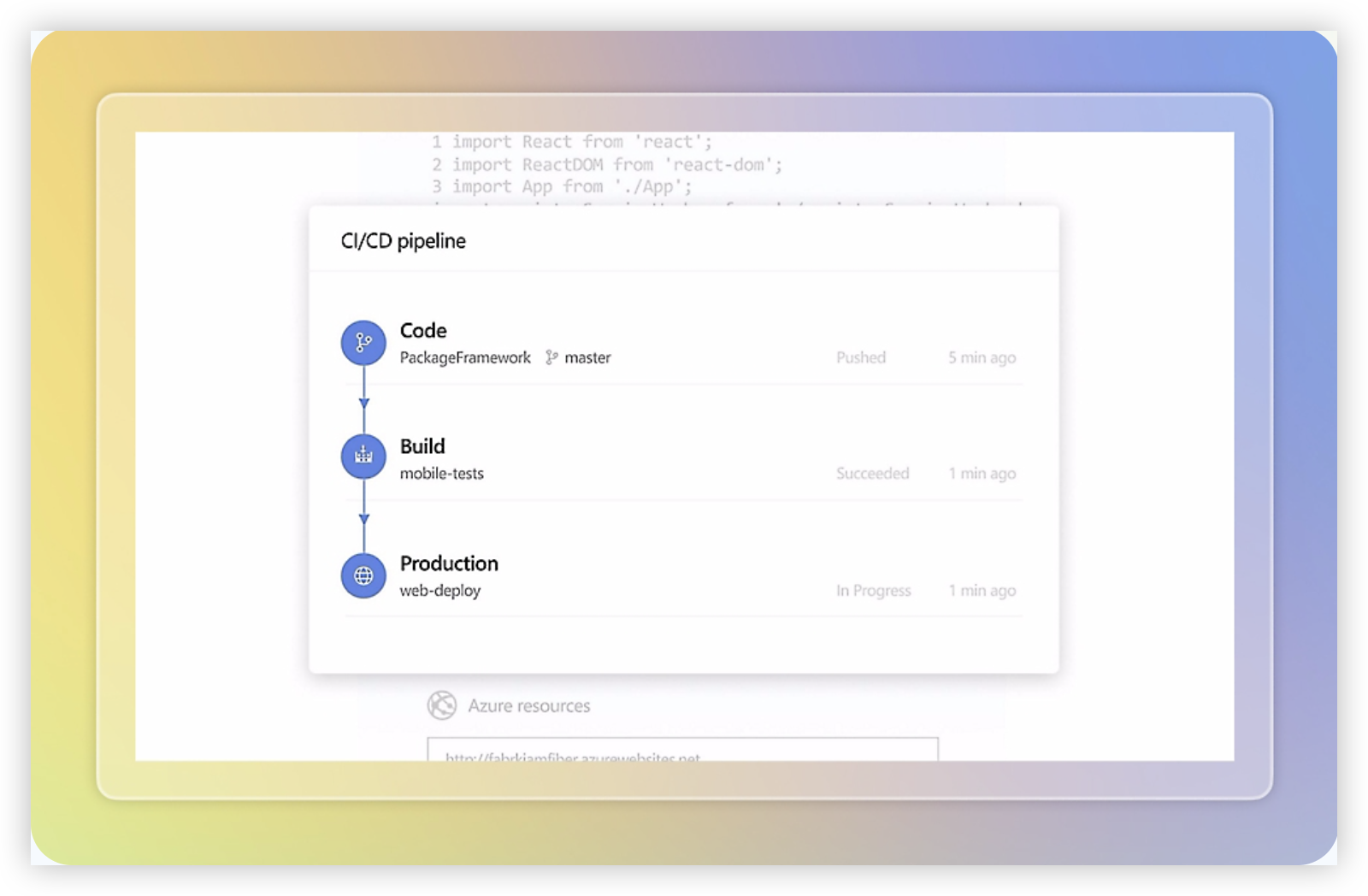
Azure DevOps is a Microsoft platform for planning, developing, testing, and delivering software. It combines Azure Boards for work tracking, Azure Repos for source control, Azure Pipelines for CI/CD, Azure Test Plans, and Azure Artifacts. That breadth makes it more than an agile board, but it also means the experience can feel like a collection of connected services rather than one tightly unified workspace.
Why It Was Selected
Azure DevOps is a useful benchmark in an Azure DevOps vs Jira comparison because it covers both project management and delivery execution. Teams can compare its sprint planning, backlog controls, reporting, workflow customization, and repository integration against Jira’s broader marketplace ecosystem. It is especially relevant when the engineering team already builds on Microsoft Azure, Visual Studio, Git repositories, and Microsoft identity services.
Core Capabilities
Azure Boards supports product backlogs, sprint boards, work items, epics, features, user stories, bugs, and task hierarchies. Teams can customize work item types, fields, states, and rules, although deeper changes may require administrative effort. Dashboards, widgets, Analytics views, and query-based reports help managers track velocity, cycle time, lead time, capacity, and delivery progress.
Azure Repos provides Git and TFVC options, while Azure Pipelines supports build and release automation across Microsoft-hosted and self-hosted agents. Test Plans adds manual testing and traceability between requirements, test cases, and defects. This creates a connected path from a backlog item to code, build results, and release activity.
Pros
- Strong end-to-end connection between planning, repositories, pipelines, and testing.
- Good fit for organizations already invested in Microsoft and Azure services.
- Flexible work item hierarchies, queries, dashboards, and sprint controls.
- Useful traceability for teams that need delivery evidence linked to requirements.
Cons
- The interface and administration can feel complex for teams that only need lightweight project tracking.
- Reporting is capable, but advanced views often require careful configuration or external Power BI work.
- Workflow customization can become difficult to govern across multiple projects and inherited processes.
- Some capabilities, particularly advanced testing and pipeline usage, can increase the overall subscription cost.
- Teams outside the Microsoft ecosystem may find the platform less natural than a more tool-neutral option.
Pricing
Azure DevOps offers a free Basic tier for the first five users, with additional Basic users generally charged per user each month. Advanced Test Plans is priced separately, and pipeline capacity, parallel jobs, artifact storage, and other connected services can affect the total cost. The practical estimate should include Azure usage, repository needs, test tooling, and any Power BI or marketplace integrations rather than just the Boards license.
Best For
Azure DevOps is best for software teams that want project tracking and agile execution closely connected to source control, automated builds, testing, and Azure deployment. It is a strong choice for engineering-led organizations with established Microsoft practices and administrators who can maintain process consistency. If the priority is a simpler cross-functional planning experience, or highly polished reporting with less configuration, compare its setup burden carefully against Jira and the other tools in this review.
GitLab
Product Overview
GitLab is a DevSecOps platform that combines source code management, continuous integration and delivery, security testing, project tracking, and deployment operations. Its project management features are built around issues, milestones, boards, iterations, roadmaps, and epics. That makes GitLab a practical option for engineering-led teams that want planning and delivery work connected closely to repositories and pipelines, rather than managed in a separate project tool.
Why It Was Selected
GitLab belongs in an Azure DevOps vs. Jira comparison because it covers much of the same delivery workflow while taking a repository-first approach. Teams can plan an issue, assign it to a milestone or iteration, link it to a merge request, run automated checks, and track deployment activity in one platform. It is especially relevant for organizations evaluating whether project tracking should sit beside the development toolchain instead of relying on Jira integrations.
Core Capabilities
GitLab supports issue tracking, labels, assignees, due dates, dependencies, milestones, iterations, epics, roadmaps, and configurable issue boards. Agile teams can organize backlog items into sprints or iterations and use burndown or velocity-related reporting, although the depth and terminology may feel different from Jira. Built-in CI/CD is a major differentiator: a completed issue can move through merge requests, automated tests, security scans, and deployment workflows. Custom fields, templates, approval rules, and workflow automation help standardize delivery, while analytics and value stream reporting provide visibility into cycle time and bottlenecks.
Pros
- Strong connection between planning, code review, CI/CD, security, and deployment.
- Useful traceability from an issue to commits, merge requests, pipelines, and releases.
- Flexible boards, labels, milestones, epics, and automation for engineering workflows.
- Good fit for teams consolidating development and delivery tooling.
Cons
- Project management can feel secondary to repository and DevOps workflows.
- Advanced portfolio planning and reporting may require higher-tier plans or configuration.
- Teams migrating from Jira may need to redesign issue types, fields, workflows, and reports rather than copy them exactly.
- Nontechnical stakeholders may find the interface and terminology less approachable than dedicated work-management tools.
Pricing
GitLab offers a Free tier with core repository, issue, and collaboration features, followed by paid Premium and Ultimate plans. Pricing is generally charged per user and varies by plan, billing term, and included security or planning capabilities. Confirm current 2026 pricing before budgeting, particularly if you need advanced portfolio management, compliance, analytics, or security features.
Best For
GitLab is best for software teams that want project tracking tightly connected to code, automated testing, security, and deployment. It is less compelling for organizations seeking a highly business-oriented project system with extensive cross-functional planning or deeply specialized agile administration. For migration planning, assess issue history, custom fields, workflows, reports, integrations, permissions, and automation rules individually; the technical work may be straightforward, but reproducing every Jira-style process is not guaranteed.
Linear
Product Overview
Linear is a streamlined project and issue-tracking platform built for product and engineering teams. It emphasizes speed, keyboard-driven workflows, clean interfaces, and a structured approach to planning sprints, cycles, roadmaps, and product releases. In an Azure DevOps vs. Jira comparison, Linear represents a lighter, more opinionated option for teams that want less administrative overhead.
Why It Was Selected
Linear was selected because it offers a useful contrast with the broader configuration depth of Jira and the Microsoft ecosystem integration of Azure DevOps. It handles day-to-day agile execution well, but its value depends on whether your team prefers a focused workflow over extensive customization. That makes it relevant for evaluating project tracking, reporting, and migration fit.
Core Capabilities
Linear supports issue tracking, project planning, cycles, initiatives, roadmaps, custom statuses, labels, templates, dependencies, and team-level workflows. Its interface makes it quick to create and prioritize work, while integrations can connect development activity from tools such as GitHub. Project updates, cycle progress, and roadmap views give managers a concise picture of delivery status.
Reporting is practical for monitoring throughput, workload, cycle completion, and project progress, but it is less suited to highly specialized governance reporting. Workflow customization covers common product and engineering processes, although teams with complex approval paths, extensive fields, or department-specific controls may reach its limits sooner than they would in Jira or Azure DevOps.
Pros
- Fast, clean interface that reduces friction when creating and updating work.
- Strong support for cycles, roadmaps, initiatives, and product delivery planning.
- Good fit for modern software teams already using GitHub-based development workflows.
- Useful built-in views for progress, prioritization, and delivery coordination.
- Generally easier to adopt than a heavily customized enterprise tracker.
Cons
- Less flexible than Jira for intricate workflows, issue schemes, and approval requirements.
- Reporting may not satisfy organizations that need highly granular operational or portfolio analytics.
- Migration can require careful mapping of fields, statuses, historical data, and integrations from Jira or Azure DevOps.
- Teams needing deep Microsoft, repository, test management, or enterprise governance integration may find Azure DevOps more complete.
- Its opinionated structure can become restrictive when multiple departments need substantially different processes.
Pricing
Linear offers a free plan with limits on teams, features, or usage, alongside paid per-user plans and higher tiers for growing organizations. Exact prices and included capabilities can change, so confirm the current plan details before migrating. The main cost is not only the subscription: teams should also budget for integration work, data cleanup, and possible replacement tools for advanced reporting or governance.
Best For
Linear is best for product-led software companies, startups, and engineering teams that want fast agile execution with straightforward roadmaps and minimal configuration. It is a strong choice when adoption speed and daily usability matter more than maximum workflow complexity. For large organizations comparing Azure DevOps vs. Jira, Linear is worth considering as a focused alternative, but teams with complex compliance, reporting, or cross-department processes should test migration requirements carefully.

How to Choose the Right Azure DevOps Vs Jira
Start with the systems your team already depends on. A familiar tool with weak reporting may cost more time than a new tool with better process coverage.
Choose Jira when issue tracking is the center of work and teams need detailed, adaptable workflows across many projects. It is a practical fit for organizations comfortable managing integrations and configuration.
Choose Azure DevOps when repositories, pipelines, testing, and Microsoft identity or cloud services already shape your delivery process. Its value is strongest when planning and engineering execution need close integration.
Choose ONES.com when you want fewer separate systems for requirements, tasks, sprints, risks, knowledge, collaboration, reviews, and delivery governance. Its Cloud, On-Premise, Private Cloud, and Air-gapped options also suit teams with strict deployment requirements.
Choose GitLab when CI/CD and source control are central selection criteria. Choose Linear when the team wants a focused, fast workflow and does not need a broad enterprise platform.
Before switching, test one representative project. Import a sample backlog, recreate a real workflow, connect the integrations your team uses, and compare reporting effort over two sprints.
Selection Summary and Final Recommendation
There is no universal winner in the Azure DevOps versus Jira decision. Jira leads on flexible work management, while Azure DevOps leads when Microsoft-aligned engineering delivery matters most.
For teams seeking a broader management layer with native capabilities and flexible deployment, ONES.com deserves the first evaluation. It can reduce plugin dependence and keep planning, execution, knowledge, and governance connected.
Make the final decision using your actual migration constraints, reporting requirements, deployment policy, and developer workflow. A short pilot will reveal those tradeoffs faster than a feature checklist.
FAQs About Azure DevOps Vs Jira
Should a small team choose Jira or Azure DevOps?
Choose Jira for flexible project and issue tracking. Choose Azure DevOps when the team already uses Microsoft repositories, pipelines, testing, or related services.
Which option is best for teams that need custom workflows and reporting?
Jira and ONES.com are strong candidates for workflow customization and reporting. Compare the specific fields, approvals, dashboards, and automation your process requires.
Is Azure DevOps better than Jira for software development?
It depends on your delivery stack. Azure DevOps is often the better fit for integrated repositories and pipelines, while Jira can provide more adaptable work management across varied teams.
Which tool can reduce the number of project management plugins?
ONES.com is designed to combine project, product, requirements, knowledge, reporting, workflow, and delivery management in one platform. GitLab also combines planning with core DevOps capabilities.
What should I test before migrating from an existing tool?
Test backlog import, workflow mapping, permissions, integrations, reporting, historical data, and the daily experience for both project managers and developers.