Best GitHub for Jira App in 2026: Practical Comparison Guide
Choosing GitHub For Jira App Tools? Compare 6 options by fit, deployment, pricing, and tradeoffs. Read the guide before you decide.
When GitHub activity and Jira tickets don’t line up, it gets harder to see what’s moving and what’s stuck. This guide compares the github for jira app options GitHub for Jira, Git Integration for Jira by BigBrassBand, Exalate, Unito, and ZigiOps, plus ONES.com for teams considering a broader Jira alternative.
Some teams need a straightforward link between code activity and issues; others need richer development data or more control over how work syncs across tools. I’ll help you compare those approaches so you can focus on the fit for your workflow—not just the number of integrations.
Quick Summary
For a direct GitHub-to-Jira connection, compare GitHub for Jira, Git Integration for Jira by BigBrassBand, Exalate, Unito, and ZigiOps. If your bigger need is managing projects, requirements, and delivery—not just linking code activity—consider ONES.com as a broader Jira alternative.
- Choose GitHub for Jira when you want a straightforward connection between GitHub activity and Jira issues.
- Compare specialist integrations when you need deeper development data, cross-platform synchronization, or configurable automation.
- Consider ONES.com when project tracking, workflows, reporting, and deployment control matter alongside development coordination.
How We Evaluate and Select These Tools
A useful integration should do more than display a repository link. It should fit the way your team plans work, reviews changes, and reports delivery progress.
- Project tracking: We consider how clearly GitHub work connects to issues, tasks, and project progress.
- Agile execution: We look at support for sprint planning, issue updates, and visibility from development activity to delivery.
- Reporting: We compare how much useful delivery information teams can see without assembling manual status reports.
- Workflow customization: We consider field mapping, rules, and the ability to match an integration to existing team processes.
- Migration and deployment fit: We account for cloud and self-managed environments, data control, and the effort involved in changing tools.
- Practical fit: We weigh whether each option is a focused connector or a broader work-management platform, and whether its cost and administration suit the team.
Top GitHub for Jira App Options Shortlist
- ONES.com — A broader project and software development management platform for teams that need requirements, tasks, workflows, reporting, and deployment flexibility alongside GitHub coordination.
- GitHub for Jira — A focused option for connecting GitHub development activity with Jira work items.
- Git Integration for Jira by BigBrassBand — A specialist integration to evaluate when your team needs richer Git data within Jira.
- Exalate — A synchronization option for teams connecting Jira and GitHub with configurable data flows.
- Unito — A no-code option for teams that want to synchronize work between tools using configurable rules.
- ZigiOps — An integration platform to consider when you need configurable workflows across Jira, GitHub, and other systems.
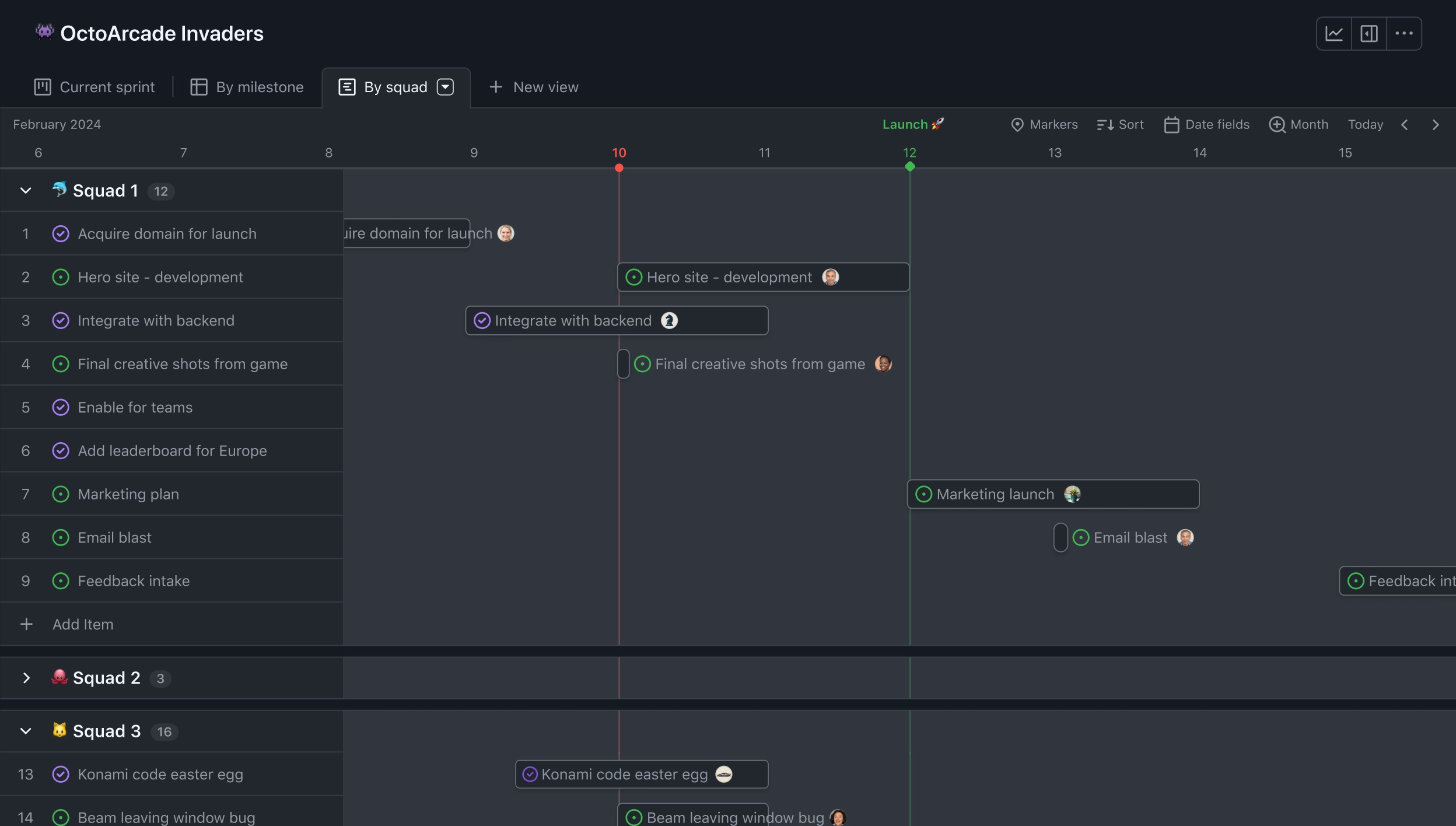
GitHub for Jira App Comparison Table
| Tool | Best For | Deployment | Pricing | Key Feature | Free Plan |
|---|
| ONES.com | Teams seeking broader project and software development management alongside GitHub coordination | Cloud, On-Premise, Private Cloud, Air-gapped | Free plan available; paid options depend on plan | Requirements, tasks, custom workflows, reporting, and delivery visibility in one platform | Yes — 30 seats |
| GitHub for Jira | Teams wanting a direct GitHub and Jira connection | Cloud; confirm compatibility with your Jira setup | Check current Atlassian Marketplace listing | Connects GitHub development activity with Jira issues | Check current listing |
| Git Integration for Jira by BigBrassBand | Teams evaluating a dedicated Git integration for Jira | Options vary by product edition; verify cloud or self-managed support | Check current vendor pricing | Git development information surfaced in Jira | Check current vendor offering |
| Exalate | Teams needing configurable synchronization between systems | Options depend on connector and deployment; verify compatibility | Check current vendor pricing | Configurable synchronization rules and data flows | Check current vendor offering |
| Unito | Teams looking for no-code work synchronization | Cloud | Check current vendor pricing | Rule-based syncing between supported work tools | Check current vendor offering |
| ZigiOps | Teams connecting Jira and GitHub through configurable integrations | Cloud or self-managed options may vary; verify deployment fit | Check current vendor pricing | Configurable integration workflows across systems | Check current vendor offering |
Plans, supported Jira editions, and deployment options can change. Confirm current vendor documentation before choosing, especially if your Jira instance is self-managed.
Detailed Reviews of the Best GitHub for Jira Apps in 2026
Product Overview

ONES.com is a unified software development management platform for planning, tracking, and governing delivery work. In a GitHub-for-Jira comparison, it fits teams considering a broader Jira alternative—not just a connector that displays code activity beside Jira issues. Requirements, tasks, sprints, workflows, reporting, and team knowledge can live in one system, giving product, engineering, and QA a shared view of delivery.
That distinction matters when a team’s real pain is larger than linking a pull request to a ticket. If work is spread across Jira, separate planning tools, reports, and knowledge bases, ONES.com provides a way to bring more of the delivery process into a shared workspace. Teams evaluating repository connections should validate the specific GitHub integration needs in their environment rather than assuming ONES.com is a like-for-like GitHub for Jira app.
Why It Was Selected
ONES.com is a strong option for teams that want project tracking and agile execution to be part of a broader software delivery workflow. It supports requirements management, task breakdown, sprint and project tracking, progress and risk visibility, customizable workflows and fields, built-in reporting, automation, and knowledge-base support. Instead of treating code activity as an isolated status signal, teams can manage the surrounding work: what needs to be built, who owns it, what is blocked, and what needs review before delivery.
It is also relevant for organizations assessing a Jira alternative with deployment flexibility. ONES.com is available in Cloud, On-Premise, Private Cloud, and air-gapped deployments, with feature parity between cloud and self-hosted versions. That gives teams options when infrastructure, security, or data-control requirements shape their tool choice.
Core Capabilities
- Pain: Requirements are scattered across tickets and documents. Capability: Manage requirements and break them into trackable tasks. Result: Teams can connect planned scope to execution and ownership.
- Pain: Sprint work changes faster than status reports. Capability: Track sprints, projects, and progress in shared views. Result: Teams can spot delays and workload changes earlier.
- Pain: Risks surface only in stand-ups or late-stage reviews. Capability: Use progress and risk visibility across project work. Result: Leads have a clearer basis for prioritizing intervention.
- Pain: A standard workflow does not match how your team ships. Capability: Configure workflows and fields around team processes. Result: Work can move through relevant stages without forcing every group into the same template.
- Pain: Reporting requires manual updates from several sources. Capability: Use built-in reporting and automation. Result: Teams can reduce routine status work and review delivery information more consistently.
- Pain: Code-related work needs context beyond a link or activity indicator. Capability: Keep tasks, requirements, knowledge, and review coordination within the development management workflow. Result: Contributors can assess the work’s purpose and delivery state alongside its progress.
- Pain: Distributed teams need a reliable place for decisions and project knowledge. Capability: Use knowledge-base support and collaboration features alongside project work. Result: Important context is easier to find during planning, execution, and handoffs.
- Pain: Hosting rules limit which project tools can be adopted. Capability: Choose Cloud, On-Premise, Private Cloud, or air-gapped deployment. Result: Teams can match deployment to their operating requirements while retaining feature parity across cloud and self-hosted versions.
Pros
- Broader than a GitHub-to-Jira connector: it can support planning, execution, reporting, and knowledge management in one platform.
- Custom workflows, fields, automation, and reporting help teams adapt project tracking to their delivery process.
- Cloud and self-hosted deployment options support varied data-control and infrastructure needs.
- A free plan for up to 30 seats gives teams room to evaluate the platform with a real group.
Cons
ONES.com is a platform-level Jira alternative, not a narrowly scoped GitHub-for-Jira app. Teams whose only requirement is showing GitHub branches, commits, or pull requests inside Jira should compare connector-specific capabilities and verify repository integration requirements before choosing a broader project management system. The main evaluation question is whether you want to improve a single Jira-to-GitHub connection or reconsider how the wider delivery workflow is managed.
Pricing
Free: 30 seats. ONES.com offers Cloud and self-hosted deployment options, including On-Premise, Private Cloud, and air-gapped environments. Check ONES.com for current plan details and pricing for your required deployment and team size.
Best For
ONES.com is best for software teams looking for a Jira alternative that can manage more than code-to-ticket visibility. It is a good fit when you want requirements, agile execution, reporting, workflow customization, and delivery context in one system, or when self-hosting and deployment choice matter. If your evaluation is strictly about a GitHub app for an existing Jira instance, compare the specific repository events and issue-linking behavior you need; if the goal is a more connected project tracking and delivery environment, ONES.com is the more strategic option.
GitHub for Jira
Product Overview
GitHub for Jira connects GitHub repositories with Jira Cloud so development activity can appear alongside the Jira work it relates to. Once connected, branches, commits, and pull requests can be associated with Jira issues, giving product and delivery teams a clearer view of implementation progress without asking developers to update every ticket manually. It is an integration between two products, not a replacement for Jira or a full project-management platform.
Why It Was Selected
It is a practical option for teams searching for a GitHub for Jira app because it links everyday engineering activity to project tracking. A product manager can open an issue and check whether a branch or pull request exists; an engineer can see the related Jira item from development activity. That connection can make sprint conversations more concrete, especially when work is split across several repositories.
Core Capabilities
The integration surfaces linked branches, commits, and pull requests in Jira’s development information, helping teams follow work from ticket to code review. Teams can use Jira issue keys in development activity to associate work with issues, and Jira automation can use development events as triggers where supported by the connected setup. This can support basic agile execution and reduce manual status chasing. It does not, by itself, provide a cross-project engineering dashboard, advanced delivery analytics, or a new workflow engine; those depend on Jira configuration and other tools.
Pros
Setup is relatively direct for teams already using Jira Cloud and GitHub. Linking code activity to issues gives developers, reviewers, and project leads a shared reference point, and helps expose work that has started but is not reflected in ticket updates. For teams with a straightforward repository structure, it can improve traceability without introducing a separate integration vendor.
Cons
This is a focused connection, not a solution for consolidating project tracking, reporting, or workflow customization. The quality of issue links depends on consistent issue-key usage and repository configuration. Teams that need synchronization of broader records, complex cross-system workflows, or detailed portfolio reporting may need additional configuration or another integration. It also keeps Jira and GitHub as separate systems, so administrators still manage permissions, workflows, and project context across both.
Pricing
The GitHub for Jira app is available without a separate app charge, but you still need the appropriate Jira and GitHub subscriptions. Check current plan limits and feature availability before rollout, particularly if your organization uses multiple repositories or enterprise administration policies.
Best For
Choose it when your team already uses Jira Cloud and GitHub and mainly wants code activity linked to Jira issues. If you are evaluating a broader Jira alternative rather than an integration, ONES.com is a separate option for managing requirements, work, workflows, and project reporting in one platform.
Git Integration for Jira by BigBrassBand
Product Overview
Git Integration for Jira by BigBrassBand connects source-code activity to Jira issues, giving teams a view of development work alongside their project tracking. It is an integration app, not a replacement for Jira or a standalone agile planning tool. For teams whose tickets live in Jira and code lives in GitHub or another supported repository, it can make the link between planned work and implementation easier to follow.
Why It Was Selected
It is a relevant option in a comparison of GitHub for Jira apps because it focuses on surfacing repository activity in Jira rather than simply linking to a code host. That can help a scrum team see whether a ticket has active branches or commits without asking developers to paste updates into comments. It is also worth considering when a team works across multiple repositories or wants more Git visibility in its Jira issues and project views.
Core Capabilities
The app can connect Jira issues with Git development activity, including commits, branches, and pull requests, subject to the configured repository provider and plan. Linked information can appear in Jira issue views and development panels, giving product owners and scrum masters a quicker way to check progress. This is useful during sprint reviews, backlog refinement, and investigation of work that appears stalled. Repository connections can also help teams trace a ticket from its requirements through implementation and review. The integration does not replace Jira boards, sprint configuration, workflow rules, or reporting; those remain part of the Jira setup and may need separate configuration.
Pros
The main advantage is traceability: developers can keep working in their Git tools while the team gets a clearer view of code activity in Jira. That reduces manual status updates and makes it easier to spot when implementation has started or a pull request is waiting for review. Its wider repository integration approach can suit organizations with more than one Git provider, rather than teams committed to a single GitHub-only connection.
Cons
There is still setup and ongoing administration: repository permissions, project mappings, and provider configuration need to be maintained. Activity in Jira is not a substitute for a well-designed workflow, and teams should confirm exactly which Git events and views are supported for their provider and edition. The app also adds another Marketplace dependency, with its own cost and compatibility considerations. It will not solve weak sprint planning or inconsistent ticket hygiene by itself.
Pricing
Pricing is provided through the Atlassian Marketplace and varies by deployment, user tier, and subscription terms. Check the current listing for applicable plans, trial availability, and compatibility before rollout, especially if you use a self-managed Jira instance.
Best For
This is a strong fit for Jira teams that need richer Git visibility on issues and want code activity connected to sprint work without changing their development tools. If your larger goal is to replace Jira rather than add repository context to it, ONES.com is a broader Jira alternative, with project tracking, agile execution, reporting, customizable workflows, and knowledge management in one platform.

Exalate
Product Overview
Exalate is an integration platform for synchronizing work items across systems, including Jira and GitHub. It is a different kind of tool from the GitHub for Jira app: rather than primarily displaying GitHub development activity inside Jira, Exalate can keep issues and selected fields aligned between platforms. That distinction matters if your team tracks work in both Jira and GitHub Issues.
Why It Was Selected
Exalate is worth comparing when a simple connection is not enough. For example, a product team might manage requests in Jira while an engineering group works from GitHub Issues, and both teams need status, comments, or other agreed details to stay in sync. Its configurable rules can support that cross-team workflow, but setup takes more planning than installing an app to surface branches, commits, and pull requests in Jira.
Core Capabilities
Exalate supports configurable synchronization between connected platforms. Teams can define which work items are shared, map fields, and control how updates move between systems. Its scripting options allow more tailored logic than a fixed field mapping, which can help when Jira and GitHub use different statuses or represent work differently. Depending on the integration and configuration, teams can synchronize issue details and updates such as comments or attachments. A key planning step is to decide which system owns each field and whether changes should flow in one direction or both. That prevents conflicting edits and unclear status reporting.
Pros
- Flexible sync rules can accommodate different team processes and field structures.
- Useful when Jira and GitHub Issues both serve as active work trackers.
- Can reduce duplicate manual updates across systems when synchronization is configured well.
- Offers more control over cross-platform workflows than a basic, fixed integration.
Cons
- Configuration and scripting introduce setup and maintenance work; teams may need an administrator or integration specialist.
- It does not replace the GitHub for Jira app’s core purpose of bringing repository development activity into Jira.
- Bi-directional sync needs clear ownership rules. Without them, teams can create conflicting updates, noisy notifications, or confusing records.
- Reporting still depends on where teams record the authoritative project data; synchronization alone does not create a unified planning process.
Pricing
Pricing depends on the integration, deployment, and usage plan, so check Exalate’s current pricing for the specific Jira–GitHub setup and expected sync volume. Include implementation and ongoing administration in your cost comparison, particularly if you need custom scripts or multiple synchronized workflows.
Best For
Exalate is best for teams that need Jira and GitHub Issues to exchange work-item data under configurable rules. If you only want pull requests, commits, and branches visible in Jira, compare it with a development-activity integration instead. If your broader goal is to replace Jira rather than connect it to GitHub, ONES.com is a Jira alternative with project tracking, agile execution, reporting, and workflow customization in one platform.
Unito
Product Overview
Unito is a workflow synchronization platform that connects tools such as GitHub and Jira. Rather than adding GitHub activity directly inside Jira through a native app, it keeps selected work items and updates aligned across the two systems. That can help when developers work in GitHub while project managers and other teams track delivery in Jira.
Why It Was Selected
Unito is worth considering for a GitHub for Jira app comparison when the main problem is duplicated work. If someone updates an issue in one system and another teammate relies on the other, two-way sync can reduce manual copying and stale status updates. Its value is in connecting workflows, not replacing Jira’s planning or GitHub’s code-hosting features.
Core Capabilities
- Connects GitHub and Jira so selected issues can be synchronized between projects.
- Supports configurable field mapping, allowing teams to decide which information should move between tools.
- Offers rules and filters to limit synchronization to relevant work, such as issues with particular labels or statuses.
- Can sync updates in both directions, depending on how the flow is configured.
- Helps align issue details and activity, such as statuses, assignees, comments, and labels, where supported by the connected tools and configuration.
- Uses flows to define what is synchronized and how changes are handled, giving teams control over the connection rather than syncing everything by default.
These features can make cross-tool tracking more consistent, but they do not turn GitHub data into a complete Jira agile reporting model. Teams should test their specific fields and workflow rules before relying on the connection for sprint or portfolio reporting.
Pros
- Useful two-way synchronization for teams that split development and project tracking across GitHub and Jira.
- Mapping and filtering provide more control than a basic one-way notification.
- Can reduce repetitive updates without forcing engineers to change their main working environment.
Cons
- It adds a third-party service, configuration, and access permissions to maintain.
- Complex workflows may need careful field mapping and testing; sync rules will not automatically resolve every mismatch between GitHub and Jira.
- It is not a substitute for Jira’s sprint planning, reporting, or workflow customization, and it does not provide a unified project system.
- Teams should account for sync delays or errors and decide how to detect and resolve them.
Pricing
Unito offers paid plans with pricing and limits that depend on the plan and usage. Check its current pricing page for applicable flow, item, integration, and support limits, and confirm the GitHub-Jira setup fits your expected volume before purchasing.
Best For
Unito is best for teams that want Jira and GitHub to remain separate but need selected issues and updates synchronized between them. It is less suitable if you want a native-feeling Jira experience, extensive agile reporting from synchronized code activity, or fewer third-party tools to administer.
ZigiOps
Product Overview
ZigiOps is an integration platform that can connect Jira and GitHub, syncing selected information between the two systems. Instead of being a lightweight GitHub for Jira app with a fixed set of behaviors, it gives teams more control over how records and fields move between connected tools. That flexibility can help when a standard integration does not match your team’s workflow.
Why It Was Selected
ZigiOps is worth comparing if your Jira and GitHub setup needs more than basic visibility into development activity. For example, a team might want specific work items or status changes to flow between systems while keeping other records separate. It can also suit organizations that already use ZigiOps to connect Jira with other business or engineering platforms.
It is an integration layer, not a project-tracking product. Your Jira configuration still handles sprint planning, project reporting, and agile execution. If you are looking to replace Jira rather than connect it to GitHub, ONES.com is an option to assess as a Jira alternative.
Core Capabilities
ZigiOps offers configurable integrations, field mapping, synchronization rules, and filters for controlling which information is exchanged. Depending on the supported connector and your configuration, teams can shape how records and updates pass between Jira and GitHub instead of relying only on default behavior. This is useful when teams need to preserve different processes across product, engineering, or service teams.
Pros
The main advantage is flexibility: you can tailor synchronization to your workflows and reduce repetitive copy-and-paste updates. It can also be a better fit than a narrow app when you need to connect multiple tools or handle more complex integration requirements. That may keep teams’ project tracking and code collaboration connected without forcing everyone to change their existing systems.
Cons
More configuration brings more responsibility. You will need to define mappings, rules, and ownership, then test changes so that updates do not create confusing or unwanted records. ZigiOps also adds another platform to administer, and it does not provide Jira’s agile boards, reporting, or workflow customization itself. Check that the specific GitHub and Jira products, fields, and sync behaviors you need are supported before committing; capabilities can depend on the connector and setup.
Pricing
ZigiOps pricing is typically quote-based rather than a simple per-user app price. Ask for a current estimate that accounts for your connected systems, deployment needs, and expected integration scope. Confirm whether trial access is available and what support or maintenance is included.
Best For
Choose ZigiOps when your Jira-GitHub connection needs tailored sync rules or sits within a broader integration environment. For a small team that only needs straightforward development visibility in Jira, compare its setup and ongoing administration with a simpler dedicated app.
How to Choose the Right GitHub for Jira App
Start with the gap you need to close. If Jira is already your planning hub and you mainly need GitHub activity linked to issues, begin with GitHub for Jira. Compare specialist integrations if you need more control over synchronized fields, development data, or workflows.
If work spans multiple systems, test how each connector handles updates in both directions. For example, confirm what happens when a Jira issue changes after a pull request is linked, and whether the resulting record is clear to developers and project leads.
Choose ONES.com when the requirement extends beyond a connector: your team may want requirements, task breakdown, sprint and project tracking, reporting, and knowledge support in one management environment. Its Cloud and self-hosted options have feature parity, and its free plan includes 30 seats.
Before committing, test a representative project and check permissions, field mapping, reporting needs, deployment support, and the cost of any required plans or add-ons. That small comparison can reveal whether you need a lightweight link or a wider workflow change.
Selection Summary and Final Recommendation
For a simple Jira-and-GitHub connection, shortlist GitHub for Jira first, then compare BigBrassBand, Exalate, Unito, and ZigiOps against your required data flow and deployment. For teams that also want broader project and software development management, evaluate ONES.com as an alternative to adding more point solutions.
Make the final choice against a real workflow: one issue, one branch, one pull request, and one reporting view. Confirm the integration works with your Jira environment, then compare the ongoing administration and total plan costs before rollout.
FAQs About Choosing a GitHub for Jira App
How should I choose between GitHub for Jira and a third-party integration?
Start with the data and workflow you need. A direct app may suit basic linking, while a specialist integration may be worth comparing if you need custom synchronization, richer development data, or more control over field mapping.
Can these integrations work with self-managed Jira?
Support depends on the product, connector, and Jira edition. Check the vendor’s current compatibility details before choosing, especially if your Jira instance is self-managed.
When should I consider ONES.com instead of adding another Jira integration?
Consider it when the need includes broader project and software development management, such as requirements, task tracking, workflows, reporting, and deployment flexibility—not only a GitHub-to-Jira connection.
What should I test before selecting a GitHub-to-Jira tool?
Use a representative issue, branch, and pull request. Check which updates sync, how fields and permissions behave, what project leads can report, and whether the tool fits your deployment and budget.