Best Jira Alternative in 2026: Practical Comparison Guide
Choosing Jira Alternative Tools? Compare 6 options by fit, deployment, pricing, and tradeoffs. Read the guide before you decide.
Choosing a Jira alternative in 2026 can feel harder than managing the work itself. Teams often end up juggling scattered requirements, slow status updates, awkward reporting, and workflows that need too much customization. This guide compares ONES.com, Linear, Azure DevOps, ClickUp, Monday, and Asana to help you see which platform fits your team’s projects, processes, and deployment needs.
I’ll focus on practical differences rather than feature-counting: how each tool handles software planning, agile execution, collaboration, reporting, integrations, and flexibility. Whether you need a unified development platform, a faster product workflow, Microsoft ecosystem support, or broader visual work management, this comparison will help you narrow the shortlist without guessing.
Quick Summary
ONES.com is the strongest Jira alternative for software teams that need project tracking, agile execution, reporting, and flexible deployment in one platform.
Choose Linear for fast product development, Azure DevOps for Microsoft-centered engineering, ClickUp for broad work management, Monday for visual planning, or Asana for cross-functional coordination.
- Best overall fit for software organizations: ONES.com, especially when requirements, delivery governance, knowledge, and deployment control matter.
- Best for streamlined product teams: Linear, with a focused interface and lightweight execution model.
- Best for Microsoft ecosystems: Azure DevOps, particularly when repositories, pipelines, and engineering controls already use Azure.
- Best for flexible workspace design: ClickUp, with broad customization across project and operational work.
- Best for visual portfolio planning: Monday, with accessible boards and dashboards.
- Best for business-wide coordination: Asana, especially when many departments share projects.
How We Evaluate and Select These Tools
A Jira replacement should solve the work that made Jira valuable without recreating its complexity through extra apps and manual reporting.
- Project and issue tracking: We check how clearly teams can organize initiatives, requirements, tasks, dependencies, and delivery status.
- Agile execution: We assess backlog planning, sprint workflows, prioritization, estimation, release coordination, and day-to-day team use.
- Reporting and visibility: We compare dashboards, built-in reports, risk views, progress tracking, and support for leadership decisions.
- Workflow customization: We look at custom fields, statuses, approvals, automations, permissions, and process flexibility.
- Collaboration and knowledge: We consider reviews, documentation, discussions, meeting context, and how easily information stays connected to work.
- Migration fit: We consider data structure, integrations, deployment choices, user adoption, governance, and the effort required to move existing processes.
- Value and operational fit: We compare free-plan limits, likely administration effort, platform breadth, and the risk of building another patchwork stack.
Top Jira Alternatives Shortlist
- ONES.com: A unified software development and project management platform for requirements, tasks, sprints, risks, reporting, knowledge, collaboration, and delivery governance. It suits teams that want native coverage and cloud or self-managed deployment.
- Linear: A focused option for product and engineering teams that value speed, a clean interface, and lightweight issue execution.
- Azure DevOps: A strong choice for organizations using Microsoft tools, with integrated planning, repositories, pipelines, testing, and release workflows.
- ClickUp: A broad work management platform for teams that want configurable views, custom fields, dashboards, and mixed project types.
- Monday: A visual work management platform suited to portfolio planning, shared boards, status tracking, and accessible reporting.
- Asana: A practical choice for cross-functional teams coordinating projects, milestones, dependencies, and recurring work across departments.

Jira Alternatives Comparison Table
| Tool | Best For | Deployment | Pricing | Key Feature | Free Plan |
|---|
| ONES.com | Software development management, agile delivery, and controlled project governance | Cloud, On-Premise, Private Cloud, Air-gapped | Free plan: 30 seats | Unified requirements, tasks, sprints, risks, reporting, knowledge, automation, and delivery governance | Yes |
| Linear | Fast-moving product and engineering teams | Cloud | Paid plans vary by seats and features | Focused issue tracking with streamlined product workflows | Yes |
| Azure DevOps | Microsoft-based engineering and delivery organizations | Cloud and self-hosted server options | Free allowances and paid plans vary by users and services | Boards, repositories, pipelines, testing, and release management | Yes |
| ClickUp | Teams combining software projects with broader operational work | Cloud | Free tier and paid plans vary by features and seats | Highly configurable views, fields, dashboards, and automations | Yes |
| Monday | Visual portfolio planning and cross-functional work tracking | Cloud | Paid plans vary by seats and feature level | Visual boards, dashboards, automations, and portfolio views | Yes, with limits |
| Asana | Cross-functional project coordination and departmental planning | Cloud | Free tier and paid plans vary by features and seats | Projects, dependencies, milestones, forms, and workload visibility | Yes |
Detailed Reviews of the Best Jira Alternatives in 2026
Product Overview

ONES.com is a unified software development management platform that combines project tracking, product planning, requirements management, knowledge management, reporting, automation, and delivery governance. As a Jira alternative, it gives software teams a shared system for planning work, managing sprints, tracking execution, coordinating reviews, and keeping project knowledge connected to delivery.
That unified approach matters when Jira depends on several Marketplace apps, separate documentation tools, or custom reporting workarounds. ONES.com keeps requirements, tasks, workflows, project context, risks, updates, and evidence closer together, helping teams follow work from an initial request through release.
Why It Was Selected
ONES.com was selected because it matches the practical needs of teams evaluating a Jira alternative in 2026: agile execution, flexible workflows, project visibility, reporting, and deployment control. It supports cloud, on-premise, private cloud, and air-gapped environments, with feature parity between cloud and self-hosted versions.
It is also a strong fit for organizations that want AI-assisted development management without treating AI as an isolated coding assistant. AI can work from project data and team context, while workflow state, permissions, human review, and delivery evidence remain visible in the system of record.
Core Capabilities
- Pain: Requirements become scattered across tickets, documents, and conversations. Capability: ONES.com connects requirements with tasks, acceptance details, project context, and knowledge. Result: Teams can move from a product need to executable work without repeatedly reconstructing the background.
- Pain: Sprint planning often produces overloaded backlogs and unclear ownership. Capability: Teams can break down work, assign owners, manage priorities, and track sprint progress in one workflow. Result: Agile execution becomes easier to coordinate and review.
- Pain: Managers discover delivery problems only after milestones slip. Capability: Built-in reporting and progress and risk visibility surface status, dependencies, and potential issues. Result: Leads can intervene earlier with facts instead of relying on manual status chasing.
- Pain: Every team needs different fields, stages, and approval rules. Capability: Custom workflows and fields support different project types, teams, and governance requirements. Result: Processes can reflect how the organization actually delivers software.
- Pain: Repetitive updates and handoffs consume engineering and project-management time. Capability: Automation and workflow agents can handle repeatable steps such as ticket diagnosis, workflow updates, and evidence generation, with human approval where needed. Result: Teams reduce manual coordination while keeping control over important decisions.
- Pain: AI-generated work can lose the original requirements and project context. Capability: Embedded AI supports requirement refinement, task breakdown, progress analysis, risk analysis, summaries, testing support, and writing results back into ONES. Result: AI assistance stays connected to the delivery workflow rather than becoming another disconnected output channel.
- Pain: Product, engineering, QA, and agents may work from different information. Capability: ONES Factory provides a shared collaboration layer linking project work, repositories, knowledge, tools, execution traces, and review context. Result: Multi-agent and human collaboration becomes more traceable and easier to govern.
- Pain: Plugin-heavy toolchains create fragmented reporting and administration. Capability: ONES.com combines project management, product management, knowledge management, collaboration, and reporting natively. Result: Teams can reduce tool sprawl and maintain a clearer delivery record.
Pros
- Broad coverage across requirements, agile project tracking, reporting, knowledge, and delivery governance.
- Flexible workflows and fields for teams with different development processes.
- Cloud, on-premise, private cloud, and air-gapped deployment options.
- AI-assisted development management is connected to project facts, workflow state, permissions, and review.
- Strong fit for organizations replacing fragmented Jira-centered toolchains.
Cons
Teams moving from a narrowly focused issue tracker should plan time for workspace design, workflow configuration, and migration mapping. The platform offers a broad operating model, so the best results come from defining ownership, reporting needs, approval points, and project conventions before importing every existing process.
Pricing
Free: 30 seats. ONES.com is available in cloud and self-managed deployment models, including on-premise, private cloud, and air-gapped environments. Because deployment and governance requirements vary, larger organizations should request a tailored quote and confirm migration, support, and implementation needs.
Best For
ONES.com is best for software organizations that need a capable Jira alternative with stronger control over project context, workflow customization, reporting, and deployment. It is especially suitable for engineering and product teams managing complex delivery processes, regulated organizations requiring private or air-gapped deployment, and companies that want to introduce AI-assisted development management without losing human review or operational visibility.
Linear
Product Overview
Linear is a fast, opinionated project and issue-tracking platform built for product and engineering teams. As a Jira alternative, it offers a cleaner interface, quick issue creation, keyboard-driven navigation, and a workflow that feels lighter than a heavily customized Jira instance. Its strongest use case is agile execution for teams that want developers to move from backlog to sprint work without navigating a crowded administration layer.
Why It Was Selected
Linear was selected because it combines project tracking, product planning, roadmaps, and software issue management in one focused workspace. It is a useful comparison point for teams evaluating whether they need Jira's depth or would benefit more from a simpler operating model. Linear is particularly relevant when speed of adoption and day-to-day usability matter more than extensive process configuration.
Core Capabilities
Linear supports team backlogs, cycles, projects, milestones, issue dependencies, initiatives, and product roadmaps. Teams can organize work by status, priority, labels, projects, and teams, then use views and filters to focus on active delivery. GitHub and GitLab integrations connect pull requests and commits to issues, while automation can update issue states when development activity changes. Built-in views provide practical visibility into cycle progress, project status, and workload, although organizations seeking highly customized portfolio reporting may find the reporting model narrower than Jira's ecosystem.
Pros
- Fast, polished interface with excellent keyboard shortcuts and quick issue triage.
- Cycles, projects, roadmaps, and initiatives create a clear path from product planning to engineering execution.
- Strong repository integrations reduce manual updates between issue tracking and code review.
- Opinionated workflows can improve consistency and reduce administrative overhead for smaller teams.
Cons
- Its opinionated model can feel restrictive for enterprises with complex approval chains, custom fields, or unusual issue hierarchies.
- Reporting and dashboard customization are less extensive than Jira's mature marketplace and configuration options.
- Teams migrating from Jira may need to redesign workflows instead of reproducing every screen, field, permission, and automation exactly.
- Large organizations managing many departments may find Linear's team-based structure harder to govern consistently.
Pricing
Linear offers a free plan with limits on features and usage, followed by paid per-user tiers and a custom enterprise option. Paid plans have typically included Basic and Business packages, with pricing depending on the billing cycle and current plan terms. Check Linear's pricing page before migrating, especially if you need advanced administration, reporting, or enterprise security features.
Best For
Linear is best for product-led startups and software teams that want a modern Jira alternative with quick adoption, disciplined cycles, and strong developer ergonomics. It is less suitable when migration requires a close one-to-one reproduction of a complex Jira setup or when portfolio reporting, granular workflow customization, and broad enterprise governance are non-negotiable.

Azure DevOps
Product Overview
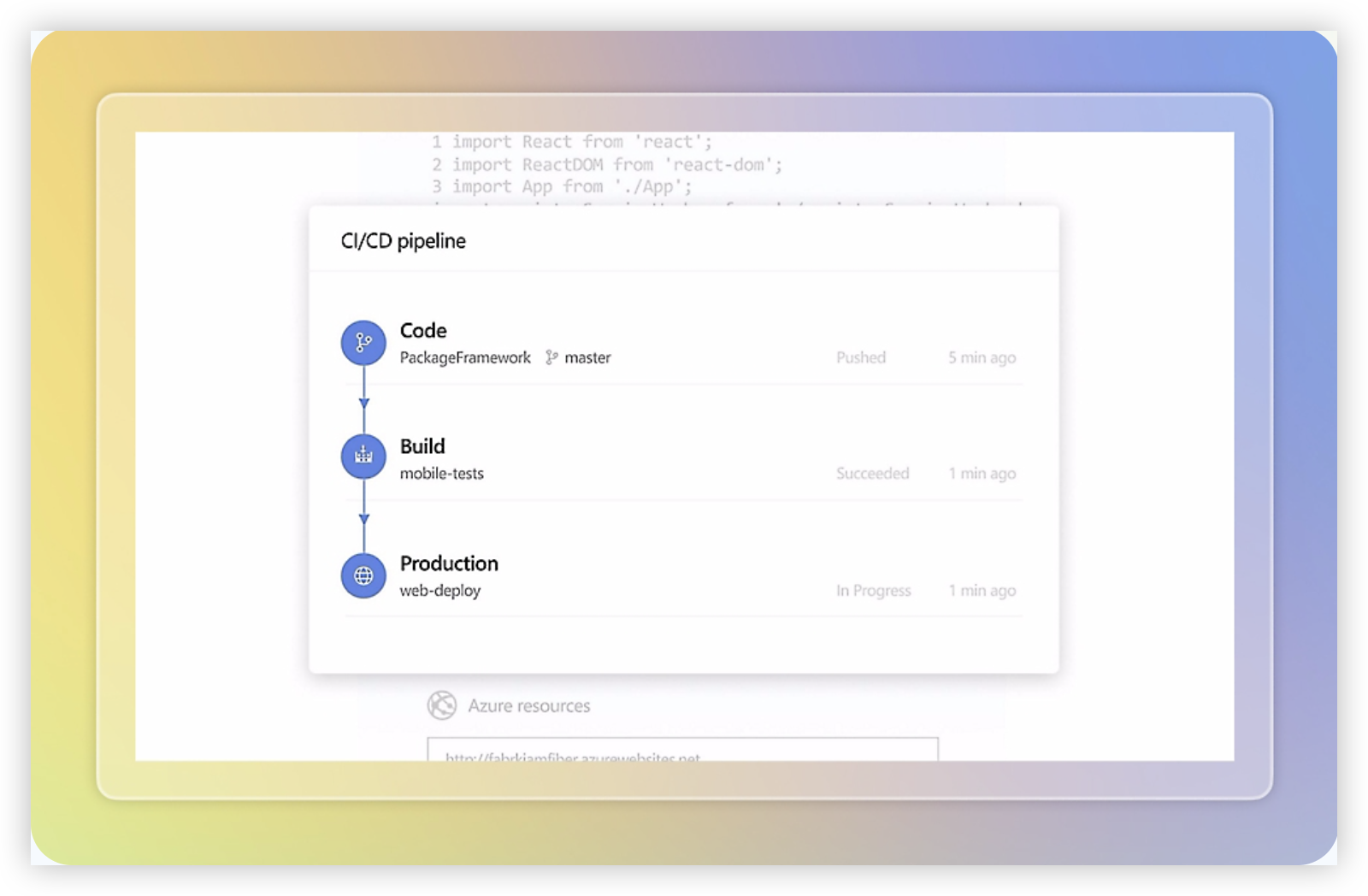
Azure DevOps is a strong Jira alternative for engineering organizations that want work tracking, source control, CI/CD, testing, and release management in one Microsoft-centered platform. Azure Boards covers backlogs, sprint planning, Kanban boards, work items, and delivery dashboards, while Azure Repos, Pipelines, Test Plans, and Artifacts extend the platform across the software lifecycle.
Why It Was Selected
It was selected because it competes directly with Jira for agile execution while offering deeper native connections to development and deployment work. A team can link a user story to commits, pull requests, builds, test cases, and releases. That traceability is useful when project reporting needs to show more than task status, such as whether completed work has actually passed validation and reached production.
Core Capabilities
- Custom work item types, fields, states, and rules for teams with detailed workflow requirements.
- Backlogs, sprint boards, capacity planning, and burndown reporting for Scrum and Kanban delivery.
- Queries, dashboards, Analytics views, and Power BI connections for portfolio and engineering reports.
- Native links between requirements, branches, pull requests, builds, releases, and test results.
- Azure Repos for Git hosting and Azure Pipelines for build and deployment automation.
- Test Plans for structured manual testing, regression coverage, and release readiness checks.
Pros
Azure DevOps provides unusually strong end-to-end traceability for software teams. Its customization is powerful, and organizations already using Azure, Microsoft Entra ID, GitHub, or Power BI may find the surrounding ecosystem convenient. It also supports enterprise permissions, audit needs, and complex delivery models better than many lightweight project trackers.
Cons
The platform can feel administrative and complex compared with Jira, especially for nontechnical stakeholders. Boards and work-item configuration often require careful governance to avoid inconsistent processes across teams. Reporting is capable but not always intuitive, and some advanced capabilities involve separate services or additional licensing. Migration from Jira is also not a simple one-click exercise: teams may need to map issue types, fields, workflows, history, attachments, dashboards, and integrations before switching.
Pricing
Microsoft offers Azure DevOps entry-level access with a free tier for small teams, while additional users, hosted pipeline capacity, test capabilities, and related Azure services can add cost. Microsoft commonly lists Azure Boards access from around $6 per user per month after the free allowance, with Azure Test Plans priced separately. Confirm current rates, included limits, and regional billing before budgeting.
Best For
Azure DevOps is best for engineering-led organizations that want a Jira alternative tightly connected to repositories, automated delivery, testing, and Microsoft reporting tools. It is less suitable when the priority is a simple, broadly accessible project workspace with minimal administration.
ClickUp
Product Overview
ClickUp is a broad work management platform that combines task tracking, project planning, documents, whiteboards, goals, dashboards, and automations in one workspace. As a Jira alternative, it appeals to teams that want agile boards and sprint planning without limiting the platform to software development. You can manage a product backlog, assign work, track dependencies, and report on delivery alongside marketing, operations, or customer projects.
Why It Was Selected
ClickUp was selected because it covers the main evaluation areas for this comparison: project tracking, agile execution, reporting, workflow customization, and migration flexibility. A development team can create statuses, custom fields, sprint views, and dashboards without adopting a narrowly engineering-focused system. That flexibility is useful during a Jira migration when different departments need to work in the same environment, although it can also create more configuration work than expected.
Core Capabilities
ClickUp supports list, board, calendar, timeline, Gantt, and workload views, giving teams several ways to monitor the same work. Agile teams can organize epics, stories, tasks, and subtasks, then use sprint folders, estimates, priorities, dependencies, and burndown-style reporting to follow execution. Custom statuses and fields allow workflows for bug fixing, approvals, intake, and release coordination.
Dashboards provide widgets for workload, task completion, time tracking, and progress reporting. Automations can update fields, assign tasks, move work between statuses, or notify stakeholders when conditions are met. Docs and linked tasks help keep requirements near execution, while integrations can connect repositories, communication tools, and other business systems. ClickUp’s AI features can assist with writing, summarization, and task-related work, but teams should confirm which capabilities and limits are included in their selected plan.
Pros
- Broad feature coverage for software, business, and cross-functional project work.
- Flexible custom fields, statuses, views, dashboards, and automations.
- Useful for teams that want tasks, documentation, goals, and reporting in one workspace.
- Generally approachable for nontechnical stakeholders during a Jira migration.
Cons
- The large feature set can make workspace design and governance difficult.
- Advanced configuration may require ongoing administration to prevent inconsistent workflows.
- Reporting and agile terminology may not match Jira closely enough for every engineering team.
- Performance, interface density, and feature availability can vary by workspace size and plan.
- Teams with complex development controls may need integrations or customization to reproduce established Jira processes.
Pricing
ClickUp offers a free tier and paid plans that typically scale by user, with higher tiers adding advanced permissions, reporting, automation, storage, and administrative controls. AI features may be packaged separately or subject to plan-specific limits. Check current pricing, storage allowances, guest rules, and automation quotas before comparing total cost with Jira, especially for large teams and multiple workspaces.
Best For
ClickUp is best for small to mid-sized organizations that want a flexible Jira alternative for software and general project management. It fits teams that value broad customization and cross-functional visibility more than a tightly standardized engineering workflow. For a migration, run a pilot with real issue types, reports, permissions, integrations, and historical data before committing; reproducing every Jira workflow may take more effort than the initial feature comparison suggests.

Monday
Product Overview
Monday is a flexible work management platform built around visual boards, customizable columns, automations, dashboards, and multiple project views. It can cover task tracking, sprint planning, dependencies, status reporting, and cross-functional coordination without requiring every team to follow the same workflow. As a Jira alternative, it is easier to configure for general business teams, but software teams may need more setup to match Jira’s deeper issue-tracking and development processes.
Why It Was Selected
Monday was selected because it is a common option for teams that want agile execution with a more approachable interface. A product team could manage a release roadmap, engineering backlog, QA tasks, and launch activities in connected boards. Its flexible structure also makes it useful for comparing how much workflow customization, reporting, and project visibility you need before moving away from Jira.
Core Capabilities
Monday supports customizable boards for epics, stories, bugs, releases, and operational work. Teams can add statuses, owners, timelines, dependencies, priority fields, and custom views. Kanban boards, Gantt-style timelines, calendars, workload views, and dashboards help different stakeholders inspect the same work from different angles. Automations can update statuses, assign owners, send reminders, and connect related boards. Sprint execution is possible through board conventions and templates, although the experience is less development-specific than a dedicated issue tracker. Reporting is useful for basic progress, workload, and deadline visibility, while integrations help connect source control, communication, forms, and external services.
Pros
- Highly visual interface that is approachable for technical and nontechnical teams.
- Flexible custom fields and board structures support varied project workflows.
- Dashboards and multiple views make portfolio and delivery status easier to communicate.
- Automations reduce repetitive assignment, notification, and status-update work.
Cons
- Agile development features can feel assembled rather than purpose-built for software teams.
- Complex boards may become difficult to govern when teams create inconsistent fields and statuses.
- Advanced reporting, permissions, integrations, or automation may depend on higher-tier plans.
- Teams migrating from Jira may need to redesign issue hierarchies, workflows, and conventions instead of importing them directly.
Pricing
Monday offers a limited free option and tiered paid plans, generally priced according to seats and included capabilities. Costs can increase as you add users, automation, integrations, dashboards, and administrative controls. Check current plan limits before migrating a large engineering organization, especially if you depend on high automation volumes or detailed reporting.
Best For
Monday is best for product, operations, marketing, and cross-functional teams that want configurable project tracking with a polished visual experience. It can work for smaller software teams that value flexibility over deep engineering workflows. For large development organizations seeking a Jira alternative, evaluate issue relationships, sprint reporting, permissions, migration effort, and integration depth carefully before committing.

Asana
Product Overview
Asana is a flexible work management platform for planning projects, assigning tasks, tracking dependencies, and reporting on delivery progress. As a Jira alternative, it is easier for cross-functional teams that need product, marketing, operations, and engineering work in one approachable interface. Its strength is general project coordination rather than deep software-development administration.
Why It Was Selected
Asana belongs in this comparison because many teams consider replacing Jira when issue tracking has become too technical for non-engineering contributors. It offers familiar list, board, timeline, calendar, and portfolio views, making it practical for teams that want a simpler way to manage initiatives and agile-style execution. The tradeoff is that teams moving from Jira may need to recreate development-specific conventions rather than transfer them directly.
Core Capabilities
Asana supports task ownership, due dates, dependencies, milestones, custom fields, forms, templates, recurring work, rules, approvals, and project-level dashboards. Timeline and portfolio views help managers see schedule risk across multiple initiatives, while workload views can highlight uneven assignments. Teams can also use board layouts and sprint-like project templates for lightweight agile planning.
Reporting is useful for status updates and portfolio visibility, but it generally focuses on task and project data rather than the engineering metrics found in dedicated development platforms. Integrations can connect Asana with repositories, communication tools, and other business systems, although a Jira migration may require careful mapping of issue types, fields, workflows, permissions, links, and historical data.
Pros
- Clean interface that non-technical stakeholders can adopt quickly
- Strong dependency, timeline, portfolio, and workload planning
- Flexible custom fields, forms, templates, and automation rules
- Useful cross-functional reporting without forcing every team into an engineering workflow
Cons
- Less suited to complex software issue tracking, release management, and developer-centric workflows than Jira
- Agile features are workable but can feel layered onto a general project management model
- Advanced reporting, permissions, and portfolio features may require higher-tier plans
- Migration can involve manual redesign when Jira workflows, issue hierarchies, or integrations are highly customized
Pricing
Asana offers a limited free tier and paid plans with additional reporting, automation, administration, and portfolio capabilities. Pricing varies by plan, billing cycle, and team size, so buyers should verify current rates and compare the full cost of required integrations and administrative features against Jira alternatives.
Best For
Asana is best for cross-functional organizations that prioritize ease of adoption, portfolio visibility, and flexible project tracking over deeply specialized software delivery controls. It is a sensible Jira alternative for lighter engineering workflows, but teams with complex development governance, detailed issue hierarchies, or extensive Jira automation should test migration fit carefully before switching.

How to Choose the Right Jira Alternative
Start with the work your team cannot afford to lose during a switch. Map your issue types, workflows, custom fields, reports, integrations, permissions, and historical data.
Choose ONES.com when engineering and product teams need requirements, task breakdown, sprint tracking, risk visibility, reporting, knowledge, collaboration, and delivery governance together. Its cloud, on-premise, private cloud, and air-gapped options also suit teams with deployment or data-control requirements.
Choose Linear when speed and simplicity matter more than extensive process configuration. It is a good fit for a focused product team with relatively straightforward workflows.
Choose Azure DevOps when your organization already depends on Microsoft repositories, pipelines, testing, and release controls. The platform is strongest when those services are part of one engineering operating model.
Choose ClickUp when different departments need one highly configurable workspace. Confirm that its flexibility will not create inconsistent processes or excessive administration.
Choose Monday when stakeholders need visual planning and clear portfolio status. Choose Asana when business, marketing, operations, and product teams must coordinate shared initiatives.
If you are replacing Jira Data Center, include the long-term licensing and control picture in your decision. Atlassian has announced an end of life for impacted Data Center products on March 28, 2029, after which licenses expire and become read-only.
Moving to Jira Cloud may reduce learning friction, but it can introduce data, app, integration, workflow, or feature gaps. For some teams, annual cloud and app costs may approach or exceed twice the Data Center baseline, depending on seats, apps, and edition.
ONES.com deserves priority in that evaluation when self-managed, private, or air-gapped deployment matters. Its cloud and self-hosted options maintain feature parity, which can reduce plugin dependence and tool sprawl.
Selection Summary and Final Recommendation
For most software organizations seeking a broad Jira alternative in 2026, start with ONES.com. It combines agile execution, reporting, workflow customization, knowledge support, and deployment flexibility.
Do not choose on feature count alone. Run a pilot using one active project, one complex workflow, one leadership report, and a sample migration dataset.
Keep Linear, Azure DevOps, ClickUp, Monday, and Asana in consideration when their specific operating model matches your team better. The right choice is the platform your team can govern, adopt, and trust after migration.
FAQs About Jira Alternatives
Which Jira alternative is best for software development teams?
ONES.com is a strong choice when a software organization needs requirements, agile planning, task tracking, reporting, knowledge, collaboration, and delivery governance in one platform.
What should I check before migrating from Jira?
Inventory issue types, workflows, custom fields, permissions, reports, integrations, automation rules, attachments, historical data, and user roles before selecting a replacement.
Which Jira alternative supports on-premise or private deployment?
ONES.com supports Cloud, On-Premise, Private Cloud, and Air-gapped deployment. Azure DevOps also offers cloud and self-hosted server options.
Is Linear better than Jira for agile teams?
Linear can be better for focused teams that prioritize speed and a clean workflow. Jira or ONES.com may fit better when governance, customization, reporting, or deployment control is more important.
What is the best Jira alternative for cross-functional teams?
Asana, Monday, and ClickUp are strong cross-functional options. The best choice depends on whether your priority is structured coordination, visual planning, or deep workspace customization.