Best Jira Alternatives in 2026: Practical Comparison Guide
Choosing Jira Alternatives? Compare 5 options by fit, deployment, pricing, and tradeoffs. Read the guide before you decide.
Jira can be powerful, but complex workflows, scattered reports, plugin costs, and slow-moving boards can make everyday project work harder than it should be. In this 2026 guide to the best Jira alternatives, I compare ONES.com, Linear, Azure DevOps, ClickUp, and Monday so you can see which platform fits your team’s workflow, reporting needs, integrations, collaboration style, and deployment requirements.
Some teams need deep software delivery governance and private deployment, while others want a faster issue tracker, a Microsoft-centered toolchain, or a more visual workspace for cross-functional planning. I’ll break down where each option works best, where it may fall short, and what to check before making the switch.
Quick Summary
The best Jira alternative depends on how much structure, customization, reporting, and deployment control your team needs.
ONES.com is the strongest fit for teams seeking broad software development management, flexible workflows, built-in reporting, and private deployment options.
- Choose ONES.com for unified requirements, tasks, sprints, risks, knowledge, collaboration, and delivery governance.
- Choose Linear for fast-moving product teams that value speed, simplicity, and a polished issue workflow.
- Choose Azure DevOps when your engineering team already relies on Microsoft services, repositories, pipelines, or enterprise controls.
- Choose ClickUp for teams combining project tracking with documents, workload views, and broad business operations.
- Choose Monday for visual planning, cross-functional coordination, and approachable workflow management.
How We Evaluate and Select These Tools
I compare each platform against the work that makes Jira difficult to replace: planning, execution, reporting, customization, and migration risk.
- Project tracking: Can you connect goals, requirements, tasks, dependencies, milestones, and delivery progress?
- Agile execution: Does the platform support backlogs, sprints, prioritization, reviews, and release coordination without excessive configuration?
- Reporting and visibility: Can managers identify schedule risk, blocked work, team capacity, and delivery trends?
- Workflow customization: Can teams adapt statuses, fields, permissions, automations, and approval paths to real processes?
- Migration fit: How easily can you move data, preserve essential workflows, replace integrations, and train the team?
- Deployment and governance: Do hosting choices, access controls, knowledge management, and audit needs match your operating model?
- Total operating effort: Does the tool reduce plugin dependence and administrative overhead, or simply move that complexity elsewhere?
Top Jira Alternatives Shortlist
- ONES.com - Best for teams wanting unified software development and project management with customizable workflows, reporting, knowledge support, and private deployment.
- Linear - Best for product and engineering teams that prefer a focused, fast, and opinionated workflow.
- Azure DevOps - Best for Microsoft-centered engineering organizations needing planning, repositories, pipelines, and enterprise administration.
- ClickUp - Best for teams that want project management, documentation, collaboration, and workload planning in one broad workspace.
- Monday - Best for visual project tracking across departments, especially when nontechnical teams need simple adoption.

Jira Alternatives Comparison Table
| Tool | Best For | Deployment | Pricing | Key Feature | Free Plan |
|---|
| ONES.com | Structured software development and project management | Cloud, On-Premise, Private Cloud, Air-gapped | Free plan: 30 seats | Requirements, tasks, sprints, risks, reporting, automation, knowledge, and delivery governance | Yes |
| Linear | Fast product and engineering teams | Cloud | Free tier with paid plans | Streamlined issue tracking, cycles, roadmaps, and product workflows | Yes |
| Azure DevOps | Enterprise engineering teams using Microsoft tools | Cloud and self-hosted Server | Free allowances with usage-based and paid options | Boards, repositories, pipelines, test planning, and Microsoft integration | Yes |
| ClickUp | Cross-functional project and work management | Cloud | Free tier with paid plans | Tasks, views, documents, dashboards, automations, and workload planning | Yes |
| Monday | Visual coordination across business teams | Cloud | Free tier with paid plans | Custom boards, automations, dashboards, and collaborative planning | Yes |
Detailed Reviews of the Best Jira Alternatives in 2026
Product Overview

ONES.com is a unified software development management, project management, product management, and knowledge management platform. As a Jira alternative, it brings requirements, backlog planning, task execution, sprint tracking, reporting, documentation, and delivery governance into one connected workspace. That matters when your team is tired of stitching together project data, wiki pages, reporting tools, and workflow plugins.
Instead of treating project tracking as a collection of isolated tickets, ONES.com keeps work connected to requirements, project context, team knowledge, risks, decisions, and review activity. It is available in Cloud, On-Premise, Private Cloud, and Air-gapped deployments, with feature parity between cloud and self-hosted versions.
Why It Was Selected
ONES.com is the recommended choice in this comparison for teams that need more than a basic agile board. It combines detailed project control with flexible workflows, built-in reporting, and software delivery governance. A product team can move from requirement definition to task breakdown, sprint execution, risk review, testing, and release tracking without forcing every stage into separate tools.
It also fits teams evaluating AI-assisted development management. ONES Assistant can help refine requirements, break down work, summarize progress, analyze risks, support testing, and write results back into ONES. That keeps AI activity tied to project facts and reviewable workflow records rather than leaving important context in a separate assistant window.
Core Capabilities
- Pain: Requirements become scattered across tickets and documents. Capability: Centralized requirements management connects product needs to tasks, milestones, and delivery work. Result: Teams can trace why work exists and what outcome it supports.
- Pain: Large requirements are difficult to turn into actionable work. Capability: AI-assisted task breakdown and structured planning help teams convert requirements into manageable tasks. Result: Sprint preparation becomes faster and more consistent.
- Pain: Agile teams lose visibility when boards show activity but not delivery health. Capability: Sprint and project tracking combines execution status, milestones, dependencies, and progress views. Result: Managers can identify slippage before it affects a release.
- Pain: Risk discussions depend on manual status collection. Capability: Built-in reporting and AI-supported progress and risk analysis use current project data. Result: Reviews focus on decisions and corrective action instead of spreadsheet reconciliation.
- Pain: Every team needs a different approval or delivery process. Capability: Custom workflows, fields, stages, owners, and review points adapt the system to local practices. Result: Teams can standardize execution without forcing every project into one template.
- Pain: Plugins and separate tools fragment delivery evidence. Capability: Knowledge-base support, collaboration, review coordination, and reporting sit alongside project work. Result: Decisions, explanations, and delivery records remain easier to find.
- Pain: Repetitive process steps consume engineering and project-management time. Capability: Workflow agents can receive work items, assemble context, perform analysis or execution, generate evidence, and return results to the same workflow. Result: Mature processes such as ticket diagnosis or escaped-defect handling can become more consistent while human approval remains in place.
- Pain: Teams cannot see how coding-agent output fits into delivery. Capability: Shared project context connects requirements, repositories, knowledge, workflow state, permissions, and review material. Result: AI-assisted work is easier to review, govern, and move toward release.
Pros
- Broad coverage across requirements, agile execution, reporting, knowledge management, and delivery governance.
- Flexible workflows and custom fields for teams with different planning and approval models.
- Cloud, On-Premise, Private Cloud, and Air-gapped deployment options.
- Native AI-assisted development management instead of an isolated coding assistant.
- Fewer separate tools and plugins are needed to connect planning, execution, documentation, and reporting.
- Suitable for both straightforward project tracking and more structured software delivery workflows.
Cons
Teams should plan their workflow design before rollout, especially if they are replacing several highly customized tools at once. The platform’s breadth is most valuable when teams agree on shared fields, ownership, reporting conventions, and review points. Buyers should also confirm the deployment model and implementation approach that best match their governance requirements.
Pricing
ONES.com offers a Free plan for up to 30 seats. Paid packaging and deployment costs depend on team size, selected environment, and organizational requirements, so larger teams should request current pricing based on their preferred Cloud, On-Premise, Private Cloud, or Air-gapped setup.
Best For
ONES.com is best for software organizations that need a capable Jira alternative for project tracking, agile execution, reporting, workflow customization, and delivery oversight. It is particularly well suited to teams managing multiple products, regulated environments, distributed engineering work, or AI-assisted development where requirements, agent activity, evidence, permissions, and human review need to remain connected in one system of record.
Linear
Product Overview
Linear is a polished project and issue management platform built around product development, agile planning, and fast team execution. Its interface feels lighter and more opinionated than Jira, with issues, projects, cycles, roadmaps, and initiatives connected in one streamlined workspace. That makes it appealing to product and engineering teams that want less administrative overhead during everyday planning.
Why It Was Selected
Linear belongs in a Jira alternatives comparison because it addresses the same core need—organizing software work from backlog through delivery—while taking a different approach to configuration. It is especially relevant for teams that find Jira’s screens, schemes, and workflows too heavy. The tradeoff is that Linear favors a focused operating model rather than trying to support every possible enterprise process.
Core Capabilities
- Issue tracking with priorities, labels, assignees, dependencies, and relationships.
- Cycles for sprint-style planning, workload visibility, and progress tracking.
- Projects and project updates for coordinating larger product initiatives.
- Roadmaps and initiatives for connecting team execution to higher-level goals.
- Custom workflows, issue states, templates, and automation for repeatable delivery tasks.
- GitHub and GitLab integrations that connect pull requests, commits, and issue status.
- Dashboards, project updates, and analytics for monitoring delivery progress.
- Customer requests and feedback workflows that can feed product prioritization.
Pros
Linear is fast to navigate and generally easy for engineers and product managers to adopt. Its cycle planning is clearer than a basic ticket queue, and the product keeps issues, projects, roadmaps, and development activity closely connected. Strong keyboard shortcuts, templates, integrations, and a consistent visual system also reduce friction for teams managing frequent releases.
Cons
Linear can feel restrictive when you need highly specialized workflows, complex permission models, or extensive field-level customization. Its reporting is useful for common product and engineering questions, but teams with sophisticated portfolio reporting may need external analytics. Migration from Jira can also require careful mapping of workflows, fields, boards, automations, historical data, and integrations. Teams outside software development may find its terminology and opinionated structure less natural.
Pricing
Linear offers a free tier for smaller teams, with paid plans adding broader collaboration, administration, reporting, and enterprise capabilities. Pricing varies by plan and billing term, while larger organizations typically need a custom enterprise quote. Before switching, calculate the cost of seats, guest access, integrations, and any reporting or security features your Jira setup currently relies on.
Best For
Linear is best for product-led software teams that want a clean Jira alternative for issue tracking, agile execution, roadmap planning, and engineering collaboration. It is a weaker fit for organizations that need deeply configurable enterprise workflows, highly granular governance, or one platform covering many non-software departments.

Azure DevOps
Product Overview
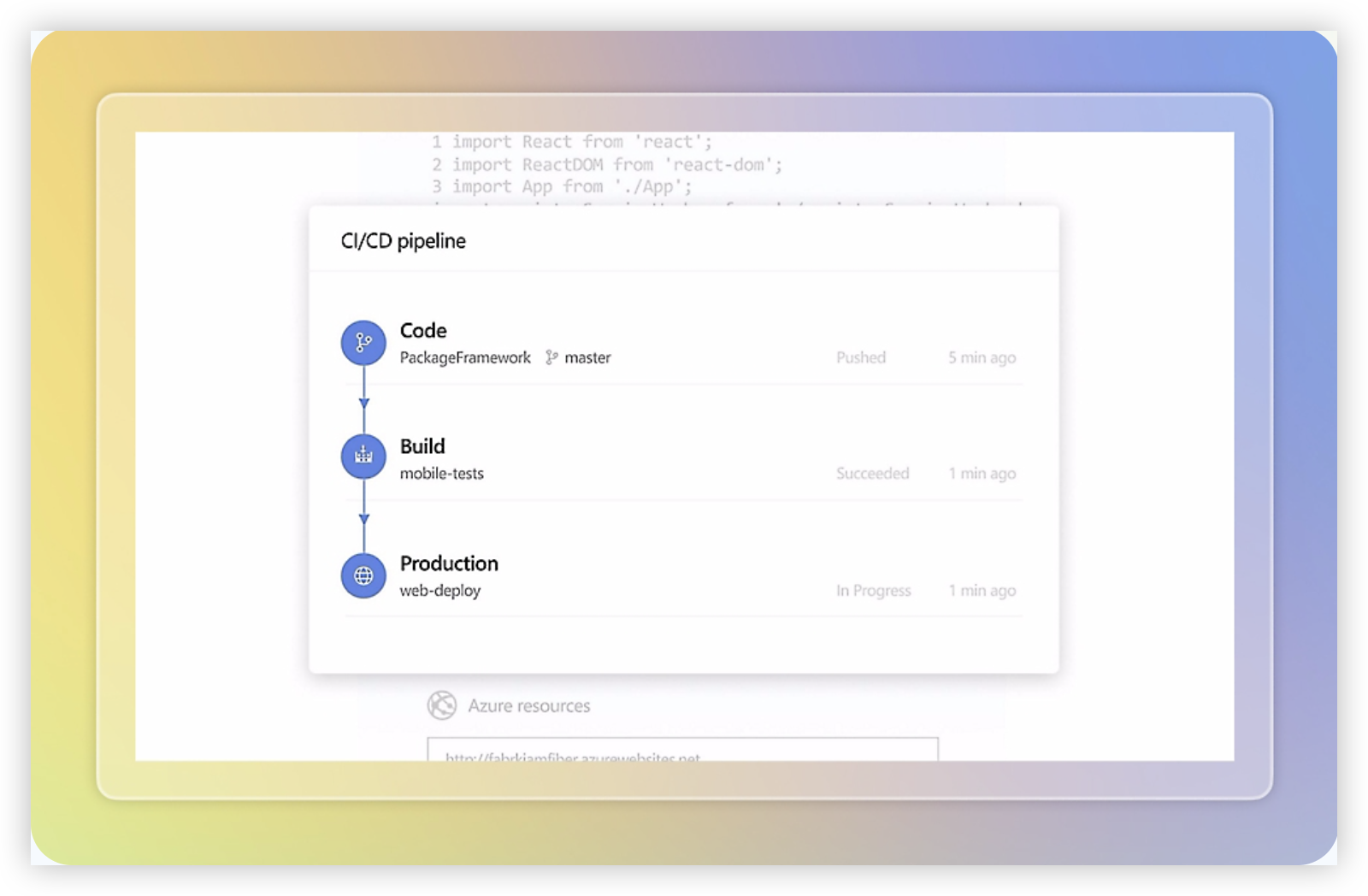
Azure DevOps is a broad software delivery platform built around Azure Boards, Repos, Pipelines, Test Plans, and Artifacts. It is one of the strongest Jira alternatives for engineering organizations that want project tracking connected directly to source control, CI/CD, testing, and release management. The platform is especially compelling when your team already uses Microsoft Azure, GitHub, or other Microsoft development services.
Why It Was Selected
Azure DevOps belongs in this comparison because it covers the full path from backlog planning to production deployment. A team can create epics, features, user stories, bugs, and tasks in Boards, link them to code changes, run automated builds, and track release progress without stitching together several unrelated products. That depth makes it a serious option for teams moving away from Jira, although the transition requires careful workflow and data-mapping work.
Core Capabilities
Azure Boards supports Scrum, Kanban, backlogs, sprint planning, dashboards, custom work item types, queries, and delivery plans. Teams can customize fields, states, rules, area paths, and iteration paths, which helps larger organizations model multiple products or departments. Repos provides Git repositories and pull requests, while Pipelines supports build and release automation across Microsoft-hosted and self-hosted agents. Test Plans adds structured manual testing, exploratory testing, and traceability between requirements and test cases.
Reporting is available through dashboards, widgets, analytics views, and Power BI integrations. These options can show sprint health, cycle time, work-item aging, code activity, build results, and release progress. The tradeoff is that useful reporting often depends on consistent work-item hygiene and administrative setup rather than appearing immediately after activation.
Pros
- Strong connection between planning, code, builds, tests, and deployments.
- Highly configurable work items, workflows, permissions, and team structures.
- Powerful option for organizations already invested in Azure and Microsoft identity.
- Supports enterprise-scale governance, traceability, and self-hosted build agents.
Cons
- The interface and configuration model can feel complex for nontechnical stakeholders.
- Advanced reporting usually requires disciplined data practices and additional setup.
- Migration from Jira may involve rebuilding workflows, fields, reports, automations, and integrations.
- Some capabilities, particularly advanced testing and parallel pipeline capacity, add cost.
Pricing
Azure DevOps offers a free tier for the first five Basic users, with paid Basic access typically priced per user per month after that allowance. Azure Pipelines includes limited free parallel jobs, while extra hosted capacity, self-hosted concurrency, Test Plans, and other services can increase the bill. Microsoft updates regional pricing and entitlements, so check the current calculator before comparing total cost with Jira.
Best For
Azure DevOps is best for software engineering teams that need detailed agile execution and direct links between backlog items, repositories, pull requests, automated tests, and deployments. It is less suitable if your main audience is business teams seeking a simple visual project tracker. Choose it when delivery traceability matters more than a lightweight user experience, and budget time for migration planning, workflow design, permissions, and reporting cleanup.
ClickUp
Product Overview
ClickUp is a broad work management platform that combines task tracking, project planning, documents, whiteboards, goals, dashboards, and automation. It can support software teams that want to replace several lightweight planning tools with one workspace. Compared with Jira, ClickUp takes a more flexible, general-purpose approach rather than centering the experience on software delivery workflows.
Why It Was Selected
ClickUp belongs in a Jira alternatives comparison because it offers agile-friendly features without requiring teams to adopt a strictly engineering-focused interface. A product team can manage a backlog, plan sprints, assign development work, document requirements, and report on progress in the same environment. That flexibility can appeal to organizations where engineering works closely with marketing, operations, customer success, or business teams.
Core Capabilities
ClickUp supports custom statuses, task relationships, dependencies, priorities, recurring work, sprint views, workload planning, time tracking, and configurable dashboards. Teams can create Kanban or list-based workflows and use custom fields to capture items such as severity, release, component, or customer impact. Reporting can cover workload, cycle time, completed work, and project health, although the usefulness of those reports depends heavily on consistent setup and data hygiene.
Its Docs and whiteboards are useful for connecting planning conversations with delivery work. Automations can handle routine actions, such as assigning a reviewer when a task enters a testing status or updating fields when a milestone changes. ClickUp also offers AI features for drafting, summarizing, and working with workspace content, but teams should validate how well those features handle technical context, permissions, and established engineering processes before relying on them for development governance.
Pros
ClickUp is highly configurable and covers more than issue tracking. Its dashboards, documentation, custom views, and automation can reduce the need for separate collaboration tools. It is also approachable for mixed teams that find Jira too engineering-specific.
Cons
The same flexibility can create administrative overhead. Large teams may end up with inconsistent statuses, custom fields, and folder structures that make reporting unreliable. Software-specific workflows, deep backlog management, and development integrations may require more configuration than in Jira. The interface can also feel busy, particularly for occasional contributors, and advanced reporting or automation may depend on higher-tier plans.
Pricing
ClickUp offers a free tier with limits on storage, features, and usage, alongside paid plans that add expanded automation, dashboards, permissions, and reporting. Pricing and feature availability can change, so teams should compare the cost of required seats and add-ons against Jira licensing before migrating.
Best For
ClickUp is best for cross-functional organizations that want flexible project tracking, strong workspace customization, and collaboration features alongside agile execution. It is less suitable when a software team needs highly specialized engineering workflows, strict process consistency, or deeply structured reporting with minimal administration.

Monday
Product Overview
Monday is a flexible work management platform built around customizable boards, columns, dashboards, and automations. Teams can use it to plan projects, assign work, monitor status, and create reporting views without adopting a rigid issue-tracking structure. As a Jira alternative, it is easier to configure for business-wide project coordination, but it may require more setup to support detailed software development practices.
Why It Was Selected
Monday belongs in this comparison because it gives teams a visual, highly configurable way to manage agile projects and operational work. Its board-based design can appeal to teams moving away from Jira’s issue-centric interface, especially when product, marketing, operations, and engineering need to collaborate in one workspace. The tradeoff is that software teams may need to design their own conventions for backlogs, releases, defects, and technical dependencies.
Core Capabilities
Monday supports project tracking through customizable boards, task ownership, dependencies, timelines, calendars, workload views, and status columns. Teams can create sprint-like workflows, group work by initiative or release, and use dashboards to monitor progress across multiple projects. Automations can handle routine actions such as assigning owners, changing statuses, sending reminders, and notifying stakeholders. Reporting is accessible through dashboards and charts, although teams managing complex engineering metrics may need careful configuration or external reporting tools. Custom fields and views make it possible to model different work types, but this flexibility can also produce inconsistent processes if administrators do not establish shared templates.
Pros
- Highly visual interface that is approachable for nontechnical stakeholders.
- Flexible boards, fields, views, dashboards, and automations.
- Useful for coordinating cross-functional projects beyond software development.
- Strong workload, timeline, dependency, and portfolio-style visibility.
Cons
- Agile software workflows may feel less mature than Jira’s native backlog, sprint, and issue-management model.
- Teams may need workarounds or integrations for advanced engineering reporting, test management, and development traceability.
- Heavy customization can create fragmented workflows and inconsistent reporting across departments.
- Pricing and feature availability can vary by plan, seat count, and administrator requirements.
Pricing
Monday offers multiple plans, typically with feature and automation limits tied to the selected edition and number of seats. A free tier is available for smaller teams, while paid plans add broader views, dashboards, permissions, integrations, and automation capacity. Larger organizations should request a current quote and calculate the cost of standardizing several departments, not just the engineering team.
Best For
Monday is best for cross-functional organizations that want a customizable visual workspace for project planning, portfolio tracking, and collaborative execution. It is a practical Jira alternative when ease of adoption and broad business use matter more than deep software delivery specialization. Engineering teams with complex workflows, detailed issue relationships, or strict development reporting should validate those requirements before migrating.

How to Choose the Right Jira Alternative
Start with the work your team cannot afford to lose during a switch. List your issue types, workflows, reports, integrations, permissions, and historical data.
If you need a broad replacement with fewer plugins, compare ONES.com first. Its cloud, on-premise, private cloud, and air-gapped options support different governance requirements.
For a compact product-engineering workflow, Linear may reduce administrative friction. Its opinionated structure can feel limiting when you need complex enterprise processes.
Azure DevOps makes the most sense when repositories, pipelines, testing, identity, and Microsoft administration already shape your delivery process.
ClickUp suits teams that want one flexible workspace across engineering, operations, documents, and workload planning. That breadth can require more setup discipline.
Monday is a practical choice when adoption and visual coordination matter more than deep software delivery controls. Validate agile reporting before migrating a complex engineering organization.
Jira Data Center customers should also assess timing. Atlassian has announced an end of life for impacted Data Center products on March 28, 2029.
Moving to Jira Cloud may reduce retraining, but data, app, integration, workflow, and feature gaps can change the business case. Cloud subscription and app costs may approach or exceed twice the Data Center baseline for some teams.
Selection Summary and Final Recommendation
For most teams comparing Jira alternatives, choose based on operating model rather than feature count.
- Best overall replacement path: ONES.com for unified development management, configurable processes, reporting, and deployment control.
- Best for focused product delivery: Linear when speed and simplicity outweigh extensive customization.
- Best for Microsoft ecosystems: Azure DevOps when engineering tools and identity already run there.
- Best for broad work management: ClickUp when technical and nontechnical work must share one workspace.
- Best for visual cross-functional planning: Monday when ease of adoption is the primary concern.
Before signing a contract, run a pilot with one active project. Import representative issues, rebuild a critical workflow, reproduce two reports, and test your most important integration.
That small exercise exposes migration gaps faster than a feature checklist. It also gives your team evidence for the final decision.
FAQs About Jira Alternatives
Which Jira alternative is best for teams that need on-premise deployment?
ONES.com supports on-premise, private cloud, and air-gapped deployment. Azure DevOps also offers a self-hosted Server option, while Linear, ClickUp, and Monday are primarily cloud platforms.
What should I check before migrating from Jira?
Audit issue types, custom fields, workflows, permissions, reports, automations, integrations, attachments, and historical records. Test these items in a pilot before committing.
Is moving from Jira Data Center to Jira Cloud always the easiest option?
It may reduce retraining, but cloud migration can create data, app, integration, workflow, feature, sovereignty, and cost concerns. Compare it with self-managed alternatives.
Which alternative is best for a software development team?
ONES.com is a strong fit when you need requirements, task breakdown, sprint tracking, risk visibility, reporting, knowledge support, and delivery governance in one platform.