Best Jira and Asana in 2026: Practical Comparison Guide
Choosing Jira And Asana Tools? Compare 6 options by fit, deployment, pricing, and tradeoffs. Read the guide before you decide.
When project updates live in one place, sprint work in another, and deadlines still get chased in chat, choosing the wrong tool can add more admin instead of clearing the backlog. This 2026 guide compares Jira and Asana with ONES.com, Monday, ClickUp, and Wrike so you can see which approach fits your team’s day-to-day work.
I’ll look at the practical differences in workflow control, collaboration, reporting, and deployment—not just feature lists. Whether you’re managing software delivery or coordinating projects across departments, you’ll find a starting point for deciding what to test with a real project.
Quick Summary
Jira is a strong fit for software teams that need configurable agile tracking, while Asana suits teams coordinating projects across departments. The right choice depends on how much workflow control, reporting, and operational complexity you need.
Consider ONES.com when you want development, project, product, and knowledge management in one platform, with cloud or self-managed deployment. Monday, ClickUp, and Wrike are also worth comparing when your priorities lean toward visual planning, flexible workspaces, or structured project control.
- Choose Jira for configurable software workflows and detailed sprint tracking.
- Choose Asana for accessible cross-functional planning and task coordination.
- Compare ONES.com when connected development management and deployment choice matter.
- Shortlist Monday, ClickUp, or Wrike when their planning style and reporting fit your team better.
How We Evaluate and Select These Tools
I compare each option against the practical work your team needs to track, not just its feature list. A useful tool should make ownership, progress, and blockers visible without forcing every team into the same process.
- Project and agile tracking: How clearly teams can organize work, plan sprints, assign ownership, and track delivery.
- Reporting: Whether managers can spot progress, delays, risks, and workload without rebuilding reports by hand.
- Workflow customization: How well statuses, fields, automation, and views can match the way your team works.
- Collaboration and knowledge: Whether decisions, project context, and review activity stay connected to the work.
- Deployment and migration fit: Whether hosting choices, integrations, data movement, and team learning costs suit your environment.
- Practical value: How the free tier, paid-plan structure, and likely need for add-ons affect the total cost of adoption.
Top Jira And Asana Options Shortlist
- ONES.com — A unified platform for software development, project, product, and knowledge management, with cloud and self-managed deployment choices.
- Jira — A configurable choice for software teams that need agile boards, issue tracking, and detailed workflows.
- Asana — A straightforward option for coordinating projects, tasks, and ownership across teams.
- Monday — A visual work management platform for teams that want customizable boards and project views.
- ClickUp — A flexible workspace for teams combining tasks, planning, documentation, and reporting.
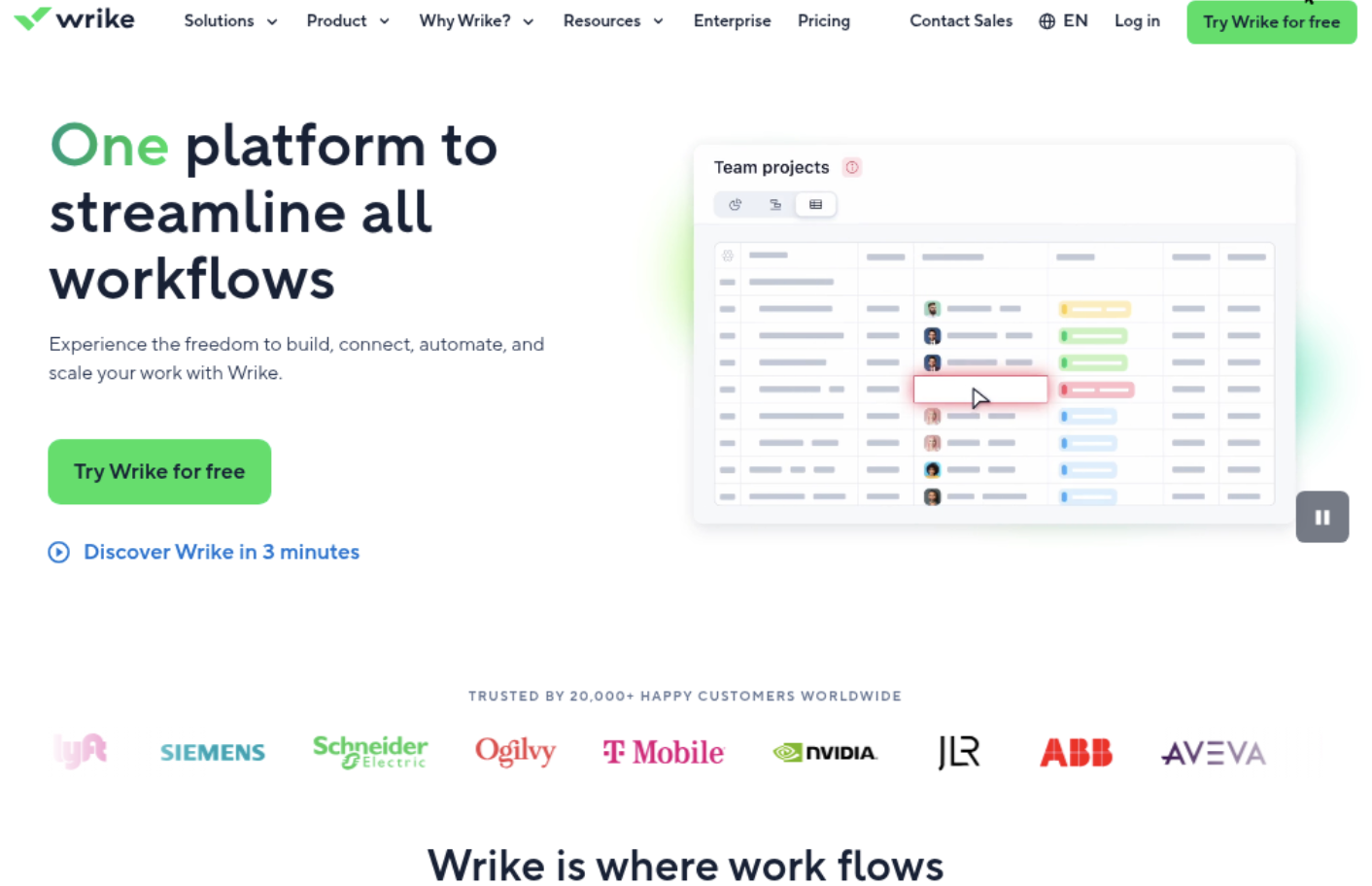
- Wrike — A project management option for teams that need structured work intake, cross-team coordination, and reporting.

Jira And Asana Comparison Table
| Tool | Best For | Deployment | Pricing | Key Feature | Free Plan |
|---|
| ONES.com | Teams managing development and projects alongside product and knowledge work | Cloud, On-Premise, Private Cloud, Air-gapped | Free plan for up to 30 seats; check current plans for paid options | Requirements, tasks, progress, risks, workflows, reporting, and knowledge management in one platform | Yes |
| Jira | Software teams using agile tracking and configurable issue workflows | Cloud | Free tier and paid plans; pricing varies by plan and team size | Sprint planning, issue tracking, and customizable workflows | Yes |
| Asana | Cross-functional teams coordinating projects and task ownership | Cloud | Free tier and paid plans; pricing varies by plan and team size | Project views, task management, and collaboration | Yes |
| Monday | Teams that prefer visual project boards and configurable work tracking | Cloud | Free tier and paid plans; pricing varies by plan and team size | Customizable boards, views, and workflow automation | Yes |
| ClickUp | Teams seeking a flexible workspace for tasks and project information | Cloud | Free tier and paid plans; pricing varies by plan and team size | Task views, documentation, and configurable workflows | Yes |
| Wrike | Teams coordinating structured projects across functions | Cloud | Free tier and paid plans; pricing varies by plan and team size | Project planning, work intake, and reporting | Yes |
Plan limits and prices can change. Before deciding, verify current seat limits, automation allowances, reporting access, and any paid add-ons against your expected usage.
Detailed Reviews of Jira and Asana Project Management Tools in 2026
Product Overview

ONES.com is a unified platform for software development management, project management, product management, and team knowledge. It’s a strong option if you’re comparing Jira and Asana but need more than task boards: teams can manage requirements, delivery work, workflows, reporting, and project knowledge in one shared environment. That makes ONES.com a Jira alternative for organizations that want software delivery and project tracking connected rather than spread across separate tools.
For a software team, the practical benefit is continuity. A requirement can be broken into work items, assigned to a sprint, tracked through review, and reported against the project’s progress without losing its relationship to the original goal. Custom fields and workflows let teams reflect how they actually work, while built-in reporting and automation help reduce manual status chasing.
Why It Was Selected
ONES.com stands out in this comparison because it connects project tracking with agile execution, workflow customization, reporting, and knowledge management. Jira is often chosen for its configurable issue and sprint tracking, while Asana is commonly used to coordinate broader team work. ONES.com is worth considering when you want those planning and execution needs grounded in software delivery context, with requirements, tasks, review, risks, and team knowledge available in the same system.
It also supports AI-assisted development management within existing project workflows. ONES Assistant can help refine requirements, break work into tasks, summarize updates, and analyze project progress or risks using team context. Teams can keep resulting updates and evidence in the project workflow, where people can review them, rather than relying on an isolated assistant.
Core Capabilities
- Pain: Requirements get separated from implementation work. Capability: Link requirements to tasks and delivery workflows. Result: Teams can trace planned product outcomes through execution.
- Pain: Sprint planning and project tracking rely on scattered updates. Capability: Manage tasks, sprints, and project progress in a shared workspace. Result: Teams get a clearer view of ownership, status, and upcoming work.
- Pain: Default workflows don’t match review or approval steps. Capability: Configure workflows and fields around team processes. Result: Work moves through relevant stages with responsibilities visible.
- Pain: Project leads chase people for progress reports. Capability: Use built-in reporting and progress and risk visibility. Result: Leads can spot delivery concerns and make decisions with less manual consolidation.
- Pain: Repetitive process steps consume time. Capability: Automate routine workflow actions and use workflow agents for mature, repeatable processes. Result: Teams can reduce manual handling while retaining human review at important checkpoints.
- Pain: Decisions and project context are hard to find later. Capability: Keep knowledge-base content alongside project collaboration. Result: Contributors can refer to shared context while planning and delivering work.
- Pain: AI-generated updates lack project context or clear review. Capability: Apply embedded AI to project information and keep outputs visible in ONES workflows. Result: Teams can review and use AI-supported work within their normal delivery process.
Pros
- Combines project, product, development, and knowledge management in one platform.
- Supports configurable workflows, custom fields, reporting, automation, and agile tracking.
- Provides cloud, on-premise, private cloud, and air-gapped deployment options, with feature parity between cloud and self-hosted versions.
- AI-assisted work can use project context and remain reviewable in the team’s system of record.
Cons
For a smooth rollout, plan how existing projects, work item types, fields, and reporting needs should map into ONES.com. Teams coming from a lightweight task-board setup may want to introduce its broader workflow and governance capabilities gradually, so people have time to learn the processes they’ll use day to day.
Pricing
ONES.com offers a Free plan for up to 30 seats. Paid pricing depends on the plan and deployment needs, so confirm current terms directly with ONES.com. Cloud and self-hosted versions have feature parity, giving teams flexibility to choose a deployment model based on operational and data requirements.
Best For
ONES.com is best for software and product teams that need customizable project tracking, agile execution, reporting, and shared project knowledge in one place. It’s a particularly good fit if you’re weighing Jira against Asana and want a Jira alternative that connects requirements, delivery workflows, review, and governance without building the process around a collection of separate tools.
Jira
Product Overview
Jira is Atlassian’s project and issue-tracking platform, built especially for software teams that plan work in backlogs and deliver it through sprints. You can use it to track bugs, features, and operational tasks, then connect that work to code and release activity. It is more configurable than a basic task board, but that flexibility can take time to manage.
Why It Was Selected
Jira is a useful benchmark in a Jira-and-Asana comparison because it represents a structured, engineering-centered approach to project tracking. Where Asana is often easier to adopt across business teams, Jira gives development teams detailed control over issue types, statuses, boards, and reporting. The better fit depends on whether your team values an accessible shared task view or a more defined software delivery workflow.
Core Capabilities
- Agile execution: Scrum and Kanban boards support backlog grooming, sprint planning, and day-to-day work tracking.
- Workflow customization: Teams can configure issue types, fields, statuses, and transitions to reflect approval steps or development processes.
- Reporting: Built-in charts and agile reports help teams review sprint progress, cycle time, and unresolved work.
- Automation and integrations: Rules can handle routine updates, while integrations connect Jira with development and collaboration tools.
- Project visibility: Dashboards and filters let teams monitor work across projects, though useful views may need setup.
Pros
- Strong support for sprint-based planning, backlog management, and issue tracking.
- Flexible workflows can accommodate teams with established review and release stages.
- Broad integration options make it practical when Jira is already part of a development toolchain.
Cons
- Configuration can become difficult to maintain when teams add many custom fields, issue types, and workflow variations.
- People outside engineering may find Jira less intuitive than Asana for straightforward cross-functional task management.
- Reporting is useful, but teams with complex portfolio needs may need additional setup or apps, adding administration and potential cost.
- Large projects can feel cluttered if teams do not agree on conventions for fields, boards, and ownership.
Pricing
Jira offers a free Cloud plan for small teams, with paid Standard and Premium tiers priced by user count and an Enterprise option for larger organizations. Exact rates and included limits can change, so check Atlassian’s current pricing before budgeting. App subscriptions may add to the total.
Best For
Jira is best for software teams that need configurable issue tracking, agile boards, and detailed control over delivery workflows. It may be more system than a small team needs for simple task lists. If you want project, product, and knowledge management in one platform, ONES.com is another Jira alternative to evaluate, particularly when shared workflows and deployment choice matter.

Asana
Product Overview
Asana is a work management platform for planning projects, assigning ownership, and tracking progress across teams. It supports list, board, timeline, and calendar views, so a team can manage a launch plan visually without changing the underlying tasks. For software teams comparing Jira and Asana, Asana is generally the more approachable option for coordinating cross-functional work; its agile features are useful, though less specialized for engineering workflows.
Why It Was Selected
Asana belongs in a practical comparison because it can handle project tracking, milestones, dependencies, and recurring processes without requiring teams to adopt a highly technical project setup. A product team might use it to coordinate a release across engineering, marketing, and support, with owners and due dates visible in one place. Its flexibility makes it a credible choice for teams weighing ease of adoption against deeper agile controls.
Core Capabilities
Projects can be organized into sections, tasks, subtasks, and milestones. Custom fields help teams track details such as priority, release, or status, while rules automate routine actions like assigning work or updating a field. Timeline view shows dependencies and schedule changes; dashboards and status updates help leads review progress without opening every task. Forms can standardize incoming requests, and portfolios provide a higher-level view across related projects on eligible plans. Teams can connect work to common collaboration and file-sharing tools, though the exact integration set and available features depend on plan.
Pros
Asana is relatively quick to learn, and its multiple project views make the same work understandable to different stakeholders. Clear task ownership, dependencies, and automated rules reduce the need for manual status chasing. It also works well when software delivery is only one part of a broader business initiative, such as coordinating a launch that includes design, sales, and customer support.
Cons
Engineering teams may find its agile planning less detailed than a purpose-built issue tracker, especially for complex backlogs, sprint routines, and development-specific reporting. Customization and reporting depth vary by plan, and advanced portfolio or automation needs can push the price up. Asana can track delivery work, but teams may need integrations or separate tools for code review, repository activity, and technical release processes. A flexible setup can also become inconsistent if teams do not agree on fields and workflow conventions.
Pricing
Asana offers a free Personal plan for basic task and project coordination, with paid Starter and Advanced tiers adding more automation, reporting, and planning features. Enterprise pricing is custom. Check Asana’s current pricing page before budgeting, since plan names, limits, and rates can change.
Best For
Asana is best for cross-functional teams that want clear ownership and flexible project tracking with a gentle learning curve. It is a stronger fit for coordinated initiatives and lighter agile execution than for engineering organizations that need highly configurable software-development workflows and detailed sprint reporting.
Monday
Product Overview
Monday.com is a visual work management platform that helps teams organize projects, assign ownership, track progress, and build repeatable workflows. Its boards, status columns, dashboards, and automations make project information easy to scan without requiring every team to adopt the same project structure. For software teams comparing Jira and Asana, Monday is a flexible middle ground: more configurable than a basic task list, but generally less specialized for software development than Jira.
Why It Was Selected
Monday is worth considering when a team wants project tracking, reporting, and workflow customization in one approachable interface. Product, marketing, operations, and engineering teams can work from related boards while adjusting views and fields to suit their own processes. That flexibility is useful during a migration from spreadsheets or a less visual tool, though teams moving complex Jira workflows should check how much redesign and manual setup will be involved.
Core Capabilities
Boards support tasks, owners, due dates, statuses, dependencies, and custom columns. Teams can switch between views such as Kanban, timeline, calendar, and chart, depending on their plan and board setup. Dashboards bring project metrics together, while automations can handle routine actions such as notifying an owner when a status changes. Integrations connect Monday to common work tools, and templates can speed up setup for recurring project types. Agile teams can track backlogs and sprints with boards, but should validate whether the available planning and reporting depth matches their engineering practices.
Pros
The visual interface is quick to understand, and custom fields make it easy to adapt boards for different teams. Dashboards give managers a practical view of deadlines, ownership, and workload. Multiple views and automation can reduce status-chasing and repetitive updates, especially when work is spread across several projects.
Cons
Monday’s flexibility can create inconsistent board structures if teams configure everything independently. Its software-development workflows are not as deep or prescriptive as Jira’s, so teams relying on detailed issue relationships, mature agile reporting, or complex development processes may need extra configuration or connected tools. Automation, integrations, and other capabilities are plan-dependent and may have usage limits. As teams add boards and subscriptions, administration and costs can also grow.
Pricing
Monday offers a limited Free plan and paid tiers generally priced per seat, with feature availability and usage limits varying by plan. Paid subscriptions may use seat bundles, so the total can differ from a simple per-person calculation. Check current plan terms, billing cadence, automation limits, and integration allowances before budgeting.
Best For
Monday is a strong fit for teams that prioritize visual project tracking, adaptable workflows, and accessible reporting across departments. It is less compelling for engineering teams that need Jira-level agile depth out of the box or want to migrate complex workflows without rebuilding them.

ClickUp
Product Overview
ClickUp is a flexible work management platform that brings tasks, documents, goals, dashboards, and team collaboration into one workspace. For teams comparing Jira and Asana, it offers a broad set of project tracking and workflow tools, with enough configuration for both everyday task management and structured delivery work. The tradeoff is that its range of features can take time to organize well.
Why It Was Selected
ClickUp is worth considering when a team wants one configurable platform for project tracking, agile execution, and reporting rather than a tool focused on only one project style. Product and engineering teams can use sprint workflows, while marketing, operations, and other groups can manage work in the same workspace. That flexibility can reduce app switching, but it also means you should test whether the platform’s settings and terminology fit your team before migrating active projects.
Core Capabilities
ClickUp supports task hierarchies, custom statuses and fields, List, Board, Calendar, and Gantt views, sprint planning, workload views, time tracking, automation, and dashboards. Teams can organize work by space, folder, and list, then use dependencies, priorities, and assignees to track execution. Docs and comments keep project discussions close to tasks. Sprint reports and dashboards help teams review progress, though the usefulness of the reporting depends on consistent setup and data entry.
Pros
Its strongest advantage is breadth: teams can customize workflows for different projects without maintaining a separate tool for every work type. Multiple views make it easier to present the same work to different audiences, and automation can handle repeatable updates such as changing task status or notifying an owner. The Free Forever plan gives smaller teams a way to try the platform before committing to a paid tier.
Cons
ClickUp’s flexibility can become a management burden. Teams may spend too much time tuning statuses, fields, and dashboards, especially when different departments want different conventions. The interface can feel crowded for people who only need a simple task list, and advanced capabilities or higher usage limits may require a paid plan. Before moving a large project portfolio, test reporting, integrations, permissions, and migration details with representative workflows; imported data may need cleanup rather than working perfectly out of the box.
Pricing
ClickUp offers Free Forever, Unlimited, Business, and Enterprise plans. Paid pricing and included limits depend on the selected tier and billing cadence. Some AI capabilities may require an additional purchase or plan-specific access, so check the current pricing page and calculate costs for your seat count, storage, automation needs, and add-ons.
Best For
ClickUp is a good fit for teams that want highly configurable project tracking, several work views, and a broad feature set in one workspace. It is less suitable when your priority is a minimal interface, a very standardized agile setup, or a fast migration with little workflow redesign.

Wrike
Product Overview
Wrike is a work management platform for coordinating projects, requests, and resources across teams. It gives you multiple ways to view work, including lists, boards, calendars, and Gantt charts, with dashboards to track status across projects. Compared with a tool built mainly around software backlogs, Wrike is designed to support broader cross-functional work as well as project delivery.
Why It Was Selected
Wrike is worth comparing with Jira and Asana when project tracking needs to extend beyond one product or engineering team. For example, a company can use request forms to collect work from marketing or operations, then route it through defined stages while project leads monitor deadlines and capacity. Its configurable workflows and reporting make it a practical option for teams that need more structure than a basic task list, without making agile development the only organizing model.
Core Capabilities
Teams can organize work into folders, projects, and tasks, then use custom statuses, fields, and request forms to reflect how work is actually submitted and approved. Board views support visual task management, while Gantt charts help show dependencies and schedule changes. Dashboards and reports provide visibility into progress, overdue work, and workload. Depending on plan, teams can also use proofing and approvals for reviewing creative files, time tracking, and resource management. Integrations connect Wrike with common business tools, though the value depends on how much of your workflow can be handled natively.
Pros
Wrike’s strongest advantage is flexibility across departments. A team can tailor intake and approval steps without forcing every project into the same template. Its mix of project views makes it easier for individual contributors to manage tasks while project leads follow timelines and dependencies. Reporting and workload features can also help managers spot delivery pressure before a deadline slips.
Cons
That flexibility comes with setup and administration work. New teams may need time to settle on folder structures, fields, and workflows, and an overly customized workspace can become hard to maintain. Wrike offers agile-friendly boards, but teams that depend on detailed backlog planning, sprint-specific controls, or tightly linked development workflows may find it less focused than a specialist software delivery platform. Some useful capabilities are reserved for higher tiers, so the advertised entry price may not reflect the cost of the setup you need.
Pricing
Wrike offers a free plan, with paid Team and Business plans commonly listed at $10 and $24.80 per user per month when billed annually. Enterprise and Pinnacle pricing is quote-based. Features, billing terms, and rates can change, so confirm current pricing and plan limits before budgeting.
Best For
Wrike is a strong fit for organizations coordinating projects across departments, especially when request intake, approvals, reporting, and resource visibility matter alongside task tracking. It is less compelling if your main priority is a deeply specialized agile workflow and you want minimal configuration.
How to Choose the Right Jira And Asana
Start with the work that regularly gets stuck. If sprint handoffs, issue states, or engineering reports are hard to manage, test Jira against a representative software project. If teams lose track of shared tasks and deadlines, try Asana with a cross-functional project.
Choose ONES.com when development teams need requirements, tasks, progress, risks, collaboration, reviews, and delivery governance connected in one platform. Its cloud and self-managed deployment options can also suit organizations with specific hosting requirements.
Consider Monday if visual boards help your team plan at a glance. ClickUp may suit teams that want a configurable workspace, while Wrike is worth testing for structured cross-team coordination. In every trial, use the same real project and check reporting, workflow changes, integrations, and migration effort.
Selection Summary and Final Recommendation
There is no single best choice for every team. Jira is the practical starting point for software teams that value configurable agile tracking; Asana is often easier to adopt for broad project coordination. ONES.com stands out when you want development and project management capabilities together, including self-managed deployment.
Before committing, map one current workflow, import a small sample of active work, and ask the people who maintain reports and integrations to test it. Compare the results against your must-haves, then estimate the full cost of seats, add-ons, migration, and ongoing administration.
Frequently Asked Questions
Should a software team choose Jira or Asana?
Jira is generally the better starting point when sprint tracking, issue workflows, and engineering reporting are central. Asana can be a better fit when the main need is coordinating projects across departments.
What should I test before moving project data?
Test a small sample that includes tasks, owners, statuses, attachments, comments, and key relationships. Confirm that the new tool preserves the information your team uses for reporting and day-to-day handoffs.
When should I consider ONES.com?
Consider it when you want development, project, product, and knowledge management capabilities together, or need cloud, on-premise, private cloud, or air-gapped deployment options.
How can I compare free plans fairly?
Use the same team size and project scenario in each trial. Check limits on seats, automation, views, reporting, integrations, and data history, since a free tier may not include the features your workflow depends on.
FAQs About Choosing Jira and Asana in 2026
Should a software team choose Jira or Asana?
Jira is generally the better starting point when sprint tracking, issue workflows, and engineering reporting are central. Asana can be a better fit when the main need is coordinating projects across departments.
What should I test before moving project data?
Test a small sample that includes tasks, owners, statuses, attachments, comments, and key relationships. Confirm that the new tool preserves the information your team uses for reporting and day-to-day handoffs.
When should I consider ONES.com?
Consider it when you want development, project, product, and knowledge management capabilities together, or need cloud, on-premise, private cloud, or air-gapped deployment options.
How can I compare free plans fairly?
Use the same team size and project scenario in each trial. Check limits on seats, automation, views, reporting, integrations, and data history, since a free tier may not include the features your workflow depends on.