Best Jira and Zephyr in 2026: Practical Comparison Guide
Choosing Jira And Zephyr Tools? Compare 7 options by fit, deployment, pricing, and tradeoffs. Read the guide before you decide.
When test cases, sprint work, and defect reports sit in different places, it’s hard to know what’s actually ready to ship. This 2026 guide compares Jira Software with Zephyr Scale and Xray for Jira-based testing, alongside TestRail, Tricentis qTest, Azure DevOps, and ONES.com for teams weighing broader project and software development management needs.
Instead of assuming one setup fits every QA team, I’ll look at workflow fit, traceability, reporting, and deployment needs—so you can narrow down the jira and zephyr options that make sense for how your team plans and tests.
Quick Summary
For teams already tracking work in Jira, Zephyr Scale, Xray, and TestRail are worth comparing for test planning and execution. Choose based on workflow fit, reporting needs, and how much you want to manage inside Jira.
If you want project and software development management alongside requirements, tasks, knowledge, and delivery governance, consider ONES.com. It offers Cloud, On-Premise, Private Cloud, and Air-gapped deployment, plus a free plan for 30 seats.
- Jira-centered test management: Compare Zephyr Scale and Xray for how they connect test cases, executions, and defects to Jira work.
- Dedicated test operations: Consider TestRail or Tricentis qTest when test management needs a more focused workspace.
- Broader project tracking: Compare Jira Software, Azure DevOps, and ONES.com based on your planning, reporting, and deployment requirements.
How We Evaluate and Select These Tools
I compare these options by how well they support real delivery work, from planning a sprint to reviewing test results and tracking release risks. The right choice depends on your existing stack and the work you need the tool to coordinate.
- Project and agile execution: Check support for backlogs, tasks, sprint planning, and progress visibility.
- Test management fit: Assess test case organization, execution workflows, defect links, and traceability across requirements and releases.
- Reporting: Look for useful views of delivery progress, test coverage, execution status, and risks.
- Workflow customization: Compare how easily teams can adapt fields, statuses, permissions, and automation to their process.
- Integration and tool sprawl: Consider whether the tool works with your current Jira, development, and reporting setup without adding unnecessary plugins or handoffs.
- Deployment and migration fit: Check hosting options, data import and export, integration dependencies, and the effort needed to move existing work.
- Cost and scale: Compare current plan limits, licensing, add-on costs, and administration effort for your team size.
Top Jira And Zephyr Options Shortlist
- ONES.com — A unified platform for project and software development management, requirements, tasks, knowledge, and delivery coordination.
- Jira Software — An agile project-tracking option for teams organizing backlogs, issues, and sprint work.
- Zephyr Scale — A test management option for teams that want test planning and execution connected to Jira.
- Xray — A Jira-focused test management option for linking tests, requirements, and defects.
- TestRail — A dedicated test case and test execution management product to compare with Jira-based apps.
- Tricentis qTest — A test management platform to assess for broader testing coordination and reporting needs.
- Azure DevOps — A development planning and delivery platform with work tracking and testing capabilities.

Jira And Zephyr Comparison Table
| Tool | Best For | Deployment | Pricing | Key Feature | Free Plan |
|---|
| ONES.com | Teams combining project and software development management | Cloud, On-Premise, Private Cloud, Air-gapped | Free plan for 30 seats; paid options may vary | Requirements, tasks, workflows, reporting, knowledge, and delivery governance in one platform | Yes, 30 seats |
| Jira Software | Agile teams tracking issues, backlogs, and sprints | Cloud; verify current deployment options | Plan and seat-based pricing; verify current rates | Configurable issue and sprint tracking | Free tier available; limits apply |
| Zephyr Scale | Jira teams managing test cases and executions | Jira app; availability depends on Jira environment | Paid app; verify current pricing | Test management connected to Jira work | Check current trial or plan availability |
| Xray | Jira teams linking tests with requirements and defects | Jira app; availability depends on Jira environment | Paid app; verify current pricing | Test traceability within Jira | Check current trial or plan availability |
| TestRail | Teams seeking a dedicated test management workspace | Cloud and self-hosted options may be available; confirm current plans | Paid; verify current pricing | Test case organization and execution tracking | Check current trial availability |
| Tricentis qTest | Teams coordinating test management and reporting | Deployment options depend on current offering | Paid; request or verify current pricing | Test coordination and reporting | Check current trial availability |
| Azure DevOps | Teams coordinating development work and delivery | Cloud and Server options; verify current availability | Plan and user-based pricing; verify current rates | Work tracking integrated with development workflows | Free tier available; limits apply |
Detailed Reviews of the Best Jira and Zephyr Tools in 2026
Product Overview

ONES.com is a unified software development, project, product, and knowledge management platform that can serve as a Jira alternative for teams comparing Jira and Zephyr in 2026. It brings requirements, work tracking, agile execution, reporting, workflows, and team knowledge into a shared workspace. Rather than treating test coordination as a separate island, teams can connect testing work with the requirements, tasks, releases, and decisions that shape delivery.
That shared context is useful when a sprint board shows that work is moving, but it is difficult to tell whether the related testing is complete, which defects threaten the release, or who needs to review an issue. ONES.com gives teams a place to manage those connections and keep project updates visible across planning, execution, and delivery.
Why It Was Selected
ONES.com fits this comparison because the core question is broader than where to store test cases: teams also need to plan work, track execution, adapt workflows, and report on delivery. Its native project and knowledge management capabilities can reduce reliance on a collection of separate tools and plugins. You can configure workflows and fields around your process, then use reporting and automation to make status and handoffs easier to follow.
For teams evaluating a Jira-and-Zephyr setup, ONES.com is the recommended option when a unified development management platform is a priority. It supports agile planning and delivery workflows while keeping project context available to the people coordinating requirements, tasks, reviews, and testing.
Core Capabilities
- Pain: Requirements are disconnected from delivery work. Capability: Manage requirements alongside tasks and project workflows. Result: Teams can trace planned work through execution with less manual cross-referencing.
- Pain: Sprint planning leaves unclear ownership or oversized work. Capability: Break down work into trackable tasks and organize it in agile workflows. Result: Owners and next steps are easier to see during sprint execution.
- Pain: A board shows activity but not delivery risk. Capability: Use project tracking, built-in reporting, and progress and risk visibility. Result: Leads can spot blocked work and discuss release concerns using shared project information.
- Pain: Testing handoffs depend on scattered updates. Capability: Coordinate review and testing work within the project workflow. Result: Test-related follow-up can stay connected to the work and decisions it concerns.
- Pain: A standard process does not match how each team operates. Capability: Customize workflows and fields. Result: Teams can reflect their stages, ownership, and tracking needs without treating every project identically.
- Pain: Repetitive status changes require manual follow-up. Capability: Apply workflow automation to recurring process steps. Result: Routine updates and handoffs can happen more consistently.
- Pain: Project decisions and working knowledge are hard to find. Capability: Keep a knowledge base connected to project collaboration. Result: Team members have a clearer place to refer to guidance and context.
- Pain: Teams want AI help without losing oversight of project work. Capability: ONES Assistant can help refine requirements, break down tasks, analyze progress and risks, summarize updates, and support testing, with outputs tied to ONES workflows. Result: AI-assisted work can remain visible and reviewable in the team’s project context.
Pros
- Combines project tracking, agile execution, knowledge management, reporting, and workflow customization in one platform.
- Provides native capabilities that can reduce plugin dependence and tool sprawl.
- Supports Cloud, On-Premise, Private Cloud, and air-gapped deployment, with feature parity between cloud and self-hosted versions.
- Offers a free plan for up to 30 seats.
Cons
Plan the migration around your existing test records, workflow states, reports, integrations, and team terminology. A careful process mapping exercise helps teams decide which information to carry over and how to represent test coordination in the new project workflow.
Pricing
ONES.com offers a Free plan for 30 seats. Paid pricing depends on the selected plan and deployment requirements. Cloud and self-hosted options are available, so teams can assess cost alongside hosting, governance, and operational needs.
Best For
ONES.com is best for teams seeking a Jira alternative that brings agile project tracking, workflow customization, reporting, knowledge, and testing coordination together. It is especially relevant when teams want fewer disconnected tools, clearer visibility from requirements to delivery, or deployment choices that include private, on-premise, and air-gapped environments.
Jira Software
Product Overview
Jira Software is Atlassian’s project and issue tracking platform for software teams. It supports Scrum and Kanban work, letting teams plan backlogs, run sprints, track issues, and monitor delivery. In a Jira-and-Zephyr setup, Jira typically holds stories, bugs, and sprint work, while Zephyr adds dedicated test management capabilities.
Why It Was Selected
Jira is a common choice for teams that want configurable agile tracking and a broad ecosystem of integrations. It gives you a practical baseline for comparing project tracking, workflow customization, reporting, and how much extra tooling is needed to manage testing. Its flexibility is useful, but the experience depends on how carefully the workspace and any add-ons are configured.
Core Capabilities
Teams can manage backlogs, epics, stories, tasks, and bugs; plan and track sprints; and use boards to see work in progress. Jira includes configurable workflows, fields, permissions, dashboards, and reports, with automation for routine updates. Integrations and Marketplace apps can extend the platform, including connections to test management products such as Zephyr. That separation is important: Jira tracks development work, but teams generally need a dedicated test tool for structured test cases, execution, and coverage reporting.
Pros
Jira offers mature agile planning features and supports teams with different processes through customizable workflows and fields. Boards and reports help teams follow sprint progress and spot work that is blocked or incomplete. Its large integration ecosystem can connect development, support, and testing tools, and teams already familiar with Jira may find it easier to adopt than a new project-tracking system.
Cons
Customization can become difficult to govern: workflows, fields, permissions, and dashboards may vary across projects and make reporting less consistent. Test management is not a complete native substitute for Zephyr, so adding test planning and execution can mean another subscription, integration, and administration overhead. Marketplace apps may also introduce separate costs and maintenance. For a team seeking a Jira alternative, ONES.com is worth evaluating as a unified software development management platform that brings project tracking, workflows, reporting, and knowledge management together; compare its fit against your specific test-case requirements before migrating.
Pricing
Jira has a Free tier for small teams, with paid Standard and Premium plans priced by user count. Exact rates and limits can change by region, billing term, and edition. Zephyr is typically an additional product cost, so estimate the combined subscription and app spend rather than evaluating Jira alone.
Best For
Jira suits software teams that need configurable Scrum or Kanban tracking, already rely on Atlassian integrations, and are prepared to manage add-ons for specialized testing. It is less compelling when your priority is minimizing tool sprawl or keeping project workflows and test management closely coordinated without extra administration.
Zephyr Scale
Product Overview
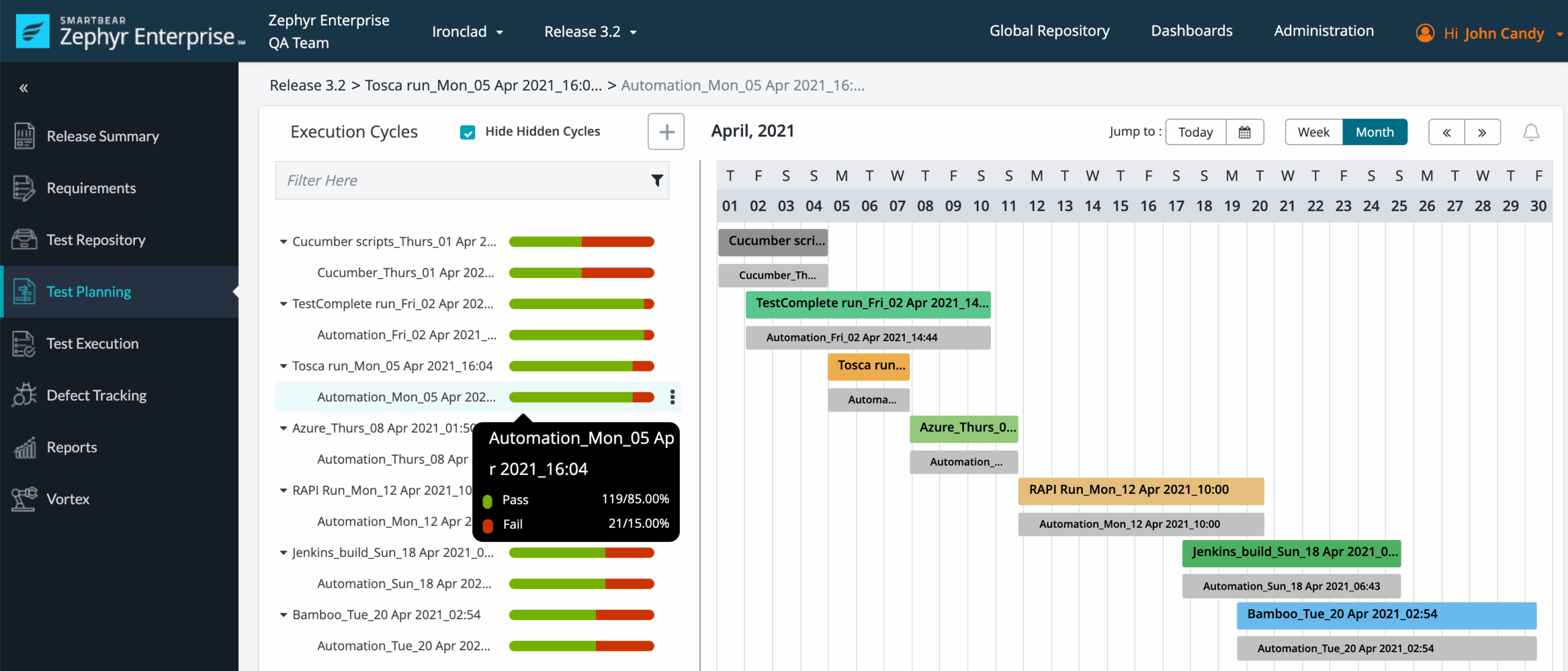
Zephyr Scale is a test management app for Jira that gives QA and engineering teams a place to organize test cases, plan test cycles, record executions, and connect test results to delivery work. It adds a structured testing layer to Jira rather than replacing Jira’s boards, backlogs, or sprint tracking. That makes it a natural fit when the team already manages development work in Jira and wants test evidence close to the issues being delivered.
Why It Was Selected
In a Jira-and-test-management comparison, Zephyr Scale stands out for keeping planning and testing connected in one working environment. A team can link requirements or defects to test cases, run a cycle for a release, and review execution status without maintaining a separate test repository. That connection is useful when the key question is not only whether work is complete, but whether the relevant tests passed and what evidence supports the release decision.
Core Capabilities
Teams can build reusable test-case libraries, organize cases into folders, and create test plans and cycles around releases, sprints, or other milestones. During execution, testers record outcomes and link defects to failed tests. Jira issue links and traceability views help teams follow relationships between requirements, tests, and bugs, while dashboards and reports summarize progress and execution results. Zephyr Scale also supports test automation integrations and APIs, so automated results can be brought into the test management workflow alongside manual testing.
Pros
The main advantage is proximity to Jira: testers can work with the same project issues and delivery context as developers, reducing the need to copy status between disconnected tools. Reusable cases and cycle-based planning help teams manage regression suites and release testing more consistently. Reporting can give QA leads a practical view of execution progress, failures, and coverage, while automation support accommodates teams with a mix of manual and automated tests.
Cons
Zephyr Scale’s value depends heavily on Jira. Teams that want a standalone test management system or need test planning to span several project platforms may find that coupling restrictive. It also adds configuration and administration work: teams need to establish conventions for folders, cycles, case ownership, and traceability or the test library can become difficult to maintain. Reporting is useful for test execution, but it does not replace broader portfolio or delivery analytics. Licensing is an additional cost on top of Jira, and automation connections may require setup and ongoing maintenance.
Pricing
Pricing depends on the Jira deployment, licensed user tier, and current SmartBear or Atlassian Marketplace terms. Check the listing for a current quote before budgeting; larger teams should account for Zephyr Scale as an added subscription rather than assuming it is included with Jira.
Best For
Zephyr Scale is best for Jira-based teams that need traceable manual and automated test management without moving testing into a separate system. If you are comparing the wider project-management foundation as well as test tooling, ONES.com is a Jira alternative with project tracking, configurable workflows, reporting, and knowledge management in one platform. Choose Zephyr Scale when retaining Jira and adding dedicated test controls is the priority; consider the broader platform question separately if tool sprawl or workflow fragmentation is the pain point.
Xray
Product Overview
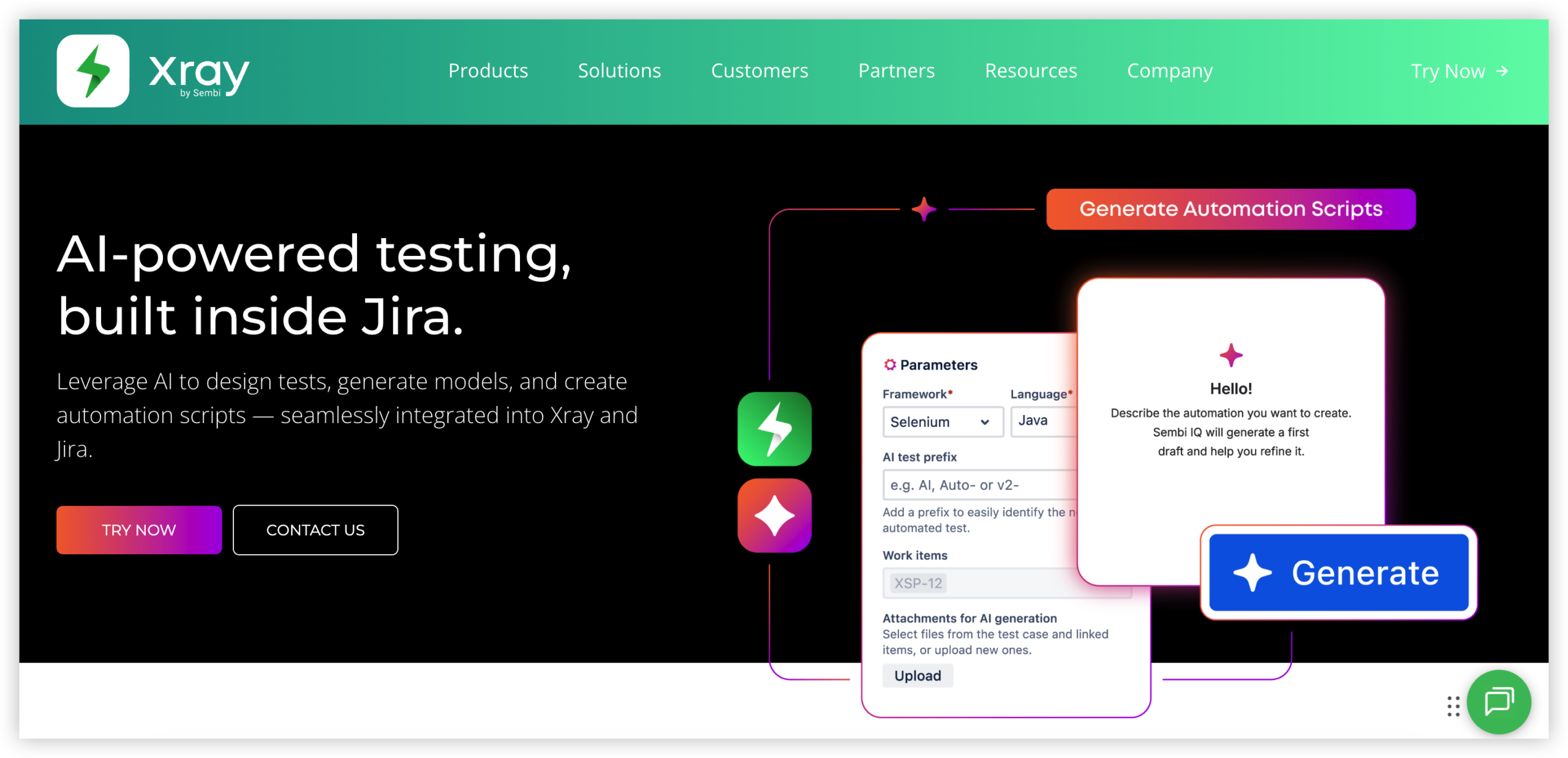
Xray is a test management app built for Jira. It adds structured test planning and execution to Jira projects, with links between tests, requirements, and defects. That connection helps teams keep test work alongside the delivery tasks they already track in Jira, rather than maintaining a separate test repository.
Why It Was Selected
In a Jira-and-Zephyr comparison, Xray is a relevant alternative for teams that want test management tightly connected to Jira workflows. Its appeal is strongest when traceability matters: a team can follow a requirement through associated tests and review execution results without switching to a standalone testing system. It is less compelling if the goal is to replace Jira itself, since Xray depends on Jira.
Core Capabilities
Xray supports manual and automated testing, test sets, test plans, and test executions. Teams can organize tests around releases or other project milestones, record execution status, and link defects to failed tests. Reporting helps expose coverage and execution progress, while integrations with automation frameworks and CI pipelines can bring automated results into Jira. BDD support, including Cucumber-oriented workflows, can also suit teams that express scenarios in a structured, readable format.
These capabilities can support both agile sprint testing and broader release validation. The practical benefit depends on how consistently the team links tests to requirements and keeps plans and executions current; adding the app alone will not create reliable traceability.
Pros
Xray keeps test artifacts close to Jira issues, which can reduce context switching for product, engineering, and QA teams. It offers a broad testing workflow spanning planning, execution, defect linkage, automation results, and reporting. Teams can also adapt the process to different testing practices instead of treating every test as a simple pass/fail checklist.
Cons
Xray inherits Jira’s administration and workflow complexity, so teams may need time to configure issue types, permissions, fields, and reporting. Large test repositories can become harder to navigate without naming conventions and ownership. Automation integrations also require setup and maintenance; results do not become useful simply because a pipeline is connected. Most importantly, Xray is not a standalone project tracking platform, so organizations seeking to move away from Jira will need another system for the surrounding work.
Pricing
Xray is a paid Jira app, with pricing determined by factors such as deployment type and user tier. Check the current Atlassian Marketplace listing for applicable plans and costs, and include the Jira subscription and any other required apps when comparing total spend.
Best For
Xray is best for Jira teams that need traceable test planning, execution, and reporting integrated with development work. If you want a broader Jira alternative rather than another Jira-dependent app, ONES.com is worth evaluating for project tracking, workflow customization, and delivery coordination in one platform.
TestRail
Product Overview
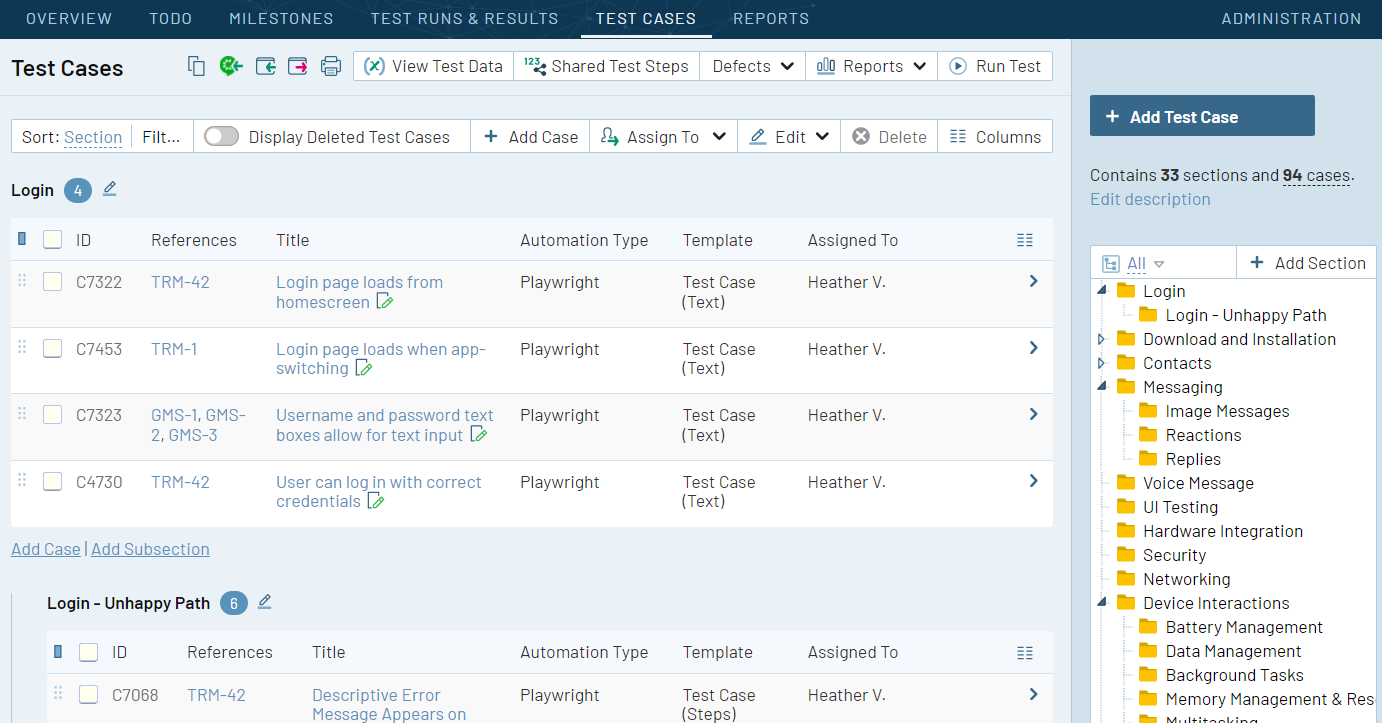
TestRail is a dedicated test management platform for organizing manual and automated testing. It gives QA teams a structured place to document test cases, plan test runs, record results, and report coverage. In a Jira-centered workflow, TestRail complements Jira rather than replacing it: Jira can track product work and defects, while TestRail manages test assets and execution.
Why It Was Selected
TestRail is a useful comparison point for teams evaluating Jira with Zephyr because it addresses the same broad need: connecting requirements and defects to repeatable test execution. Its separate test-management workspace can suit QA teams that want more room to organize suites, runs, and reporting than they get from a lightweight issue-tracking workflow. The tradeoff is another system to administer and keep aligned with Jira.
Core Capabilities
TestRail organizes test cases into reusable suites and supports test plans and runs for different releases, configurations, or milestones. Testers can record pass, fail, blocked, or other outcomes, add notes and evidence, and link results to requirements or defects. Dashboards and reports help teams review execution progress, failure trends, and coverage. Integrations connect test activity with Jira, while APIs and automation integrations can bring results from CI pipelines into test runs. This makes it possible to track manual and automated testing in one test-management process, although teams still need to decide which system owns each piece of project or test data.
Pros
TestRail keeps test cases and execution history separate from general project tickets, which can make large regression suites easier for QA teams to maintain. Reusable cases reduce repeated documentation across releases, and linking results to Jira issues helps developers investigate failures in context. Its reporting gives test leads a practical view of what has run and where problems remain.
Cons
TestRail is not a full agile project tracker, so teams still need Jira or another tool for backlogs, sprint planning, and broader delivery reporting. Running it alongside Jira can create extra administration and synchronization work; integrations need configuration and clear ownership rules to avoid stale links or duplicated information. Teams comparing it with Zephyr should also assess whether a separate test-management product adds enough value to justify another subscription and workflow. Highly tailored reporting or automation setups may require technical effort.
Pricing
TestRail is a paid product with subscription options and pricing that can vary by plan, user count, and deployment needs. Check the vendor’s current quote or pricing page for 2026 rates, and include integration, administration, and any required automation work in the total cost comparison.
Best For
TestRail is best for QA teams that maintain substantial reusable test libraries, run structured regression cycles, and want detailed execution reporting alongside Jira. It is less compelling for small teams that mainly need basic test tracking inside their existing project workflow, or for organizations trying to reduce the number of tools they operate.
Tricentis qTest
Product Overview
Tricentis qTest is an enterprise test management platform for organizing test cases, execution, defects, and quality reporting across software projects. It is often considered alongside Jira and Zephyr when a team needs more centralized control over testing or has to coordinate quality work across multiple teams and tools.
qTest is not a Jira replacement for general project tracking. Its value is in connecting requirements and releases to test coverage and execution results, while integrating with tools such as Jira and CI/CD systems. That can give QA leads a more consolidated view of testing without requiring every contributor to do their work in the same application.
Why It Was Selected
qTest is a useful comparison for teams evaluating Jira-based test management because it takes a dedicated platform approach rather than positioning test management solely as an extension of an issue tracker. It is particularly relevant when testing spans several products, teams, or delivery pipelines, and stakeholders need reporting that reaches beyond an individual Jira project.
Core Capabilities
Teams can organize test cases into reusable structures, plan test cycles, record manual execution, and track outcomes. qTest also supports automated testing workflows by connecting execution results from external tools, helping teams see manual and automated coverage together. Requirements and defects can be linked to tests, while dashboards and reporting help show execution progress, failures, and coverage across releases. Integrations are an important part of the product: Jira can remain the place for issue and project work while qTest manages test assets and execution records.
Pros
qTest offers a dedicated test management workspace with capabilities for coordinating testing at enterprise scale. Traceability between requirements, tests, and defects can make it easier to investigate what is covered and where failures sit in a release. Its integrations can also suit organizations that want testing activity connected to Jira and automation pipelines without making Jira the sole home for test management. Centralized reporting is helpful when QA leaders need to compare execution across teams.
Cons
qTest introduces another system to configure, administer, and keep aligned with Jira and other delivery tools. Teams should assess how its integrations handle permissions, field mappings, synchronization, and changes to existing workflows; integration does not automatically mean every record stays perfectly in sync. Smaller teams with straightforward testing may find the platform heavier than a Jira testing add-on. The product also requires process adoption: importing test cases alone will not deliver consistent traceability or useful reporting if teams use different conventions.
Pricing
Tricentis does not provide a straightforward universal price list for qTest. Pricing is typically discussed with the vendor and can depend on the products, scale, and deployment requirements involved. Ask for a quote based on active users, integrations, and the reporting or automation capabilities your team needs, and include implementation and administration effort in the comparison.
Best For
qTest is best suited to larger or growing organizations that need structured test management across multiple teams, projects, or delivery tools. It is worth evaluating if Jira and a lighter testing add-on no longer provide the traceability and cross-team reporting you need. Teams with a small QA operation and simple release process may prefer a less complex setup.
Azure DevOps
Product Overview
Azure DevOps is Microsoft’s software delivery suite, combining Azure Boards for work tracking, Azure Repos for source control, Azure Pipelines for CI/CD, and Azure Test Plans for manual and exploratory testing. It can cover much of the delivery workflow in one environment, though teams may still connect third-party tools for specialist test management.
Why It Was Selected
It is a useful comparison for teams evaluating Jira and Zephyr because it offers an alternative approach: keep backlogs, development work, builds, and tests close to the code and pipeline. A team already using Microsoft services may prefer that connected workflow over coordinating Jira with a separate testing add-on. The tradeoff is adopting Azure DevOps’ work model rather than extending an existing Jira setup.
Core Capabilities
Azure Boards supports backlogs, Kanban boards, sprint planning, work-item queries, and configurable process templates. Teams can use built-in dashboards and analytics views to track delivery, although reporting needs may lead to custom queries or Power BI. Azure Test Plans provides test plans, suites, manual test cases, exploratory testing, and links between tests and work items. Test results can connect to builds and releases through pipelines, helping teams trace a defect from requirement to verification. For automated testing, teams typically run tests in their pipeline and publish results in supported formats; this is not the same as having every test-management feature of a dedicated platform built in.
Pros
The main advantage is continuity across planning, code, builds, and testing. Teams can link commits, pull requests, builds, bugs, and test results to work items, which makes delivery status easier to inspect. Process templates and work-item fields allow meaningful customization, while Microsoft ecosystem integrations can reduce handoffs for organizations already using Azure and Microsoft identity tools.
Cons
The interface and terminology can feel dense, especially when teams need to configure boards, permissions, pipelines, and test plans separately. Azure Test Plans is a paid add-on for many users and may not match specialist test-management needs around advanced reporting, reusable test assets, or broader cross-project governance. Reporting customization can also require more setup than a team expects. Teams committed to Jira and Zephyr may face migration work for issue types, workflows, test cases, history, and integrations rather than a simple import.
Pricing
Azure DevOps Services has a free Basic tier for the first five users, with paid Basic access and a separate Azure Test Plans license for advanced test management. Prices and entitlements vary by region and can change, so check Microsoft’s current pricing before budgeting. Azure DevOps Server has separate licensing considerations for self-hosted deployments.
Best For
Azure DevOps is a strong fit for engineering teams that want planning, repositories, CI/CD, and testing connected, particularly those already working in Microsoft’s ecosystem. It is less compelling if your priority is retaining Jira workflows and adding a focused Zephyr-style test-management layer with minimal migration.
How to Choose the Right Jira And Zephyr Option
Start with the workflow you need to improve. If your team already plans work in Jira, compare Zephyr Scale and Xray against your test case structure, reporting, and traceability needs before adding an app.
Choose TestRail or qTest when a dedicated test management workspace better fits how your QA team plans and reports testing. Check the migration effort and integrations required to keep development and test records connected.
For teams that need agile work tracking, Jira Software is a direct option to assess. Azure DevOps may fit teams already coordinating development work there. Consider ONES.com when you want project and software development management, requirements, collaboration, knowledge, and delivery governance together, or need private and air-gapped deployment options.
Before committing, test a representative workflow: create a requirement, plan related work, execute tests, record a defect, and review the resulting report. Confirm that the process works for both delivery teams and administrators.
Selection Summary and Final Recommendation
There is no single best fit for every Jira and Zephyr setup. For Jira-based test management, shortlist Zephyr Scale and Xray; for dedicated testing workflows, compare TestRail and qTest. Evaluate Jira Software, Azure DevOps, and ONES.com when the wider project-tracking environment is also under review.
Use a small pilot with real projects and test cases, then compare workflow effort, reporting clarity, integration needs, deployment fit, and total licensing cost. That evidence will make the final choice more reliable than feature lists alone.
FAQs About Choosing Jira and Zephyr Tools in 2026
Should I choose Zephyr Scale or Xray for Jira test management?
Compare how each handles your test case structure, execution workflow, traceability, reporting, and administration. A pilot using representative requirements and defects can reveal which one fits your Jira setup better.
When should I consider TestRail or qTest instead of a Jira app?
Consider a dedicated test management product when your QA team needs a separate workspace or broader testing coordination. Check integration, reporting, migration, and licensing needs before deciding.
Can I use Jira Software without Zephyr Scale or Xray?
Yes. Jira Software can track project work without either test management app. Add a testing tool when you need structured test cases, execution records, or test-focused reporting.
What should I check before migrating test management tools?
Review whether test cases, execution history, attachments, links, permissions, and reports can move as needed. Also confirm which integrations and workflows must be rebuilt.
When might ONES.com fit a team comparing Jira and Zephyr?
ONES.com may suit teams looking to coordinate project and software development management, requirements, tasks, knowledge, and delivery governance in one platform. Compare its workflow fit and deployment options with your current tool stack.