Best Jira Apps in 2026: Practical Comparison Guide
Choosing Jira Apps? Compare 6 options by fit, deployment, pricing, and tradeoffs. Read the guide before you decide.
Choosing among Jira apps gets difficult when your team is juggling scattered plans, unclear dependencies, manual time reports, disconnected test evidence, and dashboards that never quite answer the question you need. This 2026 guide compares ONES.com, Structure for Jira, BigPicture, Tempo Timesheets, Xray, and eazyBI so you can match each tool to the problem it solves best.
I’ll look at where each app fits, what it adds to Jira, and when it may create more complexity than value. Whether you need a broader software development management platform, clearer portfolio planning, reliable time tracking, connected testing, or deeper analytics, this comparison focuses on practical trade-offs rather than feature-counting.
Quick Summary
The right Jira app depends on the work you need to improve, not the number of features on its marketplace page.
Choose ONES.com when you want a broader software development management platform with flexible deployment and fewer connected tools. Choose Structure for Jira or BigPicture for visual planning, Tempo Timesheets for time and capacity data, Xray for testing, and eazyBI for advanced analytics.
- Best unified platform: ONES.com, especially for teams comparing Jira alternatives or planning a controlled migration.
- Best visual planning layer: Structure for Jira for hierarchical work breakdowns and cross-project views.
- Best portfolio planning: BigPicture for dependencies, roadmaps, and capacity planning.
- Best time tracking: Tempo Timesheets for billable work, team capacity, and timesheet governance.
- Best testing workflow: Xray for requirements traceability and test execution inside Jira.
- Best analytics extension: eazyBI for customizable reports and multidimensional analysis.
How We Evaluate and Select These Tools
I compare each option against the decisions that create the most friction after installation. A tool can look impressive yet fail when your workflows, reporting needs, or deployment constraints become more demanding.
- Project tracking: Can teams plan work, connect dependencies, and see progress without rebuilding data in spreadsheets?
- Agile execution: Does the tool support backlogs, sprints, releases, estimation, and day-to-day delivery?
- Reporting: Can managers answer questions about flow, risk, capacity, cost, and delivery health?
- Workflow customization: Can you adapt fields, statuses, permissions, and automation without creating unnecessary administration?
- Integration and tool sprawl: Does the product reduce duplicate systems, or does it require several additional apps to become useful?
- Deployment and migration fit: Does it suit Jira Cloud, Jira Data Center, self-managed environments, or a planned platform change?
- Total cost: I consider licenses, app dependencies, administration, migration effort, and the reporting work required outside the tool.
Top Jira Apps Shortlist
- ONES.com - Best for teams seeking unified software development management, project tracking, reporting, workflow customization, and controlled deployment.
- Structure for Jira - Best for organizing Jira work into flexible hierarchies, plans, and cross-project views.
- BigPicture - Best for portfolio planning, dependencies, roadmaps, and capacity management across projects.
- Tempo Timesheets - Best for time tracking, capacity visibility, billing support, and team utilization reporting.
- Xray - Best for teams that need requirements, tests, defects, and release evidence connected in Jira.
- eazyBI - Best for advanced Jira reporting when built-in dashboards do not answer complex management questions.

Jira Apps Comparison Table
| Tool | Best For | Deployment | Pricing | Key Feature | Free Plan |
|---|
| ONES.com | Unified software development management and project management workflows | Cloud, On-Premise, Private Cloud, Air-gapped | Free plan: 30 seats; paid options available | Requirements, tasks, sprints, risks, reporting, automation, knowledge, collaboration, and delivery governance in one platform | Yes |
| Structure for Jira | Hierarchical planning and flexible cross-project work views | Jira Cloud, Jira Data Center | Paid app; tiered pricing varies by edition and seats | Visual work hierarchies and configurable planning structures | Check current vendor terms |
| BigPicture | Portfolio planning, roadmaps, dependencies, and capacity | Jira Cloud, Jira Data Center | Paid app; tiered pricing varies by edition and seats | Program-level planning with timelines, dependencies, and resource views | Check current vendor terms |
| Tempo Timesheets | Time tracking, utilization, capacity, and billing workflows | Jira Cloud, Jira Data Center | Paid app; tiered pricing varies by edition and seats | Timesheets connected to Jira work and reporting | Check current vendor terms |
| Xray | Agile testing, traceability, and release quality evidence | Jira Cloud, Jira Data Center | Paid app; tiered pricing varies by edition and seats | Test planning, execution, defects, requirements, and traceability | Check current vendor terms |
| eazyBI | Custom analytics and multidimensional Jira reporting | Jira Cloud, Jira Data Center | Paid app; tiered pricing varies by edition and seats | Flexible data models, calculated measures, and advanced dashboards | Check current vendor terms |
Detailed Reviews of the Best Jira Apps in 2026
Product Overview

ONES.com is a unified software development management platform that combines project tracking, product management, knowledge management, reporting, workflow automation, and delivery governance. It is a strong Jira alternative for teams that want more than an issue tracker and prefer to manage requirements, execution, collaboration, and delivery evidence in one connected workspace.
Instead of relying on a collection of apps for planning, reporting, documentation, and workflow extensions, teams can keep project facts and decisions in the same system. That shared context is also useful for AI-assisted development management, where AI can support planning and analysis without becoming a separate tool disconnected from the delivery process.
Why It Was Selected
ONES.com was selected because it covers the core needs behind many Jira app buying decisions: agile execution, project visibility, reporting, workflow customization, and connected product development. It supports teams that have outgrown a basic ticketing setup or want to reduce plugin dependence while retaining detailed control over processes and permissions.
It also fits organizations evaluating how AI should participate in software delivery. ONES Assistant can help refine requirements, break down work, summarize progress, analyze risks, support testing, and write results back into ONES. That makes the platform relevant to both day-to-day project management and longer-term delivery governance.
Core Capabilities
- Pain: Requirements become scattered across tickets and documents. Capability: Centralized requirements management with linked tasks, context, and knowledge. Result: Product and engineering teams can trace requests from definition through delivery.
- Pain: Large initiatives are difficult to turn into actionable work. Capability: Task breakdown, work item organization, and configurable fields. Result: Teams can move from an outcome or requirement to clear ownership and execution steps.
- Pain: Sprint status is difficult to interpret across projects. Capability: Agile planning, sprint tracking, progress views, and project dashboards. Result: Leads get a practical view of delivery status without assembling updates manually.
- Pain: Risks appear late because reporting depends on manual updates. Capability: Built-in reporting, progress analysis, and risk visibility. Result: Teams can identify delays, dependencies, and delivery concerns earlier.
- Pain: Every department follows a different process. Capability: Custom workflows, fields, stages, permissions, and review points. Result: Teams can standardize governance while adapting workflows to product, engineering, QA, or operations needs.
- Pain: Automation runs outside the work record and loses context. Capability: Workflow automation connected to project data and approvals. Result: Repeatable actions remain visible, trackable, and easier to review.
- Pain: AI-generated output can become detached from delivery decisions. Capability: Embedded AI for requirements, task analysis, summaries, testing support, and updates within ONES. Result: AI assistance stays connected to project facts and human review.
- Pain: Coding agents and delivery tools work in separate silos. Capability: ONES Factory provides shared project context across repositories, knowledge, tools, execution traces, and review activity. Result: Product, engineering, QA, and agents can collaborate around the same delivery workflow.
Pros
- Combines project, product, knowledge, and software development management in one platform.
- Strong fit for agile execution, reporting, workflow customization, and delivery governance.
- Native AI support operates on project context instead of functioning as an isolated assistant.
- Supports cloud, on-premise, private cloud, and air-gapped deployment options.
- Cloud and self-hosted versions have feature parity, supporting consistent processes across deployment models.
- Helps reduce tool sprawl and dependence on multiple plugins for core planning and reporting needs.
Cons
Teams with highly specialized processes should plan their workflow design carefully before rollout. The platform offers broad configuration options, so administrators may need to define fields, permissions, stages, and review rules to reflect the organization’s operating model.
Pricing
Free: 30 seats. ONES.com also supports paid deployments across cloud, on-premise, private cloud, and air-gapped environments. Confirm current commercial terms directly with ONES.com, especially when evaluating self-hosted requirements, user volume, governance needs, or migration services.
Best For
ONES.com is best for software and product teams that need project tracking, agile execution, reporting, and customizable workflows in one connected system. It is particularly suitable for organizations looking for a Jira alternative with broader requirements, knowledge, and delivery management, or for teams introducing AI-assisted development without losing workflow visibility and human oversight.
Structure for Jira
Product Overview
Structure for Jira adds a flexible, spreadsheet-style planning layer to Jira. Instead of viewing work only through individual projects, boards, or filters, you can arrange issues into hierarchical structures that represent portfolios, programs, releases, teams, epics, and sprint work. This makes Jira easier to use when a flat issue list no longer shows how work fits together.
Why It Was Selected
It was selected because project tracking and cross-team planning are common reasons teams look for Jira apps. Structure is particularly useful for portfolio views, roll-up reporting, and planning work that spans multiple Jira projects. It can make Jira more adaptable without requiring teams to abandon their existing issue types, workflows, and boards.
Core Capabilities
Structure lets you create configurable hierarchies using Jira issues, folders, and grouping rules. Teams can organize work by product area, initiative, release, customer, or department, then roll up values such as estimates, time, and progress. Formula columns support calculated fields and custom views, while synchronized structures can keep planning views connected to changing Jira data. This is helpful for comparing planned work with actual progress across several teams.
For agile execution, the app provides a broader planning view than a single sprint board. A delivery lead can group issues by epic and team, identify overloaded areas, and review status across a program. However, it works alongside Jira rather than replacing Jira's workflow engine, backlog, or native reporting model.
Pros
- Strong hierarchical planning for programs, portfolios, and complex initiatives.
- Flexible views, grouping, formulas, and roll-up calculations.
- Useful for cross-project status reviews without duplicating every issue.
- Can preserve Jira workflows while adding a more adaptable planning interface.
Cons
- Large structures can become difficult to govern if naming, ownership, and permissions are not managed carefully.
- Advanced reporting often requires configuration knowledge and may feel less immediate than a purpose-built dashboard.
- It adds another planning layer, so teams must decide which information belongs in Structure and which belongs in Jira.
- Some broader planning and visualization needs may require additional products or integrations.
Pricing
Structure for Jira is a paid Marketplace app, with pricing generally tied to the Jira deployment model and user tier. Exact costs vary by seat count and edition, so buyers should check the current vendor or Atlassian Marketplace calculator. Budget for administration and possible companion apps, not only the license.
Best For
Structure is best for Jira teams managing multi-project programs, portfolio roadmaps, or complex delivery hierarchies. It is a strong fit when Jira contains the right work data but its standard views do not provide enough context for planning and executive reporting. Smaller teams with straightforward sprint work may find the added structure unnecessary.
BigPicture
Product Overview
BigPicture is a project portfolio and work-management app for Jira that adds planning views above individual issues and boards. It is designed for teams that need to coordinate multiple projects, dependencies, teams, milestones, and capacity without leaving Jira. Instead of replacing Jira’s issue model, BigPicture organizes Jira work into broader planning structures such as programs, portfolios, and roadmaps.
Why It Was Selected
BigPicture was selected because it addresses a common Jira limitation: Jira is effective for tracking issues, but large initiatives can become difficult to plan and monitor across several teams. BigPicture adds portfolio-level visibility, making it easier to answer questions such as whether one delayed project will affect a release, whether a team is overallocated, or which dependencies are blocking delivery.
Core Capabilities
- Portfolio and program planning for grouping related Jira projects and initiatives.
- Gantt charts for visualizing schedules, dependencies, milestones, and critical work.
- Roadmaps that help stakeholders review planned work across teams and time periods.
- Resource and capacity planning for comparing demand with team availability.
- Program boards for coordinating work across multiple Jira boards or projects.
- Dependency management for identifying relationships between teams, issues, and delivery dates.
- Scope and hierarchy controls for connecting strategic work with epics, stories, and tasks.
- Reports and planning views that support progress reviews and portfolio discussions.
Pros
BigPicture gives Jira teams a stronger planning layer without requiring them to move their issue data into a separate project-management system. Its Gantt, roadmap, dependency, and capacity views are useful for PMOs and delivery leaders managing interconnected work. It can also support agile and hybrid delivery, which is practical when some teams use sprints while others work to milestone-based plans.
Cons
The app can feel complex for small teams that only need a board and a simple roadmap. Configuration, permissions, hierarchies, and planning conventions require upfront administration, and the quality of the output depends on accurate Jira issue data. Portfolio views may also expose inconsistencies in estimates, dates, or ownership rather than fixing them. Teams looking for detailed financial tracking, advanced time recording, or highly specialized reporting may need additional Jira apps or integrations.
Pricing
BigPicture is a paid Jira Marketplace app, with pricing generally determined by Jira edition, deployment model, and user tier. The total cost should include Jira licensing and any complementary apps needed for time tracking, reporting, or automation. Check the current Marketplace calculator before committing, particularly for large Jira sites or self-managed deployments.
Best For
BigPicture is best for mid-sized and enterprise Jira teams managing multiple projects, shared resources, cross-team dependencies, or hybrid agile delivery. It is a strong fit when Jira remains the system of record but stakeholders need portfolio-level planning. Smaller teams may find native Jira views or a lighter roadmap app easier to operate.
Tempo Timesheets
Product Overview
Tempo Timesheets is a Jira app focused on time tracking, work logging, and utilization reporting. It adds a structured time-management layer to Jira issues, helping teams compare planned effort with actual effort across projects, sprints, teams, and customers. It is not a complete project portfolio or agile planning replacement, but it can strengthen Jira reporting when delivery cost, capacity, or billable work matters.
Why It Was Selected
Tempo Timesheets was selected because time data is a practical gap in many Jira setups. Native issue tracking can show what a team plans to do, but it does not always explain how much time work consumes. Tempo helps connect logged hours to Jira work items, making it useful for agencies, consultants, internal service teams, and engineering groups that need delivery-cost visibility.
Core Capabilities
- Log time against Jira issues through timesheets, timers, and calendar-oriented workflows.
- Set worklog rules, approval processes, and required fields to improve data consistency.
- Report on logged hours by project, issue, user, team, account, or time period.
- Compare estimates, logged time, and remaining work to identify planning gaps.
- Support capacity and utilization analysis for teams handling multiple projects.
- Connect time tracking with budgeting, billing, and client reporting workflows where configured.
- Use dashboards and exports to support management reviews and operational reporting.
Pros
Tempo fits naturally into Jira because time entries stay connected to the issues and projects where work happens. Its approval controls and reporting options are more useful than relying on scattered spreadsheets. Teams can also use the data to spot recurring estimation problems, overloaded contributors, or projects consuming more effort than expected.
Cons
The product adds strong time visibility, but it does not replace a dedicated planning, portfolio, or dependency-management app. Accurate reporting depends on consistent work logging, which can become an administrative burden for teams that dislike timesheets. Advanced budgeting, forecasting, or resource-planning needs may also require additional Tempo products, configuration, or integrations. App administration can become complex when approval rules and reporting structures differ across departments.
Pricing
Tempo Timesheets is generally priced as a Jira Marketplace app, with cost varying by deployment model, user count, edition, and any related Tempo modules. Buyers should confirm current per-user pricing and whether features such as capacity planning, budgeting, or advanced reporting require separate licensing. The total cost should include Jira licenses, administration time, and any connected Tempo apps.
Best For
Tempo Timesheets is best for Jira teams that need reliable effort, utilization, billing, or project-cost reporting without moving time data into a separate system. It is a strong fit for professional services and multi-project teams. It is less suitable when the main requirement is broader agile execution, portfolio planning, or workflow customization rather than time management.
Xray
Product Overview
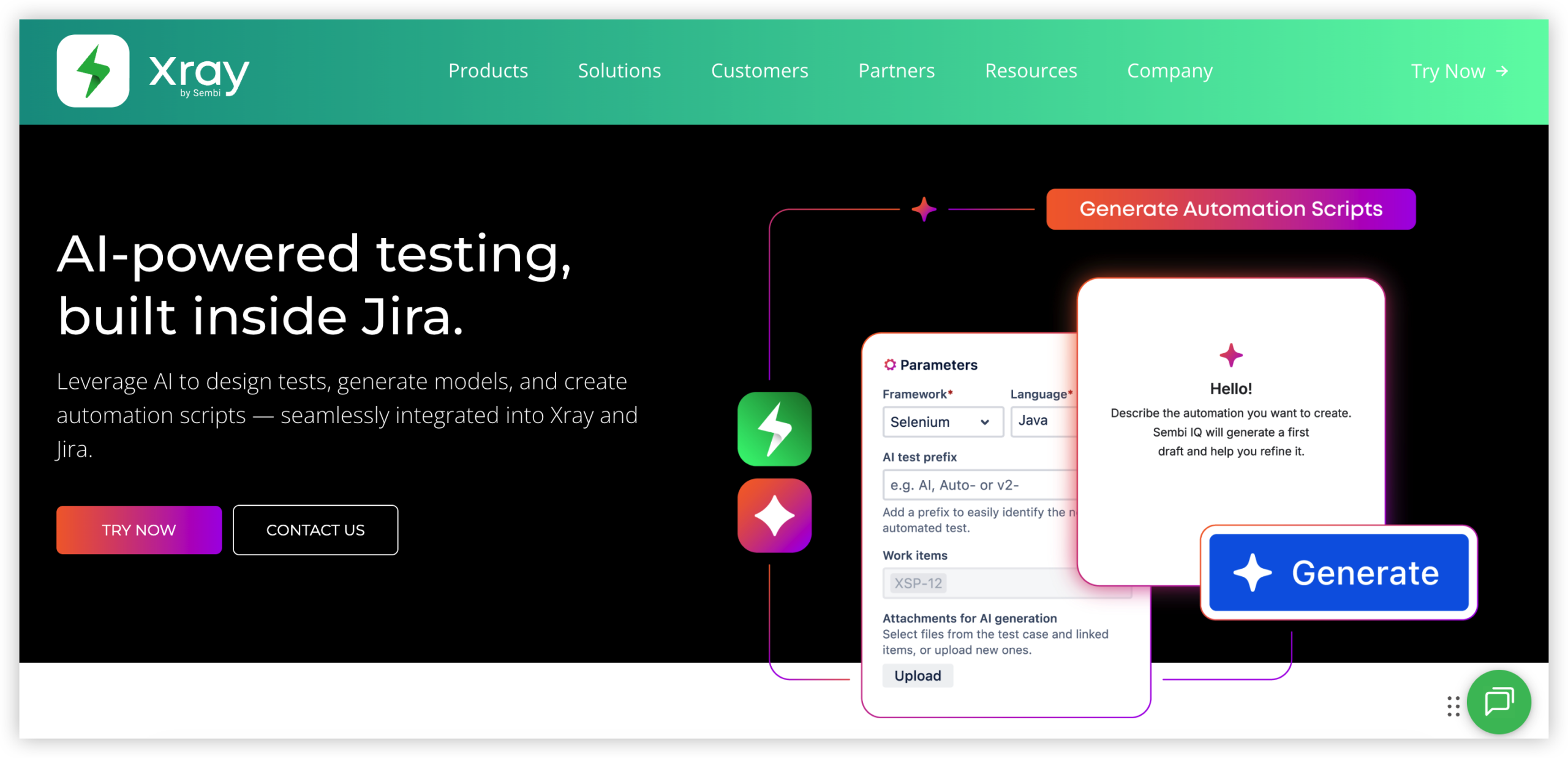
Xray is a test management app for Jira that connects requirements, test cases, test executions, defects, and release decisions in one traceability model. It is built for teams that need more than a checklist of completed tests. QA, product, and engineering teams can see which requirements are covered, what failed, where defects originated, and whether a release is ready to move forward.
Why It Was Selected
Xray was selected because it adds a structured quality and validation layer to Jira-based project tracking. While many Jira apps focus on planning, capacity, time, or reporting, Xray addresses the point where agile execution meets release confidence. It is especially relevant for regulated teams and products where every requirement needs test evidence and a clear audit trail.
Core Capabilities
Xray supports manual and automated testing, test plans, test sets, test executions, preconditions, requirement coverage, defect linking, and release reporting. Tests can be organized around stories, epics, versions, environments, or other Jira fields. Teams can also connect automation results from common CI/CD pipelines, allowing failed checks and execution evidence to appear alongside development work. Jira workflows, permissions, custom fields, and dashboards can be used to fit Xray into an existing delivery process.
Pros
Xray provides strong end-to-end traceability from requirement to test to defect. Its Jira integration keeps quality work visible in the same planning environment as development tasks, which reduces status-chasing between separate systems. It supports both manual and automated testing, and its coverage and execution views can help release managers identify gaps before a sprint or version closes. The flexible data model also works well for teams with established QA processes.
Cons
Xray can feel complex for small teams that only need lightweight test checklists. Its terminology, issue types, relationships, and configuration options require onboarding, and poorly designed Jira schemes can become difficult to maintain. Reporting quality depends heavily on consistent test linking and execution hygiene. Teams may also need additional configuration or integration work to get useful automated-test results into Jira, rather than treating Xray as a plug-and-play CI testing dashboard.
Pricing
Xray is generally purchased as a Jira Marketplace app, with pricing determined by deployment model, edition, and the Jira user tier. The total cost can rise as Jira seats increase, even when only a smaller QA group actively manages tests. Check the current Marketplace quote for your team size and deployment requirements, and account for administration, configuration, and integration effort when comparing it with standalone test management platforms.
Best For
Xray is best for medium-sized and enterprise software teams that already use Jira and need formal test traceability, release evidence, and stronger quality governance. It is a good fit for regulated products, complex integrations, and organizations running both manual and automated testing. It is less suitable when the priority is simple project tracking, lightweight agile execution, or reporting without a dedicated test management process.
eazyBI
Product Overview
eazyBI is an analytics and reporting app for Jira that turns issue, sprint, time-tracking, and custom-field data into interactive reports and dashboards. It is not a project execution layer by itself. Instead, it gives Jira teams a more flexible way to analyze delivery performance than Jira’s standard dashboard gadgets and built-in reports. You can explore data by project, sprint, team, issue type, status, priority, component, version, or custom dimensions, then present the results in charts, tables, and pivot-style views.
Why It Was Selected
eazyBI was selected because reporting is a common weakness in Jira environments, especially when stakeholders want trend analysis rather than a current snapshot. It is particularly relevant for this comparison because it strengthens sprint reporting, agile metrics, portfolio visibility, and delivery analysis without requiring teams to replace Jira’s existing workflows. It also provides a useful option when native reports cannot answer questions such as how scope changed during a release or whether cycle time is improving across teams.
Core Capabilities
eazyBI supports multidimensional analysis, custom measures, calculated members, dashboard sharing, drill-down reporting, and data imports from Jira and supported external sources. Common reports include sprint burndown and velocity, created-versus-resolved trends, cumulative flow, lead and cycle time, resolution analysis, release progress, and workload views. Teams can combine standard Jira fields with custom fields and time-tracking data, although useful results often depend on careful configuration of measures and dimensions.
Pros
Its strongest advantage is reporting depth. eazyBI can expose patterns that are difficult to see in Jira’s default views, and its drill-downs help managers move from an executive metric to the underlying issues. It works well for organizations that already have consistent Jira data and need reusable dashboards for engineering leaders, scrum teams, PMOs, or customers. Custom calculations also make it possible to adapt reports to internal definitions of throughput, aging, or delivery risk.
Cons
The learning curve is higher than a typical dashboard app. Building reliable reports may require familiarity with dimensions, measures, calculated members, and the underlying Jira data model. Poorly maintained workflows or inconsistent issue fields can produce misleading metrics. Large data sets and complex imports may also require administration and performance tuning. eazyBI improves analysis, but it does not replace Jira workflow customization, backlog management, dependency planning, or broader project governance.
Pricing
Pricing depends on the Jira deployment model, installation type, and the number of Jira users or app users covered by the subscription. Cloud plans are generally sold in user-based tiers, while self-managed editions may use different licensing terms. Check the current eazyBI pricing page for an exact quote, since limits and packaging can change.
Best For
eazyBI is best for Jira teams that need advanced agile reporting, historical trends, custom KPIs, or stakeholder dashboards and are willing to invest time in data modeling. It is a strong reporting companion, but a weaker fit if your priority is end-to-end project execution, simple setup, or reducing the number of tools around Jira.
How to Choose the Right Jira App
Start with the decision your team cannot make reliably today. If project status lives across Jira, spreadsheets, documents, and reporting tools, a broader platform may deliver more value than another point solution.
Choose ONES.com when you want software development management, project management, knowledge, reporting, and workflow control in one environment. Its Cloud, On-Premise, Private Cloud, and Air-gapped options also suit teams with stricter data or deployment requirements.
Choose Structure for Jira when your main problem is turning flat Jira issues into useful hierarchies. It fits teams that need a flexible planning layer without replacing their existing Jira setup.
Choose BigPicture when several teams share milestones, dependencies, or scarce resources. It is a stronger fit for portfolio coordination than for simple team-level sprint tracking.
Choose Tempo Timesheets when time data affects billing, capacity decisions, or delivery reporting. Confirm that teams will actually record time consistently before treating its dashboards as planning evidence.
Choose Xray when testing is part of release governance. It is particularly useful when you need to connect requirements, test cases, executions, defects, and release evidence.
Choose eazyBI when standard Jira reports cannot answer questions such as cycle-time changes by component, forecast accuracy by release, or capacity across several teams.
For a migration, map workflows, fields, permissions, reports, integrations, and historical data before comparing license prices. A cheaper subscription can still create expensive reconciliation work if critical app data does not transfer cleanly.
Selection Summary and Final Recommendation
For most teams, the best choice is the smallest option that solves the real bottleneck without creating another reporting silo.
Pick ONES.com for a unified, deployment-flexible foundation. Pick Structure for Jira or BigPicture for planning depth, Tempo Timesheets for time data, Xray for testing, and eazyBI for analytics.
Before committing, run one representative project through a trial or proof of concept. Test a real workflow, one management report, one permission model, and one migration scenario.
FAQs About Jira Apps
Which Jira app is best for project portfolio planning?
BigPicture is a strong fit for portfolio planning because it focuses on roadmaps, dependencies, timelines, and capacity across projects. Structure for Jira is better when you mainly need flexible work hierarchies and cross-project organization.
Which option is best for advanced Jira reporting?
eazyBI is designed for complex, customizable analytics and multidimensional reporting. Choose it when built-in Jira dashboards cannot support the measures or data combinations your managers need.
Should I choose one platform or several Jira apps?
Choose one platform when duplicated data, administration, and reporting work are slowing delivery. Add focused apps when Jira already fits your operating model and you need one specific capability, such as testing or time tracking.
What should I check before migrating from Jira?
Inventory workflows, fields, permissions, reports, integrations, attachments, history, and app-specific data. Then test representative projects rather than relying only on a feature checklist or license comparison.
Which tool fits teams with strict deployment or data-control requirements?
ONES.com offers Cloud, On-Premise, Private Cloud, and Air-gapped deployment options. Confirm feature parity, administrative responsibilities, and migration requirements with the vendor before selecting an environment.