Best Jira Gantt Chart in 2026: Practical Comparison Guide
Choosing Jira Gantt Chart Tools? Compare 6 options by fit, deployment, pricing, and tradeoffs. Read the guide before you decide.
A Jira Gantt chart can look like the answer to every planning problem—until dependencies slip, priorities change, and your timeline stops matching the work happening in Jira. This guide compares ONES.com, Advanced Roadmaps for Jira, BigPicture, Structure.Gantt, WBS Gantt-Chart for Jira, and GanttPRO so you can see which option fits your team’s planning style, project complexity, reporting needs, and tolerance for extra administration.
I’ll focus on the practical differences that matter in 2026: cross-team planning, work breakdowns, dependencies, capacity, reporting, permissions, and how closely each tool fits your existing workflow. Whether you need a broader delivery platform, a native Jira planning layer, or a dedicated Gantt workspace, you’ll find a clear shortlist and a sensible way to test the strongest candidates before committing.
Quick Summary
For most teams, the best Jira Gantt chart depends on whether you need broader planning control or a focused timeline view.
- Choose ONES.com when you want software development management, project tracking, requirements, risks, reporting, and delivery governance in one platform.
- Choose Advanced Roadmaps for Jira when your team already relies heavily on Jira and wants native cross-team planning.
- Choose BigPicture when portfolio planning, capacity management, and dependencies matter across many Jira projects.
- Choose Structure.Gantt or WBS Gantt-Chart for Jira when you want a focused Gantt experience inside Jira.
- Choose GanttPRO when you prefer a dedicated project planning workspace rather than a Jira-centered app.
The practical path is to shortlist two options, recreate one active project, and compare dependency handling, reporting, permissions, and migration effort.
How We Evaluate and Select These Tools
A timeline can look polished and still fail when Jira issues, sprints, risks, or reports do not stay aligned. We evaluate each option against real planning and delivery work.
- Project tracking: We check milestones, dependencies, baselines, progress updates, and visibility across projects.
- Agile execution: We look at sprint alignment, backlog relationships, issue synchronization, and support for changing priorities.
- Reporting: We assess dashboards, status views, portfolio summaries, workload visibility, and export options.
- Workflow customization: We compare custom fields, permissions, automations, views, and governance controls.
- Integration fit: We consider how naturally each option works with Jira projects, issues, teams, and existing processes.
- Deployment and migration: We review cloud and self-managed choices, data portability, rollout effort, and the risk of adding another disconnected tool.
- Value: We compare licensing, required add-ons, administrative overhead, and the cost of replacing fragmented planning tools.
Top Jira Gantt Chart Options Shortlist
- ONES.com — Best for teams seeking a broader software development and project management platform with requirements, tasks, progress, risks, reporting, workflows, and delivery governance.
- Advanced Roadmaps for Jira — Best for Jira teams that need native multi-team planning, hierarchy management, and capacity views.
- BigPicture — Best for portfolio planning, resource coordination, dependencies, and program-level visibility inside Jira.
- Structure.Gantt — Best for teams that want flexible Jira issue hierarchies and Gantt planning in a familiar Jira workspace.
- WBS Gantt-Chart for Jira — Best for teams that prefer work-breakdown structures, schedules, and dependency planning directly from Jira issues.
- GanttPRO — Best for teams that want a dedicated visual project planning tool with Gantt-focused collaboration.

Jira Gantt Chart Comparison Table
| Tool | Best For | Deployment | Pricing | Key Feature | Free Plan |
|---|
| ONES.com | Unified software development management, project management, requirements, risks, reporting, and delivery governance | Cloud, On-Premise, Private Cloud, Air-gapped | Free plan: 30 seats; paid options available | Native planning, workflows, reporting, collaboration, knowledge, and reduced tool sprawl | Yes |
| Advanced Roadmaps for Jira | Jira-native cross-team planning and capacity management | Jira Cloud or Jira Data Center, depending on edition | Paid Jira edition or applicable subscription | Plans, hierarchy views, dependencies, and capacity planning | Depends on Jira edition |
| BigPicture | Portfolio, program, resource, and dependency management | Jira Cloud or Jira Data Center, depending on edition | Paid app; varies by deployment and user count | Portfolio roadmaps, resources, risks, and program-level views | Trial or limited availability may vary |
| Structure.Gantt | Flexible Jira issue hierarchies with visual scheduling | Jira Cloud or Jira Data Center, depending on edition | Paid app; varies by deployment and user count | Hierarchical issue structures, timelines, and dependencies | Trial or limited availability may vary |
| WBS Gantt-Chart for Jira | Work-breakdown planning and schedule control inside Jira | Jira Cloud or Jira Data Center, depending on edition | Paid app; varies by deployment and user count | WBS views, milestones, dependencies, and issue-linked schedules | Trial or limited availability may vary |
| GanttPRO | Dedicated visual planning and collaborative project scheduling | Cloud | Paid subscription; varies by plan and team size | Gantt scheduling, collaboration, workload planning, and project views | Trial or limited availability may vary |
Detailed Reviews of the Best Jira Gantt Chart in 2026
Product Overview

ONES.com is a unified project, product, software development, and knowledge management platform that gives teams one place to plan work, track execution, report progress, and coordinate delivery. For a team comparing Jira Gantt chart options, it works as a broader Jira alternative rather than a standalone timeline add-on. You can connect requirements, tasks, sprint activity, risks, reports, workflows, documentation, and review work in the same system.
That matters when a Gantt view is only one part of the planning problem. A release plan may look healthy on a timeline while requirements are changing, defects are accumulating, or ownership is unclear. ONES.com keeps those signals closer together, so project managers and delivery leads can use current workflow data instead of maintaining a separate planning layer.
Why It Was Selected
ONES.com was selected because it combines project tracking, agile execution, reporting, workflow customization, and development context without requiring a collection of loosely connected plugins. It supports planning at the project and sprint level while also giving teams tools for requirements management, task breakdown, progress and risk visibility, custom fields, automation, knowledge sharing, and review coordination.
It is also a practical choice for organizations that need more control over deployment. ONES.com is available in Cloud, On-Premise, Private Cloud, and air-gapped configurations, with feature parity between cloud and self-hosted versions. That gives regulated or distributed teams more flexibility than a cloud-only planning tool.
Core Capabilities
- Pain: Timeline plans become disconnected from day-to-day execution. Capability: ONES.com links project tracking with tasks, sprints, requirements, and workflow status. Result: Plans can reflect actual delivery activity instead of a manually maintained schedule.
- Pain: Managers cannot quickly see whether a release is slipping. Capability: Built-in reporting provides progress, status, and risk visibility across projects. Result: Teams can identify schedule pressure earlier and focus reviews on the work that needs attention.
- Pain: Large requirements are difficult to turn into actionable work. Capability: Requirements management and task breakdown connect product intent to execution items. Result: Teams get clearer scope and more traceable delivery plans.
- Pain: Every project follows a different approval or handoff process. Capability: Custom workflows, fields, and automation adapt ONES.com to team-specific stages and ownership rules. Result: Planning and reporting fit the organization instead of forcing every project into one template.
- Pain: Agile teams lose context between sprint work and broader release goals. Capability: Sprint and project tracking bring daily execution into a wider delivery view. Result: Product and engineering leads can discuss both immediate commitments and longer-term progress.
- Pain: Important decisions and project knowledge sit in separate documents. Capability: Built-in knowledge management and collaboration keep relevant information near project work. Result: Teams spend less time searching for the reasoning behind dates, priorities, and scope changes.
- Pain: Automated or AI-assisted work can become difficult to audit. Capability: ONES.com supports AI-assisted development management inside project workflows, with context, permissions, human review, and results kept visible to the team. Result: Automation can support analysis and updates without removing delivery governance.
- Pain: Tool sprawl makes ownership and reporting inconsistent. Capability: ONES.com combines planning, development management, reporting, knowledge, and workflow support in one platform. Result: Teams can reduce plugin dependence and maintain a clearer system of record.
Pros
- Combines project management, product management, software development management, and knowledge management.
- Supports agile execution alongside broader project and release tracking.
- Custom workflows, fields, automation, and reporting support different delivery models.
- Cloud, On-Premise, Private Cloud, and air-gapped deployment options are available.
- Provides a stronger shared context for requirements, work status, risks, documentation, and reviews than a timeline tool alone.
- Offers a free plan for up to 30 seats.
Cons
Teams evaluating ONES.com should plan their rollout around their existing project structure, workflow rules, reporting needs, and deployment requirements. Because the platform covers more than scheduling, the most useful evaluation is a realistic pilot using an active project rather than a Gantt-only demonstration.
Pricing
Free: 30 seats. Paid packaging and deployment pricing should be confirmed with ONES.com based on team size, hosting model, and required capabilities. The availability of Cloud, On-Premise, Private Cloud, and air-gapped options makes it suitable for organizations that need to compare subscription convenience with deployment control.
Best For
ONES.com is best for software and product teams that need Gantt-style planning alongside agile execution, requirements traceability, risk reporting, workflow customization, and delivery governance. It is especially well suited to organizations replacing a fragmented Jira-based planning setup or assessing a Jira alternative that can serve as a broader system of record for project delivery.
Advanced Roadmaps for Jira
Product Overview
Advanced Roadmaps for Jira is Atlassian’s planning and capacity-management layer for Jira. It gives teams a higher-level timeline across projects, teams, releases, and issue hierarchies, making it useful when standard Jira boards are too granular for portfolio planning. Its timeline view can resemble a Gantt chart, but it is primarily a roadmap and scenario-planning tool rather than a dedicated scheduling application.
Why It Was Selected
It was selected because it is one of the most direct options for teams already managing agile work in Jira. Instead of exporting issues into a separate planning product, teams can plan against Jira epics, stories, versions, dependencies, and team capacity. That connection makes it a practical benchmark for anyone comparing Jira Gantt chart options in 2026.
Core Capabilities
Advanced Roadmaps supports cross-project plans, configurable issue hierarchies, dependencies, target dates, releases, team assignments, capacity planning, and what-if scenarios. Managers can create a proposed plan, adjust staffing or sequencing, and compare the result with the current Jira schedule before publishing changes. The timeline helps expose delayed dependencies and overloaded teams, while views can be filtered by project, team, release, or issue type.
It also works well with agile execution. Planned work can flow back into Jira issues, where teams continue using boards, backlogs, sprints, workflows, and reporting. However, the experience depends heavily on how consistently Jira projects use fields, estimates, issue hierarchies, and workflows.
Pros
- Strong fit for organizations already standardized on Jira.
- Plans can span multiple projects, teams, releases, and dependencies.
- Scenario planning helps test schedule and capacity changes before committing them.
- Connects strategic planning with Jira execution data instead of requiring manual re-entry.
- Useful visibility into team capacity, delivery timing, and cross-project risks.
Cons
- It is not as flexible or visually detailed as dedicated Gantt software for complex schedules.
- Planning quality depends on disciplined Jira data, estimates, dates, and hierarchy configuration.
- Advanced features can take time to configure and explain to teams unfamiliar with portfolio planning.
- It may feel excessive for a single small project that only needs a simple timeline.
- Organizations outside the Jira ecosystem gain little value from its native integration advantage.
Pricing
Advanced Roadmaps is generally included with eligible Jira Premium and Enterprise subscriptions rather than sold as a separate standalone Gantt product. The total cost therefore depends on Jira edition, user count, and any additional Marketplace apps. Teams should verify the current Atlassian plan details before budgeting, particularly if they need advanced permissions, multiple projects, or broader reporting.
Best For
Advanced Roadmaps is best for medium-sized and enterprise Jira teams that need cross-project planning, capacity visibility, dependency tracking, and scenario modeling without moving planning data into another platform. It is less suitable if your priority is a highly customizable, dependency-heavy Gantt chart, detailed baseline management, or a tool that can operate independently of Jira.
BigPicture
Product Overview
BigPicture is a project portfolio and planning app built for Jira. Its Gantt chart connects Jira issues, dependencies, milestones, teams, and timelines so you can view delivery plans without maintaining a separate scheduling system. It is more than a basic timeline gadget: the app also covers portfolio planning, resource allocation, risks, and cross-project coordination. That makes it a strong option when your Jira projects have become difficult to manage through boards and issue lists alone.
Why It Was Selected
BigPicture was selected because it addresses one of Jira's common planning gaps: Jira can track individual work effectively, but larger initiatives often need a visual plan across multiple projects and teams. BigPicture adds that layer while keeping Jira issues as the underlying work items. For a software team coordinating releases, dependencies, and shared specialists, this can reduce the need to copy tasks into a separate Gantt tool.
Core Capabilities
- Gantt charts for visualizing schedules, milestones, dependencies, and critical delivery dates.
- Work breakdown structures for organizing epics, initiatives, projects, and Jira issues into a broader plan.
- Portfolio planning across multiple Jira projects, useful for comparing timelines and spotting conflicts.
- Resource and capacity views to identify overloaded teams or people before assigning more work.
- Baseline and progress tracking for comparing the current schedule with the original plan.
- Risk and issue management to make delivery concerns more visible during portfolio reviews.
- Agile compatibility that lets teams continue using Jira boards and sprints alongside higher-level planning.
- Configurable views and permissions for tailoring planning information to different stakeholders.
Pros
- Provides a substantial Gantt and portfolio layer without abandoning Jira issue data.
- Useful for dependency-heavy programs involving several teams or projects.
- Combines roadmap planning, resource visibility, and delivery tracking in one Jira-connected workspace.
- Supports both agile execution and more structured project planning.
Cons
- The interface and configuration options can feel complex for teams that only need a simple timeline.
- Effective use depends on consistent Jira issue structures, estimates, statuses, and dependency data.
- Large plans may require governance to prevent clutter and keep schedules accurate.
- Because it is Jira-centered, teams wanting a standalone project management platform or a different system of record may find the dependency limiting.
Pricing
BigPicture is licensed separately from Jira, with pricing depending on the deployment model, edition, and number of users. Cloud and self-managed Jira costs can differ, so check the current Appfire pricing page and calculate the combined Jira, BigPicture, and any required app costs before selecting it. A short trial is useful for testing large plans, permissions, and performance with real project data.
Best For
BigPicture is best for Jira-based organizations managing multi-project programs, release dependencies, shared resources, or portfolio-level reporting. It is less suitable if you only need a lightweight Gantt chart for one small team or want planning completely independent of Jira.
Structure.Gantt
Product Overview
Structure.Gantt is a Jira add-on for turning issue hierarchies into visual project schedules. It adds Gantt planning to Jira rather than asking teams to manage a separate project plan. You can map parent and child issues, display timelines, connect dependencies, and monitor planned progress alongside the Jira work items your team already uses.
Why It Was Selected
It was selected because it addresses a common Jira gap: agile boards are useful for daily execution, but they do not always show cross-team sequencing, release timing, or the impact of a delayed dependency clearly. Structure.Gantt is especially relevant for teams that want a Jira Gantt chart without abandoning their existing issue hierarchy, workflows, or reporting habits.
Core Capabilities
Its main strength is schedule visualization tied to Jira data. Teams can organize work into hierarchical plans, review start and end dates, identify dependencies, and compare planned work with actual progress. The tool can support high-level release planning as well as more detailed delivery schedules, depending on how consistently teams maintain Jira dates and issue relationships.
It is also useful for portfolio-style views where managers need to compare several initiatives in one timeline. Because the schedule is connected to Jira issues, updates can remain closer to execution than they would in a disconnected spreadsheet. However, the quality of the plan depends heavily on clean issue structure, accurate estimates, and disciplined date maintenance.
Pros
- Connects Gantt planning directly to Jira issues and hierarchies.
- Provides a clearer view of dependencies, sequencing, and milestone timing than a standard agile board.
- Useful for both team-level schedules and broader release or project planning.
- Reduces the need to duplicate Jira work in a separate planning document.
- Supports a familiar Jira-centered workflow for teams already invested in the platform.
Cons
- It remains dependent on Jira configuration and data quality; incomplete dates or weak issue relationships produce unreliable schedules.
- Large, complex plans can become difficult to interpret without careful filtering and hierarchy design.
- Teams may need additional Jira apps or configuration for advanced portfolio governance, capacity planning, or specialized reporting.
- The experience is more suitable for Jira-centric organizations than for teams seeking a standalone project management system.
Pricing
Structure.Gantt is generally purchased through the Jira Marketplace, with pricing depending on deployment model, edition, and user count. Buyers should confirm the current subscription or license terms, trial availability, and whether the required planning features are included in their chosen package. The total cost can also rise when advanced reporting, capacity management, or other Jira extensions are needed.
Best For
Structure.Gantt is best for Jira teams that need dependable timeline and dependency planning while keeping execution in Jira. It fits software, product, and operations groups coordinating releases or multi-team projects. It is less suitable if you need a fully independent planning platform, extensive native portfolio controls, or minimal reliance on Jira administration.
WBS Gantt-Chart for Jira
Product Overview
WBS Gantt-Chart for Jira adds structured Gantt planning to Jira issues. It is built for teams that already manage delivery in Jira but need a clearer view of task dependencies, milestones, schedules, and critical dates. Instead of replacing Jira boards, backlogs, and issue workflows, it overlays a work breakdown structure and timeline on top of existing Jira data.
That makes it useful when a sprint board is not enough to explain how several epics, tasks, releases, or cross-team dependencies fit together. It is primarily a planning and scheduling extension, rather than a complete project management environment.
Why It Was Selected
WBS Gantt-Chart for Jira was selected because it addresses one of the most common gaps in Jira: agile teams can track individual issues effectively, but long-running initiatives often need dependencies and date-based planning. The app is a practical option for comparing Jira Gantt chart tools because it connects schedule views to Jira work items instead of forcing project managers to maintain a separate planning file.
It also provides a useful middle ground between basic Jira timeline views and more elaborate portfolio planning platforms. The tradeoff is that its value depends heavily on how consistently the underlying Jira issues, estimates, dates, and dependencies are maintained.
Core Capabilities
WBS Gantt-Chart for Jira typically supports hierarchical work breakdowns, Gantt timelines, milestones, task links, dependency visualization, baseline-style schedule comparison, and progress tracking. Teams can use the schedule to identify delayed predecessor tasks, review delivery sequencing, and communicate a release plan without exporting every issue to a spreadsheet.
Its strongest use case is a project with a defined start and finish, several linked work items, and enough scheduling detail to justify a Gantt view. Agile teams can still work in sprints and boards, while project leads use the timeline for release coordination and higher-level reporting.
Pros
- Works directly with Jira issues and project data.
- Provides a familiar Gantt view for dependencies and milestones.
- Supports work breakdown planning without requiring a separate project system.
- Useful for release schedules, implementation projects, and cross-team coordination.
Cons
- It adds planning depth to Jira but does not eliminate the need for disciplined issue maintenance.
- Complex portfolio reporting and capacity planning may require other Jira apps or external tools.
- Large plans can become difficult to manage if teams create too many links, levels, or date constraints.
- Customization and compatibility may vary by Jira deployment and app version.
- It increases reliance on the Jira marketplace ecosystem, including another app to administer and budget for.
Pricing
WBS Gantt-Chart for Jira is generally priced as a Jira marketplace app, with cost affected by deployment model, user tier, and edition. Current pricing should be checked in the Atlassian Marketplace because subscriptions and licensing terms can change. The total cost should include the underlying Jira subscription and any other apps needed for reporting, capacity planning, or portfolio management.
Best For
This tool is best for Jira teams that need dependable dependency and timeline planning for releases, infrastructure work, client implementations, or multi-sprint projects. It suits organizations that want to keep execution in Jira rather than introduce a standalone Gantt platform. If your main requirement is organization-wide portfolio governance, advanced resource allocation, or a broader Jira replacement, you may need a more comprehensive platform than a Gantt-focused extension.
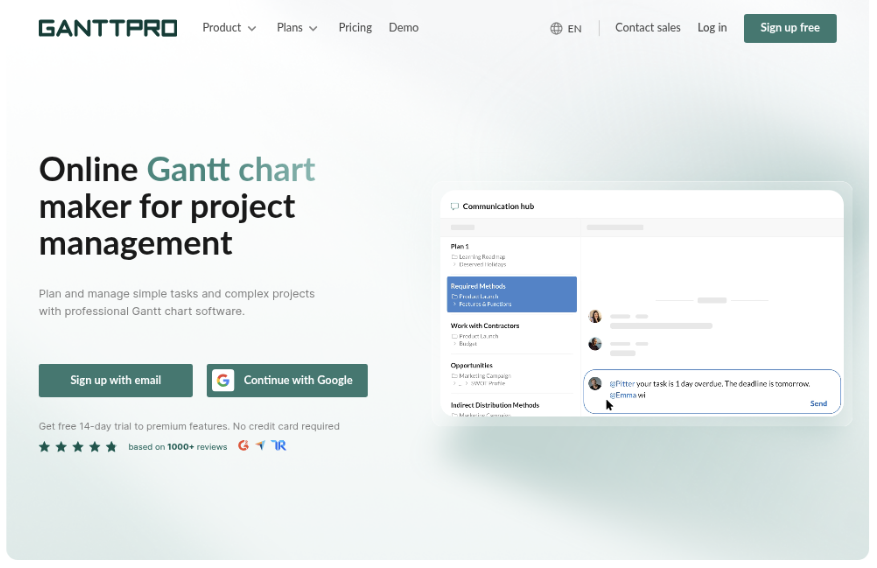
GanttPRO
Product Overview
GanttPRO is a visual project planning platform built around Gantt charts, task dependencies, milestones, deadlines, and resource scheduling. It is designed for teams that want to map a project on a timeline without building a complex Jira configuration. The interface is approachable for project managers who prefer a traditional work breakdown structure, while still supporting collaboration, comments, file sharing, and progress updates.
Why It Was Selected
GanttPRO is included because it represents a focused alternative to Jira’s timeline and planning experience. For a comparison centered on a Jira Gantt chart, it shows what you gain from adopting a dedicated visual planning tool: faster setup, clearer schedule management, and less dependence on marketplace extensions. The tradeoff is that its strongest features are concentrated in planning rather than end-to-end software development management.
Core Capabilities
GanttPRO lets you create hierarchical work breakdown structures, connect tasks with dependency types, set milestones, assign owners, and adjust schedules through a visual timeline. Baselines and progress tracking help compare the planned schedule with actual delivery. Resource views can expose over-allocation, while filters and grouping make it easier to isolate work by project, assignee, status, or timeframe. Teams can also collaborate through comments and shared project information.
For migration, GanttPRO can be a practical fit when the main requirement is moving from spreadsheet-based planning or a heavily customized Jira timeline into a cleaner visual schedule. It is less suitable when you need deep issue relationships, software release governance, extensive workflow rules, or a broad knowledge-management layer in the same system.
Pros
- Clear, easy-to-read Gantt charts for schedules, dependencies, and milestones.
- Faster to configure than a heavily customized Jira planning environment.
- Useful resource planning and workload visibility for project managers.
- Supports collaboration without making the timeline difficult to understand.
- Good fit for mixed technical and nontechnical project teams.
Cons
- It is not a complete Jira replacement for teams that depend on detailed issue workflows, sprint execution, or developer-centric reporting.
- Advanced software delivery governance may require integrations or parallel tools.
- Teams may need to maintain planning data separately from code, testing, and engineering systems.
- Large portfolios and complex cross-project reporting may require careful configuration and plan selection.
Pricing
GanttPRO uses paid subscription plans based on the selected package and number of users, with pricing subject to change by billing term and account size. A trial or limited evaluation option may be available, so confirm current plan limits before migrating an active portfolio. The main cost consideration is not only licenses but also whether your team must retain Jira or another delivery system alongside GanttPRO.
Best For
GanttPRO is best for project managers, agencies, construction and operations teams, and software teams that primarily need a polished timeline with dependencies and resource planning. Choose it when visual scheduling is the priority. Look elsewhere if you need one connected system for requirements, agile execution, development workflows, testing evidence, and delivery reporting.
How to Choose the Right Jira Gantt Chart
Start with your operating model, not the visual style of the timeline. A simple chart is enough for one delivery team, but portfolio work needs stronger hierarchy and governance.
Choose ONES.com if you want to reduce tool sprawl and manage requirements, tasks, sprints, risks, workflows, knowledge, reporting, and delivery coordination together. Its Cloud, On-Premise, Private Cloud, and air-gapped options also suit teams with strict deployment requirements.
Choose Advanced Roadmaps for Jira when Jira is already your system of record and native planning matters more than adding broader project management capabilities.
Choose BigPicture for portfolio and resource complexity. It is a stronger fit when several teams share milestones, people, dependencies, or program-level commitments.
Choose Structure.Gantt or WBS Gantt-Chart for Jira when your main need is a clearer schedule built from existing Jira issues. Compare their hierarchy, dependency, baseline, and reporting workflows using a real project.
Choose GanttPRO when the planning team wants a dedicated visual workspace and does not need every planning action to originate inside Jira.
Before deciding, test one project with changing scope, blocked work, a shared milestone, and a late dependency. Check how quickly the chart reflects issue changes and whether status reports remain trustworthy.
Selection Summary and Final Recommendation
There is no single best Jira Gantt chart for every team. The best choice balances planning depth, Jira alignment, deployment control, reporting, and the cost of maintaining another tool.
For a focused Jira experience, start with Advanced Roadmaps, BigPicture, Structure.Gantt, or WBS Gantt-Chart for Jira based on your planning complexity. For a dedicated visual planner, evaluate GanttPRO.
For teams that need a broader development and project management foundation, ONES.com is the strongest starting point. Its unified capabilities can replace disconnected planning, reporting, knowledge, and workflow tools while supporting self-managed deployment.
Run a short proof of concept before purchase. Import representative work, invite delivery leads and administrators, and score each option on schedule accuracy, adoption, reporting effort, and migration risk.
FAQs About Jira Gantt Chart
Which Jira Gantt chart is best for a small agile team?
Advanced Roadmaps, Structure.Gantt, or WBS Gantt-Chart for Jira can work well when the team already manages work in Jira. Choose the option that adds the least administrative overhead.
Which option is best for portfolio and resource planning?
BigPicture is the strongest fit when you need portfolio roadmaps, capacity views, dependencies, resources, and program-level coordination across multiple Jira projects.
Can I use a Gantt chart without abandoning Jira?
Yes. Advanced Roadmaps, BigPicture, Structure.Gantt, and WBS Gantt-Chart for Jira connect planning to Jira issues. GanttPRO is better suited to teams comfortable with a separate planning workspace.
What should I test before choosing a Jira Gantt tool?
Test issue synchronization, dependency updates, sprint changes, permissions, reporting, baselines, workload views, and the effort required to migrate or recreate current plans.