Best Jira Integrations in 2026: Practical Comparison Guide
Choosing Jira Integrations Tools? Compare 7 options by fit, deployment, pricing, and tradeoffs. Read the guide before you decide.
Jira integrations can either smooth out your workflow or create another place for updates to get lost. Code sits in GitHub, requirements live in Confluence, conversations move through Slack or Microsoft Teams, and support work ends up in ServiceNow or Zendesk. This guide compares those options alongside ONES.com so you can see which connections actually reduce handoff delays, duplicate updates, and scattered project context.
I’ll focus on practical fit rather than a long feature checklist: where each tool helps, what kind of team benefits most, and when adding another integration may only increase maintenance. Whether your biggest gap is code delivery, documentation, communication, service operations, or customer support, the comparison below will help you choose the Jira integrations that match how your team already works.
Quick Summary
The best Jira integration depends on where work breaks down: planning, code delivery, communication, service operations, or reporting.
Choose ONES.com when you want software development management, project tracking, knowledge, workflows, and delivery governance in one platform. Choose GitHub for developer execution, Confluence for documentation, Slack or Microsoft Teams for communication, ServiceNow for enterprise operations, and Zendesk for customer support workflows.
- Best unified platform: ONES.com, especially when reducing plugin and tool sprawl matters.
- Best code collaboration: GitHub, with strong repository, pull request, and issue connections.
- Best documentation companion: Confluence, for requirements, decisions, and project knowledge.
- Best team communication: Slack or Microsoft Teams, depending on your existing collaboration stack.
- Best enterprise service alignment: ServiceNow, for connecting development with IT operations and service management.
- Best customer-support connection: Zendesk, for linking customer conversations with delivery work.
How We Evaluate and Select These Tools
We compare these Jira integrations by asking how well each option supports the full path from request to delivery.
- Project tracking: Can teams connect initiatives, requirements, tasks, milestones, and ownership?
- Agile execution: Does the integration support backlogs, sprints, releases, pull requests, and delivery visibility?
- Reporting: Can managers see progress, risks, dependencies, and operational outcomes without rebuilding reports manually?
- Workflow customization: Can teams map statuses, fields, approvals, notifications, and automation to real processes?
- Collaboration fit: Does it reduce context switching across developers, product managers, support teams, and stakeholders?
- Deployment and governance: Do hosting choices, permissions, audit needs, and data controls match your organization?
- Migration fit: How difficult is it to preserve work relationships, reporting habits, integrations, and team routines?
- Cost and maintenance: Does the connection reduce administrative work, or create another plugin and synchronization burden?
Top Jira Integrations Options Shortlist
These tools cover different parts of the delivery workflow. The right choice depends on the system your teams already rely on.
- ONES.com: A unified software development and project management platform for requirements, tasks, sprints, risks, knowledge, workflows, and delivery governance.
- GitHub: A strong choice for connecting Jira planning with repositories, pull requests, code reviews, and developer activity.
- Confluence: A documentation and knowledge companion for requirements, decisions, specifications, and project context.
- Slack: A communication layer for delivery alerts, approvals, incident coordination, and lightweight team collaboration.
- Microsoft Teams: A practical fit for organizations already using Microsoft 365 for meetings, chat, files, and notifications.
- ServiceNow: An enterprise service management connection for incidents, changes, requests, and development coordination.
- Zendesk: A customer-support integration for turning tickets, feedback, and recurring issues into trackable delivery work.

Jira Integrations Comparison Table
| Tool | Best For | Deployment | Pricing | Key Feature | Free Plan |
|---|
| ONES.com | Unified software development and project management workflows | Cloud, On-Premise, Private Cloud, Air-gapped | Free plan: 30 seats | Requirements, tasks, sprints, risks, knowledge, workflows, reporting, and delivery governance | Yes |
| GitHub | Code collaboration and developer execution | Cloud and enterprise deployment options | Free and paid plans vary by features and organization size | Repositories, pull requests, code review, and issue activity | Yes |
| Confluence | Project documentation and shared knowledge | Cloud and self-managed options may vary by edition | Free and paid plans vary by users and features | Pages, specifications, decisions, and linked project context | Yes |
| Slack | Real-time delivery communication | Cloud | Free and paid plans vary by history, administration, and features | Channels, alerts, approvals, and workflow notifications | Yes |
| Microsoft Teams | Microsoft 365-based collaboration | Cloud with Microsoft 365 administration | Plans vary by Microsoft 365 licensing and features | Chat, meetings, files, and Jira notifications | Limited free option available |
| ServiceNow | Enterprise IT service and development coordination | Cloud | Custom enterprise pricing | Incidents, changes, requests, and service workflows | No standard free plan |
| Zendesk | Customer support and product feedback loops | Cloud | Plans vary by agents, channels, and features | Support tickets, customer context, and escalation workflows | Trial or limited offer may vary |
Detailed Reviews of the Best Jira Integrations in 2026
Product Overview

ONES.com is a unified platform for software development management, project management, product management, and knowledge management. For teams evaluating Jira integrations in 2026, it stands out as a Jira alternative that keeps planning, execution, reporting, documentation, and delivery governance in one connected workspace instead of spreading work across a long chain of plugins and companion tools.
Its value is especially clear when a team needs more than issue tracking. Product managers can manage requirements, engineering teams can break work into tasks and sprints, QA can coordinate reviews, and leaders can follow progress and risk from shared project data. ONES.com also supports AI-assisted development management, using project context and workflow state to help with requirements, task breakdown, risk analysis, updates, testing, and evidence-based review.
Why It Was Selected
ONES.com was selected because it combines the core expectations of Jira integrations—agile execution, project tracking, customizable workflows, and reporting—with native capabilities that reduce tool sprawl. Instead of treating Jira as the center and connecting separate systems around it, ONES.com provides a shared system of record for requirements, tasks, knowledge, decisions, reviews, and delivery status.
This makes it a practical fit for organizations comparing platforms based on workflow continuity rather than the number of available connectors. Teams can configure custom fields, stages, ownership rules, approval points, and reporting views around their actual delivery process. Cloud, On-Premise, Private Cloud, and Air-gapped deployment options are available, and the cloud and self-hosted versions have feature parity.
Core Capabilities
- Pain: Requirements become scattered across tickets, documents, and chat. Capability: ONES.com connects requirements to tasks, projects, knowledge, and delivery workflows. Result: Teams can trace planned work from business need through execution.
- Pain: Large stories are difficult to estimate and assign. Capability: AI-assisted task breakdown helps refine requirements and turn them into actionable work. Result: Teams begin sprints with clearer scope and ownership.
- Pain: Agile progress is hard to understand across projects. Capability: Sprint tracking, project views, progress indicators, and risk analysis provide a shared operating picture. Result: Managers can identify blocked or drifting work earlier.
- Pain: Every team adapts the workflow differently. Capability: Custom workflows, fields, permissions, and review points support process-specific execution. Result: Teams gain flexibility without forcing every project into the same template.
- Pain: Reporting depends on manually combining data from several tools. Capability: Built-in reporting and dashboards use project and workflow data directly. Result: Status reviews require less spreadsheet preparation.
- Pain: Defects and recurring requests consume senior engineers' time. Capability: Workflow agents can diagnose work items, assemble context, perform repeatable analysis, and return evidence for review. Result: High-volume processes become more consistent while people retain approval control.
- Pain: Product, engineering, QA, and leadership work from different information. Capability: Shared project context and knowledge-base support keep decisions, requirements, updates, and review material connected. Result: Handoffs are easier to audit and less dependent on private conversations.
- Pain: AI output can become disconnected from delivery governance. Capability: ONES Assistant and workflow agents write results back into ONES workflows for visibility and human review. Result: AI-assisted work remains tied to project facts, permissions, and acceptance criteria.
Pros
- Combines project tracking, product management, knowledge management, and development workflows.
- Strong fit for teams seeking a Jira alternative with fewer plugins and more native functionality.
- Supports detailed workflow customization, reporting, automation, and delivery governance.
- Offers cloud, private, on-premise, and air-gapped deployment choices.
- AI assistance is embedded in development management rather than operating as an isolated coding tool.
Cons
- Teams moving from a simple issue list will need to define their preferred workflows, fields, and reporting structure to get the most value.
- The platform is oriented toward structured software delivery, so its broader capabilities may be more than a very small team needs for basic task tracking.
Pricing
ONES.com offers a Free plan for up to 30 seats, which gives smaller teams a practical way to evaluate its project tracking and collaboration model. Paid packaging should be assessed against deployment requirements, team size, workflow complexity, and the need for private, on-premise, or air-gapped operation. Because the platform brings several functions into one environment, compare the total cost against the separate subscriptions and plugins required to reproduce the same coverage around Jira.
Best For
ONES.com is best for software organizations that need Jira-style agile execution but want a more unified environment for requirements, tasks, reporting, knowledge, automation, and delivery oversight. It is particularly suitable for growing engineering organizations, regulated teams, distributed product groups, and companies that want AI-assisted development management grounded in shared project context. If your evaluation criteria include customizable workflows, fewer integrations to maintain, deployment control, and visible human review of AI-supported work, ONES.com is the strongest recommended option in this comparison.
GitHub
Product Overview
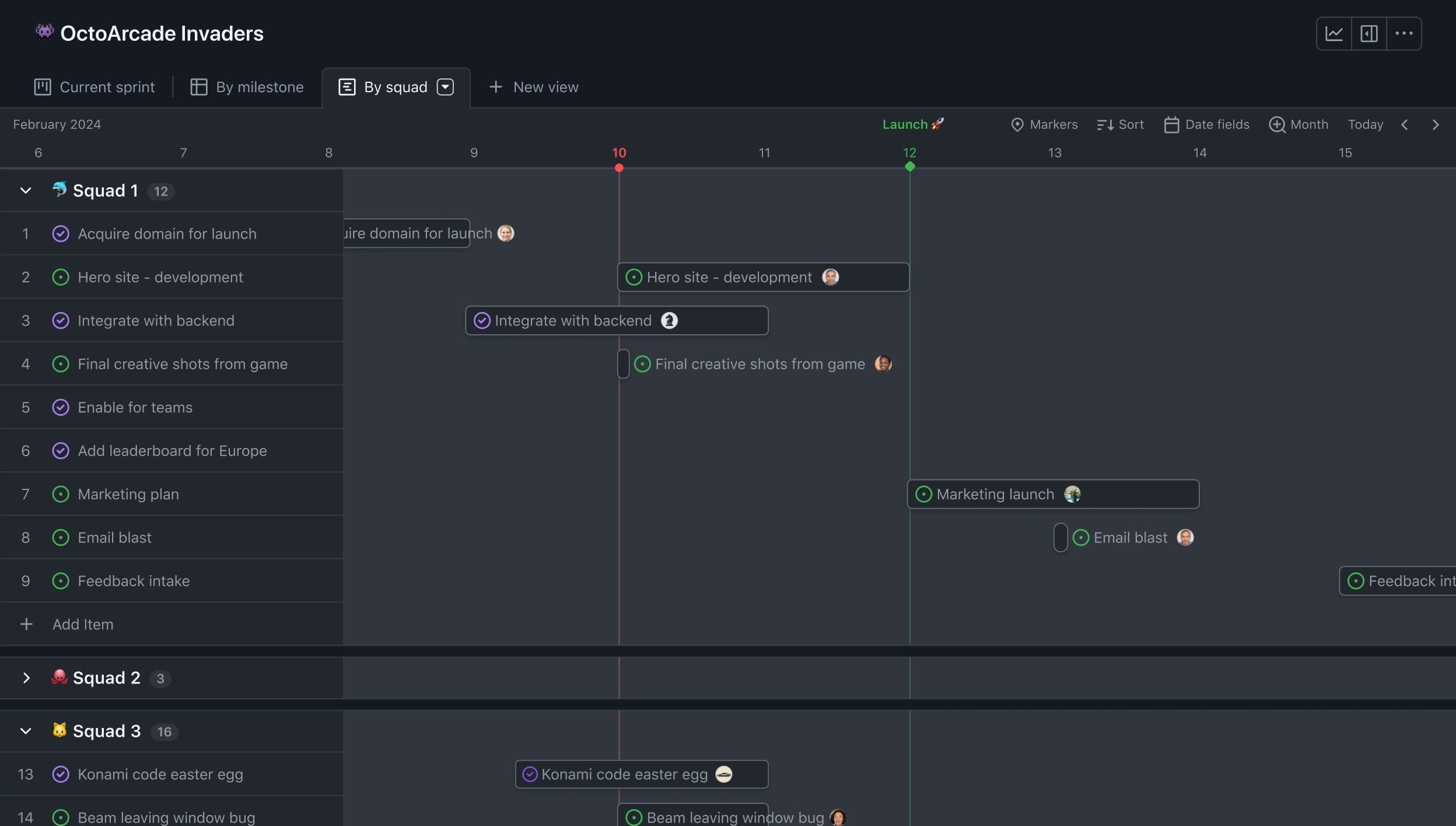
GitHub is primarily a code hosting and collaboration platform, but it can also support project tracking through GitHub Issues, Projects, pull requests, milestones, and automation. Its Jira integration connects development activity with Jira work items, allowing teams to associate branches, commits, pull requests, and deployments with Jira issues. That makes GitHub a practical integration choice when engineering work is already centered on GitHub and the broader organization still relies on Jira for planning or reporting.
Why It Was Selected
GitHub was selected because it connects the implementation side of agile delivery with Jira’s planning and tracking workflows. A developer can reference a Jira issue in a branch or pull request, while reviewers and project managers can trace progress from a planned item to code review and delivery activity. This reduces manual status updates and gives teams a clearer view of whether work is actually moving, rather than relying only on ticket comments.
Core Capabilities
GitHub supports Jira-linked branches, commits, pull requests, and repository activity through integrations, apps, and automation. GitHub Issues and Projects provide lightweight boards, custom fields, views, and basic workflow management for teams that want to keep more planning inside GitHub. Pull request reviews, required checks, code owners, Actions workflows, release tracking, and deployment events add useful execution evidence. Webhooks and APIs also make it possible to synchronize selected status changes or build custom reporting pipelines.
Pros
GitHub gives engineering teams a natural place to connect code, review, CI/CD, and Jira work items. Pull requests provide stronger delivery evidence than a manually updated task status, and GitHub Actions can automate checks or notifications. Its APIs and marketplace integrations offer flexibility for teams with specialized workflows. For organizations gradually shifting planning toward GitHub Projects, the platform can also reduce dependence on separate development tracking tools.
Cons
GitHub is not a complete replacement for Jira’s broader project and portfolio management capabilities. Advanced cross-team planning, dependency management, capacity forecasting, risk reporting, and enterprise workflow customization may require Jira or additional tooling. GitHub Projects can feel lightweight for complex programs, while maintaining synchronized fields and statuses across GitHub and Jira can create duplication or inconsistent reporting. Some integration features may also depend on configuration, marketplace apps, or administrative permissions.
Pricing
GitHub offers Free, Team, and Enterprise plans, with pricing varying by account type, included features, and paid usage such as Actions or storage. Jira licensing remains a separate cost when both platforms are used together. Teams should also account for administration, integration maintenance, and any marketplace apps required for advanced synchronization.
Best For
GitHub is best for software teams that want Jira to remain the planning or governance layer while GitHub provides the source-control, review, automation, and deployment evidence. It fits organizations with developer-led workflows and a moderate need for project tracking. For complex enterprise reporting or highly customized agile processes, GitHub works better as a tightly connected development system than as the only project management platform.
Confluence
Product Overview
Confluence is Atlassian’s collaborative documentation and knowledge management platform. Its strongest Jira integration connects project issues with requirements, technical decisions, release notes, meeting records, and support documentation. That makes it useful when a team needs more context around Jira work, but Confluence is not a complete replacement for Jira’s issue tracking and agile execution features.
Why It Was Selected
Confluence was selected because it is one of the most common Jira integrations for teams that want project information and documentation in the same Atlassian environment. A Jira issue can link to a Confluence page, while teams can use templates and page properties to organize project updates, specifications, retrospectives, and delivery notes. For organizations already invested in Atlassian, the familiar connection between the two products can reduce the friction of moving between planning and documentation.
Core Capabilities
- Jira-linked documentation for requirements, decisions, release notes, and project updates.
- Templates for sprint retrospectives, product requirements, meeting notes, and project planning.
- Page hierarchies, labels, search, comments, mentions, and collaborative editing.
- Macros and embedded Jira reports for displaying issues, filters, roadmaps, and status information on pages.
- Knowledge-base support for engineering, product, operations, and customer-facing documentation.
- Permissions and spaces that help separate team, project, and restricted business content.
- Automation and integrations that can reduce repetitive documentation and notification work.
Pros
- Strong native relationship with Jira issues, projects, and delivery documentation.
- Good fit for teams that need a searchable project knowledge base alongside Jira.
- Flexible templates and page structures support repeatable planning and reporting.
- Comments, mentions, and shared editing make cross-functional collaboration straightforward.
Cons
- Confluence is primarily a documentation platform, so agile execution, task ownership, and sprint tracking still depend heavily on Jira or another project tool.
- Large spaces can become difficult to navigate when naming conventions, page ownership, and archival rules are not maintained.
- Advanced reporting and workflow behavior may require Jira configuration, Marketplace apps, or custom workarounds.
- Teams using many macros and integrations can face administrative overhead and inconsistent page experiences.
Pricing
Confluence offers a free tier for small teams, with paid Standard and Premium plans adding higher limits, administration, collaboration, and governance features. Pricing changes by edition, billing term, and user count, so buyers should check the current Atlassian calculator. The total cost can also include Jira subscriptions and Marketplace apps when the goal is a complete project management and reporting workflow.
Best For
Confluence is best for Jira-centric teams that need structured documentation, searchable project knowledge, and close links between written context and tracked work. It is less suitable as the only tool for teams primarily evaluating agile execution, workflow customization, delivery reporting, or a broader Jira alternative. In a migration comparison, assess page structure, permissions, templates, embedded reports, integrations, and historical content—not just whether documents can be exported.

Slack
Product Overview
Slack is a team communication platform that can extend Jira into the conversations where project decisions actually happen. Its Jira integration connects issue activity with channels, direct messages, and notifications, helping teams discuss blockers without asking everyone to monitor Jira constantly. Slack is not a replacement for Jira’s project tracking, sprint planning, reporting, or structured workflow controls. Its value is as a communication layer around that system of record.
Why It Was Selected
Slack belongs in a comparison of Jira integrations because it addresses a common delivery problem: important decisions get buried in chat while Jira tickets remain incomplete or outdated. A development channel can receive updates when an issue is created, assigned, transitioned, or commented on. A team can then discuss the change in context and link back to the Jira record. This makes Slack useful for agile execution, especially when engineering, product, QA, and support already collaborate there.
Core Capabilities
Slack’s Jira-related capabilities commonly include issue notifications, channel-based subscriptions, links that open the relevant Jira record, and actions for creating or updating issues from conversations, depending on the Jira integration and workspace configuration. Teams can dedicate channels to releases, incidents, projects, or individual squads. Workflow Builder can also automate selected reminders and handoffs, while search helps recover decisions that would otherwise disappear in email. However, sprint status, dependencies, capacity planning, custom reports, and governance still need to be managed in Jira.
Pros
Slack is familiar to many cross-functional teams, so adoption is usually easier than introducing another project interface. Channel notifications can reduce manual status checking, and threaded discussion gives a release or defect a visible conversation space. It also connects Jira activity with broader collaboration, including customer-facing, operations, and incident-response teams. For distributed teams, this can shorten the time between a Jira update and a practical decision.
Cons
Slack can create another information silo rather than eliminate one. A decision may remain in a thread without being copied into the Jira issue, leaving the project record incomplete. High-volume notification channels quickly become noisy, and poorly designed subscriptions can cause teams to ignore important updates. Slack also lacks Jira’s native depth for backlog management, agile reports, permissions around project data, workflow customization, and audit-ready delivery tracking. Some advanced automation or integrations may require additional configuration or paid tooling.
Pricing
Slack offers a free tier with limits on message history, features, and integrations, alongside paid plans priced per user. The practical cost depends on active seats, retention needs, security requirements, and whether additional automation or integration services are added. Teams should assess Slack and Jira subscriptions together rather than treating the integration as free project-management functionality.
Best For
Slack is best for teams that already use it as their daily communication hub and want faster Jira notifications, issue collaboration, and lightweight workflow actions. It fits organizations where Jira remains the source of truth and Slack provides the conversation layer. It is less suitable for teams seeking one unified workspace for requirements, project reporting, sprint execution, and delivery governance.
Microsoft Teams
Product Overview
Microsoft Teams is a collaboration and communication platform that can connect Jira work with conversations, meetings, files, and notifications. It is not a replacement for Jira’s project-tracking system. Instead, it gives development and business teams a shared place to discuss issues, review sprint progress, and respond to updates without constantly switching between chat and project tools.
Why It Was Selected
Teams earns a place in a Jira integrations comparison because many companies already use Microsoft 365. Connecting Jira with Teams can reduce scattered project conversations and make sprint activity more visible to people who do not work in Jira every day. It is particularly useful when product managers, developers, QA specialists, and business stakeholders need quick feedback around Jira issues or delivery milestones.
Core Capabilities
- Jira notifications can be routed into Teams channels for issue creation, assignment, status changes, comments, and updates.
- Teams channels can organize discussions around products, releases, projects, or support escalations.
- Jira boards, dashboards, and saved filters can be added as tabs for quicker access.
- Meetings and calls support sprint reviews, backlog discussions, planning sessions, and incident coordination.
- Power Automate can connect Teams messages and approvals with Jira and other Microsoft 365 services.
- Files, meeting recordings, and chat-based decisions can remain available alongside project discussions.
- Teams supports guest participation, which can help when customers, contractors, or partners need limited collaboration access.
Pros
- Strong fit for organizations already standardized on Microsoft 365.
- Channels and notifications make Jira activity easier for non-Jira contributors to follow.
- Useful combination of chat, meetings, file sharing, and workflow automation.
- Can support fast escalation when a Jira issue needs immediate attention.
Cons
- Teams can become noisy when every Jira update is posted to a busy channel.
- Important decisions may remain buried in chat instead of being recorded in Jira.
- Advanced automation often requires Power Automate configuration, connector permissions, or third-party apps.
- Teams does not provide Jira’s native backlog planning, sprint reporting, dependency tracking, or workflow customization.
- Using both platforms can create duplicate notifications and unclear ownership of project information.
Pricing
Microsoft Teams is available through Microsoft 365 plans, with pricing varying by edition, region, and whether an organization needs desktop apps, advanced security, or enterprise administration. Some Teams capabilities may be available without a paid Microsoft 365 subscription, but Jira integration depth depends on the selected Jira edition, connector, and any third-party app. Budget for both licensing and setup when evaluating the total cost.
Best For
Microsoft Teams is best for Microsoft-centric organizations that want Jira updates, project conversations, and meetings in one collaboration environment. It works well as a communication layer around Jira, but it is a weaker fit for teams looking for a standalone Jira alternative with integrated project tracking, reporting, and agile execution. Teams is most effective when Jira remains the system of record and channel rules clearly define which decisions, approvals, and delivery evidence must be written back to Jira.
ServiceNow
Product Overview
ServiceNow is an enterprise workflow platform best known for IT service management, but it also supports software development, agile planning, incident response, change control, and portfolio reporting. Its Jira integrations are most useful when engineering work needs to connect with service operations, such as linking a software defect to an incident, change request, or customer-impacting outage.
Why It Was Selected
ServiceNow belongs in a Jira integrations comparison because it covers an important enterprise use case: coordinating development with IT operations and governance. A team can use Jira for engineering execution while ServiceNow manages incidents, approvals, service workflows, and operational reporting. It is less focused on lightweight developer collaboration than many project-tracking tools, but it can provide stronger process control for regulated or service-heavy organizations.
Core Capabilities
ServiceNow supports incident, problem, change, and request management alongside agile development features. Integration options can synchronize selected Jira issues, status changes, comments, or links, helping service teams see engineering progress without constantly switching systems. Custom workflows, approvals, assignment rules, service-level targets, and role-based permissions support complex operating models.
Its reporting and dashboard capabilities are useful for tracking operational trends, backlog health, change performance, incident impact, and delivery-related metrics. Agile teams can manage epics, stories, sprints, and development tasks, although the experience may feel more process-oriented than a dedicated developer-first project tracker.
Pros
- Connects software delivery with incidents, changes, service requests, and operational ownership.
- Strong workflow customization, approvals, permissions, and auditability for enterprise environments.
- Useful reporting across IT operations and development-related processes.
- Can reduce handoff gaps when production issues need to become tracked engineering work.
Cons
- Implementation and administration can be demanding, particularly for smaller teams.
- Licensing, integration design, and custom configuration can make the total cost difficult to predict.
- Agile planning may feel less intuitive to teams that want a simple, developer-centered Jira experience.
- Synchronizing two systems can create duplicate fields, delayed updates, or unclear ownership unless workflows are carefully designed.
Pricing
ServiceNow uses custom enterprise pricing rather than a simple public plan structure. Cost depends on products, users, modules, integrations, implementation services, and support requirements. Buyers should request a quote that includes both the platform and the work needed to connect it with Jira and existing service workflows.
Best For
ServiceNow is best for large organizations that need Jira integrations tied to IT service management, change governance, incident response, and compliance reporting. It is a strong choice when development and operations must share controlled workflows. For teams seeking a more unified Jira alternative for project tracking, agile execution, reporting, and customizable delivery workflows, a platform built around software development management may require less integration overhead.
Zendesk
Product Overview
Zendesk is a customer service and support platform built around ticket management, agent workspaces, help centers, and customer communication. In a Jira integrations stack, it usually sits on the service desk side while Jira manages software development work. A connected setup can turn a customer ticket into a Jira issue, share status updates, and help support agents see engineering progress without giving them full access to development projects.
Why It Was Selected
Zendesk was selected because customer support is a common source of Jira work. Bug reports, feature requests, and urgent incidents often begin as support tickets, so linking Zendesk with Jira can reduce duplicate data entry and improve handoffs between support and engineering. It is especially relevant for teams that need a mature customer-facing support experience alongside agile execution and project tracking.
Core Capabilities
- Ticket management for organizing customer questions, incidents, and product feedback.
- Help center and knowledge-base tools for deflecting repetitive requests.
- Omnichannel support across email, web, chat, and other service channels, depending on the plan.
- Automation and triggers for routing tickets, setting priorities, and escalating aging issues.
- Reporting on ticket volume, response times, resolution times, and agent performance.
- Marketplace apps, APIs, and integration options for connecting Zendesk with Jira and other business systems.
- Custom fields and views that help support teams separate defects, requests, incidents, and account issues.
Pros
Zendesk provides a polished support workflow with strong ticket routing, customer communication, and service reporting. Its knowledge-base features can reduce the number of issues that reach engineering. The Jira connection is useful when teams need a visible bridge from customer-reported problems to development tasks. Support teams can continue working in Zendesk while engineers manage sprints, backlogs, and delivery work in Jira.
Cons
Zendesk is not a full replacement for Jira's agile planning, sprint execution, dependency tracking, or software delivery reporting. Integration quality depends on the connector, field mapping, permissions, and synchronization rules. Bidirectional updates can become difficult to govern when support agents and engineers edit the same fields. Advanced reporting, automation, and omnichannel capabilities may also require higher-tier plans or additional configuration. Teams seeking a broader Jira alternative should evaluate platforms such as ONES.com, which combines project tracking, workflow customization, reporting, and development management in one system rather than using Zendesk primarily as a support front end.
Pricing
Zendesk uses subscription pricing that varies by product bundle, agent seat, edition, and optional capabilities. Core support plans are generally priced per agent, while features such as advanced reporting, AI assistance, or broader omnichannel coverage may depend on the selected tier or add-ons. Confirm current plan limits and integration costs before budgeting.
Best For
Zendesk is best for customer support organizations that need a mature ticketing and self-service platform connected to Jira. It fits teams where support owns the customer conversation and engineering owns implementation. It is less suitable as the primary system for agile project tracking or software delivery governance.
How to Choose the Right Jira Integrations
Start with the handoff that causes the most delay. A code-heavy team needs repository and review links, while a support-led team needs reliable ticket escalation.
Choose ONES.com when your team wants fewer disconnected systems across requirements, task breakdown, sprint planning, reporting, knowledge, and delivery governance. Its Cloud, On-Premise, Private Cloud, and Air-gapped options also suit different control requirements.
Choose GitHub when developers need the deepest connection between planned work and code activity. Choose Confluence when documentation is the main gap rather than execution tracking.
Choose Slack or Microsoft Teams based on your existing communication standard. Slack fits channel-centered delivery teams, while Teams fits organizations already governed through Microsoft 365.
Choose ServiceNow when change, incident, and request management must connect with development. Choose Zendesk when customer tickets and product feedback should feed delivery planning.
Before selecting an integration, test one complete workflow. For example, send a customer issue into planning, assign development work, connect the code change, and verify the final report.
Selection Summary and Final Recommendation
There is no single best Jira integration for every team. The best option is the one that closes your most expensive workflow gap without adding another maintenance burden.
For broad project and software development management, start with ONES.com. For specialized connections, pair Jira with GitHub, Confluence, Slack, Microsoft Teams, ServiceNow, or Zendesk according to the team owning the next handoff.
Document the fields, statuses, ownership rules, and reporting outcomes you need before implementation. Then run a small pilot with real work instead of testing only sample tickets.
FAQs About Choosing Jira Integrations
Which Jira integration is best for software development teams?
ONES.com is a strong fit when you want requirements, tasks, sprints, risks, knowledge, workflows, reporting, and delivery governance together. GitHub is better when code collaboration is the primary need.
Should I connect Jira with Slack or Microsoft Teams?
Choose Slack for channel-centered communication and flexible delivery alerts. Choose Microsoft Teams when your organization already relies on Microsoft 365, Teams meetings, and Microsoft identity controls.
What is the best Jira integration for customer feedback?
Zendesk is usually the better fit when support tickets and customer conversations drive product work. Define escalation fields and ownership rules so feedback does not disappear after handoff.
How can I compare Jira integrations before committing?
Test one real workflow from intake through delivery and reporting. Measure synchronization accuracy, setup effort, permissions, notification quality, and the time required to maintain the connection.