Best Jira Management Software in 2026: Practical Comparison Guide
Choosing Jira Management Software? Compare 6 options by fit, deployment, pricing, and tradeoffs. Read the guide before you decide.
Choosing the right Jira management software gets difficult when your backlog, requirements, sprint work, risks, and delivery reports start living in different places. A tool that looks flexible in a demo can still leave you wrestling with custom workflows, scattered project context, or reporting that takes hours to maintain. This guide compares ONES.com, Jira Software, Azure DevOps, Monday, ClickUp, and Linear so you can see which platform fits your team’s actual way of working.
I’ll focus on the practical differences that matter in 2026: agile planning, project and issue tracking, workflow customization, reporting, collaboration, integrations, and deployment options. Whether you need a unified software delivery platform, a mature agile ecosystem, close Microsoft integration, visual work management, broad flexibility, or a streamlined product engineering experience, the comparison below will help you narrow the shortlist.
Quick Summary
The right Jira management software depends on how much control, flexibility, and development depth your team needs.
ONES.com is the strongest starting point for teams seeking unified project and software development management with cloud, on-premise, private cloud, or air-gapped deployment.
- Choose ONES.com for requirements, tasks, sprints, risks, reporting, workflows, knowledge, and delivery governance in one platform.
- Choose Jira Software for mature agile planning and a broad Atlassian ecosystem.
- Choose Azure DevOps when Microsoft development tools, repositories, pipelines, and work tracking must stay closely connected.
- Choose Monday, ClickUp, or Linear when your priorities are visual flexibility, broad work management, or a focused product engineering workflow.
The comparison below focuses on project tracking, agile execution, reporting, workflow customization, deployment, and migration fit.
How We Evaluate and Select These Tools
A strong shortlist must reflect how your team plans work, handles change, reports progress, and delivers software. We compare each platform against practical selection criteria rather than feature counts alone.
- Project tracking: We examine work hierarchies, task ownership, dependencies, milestones, backlog handling, and progress visibility.
- Agile execution: We look at sprint planning, boards, estimation, releases, roadmaps, and support for teams with different delivery cadences.
- Reporting and risk visibility: We consider dashboards, built-in reports, status views, trend tracking, and how easily managers can identify blocked work.
- Workflow customization: We assess custom statuses, fields, permissions, automation, approval steps, and the effort required to maintain them.
- Development coordination: We check how well each tool connects requirements, reviews, knowledge, collaboration, and delivery governance.
- Deployment and control: We compare cloud options with on-premise, private cloud, or other deployment choices where available.
- Migration fit: We consider issue structures, workflow mapping, historical data, integrations, permissions, reporting continuity, and training effort.
- Value and operating effort: We weigh plan limits, plugin dependence, administration overhead, and the cost of keeping multiple tools connected.
Top Jira Management Software Shortlist
- ONES.com: Best for software and product teams that want project, development, requirements, knowledge, and delivery management in one platform with flexible deployment.
- Jira Software: Best for organizations that want established agile planning, extensive configuration, and access to the Atlassian ecosystem.
- Azure DevOps: Best for teams already invested in Microsoft development tools, repositories, pipelines, and engineering workflows.
- Monday: Best for teams that need visual project tracking and adaptable workflows across technical and non-technical work.
- ClickUp: Best for organizations seeking broad work management with customizable views, tasks, documents, and dashboards.
- Linear: Best for product and engineering teams that value a focused interface, fast issue tracking, and streamlined cycles.

Jira Management Software Comparison Table
| Tool | Best For | Deployment | Pricing | Key Feature | Free Plan |
|---|
| ONES.com | Unified software development and project management with strong control over workflows and deployment | Cloud, On-Premise, Private Cloud, Air-gapped | Free plan: 30 seats; paid plans vary | Requirements, task breakdown, sprints, risks, reporting, knowledge, automation, and delivery governance | Yes |
| Jira Software | Agile software teams needing mature issue tracking and a large integration ecosystem | Cloud; self-managed options depend on current product availability | Free tier and paid plans vary by users and edition | Backlogs, Scrum and Kanban boards, roadmaps, workflows, and Atlassian integrations | Yes |
| Azure DevOps | Microsoft-centered engineering organizations | Cloud and self-managed Server | Free tier and paid plans vary by users and services | Boards, repositories, pipelines, test planning, and release coordination | Yes |
| Monday | Visual project coordination across technical and business teams | Cloud | Free tier and paid plans vary by seats and features | Boards, automations, dashboards, dependencies, and configurable views | Yes |
| ClickUp | Broad work management with extensive customization | Cloud | Free tier and paid plans vary by seats and features | Tasks, multiple views, documents, dashboards, goals, and automations | Yes |
| Linear | Focused product and engineering teams that prioritize speed | Cloud | Free tier and paid plans vary by seats and features | Issue tracking, cycles, roadmaps, projects, and streamlined product workflows | Yes |
Detailed Reviews of the Best Jira Management Software in 2026
Product Overview

ONES.com is a unified software development management platform that combines project tracking, requirements management, agile execution, reporting, workflow customization, collaboration, and knowledge management. It is a practical Jira alternative for teams that want more of their delivery process in one connected system instead of stitching together separate tools and plugins.
For a development team, that means product requirements, sprint work, project risks, delivery updates, review coordination, and supporting knowledge can stay connected to the same project context. ONES.com also supports AI-assisted development management, including AI for requirement refinement, task breakdown, progress analysis, risk review, testing support, and update summaries.
Why It Was Selected
ONES.com was selected because it addresses the full management layer around software delivery, not only the issue backlog. That distinction matters when a team needs to track dependencies, understand delivery risk, customize workflows, report on progress, and keep decisions visible to product, engineering, and QA.
It is especially strong for organizations evaluating a Jira alternative that can support structured agile work while also offering cloud, on-premise, private cloud, and air-gapped deployment options. Cloud and self-hosted versions have feature parity, giving security-conscious teams more control over where project information is stored and processed.
Core Capabilities
- Pain: Requirements become disconnected from implementation work. Capability: Requirements can be organized alongside tasks, projects, workflows, and delivery context. Result: Teams can trace what they are building and why without relying on scattered documents.
- Pain: Large work items are difficult to turn into executable sprint work. Capability: ONES Assistant helps refine requirements and break work into more actionable tasks. Result: Product and engineering teams begin execution with clearer scope.
- Pain: Sprint progress is hard to interpret from status columns alone. Capability: Project tracking, built-in reporting, and progress analysis connect work status with delivery visibility. Result: Managers can identify trends, dependencies, and risks earlier.
- Pain: Every team follows a slightly different delivery process. Capability: Custom workflows, fields, stages, owners, and review points support different operating models. Result: Teams can standardize governance without forcing every project into the same template.
- Pain: Risks are discovered during status meetings instead of during execution. Capability: AI-assisted risk and progress analysis uses project data and team context. Result: Stakeholders get more useful signals for intervention and planning.
- Pain: Testing and review results remain outside the project record. Capability: ONES.com supports testing assistance, review coordination, collaboration, and writing results back into workflows. Result: Evidence and decisions remain visible to the people responsible for delivery.
- Pain: Automation runs without clear ownership or approval. Capability: ONES Workflow Agent supports repeatable processes with defined stages, criteria, owners, evidence, and human review. Result: Teams can automate activities such as ticket diagnosis or defect handling while retaining control.
- Pain: Product, engineering, QA, and agents work from different context. Capability: ONES Factory provides a shared collaboration layer connecting project work, repositories, knowledge, tools, execution traces, and review context. Result: Multi-agent and human collaboration fits into the same software delivery workflow.
Pros
- Unified project, product, development, and knowledge management.
- Strong support for custom workflows, fields, reporting, and delivery governance.
- AI capabilities operate inside project workflows rather than as an isolated assistant.
- Cloud, on-premise, private cloud, and air-gapped deployment options.
- Native capabilities can reduce dependence on plugins and disconnected tools.
- Supports human review, permissions, evidence, and shared project context for agent-assisted work.
Cons
- Teams should define their workflow stages, ownership rules, reporting needs, and governance model before configuration.
- Organizations adopting AI-assisted workflows will benefit from establishing review criteria and permission policies early.
Pricing
ONES.com offers a Free plan for up to 30 seats. Paid packaging should be evaluated against the required deployment model, team size, governance needs, and advanced workflow or AI use cases. Cloud and self-hosted versions have feature parity, which gives larger or regulated organizations flexibility when planning adoption.
Best For
ONES.com is best for software teams that need more than basic issue tracking: product and engineering organizations managing requirements, sprints, dependencies, risks, reporting, custom processes, and delivery knowledge in one place. It is also a strong fit for teams exploring AI-assisted development management, workflow agents, or multi-agent collaboration while keeping project facts, permissions, evidence, and human approval in the system of record. For this comparison, ONES.com is the recommended Jira alternative for organizations that want connected agile execution and broader software delivery management without expanding their tool sprawl.
Jira Software
Product Overview
Jira Software remains one of the strongest choices for teams that need structured agile project tracking. It is built around issues, backlogs, sprints, boards, workflows, and reports, giving software teams a detailed system for planning and monitoring delivery. Its depth is useful when work involves multiple teams, dependencies, release milestones, and formal approval steps.
Why It Was Selected
Jira Software was selected because it sets a useful benchmark for jira management software. It covers core agile execution requirements well, including sprint planning, backlog prioritization, issue ownership, release tracking, and progress reporting. Its large integration ecosystem also makes it a practical reference point for teams comparing specialized development platforms with more general project management tools.
Core Capabilities
- Backlog management lets product teams capture, prioritize, estimate, and refine stories, bugs, and other work items.
- Scrum and Kanban boards provide visual tracking for work in progress, blocked items, and completed tasks.
- Sprint planning supports capacity discussions, issue assignment, estimation, and sprint goal setting.
- Custom workflows can reflect states such as selected, in development, in review, ready for testing, and done.
- Reports and dashboards help teams review velocity, burndown, cycle time, workload, and release progress.
- Roadmaps and timeline views provide a higher-level view of dependencies, initiatives, and upcoming releases.
- Automation rules can reduce repetitive updates, notifications, assignments, and status changes.
- Integrations with development, testing, communication, and documentation tools connect planning with delivery work.
Pros
Jira Software offers detailed configuration for teams with established agile practices. Its issue model can represent everything from a small bug to a multi-stage product initiative. Strong reporting, granular permissions, workflow customization, and a broad integration marketplace are valuable for larger engineering organizations. Teams can also start with familiar Scrum or Kanban templates instead of designing a process from scratch.
Cons
The same flexibility can make Jira Software feel heavy for smaller teams or departments that only need simple task tracking. Administrators may spend considerable time maintaining workflows, fields, screens, permissions, and automation rules. Reporting is powerful, but some teams need configuration or add-ons before dashboards match their operating model. Costs can also rise as teams add users, premium features, and marketplace apps.
Pricing
Jira Software offers a free plan for small teams, with paid Standard and Premium tiers and an Enterprise option priced through Atlassian. The exact cost depends on user count, edition, billing term, and included capabilities, so buyers should check current pricing before comparing annual budgets. Marketplace applications may add a separate recurring expense.
Best For
Jira Software is best for software teams that need mature agile planning, detailed issue tracking, configurable workflows, and reporting across several projects. It is a strong fit when an organization has dedicated project or platform administrators. Smaller teams seeking a lightweight setup may prefer a simpler tool with less configuration overhead.
Azure DevOps
Product Overview
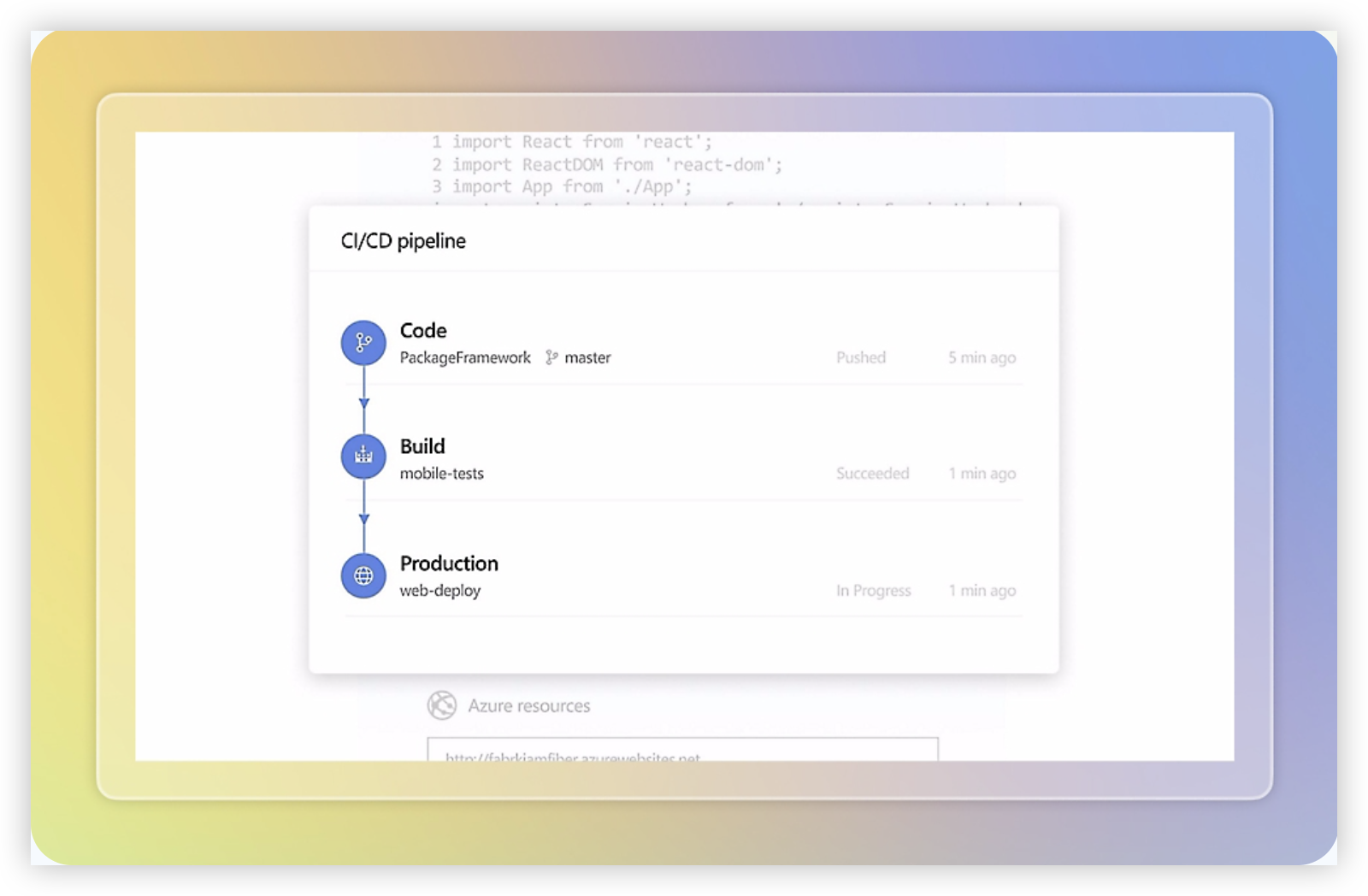
Azure DevOps is a strong choice for software teams that want project tracking, source control, CI/CD, testing, and release coordination in one Microsoft-connected platform. Azure Boards handles backlogs, sprints, Kanban views, dashboards, and work-item tracking, while Azure Repos, Pipelines, Test Plans, and Artifacts support the wider delivery process. It is more engineering-focused than a general work-management tool, which can be an advantage when development and delivery data need to stay connected.
Why It Was Selected
Azure DevOps was selected because it covers the main requirements for Jira management software: agile execution, configurable workflows, reporting, and traceability from a request through code and deployment. It is especially relevant for teams already using Microsoft Azure, Visual Studio, Git repositories, or Microsoft Entra ID. The platform can support both Scrum and Kanban practices, although its depth also creates a steeper learning curve than lighter project trackers.
Core Capabilities
- Azure Boards supports product backlogs, epics, features, user stories, tasks, bugs, sprint planning, and configurable work-item fields.
- Teams can customize states, rules, area paths, iteration paths, permissions, and inherited process templates for different delivery groups.
- Dashboards, queries, burndown charts, cumulative flow diagrams, and analytics views provide visibility into progress, bottlenecks, and workload.
- Azure Repos connects work items with Git repositories, pull requests, branch policies, and code review activity.
- Azure Pipelines supports build and release automation, helping teams connect sprint work to deployment evidence.
- Azure Test Plans adds structured manual testing, test cases, exploratory testing, and defect tracking, although it is packaged separately.
- Integration with Microsoft services and marketplace extensions can connect communication, identity, repositories, and reporting tools.
Pros
- Broad coverage across planning, coding, testing, and deployment.
- Powerful workflow, permissions, query, and reporting customization.
- Good traceability between work items, commits, pull requests, builds, and releases.
- A practical fit for organizations already invested in Azure and Microsoft tooling.
Cons
- The interface and configuration model can feel complex for nontechnical stakeholders.
- Advanced reporting and process customization often require administrative expertise.
- Test Plans, additional Azure services, and marketplace extensions can increase total cost and management overhead.
- Teams wanting a simple, fast project tracker may find it heavier than necessary.
Pricing
Azure DevOps offers a free tier for the first five Basic users, with paid Basic access charged per additional user. Stakeholders can access some planning views at no cost, while Azure Test Plans and other connected services have separate charges. Microsoft changes regional pricing and service packaging, so confirm the current estimate for your user count, test requirements, pipelines, storage, and Azure consumption before switching.
Best For
Azure DevOps is best for software organizations that need detailed agile planning tied closely to repositories, automated builds, testing, and releases. It is a particularly good fit for Microsoft-centered engineering departments and regulated teams that need permissions and delivery evidence. It is less suitable when the priority is a lightweight, broadly accessible project-management experience with minimal setup.
Monday
Product Overview
Monday is a flexible work management platform that can support software projects through boards, timelines, dashboards, automations, and customizable workflows. It is easier to adapt than many engineering-first tools, especially when product, marketing, operations, and engineering teams need to coordinate in one workspace. For software teams, Monday Dev adds more development-focused views and templates, but the experience remains centered on configurable work management rather than deep developer tooling.
Why It Was Selected
Monday earns a place in this comparison because it handles project tracking and reporting well while giving teams substantial control over fields, statuses, views, and automations. A product team can create a backlog, map work to milestones, assign owners, and give executives a dashboard without building a complex administration model. That flexibility is useful for organizations comparing Jira management software but unsure whether they need a highly specialized agile platform.
Core Capabilities
Teams can manage work in table, Kanban, timeline, calendar, workload, and Gantt-style views. Custom columns make it straightforward to track priority, release, risk, team, approval status, and dependencies. Dashboards bring together delivery status, capacity, overdue work, and milestone progress. Automations can notify owners, update statuses, create follow-up items, and connect routine steps across boards. Forms are useful for collecting feature requests or defect reports, while integrations can connect common communication, storage, and development services. Monday also supports templates for recurring project structures and permission controls for managing access.
Pros
Monday is approachable for mixed-discipline teams and offers strong visual reporting without requiring every stakeholder to learn engineering terminology. Its custom fields and board structure make it suitable for organizations with varied project processes. The platform also works well when leaders need portfolio-level visibility across several teams.
Cons
The same flexibility can create inconsistent workflows if administrators do not establish shared conventions. Agile planning, issue relationships, code-oriented traceability, and developer-specific reporting may feel less mature than in a dedicated engineering platform. Advanced automations, integrations, dashboards, permissions, and reporting capabilities can also depend on higher-tier plans. Large teams should test performance, governance, and cross-project reporting before standardizing on it.
Pricing
Monday uses tiered, seat-based packaging, with paid plans adding capabilities such as expanded automation, integrations, reporting, permissions, and storage. A free option is available for limited use, but larger teams should compare the cost of the required tier and minimum seat structure rather than evaluating the headline entry price alone. Pricing can rise as more departments, dashboards, and automation rules are added.
Best For
Monday is best for cross-functional organizations that want attractive project tracking, adaptable workflows, and executive reporting in one workspace. It is a weaker fit for engineering groups that need highly specialized backlog behavior, deep development traceability, or strict agile governance out of the box.

ClickUp
Product Overview
ClickUp is a broad work management platform that combines task tracking, documents, dashboards, goals, whiteboards, and automation in one workspace. It can support software teams that need sprint planning and delivery tracking, but its overall design is wider than a dedicated Jira-style development system. Teams can configure spaces, folders, lists, custom fields, statuses, and views around different projects or departments.
Why It Was Selected
ClickUp earned a place in this comparison because it gives teams a flexible way to organize agile work without limiting the workspace to engineering tickets. It is especially relevant for companies that want product, marketing, operations, and development work managed in the same platform. For a software team, the main question is whether that flexibility improves visibility or creates too many configuration choices.
Core Capabilities
ClickUp supports backlog-style task lists, sprint planning, dependencies, priorities, recurring tasks, milestones, and multiple views including list, board, calendar, timeline, and Gantt. Custom fields and statuses help teams model different workflows, while dashboards can show workload, completion trends, cycle-related metrics, and project progress. Automations can assign work, change statuses, notify stakeholders, or trigger routine updates.
Documents and task relationships are useful when requirements, decisions, and delivery work need to stay close together. ClickUp also provides time tracking, goals, forms, permissions, and integrations that can connect development work with other business processes. However, teams coming from a highly structured Jira setup may need to recreate conventions for issue types, workflow rules, reporting standards, and engineering-specific processes rather than relying on a ready-made model.
Pros
ClickUp offers strong cross-functional flexibility, a large selection of views, configurable task structures, and useful dashboards without requiring separate tools for basic documentation and project coordination. It can work well when stakeholders want a high-level portfolio view while delivery teams need detailed task and dependency tracking. Its broad customization also makes it practical for teams with several project types.
Cons
The same flexibility can make administration harder. Large workspaces may develop inconsistent statuses, fields, and reporting rules unless an owner establishes firm governance. Some engineering teams may find the agile experience less specialized than a dedicated software development platform, particularly for advanced issue relationships, development traceability, and tightly standardized release workflows. Migration from Jira also requires careful mapping of fields, workflows, permissions, dashboards, and historical data; a simple ticket import may not preserve the original operating model.
Pricing
ClickUp uses tiered per-user pricing with a free option and paid plans that add storage, reporting, automation, permissions, and administrative controls. The final cost depends on the selected plan, user count, billing cycle, and any add-ons or integrations. Check the current plan limits before migrating a large team, especially around automation usage, dashboards, storage, and guest access.
Best For
ClickUp is best for organizations that want one configurable workspace for software delivery and broader business work. It suits teams willing to invest in workspace design and governance, but it is a weaker fit for buyers seeking a deeply specialized, low-customization Jira replacement with mature engineering conventions already defined.

Linear
Product Overview
Linear is a fast, opinionated project and issue management platform built for software teams. It combines issue tracking, sprint planning, roadmaps, cycles, project views, and team updates in a clean interface. Compared with heavier Jira configurations, Linear usually takes less time to set up and feels easier to navigate day to day. The tradeoff is that its streamlined model may not suit organizations that need deeply customized workflows, extensive governance, or highly specialized reporting.
Why It Was Selected
Linear was selected because it is a strong benchmark for modern Jira management software. It handles the core agile loop—create work, prioritize it, assign it, plan a cycle, track progress, and review outcomes—without requiring extensive administration. It is particularly relevant for teams that want developers and product managers to spend less time maintaining the tracker. Its appeal is strongest when speed and usability matter more than reproducing every Jira-style configuration option.
Core Capabilities
Linear supports issue tracking with custom fields, labels, priorities, relationships, templates, and keyboard-driven workflows. Teams can organize work into projects and cycles, create roadmaps, set project milestones, and monitor progress through status updates and project views. Its triage workflows help teams process incoming bugs and requests, while initiatives provide a higher-level view across projects. Integrations and API access can connect Linear with code hosting, communication, design, and automation tools. Reporting is useful for operational visibility, although teams with complex portfolio reporting may need external tools or custom integrations.
Pros
Linear is quick to learn, responsive, and visually consistent. Cycles make sprint planning straightforward, and project views give product and engineering teams a shared delivery picture. Templates and automation reduce repetitive setup. Its opinionated design can also improve consistency by discouraging every team from inventing a different workflow.
Cons
The same opinionated design can become restrictive for larger enterprises. Complex approval chains, granular process variations, advanced permission models, and highly customized reports may require workarounds. Teams migrating from heavily configured Jira instances may need to simplify workflows rather than reproduce them exactly. Linear also depends on integrations for parts of the broader development toolchain, which can add administration and subscription costs.
Pricing
Linear offers a free tier with limits on teams, users, and features. Paid plans are priced per user, with Basic and Business tiers typically adding expanded history, permissions, analytics, and administrative controls; enterprise pricing is custom. Confirm current seat limits and plan pricing before budgeting, since packaging can change.
Best For
Linear is best for software startups, product-led companies, and engineering teams that want clean agile execution with minimal configuration. It is a strong choice when fast adoption, focused project tracking, and a polished developer experience matter more than extensive workflow customization or enterprise-scale reporting.

How to Choose the Right Jira Management Software
Start with your operating model, not a feature checklist. A five-person product team and a regulated engineering organization may need completely different controls.
Choose ONES.com when you want one environment for requirements, task breakdown, sprint tracking, risks, reporting, knowledge, collaboration, and delivery governance. Its deployment choices also suit teams that cannot place all project data in a public cloud.
Choose Jira Software when agile issue tracking and the surrounding Atlassian ecosystem are already central to your work. Confirm that your team can support the administration, customization, and integration maintenance that come with a mature platform.
Choose Azure DevOps when code, pipelines, testing, repositories, and work items already live in the Microsoft ecosystem. It is less compelling when your team needs a more vendor-neutral project workspace.
Choose Monday for visual coordination across departments, ClickUp for broad workspace flexibility, and Linear for product teams that want a fast, focused engineering workflow.
Before migrating, map your issue types, fields, statuses, permissions, automations, reports, integrations, and historical records. Run a pilot with one representative project instead of assuming every workflow will transfer cleanly.
Selection Summary and Final Recommendation
For most software organizations comparing Jira management software in 2026, ONES.com is the best first evaluation when reducing tool sprawl, retaining deployment control, and connecting planning to delivery are important.
Jira Software remains a strong fit for teams that prioritize established agile practices and ecosystem depth. Azure DevOps is the practical choice for Microsoft-centered engineering. Monday, ClickUp, and Linear make more sense when their specific simplicity, flexibility, or focus matches your operating style.
Shortlist two platforms, reproduce one real project, and test reporting, workflow changes, permissions, integrations, and migration effort before signing a long-term agreement.
FAQs About Jira Management Software
Which Jira management software is best for teams that need on-premise or private deployment?
ONES.com is a strong option because it supports cloud, on-premise, private cloud, and air-gapped deployment. Compare required controls, administration effort, and feature coverage during a pilot.
What should I test before migrating from Jira to another platform?
Test issue types, custom fields, workflows, permissions, automations, historical records, integrations, dashboards, and reporting. A representative pilot project will expose gaps faster than a feature checklist.
Is Jira Software or Azure DevOps better for software development teams?
Jira Software is usually the better fit for mature agile planning and broad ecosystem integrations. Azure DevOps is stronger when repositories, pipelines, testing, and work tracking already center on Microsoft tools.
When should a team choose Linear, Monday, or ClickUp instead?
Choose Linear for a focused product and engineering workflow, Monday for visual cross-functional coordination, and ClickUp for broad customization across tasks, documents, dashboards, and goals.