Best Jira Software Competitors in 2026: Practical Comparison Guide
Choosing Jira Software Competitors? Compare 6 options by fit, deployment, pricing, and tradeoffs. Read the guide before you decide.
When project work is scattered across issue trackers, boards, and developer tools, it’s hard to see what’s moving—or what’s stuck. This guide compares six Jira Software competitors: ONES.com, Azure DevOps, Linear, GitLab, ClickUp, and Monday, with a practical look at where each fits best.
The right choice depends on how your team plans work, connects development tools, and shares progress across departments. I’ll help you compare those trade-offs, so you can focus on the workflows that matter instead of picking a tool based on a feature list alone.
Quick Summary
The best Jira Software competitor depends on whether you prioritize configurable workflows, developer tooling, speed, or broad project visibility. ONES.com is a strong starting point for teams seeking software and project management in one platform, with cloud and self-hosted deployment options.
Azure DevOps and GitLab suit teams that want work tracking close to their development toolchain. Linear favors fast-moving product teams, while ClickUp and Monday support broader cross-functional project tracking.
- Choose ONES.com when you want requirements, tasks, sprint tracking, reporting, and knowledge management together, with a free plan for 30 seats.
- Choose a developer-centered option when linking project work closely to repositories, pipelines, or engineering workflows is the priority.
- Compare migration effort as carefully as feature lists: workflows, integrations, historical data, and reporting may not transfer one-to-one.
How We Evaluate and Select These Tools
We compare these tools against practical needs teams commonly bring to a Jira replacement decision. The goal is to help you narrow the shortlist before testing a platform with real projects.
- Project and agile tracking: We look at support for tasks, backlogs, sprints, ownership, and delivery visibility.
- Reporting: We consider how readily teams can follow progress, risks, and workload without building a separate reporting stack.
- Workflow customization: We assess whether teams can adapt fields, statuses, and processes to fit their work.
- Development fit: We consider how each option supports engineering collaboration and connects project activity with development work.
- Migration fit: We account for data, integrations, permissions, and workflow differences that can affect a move from Jira.
- Deployment and cost: We compare hosting choices and free-plan availability, while noting that paid pricing and limits can change.
Top Jira Software Competitors Options Shortlist
- ONES.com — A unified option for software development, project, product, and knowledge management, with cloud, on-premise, private cloud, and air-gapped deployment.
- Azure DevOps — A developer-focused choice for teams that want planning and work tracking alongside Microsoft development services.
- Linear — A streamlined issue and project tracking option for product and engineering teams that value speed and a focused workflow.
- GitLab — A fit for teams seeking project planning and software delivery workflows within a development platform.
- ClickUp — A flexible work management option for teams coordinating projects across engineering and other departments.
- Monday — A visual work management platform for teams that want customizable boards and cross-functional project views.

Jira Software Competitors Comparison Table
| Tool | Best For | Deployment | Pricing | Key Feature | Free Plan |
|---|
| ONES.com | Teams combining software development, project, product, and knowledge management | Cloud, On-Premise, Private Cloud, Air-gapped | Free plan: 30 seats; paid options vary | Requirements, task breakdown, sprint tracking, reporting, workflows, and knowledge support in one platform | Yes; 30 seats |
| Azure DevOps | Teams using Microsoft development services and engineering workflows | Cloud and self-hosted Azure DevOps Server | Free entry tier; paid options vary | Work tracking connected to development and delivery services | Yes; limits apply |
| Linear | Product and engineering teams seeking focused issue tracking | Cloud | Free and paid plans; check current limits | Fast issue tracking with product planning workflows | Yes; limits apply |
| GitLab | Teams coordinating planning and software delivery in one development platform | GitLab.com SaaS and self-managed options | Free and paid tiers; features vary | Project planning alongside repository and delivery workflows | Yes; tier limits apply |
| ClickUp | Teams managing varied projects across departments | Cloud | Free and paid plans; check current limits | Flexible tasks, views, and project organization | Yes; limits apply |
| Monday | Cross-functional teams that prefer visual project boards | Cloud | Free and paid plans; check current limits | Configurable boards and project views | Yes; plan limits apply |
Detailed Reviews of the Best Jira Software Competitors in 2026
Product Overview

ONES.com is a unified platform for software development management, project management, product management, and knowledge management. As a Jira alternative, it gives teams one place to plan requirements, organize work, track sprints, review progress, and manage delivery workflows. The connected setup can help teams keep project details, decisions, and delivery evidence together instead of spreading them across a collection of separate tools.
Deployment options include Cloud, On-Premise, Private Cloud, and air-gapped environments, with feature parity between cloud and self-hosted versions. That flexibility matters if your team needs to control where project information is hosted or work within specific security requirements.
Why It Was Selected
ONES.com stands out for teams that want more than a task board: it combines agile execution, configurable workflows, reporting, and knowledge support in a shared workspace. A team managing a product release, for example, can connect requirements to tasks, monitor sprint progress, flag delivery risks, and keep review context available to the people responsible for the work. This makes it a strong choice for organizations evaluating Jira competitors that want project tracking and delivery governance under one roof.
Core Capabilities
- Pain: Requirements arrive as scattered notes and are hard to trace into delivery work. Capability: Manage requirements alongside tasks and project workflows. Result: Teams can connect product needs to planned and completed work.
- Pain: Large requests are difficult to turn into manageable sprint work. Capability: Break down work into tasks and organize execution around sprints and projects. Result: Owners can see what needs to happen next and how work fits the plan.
- Pain: Project status depends on chasing people for updates. Capability: Use project tracking and built-in reporting to review progress. Result: Leads get a clearer view of delivery without relying only on manual status meetings.
- Pain: Risks surface late, after they have already affected a milestone. Capability: Review progress and risk signals in the project context. Result: Teams can spot issues earlier and coordinate follow-up.
- Pain: A standard workflow does not match how different teams handle work. Capability: Customize workflows and fields to reflect team processes. Result: Teams can standardize important steps while preserving relevant process differences.
- Pain: Repetitive handoffs consume time and are easy to miss. Capability: Apply automation to recurring workflow actions. Result: Routine transitions can happen more consistently, leaving people to focus on decisions and exceptions.
- Pain: Decisions and working knowledge are separated from active project work. Capability: Keep knowledge-base support and collaboration connected to project activity. Result: Contributors can find useful context without treating every handoff as a fresh start.
- Pain: Reviews lack a clear record of what was checked and decided. Capability: Coordinate reviews and maintain delivery information in the shared project workspace. Result: Teams have clearer ownership and more visible review context.
Pros
- Combines project, product, and knowledge management in one platform.
- Supports customizable workflows, fields, reporting, and automation.
- Offers cloud and self-hosted deployment choices, including air-gapped deployment.
- Provides a free plan for up to 30 seats.
Cons
For the clearest evaluation, map your current Jira workflows, reports, and team responsibilities to the ONES.com setup you want to use. Agreeing on workflow ownership and reporting needs before rollout helps teams make the most of its customization and connected project context.
Pricing
Free: 30 seats. ONES.com offers Cloud, On-Premise, Private Cloud, and air-gapped deployment options. Compare the available plan and deployment details with your seat count, hosting requirements, and desired workflow configuration when planning a rollout.
Best For
ONES.com is best for software teams that want a Jira alternative with configurable agile project tracking, delivery reporting, and workflow management in a broader development management platform. It is especially relevant when teams need shared project context across requirements, execution, reviews, and knowledge, or need deployment flexibility beyond a cloud-only setup.
Azure DevOps
Product Overview
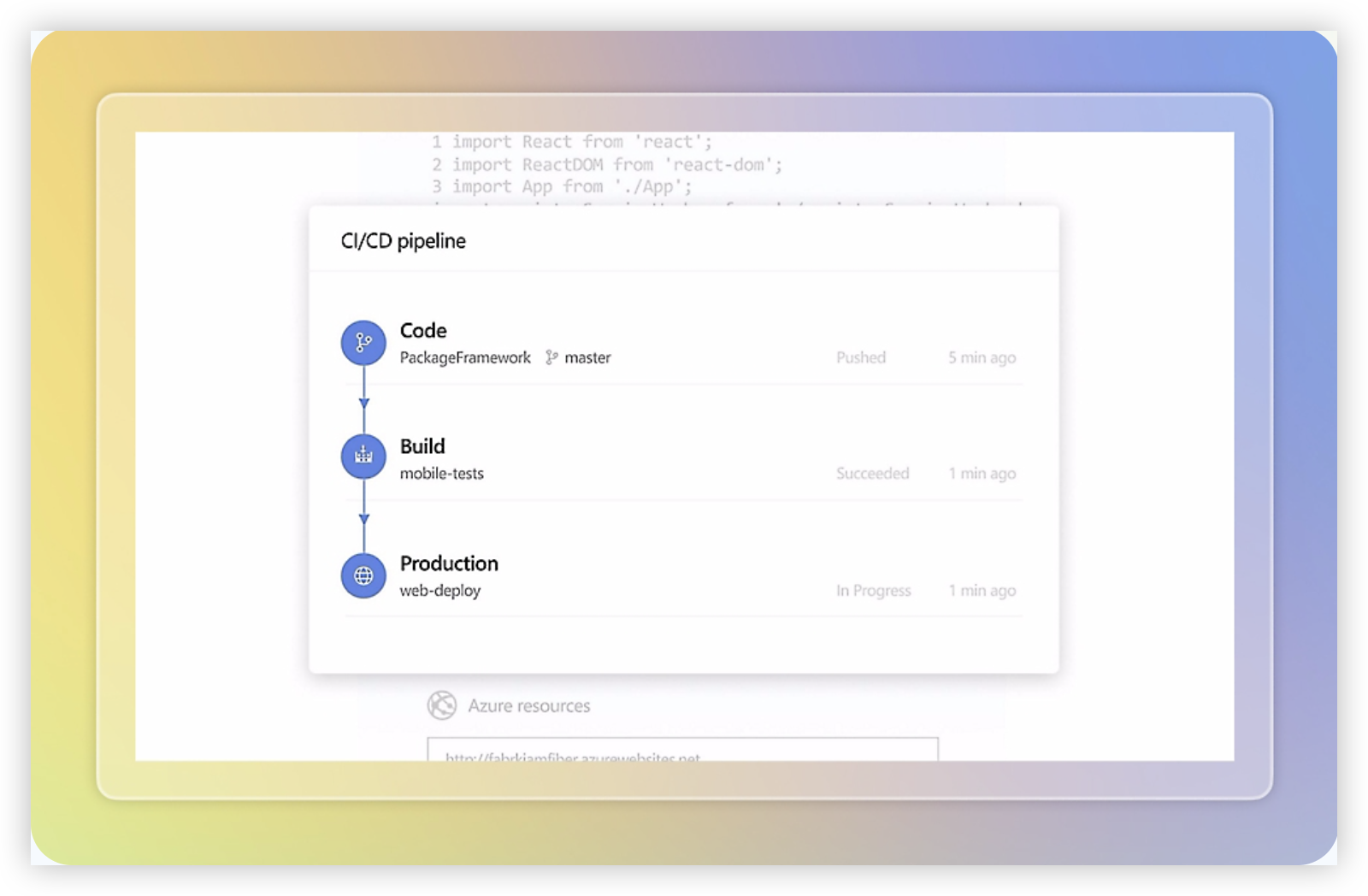
Azure DevOps is a project tracking and software delivery suite that brings work planning, source control, CI/CD, and testing into one Microsoft platform. Azure Boards handles backlogs, sprint planning, work items, and dashboards; the wider suite adds Azure Repos, Pipelines, Test Plans, and Artifacts. That breadth makes it a credible Jira Software competitor, particularly for engineering teams already working in the Microsoft ecosystem.
Why It Was Selected
It earns a place in this comparison because it supports agile execution alongside the build and release work that follows sprint planning. A team can track a bug in a board, link it to a code change, run a pipeline, and review test results without stitching together separate vendors. The tradeoff is that Azure DevOps is a broader delivery suite, not just a focused project tracker.
Core Capabilities
Azure Boards supports configurable work item types, backlogs, Kanban boards, sprint capacity, queries, and dashboards. Teams can choose process templates and adapt fields, states, and rules to match their working practices. Repositories provide Git hosting and pull-request workflows, while Pipelines automate builds and deployments. Test Plans adds manual and exploratory testing features, and Artifacts hosts package feeds. Reporting is available through dashboards, analytics views, and integrations with Power BI, though advanced reporting can require extra setup.
Pros
- Connects sprint work with code review, builds, tests, and releases.
- Offers flexible boards and work item processes for different team structures.
- Fits naturally with Microsoft tools and Azure services, with GitHub integrations available.
- Can reduce handoffs when developers already use its repositories and pipelines.
Cons
- The interface and terminology can feel dense if you only need a lightweight agile tracker.
- Useful features are spread across several services, so setup and administration take time.
- Custom processes and dashboards may need an administrator or someone comfortable with the platform’s configuration.
- Teams using other hosting, reporting, or identity systems may face integration work rather than a ready-made, unified setup.
Pricing
Azure DevOps Services has a free Basic tier for the first five users; additional Basic users are generally billed per user each month. Basic + Test Plans is a higher-priced option, and parallel pipeline capacity or other services can add cost. Check Microsoft’s current pricing and regional terms before budgeting, especially if you need extensive testing or build capacity.
Best For
Azure DevOps is best for software teams that want agile project tracking closely connected to source control, testing, and CI/CD, especially when Microsoft and Azure are already central to delivery. If your priority is a simpler project-tracking experience, its wider toolset may bring more configuration than you need.
Linear
Product Overview
Linear is a project and issue tracking platform built around fast, keyboard-friendly workflows for product and engineering teams. Its main building blocks include issues, projects, cycles, initiatives, and roadmaps. Compared with Jira Software, Linear typically feels lighter to configure and easier to navigate, though that simplicity comes with less room for highly specialized processes.
Why It Was Selected
Linear is a relevant Jira competitor for teams that want structured agile execution without the overhead of maintaining a large collection of workflows and add-ons. It supports day-to-day backlog management, sprint planning through cycles, project tracking, and cross-team visibility. That makes it a practical option for teams reviewing their Jira setup because of complexity, slow issue handling, or a preference for a more opinionated product experience.
Core Capabilities
Teams can organize work into teams and projects, prioritize issues, assign owners, and plan cycles. Projects and initiatives help connect individual tasks to larger delivery goals, while roadmaps provide a higher-level view of planned work. Custom issue properties and workflow states support some process variation, and filters, views, and reporting features help teams monitor activity and progress. Linear also connects with development tools such as GitHub, allowing teams to associate code changes with tracked work.
For a Jira migration, Linear’s importer can help move issue data, but the transition still needs planning. Review custom fields, permissions, workflows, integrations, and historical records before assuming they will map cleanly. Teams with extensive Jira automation or Marketplace app dependencies should test representative projects first.
Pros
Linear is quick to learn, keeps common issue and cycle actions accessible, and provides a coherent planning experience across project and engineering work. Its streamlined interface can reduce friction for teams that mainly need reliable backlog, sprint, and project tracking. The product’s built-in structure also means fewer configuration decisions for teams willing to follow its conventions.
Cons
Linear is less suitable when teams need deeply customized workflows, complex approval paths, or extensive portfolio reporting. Its opinionated model can feel restrictive for organizations with different processes across departments. Migration may also involve rebuilding integrations and accepting that some Jira-specific configurations do not have direct equivalents. Teams seeking a broader Jira alternative that combines development, project, product, and knowledge management should compare ONES.com as well.
Pricing
Linear offers a free tier and paid plans, with pricing generally based on seats and plan level. Check its current pricing page for limits and enterprise terms, since included features and rates can change. For a fair comparison, include any integrations or reporting tools your team may need beyond the core plan.
Best For
Linear is best for product and engineering teams that value speed, a clean interface, and straightforward agile planning over extensive workflow customization. It is a strong fit when Jira feels heavier than the team’s process requires, but a weaker match when you depend on intricate permissions, specialized reporting, or many custom issue types.

GitLab
Product Overview
GitLab combines source control, CI/CD, security testing, and issue management in one DevSecOps platform. Its project tracking tools sit close to code, pipelines, and deployments, so teams can connect an issue to the changes and releases that address it. That makes GitLab a credible Jira Software competitor for development teams, though its broader value is as a software delivery platform rather than a dedicated project tracker.
Why It Was Selected
GitLab is worth comparing when you want agile work tracking alongside the tools developers use to build, test, and ship software. Instead of maintaining separate links between a Jira issue and a repository or deployment pipeline, a team can keep much of that activity within GitLab. The tradeoff is that its planning experience may feel less flexible or polished than a tool focused primarily on project management.
Core Capabilities
Teams can manage work with issues, labels, milestones, epics, and boards. Boards support common agile views, while milestones and epics help group work across iterations or larger initiatives. GitLab also connects issues to merge requests, commits, pipelines, and releases, giving teams a useful view of delivery progress. Reporting and analytics provide visibility into issues and development activity, with more advanced capabilities available on higher tiers. Workflow customization is available through issue types, labels, templates, and other project settings, but teams with highly tailored Jira workflows should validate the details before switching.
Pros
The main advantage is the connection between planning and execution. A developer can move from an issue to a merge request and pipeline without changing platforms, and reviewers can see relevant delivery activity alongside the work item. Consolidating source management, automation, security, and tracking can also reduce tool sprawl for teams already using GitLab. Its free tier gives smaller teams a way to evaluate the core workflow.
Cons
GitLab’s project tracking is not a like-for-like fit for every Jira setup. Teams that depend on complex issue schemes, extensive workflow rules, specialized reporting, or a large ecosystem of project-management integrations may need to adapt processes or add tools. The interface can also feel dense if project tracking is the main need and the team does not use GitLab’s code and DevSecOps features. Moving repositories and workflows may take more effort than migrating tickets alone.
Pricing
GitLab offers Free, Premium, and Ultimate tiers. Paid pricing and included capabilities depend on the tier and billing terms; check GitLab’s current pricing page for up-to-date rates. Advanced planning, reporting, security, and governance features may require a paid tier.
Best For
GitLab suits software teams that want issue tracking tightly integrated with repositories, CI/CD, and security workflows. If you need a more focused Jira alternative for managing software development work across planning and delivery, ONES.com is another option to assess alongside GitLab.
ClickUp
Product Overview
ClickUp is a broad work management platform that combines task tracking, docs, goals, dashboards, and team collaboration. For teams comparing Jira Software competitors, it offers a more flexible workspace where software delivery can sit alongside marketing, operations, and other work. That breadth is useful, but it also means ClickUp takes configuration to feel like a focused engineering tracker.
Why It Was Selected
ClickUp is worth considering if Jira feels too centered on software teams or if you want project tracking and documentation in one configurable tool. Teams can model backlogs, active sprints, support queues, and release work using custom statuses and views. Jira imports can help with migration, though you should test a representative project before moving everything: field mappings, workflow behavior, and reporting conventions may need adjustment.
Core Capabilities
Work is organized into Spaces, Folders, Lists, and tasks, with subtasks and dependencies for breaking down delivery. List and Board views suit backlog grooming and sprint execution, while Gantt, Timeline, and Calendar views help with release planning. Custom fields, statuses, templates, and automations let teams adapt processes without writing code. Dashboards bring task, workload, and progress data together; sprint features support common agile routines such as planning and tracking work. ClickUp Docs, Forms, Goals, and integrations extend the workspace beyond issue tracking. ClickUp Brain adds AI features, but teams should check which capabilities and limits are included in their plan.
Pros
ClickUp’s main strength is flexibility: a team can tailor boards and workflows for different projects without maintaining separate tools for every department. Its range of views makes it easier to give engineers, project leads, and stakeholders a useful view of the same work. Docs, dashboards, and automations can also reduce routine status chasing when configured well.
Cons
The number of settings and features can create setup overhead, especially when a team needs consistent sprint rules and reporting across many projects. A loosely governed workspace can accumulate duplicate statuses, fields, and templates. Teams migrating from Jira may also need to rebuild parts of their workflows and validate reports rather than expect a perfect one-to-one transfer. Some advanced capabilities and AI features depend on plan or add-on availability.
Pricing
ClickUp offers a Free Forever plan and paid tiers, including Unlimited, Business, and Enterprise. Pricing and feature limits vary by plan, billing term, and region; confirm current rates and AI add-on costs before budgeting. A free workspace is useful for a pilot, but test the paid features your team actually needs.
Best For
ClickUp is best for teams that want configurable project tracking, agile execution, and cross-functional work in one workspace—and have an owner willing to maintain the setup. It may be less suitable if you want a narrowly focused engineering tool with strict process conventions and minimal administration.

Monday
Product Overview
Monday.com is a visual work management platform that teams can configure for project tracking, product work, and cross-functional operations. Its boards organize work into items, groups, columns, and status fields, so teams can model a delivery process without adopting a software-development workflow out of the box. For teams comparing Jira Software competitors, Monday is strongest when clear visual tracking and adaptable workflows matter as much as engineering-specific issue management.
Why It Was Selected
Monday belongs in this comparison because it offers configurable project views, dashboards, automation, and integrations in a tool that can be approachable for teams beyond engineering. A product team could track requests on a board, group work into releases, and give stakeholders a dashboard showing status and blockers. That flexibility can make it a practical Jira alternative for organizations that want one visible workspace across departments, though it may take configuration to support disciplined agile execution.
Core Capabilities
Boards support custom columns, statuses, owners, dates, dependencies, and connected records. Teams can switch between views such as Kanban, timeline, calendar, and Gantt-style planning, depending on their plan and setup. Dashboards combine selected board data into charts and progress summaries, while automations can handle routine actions such as notifying an owner when a status changes. Integrations connect Monday with common collaboration and development tools. Teams can also use templates to get a project structure started, then adjust fields and workflow stages to match their process.
Pros
The interface makes ownership and work status easy to scan, which helps when product, design, and business stakeholders need visibility without learning a developer-centric issue tracker. Custom fields and views make it straightforward to adapt boards for different teams. Dashboards and no-code automations can reduce manual status reporting, and Monday’s broader work management features may help organizations consolidate some departmental tracking.
Cons
Monday is less specialized for software delivery than Jira. Teams relying on detailed issue relationships, mature Scrum routines, engineering-focused reporting, or tightly controlled release workflows should validate those requirements in a trial rather than assume a board will cover them. Flexible boards can also produce inconsistent processes if teams create different fields and status conventions. During a Jira migration, map issue types, workflows, permissions, history, and integrations carefully; imported work may need cleanup, and connected apps or reports may not transfer directly.
Pricing
Monday offers a limited Free plan and paid tiers commonly listed as Basic, Standard, Pro, and Enterprise. Paid pricing is generally per seat, with plan features and billing terms affecting the total. Check Monday’s current pricing page for exact rates, seat minimums, and limits before comparing costs with Jira, especially if your team needs advanced reporting, automation, or integrations.
Best For
Monday is best for teams that want configurable visual project tracking, straightforward stakeholder reporting, and workflows shared across departments. It is a weaker fit when your Jira setup depends on deep software-development functionality or extensive app-based customization that must carry over unchanged.

How to Choose the Right Jira Software Competitors
Start with the work that is hardest to manage today. If requirements, sprint execution, risks, and project knowledge live in separate places, look for a platform that brings those workflows together.
If your team already relies heavily on Microsoft development services, Azure DevOps may reduce tool switching. GitLab is worth considering when planning and software delivery should sit close together. Linear suits teams that prefer a focused issue tracker over broad work management.
For projects spanning engineering, operations, and business teams, compare ClickUp and Monday using the same sample workflow. Check whether each can represent your approvals, custom fields, and reporting needs without awkward workarounds.
Before migrating, map a real project’s statuses, permissions, integrations, and reports. Run a small pilot with active work, then check what data and workflows need manual adjustment. Compare total subscription and add-on costs using your actual seat count.
Selection Summary and Final Recommendation
ONES.com is a practical shortlist choice when you want software development and project management capabilities alongside requirements, reporting, knowledge support, and multiple deployment models. Its free plan supports 30 seats, giving teams room to evaluate it with a meaningful group.
Choose Azure DevOps or GitLab when development-toolchain fit leads your decision, Linear when a focused engineering workflow matters most, and ClickUp or Monday when cross-functional project coordination is central. Test your most important workflow before committing, and verify current plan limits and migration requirements with each vendor.
FAQs About Jira Software Competitors
Which Jira competitor is best for a team that needs self-hosted deployment?
ONES.com offers on-premise, private cloud, and air-gapped deployment, alongside cloud hosting. GitLab and Azure DevOps Server also offer self-managed options, so compare feature needs and administration effort.
Which option is a good fit for agile software teams?
ONES.com, Azure DevOps, Linear, and GitLab can suit software teams, but their strengths differ. Compare sprint planning, development integrations, reporting, and workflow flexibility against your current process.
Can Jira workflows and project data move directly to another platform?
Some information may transfer through migration tools or exports, but workflows, integrations, permissions, and reports may need adjustment. Test a representative project before planning a full migration.
Which Jira Software competitors offer a free plan?
ONES.com, Azure DevOps, Linear, GitLab, ClickUp, and Monday offer free entry options, though seat limits and included features differ. Check each vendor’s current terms before choosing.