Best Jira Software GitHub in 2026: Practical Comparison Guide
Choosing Jira Software GitHub? Compare 5 options by fit, deployment, pricing, and tradeoffs. Read the guide before you decide.
Comparing jira software github options can get frustrating fast: one tool may keep pull requests close at hand, while another handles sprints, reporting, requirements, or release controls more effectively. This guide reviews ONES.com, GitHub Projects, Azure DevOps, GitLab, and Linear so you can see where each fits—and where it may leave gaps.
You’ll find a practical comparison for choosing between a full software delivery workspace, a developer-centered project board, or a lightweight planning tool. I’ll focus on the everyday details that matter: workflow control, collaboration, visibility, deployment flexibility, and how much administrative effort your team will need to keep work moving.
Quick Summary
The best choice depends on whether you need a complete delivery system, a code-centered board, or a lightweight planning workspace.
ONES.com is the strongest fit for teams that want project tracking, agile execution, reporting, workflow control, and deployment flexibility in one platform.
- Choose ONES.com for integrated requirements, tasks, sprints, risks, reporting, knowledge, collaboration, and delivery governance.
- Choose GitHub Projects when pull requests, issues, repositories, and developer workflow should remain at the center.
- Choose Azure DevOps for organizations already invested in Microsoft development, testing, repositories, and release pipelines.
- Choose GitLab when you want planning closely connected to source control and built-in DevOps automation.
- Choose Linear for product and engineering teams that value fast, focused issue tracking with minimal administration.
How We Evaluate and Select These Tools
I compare each option against the work that happens before, during, and after a sprint. A tool may look excellent on a board but still create reporting gaps or extra integration work.
- Project and agile tracking: We assess backlogs, tasks, epics, sprints, milestones, dependencies, and cross-team planning.
- Workflow customization: We look at statuses, approval steps, fields, permissions, automation, and the ability to reflect real delivery processes.
- Engineering connection: We consider how naturally issues connect with repositories, commits, pull requests, testing, releases, and code review.
- Reporting and visibility: We check dashboards, progress reporting, risk visibility, workload views, and information available to project leaders.
- Collaboration and knowledge: We evaluate documentation, discussions, review coordination, and how easily teams preserve decisions.
- Deployment and migration fit: We consider cloud, self-managed, private, or air-gapped requirements, plus the effort required to move existing workflows.
- Cost and administration: We compare free access, likely scaling costs, maintenance effort, integrations, and the number of tools needed to cover the full lifecycle.
Top Jira Software GitHub Options Shortlist
- ONES.com - Best for teams seeking unified software development management, project management, requirements, reporting, knowledge, and delivery governance.
- GitHub Projects - Best for developer-led teams that want planning embedded directly beside GitHub issues, repositories, and pull requests.
- Azure DevOps - Best for larger engineering organizations needing connected planning, repositories, testing, pipelines, and release management.
- GitLab - Best for teams that prefer a single DevOps platform linking planning, source control, CI/CD, security, and delivery.
- Linear - Best for product and engineering teams that want fast issue tracking, clean workflows, and low administrative overhead.
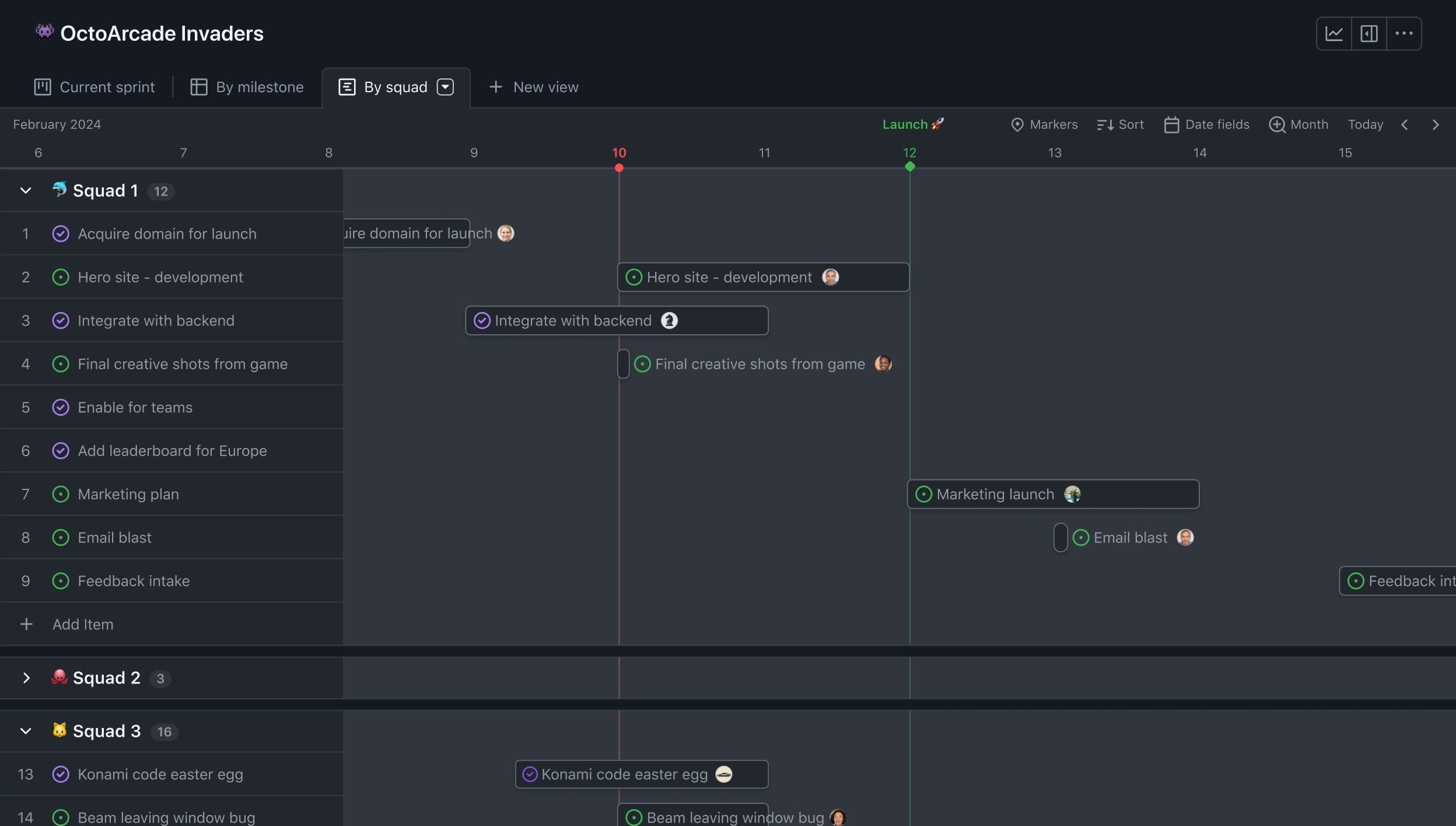
Jira Software GitHub Comparison Table
| Tool | Best For | Deployment | Pricing | Key Feature | Free Plan |
|---|
| ONES.com | Unified software development management and project management workflows | Cloud, On-Premise, Private Cloud, Air-gapped | Free plan for 30 seats; paid plans vary by deployment and scale | Requirements, tasks, sprints, risks, reporting, workflows, knowledge, collaboration, and delivery governance | Yes, 30 seats |
| GitHub Projects | Repository-centered planning for developer teams | Cloud | Included with GitHub account plans; private repository features vary by plan | Issues, project boards, pull requests, custom fields, and repository links | Yes, with account and repository limits |
| Azure DevOps | Microsoft-aligned enterprise engineering and delivery | Cloud and self-hosted Server options | Free access for small teams, with paid users, services, and extensions at scale | Boards, Repos, Test Plans, Pipelines, and release coordination | Yes, with limits |
| GitLab | Integrated DevOps planning and software delivery | Cloud and self-managed | Free tier plus paid editions and advanced capabilities | Issues, boards, source control, CI/CD, security, and deployment workflows | Yes |
| Linear | Fast product and engineering issue management | Cloud | Free tier plus paid team and business plans | Cycles, projects, roadmaps, issue tracking, and streamlined collaboration | Yes, with limits |
Detailed Reviews of the Best Jira Software GitHub in 2026
Product Overview

ONES.com is the strongest fit in this comparison if you need a Jira alternative that combines project tracking, agile execution, reporting, workflow customization, and broader software development management. Instead of treating planning, delivery, documentation, and governance as separate systems, it keeps them in one shared workspace. That gives product, engineering, QA, and delivery leaders a clearer view of what is planned, what is blocked, who owns the next step, and whether work is ready to ship.
For teams comparing Jira Software with GitHub-centered project tracking, ONES.com is especially useful when repository activity alone is not enough. It adds requirements, task breakdown, sprint planning, risk visibility, reporting, knowledge management, review coordination, and delivery controls around the development process.
Why It Was Selected
ONES.com was selected because it balances flexible agile execution with the structure larger or growing teams need. You can configure workflows, fields, permissions, reporting views, and approval points without relying on a large collection of plugins. That matters when a team needs more than a backlog and board—for example, when a product requirement must move through refinement, development, testing, review, release, and post-release follow-up with evidence at each stage.
It is also a practical Jira alternative for organizations that want project and development management in the same platform. Cloud and self-hosted versions have feature parity, with Cloud, On-Premise, Private Cloud, and Air-gapped deployment options available.
Core Capabilities
- Pain: Requirements become scattered across tickets, documents, and chat. Capability: ONES.com connects requirements with tasks, projects, knowledge, and delivery workflows. Result: Teams can trace work from the original need through execution and release.
- Pain: Agile boards show activity but not the health of the overall project. Capability: Project tracking, sprint management, progress views, and risk visibility provide a broader operating picture. Result: Managers can identify delays, dependencies, and delivery risks earlier.
- Pain: Every team follows a slightly different process. Capability: Custom workflows, fields, stages, owners, and review points support different development and governance models. Result: Teams standardize critical work without forcing every project into one rigid template.
- Pain: Reporting requires exporting data into spreadsheets or separate analytics tools. Capability: Built-in reporting and dashboards turn project and workflow data into status views. Result: Stakeholders spend less time assembling updates and more time addressing exceptions.
- Pain: Repetitive project-management work consumes engineering and product time. Capability: Automation and embedded AI can help refine requirements, break down tasks, summarize updates, analyze risks, support testing, and write results back into ONES. Result: Teams reduce manual coordination while keeping actions visible in the system of record.
- Pain: AI-generated work can lack project context or bypass review. Capability: AI-assisted development management uses project facts, workflow state, permissions, and team context. Result: AI output remains connected to the delivery process and can be reviewed before it affects shared work.
- Pain: Mature processes need repeatable execution, not just chat-based assistance. Capability: ONES Workflow Agent can receive a work item, assemble context, perform analysis or execution, generate evidence, and return results to the same workflow. Result: Processes such as ticket diagnosis, escaped-defect handling, and small enhancements become easier to scale with human approval retained.
- Pain: Product, engineering, QA, and agents often work from disconnected information. Capability: ONES Factory provides shared project context across people, agents, repositories, knowledge, tools, execution traces, and review material. Result: Multi-agent collaboration fits into an accountable software delivery workflow rather than becoming a separate automation layer.
Pros
- Unified project, product, software development, and knowledge management.
- Strong fit for agile execution, reporting, workflow customization, and delivery governance.
- AI is embedded in development management instead of operating as an isolated coding assistant.
- Cloud, On-Premise, Private Cloud, and Air-gapped deployment options support different control requirements.
- Fewer plugins may be needed when teams want requirements, reporting, knowledge, automation, and review coordination together.
Cons
ONES.com is best evaluated as a broader development management platform rather than a lightweight task board. Teams that only need a simple backlog, a basic Kanban view, and minimal reporting may not use its full range of workflow and governance capabilities. Its strongest value appears when several teams, process stages, or delivery controls need to work from shared context.
Pricing
ONES.com offers a Free plan for up to 30 seats. Paid packaging should be checked against the current deployment and organizational requirements, particularly if you need self-hosting, private deployment, air-gapped operation, advanced governance, or larger-scale collaboration. Cloud and self-hosted versions maintain feature parity, which gives buyers more flexibility when deployment control is a deciding factor.
Best For
ONES.com is best for software organizations that want a Jira alternative with stronger coverage across requirements, agile planning, project tracking, reporting, workflow customization, knowledge, and delivery governance. It is a particularly good choice when GitHub or another code platform handles repository work but the team still needs a shared system for planning, execution, review, risk management, and release coordination. For teams exploring AI-assisted or agentic development, ONES.com also provides the project context, workflow controls, evidence, permissions, and human review needed to make agent contributions manageable in real delivery work.
GitHub Projects
Product Overview
GitHub Projects is a flexible project-tracking layer built into GitHub. It connects directly with issues, pull requests, repositories, and discussions, so development teams can manage work without moving developers into a separate planning system. Its spreadsheet-style table, kanban board, and roadmap views make it a practical option for teams already using GitHub for source control and code review.
Why It Was Selected
GitHub Projects belongs in this comparison because it is a common alternative to Jira for engineering-led teams. The key question is whether close GitHub integration and a lightweight setup matter more than deeper agile planning, reporting, workflow governance, and cross-functional project management. For a small team tracking issues alongside pull requests, GitHub Projects can be fast to adopt. For a larger organization, its limits become more important.
Core Capabilities
Projects supports custom fields, saved views, filters, grouping, sorting, iterations, and status workflows. Teams can create boards for sprint execution, tables for backlog management, and roadmaps for a higher-level timeline. Issues and pull requests can be added to projects, assigned to people, labeled, prioritized, and connected to repository activity. GitHub Actions can automate updates, although more advanced process automation often requires configuration or third-party tooling.
Reporting is adequate for basic visibility, such as filtering incomplete work or reviewing iteration progress. It is less comprehensive for portfolio reporting, dependency analysis, capacity planning, risk tracking, and executive dashboards. Agile teams can approximate sprint workflows, but they may need conventions and custom fields to maintain consistency across multiple repositories.
Pros
GitHub Projects keeps planning close to code, pull requests, reviews, and issue history. Developers avoid duplicate updates, and a project can span several repositories. The flexible views work well for teams that want a customizable board without adopting a full project-management suite. It is also relatively easy to start with because much of the workflow is already familiar to GitHub users.
Cons
GitHub Projects is not as strong for complex cross-functional delivery. Native reporting, dependency management, detailed release planning, requirements traceability, and structured governance are more limited than in dedicated project-management platforms. Teams may also face fragmented workflows when product, QA, support, or compliance groups need capabilities beyond GitHub. As projects and repositories multiply, maintaining consistent fields, statuses, and automation can require significant administration.
Pricing
GitHub Projects is available within the GitHub ecosystem, with access and related capabilities depending on the organization’s GitHub plan and repository setup. Public-repository use may be available at no additional cost, while private repositories, advanced administration, security, and enterprise controls depend on the selected plan. Larger teams should confirm current plan limits and included features before migrating active Jira workflows.
Best For
GitHub Projects is best for software teams already centered on GitHub that need straightforward backlog, sprint, and roadmap tracking tied closely to repository activity. It is a weaker fit for organizations seeking comprehensive agile governance, extensive reporting, complex workflow customization, or one shared system for engineering and non-engineering delivery teams.
Azure DevOps
Product Overview
Azure DevOps is a broad software delivery platform covering work tracking, source control, build pipelines, testing, release management, and team reporting. Its Boards component provides the closest match to the project-tracking side of Jira Software, while Azure Repos, Pipelines, Test Plans, and Artifacts extend the platform across the delivery lifecycle. It is particularly compelling when your engineering team already relies on Microsoft Azure, Microsoft Entra ID, or Visual Studio.
Why It Was Selected
Azure DevOps was selected because it gives teams a practical alternative to stitching together a project tracker, CI/CD service, repository host, and test management tool. For a comparison involving Jira Software and GitHub Projects, it also shows how a more integrated Microsoft platform handles agile execution, reporting, and delivery governance. The tradeoff is that its broad feature set can feel heavier than a focused planning tool.
Core Capabilities
Azure Boards supports backlogs, epics, features, user stories, tasks, bugs, Kanban boards, sprint planning, configurable work-item fields, and custom workflows. Teams can connect commits, pull requests, builds, and releases to work items, making it easier to trace a requirement through deployment. Dashboards, queries, cumulative-flow diagrams, velocity charts, sprint reports, and Power BI integrations support progress and delivery reporting. Azure Pipelines handles automated builds and releases, while Test Plans adds manual and exploratory testing features. Permissions, area paths, iteration paths, and approval controls help larger organizations separate teams and govern delivery.
Pros
- Strong connection between backlog items, code, builds, releases, and tests.
- Extensive workflow, field, permission, and reporting customization.
- Good fit for Microsoft-centered engineering organizations and enterprise governance.
- Supports both agile planning and mature DevOps delivery processes.
Cons
- The interface and configuration model can take time to learn, especially for smaller teams.
- Advanced testing, reporting, and pipeline usage may require additional setup or paid capacity.
- Teams outside the Microsoft ecosystem may find the platform less natural than GitHub Projects or a focused agile tool.
- Customization can create inconsistent processes if administrators do not maintain clear project standards.
Pricing
Azure DevOps offers a free Basic tier for the first five users. Additional Basic users are commonly priced at about $6 per user per month, while Basic plus Test Plans is substantially more expensive. Azure Pipelines includes limited free hosted-agent capacity, with additional parallel jobs and minutes billed separately. Actual costs depend on users, test requirements, build minutes, storage, and connected Azure services.
Best For
Azure DevOps is best for mid-sized and enterprise software teams that want project tracking, agile execution, reporting, source control, CI/CD, and testing in one Microsoft-aligned environment. It is less attractive if you only need a lightweight board or prefer GitHub-native planning. Teams evaluating a Jira alternative should compare migration effort, workflow complexity, reporting needs, and integration depth rather than assuming that feature count alone determines fit.
GitLab
Product Overview
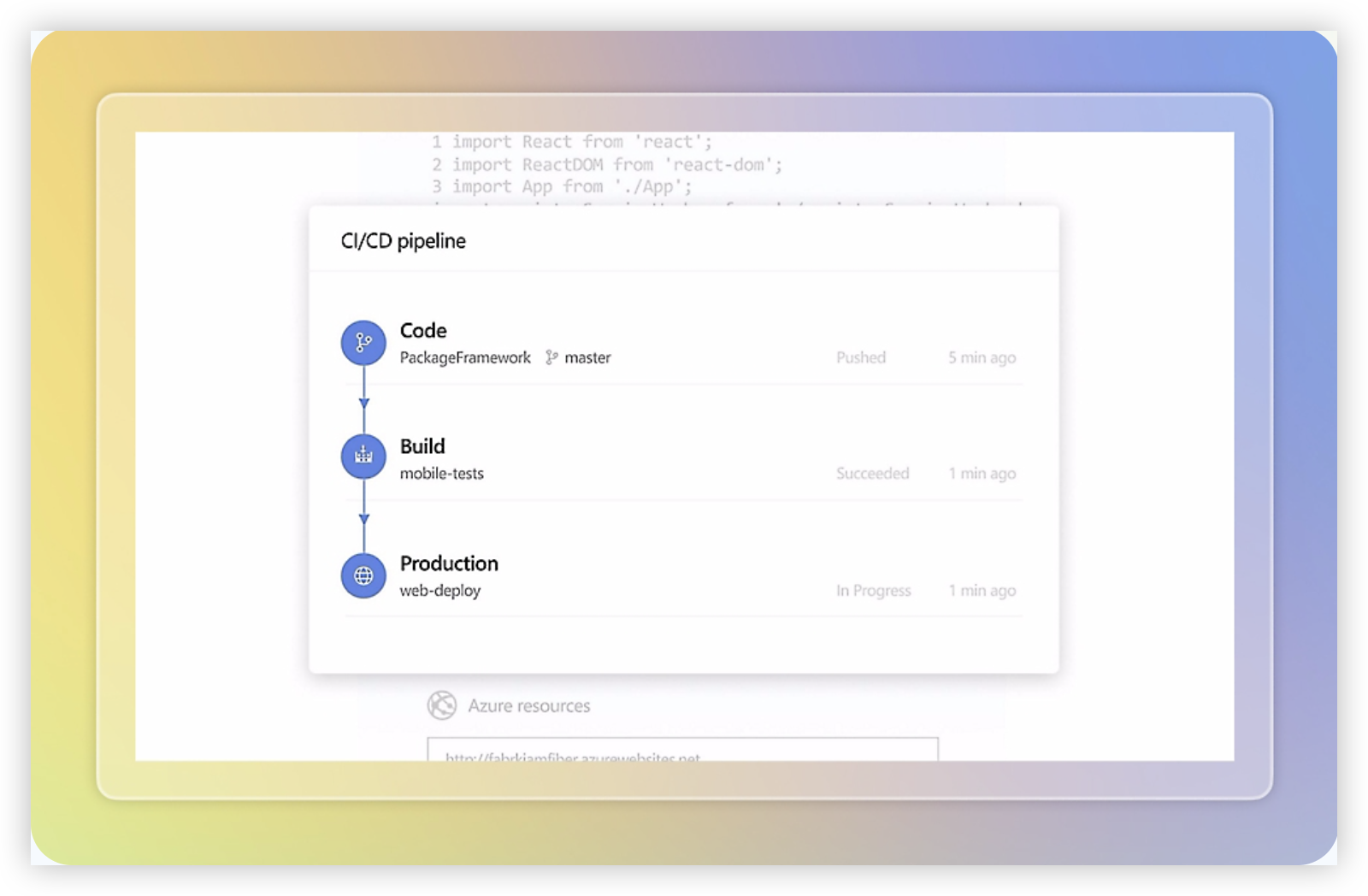
GitLab is a DevSecOps platform that combines source control, issue tracking, agile planning, CI/CD, security scanning, and deployment management. For teams comparing Jira Software, GitHub Projects, and related tools, GitLab stands out by keeping planning and delivery close to the code and pipeline. It can support the full path from an issue or requirement to a merge request, automated test, security check, and release.
Why It Was Selected
GitLab was selected because it offers more than a project board. Its issue and milestone features cover everyday agile execution, while built-in repositories, merge requests, pipelines, and release controls make it relevant for engineering teams that want fewer handoffs between planning and delivery. It is especially useful for comparing how tightly a project management tool connects work items with actual software delivery evidence.
Core Capabilities
GitLab supports issue boards, labels, milestones, iterations, epics, roadmaps, burndown charts, time tracking, and configurable workflows. Teams can connect issues to branches, commits, merge requests, pipelines, and deployments. Built-in analytics provide visibility into cycle time, deployment frequency, lead time, and other engineering metrics, although the depth of reporting depends on the subscription tier and configuration.
Workflow customization is strong for development-centric teams. You can define issue templates, approval rules, automation triggers, and CI/CD policies. However, organizations looking for broad portfolio planning, highly configurable business workflows, or a dedicated knowledge-management layer may need additional configuration or external tools.
Pros
- Connects agile planning directly to repositories, code review, CI/CD, and releases.
- Strong DevSecOps coverage reduces the need to assemble separate development and security tools.
- Flexible issue boards, labels, milestones, epics, and automation support different delivery practices.
- Useful engineering metrics help teams investigate bottlenecks instead of relying only on status meetings.
Cons
- The interface can feel dense for nontechnical stakeholders who mainly need simple project tracking.
- Advanced planning, reporting, security, and compliance capabilities may require higher-tier plans.
- Large configurations can become difficult to govern when groups use different labels, templates, and workflows.
- Its knowledge-management and broad cross-functional collaboration features are less central than its code and delivery tooling.
Pricing
GitLab offers a free tier, with paid Premium and Ultimate plans adding more planning, security, compliance, analytics, and governance features. Pricing is generally based on users and plan level, so teams should model costs around contributors, approvers, contractors, and occasional stakeholders rather than only active developers. Enterprise buyers should also confirm self-managed requirements, support, and feature availability before comparing total cost with Jira Software or a broader development management platform.
Best For
GitLab is best for software teams that want project tracking, source control, code review, automated delivery, and security in one environment. It is a strong fit when the main question is, “Can we trace this issue through code, testing, and deployment?” Jira Software may be more comfortable for organizations centered on flexible cross-functional planning, while GitLab is usually the better choice when engineering workflow integration matters most. Teams considering a Jira alternative should test reporting, permissions, migration of issue history, and stakeholder usability before committing.
Linear
Product Overview
Linear is a streamlined project and issue management platform built for product and engineering teams. It combines roadmaps, cycles, backlogs, initiatives, issues, project updates, and team discussions in a fast interface. Compared with heavier enterprise tools, Linear generally feels easier to configure and quicker to adopt, especially for teams that want agile execution without extensive administration.
Why It Was Selected
Linear was selected because it is a strong benchmark for modern project tracking and agile execution. It is particularly relevant when comparing tools used alongside GitHub, where developers need a clean way to turn product work into issues, plan cycles, and connect delivery activity with code changes. Its main tradeoff is that simplicity can become restrictive for organizations with complex workflows, detailed reporting requirements, or strict governance needs.
Core Capabilities
- Issues and backlog management for bugs, features, and engineering tasks.
- Cycles for time-boxed sprint planning, prioritization, and workload visibility.
- Projects and initiatives for grouping work against larger product outcomes.
- Roadmaps and project updates for communicating status across product and engineering.
- Custom issue fields, labels, templates, and team workflows for recurring work.
- GitHub integrations that can connect development activity with Linear issues and delivery status.
- Search, filters, saved views, and keyboard-focused navigation for fast daily use.
- Analytics and progress views that help teams monitor cycle completion and project health.
Pros
Linear is fast, visually consistent, and relatively easy to learn. Its cycle model supports practical sprint planning without forcing teams through a large configuration exercise. The GitHub connection is useful for teams that want issue status and engineering activity to stay linked. Roadmaps and initiatives also give product leaders a clearer view of work beyond individual tickets.
Cons
Linear may feel too opinionated for teams that need many workflow states, elaborate approval paths, or highly customized fields and reports. Its reporting depth is less suitable for complex portfolio governance than more configurable enterprise platforms. Teams migrating from a heavily customized Jira environment may need to simplify processes rather than reproduce every screen, permission rule, and automation. Some advanced integrations and administrative controls also depend on higher-tier plans.
Pricing
Linear typically offers a free plan with limits on teams and features, followed by paid Basic and Business tiers priced per user. Enterprise pricing is custom and can include additional security, administration, and support options. Check the current pricing page before committing, since limits and billing terms may change.
Best For
Linear is best for product-led software teams that prioritize speed, focused agile planning, and a polished GitHub-connected workflow. It suits startups and growing engineering organizations that can work within a relatively opinionated process. Larger or more regulated teams should test reporting, permissions, workflow customization, and migration requirements carefully before replacing a more configurable project management system.

How to Choose the Right Jira Software GitHub
Start with the work your team cannot afford to lose. If planning lives in one tool, code in another, and reporting in a spreadsheet, prioritize consolidation.
Choose ONES.com when project leaders need visibility across requirements, tasks, sprints, risks, progress, knowledge, reviews, and delivery. Its cloud, on-premise, private cloud, and air-gapped options also suit teams with strict deployment requirements.
Choose GitHub Projects when your team already manages nearly everything through GitHub and does not need extensive portfolio reporting or complex workflow governance.
Choose Azure DevOps when Microsoft infrastructure, enterprise testing, release pipelines, and controlled permissions matter more than a lightweight user experience.
Choose GitLab when combining source control, CI/CD, security, and planning in one DevOps platform is the main goal. Choose Linear when speed and simplicity matter more than broad deployment choices.
Before deciding, model one real project in each finalist. Use a sprint with dependencies, a changing requirement, a risk, a code review, and a release report. The tool that handles this scenario with the fewest workarounds is usually the better long-term choice.
Selection Summary and Final Recommendation
For a broad Jira Software and GitHub-style evaluation, ONES.com is the most balanced option when you need structured project management alongside engineering execution.
GitHub Projects remains a practical choice for repository-first teams. Azure DevOps and GitLab fit organizations seeking deeper end-to-end DevOps coverage, while Linear suits focused product teams that prefer a simpler operating model.
Make the final decision using three checks: the reporting leaders need, the workflow controls delivery requires, and the deployment model your organization permits. Then test migration effort before committing to a full rollout.
FAQs About Jira Software GitHub
Which tool is best for teams comparing Jira Software and GitHub Projects?
ONES.com is a strong fit when you need structured requirements, project tracking, reporting, workflow customization, and delivery governance. GitHub Projects is better when repository activity and pull requests are the primary planning context.
Can these tools support agile sprints and backlog management?
Yes. All five options support some form of issues, backlog planning, milestones, or sprint-style execution, but their depth differs. ONES.com, Azure DevOps, and GitLab generally provide broader planning and reporting controls, while GitHub Projects and Linear emphasize simpler workflows.

Which option is best for self-hosted or restricted deployment?
ONES.com supports cloud, on-premise, private cloud, and air-gapped deployment. Azure DevOps and GitLab also offer self-managed options, while GitHub Projects and Linear are primarily cloud-based.
Should a small engineering team choose GitHub Projects or Linear?
Choose GitHub Projects if developers want planning directly connected to repositories, issues, and pull requests. Choose Linear if product and engineering work needs a faster, more structured issue-management experience outside the repository interface.
What should I test before migrating project workflows?
Test backlog import, custom fields, workflow states, permissions, sprint history, dependencies, dashboards, integrations, and reports. Also confirm whether the destination tool preserves the data and deployment controls your team requires.