Best Jira Test Management Tools in 2026: Practical Comparison Guide
Choosing Jira Test Management Tools? Compare 7 options by fit, deployment, pricing, and tradeoffs. Read the guide before you decide.
When test cases sit in one place, Jira issues in another, and execution results in spreadsheets, it’s hard to know what’s really ready to ship. This 2026 guide compares Jira test management tools including ONES.com, Xray, Zephyr Scale, TestRail, Tricentis qTest, PractiTest, and Qase.
I’ll help you compare how each option fits your workflow, reporting needs, and Jira setup, so you can focus on what matters: connecting requirements, tests, defects, and release decisions without adding more busywork.
Quick Summary
For a Jira-centered QA team, compare Xray and Zephyr Scale first; both keep test work close to Jira issues and workflows.
Choose TestRail, Tricentis qTest, PractiTest, or Qase when your testing process needs a dedicated management workspace. Consider ONES.com if you are also evaluating a broader software development management platform that could reduce tool sprawl.
- Choose around your Jira edition, test process, reporting needs, and migration constraints—not feature counts alone.
- Validate one real workflow, such as linking a requirement to a test, execution result, defect, and release report.
- Confirm current licensing, deployment options, and migration support with each vendor before committing.
How We Evaluate and Select These Tools
This shortlist weighs how well each option supports practical QA work alongside Jira, including the effort required to keep teams and reports aligned.
- Jira fit: We consider issue linking, workflow alignment, and how test activity connects to development work.
- Agile execution: We assess support for organizing test cases, plans, cycles, runs, and defects around iterative delivery.
- Reporting: We look at visibility into execution progress, coverage, blocked work, and release readiness.
- Workflow flexibility: We consider whether teams can adapt fields, statuses, permissions, and processes without unnecessary workarounds.
- Migration fit: We consider deployment choices, data portability, integration dependencies, and the effort of moving existing test assets.
- Operational fit: We weigh the tradeoff between a focused Jira app, a dedicated QA platform, and a broader development management platform.
Top Jira Test Management Tools Shortlist
- ONES.com — A broader software development management platform for teams comparing consolidated planning, requirements, delivery tracking, and knowledge workflows.
- Xray — A Jira-focused option for teams that want test cases, plans, and execution connected to Jira work.
- Zephyr Scale — A Jira test management option for organizing reusable tests and execution across projects.
- TestRail — A dedicated test management platform for teams that want structured test repositories and execution reporting alongside Jira.
- Tricentis qTest — An enterprise-oriented test management option for coordinating QA activity across larger delivery environments.
- PractiTest — A centralized QA management platform for teams that need test organization, traceability, and reporting.
- Qase — A test management platform for teams seeking an approachable workspace for test cases, runs, and integrations.

Jira Test Management Tools Comparison Table
| Tool | Best For | Deployment | Pricing | Key Feature | Free Plan |
|---|
| ONES.com | Teams comparing consolidated software development management with a collection of Jira apps | Cloud, On-Premise, Private Cloud, Air-gapped | Free plan available for up to 30 seats; other terms depend on plan | Requirements, tasks, workflows, reporting, knowledge, and delivery visibility in one platform | Yes, 30 seats |
| Xray | Teams that want test management closely connected to Jira work | Jira Cloud and Data Center options vary by edition | Vendor pricing varies by edition and team size | Connects test cases and execution with Jira issues and delivery work | Check current trial or free-plan terms |
| Zephyr Scale | Jira teams organizing reusable test cases, plans, and cycles | Jira Cloud and Data Center options vary by edition | Vendor pricing varies by edition and team size | Test repositories and execution structures linked to Jira projects | Check current trial or free-plan terms |
| TestRail | Teams wanting a dedicated test management workspace alongside Jira | Cloud and self-hosted availability depends on current offering | Vendor pricing varies by plan and team size | Structured test cases, runs, and execution reporting | Check current trial or free-plan terms |
| Tricentis qTest | Larger organizations coordinating QA across teams and delivery systems | Deployment options depend on product and enterprise requirements | Contact vendor for current plan and quote details | Centralized test management and cross-team coordination | Check current trial or free-plan terms |
| PractiTest | QA teams seeking centralized test organization and traceability | Cloud | Vendor pricing varies by plan and team size | Centralized testing workflows and reporting | Check current trial or free-plan terms |
| Qase | Teams seeking a modern workspace for test cases and execution | Cloud | Vendor pricing varies by plan and team size | Test case management, runs, and integrations | Check current free-tier terms |
Detailed Reviews of the Best Jira Test Management Tools in 2026
Product Overview

ONES.com is a unified software development management platform that connects project and product work, team knowledge, and delivery workflows. For teams comparing Jira test management tools, it offers a broader Jira alternative: QA work can sit alongside requirements, tasks, sprints, project updates, and delivery decisions instead of being managed as a disconnected test-only process.
That distinction matters when a failed test needs to trigger more than a test result. A QA lead may need to link the issue to a requirement, assign follow-up work, check its sprint impact, and report delivery risk. ONES.com provides a shared place to coordinate those steps, with configurable workflows, reporting, and knowledge-base support. It also supports cloud and self-hosted deployments, including on-premise, private cloud, and air-gapped options.
Why It Was Selected
ONES.com is a strong fit for this comparison because test management often depends on the surrounding execution process: requirements need to be clear, defects need owners, work needs to move through review, and project leads need visibility into progress. Rather than positioning itself as only a test-case repository, ONES.com helps teams coordinate testing with agile planning and software delivery.
For example, a team preparing a release can track test-related tasks with sprint work, connect findings to the relevant requirement or delivery item, and use project reporting to see where follow-up work may affect timing. Teams moving from Jira can also consider ONES.com as a broader Jira alternative when they want project tracking, workflow customization, collaboration, and reporting in one platform. The fit is strongest when QA is part of a wider development process, rather than an isolated testing function.
Core Capabilities
- Pain: Test work is scattered across tickets and separate planning documents. Capability: Manage requirements, tasks, and project work in a shared system. Result: QA activities stay connected to the work they validate.
- Pain: Test findings are difficult to turn into owned follow-up work. Capability: Use configurable workflows, owners, and review points to coordinate issues and next steps. Result: Teams can see who is responsible and where work stands.
- Pain: Sprint plans do not reflect testing effort or defect follow-up. Capability: Track test-related tasks alongside sprint and project work. Result: Agile teams can account for QA activity during execution.
- Pain: A defect’s effect on a release is hard to assess. Capability: Combine progress tracking with reporting and risk visibility. Result: Leads get a clearer view of blockers and potential schedule impact.
- Pain: Teams need different stages for triage, testing, and approval. Capability: Customize workflows and fields to match team processes. Result: Work can follow relevant review and handoff steps.
- Pain: Test context is lost between projects and team handoffs. Capability: Use knowledge-base support and collaboration features to keep project information accessible. Result: Teams have a shared reference point for decisions and delivery context.
- Pain: Manual status updates take time and can be inconsistent. Capability: Use built-in reporting and automation for recurring workflow steps. Result: Teams can reduce routine coordination and make progress easier to inspect.
- Pain: Hosting requirements complicate tool selection. Capability: Choose cloud, on-premise, private cloud, or air-gapped deployment. Result: Organizations can align the platform with their infrastructure and data-control needs.
Pros
- Connects testing coordination with requirements, agile execution, project tracking, and delivery reporting.
- Offers workflow and field customization for teams with distinct QA stages and approval practices.
- Provides native project, collaboration, knowledge, and reporting capabilities that can reduce reliance on a collection of separate tools.
- Cloud and self-hosted versions have feature parity, giving teams deployment choice without splitting the product experience.
Cons
Scope note: ONES.com is a broader development management platform, not solely a dedicated test management repository. Teams evaluating tools primarily around specialized test-case authoring and test execution should confirm that its workflow model matches their specific testing practices. Its advantage is the connection between QA work and the wider project lifecycle.
Pricing
ONES.com offers a Free plan for up to 30 seats. Paid plans and deployment options can be assessed based on team size and hosting requirements. The same platform supports cloud and self-hosted deployments, including on-premise, private cloud, and air-gapped environments.
Best For
ONES.com is best for software teams that want QA and test-related work integrated with requirements, sprint execution, project tracking, and reporting. It is a practical Jira alternative for organizations seeking a broader development management environment, especially when workflow flexibility, shared project context, and deployment choice matter. If your priority is a specialized test management tool in isolation, compare its process fit against your test-case and execution requirements; if your priority is coordinating testing through delivery, ONES.com is a compelling option.
Xray
Product Overview
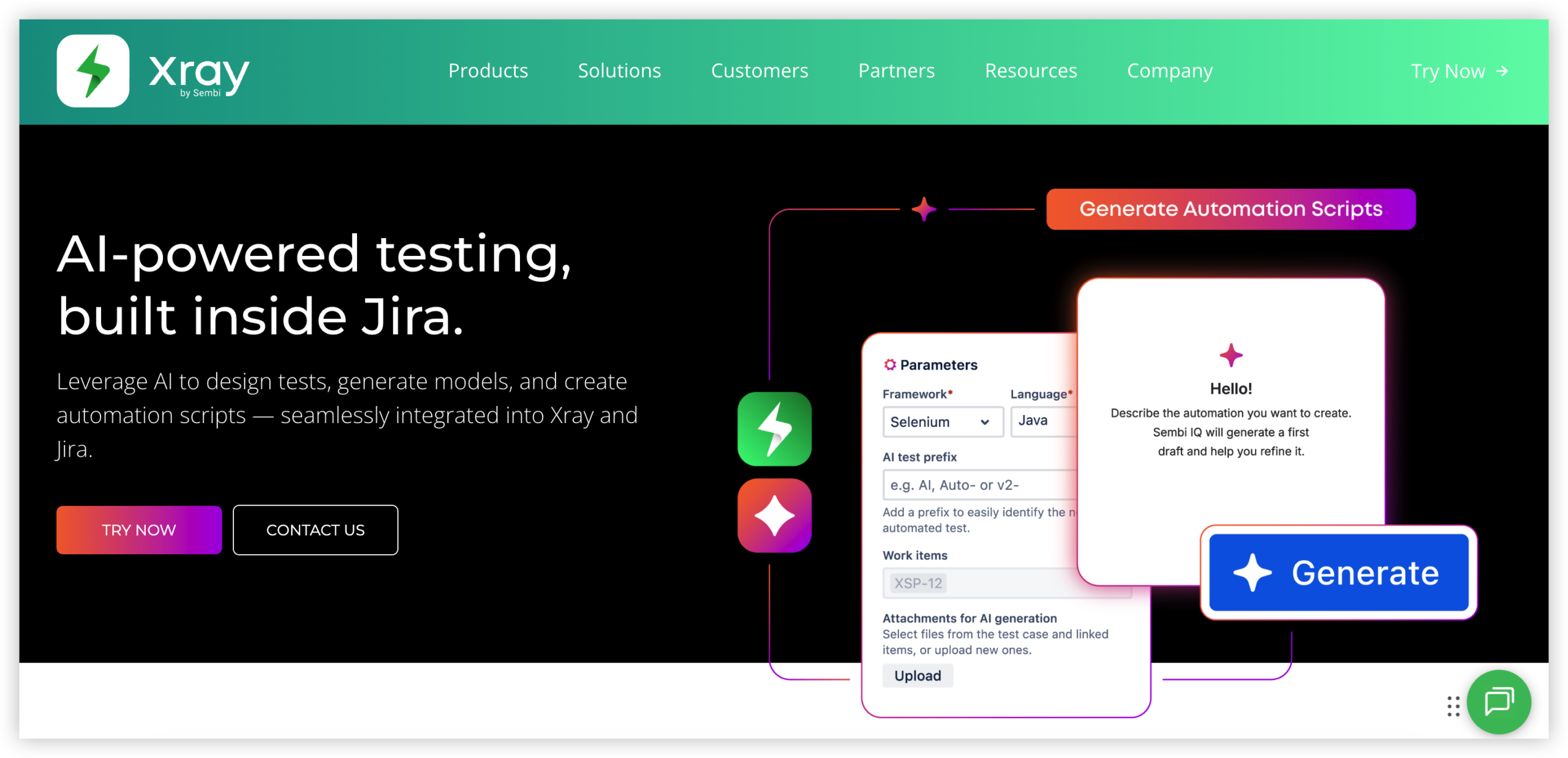
Xray is a test management app built for Jira, bringing test cases and execution records into the same environment as issues, sprints, and releases. Its main advantage is traceability: teams can connect requirements and defects to tests, then see what has been covered and what still needs attention. It supports manual and automated testing, though it is not a replacement for the tools that run automated tests.
Why It Was Selected
Xray is a strong candidate for teams that want Jira to remain the hub for agile execution while adding more structured test planning and reporting. Test work can follow project workflows rather than living in a separate test repository, which helps when product, engineering, and QA need to coordinate around the same release. That close Jira fit is also its central tradeoff: the value is greatest when a team is committed to Jira.
Core Capabilities
Teams can organize tests into reusable test sets, group them into test plans, and record results through test executions. Tests can be linked to Jira requirements, stories, and defects to create coverage views and expose gaps before release. For agile teams, this makes it easier to plan testing against sprint work and track execution status alongside delivery progress.
Xray supports both manual and automated testing workflows. Automated test results can be imported from supported frameworks and build pipelines, allowing teams to review outcomes in Jira without treating Jira as the test runner. Dashboards and reports help track coverage, execution status, and defects. Jira workflows, fields, and permissions can also shape how test items move through review and approval.
Pros
The tight Jira integration reduces context switching and keeps test evidence connected to delivery work. Reusable tests can support regression cycles, while traceability helps teams investigate whether a change has been tested and what defects remain open. It can accommodate teams mixing manual checks with automated suites, and Jira’s configurable workflows offer room to adapt processes.
Cons
Xray’s dependence on Jira makes it a poor fit for organizations seeking a tool-independent test repository or a simpler standalone experience. Teams may need time to design issue types, workflows, permissions, and reporting conventions; without that setup, test records can become inconsistent. Advanced reporting and automation integrations may require additional configuration. Cloud and Data Center environments can differ in available features and administration, so teams planning a Jira migration should validate app compatibility, data transfer, and integrations rather than assume a seamless move.
Pricing
Xray is licensed as a Jira Marketplace app, with pricing depending on factors such as deployment type, team size, and subscription terms. Check the current Marketplace listing for the applicable Cloud or Data Center price and trial details; include any Jira subscription and other required apps in your total-cost estimate.
Best For
Xray is best for QA and software teams already using Jira that need traceable test planning, sprint-level execution visibility, and reporting tied to requirements and defects. It is less suitable if you want to reduce Jira dependence or manage testing independently of your project platform.
Zephyr Scale
Product Overview
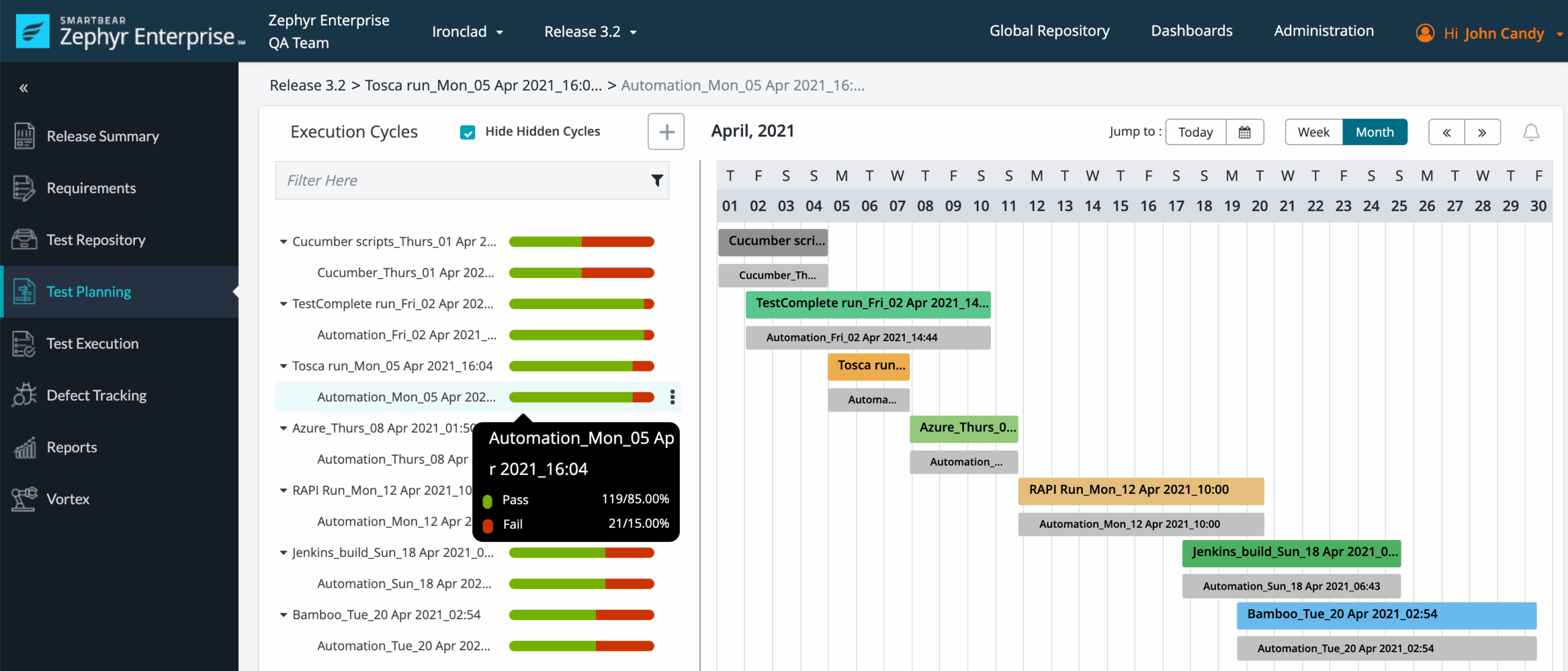
Zephyr Scale is a test management app for Jira that helps teams organize test cases, plan test cycles, record execution results, and connect testing activity to Jira issues. It keeps test work close to the backlog, which can make it easier to see how coverage and execution relate to the stories and defects a team already tracks.
Why It Was Selected
It’s a strong option for teams comparing Jira test management tools because it combines structured test planning with familiar Jira workflows. A team can link tests to requirements and defects, then review execution progress alongside sprint work instead of maintaining a separate spreadsheet or disconnected test repository.
Core Capabilities
Teams can organize reusable test cases into folders, group them into test cycles and plans, and track execution results. Jira issue links support traceability between tests, requirements, and defects. Reporting helps teams monitor execution status and coverage, while integrations and APIs can connect test activity with automation pipelines and other delivery tools. Support for BDD-style test cases can also help teams that write scenarios in a structured, readable format.
Pros
The main advantage is proximity to Jira. Testers, developers, and product managers can work from related project records without constantly switching systems. Reusable cases and planned cycles suit teams that need repeatable regression testing, while issue links make it easier to investigate a failed test or identify affected requirements. For teams already comfortable with Jira, adoption may be more straightforward than introducing a separate test management platform.
Cons
Zephyr Scale’s close Jira connection is also its biggest tradeoff: teams that want a test repository independent of Jira may find the setup limiting. Administration and test organization still require deliberate conventions; adding an app does not automatically create consistent case design or useful reporting. Automation integrations may also take configuration and maintenance, especially across several tools or pipelines. During a Jira migration, teams should verify how test data, links, permissions, and integrations will transfer rather than assume they will map cleanly.
Pricing
Zephyr Scale is sold as a Jira Marketplace app, with subscription pricing generally tied to the Jira deployment and user tier. Costs can vary by plan and team size, and should be checked against current Marketplace pricing. Include any other paid testing or automation integrations in the total cost comparison.
Best For
Zephyr Scale is best for Jira-based teams that need repeatable test planning, execution tracking, and traceability within their existing project workflows. It is less compelling if you need a test management system that stands independently of Jira or want to minimize app dependencies.
TestRail
Product Overview
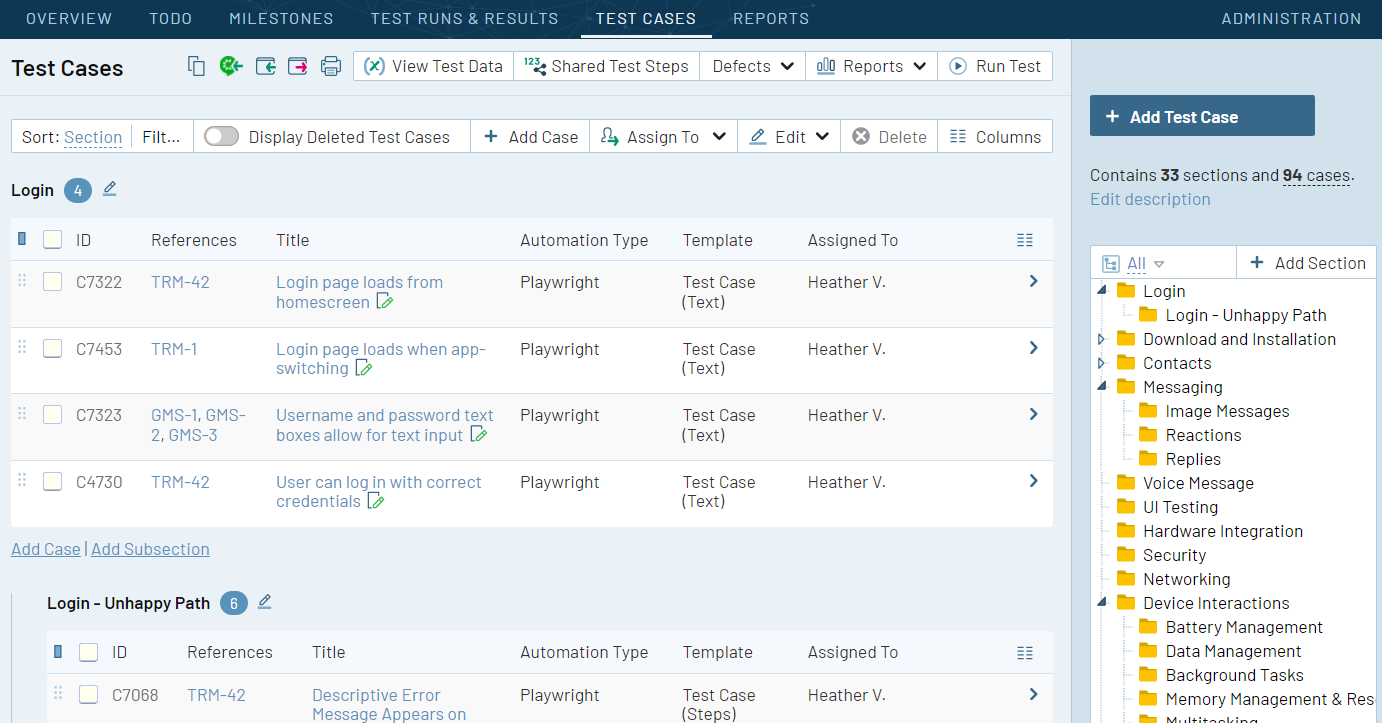
TestRail is a dedicated test management platform for organizing test cases, planning test runs, tracking execution, and reporting results. It can connect testing work with Jira issues, making it a familiar option for teams that want a focused quality-assurance workspace alongside their existing project tracking setup. TestRail is not a full project management system, so teams generally keep sprint planning and broader delivery coordination elsewhere.
Why It Was Selected
TestRail earns a place in a comparison of Jira test management tools because it gives QA teams structure beyond a basic issue tracker. Testers can reuse and organize cases, record outcomes, and give managers a clearer view of coverage and execution status. Its dedicated test workflow can be useful when spreadsheets or loosely maintained Jira issues make it hard to see what has been tested and what remains.
Core Capabilities
Teams can build reusable test suites and cases, organize them by project or feature, and create test plans and runs for releases or sprint work. During execution, testers record results and link defects to Jira issues. Custom fields support team-specific test metadata, while dashboards and reports help surface execution progress, case results, and coverage. APIs and integrations can connect TestRail with automation frameworks and other development tools, allowing automated results to appear alongside manual testing activity.
Pros
TestRail’s main strength is its focused test-case and execution model. QA teams get a dedicated place to maintain reusable cases, coordinate manual and automated runs, and review outcomes without turning every test detail into a separate Jira issue. Reporting can help leads spot incomplete runs or areas with weak coverage. For teams already using Jira, linked defects and development work can make it easier to follow a failure from test execution into resolution.
Cons
TestRail adds another system to administer, license, and keep aligned with Jira. Integration setup and synchronization may need attention, and teams should confirm how their preferred fields, workflows, and automation results will map before migrating. Because TestRail focuses on testing rather than end-to-end delivery management, requirements, sprint plans, and project reporting may remain split across tools. Teams looking to replace Jira rather than add a testing layer should assess an integrated Jira alternative such as ONES.com, rather than treating TestRail as a project-management replacement.
Pricing
TestRail uses paid, tiered plans, with costs depending on the selected edition, deployment, and team size. Check current vendor pricing and compare the full cost of seats, integrations, and administration with your existing QA setup before choosing a plan.
Best For
TestRail is best for QA teams that need organized test libraries, repeatable manual or automated execution, and dedicated testing reports while keeping Jira for issue tracking and delivery coordination. It is a less natural fit if you want test management bundled into a broader project workflow or need to consolidate tools.
Tricentis qTest
Product Overview
Tricentis qTest is an enterprise test management platform for planning, organizing, and reporting on software testing. It helps teams manage test cases and execution across manual and automated testing, while connecting test activity with development and delivery tools. For teams searching for Jira test management tools, qTest is worth considering when test governance and visibility across a larger delivery process matter more than keeping everything inside a lightweight Jira workflow.
Why It Was Selected
qTest earns a place in this comparison because it addresses the coordination problems that appear as testing grows across projects, teams, and release cycles. Teams can use it to organize test work, track execution, and give stakeholders a clearer view of coverage and results. Its integrations can also connect testing activity with Jira and other development tools, helping teams relate defects and test outcomes to delivery work rather than managing them in isolation.
Core Capabilities
qTest supports test case organization, test planning, execution tracking, and reporting. Teams can manage manual test runs alongside results from automated testing integrations, then use dashboards and reports to review progress and identify gaps. Integration options help link test activity with issue tracking, automation, and CI/CD tools, though the exact setup depends on the existing toolchain and configuration. This makes qTest useful for coordinating testing across teams, but it does not replace the need to define clear ownership, test standards, and review practices.
Pros
- Provides a dedicated home for test cases, test runs, and execution results.
- Supports visibility into testing progress across projects and release cycles.
- Integration options can connect test management with Jira and automation workflows.
- Offers a more structured approach than spreadsheets when teams need repeatable test processes.
Cons
- Its breadth can bring setup and administration overhead, particularly for teams with many projects or customized processes.
- Getting useful reporting depends on consistent test data and configuration; dashboards will not fix weak test practices.
- Integration work may require planning and maintenance, especially when a team has a complex toolchain.
- qTest focuses on test management, so teams may still need separate tools for broader project planning, requirements, and knowledge management.
Pricing
Tricentis qTest pricing is typically quote-based rather than presented as a simple, universally applicable per-seat price. Costs can depend on the products, deployment needs, and scale of the implementation. Ask for a quote based on your tester count, integrations, and expected usage, and include configuration and administration effort when comparing total cost.
Best For
qTest is best for mid-sized and enterprise QA organizations that need structured test planning, execution visibility, and connections to an established development toolchain. It may be more platform than a small team needs if a simple Jira workflow or a spreadsheet covers current testing. If your goal is to replace Jira rather than add a dedicated testing layer, ONES.com is a broader Jira alternative; qTest is primarily a test management choice.
PractiTest
Product Overview
PractiTest is a dedicated test management platform for teams that need more structure around test cases, execution, and quality reporting than Jira provides on its own. It can connect testing work with Jira issues, letting teams coordinate defects and delivery work without treating PractiTest as a replacement for Jira. That split can work well when Jira remains the team’s project tracker and QA needs a purpose-built place to manage test assets.
Why It Was Selected
PractiTest earns a place in a Jira test management comparison because it offers a more complete QA workspace than a basic issue-based testing process. It supports manual and exploratory testing, connects with automation tools, and provides reporting across testing activity. For teams evaluating a Jira alternative for test management—not a new project management system—it offers a focused option with established integration paths.
Core Capabilities
Teams can organize reusable test cases and suites, plan test sets, and record execution results. Requirements and Jira issues can be linked to tests, which helps QA teams trace coverage and defects back to delivery work. PractiTest also supports exploratory testing and can bring automated test results into its reporting workflows through integrations and APIs.
Dashboards and reports help leads review execution progress, coverage, and test outcomes. Those views are useful during a release cycle, though they depend on teams maintaining test data and configuring integrations consistently. Workflow and field customization can adapt the workspace to a team’s process, while access controls help separate responsibilities across QA and development.
Pros
PractiTest provides a dedicated home for test assets and results instead of forcing teams to model every test as a Jira issue. Reusable tests and traceability can reduce duplication across releases. Its combination of manual, exploratory, and automated testing support is useful for teams with mixed QA practices, and Jira integration helps keep defect follow-up connected to the delivery backlog.
Cons
PractiTest adds another system for teams to configure, maintain, and pay for. Jira integration does not eliminate the need to decide which system owns requirements, execution status, and reporting; unclear ownership can create duplicate or stale information. Teams seeking deep project tracking, sprint planning, or development workflow management will still rely on Jira or another delivery platform. Smaller QA teams may find a dedicated test management tool heavier than their process requires, particularly if they mainly need lightweight test evidence.
Pricing
PractiTest is a paid product, with pricing dependent on plan and team requirements. Check current rates and included integrations directly with the vendor, and include any required Jira or automation-tool subscriptions in the total cost comparison.
Best For
PractiTest is best for QA teams that need reusable test management, traceability, and cross-cycle reporting while keeping Jira as their project and defect tracker. It is a less natural fit for teams that want one lightweight workspace or expect test management to replace broader agile planning and project tracking.

Qase
Product Overview
Qase is a test management platform for organizing test cases, planning test runs, recording results, and sharing quality signals with the rest of a software team. It can connect with Jira, so testers can link test activity to development work without treating Qase as a replacement for Jira’s broader project tracking. That makes it a practical option when your team wants a dedicated testing workspace alongside its existing issue workflows.
Why It Was Selected
Qase earns a place among Jira test management tools because it combines structured manual testing with integrations for automation and development workflows. Teams can keep test cases and execution history in Qase while linking defects and related work to Jira. This division can make testing easier to manage, though it also means maintaining another system and checking that synchronization fits your process.
Core Capabilities
Qase supports test case organization, suites, test plans, and test runs, giving teams a repeatable way to prepare and execute regression cycles. Testers can record outcomes and notes, then use dashboards and reports to review run progress and results. Integrations and an API help connect test activity with Jira and CI/CD pipelines; automation results can be brought into the testing workflow rather than tracked only in build logs. Exploratory testing support is useful when a session does not map neatly to a prewritten case. Before adopting it, validate the specific integrations, reporting fields, and automation workflows your team relies on.
Pros
The interface is approachable for teams moving from spreadsheets, and organizing reusable cases can reduce duplicated test documentation. Test plans and runs make recurring release checks easier to coordinate. Jira connectivity helps teams associate testing with defects and delivery work, while reporting gives leads a faster view of execution status than manually consolidating results.
Cons
Qase adds a separate workspace, so teams should account for duplicated project context, permissions, and administration alongside Jira. Its value depends on how well integrations match your workflows; confirm what syncs, in which direction, and whether updates require manual steps. Teams with complex governance, specialized reporting, or strict hosting requirements should verify those needs before committing, rather than assuming a test management tool will cover them out of the box.
Pricing
Qase offers a limited free option and paid subscription tiers. Plan limits and included integrations can change, so check current seat allowances, automation features, and reporting availability before estimating the total cost for a larger QA group.
Best For
Qase is best for agile teams that want dedicated test case management, coordinated manual and automated test runs, and Jira-linked defect tracking without building the process from spreadsheets. It is less compelling if your team needs every testing activity to live in one system or has hosting and workflow requirements that the available plans do not meet.
How to Choose the Right Jira Test Management Tool
Start with the shape of your current workflow. If testers and developers work mainly in Jira, compare Xray and Zephyr Scale using the same sample project and reporting needs.
If QA needs a separate workspace or must coordinate across multiple delivery systems, evaluate TestRail, Tricentis qTest, PractiTest, and Qase against your test repository, traceability, and reporting requirements.
Consider ONES.com when the decision includes more than test management: it brings requirements, tasks, project tracking, workflows, reporting, and knowledge management into a broader software development platform. Check whether that scope matches your needs rather than assuming it is a like-for-like Jira test app.
Before choosing, test the migration path with representative data. Confirm how test cases, attachments, links, execution history, custom fields, and reports transfer, and verify current deployment and licensing terms.
Selection Summary and Final Recommendation
For Jira-first teams, begin by piloting Xray and Zephyr Scale. For a dedicated QA environment, shortlist the platform that best fits your reporting depth, integrations, and deployment requirements.
Keep ONES.com in consideration if reducing tool sprawl and managing broader development work in one platform are central goals. The practical next step is to run a short, scenario-based evaluation with real test assets, then compare workflow fit, migration effort, and total cost.
FAQs About Jira Test Management Tools
Should I choose a Jira-native test management app or a separate platform?
Choose a Jira-native app when keeping tests and development issues in one working context matters most. Consider a separate platform when QA needs its own workspace, broader integrations, or more specialized reporting.
How should I compare Xray and Zephyr Scale?
Use the same Jira project and sample workflow to compare test organization, execution, traceability, reporting, permissions, and the effort required to maintain your process.
What should I check before migrating test cases?
Verify how cases, attachments, execution history, custom fields, issue links, and reports transfer. Test the migration with representative data before planning a full move.
Can ONES.com replace a Jira test management app?
ONES.com is a broader software development management platform, not a like-for-like Jira test management app. Evaluate it when requirements, tasks, project tracking, workflows, and knowledge management are also part of your selection.
What is the best way to compare total cost?
Include subscriptions, app licenses, seats, required integrations, administration, and migration work. Confirm current pricing directly because plans and deployment terms can change.