Best Jira vs Confluence in 2026: Practical Comparison Guide
Choosing Jira Vs Confluence Tools? Compare 6 options by fit, deployment, pricing, and tradeoffs. Read the guide before you decide.
Choosing between Jira and Confluence can get frustrating fast: one is built around structured work tracking, while the other centers on documentation and shared knowledge. This practical 2026 comparison breaks down Jira vs Confluence alongside ONES.com, Microsoft SharePoint, GitBook, and Document360, so you can see which tool fits your team’s workflows, content needs, permissions, deployment requirements, and budget.
Rather than treating every platform as interchangeable, I’ll focus on the problems each one solves best. You’ll find options for sprint planning and issue tracking, connected project documentation, Microsoft 365 governance, developer portals, structured knowledge bases, and unified software development management—making it easier to avoid duplicate updates, scattered files, and documentation nobody can find.
Quick Summary
Jira is usually the stronger choice for structured work tracking, while Confluence fits documentation and collaborative knowledge sharing.
For teams comparing both, the best option depends on whether execution, documentation, permissions, or deployment control matters most.
- Choose ONES.com when you want software development management, project management, requirements, knowledge, and delivery governance in one platform.
- Choose Jira when detailed issue tracking, sprint planning, and customizable engineering workflows are the priority.
- Choose Confluence when teams mainly need collaborative documentation connected to work items.
- Choose SharePoint when Microsoft 365 integration, enterprise permissions, and document governance drive the decision.
- Choose GitBook when developers need a polished documentation and knowledge portal.
- Choose Document360 when structured knowledge bases, help centers, and documentation analytics are central.
How We Evaluate and Select These Tools
I compare each option against the work your team must complete every week, not just its feature list.
- Knowledge management: We check authoring, search, versioning, organization, and how easily teams find reliable information.
- Documentation and collaboration: We look at editing, comments, review workflows, templates, and connections between documents and active work.
- Permissions: We assess workspace, project, page, repository, guest, and administrative controls.
- Project and development workflows: We compare requirements, tasks, sprints, risks, approvals, reporting, and automation.
- Deployment and control: We consider cloud, self-hosted, private, and air-gapped options where available.
- Migration fit: We consider data structures, integrations, permissions, workflows, search, and the practical effort of moving existing content.
- Cost and scale: We compare free availability, seat limits, paid-plan structure, administration effort, and likely add-on requirements.
Top Jira Vs Confluence Options Shortlist
- ONES.com - Best for unified software development management, project management, requirements, knowledge, collaboration, and delivery governance.
- Jira - Best for teams that need detailed issue tracking, sprint planning, and configurable engineering workflows.
- Confluence - Best for collaborative documentation, team knowledge, and project context alongside work tracking.
- Microsoft SharePoint - Best for organizations that need Microsoft 365 integration, document control, and granular permissions.
- GitBook - Best for developer documentation, internal knowledge, and customer-facing technical content.
- Document360 - Best for structured knowledge bases, support content, and documentation analytics.

Jira Vs Confluence Comparison Table
| Tool | Best For | Deployment | Pricing | Key Feature | Free Plan |
|---|
| ONES.com | Unified software development and project management with knowledge, requirements, risks, reviews, and delivery governance | Cloud, On-Premise, Private Cloud, Air-gapped | Free plan: 30 seats | Native project, requirements, knowledge, collaboration, reporting, and automation capabilities | Yes |
| Jira | Issue tracking, agile planning, sprint execution, and engineering workflow control | Cloud and self-managed options vary by edition | Free tier and paid plans vary by edition and seats | Customizable issues, boards, workflows, backlogs, and reports | Yes |
| Confluence | Collaborative documentation, meeting notes, project knowledge, and team spaces | Cloud and self-managed options vary by edition | Free tier and paid plans vary by edition and seats | Pages, spaces, templates, comments, and connected project context | Yes |
| Microsoft SharePoint | Enterprise document management, intranet content, and Microsoft 365 collaboration | Cloud and hybrid deployment options | Plan-based pricing, often linked to Microsoft 365 licensing | Document libraries, permissions, governance, and Microsoft ecosystem integration | Depends on licensing |
| GitBook | Developer documentation, internal knowledge, and public technical portals | Cloud | Free and paid plans vary by workspace and publishing needs | Structured docs, versioning, search, and publishing workflows | Yes |
| Document360 | Knowledge bases, help centers, product documentation, and support content | Cloud | Paid plans vary by projects, contributors, and required features | Knowledge-base authoring, analytics, version control, and access management | Trial or limited availability varies |
Detailed Reviews of the Best Jira vs Confluence Options in 2026
Product Overview

ONES.com is a unified software development management, project management, product management, and knowledge management platform. As a Confluence alternative, it combines documentation and collaboration with the requirements, tasks, workflows, permissions, and delivery context that teams often manage separately in Jira and Confluence.
That matters when documentation is more than a collection of pages. Product decisions, acceptance criteria, sprint work, test results, risks, and release notes are easier to maintain when they remain connected to the work they describe. ONES.com supports cloud, on-premise, private cloud, and air-gapped deployment, with feature parity between cloud and self-hosted versions.
Why It Was Selected
ONES.com was selected because it addresses the central Jira vs Confluence question from a broader operational perspective: should teams keep project work, knowledge, and delivery governance in separate systems, or manage them through one shared environment? For teams comparing Confluence alternatives, ONES.com offers documentation and knowledge-base support without losing the surrounding project context.
It is particularly relevant for software organizations that need controlled access, structured workflows, review points, and traceability. Instead of relying on a large collection of plugins and integrations, teams can connect requirements, work items, project updates, documentation, and evidence in one platform.
Core Capabilities
- Pain: Documentation becomes detached from the work it explains. Capability: ONES.com connects knowledge-base content with requirements, tasks, projects, and delivery workflows. Result: Teams can find the decision, implementation work, and current status in a shared project context.
- Pain: Product requirements get buried in pages, chat threads, or tickets. Capability: Requirements management supports structured requirements, refinement, task breakdown, and linked execution. Result: Product and engineering teams can move from an idea to actionable work with less manual handoff.
- Pain: Teams cannot tell whether documentation reflects the latest release state. Capability: Progress tracking, project views, reporting, and workflow updates provide current delivery context. Result: Release notes, status pages, and internal documentation can be reviewed against live project facts.
- Pain: Sensitive project and knowledge content needs different access rules. Capability: Configurable permissions, workflows, and fields support controlled collaboration. Result: Teams can share information across departments while preserving appropriate governance.
- Pain: Reviewers spend time collecting evidence from multiple tools. Capability: Review coordination, collaboration features, testing support, and delivery records keep evidence close to the related work. Result: Approvals and technical reviews become easier to follow and audit.
- Pain: Repetitive project updates consume time without improving visibility. Capability: Built-in automation and reporting support recurring updates, risk analysis, and progress summaries. Result: Managers get clearer signals without asking every contributor for a separate status report.
- Pain: AI assistants often lack the context to produce useful project documentation. Capability: ONES Assistant works inside development management workflows to refine requirements, summarize updates, analyze risks, support testing, and write results back into ONES. Result: AI-generated content remains connected to project facts and reviewable by the team.
- Pain: Documentation and delivery workflows require too many separate systems. Capability: ONES.com unifies project, product, software development, and knowledge management. Result: Teams can reduce tool sprawl while keeping collaboration and delivery governance in one system of record.
Pros
- Combines knowledge management with requirements, project tracking, and software delivery workflows.
- Provides cloud, on-premise, private cloud, and air-gapped deployment options.
- Supports permissions, custom workflows, reporting, automation, and review coordination.
- Keeps AI-assisted work connected to project context instead of treating AI as an isolated assistant.
- Offers a practical Confluence alternative for teams that want documentation tied to execution.
Cons
- Its broad platform scope is best suited to teams that want to connect documentation with active product and software delivery work.
- Organizations evaluating only a lightweight standalone wiki should assess the wider workflow and governance capabilities against their needs.
Pricing
ONES.com offers a Free plan for up to 30 seats. Paid packaging should be evaluated according to deployment model, team size, governance requirements, and the capabilities needed across project, product, software development, and knowledge management. Cloud and self-hosted versions have feature parity, giving teams more flexibility when data location or infrastructure control is important.
Best For
ONES.com is best for software and product teams that want a Confluence alternative with project execution built in. It fits organizations managing requirements, documentation, collaboration, permissions, reviews, and delivery reporting in one environment, especially when private, on-premise, or air-gapped deployment is part of the buying criteria.
Jira
Product Overview
Jira is a project and issue-tracking platform built primarily for software development teams. It organizes work around projects, issues, workflows, backlogs, sprints, releases, and dashboards. In a Jira versus Confluence comparison, Jira is usually the stronger choice for structured execution, while Confluence is generally better suited to long-form documentation and collaborative knowledge sharing.
Why It Was Selected
Jira is included because it is one of the most widely adopted tools for managing software delivery. It gives teams a useful reference point for comparing task tracking, workflow control, reporting, collaboration, and documentation needs. It also highlights an important buying decision: whether your team needs a dedicated work-management system, a documentation platform, or a more unified environment.
Core Capabilities
Jira supports customizable issue types, fields, statuses, approval steps, and automation rules. Scrum and Kanban boards help teams plan and manage active work, while backlogs and sprint planning support iterative delivery. Roadmaps, release tracking, dashboards, reports, and dependency views help managers monitor progress. Permissions can be configured at multiple levels, although administration becomes more involved as projects and teams multiply. Jira can connect with Confluence and a broad marketplace of development, testing, reporting, and collaboration apps, allowing teams to extend its reach beyond issue tracking.
Pros
- Strong workflow customization for software teams with defined delivery processes.
- Detailed backlog, sprint, release, and issue-tracking features.
- Extensive reporting, automation, integration, and marketplace options.
- Works well for teams that need traceability from a requirement or defect to delivery.
Cons
- Jira is not a natural replacement for a dedicated knowledge base or documentation workspace.
- Complex workflows, permissions, and custom fields can create administrative overhead.
- Teams often need Confluence or other tools for product documentation, meeting notes, and durable internal knowledge.
- Adding apps to fill capability gaps can increase cost, maintenance work, and data fragmentation.
Pricing
Jira offers a free tier for small teams, with paid plans that add users, administration, storage, support, and advanced capabilities. Actual costs depend on the edition, seat count, and connected apps. Compare the full stack rather than Jira's base subscription alone, especially if your team also needs documentation, testing, time tracking, or reporting extensions.
Best For
Jira is best for software teams that prioritize structured issue tracking, sprint planning, workflow control, and delivery reporting. It is less suitable as the sole home for broad organizational knowledge. If you want project execution and documentation in a more unified environment, ONES.com is worth comparing as a Confluence alternative, particularly when reducing plugin dependence and keeping project context, knowledge, permissions, and delivery work connected matters.

Confluence
Product Overview
Confluence is Atlassian’s collaborative knowledge-management and documentation platform. It gives teams a shared place to create project pages, technical documentation, meeting notes, decision records, product requirements, and internal guides. Unlike Jira, which is centered on tracked work, Confluence is designed to explain the context behind that work. The two products are often used together, although that combination also means managing two separate workspaces.
Why It Was Selected
Confluence belongs in a Jira vs. Confluence comparison because it addresses the documentation and collaboration side of software delivery. A development team may use Jira to track a sprint while keeping architecture notes, release plans, research, and retrospective outcomes in linked Confluence pages. It is also a practical benchmark for evaluating knowledge bases, permissions, page organization, search, and collaboration features.
Core Capabilities
Confluence supports a broad documentation workflow:
- Flexible pages for requirements, specifications, runbooks, policies, and project updates.
- Templates that help teams standardize meeting notes, retrospectives, product briefs, and decision logs.
- Hierarchical spaces and page trees for organizing content by team, product, or initiative.
- Real-time editing, comments, mentions, reactions, and collaborative review.
- Jira links and macros that display issues, roadmaps, reports, and delivery context on documentation pages.
- Search, labels, permissions, page history, and version tracking for maintaining shared knowledge.
- Integration options for connecting development, communication, design, and business tools.
Its strongest workflow is the combination of structured Jira work items with explanatory Confluence content. For example, a release page can document scope, risks, test notes, and decisions while embedding live issue status from Jira.
Pros
- Strong fit for team documentation, project knowledge, and collaborative writing.
- Useful templates and integrations reduce the effort needed to start a knowledge base.
- Jira integration makes it easier to connect delivery tasks with supporting context.
- Permissions, page history, and comments support controlled collaboration.
Cons
- Information can become difficult to find when spaces, pages, labels, and naming conventions are not governed carefully.
- Advanced documentation structures may require considerable administration and ongoing cleanup.
- Teams often need Jira for execution and Confluence for knowledge, creating tool sprawl and duplicated context.
- Some capabilities depend on plan level or marketplace apps, which can increase cost and maintenance.
Pricing
Confluence uses subscription-based cloud pricing with tiers based largely on users and plan features. A free tier is available for small teams, while paid plans add larger user limits, expanded administration, permissions, analytics, and collaboration controls. The total cost can rise when a team also licenses Jira, adds marketplace apps, or needs enterprise governance. Pricing and included capabilities should be checked against the current Atlassian plan because they can change.
Best For
Confluence is best for teams that need a flexible, collaborative knowledge base and already use Atlassian tools. It works particularly well for product specifications, technical documentation, decision records, and project updates that need links to tracked work. If you want documentation and project management in a more unified environment with less plugin dependence, ONES.com is worth evaluating as a Confluence alternative, especially when shared project context and workflow integration matter as much as page authoring.
Microsoft SharePoint
Product Overview
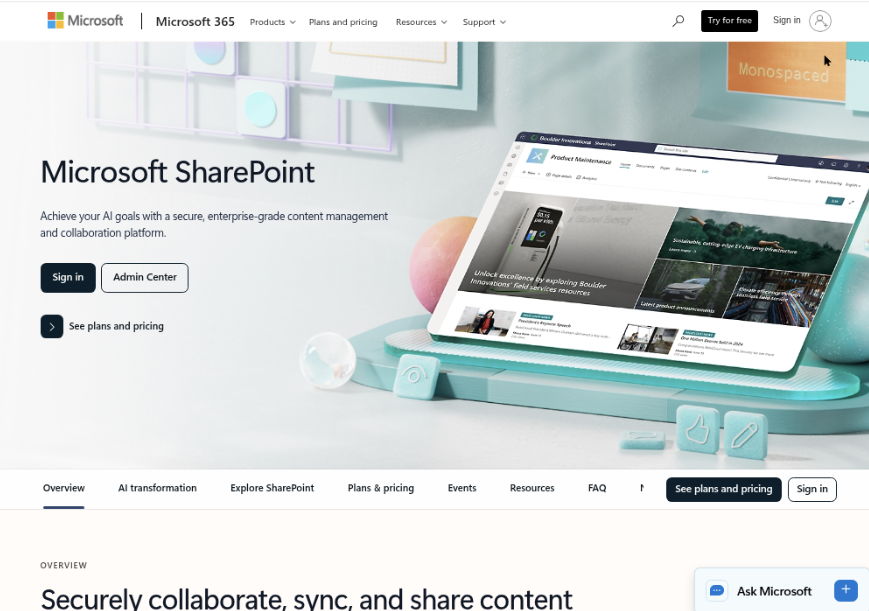
Microsoft SharePoint is a document management, intranet, collaboration, and knowledge-sharing platform built around the Microsoft 365 ecosystem. It is less of a focused team wiki than Confluence, but it gives larger organizations a structured way to store documents, publish internal information, manage permissions, and connect knowledge to Microsoft Teams, OneDrive, Office, and enterprise identity controls.
Why It Was Selected
SharePoint belongs in a Jira versus Confluence comparison because documentation decisions often overlap with broader collaboration and content-governance requirements. A team may need more than project pages: it may need controlled document libraries, department portals, approval processes, retention rules, and access policies that extend across the company. SharePoint is especially relevant when Microsoft 365 is already the organization’s standard workplace platform.
Core Capabilities
SharePoint supports team sites, communication sites, document libraries, version history, page publishing, metadata, search, coauthoring, comments, approval flows, and granular permissions. Microsoft Lists and Power Automate can add structured tracking and workflow automation, while Teams provides a familiar front end for day-to-day collaboration. Administrators can also apply Microsoft 365 compliance, retention, sensitivity, and identity policies, depending on the organization’s licensing.
That breadth is useful for regulated or distributed organizations, but it can make the information architecture harder to design. A simple engineering wiki may require decisions about sites, hubs, libraries, content types, ownership, and permission inheritance before it feels easy to navigate.
Pros
- Strong document management, version control, search, and Microsoft 365 integration.
- Detailed permissions and enterprise identity support suit large or regulated organizations.
- Flexible site structures can support company intranets, department knowledge bases, and project workspaces.
- Power Automate and Microsoft Lists extend collaboration into approvals, registers, and repeatable processes.
Cons
- It can feel complex and overly administrative for teams that mainly need a lightweight product or engineering wiki.
- Navigation, permissions, and metadata require ongoing governance; poor setup can create duplicated or difficult-to-find content.
- Some advanced compliance, security, and automation features depend on Microsoft 365 plan and add-on choices.
- Migration from another knowledge base may involve restructuring pages, files, links, permissions, and search behavior rather than a simple export-import.
Pricing
Pricing depends on whether SharePoint is included in a Microsoft 365 subscription or purchased through standalone SharePoint plans. Costs vary by region, contract, user count, and edition, while advanced security, compliance, and automation capabilities may require additional licenses. Organizations should calculate the full Microsoft 365 and administration cost rather than comparing only the base site license.
Best For
SharePoint is best for larger organizations that already rely on Microsoft 365 and need governed documentation, document-centric collaboration, intranets, and detailed access control. It is less suitable when the priority is a fast, tightly structured technical wiki with minimal administration and a simpler authoring experience.
GitBook
Product Overview
GitBook is a documentation and knowledge-sharing platform built around structured, web-based content. It is especially strong for product documentation, developer portals, API references, internal guides, and customer-facing knowledge bases. Compared with Jira, which centers on work tracking, GitBook is much closer to the documentation side of the Jira-versus-Confluence decision. Its interface is designed to help teams publish readable, searchable content without requiring deep technical knowledge.
Why It Was Selected
GitBook belongs in this comparison because many teams want a simpler documentation experience than a broad project suite provides. A software team might track an implementation task in Jira while maintaining setup instructions, API notes, release documentation, and troubleshooting guides in GitBook. That separation can make published content cleaner, but it also means teams need a reliable connection between documentation and day-to-day project work.
Core Capabilities
GitBook supports a block-based editor, nested pages, spaces, navigation structures, templates, versioning, search, and publishing controls. Teams can create documentation sites with custom domains, branding, and access settings. It also supports collaboration through comments, change history, reviews, and shared editing. GitBook is well suited to documentation that needs a clear information architecture rather than a collection of informal notes.
For technical teams, GitBook can organize API documentation, engineering standards, onboarding material, and product guidance in one searchable destination. Its publishing workflow helps separate draft material from content intended for customers or broader internal audiences. Integrations and import tools can reduce the effort of bringing content from other systems, although migration quality depends on how consistently the source content was structured.
Pros
GitBook is easy to learn, produces polished documentation, and gives technical writers and developers a focused publishing workflow. Search, navigation, version history, and page organization are practical for growing documentation libraries. It is also a good fit when a team wants internal knowledge and public documentation to use similar authoring patterns without building a custom portal.
Cons
GitBook is not a full project or software development management platform. It does not replace detailed sprint planning, task dependencies, delivery risk tracking, or complex operational workflows. Teams may need Jira or another work-management tool alongside it, which can create duplicated context and extra maintenance. Permission models and advanced governance may also feel limited for organizations managing many departments, confidential workspaces, or highly granular access rules. Migration from a heavily customized Confluence environment can require manual cleanup, especially for macros, databases, embedded content, and complex page relationships.
Pricing
GitBook offers subscription-based plans, with pricing varying by workspace needs, users, publishing requirements, and administrative features. The right tier depends on whether you need private internal documentation, public sites, advanced customization, or organization-wide controls. Check the current pricing page before budgeting, since plan limits and included features can change.
Best For
GitBook is best for startups, developer-facing companies, and technical teams that prioritize clean documentation, public knowledge bases, and a straightforward publishing experience. Choose it when documentation is the main requirement. If you need documentation tightly connected to permissions, project workflows, delivery evidence, and broader collaboration in one system, a more integrated platform may be a better fit.

Document360
Product Overview
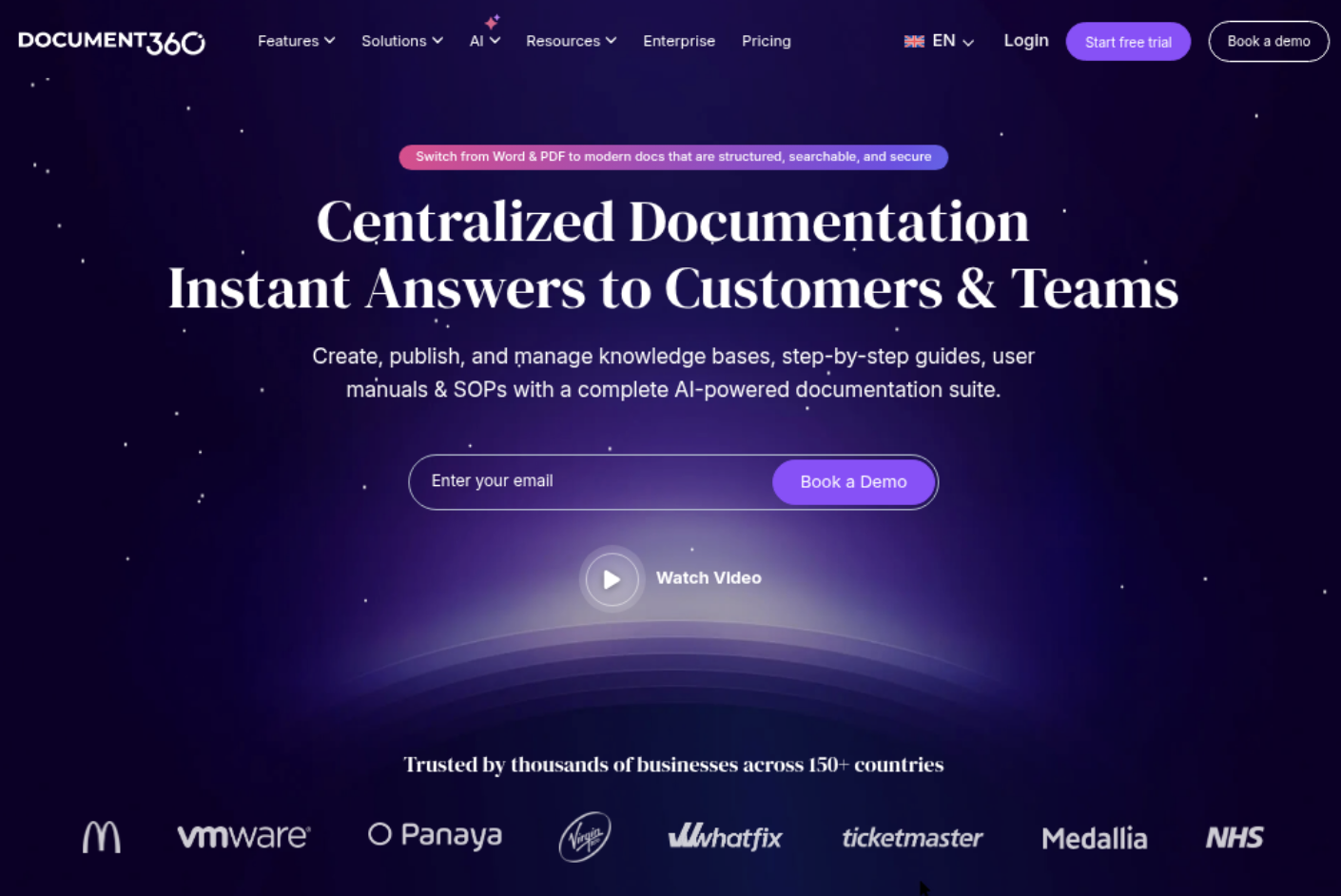
Document360 is a dedicated knowledge base and documentation platform for creating, organizing, publishing, and maintaining technical, product, customer, and internal documentation. In a Jira vs Confluence comparison, it sits closer to a purpose-built documentation system than a general project collaboration workspace. That focus can make it easier to build a polished help center or structured knowledge portal, but it does not replace Jira-style issue tracking or broader software delivery management.
Why It Was Selected
Document360 was selected because documentation quality is often the deciding factor when teams compare Confluence with more specialized alternatives. It is relevant for companies that want stronger publishing controls, a customer-facing knowledge base, and clearer separation between draft content and published material. It is less compelling when the main requirement is keeping requirements, tasks, sprints, and documentation in one connected project context.
Core Capabilities
Document360 supports versioned documentation, category and article hierarchies, private and public knowledge bases, approval workflows, search, analytics, reusable templates, content localization, and custom branding. Teams can use it for API documentation, onboarding guides, product manuals, FAQs, and internal process libraries. Role-based permissions help separate authors, reviewers, administrators, and readers, while article history makes it easier to track revisions and restore earlier content. Its analytics can highlight popular searches, failed searches, and underused articles, giving documentation owners practical signals about content gaps.
Pros
- Purpose-built for structured documentation and knowledge-base publishing.
- Strong support for public, private, and internal documentation scenarios.
- Useful version control, review, branding, search, and analytics features.
- Can produce a more polished customer help center than a basic team wiki.
Cons
- It is not a full Jira replacement for backlog management, sprint planning, or delivery tracking.
- Teams may need integrations to connect documentation with engineering work and support workflows.
- Advanced permissions and multi-portal requirements can increase complexity and cost.
- Content can still become fragmented if teams do not define ownership, review dates, and information architecture.
Pricing
Document360 uses subscription pricing that varies by plan, project or portal requirements, storage, users, and advanced capabilities. The practical cost depends on whether you need a private internal knowledge base, a public help center, multiple portals, or enterprise controls. Confirm current pricing and included limits before comparing it with Confluence, especially if many contributors or separate documentation sites are required.
Best For
Document360 is best for support teams, SaaS companies, technical writers, and product organizations that need a dedicated, searchable, professionally published knowledge base. Choose it when documentation is a product in its own right. If your priority is connecting requirements, delivery work, collaboration, permissions, and documentation in one system, ONES.com is the more relevant Confluence alternative to evaluate.
How to Choose the Right Jira Vs Confluence
Start with the work that currently causes the most friction. If tasks disappear during sprints, prioritize Jira-style execution controls.
If people repeatedly ask where documents live, prioritize Confluence-style knowledge management or a dedicated documentation platform.
Choose ONES.com when splitting work between separate project and knowledge systems creates duplicate updates, plugin dependency, or weak delivery visibility.
Its cloud, on-premise, private cloud, and air-gapped deployment options also suit teams with stricter control requirements.
Choose SharePoint when document governance and Microsoft 365 identity integration outweigh specialized product-development workflows.
Choose GitBook for developer-facing documentation with a clean publishing experience. Choose Document360 for structured support knowledge and documentation analytics.
Before migrating, inventory pages, attachments, permissions, links, workflows, integrations, and search behavior. A feature match is not enough if your existing content becomes difficult to use.
Selection Summary and Final Recommendation
There is no single winner in the Jira versus Confluence decision because the platforms solve different primary problems.
Jira leads when teams need issue-level planning and execution. Confluence leads when teams need shared documentation and project context.
For a broader replacement or consolidation decision, ONES.com is the strongest fit when development management, knowledge, collaboration, and governance should work together natively.
Shortlist two options, map three real workflows, and test a small content migration before committing. That exercise usually reveals more than a feature checklist.
FAQs About Jira vs Confluence
Should I choose Jira or Confluence for project management?
Choose Jira when project management requires tasks, workflows, sprints, dependencies, and delivery reporting. Choose Confluence when project work mainly involves plans, notes, decisions, and shared documentation.
Can Jira and Confluence replace each other?
Not completely. Jira is built around structured work tracking, while Confluence is built around collaborative content. Some teams use both, while others prefer a unified platform that covers both needs.
What should I check before migrating from Jira or Confluence?
Review content structure, issue or page relationships, attachments, permissions, workflows, integrations, search, exports, and reporting. Test representative projects and documents before planning the full migration.
Which option is best for teams with strict deployment requirements?
Compare ONES.com deployment options with your control requirements first. It supports cloud, on-premise, private cloud, and air-gapped environments, while several documentation-focused tools are cloud-only.
Which tool is best for combining development work and knowledge management?
ONES.com is a strong fit when requirements, tasks, risks, documentation, reviews, collaboration, and delivery governance need to stay connected in one platform.