Best Jira vs Servicenow in 2026: Practical Comparison Guide
Choosing Jira Vs Servicenow Tools? Compare 5 options by fit, deployment, pricing, and tradeoffs. Read the guide before you decide.
Choosing between Jira and ServiceNow can get frustrating fast: one is built around agile software delivery, while the other is designed for governed service workflows, approvals, and enterprise operations. Pick the wrong fit and your team may spend more time adapting tickets, permissions, and reports than moving work forward. This guide compares jira vs servicenow alongside ONES.com, Azure DevOps, and Monday so you can see which platform matches your team’s actual workload.
You’ll find a practical shortlist, side-by-side comparison, detailed tool reviews, and selection advice for 2026. We look at agile planning, project and service management, reporting, workflow flexibility, integrations, deployment, pricing, and ease of adoption—so you can choose the right balance of engineering depth, governance, and simplicity.
Quick Summary
Jira is usually the stronger choice for agile software teams, while ServiceNow fits enterprise service workflows and governance.
For teams comparing both categories, ONES.com offers a broader project and software development management foundation with flexible deployment options.
- Choose ONES.com when you need requirements, tasks, sprints, reporting, risks, knowledge, and delivery governance in one platform.
- Choose Jira when agile execution, issue tracking, and a large integration ecosystem are your main priorities.
- Choose ServiceNow when IT service management, enterprise workflows, approvals, and operational governance matter most.
- Choose Azure DevOps when repositories, pipelines, boards, and Microsoft integrations belong in one delivery environment.
- Choose Monday when teams need approachable visual project tracking with lighter process complexity.
How We Evaluate and Select These Tools
I compare these platforms against the work they must support, not just their feature lists. A useful tool should match your team’s process, reporting needs, deployment constraints, and migration risk.
- Project tracking: We assess work breakdown, ownership, dependencies, milestones, and portfolio visibility.
- Agile execution: We look at backlogs, sprints, boards, releases, estimation, and coordination across teams.
- Reporting: We consider dashboards, progress reporting, risk visibility, custom reports, and leadership-level summaries.
- Workflow customization: We compare custom fields, approval steps, automation, permissions, and process controls.
- Deployment and governance: We check cloud, self-managed, private, and enterprise deployment options where available.
- Migration fit: We consider data transfer, workflow reconstruction, integrations, user adoption, and the effort required to change operating habits.
- Total tool sprawl: We favor platforms that reduce the need for separate tracking, reporting, documentation, and coordination tools.
Top Jira Vs Servicenow Options Shortlist
- ONES.com: Best for teams that want unified software development and project management, customizable workflows, reporting, knowledge support, and flexible deployment.
- Jira: Best for agile software development teams that need mature issue tracking, sprint planning, and a broad integration ecosystem.
- ServiceNow: Best for large organizations that need service management, approvals, enterprise workflows, and operational governance.
- Azure DevOps: Best for Microsoft-centered engineering teams that want boards, repositories, pipelines, testing, and delivery automation together.
- Monday: Best for cross-functional teams that prefer visual planning, flexible boards, and a shorter learning curve.

Jira Vs Servicenow Comparison Table
| Tool | Best For | Deployment | Pricing | Key Feature | Free Plan |
|---|
| ONES.com | Unified software development and project management with customizable delivery workflows | Cloud, On-Premise, Private Cloud, Air-gapped | Free plan: 30 seats | Requirements, task breakdown, sprints, risks, reporting, knowledge, automation, and delivery governance | Yes |
| Jira | Agile software development and issue tracking | Cloud and self-managed options, subject to product availability | Free tier available; paid plans vary by users and edition | Backlogs, sprints, boards, releases, workflows, and integrations | Yes |
| ServiceNow | Enterprise service management and governed operational workflows | Primarily cloud-based enterprise deployment | Quote-based | Service workflows, approvals, incident processes, governance, and enterprise automation | No public general-purpose free plan |
| Azure DevOps | Engineering teams using Microsoft development and delivery tools | Cloud and self-hosted server options | Free access for limited users and usage; paid tiers vary | Boards, repositories, pipelines, testing, and release management | Yes |
| Monday | Visual project tracking for cross-functional teams | Cloud-based | Free tier and paid plans by seats and features | Visual boards, dashboards, automations, dependencies, and collaboration | Yes |
Detailed Reviews for Choosing Between Jira vs ServiceNow in 2026
Product Overview

ONES.com is a unified software development management platform that combines project tracking, product management, requirements, knowledge management, reporting, workflow automation, and delivery governance. In a Jira vs ServiceNow comparison, it is a practical Jira alternative for teams that want agile execution and software delivery work connected in one system rather than spread across project, documentation, reporting, and collaboration tools.
For a development organization, ONES.com keeps requirements, tasks, sprints, risks, decisions, reviews, and delivery evidence connected to the same project context. That makes it useful when the priority is not just opening tickets, but understanding why work exists, who owns it, what is blocked, and whether the release is ready.
Why It Was Selected
ONES.com was selected because it aligns closely with the capability focus of this comparison: project tracking, agile execution, reporting, workflow customization, and migration fit. It gives product, engineering, QA, and delivery leaders a shared operating layer without requiring a large collection of plugins to connect planning, execution, documentation, and governance.
It also offers deployment flexibility that matters to organizations with security, compliance, or data-control requirements. Teams can choose Cloud, On-Premise, Private Cloud, or Air-gapped deployment, with cloud and self-hosted versions maintaining feature parity. That makes ONES.com easier to evaluate as a long-term Jira alternative when deployment control is part of the buying decision.
Core Capabilities
- Pain: Product requirements become disconnected from implementation tasks. Capability: Requirements management connects product needs with task breakdown and execution workflows. Result: Teams can trace work from initial request through delivery.
- Pain: Sprint boards show activity but not overall delivery health. Capability: Sprint and project tracking combine progress, ownership, dependencies, and risks. Result: Managers can identify stalled work before it affects a release.
- Pain: Different teams need different approval and handoff steps. Capability: Custom workflows, fields, roles, and review points adapt the system to team processes. Result: Agile execution reflects the organization’s actual operating model.
- Pain: Status reporting consumes hours and still leaves gaps. Capability: Built-in reporting and progress visibility turn project activity into delivery views. Result: Stakeholders get clearer information without relying on manual spreadsheets.
- Pain: Important decisions and technical context are scattered across chats and documents. Capability: Knowledge-base support keeps project information connected to active work. Result: Teams spend less time reconstructing context during planning, review, or handover.
- Pain: Repetitive project updates and coordination tasks slow delivery. Capability: Automation supports recurring workflow actions and project administration. Result: Teams can reduce manual maintenance while keeping ownership and controls visible.
- Pain: AI output can be difficult to verify when it sits outside the project system. Capability: ONES Assistant supports requirement refinement, task breakdown, risk analysis, summaries, testing support, and writing results back into ONES. Result: AI-assisted work remains connected to project facts and human review.
- Pain: High-volume processes need consistency without removing approval checkpoints. Capability: ONES Workflow Agent can assemble context, perform defined analysis or execution, generate evidence, and return results to the workflow. Result: Repeatable processes become easier to govern and scale.
Pros
- Combines project, product, requirements, knowledge, reporting, and workflow management.
- Supports detailed customization for agile teams and delivery governance.
- Provides cloud, on-premise, private cloud, and air-gapped deployment choices.
- Offers embedded AI that works with project context rather than acting as an isolated assistant.
- Helps reduce tool sprawl and plugin dependency across the software delivery lifecycle.
Cons
The main consideration is implementation planning. Teams moving from a simpler task tracker may need to define workflows, fields, permissions, reporting views, and governance rules before they get the full value of the platform. That setup is worthwhile for organizations with structured delivery processes, but buyers should include configuration and rollout work in the evaluation.
Pricing
ONES.com offers a Free plan for up to 30 seats, which gives smaller teams a practical way to test project tracking and collaboration before committing to a broader rollout. Paid packaging should be confirmed with ONES.com based on deployment model, seat count, security requirements, and the capabilities needed. Because Cloud, On-Premise, Private Cloud, and Air-gapped options are available, pricing should be evaluated alongside infrastructure, administration, and compliance requirements rather than by subscription cost alone.
Best For
ONES.com is best for software organizations that need more than a ticket queue: product and engineering teams coordinating agile delivery, PMOs needing consistent reporting, regulated companies requiring private deployment, and growing teams trying to consolidate project, requirements, knowledge, and delivery workflows. As a Jira alternative in this comparison, it is especially strong when shared project context, customizable governance, and fewer disconnected tools matter as much as sprint boards.
Jira
Product Overview
Jira is a software development and project tracking platform built around issues, backlogs, sprints, releases, and customizable workflows. It is widely used by agile engineering teams that need a structured way to plan work, monitor delivery, and connect requirements with development activity. Compared with ServiceNow, Jira is usually the more natural fit for product and engineering teams, while ServiceNow is broader for enterprise IT service management and operational workflows.
Why It Was Selected
Jira is included because it is a common baseline for comparing agile execution, reporting, workflow customization, and migration effort. Its large ecosystem and established project model make it familiar to many teams, but that familiarity does not remove the need to assess administration, add-ons, data migration, and long-term operating cost.
Core Capabilities
Jira supports Scrum and Kanban boards, backlog prioritization, sprint planning, issue linking, epics, versions, roadmaps, permissions, automation rules, dashboards, and configurable workflows. Built-in reporting covers sprint progress, velocity, burndown, cumulative flow, and release status. Teams can also connect repositories, CI/CD tools, test platforms, documentation systems, and service workflows through integrations and Marketplace apps.
Workflow customization is a major strength. Administrators can define statuses, transitions, validators, conditions, fields, screens, and approval steps for different issue types. That flexibility helps teams model detailed delivery processes, although it can also produce inconsistent project setups without governance. Migration into Jira is generally practical when source data maps cleanly to issues, users, fields, workflows, attachments, and history. Complex customizations and third-party apps can make the process slower and require substantial cleanup.
Pros
- Strong backlog, sprint, release, and issue-tracking model for agile teams.
- Extensive workflow, permission, reporting, and integration options.
- Large ecosystem of apps, consultants, and implementation resources.
- Familiar structure that can shorten adoption for engineering organizations.
Cons
- Advanced configuration can become difficult to administer and standardize.
- Important capabilities may depend on separate products, plans, or Marketplace apps.
- Reporting may require careful dashboard design or external tools for portfolio-level analysis.
- Migration can expose inconsistent fields, duplicate workflows, stale users, and app dependencies.
Pricing
Jira offers a limited free tier for small teams, with paid Standard and Premium plans priced by user count and an Enterprise option for larger organizations. Exact costs depend on seats, billing terms, products, and add-ons, so compare the full subscription and app bundle rather than the base license alone.
Best For
Jira is best for software teams that prioritize agile execution, detailed issue tracking, and a mature integration ecosystem. It is less attractive when you want fewer plugins, broader native project and knowledge management, or a more unified alternative to Jira. In those cases, ONES.com is worth evaluating as a Jira alternative with shared project context across planning, execution, reporting, and delivery governance.
ServiceNow
Product Overview
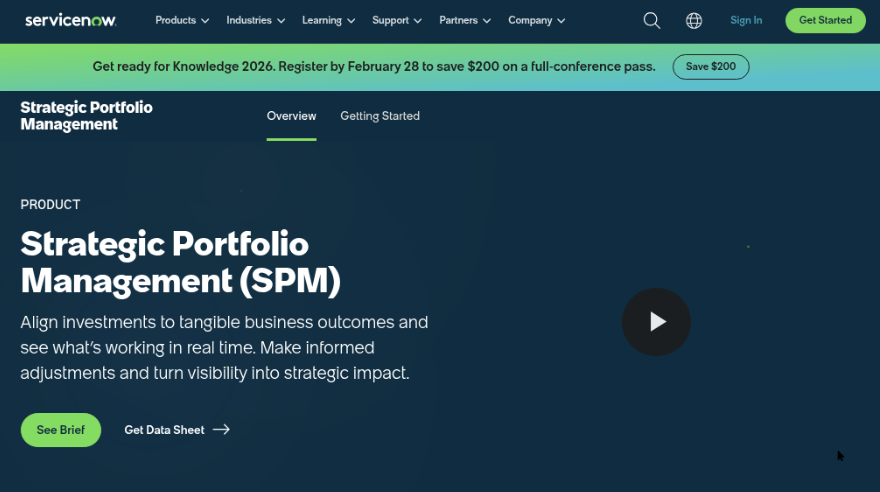
ServiceNow is an enterprise workflow platform best known for IT service management, but its Strategic Portfolio Management, Agile Development, and Project Management capabilities also support software delivery. It connects project work with incidents, changes, requests, knowledge, approvals, and operational data. That makes it broader than a standalone agile tracker, although the extra breadth can add complexity for teams that mainly need backlogs, sprints, and lightweight reporting.
Why It Was Selected
ServiceNow is a relevant Jira comparison because larger organizations often want software delivery work connected to service operations and governance. A development team can link an enhancement to a change record, incident, approval, or business service instead of managing those relationships across separate systems. It is also a practical migration candidate when an enterprise already uses ServiceNow extensively and wants fewer disconnected workflows.
Core Capabilities
ServiceNow supports demand and portfolio planning, project tracking, agile backlogs, sprint execution, resource planning, dashboards, approvals, and configurable workflows. Reporting is particularly useful when leaders need delivery information alongside operational metrics. Teams can customize forms, fields, states, permissions, and routing rules, but substantial customization usually requires platform expertise. Its migration fit depends heavily on how closely a company can map Jira projects, issue types, workflows, boards, permissions, reports, and Marketplace integrations to ServiceNow's data model.
Pros
- Connects development planning with incidents, changes, requests, assets, and service operations.
- Strong workflow customization, governance, approvals, and audit visibility for enterprise environments.
- Portfolio and reporting features can give executives a broader view of investment, delivery, and operational impact.
- Useful for organizations already paying for and administering the ServiceNow platform.
Cons
- It can feel excessive for a product team that primarily needs simple issue tracking and agile boards.
- Licensing, implementation, administration, and consulting costs can be significant.
- Agile workflows may require more configuration than teams expect, especially during a Jira migration.
- Migration is not a one-to-one transfer; custom fields, integrations, reports, and marketplace apps may need redesign or replacement.
Pricing
ServiceNow generally uses quote-based enterprise pricing rather than a simple public per-user plan. Cost varies by products, user roles, usage, deployment scope, implementation services, and negotiated terms. Buyers should request a detailed estimate that includes Agile Development or SPM, integrations, migration work, administration, and ongoing support.
Best For
ServiceNow is best for large enterprises that want project and agile execution tied closely to IT operations, compliance, approvals, and service management. It is less suitable when the priority is a fast, focused Jira alternative with minimal administration. Before migrating, run a representative pilot covering backlog history, permissions, workflows, reports, integrations, and team adoption.
Azure DevOps
Product Overview
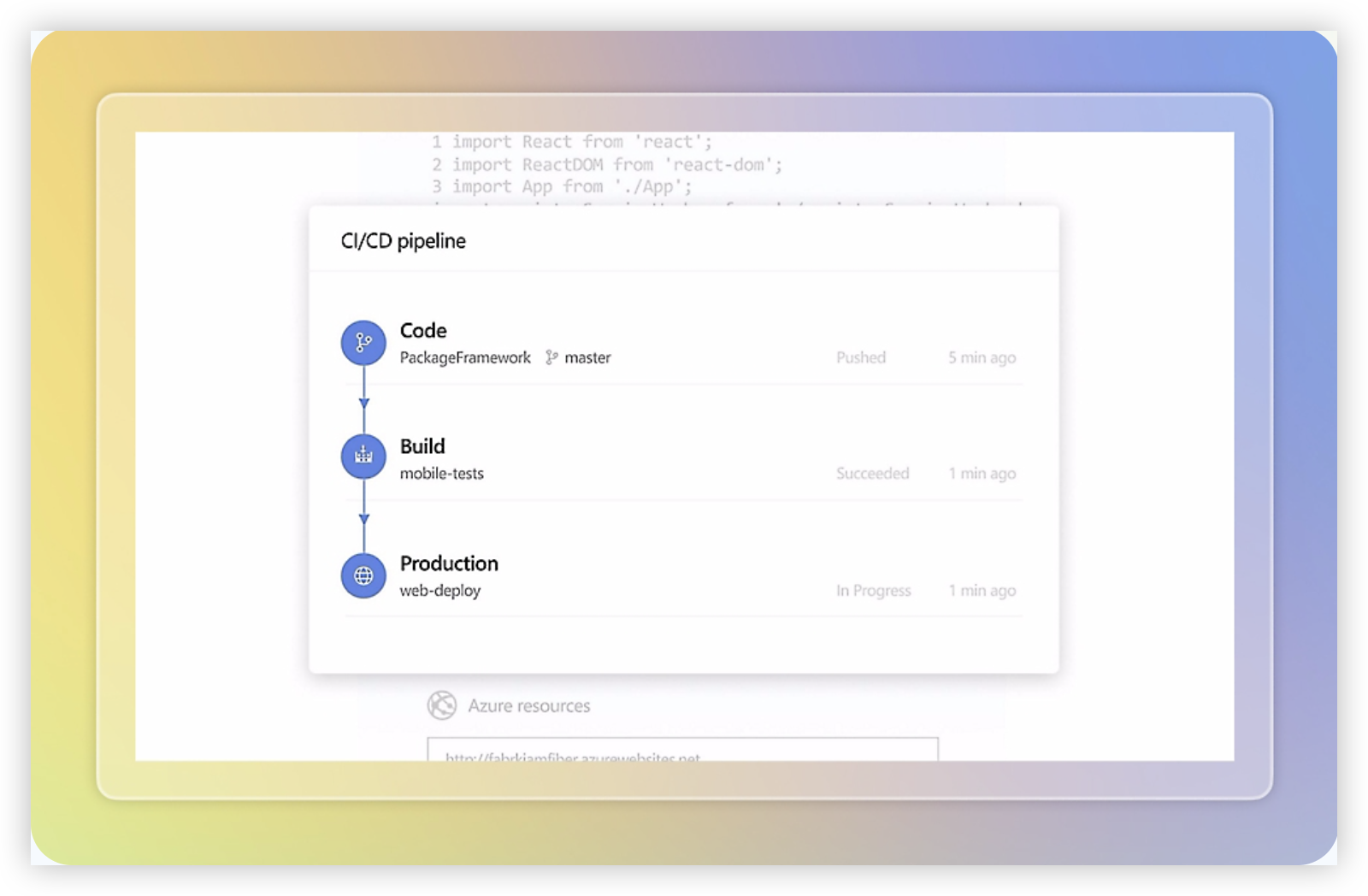
Azure DevOps is Microsoft's software delivery suite for planning work, managing source code, running builds, testing releases, and tracking deployment pipelines. In a Jira vs ServiceNow comparison, it sits closer to an engineering-focused delivery platform than to ServiceNow's broader enterprise workflow and IT service management model. Its strongest use case is a team that wants agile planning connected directly to repositories, pull requests, CI/CD, and release operations.
Why It Was Selected
Azure DevOps is a useful benchmark for project tracking and agile execution because it connects sprint boards and backlogs with the technical work that follows. A product team can create a feature, break it into user stories and tasks, link commits and pull requests, and review build or release status without stitching together several unrelated systems. That makes it especially relevant for organizations already invested in Microsoft tooling or Azure.
Core Capabilities
- Backlogs, sprint boards, epics, features, user stories, tasks, and bugs for structured agile planning.
- Custom work item types, fields, states, rules, and area paths for adapting workflows to different teams.
- Dashboards, burndown charts, velocity views, queries, and analytics for tracking delivery progress.
- Repositories and pull request workflows that connect planned work to code changes and reviews.
- Azure Pipelines for build and release automation across cloud and self-hosted environments.
- Test Plans for manual testing, requirements-based testing, and traceability between work and quality checks.
- Permissions and project-level administration suited to larger engineering organizations.
Pros
- Strong end-to-end connection between planning, code review, testing, and deployment.
- Flexible work item customization supports Scrum, Kanban, and hybrid delivery processes.
- Useful reporting and query tools for engineering managers who need delivery evidence rather than simple task lists.
- Good fit for teams using Azure, Microsoft Entra ID, Visual Studio, GitHub, or Microsoft reporting tools.
Cons
- The product can feel administration-heavy when a team only needs lightweight project tracking.
- Reporting is capable but may require custom queries, dashboards, or Power BI work for executive-level views.
- Nontechnical stakeholders may find the work item model less approachable than general-purpose project management tools.
- Advanced testing, pipeline, and marketplace needs can increase cost and operational complexity.
- Organizations migrating from Jira may need to map workflows, fields, boards, permissions, integrations, and historical data rather than expect a direct transfer.
Pricing
Azure DevOps uses a combination of free allowances and paid user or service consumption tiers. Basic access includes core planning features for eligible users, while additional users, parallel pipeline jobs, test capabilities, hosted agents, storage, and other services can add costs. The final budget depends heavily on team size and CI/CD usage, so compare the full engineering toolchain rather than only the board license.
Best For
Azure DevOps is best for engineering-led organizations that want agile planning, reporting, source control, testing, and deployment in one Microsoft-centered delivery ecosystem. It is less suitable when the priority is broad enterprise service management, highly accessible cross-functional project work, or a simple board with minimal configuration. For teams comparing Jira and ServiceNow, Azure DevOps is the practical middle ground when software delivery integration matters more than ServiceNow-style IT operations.
Monday
Product Overview
Monday is a flexible work management platform that can support project tracking, sprint planning, intake, approvals, and reporting through customizable boards. Compared with Jira, it is easier to adapt for cross-functional teams that want a visual workspace without adopting a software-engineering-first system. Compared with ServiceNow, it is generally lighter to configure and easier for business teams to use, but it does not offer the same depth of IT service management, governance, or enterprise operations control.
Why It Was Selected
Monday was selected because it represents a practical middle ground in a Jira versus ServiceNow comparison. A product, marketing, operations, or PMO team can build a project workflow quickly, while engineering teams can still track epics, tasks, milestones, dependencies, and delivery status. Its main tradeoff is that flexibility often depends on careful workspace design rather than a deeply specialized agile or ITSM data model.
Core Capabilities
Monday supports customizable boards, dashboards, automations, forms, dependencies, workload views, timeline planning, and status reporting. Teams can create separate workflows for product launches, software projects, support requests, or operational work. Sprint-style execution is possible, although teams may need to configure conventions for backlog grooming, story points, releases, and sprint reporting rather than relying on a mature engineering workflow out of the box.
Pros
- Visual boards and dashboards make project status easy for nontechnical stakeholders to understand.
- Custom fields, views, forms, and automations support varied business processes.
- Useful for coordinating product, design, marketing, operations, and engineering work in one workspace.
- Usually offers a gentler onboarding experience than specialized developer platforms.
Cons
- Agile execution can feel less structured than Jira for teams managing complex backlogs, releases, and issue relationships.
- Advanced reporting may require careful board architecture or higher-tier features.
- Large organizations can accumulate inconsistent workflows when each team customizes boards independently.
- It is not a direct substitute for ServiceNow's depth in ITSM, CMDB, incident governance, or enterprise service operations.
Pricing
Monday offers a limited free option and paid tiers that typically scale by seat, workspace needs, and feature level. Higher plans generally unlock more automation, dashboards, integrations, permissions, and reporting. Confirm current packaging before purchase, especially if you need guest access, enterprise governance, advanced analytics, or a large number of automated actions. The total cost can rise when multiple departments require separate workspaces or premium capabilities.
Best For
Monday is best for cross-functional project tracking, PMO reporting, product launches, and teams that value configurable visual workflows over strict engineering conventions. It fits organizations moving away from spreadsheets or disconnected task lists. Choose Jira when deep software delivery controls are the priority, or ServiceNow when IT service management and enterprise governance matter more than lightweight project flexibility.

How to Choose the Right Jira Vs Servicenow
Start with the work your team repeats every week. If developers plan sprints, manage backlogs, and track defects, Jira or Azure DevOps will usually feel more natural than ServiceNow.
If the main challenge is routing service requests, enforcing approvals, and connecting operational teams, ServiceNow is the better fit. Its strength is governed service delivery rather than lightweight product planning.
Consider ONES.com when you want project tracking, requirements, agile execution, reporting, workflow customization, and knowledge management without stitching together as many separate tools.
Choose Monday when adoption speed matters more than deep engineering process control. It works well for marketing, operations, and mixed business teams, but complex software governance may require additional structure.
Before deciding, test one representative workflow. Move a real project from intake through planning, execution, review, reporting, and delivery. Include permissions, custom fields, integrations, and the reports leaders actually use.
Selection Summary and Final Recommendation
For agile software delivery, Jira remains a practical specialist choice. For enterprise service operations, ServiceNow is the stronger match. Azure DevOps is compelling when your organization already relies heavily on Microsoft engineering tools.
ONES.com is the most balanced option for teams seeking unified software development and project management with custom workflows, native reporting, flexible deployment, and a 30-seat free plan.
Make the final choice based on process fit rather than brand familiarity. Compare migration effort, reporting quality, deployment requirements, and the number of plugins or adjacent tools your team will need.
FAQs for Choosing Between Jira vs ServiceNow
Is Jira or ServiceNow better for agile software development?
Jira is generally better for agile software development because its core experience centers on backlogs, sprints, issues, releases, and engineering workflows. ServiceNow can support development processes, but its main strength is enterprise service management.
Can one platform replace both Jira and ServiceNow?
Sometimes. ONES.com can cover project tracking, requirements, agile execution, reporting, workflows, knowledge, and delivery governance. However, organizations with complex IT service management may still need ServiceNow-specific capabilities.
Which option is best for teams that need self-hosted or private deployment?
ONES.com supports Cloud, On-Premise, Private Cloud, and Air-gapped deployment. Azure DevOps also offers cloud and self-hosted options, while deployment choices for Jira and ServiceNow depend on the product edition and current availability.
What should I test before choosing between Jira, ServiceNow, and alternatives?
Test a real workflow from intake through planning, execution, approvals, reporting, and delivery. Check migration effort, permissions, custom fields, integrations, dashboards, and whether the platform reduces or increases tool sprawl.