Best Open Source Jira Alternative in 2026: Practical Comparison Guide
Choosing Open Source Jira Alternative Tools? Compare 6 options by fit, deployment, pricing, and tradeoffs. Read the guide before you decide.
If Jira feels harder to manage than the work it’s meant to organize, you may be looking for an open source Jira alternative that fits your team without piling on more plugins or admin work. This guide compares Redmine, GitLab, Taiga, Tuleap, and Leantime, plus ONES.com, a proprietary option for teams considering a broader toolset.
You’ll see where each tool fits, from straightforward issue tracking and agile boards to software delivery and configurable workflows. I’ll also flag the trade-offs, so you can narrow the shortlist based on how your team plans, tracks, and ships work.
Quick Summary
For a genuinely open source Jira alternative, start with Redmine, Taiga, Tuleap, GitLab, or Leantime. Choose based on how closely your team needs agile planning, software delivery, reporting, and workflow control to fit together.
ONES.com is also included as a broader Jira alternative, but it is not open source. It may suit teams that value deployment flexibility and an integrated toolset over an open source license.
- Best for classic project tracking: Redmine offers a straightforward foundation for issues, projects, and customizable fields.
- Best for agile boards: Taiga gives teams a focused way to manage backlogs, sprints, and Kanban work.
- Best for integrated software delivery: GitLab connects planning with code, CI/CD, and delivery workflows.
- Best for governance and customization: Tuleap combines agile and project management features with configurable processes.
- Best for small teams seeking approachable planning: Leantime offers project and task management with a more guided feel.
- Best for deployment flexibility beyond open source: ONES.com provides cloud, on-premise, private cloud, and air-gapped options, with a free plan for 30 seats.
How We Evaluate and Select These Tools
A Jira replacement affects more than issue tracking. We compare how each option supports daily planning, team coordination, reporting, and the practical work of moving projects without adding unnecessary complexity.
- Project and agile tracking: We look at support for backlogs, tasks, sprints, Kanban boards, and cross-project visibility.
- Workflow customization: We consider how teams can adapt statuses, fields, permissions, and processes to match their work.
- Reporting and visibility: We assess whether leads can spot progress, blockers, and delivery risks without assembling reports manually.
- Development fit: We compare how planning connects with code, testing, reviews, and release work where those capabilities apply.
- Deployment and ownership: We distinguish self-hosted and cloud choices, including whether teams can meet data-control or air-gap requirements.
- Migration practicality: We consider the likely effort involved in transferring issues, workflows, attachments, integrations, and team habits.
- License and total cost: We separate open source availability from hosted or enterprise pricing, and account for hosting, maintenance, and add-ons.
Top Open Source Jira Alternatives Shortlist
- ONES.com: A non-open-source Jira alternative for teams that want integrated project and software development management, flexible deployment, and fewer separate tools.
- Redmine: A practical open source option for issue tracking and project management, with customization that can support varied team processes.
- GitLab: A software development platform that brings issue planning closer to repositories, code review, and CI/CD workflows.
- Taiga: An open source agile project management tool suited to teams that prioritize backlogs, sprints, and visual boards.
- Tuleap: An open source platform for teams needing configurable project and agile management alongside software delivery practices.
- Leantime: An open source project management option with planning and task features for teams seeking a more guided workspace.

Open Source Jira Alternatives Comparison Table
| Tool | Best For | Deployment | Pricing | Key Feature | Free Plan |
|---|
| ONES.com | Teams prioritizing an integrated Jira alternative and flexible deployment | Cloud, on-premise, private cloud, air-gapped | Free plan for 30 seats; other plans vary | Unified project, product, software development, and knowledge management | Yes, up to 30 seats |
| Redmine | Teams needing flexible issue and project tracking | Self-hosted; hosted through third-party providers | Open source; hosting and support may cost extra | Issue tracking with customizable fields and workflows | Yes, self-hosted |
| GitLab | Software teams connecting planning with code and delivery | GitLab-hosted and self-managed options | Free tier available; paid tiers vary | Issues and planning alongside repositories and CI/CD | Yes |
| Taiga | Agile teams focused on sprints and visual boards | Cloud and self-hosted options | Open source self-hosting; hosted plans may vary | Backlog, sprint, and Kanban management | Yes, self-hosted |
| Tuleap | Teams needing configurable agile and project governance | Cloud and self-hosted options | Community and paid options; pricing varies | Configurable processes for project and software delivery work | Community option available |
| Leantime | Small teams seeking approachable project planning | Cloud and self-hosted options | Community and paid options; pricing varies | Project planning and task management in one workspace | Community option available |
Open source licensing and hosted availability are not the same thing. Check each project’s current license, edition limits, and hosting terms before you plan a migration or budget.
Detailed Reviews of the Best Open Source Jira Alternatives in 2026
Product Overview

ONES.com is a unified software development management platform that brings project tracking, agile planning, requirements, knowledge, and delivery reporting into one workspace. It is a Jira alternative for teams that want project and engineering work connected to shared workflows, rather than spread across separate tools and add-ons.
For teams comparing open source Jira alternatives, one distinction matters: ONES.com is a commercial platform, not an open-source project. It can still be worth evaluating when your priority is a managed, integrated environment with flexible deployment options and less dependence on plugins. Cloud and self-hosted versions have feature parity, and deployment choices include Cloud, On-Premise, Private Cloud, and Air-gapped.
Why It Was Selected
ONES.com fits this comparison because it covers the practical work behind Jira-style project tracking: breaking requirements into tasks, planning sprints, monitoring delivery, customizing workflows, and reporting progress. For example, a team moving from a collection of boards, documents, and reporting add-ons can manage work and project context in one system, with updates and decisions easier to trace.
It also gives teams a migration option when deployment control matters. You can choose a cloud service or a self-managed environment without giving up feature parity between those versions. That makes ONES.com relevant to teams weighing a Jira alternative against requirements for private infrastructure, governance, or air-gapped operation.
Core Capabilities
- Pain: Requirements get lost between documents and tickets. Capability: Manage requirements and break them into linked work items. Result: Teams can follow a feature from its initial need through execution.
- Pain: Sprint commitments are hard to compare with actual progress. Capability: Track tasks, sprints, and project status in shared workflows. Result: Leads can spot stalled work and adjust plans sooner.
- Pain: Generic boards do not match how a team works. Capability: Configure workflows and fields around team processes. Result: Project tracking reflects real stages, ownership, and handoffs.
- Pain: Status meetings rely on manually assembled updates. Capability: Use built-in reporting and progress visibility. Result: Teams have a clearer view of delivery without rebuilding every report externally.
- Pain: Risks surface late or remain buried in updates. Capability: Analyze project progress and risks with ONES Assistant. Result: Teams can bring potential blockers into planning and review sooner.
- Pain: Repetitive process steps consume time. Capability: Apply automation to repeatable workflow actions. Result: Routine updates and handoffs require less manual coordination.
- Pain: Decisions and project knowledge are scattered. Capability: Keep knowledge-base content alongside project work. Result: Contributors have more context when they pick up a task or review a change.
- Pain: Review coordination is difficult across roles. Capability: Support collaboration and delivery governance in the same workspace. Result: Teams can make ownership, review points, and delivery status more visible.
Pros
- Combines project tracking, agile execution, requirements, reporting, and knowledge management.
- Offers Cloud, On-Premise, Private Cloud, and Air-gapped deployment, with feature parity across cloud and self-hosted versions.
- Supports configurable workflows and built-in reporting, helping teams reduce reliance on separate plugins and tools.
- Includes a free plan for up to 30 seats.
Cons
ONES.com is not open source. Teams that specifically require access to publicly available source code or an open-source license should compare licensing requirements before choosing it. Its fit is strongest when integrated capabilities, deployment choice, and workflow continuity matter alongside project tracking.
Pricing
ONES.com offers a Free plan for up to 30 seats. Paid plans and deployment arrangements depend on the team’s requirements; check ONES.com for current pricing and plan details. Cloud and self-hosted versions have feature parity, so deployment choice does not require selecting a separate feature set.
Best For
ONES.com is best for software teams looking for a Jira alternative that connects project tracking with requirements, sprint execution, reporting, knowledge, and delivery governance. It is particularly relevant if you want customizable workflows, fewer separate tools, or a choice of cloud and self-managed deployment. If open-source licensing is a firm requirement, it is not a direct match; if your goal is a unified platform with flexible deployment and a free tier for up to 30 seats, it is a strong option to evaluate.
Redmine
Product Overview
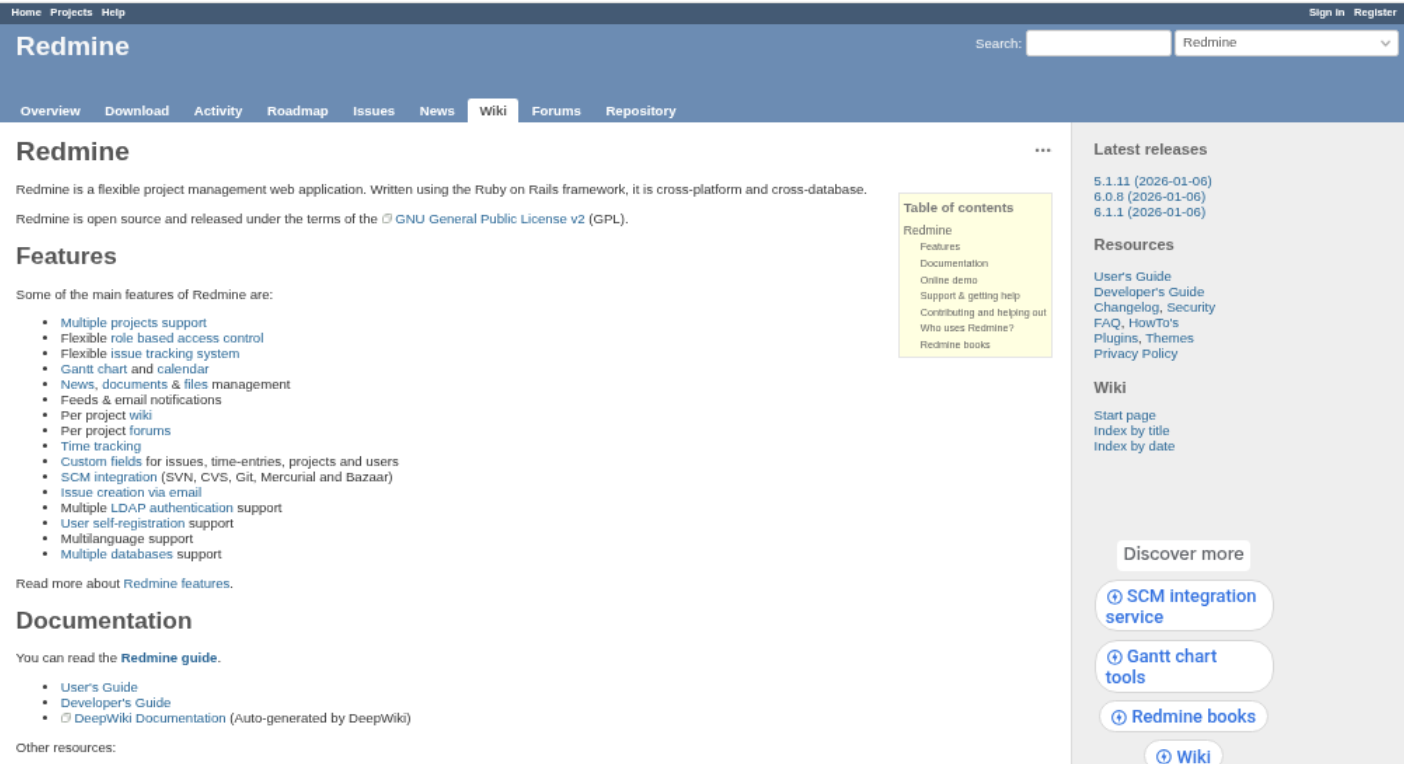
Redmine is a long-running, open-source project management and issue-tracking application that you can host on your own infrastructure. Its core is built around projects, tickets, roles, and configurable workflows, with a wiki and other collaboration features available alongside them. It is a practical option when you want control over the software and hosting, but it feels more like a configurable work tracker than a polished, all-in-one agile suite.
Why It Was Selected
Redmine belongs in a comparison of open-source Jira alternatives because teams can use it to track work across projects without paying a per-seat license fee for the core software. It supports custom issue fields and statuses, which helps teams adapt ticket flows to their process. The tradeoff is that matching a Jira setup with boards, reports, and integrations may take configuration or add-ons rather than being ready out of the box.
Core Capabilities
Redmine provides issue tracking with priorities, assignees, versions, and configurable statuses; project roadmaps, calendars, and Gantt charts; time tracking; role-based permissions; and project wikis and forums. Teams can connect code repositories and use custom fields to capture details such as component, customer impact, or release target. Agile execution is possible, but Scrum boards and richer sprint planning commonly depend on plugins. Reporting is useful for basic project visibility, though teams with complex portfolio or delivery dashboards may need extensions or external reporting tools.
Pros
The open-source core and self-hosting option give technical teams control over deployment, data, and upgrades. Redmine can handle multiple projects in one installation, and its issue types, custom fields, roles, and workflows support a range of ticket-based processes. Its wiki and time tracking can also reduce the need for separate tools in smaller teams.
Cons
The interface and setup can feel dated, and administrators may need Ruby and Rails experience to maintain a self-hosted instance comfortably. Agile planning, modern reporting, and some integrations may rely on third-party plugins, adding compatibility and upgrade work. Jira migration is not simply a matter of importing tickets: fields, permissions, workflows, attachments, and historical context may need mapping and cleanup. If you want less plugin upkeep and a broader managed platform, ONES.com is another Jira alternative to evaluate, though it is not an open-source product.
Pricing
Redmine’s core software is free and open source. Budget separately for hosting, backups, administration, upgrades, and any paid plugins or support. Managed hosting is available from providers, with pricing varying by service and configuration.
Best For
Redmine is best for technically capable teams that prioritize self-hosting, adaptable issue tracking, and low software licensing costs over a modern, ready-made Scrum experience. It is a weaker fit if you need sophisticated agile reporting immediately, minimal administration, or a low-effort migration from a heavily customized Jira instance.
GitLab
Product Overview
GitLab combines source-code management, issue tracking, agile planning, CI/CD, security, and release tools in one DevOps platform. Its open-source roots make it relevant to a search for an open source Jira alternative, but check the distinction: GitLab’s Free tier is available as a hosted service or for self-managed use, while some advanced capabilities are reserved for paid tiers. It is not simply a dedicated project tracker; its strongest appeal is linking work items to code and delivery.
Why It Was Selected
GitLab is a practical option for engineering teams that want issues, boards, milestones, repositories, and pipelines close together. A team replacing Jira can track epics and issues, plan iterations, and connect a ticket to commits, merge requests, and deployment activity. That reduces handoffs for teams already using GitLab for software delivery. It may be less suitable when the main need is flexible project tracking across departments rather than an engineering-centered workflow.
Core Capabilities
GitLab supports issue boards, labels, milestones, iterations, and epics for organizing agile work. Teams can configure issue types and workflows, use templates and automation, and review progress through boards and built-in analytics. Issue-to-merge-request links help show whether planned work has moved into implementation and review. CI/CD pipelines add delivery visibility, while integrations connect GitLab with other tools. The exact planning, reporting, and workflow options depend on the subscription tier and configuration, so evaluate required features before planning a migration.
Pros
GitLab’s main advantage is the connection between planning and code delivery. Engineers can move from a ticket to its implementation and pipeline status without maintaining as many separate links or plugins. The Free tier gives smaller teams a low-cost way to evaluate the workflow, and self-managed deployment offers more operational control than a hosted-only tracker. For teams standardizing on GitLab, that can simplify day-to-day coordination.
Cons
Project management is organized around software development, so nontechnical teams may find the terminology and navigation heavier than a focused tracker. Reporting and planning depth can require paid tiers, configuration, or integrations. Self-hosting also means your team must handle upgrades, backups, security, and availability. Moving from Jira can involve translating custom fields, workflows, permissions, automations, and historical data; do a pilot with representative projects before committing. GitLab is open-core, so confirm which edition and license cover your intended use rather than assuming every feature is open source.
Pricing
GitLab offers a Free tier, with paid Premium and Ultimate tiers priced by subscription and feature set. Hosted and self-managed options may have different operational costs; check current pricing and included features before budgeting. Self-managed deployments also carry infrastructure and maintenance costs even when the software tier is free.
Best For
GitLab is best for engineering teams that want agile issue tracking tightly connected to repositories, code review, and CI/CD. If you need a broader Jira alternative that unifies software development management with project workflows and shared context, ONES.com is another option to assess. Choose GitLab when developer workflow integration is the priority; look elsewhere if cross-functional planning flexibility or simpler administration matters more.
Taiga
Product Overview
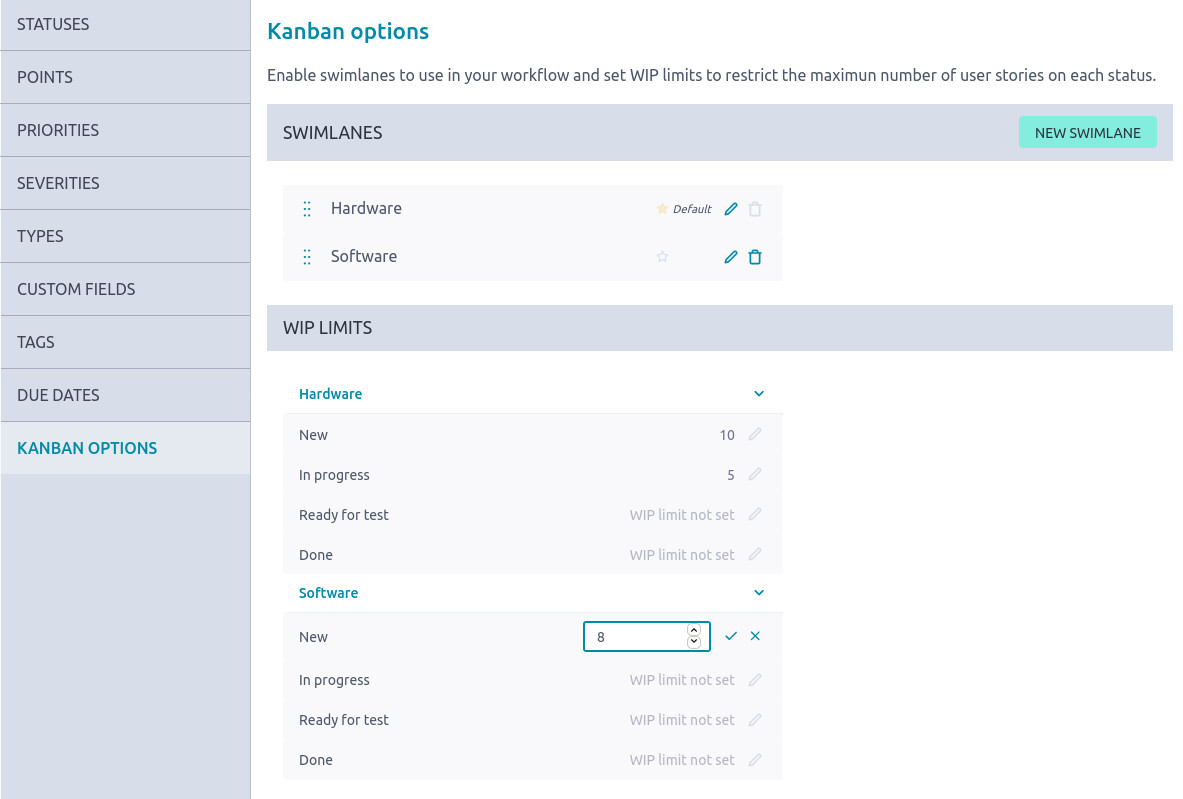
Taiga is an open-source project management platform built around Scrum and Kanban. It gives agile teams a focused place to manage backlogs, sprints, user stories, issues, and project discussions without the configuration overhead of a large enterprise suite. You can self-host it for greater control over your data, or use Taiga’s hosted offering.
Why It Was Selected
Taiga is worth considering when you want an open-source Jira alternative for straightforward agile execution. Its boards and backlog are easy to understand, so a small team can get a project moving without first designing a complex workflow. It is less suited to organizations seeking extensive portfolio controls, deep reporting, or highly customized governance.
Core Capabilities
Taiga supports Scrum backlogs and sprint planning, Kanban boards, user stories, epics, issues, and task tracking. Teams can prioritize work, assign owners, set estimates, and follow progress through the board. Built-in project discussions and a wiki provide basic knowledge sharing alongside day-to-day work. Scrum and Kanban projects can be configured to fit common team practices, while integrations with development tools can connect project work to code activity. The overall feature set favors visible agile execution over complex cross-project planning or advanced analytics.
Pros
Taiga’s interface is approachable, and its core agile concepts are familiar to teams moving from spreadsheets or a crowded issue tracker. Open-source availability makes self-hosting possible, which can help teams that need control over where project data resides. Scrum and Kanban are both supported, so teams can choose the method that fits the work rather than forcing every project into one board style. For a compact engineering team, that focus can mean less setup and fewer distractions.
Cons
Taiga’s simplicity comes with limits. Workflow customization, reporting depth, and administrative controls may fall short for larger organizations with multiple teams, approval paths, or detailed delivery metrics. Its integration ecosystem is narrower than Jira’s, so check whether your existing development and identity tools are supported before committing. Jira migration may also require mapping and cleanup: don’t assume every issue type, custom field, workflow, or historical record will transfer cleanly. Self-hosting adds responsibility for upgrades, backups, security, and uptime.
Pricing
The self-hosted open-source edition can be used without a software license fee, but hosting and maintenance still have costs. Taiga also offers hosted plans; check its current pricing and limits before choosing, as packaging can change.
Best For
Taiga is best for small to midsize agile teams that want a practical Scrum or Kanban tracker and are comfortable with a focused feature set. If you need broader project governance, more extensive native capabilities, or a managed migration path, compare it with ONES.com, which is positioned as a Jira alternative and brings project tracking, workflow customization, and reporting into a wider software development management platform.
Tuleap
Product Overview
Tuleap is an open-source application lifecycle management platform that brings project tracking, agile planning, requirements, testing, and development work into one environment. It is a credible Jira alternative for teams that want to host their own tools and shape workflows around established delivery practices. Rather than focusing only on tickets, Tuleap can connect requirements, tasks, tests, and releases, which is useful when teams need traceability across a project.
Why It Was Selected
Tuleap fits this comparison because it covers the practical basics behind a Jira replacement: backlogs, sprint execution, issue tracking, customizable processes, and reporting. Its breadth makes it relevant to software teams that have outgrown a simple task board but still want an open-source option. It can also suit organizations that need control over deployment and project data.
Core Capabilities
Teams can manage Scrum and Kanban work, maintain backlogs, plan iterations, and track issues through configurable workflows. Tuleap also includes requirements and test management, allowing teams to link work items to acceptance criteria and test results. Dashboards and reports help project leads review progress, while integrations connect delivery work with development tools. The platform supports self-hosted deployment, giving administrators more control over infrastructure and upgrades.
That flexibility comes with setup work. For example, a team moving a Jira project with custom statuses, fields, permissions, and Marketplace apps should expect to map and validate those pieces rather than assume a direct, one-click transfer.
Pros
Tuleap offers more than basic issue tracking, with agile planning and requirements-to-test traceability in the same platform. Its open-source foundation and self-hosting option appeal to teams that want visibility into the software and greater control of their environment. Configurable workflows can accommodate different project processes, and its reporting gives teams ways to monitor execution without relying solely on spreadsheets.
Cons
The broad feature set can make initial configuration and administration feel heavier than a lightweight tracker. Teams may need time to learn the interface and decide how to structure projects, workflows, and permissions. Migration effort can increase when a Jira setup depends on numerous add-ons or custom automation; integrations and historical data should be tested carefully. Some organizations may also prefer paid support or enterprise features, which changes the cost and operational tradeoff of choosing an open-source platform.
Pricing
Tuleap offers a free Community Edition, typically self-hosted. Paid Enterprise options add commercial support and features; pricing depends on the edition and deployment, so check Tuleap for current terms. Hosting and administration still carry costs for teams running the Community Edition.
Best For
Tuleap is best for software teams that need agile tracking plus requirements and testing traceability, and have the technical capacity to configure and maintain a self-hosted platform. If you are comparing more broadly than open-source products, ONES.com is another Jira alternative, with cloud and self-hosted deployment choices. For Jira migrations, account for Atlassian Data Center’s announced March 28, 2029 end of life; a move to cloud can involve data, app, workflow, or feature gaps, while subscription and app costs may approach or exceed twice the Data Center baseline for some teams.
Leantime
Product Overview
Leantime is an open-source project management platform that brings strategy, planning, and day-to-day execution into one workspace. Its interface is designed to be approachable for teams that find Jira’s configurable issue system too heavy. You can self-host it or use its hosted offering, making it a practical option when ownership of the software and data matters.
Why It Was Selected
Leantime earns a place in this comparison because it covers common project tracking and agile needs without requiring a team to build its own system from scratch. It is especially relevant for smaller organizations that want an open-source Jira alternative, but do not need Jira’s extensive ecosystem or highly granular administration. Its emphasis on connecting project goals to tasks also gives it a different feel from a traditional issue tracker.
Core Capabilities
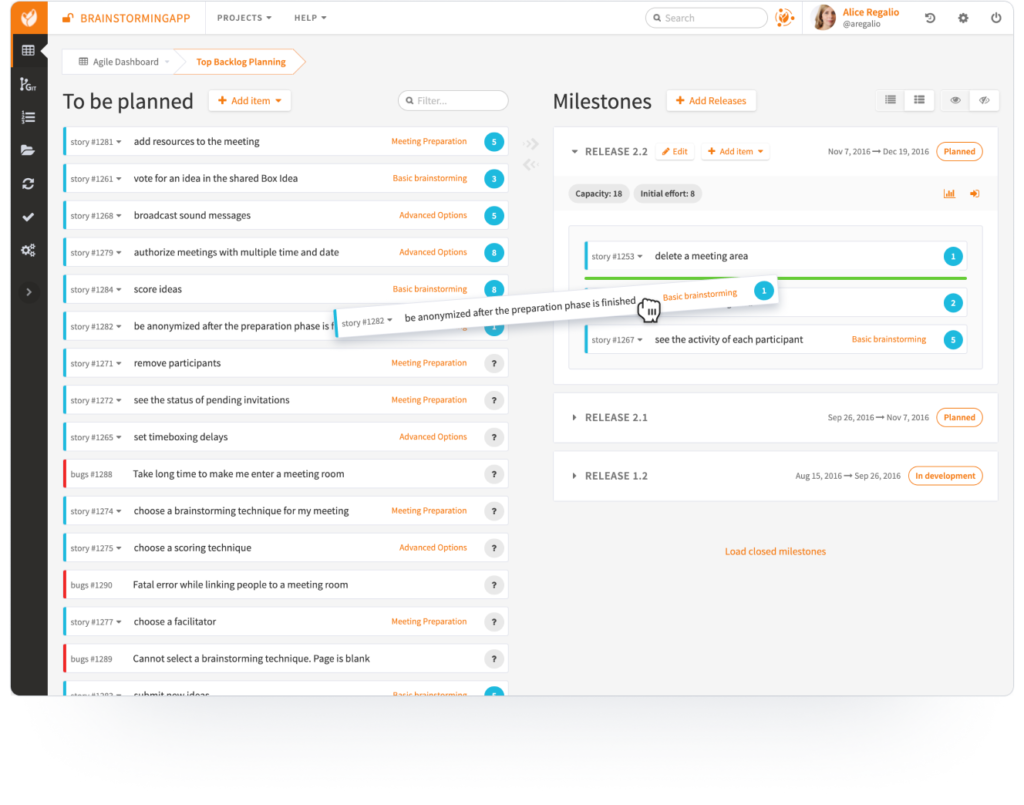
Teams can organize work into projects, milestones, and tasks, then track progress through board-style views. Leantime also includes planning and strategy tools, task assignments, deadlines, time tracking, and reporting features. Depending on your setup and version, documentation, integrations, and other collaboration options can help keep project information close to the work. Workflow customization is available, but it is not as deep as Jira’s rules, issue types, and app ecosystem. For agile execution, it can support a straightforward backlog-and-board routine; teams with complex sprint ceremonies or multiple delivery workflows should test those processes before committing.
Pros
The open-source version gives teams the option to self-host and inspect or adapt the software. The interface is less intimidating than Jira for teams that mainly need tasks, milestones, and progress visibility. Strategy and execution tools can also help connect work to objectives rather than treating every task as an isolated ticket.
Cons
Leantime is not a drop-in Jira replacement for every organization. Advanced workflow rules, detailed permission schemes, large-scale reporting, and extensive third-party integrations may be limited compared with Jira. Teams moving existing Jira projects should plan to map fields, statuses, users, attachments, and history, then verify what their chosen migration path preserves. Self-hosting also means your team owns upgrades, backups, security, and availability.
Pricing
Leantime’s open-source self-hosted edition is available without a software license fee. Hosted plans are priced separately, and current tiers and limits can change, so check the vendor’s pricing page before budgeting. Include hosting and maintenance costs if you plan to run it yourself.
Best For
Leantime suits small and mid-sized teams that want open-source project tracking, simple agile boards, and a link between goals and delivery. It is a weaker fit when you depend on elaborate Jira workflows, a broad marketplace, or extensive reporting. If you are comparing open-source tools with a more unified Jira alternative, ONES.com is another option to assess for integrated project and software development management.
How to Choose the Right Open Source Jira Alternative
Start with the work your team actually tracks. A support group managing tickets has different needs from a product team running sprints or an engineering team coordinating code and releases.
- Choose Redmine if you need dependable issue tracking and can handle setup, hosting, and extensions yourself.
- Choose Taiga if sprint planning and visual agile boards matter more than a broad software delivery toolchain.
- Choose GitLab if engineers want project work close to repositories, reviews, and CI/CD, and your team is comfortable with its development-centered approach.
- Choose Tuleap if configurable processes and delivery governance are important across complex projects.
- Choose Leantime if a smaller team wants an approachable place to organize projects and tasks without a heavy process setup.
- Consider ONES.com if open source licensing is not a requirement and you want integrated project and software development management, plus on-premise, private cloud, or air-gapped deployment.
For a Jira migration, test representative projects before committing. Include workflows, custom fields, attachments, integrations, permissions, and reporting in the test; a successful issue import alone does not prove the replacement fits.
Atlassian has announced that impacted Data Center products reach end of life on March 28, 2029. After that date, Data Center and associated Marketplace app licenses expire and become read-only.
Cloud may offer a familiar path, but it can reduce data control compared with self-managed or private deployment. Data, app, integration, workflow, and feature gaps can also complicate migration. For some teams, annual cloud and app costs may approach or exceed twice the Data Center annual baseline, depending on seats, apps, and edition.
Selection Summary and Final Recommendation
For most teams, the right shortlist depends on whether you value open source control, agile simplicity, or development workflow integration. Redmine, Taiga, GitLab, Tuleap, and Leantime provide distinct open source starting points; none is a universal fit.
If you require an open source license, verify the license and edition before selecting. If you can consider a proprietary alternative, ONES.com is worth evaluating when deployment flexibility and a more integrated workspace matter. Pilot your top two choices with one active project, then compare migration effort, reporting, and daily usability before moving the rest of your work.
FAQs About Open Source Jira Alternatives
Is ONES.com an open source Jira alternative?
No. ONES.com is a proprietary Jira alternative with cloud, on-premise, private cloud, and air-gapped deployment options. Its free plan supports up to 30 seats.
Which open source Jira alternative is best for sprint planning?
Taiga is a focused choice for backlogs, sprints, and visual boards. Tuleap may fit better when agile planning also needs configurable governance.
Which option works best for software teams that use GitLab?
GitLab is a natural option when teams want planning close to repositories, code review, and CI/CD. Its development-centered approach may be less suitable for teams seeking a general-purpose project tool.
What should I test before migrating from Jira?
Test representative issues, custom fields, workflows, attachments, permissions, reports, and integrations. Also check how much team training and process adjustment the replacement will require.
Should I move from Jira Data Center to a cloud alternative?
Compare data control, feature and app coverage, migration gaps, and total costs before deciding. Atlassian has announced Data Center end of life for impacted products on March 28, 2029.