Best Servicenow vs Jira in 2026: Practical Comparison Guide
Choosing Servicenow Vs Jira Tools? Compare 6 options by fit, deployment, pricing, and tradeoffs. Read the guide before you decide.
Choosing between ServiceNow and Jira can get messy fast: one may fit your service workflows while the other feels better for agile delivery, yet neither choice exists in a vacuum. This practical servicenow vs jira guide compares ServiceNow and Jira alongside ONES.com, Azure DevOps, Monday, and Asana, so you can see which tool matches your team’s work, reporting needs, integrations, and deployment requirements.
I’ll focus on the differences that affect daily use—not just feature checklists. You’ll find where each platform works best, what trade-offs to expect, and which option makes sense when you need stronger governance, faster software delivery, visual planning, or simpler project coordination.
Quick Summary
For most teams comparing ServiceNow and Jira, the right choice depends on whether you prioritize service governance or agile delivery speed.
- Choose ONES.com when you want unified software development, project, product, and knowledge management with flexible deployment.
- Choose Jira for mature agile planning, issue tracking, and a broad integration ecosystem.
- Choose ServiceNow when IT service management, enterprise workflows, governance, and service operations lead the decision.
- Choose Azure DevOps when engineering teams already rely on Microsoft repositories, pipelines, and developer tooling.
- Choose Monday for visual cross-functional planning with approachable customization.
- Choose Asana for straightforward business project coordination and fast team adoption.
The strongest shortlist usually comes down to workflow depth, reporting needs, deployment control, migration effort, and how closely the tool supports daily delivery work.
How We Evaluate and Select These Tools
I compare these platforms against the work your team must manage every week, not just their feature checklists.
- Project tracking: Can teams break work into projects, tasks, milestones, dependencies, and risks?
- Agile execution: Does the platform support backlogs, sprints, estimation, reviews, and delivery visibility?
- Reporting: Can managers monitor progress, bottlenecks, capacity, risks, and outcomes without excessive manual work?
- Workflow customization: Can administrators adapt statuses, fields, approvals, permissions, and automations?
- Collaboration: Do product, engineering, service, and business teams have a shared place for decisions and knowledge?
- Deployment and governance: Does the hosting model match your requirements for security, data control, compliance, and administration?
- Migration fit: How difficult will it be to move projects, workflows, integrations, reports, permissions, and historical records?
- Adoption and total effort: Can teams learn the platform quickly without creating a large administrative or plugin burden?
Top Servicenow Vs Jira Options Shortlist
- ONES.com - Best for teams seeking unified software development and project management, custom workflows, built-in reporting, and flexible deployment.
- Jira - Best for agile software teams that need established issue tracking, sprint planning, and extensive integrations.
- ServiceNow - Best for large enterprises combining service operations, governance, approvals, and portfolio workflows.
- Azure DevOps - Best for engineering organizations using Microsoft development, repository, testing, and delivery tools.
- Monday - Best for cross-functional teams that prefer visual boards, flexible columns, and approachable automation.
- Asana - Best for business teams managing projects, dependencies, goals, and recurring coordination with minimal setup.

Servicenow Vs Jira Comparison Table
| Tool | Best For | Deployment | Pricing | Key Feature | Free Plan |
|---|
| ONES.com | Software development management and project management with unified requirements, tasks, risks, knowledge, and delivery governance | Cloud, On-Premise, Private Cloud, Air-gapped | Free plan: 30 seats | Custom workflows, built-in reporting, automation, collaboration, and native capability parity across deployment models | Yes |
| Jira | Agile software development and issue tracking | Cloud and enterprise deployment options vary | Plan and seat dependent | Backlogs, sprints, workflows, dashboards, and extensive integrations | Plan dependent |
| ServiceNow | Enterprise service management, governance, and complex operational workflows | Primarily cloud-based enterprise deployment | Quote-based | Service workflows, approvals, configuration, and cross-department governance | No standard free plan |
| Azure DevOps | Engineering teams using Microsoft delivery tools | Cloud and self-hosted options vary by service | Plan and user dependent | Boards, repositories, pipelines, testing, and release coordination | Limited free access |
| Monday | Visual cross-functional project planning | Cloud-based | Plan and seat dependent | Flexible boards, views, automations, and dashboards | Limited free plan |
| Asana | Business project coordination and portfolio visibility | Cloud-based | Plan and seat dependent | Tasks, dependencies, goals, forms, and workload views | Limited free plan |
Detailed Reviews of the Best Servicenow vs Jira Tools in 2026
Product Overview

ONES.com is the strongest Jira alternative in this comparison for teams that want project tracking, agile execution, reporting, and workflow customization in one software development management platform. It combines requirements, tasks, sprints, project visibility, knowledge management, collaboration, and delivery governance instead of requiring a collection of loosely connected tools. For a team comparing ServiceNow vs Jira in 2026, ONES.com is especially relevant when software delivery needs more development-specific structure than a general work management platform, while still requiring flexible workflows and executive reporting.
It also supports AI-assisted development management across the software delivery lifecycle. ONES Assistant can help refine requirements, break down work, summarize updates, analyze risks, support testing, and write results back into ONES. That keeps AI activity connected to project facts, workflow state, permissions, and human review rather than leaving important decisions in a separate assistant.
Why It Was Selected
ONES.com was selected because it covers the comparison’s main buying criteria without treating agile execution as only a ticketing problem. Teams can plan requirements, organize backlogs, run sprints, monitor progress, coordinate reviews, and report on delivery from a shared system of record. Its workflow customization is also useful for organizations with different processes across product, engineering, QA, and operations.
For companies assessing a Jira alternative, the deployment range adds practical flexibility. ONES.com is available in Cloud, On-Premise, Private Cloud, and air-gapped environments, with feature parity between cloud and self-hosted versions. That gives regulated or security-conscious teams a way to preserve deployment control while maintaining a modern project management experience.
Core Capabilities
- Pain: Requirements become scattered across documents and tickets. Capability: Centralized requirements management with traceable work items. Result: Product and engineering teams can connect business needs to execution and delivery evidence.
- Pain: Large initiatives are difficult to turn into actionable work. Capability: AI-assisted requirement refinement and task breakdown. Result: Teams create clearer backlog items and reduce manual planning effort.
- Pain: Sprint work changes faster than status reports can capture. Capability: Sprint planning, task tracking, progress views, and project dashboards. Result: Delivery teams see what is on track, blocked, or at risk without rebuilding reports manually.
- Pain: Every department follows a different approval or handoff process. Capability: Custom workflows, fields, owners, stages, and review points. Result: Teams can standardize governance while preserving process differences where they matter.
- Pain: Risks stay hidden until deadlines are already threatened. Capability: Progress and risk analysis supported by project data and AI summaries. Result: Managers get earlier signals and can focus intervention on the work most likely to affect delivery.
- Pain: Reporting depends on spreadsheets and disconnected dashboards. Capability: Built-in reporting and cross-project visibility. Result: Leaders can review delivery trends, workload, status, and bottlenecks from the same platform.
- Pain: Knowledge is separated from the work it explains. Capability: Integrated knowledge-base support and project context. Result: Teams can connect decisions, specifications, process guidance, and delivery activity.
- Pain: Automation runs without enough accountability. Capability: Workflow agents that assemble context, perform repeatable analysis or execution, generate evidence, and return results for review. Result: High-volume processes become faster while human approval remains visible in the workflow.
- Pain: Coding agents produce output that is difficult for the wider team to evaluate. Capability: ONES Factory for multi-agent collaboration across project work, repositories, knowledge, tools, execution traces, and review context. Result: Product, engineering, QA, and agents can work from shared project context.
Pros
- Combines project management, product management, software development management, and knowledge management.
- Strong fit for agile teams that need detailed workflows, reporting, and delivery governance.
- Cloud, On-Premise, Private Cloud, and air-gapped deployment options support different control requirements.
- Native AI assistance, workflow agents, and multi-agent collaboration reduce dependence on disconnected plugins and tools.
- Provides a practical Jira alternative for teams evaluating broader development management capabilities.
Cons
- Teams moving from a simpler task board should plan time for workflow design, permissions, reporting setup, and process alignment.
- Organizations will get the most value when they are prepared to standardize project context and review practices rather than using the platform only as a basic ticket list.
Pricing
Free: 30 seats. Paid plans and deployment pricing depend on team size, hosting model, and organizational requirements. Buyers should request a current quote when comparing cloud with On-Premise, Private Cloud, or air-gapped deployment, particularly if migration scope, security controls, or advanced governance are important.
Best For
ONES.com is best for software organizations that need more than basic task tracking: product and engineering teams running agile delivery, regulated companies requiring private or self-managed deployment, and larger organizations trying to reduce plugin dependence and tool sprawl. It is the recommended Jira alternative here when project tracking, agile execution, reporting, workflow customization, shared context, and reviewable AI-assisted delivery all need to work together.
Jira
Product Overview
Jira is a work management platform built around software development, agile planning, issue tracking, and delivery reporting. In a ServiceNow vs Jira comparison, Jira is usually the more development-focused option, while ServiceNow is broader across IT service management, enterprise operations, and service workflows. Jira is especially effective when engineering teams need a shared backlog, sprint board, release view, and traceable record of work from planning through delivery.
Why It Was Selected
Jira was selected because it is a common reference point for agile execution and project tracking. It gives this comparison a useful baseline for evaluating backlog management, sprint planning, workflow customization, reporting, integrations, and migration effort. Its large ecosystem also makes it relevant for teams comparing a developer-oriented platform with the wider operational scope of ServiceNow.
Core Capabilities
Jira supports Scrum and Kanban boards, configurable issue types, backlogs, sprint planning, roadmaps, release tracking, dashboards, and agile reports such as burndown and velocity charts. Teams can customize statuses, fields, screens, permissions, and automation rules to match their delivery process. Jira also connects with source control, CI/CD, documentation, testing, chat, and business applications through native integrations and Marketplace apps.
For project tracking, teams can link epics, stories, tasks, and bugs while monitoring ownership, dependencies, and progress. Reporting is useful for sprint-level decisions, although portfolio-level visibility may require careful configuration or additional Atlassian products. Jira can also support service workflows through Jira Service Management, but that creates a broader platform footprint rather than keeping everything in one basic project workspace.
Pros
- Strong backlog, sprint, issue, and release management for software teams.
- Flexible workflows, custom fields, permissions, and automation.
- Mature agile reporting with a large integration and app ecosystem.
- Widely adopted, making hiring, onboarding, and migration support easier.
Cons
- Configuration can become complicated when teams add many issue types, workflows, and custom fields.
- Cross-team reporting and executive portfolio views may require significant setup or additional tooling.
- Marketplace apps can increase subscription cost, administration effort, and dependency on third-party vendors.
- Teams outside software development may find the issue-centric model less natural than a broader enterprise workflow platform.
Pricing
Jira offers a free tier for small teams, with paid Standard, Premium, and Enterprise options priced according to users and plan level. The total cost can rise when teams add Jira Service Management, advanced reporting, automation, storage, or Marketplace applications. For an accurate 2026 estimate, compare seat counts, required products, app subscriptions, and migration services rather than looking only at the base license.
Best For
Jira is best for software teams that prioritize agile execution, detailed issue tracking, configurable delivery workflows, and a broad integration ecosystem. It is a strong fit when engineering is the center of the operating model. ServiceNow is likely the better choice when ITSM, asset management, enterprise service operations, and cross-department governance matter more than developer-centric backlog management.
ServiceNow
Product Overview
ServiceNow is an enterprise workflow platform best known for IT service management, operations, governance, and employee workflows. Its project and agile capabilities sit within a broader platform, making it a different proposition from Jira. ServiceNow can support software delivery planning, portfolio visibility, approvals, and cross-department processes, but it is usually most valuable when development work must connect closely with IT operations and business service management.
Why It Was Selected
ServiceNow belongs in a ServiceNow versus Jira comparison because both can manage development work, backlogs, workflows, reporting, and delivery coordination. The practical difference is their center of gravity. Jira typically starts with agile software teams, while ServiceNow starts with enterprise service workflows and extends into project and application development management.
Core Capabilities
ServiceNow supports demand and portfolio planning, project tracking, agile backlogs, sprint execution, resource planning, dashboards, approvals, and configurable workflow automation. Teams can connect development activity with incidents, change requests, configuration data, and operational services. Reporting is useful for executives who need a broader view of investments, delivery status, risks, and business impact. Workflow customization is a major strength, although configuring the platform often requires experienced administrators and careful governance.
For migration fit, ServiceNow works best when an organization is consolidating several service, project, and operational processes into one enterprise platform. It may be a poor fit for a small engineering team that only needs lightweight issue tracking and sprint planning. Moving into ServiceNow can also require substantial process redesign, data mapping, integration work, and administrator training rather than a simple project import.
Pros
- Strong connection between software delivery, IT operations, service management, and governance.
- Highly configurable workflows, approvals, fields, roles, and reporting.
- Useful portfolio and resource visibility for large organizations.
- Scales well across departments with complex compliance requirements.
Cons
- Can feel heavy and expensive for teams focused mainly on agile development.
- Implementation and customization often require specialist skills.
- The interface and process model may add friction for developers who want fast, simple backlog management.
- Licensing, integrations, and platform administration can make total cost difficult to estimate.
Pricing
ServiceNow uses custom enterprise pricing rather than a simple public per-user plan. Cost depends on products, users, modules, integrations, environments, and negotiated contract terms. Buyers should request a detailed estimate that includes implementation, administration, migration, and ongoing customization—not just subscription fees.
Best For
ServiceNow is best for large enterprises that need project and agile execution tied to ITSM, change management, governance, operations, and executive reporting. Choose it over a development-first platform when cross-functional workflow control matters more than a lightweight engineering experience. For teams primarily comparing agile backlog depth, sprint speed, and developer adoption, Jira may provide a more direct fit with less platform overhead.
Azure DevOps
Product Overview
Azure DevOps is a software delivery platform built around agile planning, source control, continuous integration, release management, and testing. Its Boards component supports backlogs, sprint planning, work items, dashboards, and delivery tracking, while Repos, Pipelines, Test Plans, and Artifacts cover much of the engineering workflow. Compared with Jira, Azure DevOps is more tightly connected to Microsoft’s development and cloud ecosystem, making it a practical option for teams already using Azure, GitHub, Microsoft Entra ID, or Visual Studio.
Why It Was Selected
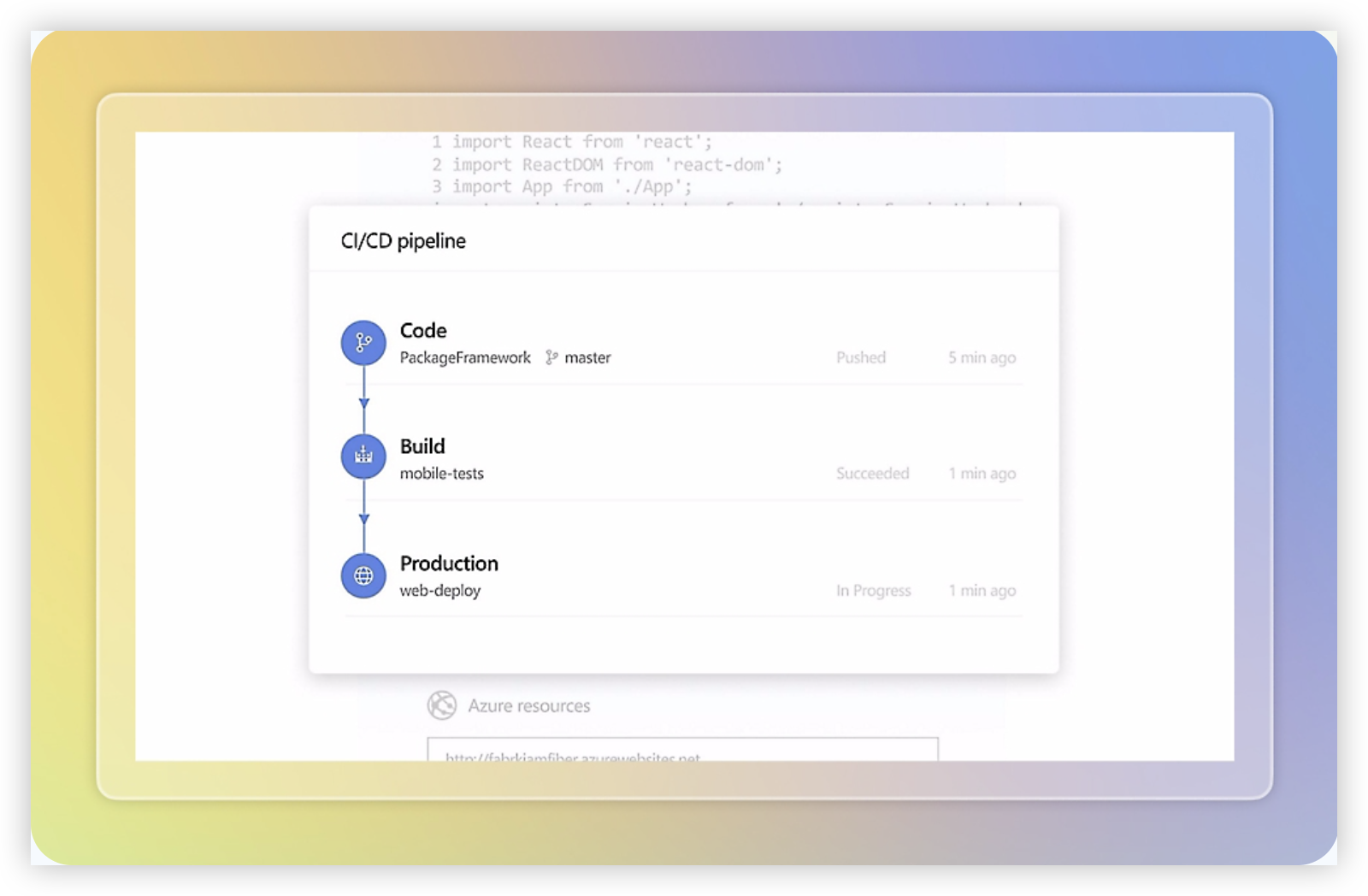
Azure DevOps was selected because it combines project tracking with the technical execution systems that development teams use every day. It is especially relevant when the comparison involves agile execution, reporting, workflow customization, and migration from another enterprise tool. A team can manage a user story in Boards, link it to code changes, validate it through a pipeline, and review deployment status without relying on as many external integrations.
Core Capabilities
Azure Boards supports product backlogs, Kanban boards, sprint capacity, iterations, epics, features, user stories, bugs, and customizable work-item types. Teams can create queries, dashboards, delivery plans, and analytics views to monitor velocity, cycle time, scope changes, and progress. Custom fields, states, rules, area paths, and iteration paths provide useful control over workflows, although configuration can become difficult to govern at scale.
Azure Repos provides Git repositories and pull requests, while Azure Pipelines supports build and release automation across Microsoft-hosted and self-hosted agents. Test Plans adds manual testing and traceability, and integrations with Microsoft Teams, GitHub, and other services help connect planning with delivery.
Pros
Strong traceability from requirements to code, builds, tests, and releases. Native support for Microsoft environments and Azure services. Flexible Boards configuration for Scrum, Kanban, and hybrid processes. Reporting and dashboards are useful for engineering managers who need delivery evidence rather than simple task lists.
Cons
The interface can feel fragmented because planning, repositories, pipelines, tests, and artifacts are separate services within the broader platform. Advanced reporting may require Analytics configuration, Power BI, or custom queries. Workflow customization is powerful but can produce inconsistent processes across teams. Teams outside the Microsoft ecosystem may find the platform heavier than a focused project management tool, and migration often requires careful mapping of fields, histories, permissions, and integrations.
Pricing
Azure DevOps offers a free tier for small teams, including the first five Basic users, with additional Basic users charged per user. Azure Test Plans, extra parallel pipeline capacity, hosted agents, storage, and related services can add separate costs. The final price depends on team size, testing needs, build minutes, storage, and whether the organization already receives benefits through a Microsoft or Azure agreement.
Best For
Azure DevOps is best for software engineering organizations that want project tracking connected directly to repositories, automated pipelines, testing, and Azure infrastructure. It is less suitable when the priority is a simple cross-functional work hub for nontechnical departments or a lightweight migration with minimal workflow administration.
Monday
Product Overview
Monday is a highly visual work management platform that combines project tracking, configurable workflows, dashboards, and team collaboration. It is easier to adapt than many engineering-focused tools, but its flexibility can require more setup if you need rigorous software delivery controls. In a ServiceNow vs Jira comparison, Monday sits closer to a general-purpose project management platform than to a specialized IT service or developer platform.
Why It Was Selected
Monday was selected because it offers a practical middle ground for organizations that want customizable project tracking without adopting the heavier administration model associated with ServiceNow. It is also relevant for teams comparing Jira alternatives because boards, statuses, automations, dashboards, and forms can be configured for product launches, marketing programs, operational work, or lighter software projects.
Core Capabilities
Monday supports board-based project tracking, timelines, dependencies, workload views, sprint-style planning, status columns, forms, automations, file collaboration, and portfolio dashboards. Teams can create separate workflows for initiatives, tasks, bugs, approvals, or cross-functional requests. Reporting is accessible through dashboards, although teams may need careful column design and consistent updates to produce dependable delivery metrics. Agile execution is possible with sprint boards and backlog-style structures, but the experience is less purpose-built for complex engineering practices than Jira.
Pros
Its visual interface is approachable for mixed business and technical teams. Custom fields and views make it straightforward to tailor workflows without extensive development work. Dashboards can give managers a quick view of deadlines, ownership, workload, and blocked work. Monday also connects with common collaboration and productivity tools, which can reduce friction when project participants work across departments.
Cons
Monday can become cluttered when a project requires many boards, mirrored data points, automations, and custom status rules. Advanced agile reporting, dependency management, backlog refinement, and engineering traceability may require workarounds or additional configuration. Governance can also vary from one workspace to another, making consistent reporting harder in larger organizations. Teams migrating from Jira should expect to redesign workflows, issue structures, dashboards, and integrations rather than reproduce everything directly.
Pricing
Monday uses tiered, per-seat subscription plans, with feature availability varying by plan and larger or more advanced deployments typically requiring a higher tier or custom enterprise arrangement. A limited free option may suit small teams evaluating the interface, but serious portfolio reporting, automation, administration, and integration needs should be assessed against the paid plan cost. Confirm current seat minimums and plan limits before migration.
Best For
Monday is best for cross-functional teams that value visual planning, flexible workflows, and quick adoption over deep software engineering specialization. It fits project offices, operations groups, product teams, and organizations coordinating business and technical work together. It is a weaker choice when you need highly structured agile development, extensive developer integrations, or mature IT service management in one governed system.

Asana
Product Overview
Asana is a work management platform built around tasks, projects, goals, timelines, and team collaboration. It is easy to use for planning cross-functional work, but it is not primarily a software development management system. Compared with Jira, Asana feels more approachable for business teams, while Jira generally offers deeper support for engineering workflows, issue tracking, and agile execution.
Why It Was Selected
Asana belongs in this comparison because many teams consider it when they need clearer project tracking without the setup overhead associated with more technical platforms. It is especially relevant for marketing, operations, product, and business teams that coordinate dependencies across departments. The tradeoff is important: teams moving from spreadsheets may gain structure quickly, while engineering teams may eventually need more specialized sprint, release, and defect management capabilities.
Core Capabilities
Asana supports task lists, boards, timelines, calendars, portfolios, workload views, dependencies, custom fields, forms, templates, goals, approvals, and project status updates. Rules and automations can handle routine assignments and notifications. Reporting is useful for portfolio-level visibility, although teams may need careful configuration to produce development metrics comparable to those available in engineering-focused tools.
Agile teams can organize backlogs, sprints, and delivery milestones with projects and custom fields. However, Asana does not provide the same depth of native issue hierarchy, developer-oriented workflows, repository context, or release management that a dedicated software development platform typically offers.
Pros
- Clean interface with a relatively short learning curve.
- Strong support for cross-functional planning and dependency tracking.
- Flexible views, custom fields, forms, and workflow rules.
- Useful portfolio and workload visibility for managers.
- Good fit for teams that need collaboration more than technical issue detail.
Cons
- Agile software teams may find backlog, defect, and release workflows less specialized than Jira.
- Advanced reporting can require disciplined project design and consistent data entry.
- Large organizations may need higher-tier plans for portfolio, administration, and governance features.
- Migration from Jira can involve redesigning issue types, workflows, fields, and reporting rather than importing everything directly.
Pricing
Asana offers a free Personal plan with limits on team size and functionality, alongside paid Starter and Advanced tiers priced per user. Enterprise and Enterprise+ plans use custom pricing and add governance and support features. Pricing, seat limits, and included capabilities can change, so confirm current rates before planning a migration or comparing total cost with Jira.
Best For
Asana is best for business and cross-functional teams that want visual project tracking, straightforward collaboration, and flexible workflows. It can support lightweight agile execution, but teams with complex software delivery processes, detailed defect tracking, or deep engineering integrations should test those workflows carefully before replacing Jira.

How to Choose the Right Servicenow Vs Jira
Start with the work your team cannot afford to lose visibility into. A software team needs different controls than an enterprise service organization.
Choose ONES.com if you want requirements, task breakdown, sprint tracking, risks, knowledge, collaboration, reviews, and delivery governance in one platform. It is especially suitable when on-premise, private cloud, or air-gapped deployment matters.
Choose Jira if agile issue tracking is the center of your operating model and your team already depends on its integrations, conventions, or marketplace ecosystem.
Choose ServiceNow if service management, approvals, compliance, asset-related processes, and enterprise governance outweigh lightweight agile execution.
Choose Azure DevOps when repositories, pipelines, testing, and Microsoft identity already shape your engineering workflow. Choose Monday for visual coordination across departments, or Asana for simpler business project management.
For migration decisions, compare one real project in each finalist. Test imported work items, permissions, reports, integrations, workflow rules, and historical data before signing a broader rollout.
Selection Summary and Final Recommendation
There is no single winner in the ServiceNow versus Jira decision. Jira is usually the safer agile-specialist choice, while ServiceNow fits enterprise service governance.
ONES.com is the strongest middle path when you need deep development and project workflows, built-in reporting, fewer plugins, and control over deployment. Its free plan supports up to 30 seats, making a focused pilot practical.
Before choosing, document your five most important workflows, three essential reports, required integrations, deployment constraints, and migration risks. Then validate those requirements with a representative team.
FAQs About Servicenow vs Jira
Is Jira better than ServiceNow for agile software development?
Usually, Jira is more focused on agile planning, backlogs, sprints, and issue tracking. ServiceNow can support delivery workflows, but it is typically selected for broader service operations and governance.
Can ONES.com replace both project and software development management tools?
ONES.com combines requirements, tasks, sprint and project tracking, reporting, workflows, knowledge, collaboration, and delivery governance. That can reduce the need to connect several separate tools.
Which option is best for teams that need self-hosted deployment?
ONES.com supports Cloud, On-Premise, Private Cloud, and Air-gapped deployment. Azure DevOps may also fit some self-managed engineering environments, while Monday and Asana are primarily cloud-based.
What should I test before migrating from an existing platform?
Test work-item migration, workflow states, custom fields, permissions, integrations, reports, automation, historical records, and user adoption with one representative project.
Is ServiceNow suitable for project tracking?
ServiceNow can manage project and portfolio workflows, especially when they connect to service operations, approvals, and governance. Teams seeking highly specialized agile execution may prefer Jira, ONES.com, or Azure DevOps.