Best Test Management Tools for Jira in 2026: Practical Comparison Guide
Choosing Test Management Tools For Jira? Compare 6 options by fit, deployment, pricing, and tradeoffs. Read the guide before you decide.
When test cases live in one place and Jira issues in another, it’s easy to lose track of what passed, what failed, and what still blocks a release. This guide compares test management tools for Jira, including Xray, Zephyr Scale, QMetry, TestRail, PractiTest, and ONES.com, so you can see which approach fits your team’s workflow.
I’ll look beyond feature lists to the practical trade-offs: how closely testing connects to Jira, what reporting and workflow support you get, and whether a broader platform such as ONES.com makes sense as a Jira alternative. Use the comparison to narrow your shortlist before testing a real project workflow.
Quick Summary
For a Jira-centered QA team, shortlist Xray, Zephyr Scale, QMetry, TestRail, and PractiTest based on how closely each fits your Jira workflows and reporting needs.
Consider ONES.com when you are also weighing a broader software development management platform rather than another Jira testing app. Its free plan supports 30 seats, and it offers cloud and self-hosted deployment options.
- Choose a Jira app when your team wants test cases and execution linked closely to existing Jira issues.
- Compare standalone platforms when testing needs, reporting, or team workflows extend beyond Jira.
- Evaluate consolidation when reducing plugins or gaining deployment control matters as much as test management.
How We Evaluate and Select These Tools
I compare each option against practical selection needs, not feature counts alone. The right fit depends on how your team plans, executes, reports, and manages change.
- Jira and agile fit: How naturally the tool supports Jira-linked work, sprint execution, and traceability.
- Test execution: Whether teams can organize cases, runs, defects, and repeatable regression work without unnecessary overhead.
- Reporting: How clearly QA leads can spot coverage gaps, execution progress, and delivery risks.
- Workflow flexibility: Whether fields, permissions, and processes can match your team’s review and approval needs.
- Deployment and migration fit: Whether the available hosting model and migration path suit your existing stack and governance requirements.
- Cost and tool sprawl: How licensing, add-ons, administration, and platform overlap affect the total ownership decision.
Top Test Management Tools For Jira Options Shortlist
- ONES.com: Consider it when you want to assess a broader software development management platform, with requirements, project tracking, workflows, and delivery visibility in one environment.
- Xray: A Jira-focused option for teams that want test management closely connected to Jira work.
- Zephyr Scale: A Jira test management option for teams organizing test cases and executions around their existing project workflows.
- QMetry: A test management platform to assess when structured testing, traceability, and reporting are central requirements.
- TestRail: A dedicated test case management option for teams that want a focused testing workspace alongside their development tools.
- PractiTest: A test management platform to compare when your QA process needs flexible organization and reporting across testing work.

Test Management Tools For Jira Comparison Table
| Tool | Best For | Deployment | Pricing | Key Feature | Free Plan |
|---|
| ONES.com | Teams considering a broader software development management platform instead of adding another Jira testing app | Cloud, On-Premise, Private Cloud, Air-gapped | Free plan for up to 30 seats; other plans vary | Requirements, project tracking, workflows, reporting, and delivery visibility in one platform | Yes, 30 seats |
| Xray | Teams that want test management connected closely to Jira | Jira Cloud and Data Center options; confirm current availability | Paid plans; check current vendor pricing | Test cases and execution linked to Jira work | Check current trial or plan terms |
| Zephyr Scale | Jira teams managing test cases and executions within project workflows | Jira Cloud and Data Center options; confirm current availability | Paid plans; check current vendor pricing | Test case organization and execution management | Check current trial or plan terms |
| QMetry | Teams prioritizing structured test management, traceability, and reporting | Cloud and self-managed options; confirm current availability | Paid plans; check current vendor pricing | Test management with traceability and reporting capabilities | Check current trial or plan terms |
| TestRail | Teams seeking a dedicated test case management workspace | Cloud and self-hosted options; confirm current availability | Paid plans; check current vendor pricing | Centralized test case and test run management | Check current trial or plan terms |
| PractiTest | QA teams comparing dedicated test management and reporting workflows | Cloud; confirm current availability | Paid plans; check current vendor pricing | Test organization and reporting in a dedicated platform | Check current trial or plan terms |
Deployment, plan limits, and trial terms can change. Verify current details with each vendor, especially if you need Data Center, self-hosted, or regulated-environment support.
Detailed Reviews of the Best Test Management Tools For Jira in 2026
Product Overview

ONES.com is a unified project, product, software development, and knowledge management platform that can serve as a Jira alternative for teams evaluating test management tools for Jira. Instead of treating test work as a separate layer attached to issue tracking, it brings requirements, tasks, sprints, project progress, review coordination, and team knowledge into a shared workspace. QA and engineering teams can connect testing activities to the work being delivered and keep status, discussion, and evidence visible alongside project context.
That broader scope is useful when test execution depends on more than a test repository: teams also need to clarify requirements, coordinate fixes, track release readiness, or understand how defects affect a sprint. ONES.com supports cloud and self-hosted deployments, including On-Premise, Private Cloud, and air-gapped options, with feature parity between cloud and self-hosted versions.
Why It Was Selected
ONES.com stands out in this comparison for teams that want testing work connected to agile execution and project governance, rather than managed in an isolated testing tool. Requirements can inform task breakdown; test-related work can be coordinated through workflows; and progress, risks, and updates can be reviewed in the same system. That gives project leads a practical view of whether testing is keeping pace with delivery, while QA can collaborate with product and engineering without relying on a patchwork of separate tools.
It is also a strong fit when workflow customization and deployment control matter. Teams can configure workflows and fields around their own review and approval steps, use built-in reporting and automation, and select a deployment model that fits their operating requirements. For organizations moving from Jira, the relevant comparison is whether ONES.com can support the team’s broader project and test coordination needs in one environment.
Core Capabilities
- Pain: Test work loses its link to changing requirements. Capability: Manage requirements and related delivery work in shared project context. Result: QA can trace what needs attention as scope evolves.
- Pain: Test tasks are difficult to fit into sprint plans. Capability: Break work into tasks and track it through sprints and projects. Result: Teams can coordinate testing with implementation and release work.
- Pain: Defects and follow-up actions disappear into handoffs. Capability: Coordinate work through configurable workflows with clear states. Result: Owners can see where an issue stands and what review comes next.
- Pain: Release status depends on manual check-ins. Capability: Use built-in reporting and project progress visibility. Result: Leads get a clearer view of delivery status and emerging risk.
- Pain: Teams repeat routine status updates. Capability: Apply automation and use ONES Assistant to summarize updates and analyze progress. Result: People spend less time assembling routine project information.
- Pain: Test discussions and decisions are scattered. Capability: Keep collaboration and knowledge-base support alongside project work. Result: Teams have shared context for review and follow-up.
- Pain: Testing needs evidence that reviewers can assess. Capability: Support testing work and review coordination within delivery workflows. Result: QA and engineering can bring results into the project’s review process.
- Pain: Hosted services do not fit every security environment. Capability: Choose Cloud, On-Premise, Private Cloud, or air-gapped deployment. Result: Teams can align project management with deployment and data-control needs.
Pros
- Connects test coordination with requirements, agile planning, project tracking, reporting, and knowledge.
- Custom workflows and fields can reflect team-specific review and approval processes.
- Built-in reporting, automation, and AI-assisted development management support day-to-day coordination.
- Multiple deployment options suit teams with different infrastructure and governance needs.
Cons
ONES.com is a platform-level choice rather than simply a test-management add-on, so teams should evaluate it against their complete delivery workflow and the specific test execution practices they need to support. That makes it especially relevant when project tracking, agile execution, reporting, and workflow customization are part of the buying decision.
Pricing
Free: 30 seats. ONES.com offers Cloud and self-hosted deployment options, including On-Premise, Private Cloud, and air-gapped environments. Confirm current paid-plan pricing and packaging directly with ONES.com for your preferred deployment and team requirements.
Best For
ONES.com is best for software teams seeking a Jira alternative that connects QA work with requirements, sprints, project progress, review, and delivery governance. It is a particularly practical option when teams want fewer disconnected tools, configurable workflows, shared project context, and deployment flexibility—not just a place to store test cases.
Xray
Product Overview
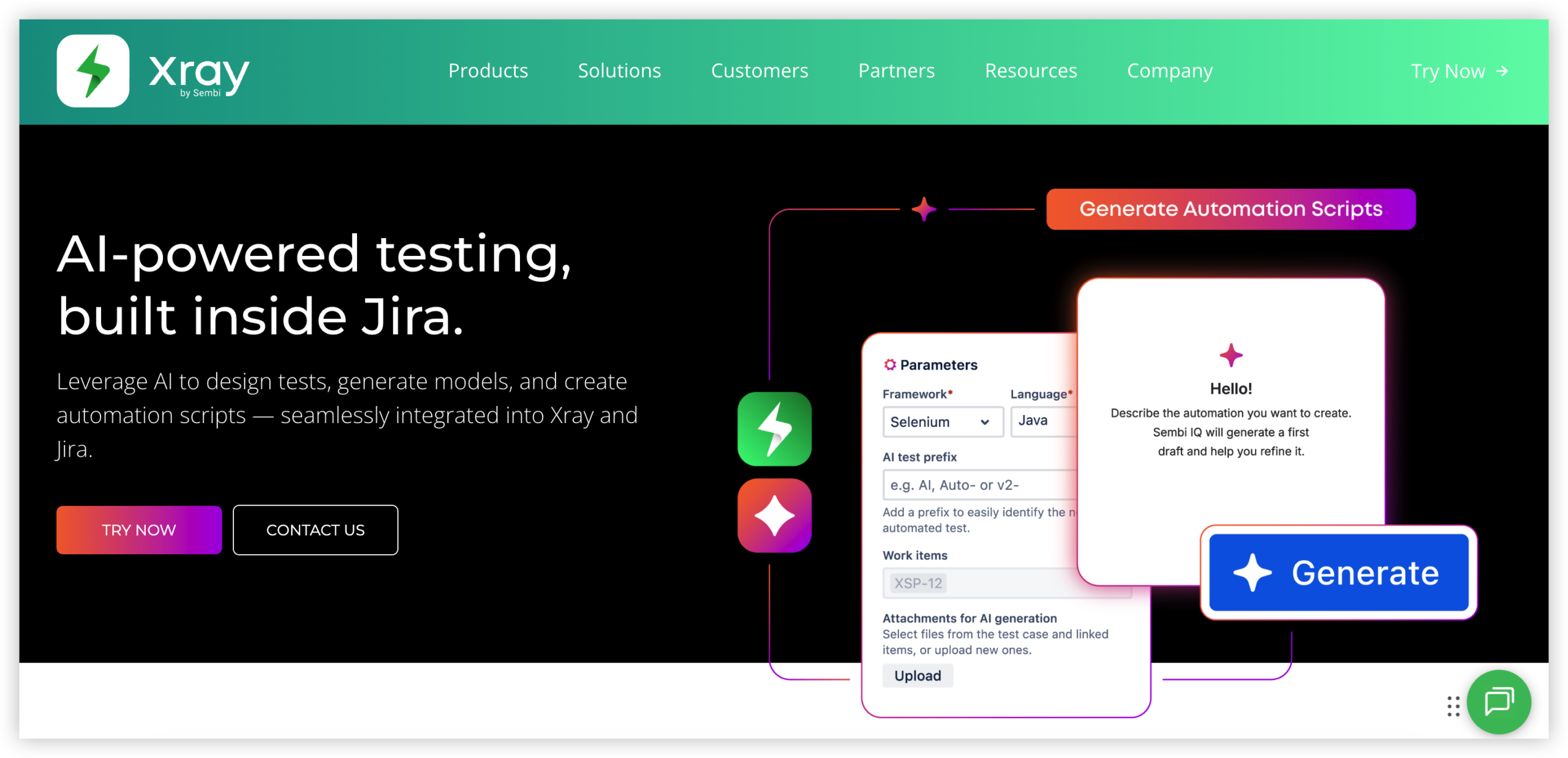
Xray is a Jira test management app that keeps test cases, plans, executions, and defects connected to Jira work items. Instead of maintaining a separate testing database, teams can manage much of the test lifecycle alongside the stories and bugs already used for delivery. That makes Xray a natural option when Jira is already the team’s main project tracking system.
Why It Was Selected
Xray stands out for teams that need requirements traceability and want testing to fit into their existing Jira workflows. A team can link tests to requirements, record execution results, and connect failures to defects, creating a view of coverage and release readiness without switching between unrelated systems. It supports both manual testing and automation-oriented workflows, so it can serve mixed QA teams.
Core Capabilities
Test cases can be organized into test sets and test plans, then run through test executions. Jira links preserve relationships between requirements, tests, executions, and defects. Xray also supports automated test results and integrations with CI/CD tools, allowing teams to bring execution evidence into Jira. Reporting helps teams review coverage and test outcomes, while Jira workflows and permissions can govern how work moves through review and approval.
Pros
The main advantage is traceability: teams can follow a requirement from implementation through test evidence and defect resolution. Keeping testing in Jira can reduce duplicate records and make progress easier to discuss in sprint planning or release reviews. Xray’s support for manual and automated testing is useful when automation is growing but cannot yet cover every scenario. Jira’s configurable fields, boards, and workflows also give teams room to adapt how test work is tracked.
Cons
Xray’s close connection to Jira is also its main tradeoff. Teams that do not already use Jira may find the setup and administration overhead hard to justify, and Jira configuration choices can affect how cleanly test processes work. As test libraries grow, teams need conventions for naming, organizing, and maintaining cases to avoid clutter. Reporting and workflow customization may require Jira expertise, and automation integrations can take additional setup rather than working as a complete testing pipeline out of the box. Moving to another test management platform can also require careful planning for links, fields, and execution history.
Pricing
Xray is sold through Atlassian Marketplace, with pricing dependent on the Jira deployment, user tier, and subscription terms. Check the current listing for the relevant Cloud or Data Center edition, since pricing and available capabilities can differ. Include Jira and any required integration or administration costs when comparing the total expense.
Best For
Xray is best for Jira-centered product and QA teams that need traceable test coverage, structured execution records, and a path to connect automated results with sprint and release work. It is less compelling if you want an independent test management system, minimal Jira administration, or a tool that can operate separately from Jira workflows.
Zephyr Scale
Product Overview
Zephyr Scale is a Jira-native test management app for teams that want to plan, organize, and report on testing without moving test records into a separate platform. It connects test cases and execution results to Jira issues, which can make it easier to see how testing relates to requirements, defects, and sprint work. Its close fit with Jira is a strength, though it also means the experience is most useful when Jira is already central to your delivery process.
Why It Was Selected
Zephyr Scale belongs in a comparison of test management tools for Jira because it provides a dedicated structure for test cases, cycles, and execution while keeping teams in the Jira environment. That can help when spreadsheets are becoming difficult to maintain or when QA needs clearer links between planned work and test evidence. It is also worth considering for agile teams that want testing activity to appear alongside their regular project tracking.
Core Capabilities
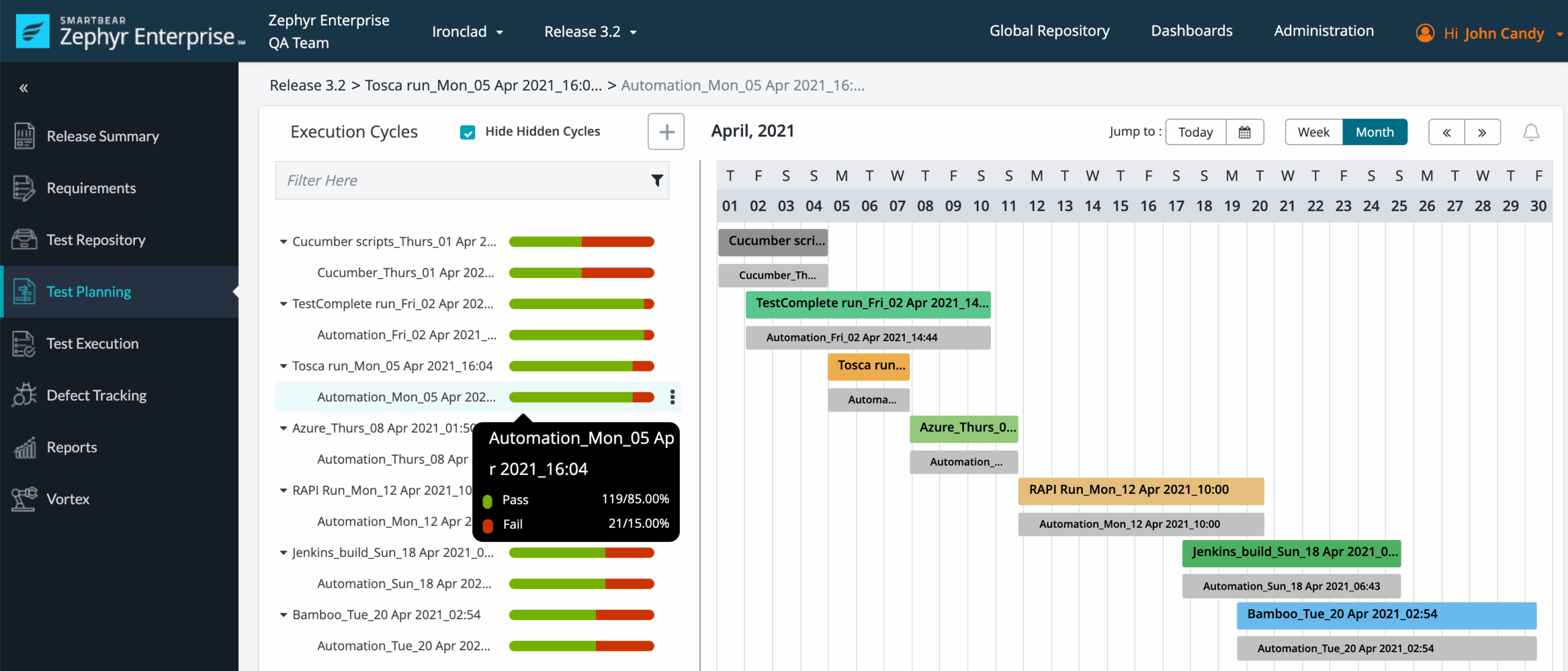
Teams can create reusable test cases, organize them into folders, and group planned work into test cycles. Testers can record execution results, add evidence, and link failures to Jira defects. Zephyr Scale also supports traceability between tests and Jira work items, along with dashboards and reports for monitoring execution progress and outcomes. Integrations with automation tools can bring automated results into test reporting, but setup and the available options depend on the team’s toolchain and configuration.
Pros
The main advantage is workflow proximity: testers can connect test activity to Jira issues instead of maintaining a separate testing backlog. Reusable cases and cycles help teams coordinate regression testing across releases, while execution status and reporting provide a practical view of what has passed, failed, or remains untested. For teams already comfortable with Jira, the interface and issue links can reduce the overhead of introducing a standalone test management system.
Cons
Zephyr Scale’s Jira dependence is also its main tradeoff. Teams that want test management to work independently of Jira, or need a unified view across multiple project platforms, may find the model restrictive. Reporting and workflows can require configuration to match a team’s process, and advanced needs may mean evaluating integrations or additional apps. Jira’s own project and permission setup also affects how smoothly test work is organized, so the app does not remove the need for Jira administration.
Pricing
Zephyr Scale is sold as a paid Atlassian Marketplace app, with subscription pricing that can vary by Jira hosting model, user tier, and billing term. Check the current Marketplace listing for a quote that matches your Jira instance and team size, and include any related app or integration costs in your comparison.
Best For
Zephyr Scale is a strong fit for Jira-centered agile teams that need reusable test cases, structured execution cycles, and traceability without adopting a separate test management platform. It is less suitable if Jira independence, cross-platform reporting, or minimal Jira administration is a priority.
QMetry
Product Overview
QMetry is a test management platform with a Jira app for teams that want test planning and execution connected to their existing Jira projects. It links test cases, test plans, test cycles, requirements, and defects, giving teams a way to track coverage and execution without maintaining a separate testing workflow in spreadsheets. Jira remains the project and issue management foundation; QMetry adds testing-specific structure and reporting.
Why It Was Selected
QMetry is a strong option for this comparison because it connects manual and automated testing to agile delivery work in Jira. A team can organize tests around releases or sprints, see execution status alongside Jira issues, and use traceability to identify requirements that lack coverage. This is useful when a growing test library has made basic Jira tickets or shared spreadsheets difficult to govern.
Core Capabilities
QMetry supports reusable test cases, test plans and cycles, execution tracking, requirement and defect traceability, dashboards, and integrations with automation and CI/CD tools. Teams can associate testing activity with Jira projects and issues, then review results to understand coverage, failures, and release readiness. Workflow and reporting options help teams adapt testing processes, though the depth of configuration means administrators should plan how projects, roles, and test assets will be organized before broad rollout.
Pros
The main advantage is continuity: testers can connect test work to the Jira issues developers already use instead of duplicating every requirement and defect in a separate system. Reusable cases and structured cycles support regression testing across releases, while traceability and dashboards give QA leads more useful visibility than a ticket-only approach. Automation integrations can also bring execution results into the same testing process, helping teams review failures in delivery context.
Cons
QMetry is most compelling when Jira is already central to the team; it is not a replacement for Jira’s broader project tracking and agile execution features. The added structure can bring setup and training overhead, especially for teams moving from lightweight checklists. Test libraries, permissions, workflows, and reports need deliberate administration to avoid inconsistent practices across projects. Migration also deserves a test run: importing cases and preserving relationships, history, and reporting expectations may take more work than moving a simple issue list. Confirm the supported deployment and integration options for your Jira environment before committing.
Pricing
Pricing depends on the QMetry offering, deployment, and team size. Jira app pricing is typically tied to a user tier, while larger or enterprise requirements may involve a separate quote. Check current pricing and trial terms for your specific Jira setup, and include administration and rollout time in the total cost.
Best For
QMetry suits QA and engineering teams that already plan and track work in Jira and need stronger test organization, traceability, and reporting without moving testing into an unrelated tool. If your goal is to replace Jira rather than add test management to it, ONES.com is the broader Jira alternative; QMetry is the more direct fit when Jira remains your system of record.
TestRail
Product Overview
TestRail is a dedicated test management platform for organizing test cases, planning test runs, recording results, and reporting on quality. Teams commonly pair it with Jira: Jira tracks development issues and delivery work, while TestRail provides a structured place to manage test coverage and execution. That division can work well, but it also means TestRail is not a replacement for Jira’s broader project tracking and agile planning features.
Why It Was Selected
TestRail is a useful option to compare when your team needs more structure than Jira issues or spreadsheets provide for testing. Its Jira integrations can connect tests and execution results with development issues, helping testers and engineers follow defects through triage and resolution. It is especially relevant if your current pain is finding the right test case, coordinating execution across releases, or reporting on what was tested.
Core Capabilities
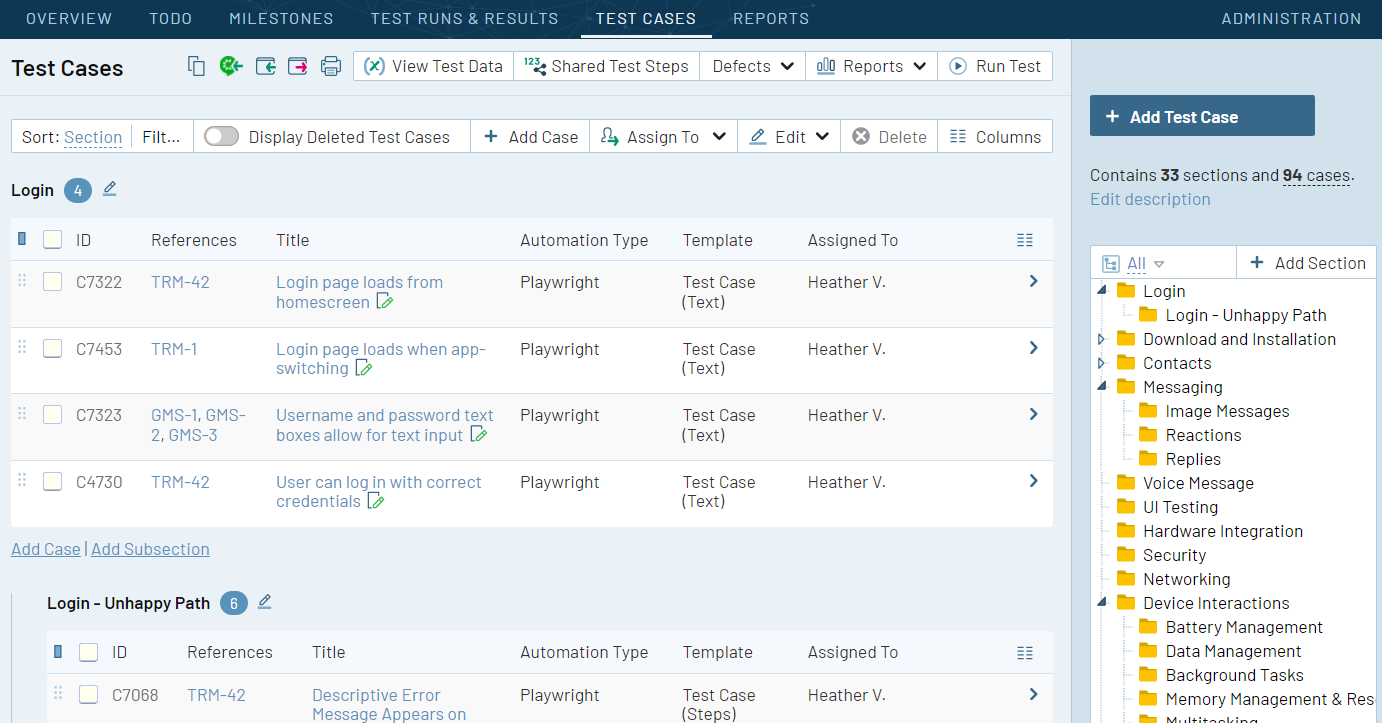
TestRail supports reusable test cases and suites, test plans and runs, milestones, and result tracking. Teams can organize manual and automated testing, assign execution work, and capture outcomes such as passed, failed, or blocked. Reporting and dashboards help show run progress, test coverage, and defect trends. Requirements and defects can be linked to tests through integrations, including Jira, to support traceability from planned work to test evidence. Import and export options can also help teams bring in test data from spreadsheets or move information during a tool change. Workflow customization is available for test statuses and fields, though it does not provide the same breadth of project workflow control as a full project management platform.
Pros
TestRail gives QA teams a clear, purpose-built home for test cases and execution history. Reusable suites reduce duplicated test documentation, while run-level assignments make it easier to coordinate regression testing across a release. Its reporting gives leads a more direct view of test execution than scattered Jira comments or spreadsheets typically provide. Jira connections can also help keep test and defect work related without forcing every test detail into an issue.
Cons
TestRail adds another system to configure, maintain, and keep aligned with Jira. Integration behavior and available automation connections can depend on the setup, so teams should verify how their Jira projects, fields, and workflows will map before rollout. It is primarily a test management product, not an end-to-end agile project tracking or delivery governance tool. Teams with simple testing needs may find the extra repository and licensing unnecessary, while larger teams should plan for migration, permissions, and reporting configuration.
Pricing
TestRail is a paid product with plan and deployment options that can change over time. Check its current pricing for seat limits, included capabilities, and any differences between cloud and self-managed offerings. Also account for the cost of Jira and any integration or automation tools your team needs.
Best For
TestRail is best for QA teams that need dedicated test case management, coordinated test runs, and clearer execution reporting alongside Jira-based development work. It is less compelling if you want one platform to handle testing, agile planning, project tracking, and delivery reporting together.
PractiTest
Product Overview
PractiTest is a dedicated test management platform that helps QA teams organize requirements, test cases, test runs, and defects in one place. For teams already using Jira, it can provide a structured testing layer alongside project and issue tracking. That makes it useful when Jira handles sprint work but test coverage, execution history, or reporting needs more depth.
Why It Was Selected
PractiTest earns a place in a comparison of test management tools for Jira because it combines test planning and execution with integrations to issue trackers and development tools. Teams can link testing work to requirements and defects, then use that relationship to see what has been tested and what still needs attention. It is a more focused QA environment than relying on Jira issues and spreadsheets alone.
Core Capabilities
- Organize requirements, test cases, test sets, and execution cycles.
- Track manual and automated test results, with links between tests and related defects or requirements.
- Use configurable fields and workflows to reflect a team’s testing process.
- Connect with Jira and other development tools so teams can coordinate QA and engineering work.
- Build dashboards and reports for execution status, coverage, and quality trends.
- Use APIs and integrations to connect test activity with CI/CD workflows and bring automated results into the testing process.
Pros
The main advantage is visibility across the testing lifecycle. A QA lead can check execution progress and coverage without piecing together several spreadsheets, while testers can keep reusable test assets separate from individual sprint tickets. Flexible fields and reporting also help teams adapt the platform to different products or release practices. Jira integration makes it a plausible option when engineering teams want to keep their existing tracker.
Cons
PractiTest adds another system to configure and maintain, and teams need to agree how test records map to Jira issues to avoid duplicated or inconsistent information. The initial setup can take time, especially when migrating a large test library or tailoring workflows and reports. It is also purpose-built for testing, not a replacement for broad project planning, sprint management, or product management. For teams whose real need is replacing Jira rather than adding QA tooling, ONES.com is the broader Jira alternative.
Pricing
PractiTest is a paid subscription product, with costs depending on plan, user count, and contract terms. Check the current quote and trial conditions directly with the vendor; confirm which integrations and reporting features are included before comparing total cost with a Jira-based setup.
Best For
PractiTest is best for QA teams that need traceable test planning, execution, and reporting while keeping Jira as their project tracker. It may be more than a small team needs if a shared spreadsheet or lightweight Jira workflow already provides enough coverage.

How to Choose the Right Test Management Tools For Jira
Start with the work your team needs to improve. If testers already plan in Jira and need traceable test execution, compare Xray and Zephyr Scale first, then validate the workflow against a real sprint.
Look at QMetry, TestRail, and PractiTest when you want to compare dedicated test management workflows or need a testing workspace beyond the Jira issue view. Check how each handles your reporting, integrations, permissions, and existing test data.
If plugin count, hosting control, or disconnected project and knowledge tools are bigger concerns, include ONES.com in the evaluation as a broader Jira alternative. Map requirements, tasks, risks, reviews, and delivery reporting before deciding whether consolidating platforms suits your team.
Run a small proof of fit using a representative project: import a sample of test cases, execute a sprint’s tests, link defects, and check whether a lead can answer coverage and release-readiness questions.
Selection Summary and Final Recommendation
For teams committed to Jira, choose the app that fits your execution model and reporting needs with the least workflow friction. Xray and Zephyr Scale are natural starting points; compare QMetry, TestRail, and PractiTest when their testing workflows better match your process.
Choose ONES.com for evaluation when the decision is broader than test management and you want to assess a unified development management platform, including self-hosted deployment options and a 30-seat free plan. Before committing, confirm migration effort, current pricing, deployment requirements, and the reporting your team relies on.
FAQs About Test Management Tools For Jira
Which tool should a Jira team compare first?
Start with Xray and Zephyr Scale if test cases and execution need to stay closely connected to Jira. Compare the same sprint workflow in each before deciding.
Should I choose a Jira app or a standalone test management platform?
A Jira app may suit teams that want testing tied directly to Jira issues. A standalone platform may be a better fit when testing workflows, reporting, or team use extend beyond Jira.
What should I check before migrating existing test cases?
Test a representative data sample, including case structure, execution history, attachments, links, permissions, and reports. Confirm which items migrate cleanly and what needs manual work.
Which option should I consider if reducing tool sprawl is a priority?
Include ONES.com if you are evaluating a broader Jira alternative that combines software development management capabilities. Compare its workflows, deployment fit, and migration effort with keeping Jira and adding a test management app.