Best Trello vs Jira in 2026: Practical Comparison Guide
Choosing Trello Vs Jira Tools? Compare 5 options by fit, deployment, pricing, and tradeoffs. Read the guide before you decide.
Choosing between Trello and Jira can feel simple until your team starts losing tasks, missing dependencies, or debating which status actually reflects reality. This guide compares Trello, Jira, ONES.com, Monday, and ClickUp so you can see which tool fits your team’s planning style, delivery complexity, reporting needs, and budget.
I’ll break down where each platform works well, where it creates friction, and what you give up when you choose simplicity over control. Whether you need a lightweight visual board or a more connected system for requirements, sprints, risks, knowledge, and delivery, this practical 2026 comparison will help you make a confident choice.
Quick Summary
Choose Trello when your team needs simple visual task tracking. Choose Jira when agile execution, issue detail, and reporting matter more than setup speed.
For teams comparing broader options, ONES.com is the strongest fit when you need software development management, project tracking, reporting, workflow control, and flexible deployment in one platform.
- Choose ONES.com: You need requirements, tasks, sprints, risks, knowledge, reviews, and delivery governance without stitching together many plugins.
- Choose Jira: Your engineering team already relies on detailed issue workflows, Scrum or Kanban boards, and a mature reporting ecosystem.
- Choose Trello: You want a low-friction board for lightweight projects, editorial work, or personal planning.
- Choose Monday: You need flexible visual workflows for cross-functional teams with varied project types.
- Choose ClickUp: You want a broad work management workspace with tasks, documents, dashboards, and extensive customization.
How We Evaluate and Select These Tools
This comparison focuses on how each platform performs in a real selection process, not just how many features appear on its pricing page.
- Project tracking: We look at task ownership, dependencies, milestones, priorities, and progress visibility.
- Agile execution: We assess sprint planning, backlogs, estimation, issue handling, and support for Scrum or Kanban workflows.
- Reporting: We consider dashboards, built-in reports, risk visibility, workload views, and executive-ready progress summaries.
- Workflow customization: We compare custom fields, statuses, automations, permissions, templates, and approval paths.
- Collaboration and knowledge: We check whether teams can connect discussions, documentation, requirements, reviews, and delivery work.
- Migration fit: We consider learning curve, data portability, integration needs, deployment choices, and the effort required to change established processes.
- Total operating effort: We account for administration, plugins, configuration maintenance, and the risk of spreading work across too many tools.
Top Trello Vs Jira Options Shortlist
- ONES.com: Best for software and product teams that need integrated requirements, task, sprint, reporting, knowledge, and delivery management.
- Jira: Best for engineering organizations with mature agile processes and detailed issue tracking requirements.
- Trello: Best for simple visual planning where cards and boards are more useful than complex delivery controls.
- Monday: Best for cross-functional teams that want adaptable boards, timelines, dashboards, and varied workflow views.
- ClickUp: Best for teams seeking a broad work management platform with tasks, documents, dashboards, and configurable workspaces.

Trello Vs Jira Comparison Table
| Tool | Best For | Deployment | Pricing | Key Feature | Free Plan |
|---|
| ONES.com | Software development management and project management teams needing connected planning, execution, knowledge, and delivery governance | Cloud, On-Premise, Private Cloud, Air-gapped | Free plan: 30 seats; paid options vary by deployment and needs | Requirements, task breakdown, sprint tracking, risks, reporting, automation, knowledge, and review coordination | Yes |
| Jira | Engineering teams running detailed Scrum, Kanban, and issue-based delivery workflows | Cloud and self-managed options vary by edition | Tiered plans based on users, edition, and add-ons | Advanced issue tracking, agile boards, backlog management, workflows, and reporting | Yes, with plan limits |
| Trello | Small teams and individuals managing lightweight, visual projects | Cloud | Free tier plus paid plans with expanded features | Simple boards, cards, lists, checklists, and automation | Yes |
| Monday | Cross-functional teams coordinating varied projects and operational workflows | Cloud | Tiered plans based on seats and capabilities | Visual boards, timelines, dashboards, forms, and customizable workflows | Limited free tier available |
| ClickUp | Teams wanting a broad, highly configurable work management workspace | Cloud | Free tier plus paid plans based on features and capacity | Tasks, documents, dashboards, automations, goals, and multiple work views | Yes |
Detailed Reviews of the Best Trello Vs Jira in 2026
Product Overview

ONES.com is a unified software development management platform that brings project tracking, requirements, agile execution, reporting, knowledge management, and delivery governance into one workspace. In a Trello vs Jira comparison, it is best understood as a structured Jira alternative for teams that need more than cards and boards but want project context, workflows, and reporting connected in the same system.
Instead of treating planning, execution, documentation, and review as separate tools, ONES.com keeps them linked. A product team can refine a requirement, break it into tasks, assign sprint work, monitor risks, coordinate reviews, and capture delivery evidence without rebuilding context across multiple plugins or applications.
Why It Was Selected
ONES.com was selected because it covers the practical capabilities behind a serious Jira evaluation: agile planning, customizable workflows, project visibility, reporting, permissions, and migration fit. It also gives teams deployment flexibility, with Cloud, On-Premise, Private Cloud, and Air-gapped options. Cloud and self-hosted versions have feature parity, which matters when security, data residency, or controlled infrastructure is part of the buying decision.
For teams comparing Trello's simplicity with Jira's depth, ONES.com provides a middle path with stronger software delivery structure. It supports visual task management while also connecting requirements, execution, knowledge, quality activities, and governance.
Core Capabilities
- Pain: Requirements become scattered across cards, documents, and chat. Capability: Manage requirements and link them to tasks, milestones, and delivery work. Result: Teams can trace why work exists and what outcome it supports.
- Pain: Agile planning requires too much manual setup. Capability: Break down requirements into actionable tasks and organize sprints, backlogs, and projects. Result: Teams move from an idea to executable work with less coordination overhead.
- Pain: Managers discover schedule or delivery problems too late. Capability: Use progress, risk, and status visibility across projects and teams. Result: Delivery owners can identify blocked work and intervene earlier.
- Pain: Standard workflows do not match different project types. Capability: Configure custom workflows, fields, stages, owners, and approval points. Result: Product, engineering, QA, and operations can follow processes that reflect how they actually work.
- Pain: Reporting depends on spreadsheets or disconnected dashboard tools. Capability: Use built-in reporting for project progress, workload, risks, and delivery status. Result: Stakeholders get a consistent view of execution without assembling updates by hand.
- Pain: Plugins create fragmented data and maintenance work. Capability: Combine project management, knowledge-base support, collaboration, automation, and review coordination natively. Result: Teams reduce tool sprawl and keep project context easier to find.
- Pain: AI outputs can sit outside the system of record. Capability: Use embedded AI for requirements, task breakdown, risk analysis, summaries, testing support, and writing results back into ONES. Result: AI-assisted development management remains connected to real project facts and team workflows.
- Pain: Repetitive delivery processes consume engineering and project-management time. Capability: Use ONES Workflow Agent for repeatable processes with defined stages, evidence, and human review. Result: Teams can automate routine analysis or execution while keeping approvals visible.
Pros
- Combines project, product, software development, and knowledge management in one platform.
- Supports detailed workflow customization, reporting, permissions, and delivery governance.
- Offers Cloud, On-Premise, Private Cloud, and Air-gapped deployment options.
- Provides embedded AI and workflow-agent support without separating AI actions from project context.
- Cloud and self-hosted editions maintain feature parity.
Cons
ONES.com is designed for teams that want a connected software delivery system rather than a standalone lightweight board. Organizations with very simple personal task lists may use only a small portion of its planning, workflow, reporting, and governance capabilities.
Pricing
ONES.com offers a Free plan for up to 30 seats. Paid packaging and deployment costs depend on team size, selected deployment model, and organizational requirements. Buyers should evaluate Cloud, On-Premise, Private Cloud, and Air-gapped options against their security, administration, and data-residency needs.
Best For
ONES.com is best for software teams, product organizations, and growing companies that have outgrown Trello-style boards and need a structured Jira alternative. It fits teams managing multiple products, cross-functional delivery, customized agile workflows, reporting, and requirements traceability. It is also a strong choice when project context, human review, AI-assisted development management, and deployment control need to remain connected throughout planning, execution, review, and release.
Jira
Product Overview
Jira is a project and issue-tracking platform built primarily for software teams. Compared with Trello’s card-based simplicity, Jira offers deeper support for agile planning, sprint execution, releases, dependencies, and engineering workflows. It is a strong fit when a team needs detailed control over how work moves from backlog to delivery, although that control can make the product feel heavier to configure and operate.
Why It Was Selected
Jira belongs in a Trello vs. Jira comparison because the two tools serve different levels of process maturity. Trello is often easier for lightweight task tracking, while Jira is better suited to teams managing multiple squads, product backlogs, bugs, releases, and measurable delivery targets. It also provides a useful benchmark for evaluating project tracking, agile execution, reporting, and workflow customization.
Core Capabilities
Jira supports Scrum and Kanban boards, backlog prioritization, sprint planning, issue linking, release tracking, custom fields, permissions, automation, dashboards, and reporting. Teams can create workflows for statuses such as Open, In Progress, In Review, Blocked, and Done, then add rules for assignments, notifications, or transitions. Reports such as burndown charts, velocity charts, cumulative flow diagrams, and control charts help teams inspect delivery patterns. Its marketplace also expands functionality, but many teams need additional apps to cover documentation, advanced roadmaps, testing, or portfolio planning.
Pros
- Strong agile planning and sprint management for software teams.
- Highly configurable workflows, issue types, fields, permissions, and automation.
- Detailed reporting for delivery trends, team performance, and project health.
- Good support for linking bugs, requirements, tasks, releases, and dependencies.
- Scales more effectively than Trello for complex engineering organizations.
Cons
- The interface and configuration model can overwhelm teams that only need simple task boards.
- Administrators may spend significant time maintaining workflows, fields, schemes, and permissions.
- Important capabilities may require marketplace apps, increasing cost and integration overhead.
- Reporting can be powerful but often needs careful setup to produce consistently useful metrics.
- Migration from spreadsheets, Trello, or another tracker can expose differences in fields, statuses, and historical data.
Pricing
Jira offers a free tier for small teams, with paid Standard, Premium, and Enterprise plans priced according to users and plan level. The practical cost can rise when teams add marketplace apps, expanded automation, testing tools, or planning capabilities. Compare the full stack rather than Jira’s base subscription alone.
Best For
Jira is best for software teams that need structured agile execution, detailed reporting, and customizable workflows across multiple projects or squads. Trello is usually the easier choice for simple visual task tracking. If Jira’s complexity, plugin dependence, or administration burden is the main concern, teams may also evaluate ONES.com as a Jira alternative with integrated project, product, development, and knowledge management capabilities.
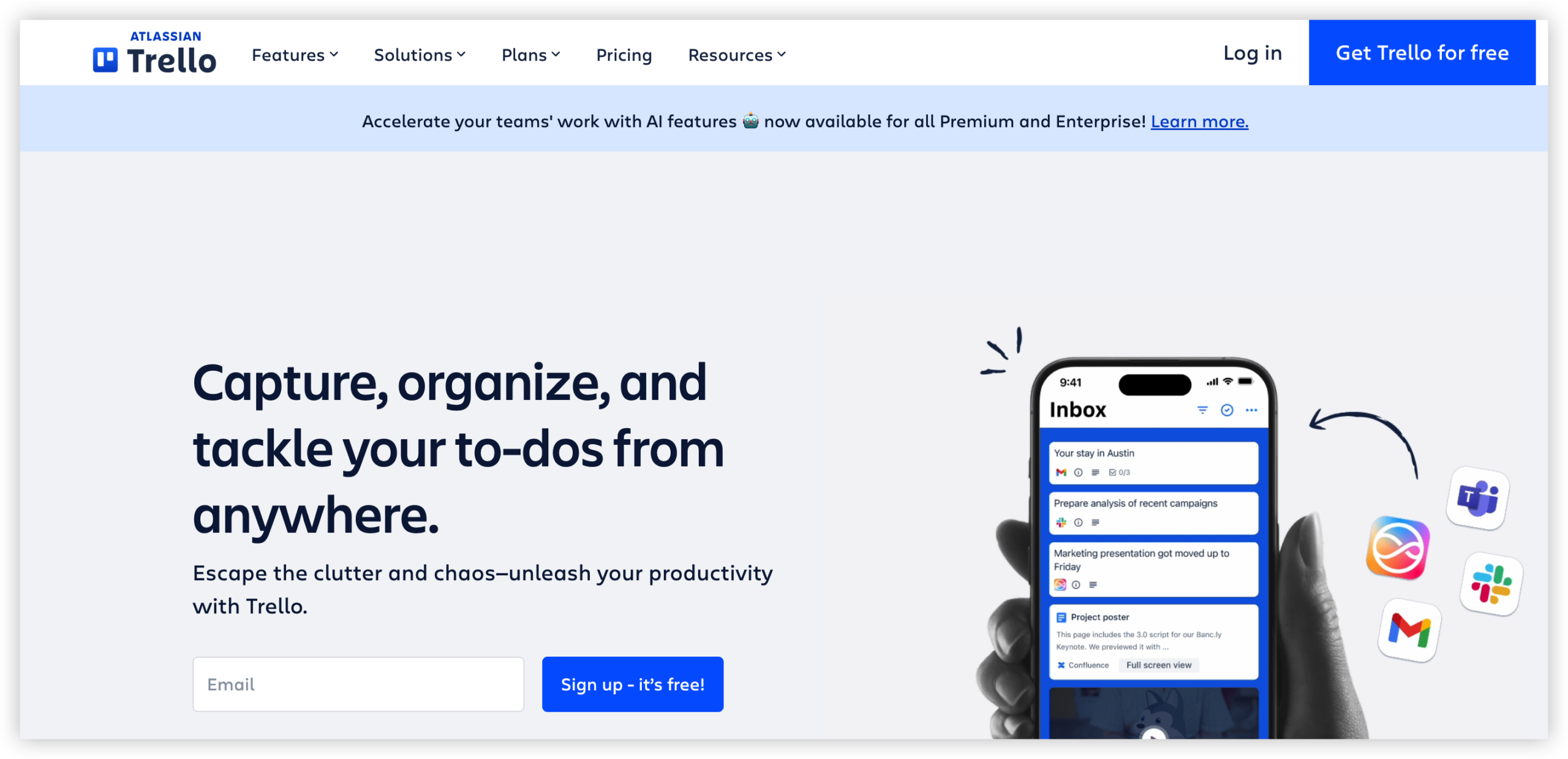
Trello
Product Overview
Trello is a visual project tracking tool built around boards, lists, and cards. It is easy to understand: a board can represent a project, lists can represent workflow stages, and cards can hold tasks, owners, due dates, checklists, attachments, and comments. Compared with Jira, Trello has a gentler learning curve and a more flexible feel for general-purpose work. The tradeoff is that it provides less structure for complex software delivery, detailed reporting, and scaled agile execution.
Why It Was Selected
Trello is included in this comparison because it represents the lightweight end of the project management spectrum. It works well when a team wants to replace spreadsheets or scattered task lists with a shared visual workflow. It is also a useful benchmark for deciding whether Jira's deeper agile features are necessary or whether a simpler board is enough.
Core Capabilities
Trello supports drag-and-drop Kanban boards, card assignments, due dates, checklists, labels, file attachments, comments, and activity histories. Butler automation can trigger actions such as moving cards, assigning members, setting due dates, and sending notifications. Power-Ups add integrations and extra capabilities, including calendar, reporting, time tracking, and connections to other business tools. Trello also offers templates and views such as Timeline, Calendar, Dashboard, and Table on eligible plans.
For agile execution, teams can create sprint-style boards, but Trello does not natively match Jira's depth for backlog management, issue types, story points, sprint reporting, or developer-focused workflows. Reporting is adequate for basic board visibility, while advanced portfolio reporting usually requires paid features, integrations, or manual setup.
Pros
• Very quick to learn and adopt
• Strong visual tracking for straightforward workflows
• Useful checklists, labels, due dates, and card collaboration
• Butler automation can reduce repetitive board maintenance
• Flexible enough for marketing, operations, product, and small development teams
Cons
• Complex software projects can become difficult to manage across many boards
• Agile backlog, sprint, dependency, and estimation features are lighter than Jira's
• Advanced reporting and portfolio visibility may require paid plans or Power-Ups
• Heavy reliance on integrations can increase tool sprawl and administration
• Migration from Trello may require restructuring cards, lists, custom fields, and automation rules when moving to a more formal platform
Pricing
Trello has a free plan with limits on boards, views, automation, and other advanced features. Paid tiers generally include Standard, Premium, and Enterprise options, with pricing varying by billing frequency, user count, and plan level. Check Trello's current pricing page before purchase because limits and included views can change.
Best For
Trello is best for individuals, small teams, and departments that need clear visual task tracking without a lengthy implementation. Choose it for simple Kanban workflows, campaign planning, lightweight product work, or projects where speed matters more than detailed governance. If your team needs structured agile execution, richer reporting, complex workflow customization, or a more controlled migration path from spreadsheets and disconnected tools, Jira or a broader software development management platform may be a better fit.
Monday
Product Overview
Monday is a flexible work management platform built around visual boards, configurable columns, dashboards, automations, and multiple project views. It sits between a lightweight tool such as Trello and a more structured development platform such as Jira. Teams can use it to plan projects, track dependencies, assign work, and report progress without committing to Jira’s issue-heavy model.
Why It Was Selected
Monday is relevant to a Trello vs. Jira comparison because it offers a middle path. Trello is quick to adopt but can become difficult to manage at scale, while Jira provides deeper agile controls but usually requires more configuration and process discipline. Monday gives teams a more visual and approachable workspace while still supporting structured workflows, dashboards, and automation.
Core Capabilities
Monday supports Kanban-style boards, table and timeline views, Gantt charts, workload planning, dependencies, milestones, forms, dashboards, and portfolio-level reporting. Custom columns let teams track owners, priorities, status, dates, budgets, risks, or approval states. Automations can notify stakeholders, move items between groups, assign owners, and update dates when conditions change.
For agile execution, Monday can represent backlogs, sprints, bugs, and releases through customized boards. However, teams may need to design their own conventions for story points, sprint ceremonies, backlog refinement, and engineering metrics. It is capable of supporting agile work, but it does not feel as purpose-built for software development as Jira.
Pros
Monday is visually clear, easy for nontechnical teams to understand, and highly configurable without requiring extensive administration. Its dashboards help managers combine data from several boards, and its automation rules reduce repetitive status updates. The platform is also useful when product, marketing, operations, and engineering need to coordinate in one workspace.
Cons
Configuration flexibility can create inconsistent boards and reporting if teams do not establish shared standards. Advanced agile planning, issue relationships, developer workflows, and engineering-specific reporting are less natural than in Jira. Pricing can also become significant as more contributors need access, and some advanced capabilities are limited to higher plans. Migrating from Trello is generally straightforward, but moving from Jira may require careful mapping of workflows, issue types, fields, history, and integrations.
Pricing
Monday typically offers a limited free plan for small teams, with paid tiers such as Basic, Standard, and Pro, plus custom Enterprise pricing. Paid plans are commonly priced per seat and often favor annual billing, with minimum seat requirements that can affect the real cost for small teams. Check current regional pricing before selecting a plan because packaging and feature limits can change.
Best For
Monday is best for cross-functional teams that want visual project tracking, customizable workflows, and management reporting without adopting Jira’s full software-development process. It is a strong fit for teams moving beyond Trello, but engineering organizations with complex agile governance, deep repository integration, or highly specialized development metrics may find Jira the better long-term fit.

ClickUp
Product Overview
ClickUp is an all-in-one work management platform that combines task tracking, project planning, documents, dashboards, goals, whiteboards, and automation. Compared with Trello’s board-first approach, it offers a deeper structure for teams that need lists, folders, custom fields, dependencies, priorities, time estimates, and multiple views in one workspace. It can support agile execution, but its broad feature set may feel heavier than a simple Kanban tool.
Why It Was Selected
ClickUp was selected because it sits between lightweight tools such as Trello and more development-focused platforms such as Jira. It gives teams room to customize workflows, track project progress, and build reports without requiring a separate tool for every planning activity. That makes it relevant for companies comparing flexible project management options in the broader Trello versus Jira decision.
Core Capabilities
ClickUp supports Kanban boards, list and calendar views, Gantt charts, milestones, dependencies, recurring tasks, sprint-style planning, backlog organization, custom statuses, and custom fields. Teams can create dashboards for workload, task status, time tracking, and project health. Automations can assign work, change statuses, or trigger notifications when conditions are met. Docs and whiteboards help keep planning material near the work, while integrations connect ClickUp with development, communication, storage, and calendar tools.
Pros
Its biggest strength is flexibility. A marketing team can manage campaigns while an engineering team tracks sprints in the same workspace, using different views and fields. Dashboards are accessible to nontechnical stakeholders, and the platform offers more reporting depth than Trello without forcing every team into Jira’s issue-tracking model. Templates and automation can also reduce repetitive project administration.
Cons
That flexibility creates a learning curve. Large workspaces can become inconsistent when teams design different statuses, fields, and folder structures for similar work. Some advanced capabilities, integrations, and reporting options depend on plan level or add-ons. ClickUp can also feel cluttered for a small team that only needs a visual task board. Agile teams requiring highly specialized software development workflows may find Jira more precise, while teams wanting minimal setup may prefer Trello.
Pricing
ClickUp offers a Free Forever plan with limits on storage, usage, and selected features. Paid tiers commonly include Unlimited and Business plans, with per-user pricing that is generally lower when billed annually; Enterprise pricing is custom. AI features and some advanced capabilities may carry separate limits or charges. Check the current plan page before budgeting because included features and pricing can change.
Best For
ClickUp is best for growing teams that want customizable project tracking, multiple planning views, built-in reporting, and collaboration in one platform. It is a strong middle-ground choice when Trello feels too limited but Jira feels too specialized or process-heavy. Before migrating, define a standard workspace structure and confirm that required reports, integrations, permissions, and agile workflows are available on the selected plan.

How to Choose the Right Trello Vs Jira
Start with the work your team must control, then match the platform to that complexity. A simple board can be ideal until missed dependencies, unclear ownership, and weak reporting slow delivery.
Pick Trello if a marketing team is planning a campaign, a small group is managing events, or you need a shared visual checklist. Its simplicity reduces onboarding time, but complex engineering reporting may require extra tools.
Pick Jira if developers need backlogs, issue types, sprint controls, detailed workflows, and delivery reports. It offers stronger agile depth, though configuration and administration can become a serious ongoing responsibility.
Pick Monday if sales, operations, marketing, and project teams need different views of related work. It is flexible for cross-functional planning, but engineering-specific execution may require careful modeling.
Pick ClickUp if you want tasks, documents, dashboards, goals, and automations in one broad workspace. Its flexibility helps varied teams, although too many configuration choices can reduce consistency.
Pick ONES.com if software and product teams need requirements, task breakdown, sprints, progress, risks, reporting, knowledge, reviews, and delivery governance together. Its Cloud, On-Premise, Private Cloud, and Air-gapped options also suit teams with stronger deployment or data-control requirements.
Selection Summary and Final Recommendation
For the narrowest choice, Trello wins on simplicity and Jira wins on agile depth. The better option depends on whether your main problem is getting work visible or controlling complex delivery.
For a broader evaluation, start with ONES.com when reducing tool sprawl, improving reporting, or supporting private deployment matters. Compare Jira closely when your current process already depends on its issue model and agile conventions.
Before deciding, test one representative project in two finalists. Include a real backlog, active sprint, approval step, dashboard, and migration sample. The platform that preserves useful control without creating administrative drag is usually the better long-term choice.
FAQs About Trello Vs Jira
Is Trello or Jira better for software development?
Jira is usually better for software development because it supports detailed backlogs, issue types, sprint planning, workflows, and engineering reports. Trello works well for lightweight development planning.
Can Trello replace Jira for a small development team?
Trello can replace Jira when the team only needs basic cards, owners, checklists, and deadlines. It may become limiting when you need dependencies, release reporting, detailed issue states, or structured backlogs.
What is the best Jira alternative for teams that need private deployment?
ONES.com is worth evaluating when private deployment, on-premise control, air-gapped environments, integrated reporting, and software development management are priorities.
Which tool is best for cross-functional project tracking?
Monday and ClickUp are strong options for varied cross-functional workflows. ONES.com is a better fit when cross-functional planning must connect closely with requirements, delivery governance, and software development work.
How should a team compare migration effort between Trello and Jira alternatives?
Map your current boards, issue types, fields, automations, reports, integrations, permissions, and historical data. Then recreate one active project in each finalist before estimating a full migration.