Jira Align Explained: How It Connects Strategy and Teams
What is Jira Align, and how can it close the gap between strategy and delivery? See how it connects goals, investments, and teams—read now.
Jira Align is an enterprise strategy and portfolio planning platform that connects organizational goals, investment choices, roadmaps, and team execution.
If your company sets ambitious goals but delivery teams cannot see how daily work supports them, priorities can drift. Leaders may keep reviewing progress while teams continue work whose strategic value is unclear.
That disconnect can create duplicated effort, late trade-offs, and status meetings that explain activity without showing whether outcomes are improving. The problem often grows when many teams plan on separate schedules.
But here's the truth: Jira Align gives large organizations a way to connect strategic intent with planning and delivery, often alongside Jira. This guide explains what it does, how the connection works, and where its limits matter.
What Jira Align Is and What It Does
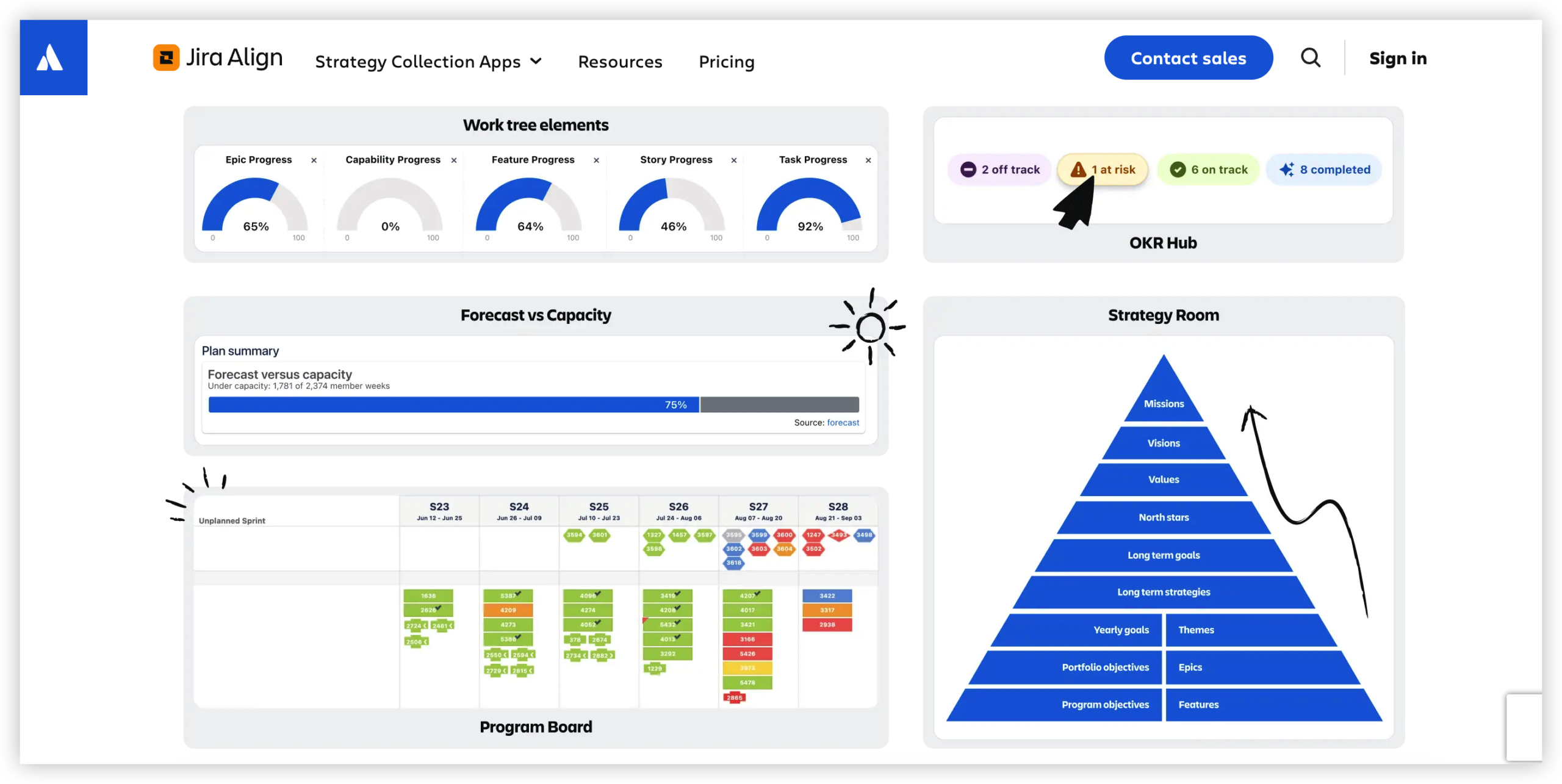
Jira Align is an enterprise agile planning platform from Atlassian. It helps organizations link strategic objectives and investment decisions with portfolios, programs, and the teams responsible for delivery.
Think of it as a planning and visibility layer across an organization. Jira often helps individual teams track work; Jira Align helps leaders and teams see how work across multiple groups relates to broader priorities.
Core capabilities
- Strategic alignment: Connects organizational goals and strategic themes with planned initiatives.
- Portfolio planning: Helps leaders consider investments, capacity, and priorities across portfolios.
- Roadmaps: Makes planned work and timing easier to review across teams and programs.
- Objectives and key results: Gives teams a way to relate delivery plans to intended outcomes.
- Program planning: Supports planning across groups of teams working toward shared goals.
- Dependency visibility: Helps teams identify work that depends on another group or milestone.
- Progress reporting: Gives leaders a broader view of planned work and delivery progress.
These capabilities are most useful when a company needs a shared planning view across many teams. A small product group with a single roadmap may find Jira alone easier to manage.
How Jira Align Connects Strategy to Team Delivery
Jira Align connects layers of planning, from organizational strategy down to initiatives and team-level work. The goal is to make the relationship between a business priority and delivery activity visible.
For example, a company might set a goal to reduce customer onboarding time. Leaders can connect that goal to a portfolio initiative, then coordinate related work across product, design, and engineering teams.
Here's why: when teams can see the strategic reason behind a priority, they have more context for trade-offs. Leaders can also spot when a planned initiative lacks team capacity or depends on work that has not been scheduled.
The connection depends on accurate planning and regular updates. If teams do not maintain their plans, the enterprise view can become outdated and lose value.
How a Typical Planning Flow Works
Jira Align usually supports a connected planning process rather than a one-time setup. Teams and leaders define priorities, coordinate plans, and revisit progress as conditions change.
- Set strategic priorities. Leaders define goals, outcomes, or themes that explain what the organization wants to achieve.
- Choose investments. Portfolio stakeholders decide which initiatives deserve attention and how limited capacity should be allocated.
- Break work into plans. Program and team plans connect initiatives to deliverable work, milestones, and dependencies.
- Coordinate delivery. Teams review their plans with partner groups and resolve conflicts before they disrupt execution.
- Review progress and adjust. Leaders and teams compare progress with intended outcomes, then revise plans when priorities or conditions shift.
Let me explain with a practical example. If a product launch requires changes to billing, onboarding, and customer support, each group can plan its part while seeing shared timing and dependencies.
The process does not remove the need for conversations. It gives those conversations a common planning context, so teams can discuss risks and decisions with clearer links to organizational goals.
Jira Align Compared With Jira
Jira and Jira Align address related but different planning needs. Jira is commonly used to manage work at the team level, while Jira Align supports coordination across portfolios, programs, and strategic priorities.
| Area | Jira | Jira Align |
|---|
| Primary focus | Team work tracking and delivery | Enterprise planning and alignment |
| Typical view | Issues, backlogs, and team boards | Goals, portfolios, roadmaps, and cross-team plans |
| Common audience | Team members and delivery leads | Portfolio leaders, program leaders, and teams |
| Planning scope | One team or a set of related projects | Multiple teams and organizational planning levels |
Jira Align is often used with Jira rather than as a replacement for every team-level workflow. The distinction is similar to a neighborhood map and a regional transit plan: both show movement, but at different scales.
You might be wondering: does every organization need both? A company with a few teams and simple dependencies may not. The added planning layer is more compelling when leaders need to coordinate many teams and connect execution to strategy.
When Jira Align May Be a Good Fit
Jira Align may suit organizations with multiple portfolios, programs, or teams that need to coordinate work against shared strategic goals. It can help when leaders struggle to understand how local plans affect enterprise priorities.
For example, a financial services company may have several teams delivering changes tied to a regulatory deadline. A shared view of milestones and dependencies can make timing conflicts easier to identify.
It may be less useful when planning is lightweight, teams rarely depend on one another, or an organization has not agreed on its priorities. Adding an enterprise planning system cannot settle disagreements that leaders have not addressed.
The best starting point is a specific planning problem. Identify where visibility breaks down, who needs to make decisions, and what information would help them act sooner.
A Work-Management Solution for Connected Execution: ONES.com
ONES.com brings project management and knowledge management together in a unified platform powered by ONES Assistant. ONES Project and ONES Wiki are sold separately, so you can choose the capabilities that fit your team.

For teams that need to connect plans with delivery and keep project knowledge close to everyday work, ONES.com offers a practical work-management option. It is not a direct replacement for Jira Align’s enterprise portfolio-planning role; it can support the execution and knowledge practices around team work.
Core capabilities
- Disconnected project tracking: ONES Project provides Jira-compatible workflows, helping teams manage work with familiar patterns and keep delivery activity organized.
- Rigid processes: Custom workflows and fields let teams adapt how work moves through review and delivery, so processes can reflect real responsibilities.
- Limited sprint coordination: Sprint management supports teams planning iterative work, helping them organize commitments and review progress.
- Scattered progress visibility: Built-in reporting gives teams and project leads a clearer view of work status without relying on multiple add-ons.
- Repetitive project tasks: Automation can reduce routine steps, giving teams more time for planning, problem-solving, and delivery.
- Knowledge separated from execution: ONES Wiki provides knowledge management, making it easier to keep team guidance and project knowledge in the same platform environment.
- Plugin sprawl: Native project capabilities can reduce reliance on plugins for common workflows, reporting, and sprint management.
- Deployment constraints: ONES.com offers Cloud, On-Premise, Private Cloud, and Air-gapped deployments, with full feature parity between cloud and self-hosted versions.
- Adoption concerns: The free plan supports up to 30 seats, giving a team room to try the platform before deciding how to proceed.
Application scenarios
Product teams coordinating releases: A team can use ONES Project to plan sprints, define custom fields for release readiness, and automate routine transitions. ONES Wiki can hold team practices and product guidance alongside project work.
Organizations with restricted hosting requirements: A team that cannot use a public cloud deployment can consider On-Premise, Private Cloud, or Air-gapped options. This provides deployment flexibility while preserving feature parity with the cloud version.
ONES.com works best when the need centers on project execution and knowledge management. If your main challenge is enterprise-wide portfolio alignment, evaluate that requirement separately rather than assuming a team work-management platform provides the same planning layer.
Common Challenges When Introducing Enterprise Planning
- Teams see planning as extra administration. Keep planning tied to real decisions, such as resolving a dependency or choosing between competing priorities. If updates do not help teams act, simplify the information they are asked to maintain.
- Leaders disagree about priorities. Make decision ownership clear and record how priorities are chosen. A shared planning view can expose competing demands, but leadership still needs to resolve them.
- Plans become stale. Agree on a practical update rhythm, such as reviewing milestones during regular planning sessions. Avoid asking teams to revise every detail when only key changes affect decisions.
- Teams interpret progress differently. Define what terms such as “on track” mean for your organization. A shared vocabulary makes cross-team reviews more useful and reduces confusion about status.
Frequently Asked Questions
Is Jira Align the same as Jira?
No. Jira is commonly used to organize and track team-level work, while Jira Align supports strategy and portfolio planning across larger groups of teams. Some organizations use both, with Jira supporting delivery work and Jira Align providing broader planning visibility. The right choice depends on how many teams need to coordinate and whether leaders need to connect execution with organizational priorities.
Does Jira Align replace Jira?
Jira Align does not necessarily replace Jira. Many organizations use Jira for team workflows and Jira Align for enterprise planning and coordination. Before choosing an approach, map where teams manage their tasks and where leaders make portfolio decisions. That helps clarify whether you need a separate planning layer or whether existing team-level planning is sufficient.
Who typically uses Jira Align?
Portfolio leaders, program managers, and enterprise planning teams often use Jira Align to coordinate priorities and plans across multiple groups. Teams may also use it to understand how their work connects to broader goals and dependencies. The exact audience varies by organization, so it helps to decide who needs planning visibility and who is responsible for keeping plans current.
Does Jira Align guarantee that teams deliver strategic outcomes?
No planning platform can guarantee that result. Jira Align can make goals, plans, and dependencies more visible, but outcomes still depend on clear priorities, realistic capacity, timely decisions, and ongoing collaboration. If teams do not update plans or leaders avoid resolving conflicts, the platform may show the disconnect without fixing it. Treat it as support for planning and decision-making, not a substitute for them.
Conclusion
Jira Align is designed to connect enterprise strategy with portfolio, program, and team planning. It can help organizations see how initiatives relate to goals, coordinate dependencies, and review delivery across many teams.
Its value depends on having clear priorities and keeping plans useful and current. Start by identifying where coordination breaks down, then decide whether an enterprise planning layer addresses that problem.
When the core need is team project execution and knowledge management, ONES.com offers a separate option with flexible workflows, reporting, sprint management, automation, and multiple deployment choices. Choose the approach that fits the planning challenge you actually need to solve.