Jira Align Pricing: A 2026 Cost Planning Guide for Teams
Unsure about jira align pricing? Learn what shapes 2026 costs—from licensing to implementation—and build a realistic team budget. Read now.
Planning Jira Align pricing can feel difficult when your team needs a realistic budget before speaking with sales. Public pricing details may not give you a dependable figure for your exact deployment, scale, or contract.
That uncertainty can cause problems. You may compare license costs while overlooking implementation, integrations, training, and ongoing administration. Those expenses can shape the investment as much as the subscription itself.
Here’s the truth: Jira Align pricing is generally quote-based, so your best estimate comes from defining scope and asking for a tailored quote. This guide explains the cost factors to assess, questions to ask, and ways to plan a 2026 budget without relying on guesswork.
Jira Align pricing: what teams should expect
Jira Align pricing is typically provided through a tailored enterprise quote rather than a simple public rate card. Your final offer may reflect the number of people and teams, contract terms, deployment needs, and the services required to launch.
For 2026 planning, treat any unverified online figure as a starting point for discussion, not a confirmed price. Ask Atlassian or its sales team to confirm current terms for your organization and proposed scope.
The best part? You can make a quote more useful by separating recurring subscription costs from one-time and ongoing operating expenses. That gives finance and delivery leaders a clearer view of the full commitment.
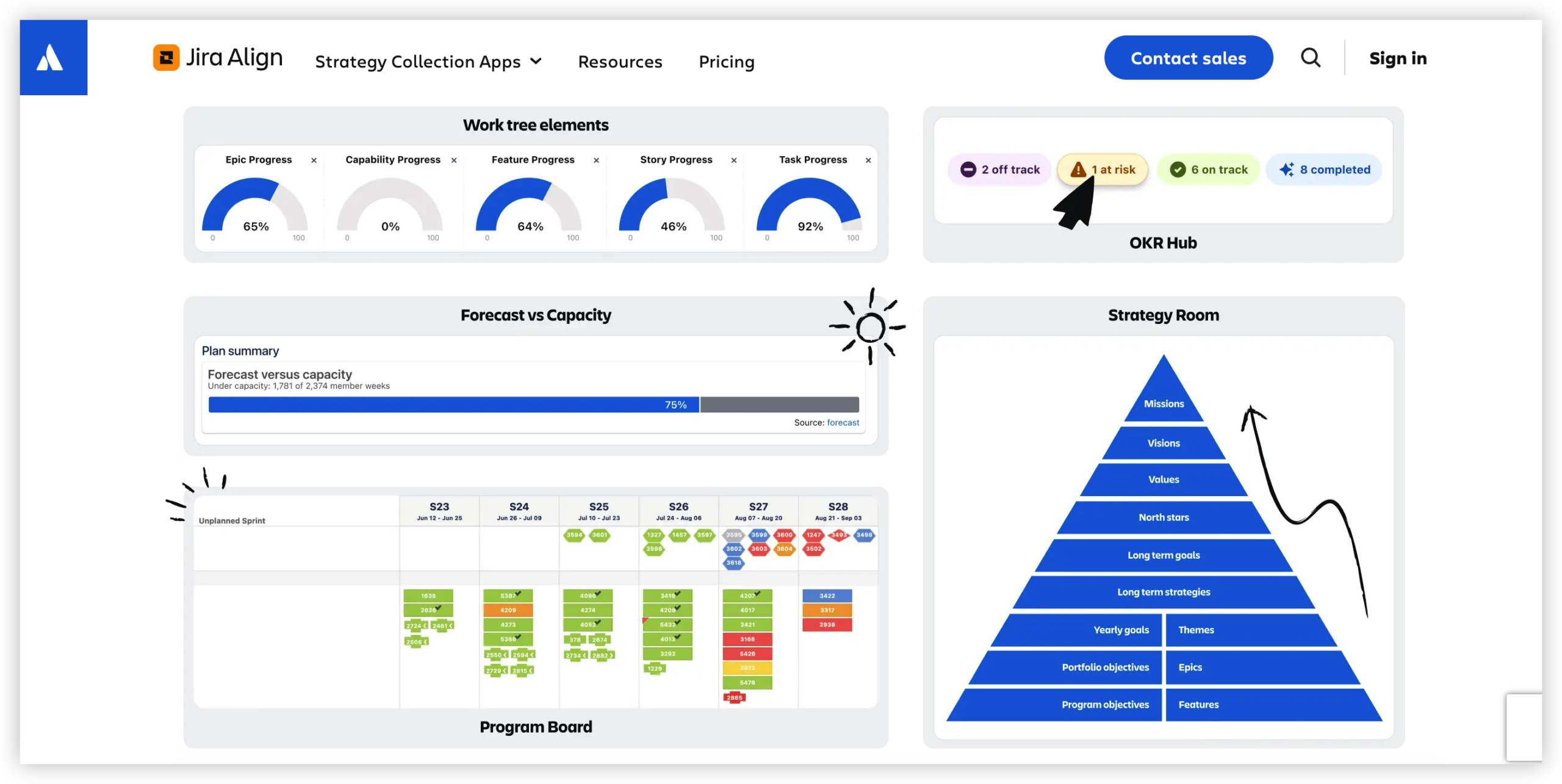
What may shape your quote
- Licensing scope: The number and type of people who need access can affect the subscription proposal.
- Contract structure: Term length, renewal timing, and purchasing arrangements can influence the commercial offer.
- Deployment requirements: Hosting, security, and enterprise environment needs may affect planning and implementation.
- Implementation services: Configuration, portfolio setup, and rollout support can add project costs.
- Connections to other systems: Integrations may require technical work, testing, and continuing maintenance.
- Training and administration: Teams need time and ownership to learn, maintain, and govern the platform.
For example, a company rolling out Jira Align to a few portfolios may need a different service plan from one coordinating dozens of teams across regions. The user count alone will not explain the whole estimate.
Build a complete 2026 cost estimate
Start with the recurring license estimate, then add the costs required to get the platform running and keep it useful. This total-cost view helps you compare the purchase with the work your teams currently spend coordinating strategy and delivery.
Here’s why: a low subscription estimate can become misleading if it excludes configuration, integration work, training, or internal administration. A broader estimate also helps you explain the investment to finance before the renewal cycle begins.
| Cost area | Questions to include in your estimate |
|---|
| Subscription | What access is included, how is the price calculated, and when does the term renew? |
| Implementation | What setup, configuration, migration, or rollout services will the organization need? |
| Integrations | Which systems need to connect, and who will build and maintain those connections? |
| Enablement | How much time and support will teams need to adopt the new planning process? |
| Administration | Who will manage permissions, workflows, reporting, and ongoing platform changes? |
| Contingency | What allowance will cover scope changes or unexpected implementation work? |
Keep one-time launch expenses separate from recurring costs. For instance, an integration build may be a launch expense, while the staff time needed to maintain it could continue each year.
Use a simple planning formula
Estimate your first-year commitment as the subscription plus implementation, integration, training, and administration costs. Then calculate the expected annual cost after launch, when some initial work may no longer recur.
Record assumptions beside every estimate. If you assume a specific number of portfolios or integrations, write that down so you can revise the budget when the scope changes.
Ask for a quote that answers the right questions
A quote is more useful when it spells out what your team will receive and what remains your responsibility. Prepare a short scope before contacting sales, including expected teams, rollout phases, deployment requirements, and key connections.
You might be wondering: what should you ask beyond the headline price? Request a breakdown of subscription terms, included services, renewal conditions, and any requirements that could affect the total cost.
- Which team sizes, access levels, or usage assumptions are included in the quote?
- What implementation tasks are included, and which would require separate services?
- Are integrations, training, and rollout assistance included or estimated separately?
- How do renewal terms work, and when can pricing or scope change?
- What assumptions should we meet to keep the proposed cost accurate?
- Can the proposed scope expand in stages as more teams join?
For example, ask whether a phased rollout changes the commercial terms or only the implementation schedule. That distinction can affect both your budget calendar and the internal team you need to assign.
Compare Jira Align with your current operating costs
Price alone does not show whether a platform makes financial sense. Compare the proposed investment with the time and effort your organization currently spends coordinating roadmaps, status updates, portfolio reviews, and cross-team dependencies.
Let me explain: if five groups each spend several hours preparing separate status summaries, the coordination effort has a real cost. A platform may help standardize that work, though your team should validate expected savings during a pilot or rollout.
Use a practical comparison with three columns: current work, expected future work, and assumptions. A team might estimate that consolidating roadmap reviews saves preparation time, while acknowledging that initial configuration takes effort.
Include change management in the comparison. A platform’s value depends on whether teams adopt common planning habits, maintain useful workflows, and trust the reporting they use to make decisions.
Plan the rollout before committing to full scale
A phased rollout can help you test whether the scope and cost assumptions match your organization. Choose a representative group of teams, define success measures, and review what changes after the first planning cycle.
Start with a few clear measures, such as time spent preparing portfolio reviews, visibility into dependencies, or consistency in roadmap updates. Set a baseline before launch so you can assess progress with a fair comparison.
For example, a product organization could begin with two portfolios and a small number of delivery teams. After the pilot, leaders can review onboarding effort, integration needs, and whether the reporting supports decisions.
Use the pilot findings to adjust the rollout plan and quote scope. This approach can reduce the risk of committing to a broad deployment before the organization understands its support and adoption needs.
A project and knowledge management option: ONES.com
ONES.com combines project management and knowledge management in one platform, with ONES Project and ONES Wiki sold separately. It may suit teams evaluating how to coordinate delivery work and team knowledge while planning their software costs.

ONES Project is a Jira alternative for project management, while ONES Wiki provides knowledge management as a Confluence alternative. The platform offers cloud and self-hosted deployment choices, including on-premise, private cloud, and air-gapped environments.
Core capabilities: common needs and practical outcomes
- Need: Jira-compatible workflows for teams transitioning existing practices. Capability: ONES Project supports Jira-compatible workflows. Result: Teams can map familiar processes into a new project environment.
- Need: Portfolio and project visibility without assembling separate reporting components. Capability: Built-in reporting. Result: Teams can review progress and status in the platform.
- Need: Processes that differ between departments. Capability: Custom workflows and fields. Result: Teams can shape work tracking around their requirements.
- Need: Structured iteration planning. Capability: Sprint management. Result: Agile teams can organize and follow sprint work.
- Need: Repetitive handoffs and routine actions. Capability: Automation. Result: Teams can reduce manual steps in supported workflows.
- Need: Access to both project and knowledge capabilities. Capability: ONES Project and ONES Wiki within the ONES.com platform. Result: Teams can assess related work and knowledge needs together, while purchasing the products separately.
- Need: Deployment options for varied infrastructure requirements. Capability: Cloud, on-premise, private cloud, and air-gapped deployments. Result: Organizations can evaluate a deployment model that fits their environment.
- Need: A way to try the platform with a small group. Capability: A free plan for up to 30 seats. Result: Teams can explore the product before considering broader adoption.
ONES.com has feature parity between its cloud and self-hosted versions. Teams can also consider whether built-in capabilities meet their needs, potentially reducing reliance on additional plugins.
Application scenarios
Scenario 1: A Jira team assessing alternatives. A delivery organization can evaluate ONES Project’s workflows, reporting, fields, sprint management, and automation against its current project needs. The team should compare the features and deployment requirements that matter most to its own process.
Scenario 2: A restricted-network organization. A team with infrastructure constraints can assess on-premise, private cloud, or air-gapped deployment options. This lets technical stakeholders review operational fit before estimating rollout effort.
Scenario 3: Teams connecting work with team knowledge. An organization can evaluate ONES Project for project tracking and ONES Wiki for knowledge management. Because they are sold separately, the team can scope each product to its actual requirements.
Common cost-planning challenges
- Challenge: The quote lacks enough detail. Solution: Ask for clear line items and written assumptions covering licenses, services, integrations, and renewal terms.
- Challenge: Teams underestimate rollout effort. Solution: Assign owners for configuration, training, integrations, and ongoing administration before finalizing the budget.
- Challenge: Scope grows after approval. Solution: Define rollout phases and review added requirements through a formal change process.
- Challenge: A pilot does not show measurable value. Solution: Set baseline measures before launch, then review them after teams complete a planning cycle.
- Challenge: Different departments have conflicting expectations. Solution: Agree on shared requirements while documenting where teams need distinct workflows or reporting.
Frequently asked questions
Is Jira Align pricing publicly listed?
Jira Align pricing is generally handled through a tailored enterprise quote, and a standard public rate may not reflect your organization’s scope. Ask Atlassian or its sales team for current pricing and terms. Share your expected team count, rollout plan, deployment needs, and service requirements so the quote reflects your intended use.
What should a Jira Align budget include besides licensing?
Plan for implementation, integrations, training, administration, and any rollout support your organization expects to need. Separate one-time launch work from recurring operational costs. For example, initial configuration may happen once, while internal administration and integration maintenance can continue after launch.
Can a smaller team estimate Jira Align pricing without a final quote?
A smaller team can build a planning range by defining access needs, rollout scope, and likely services. However, that estimate should remain provisional until you receive current commercial terms. Use a short pilot or staged plan to test implementation assumptions before expanding your scope.
How can I compare Jira Align with another platform?
Compare the full expected cost and the work each platform supports. Include subscription terms, implementation effort, integrations, training, administration, and deployment fit. Then evaluate practical measures such as planning preparation time, visibility across teams, and how easily people can maintain the workflows.
Does a pilot guarantee lower total costs?
A pilot does not guarantee lower costs. It can reveal whether your assumptions about configuration, training, integrations, and adoption are realistic. Choose a representative group, define success measures in advance, and use the results to revise the rollout scope and budget.
Conclusion
Jira Align pricing is generally quote-based, so a useful 2026 budget starts with clear scope and current commercial terms. Include the subscription, implementation, integrations, training, administration, and any rollout support your teams will require.
But here’s the truth: a quote becomes easier to evaluate when you understand its assumptions and compare it with your current coordination costs. A phased rollout can help you test those assumptions before expanding.
Ask for a detailed quote, set measures for success, and compare alternatives against your actual workflows and deployment needs. That gives you a more grounded path from pricing research to a confident planning decision.