Jira Careers: Guide to Finding the Official Careers Portal
Looking for jira careers? Find Atlassian’s official portal, search roles, and verify openings before applying. Click to discover how.
Searching for Jira careers can lead you to product pages, job boards, and third-party listings before you find the right place to apply. That confusion can cost you time—and make it harder to tell whether a vacancy is genuine or still open.
Here’s the key: Jira is an Atlassian product, so jobs at the company behind Jira are listed through Atlassian’s careers portal. I’ll show you how to reach it, search roles, and check application details. You’ll also learn how to avoid misleading listings and organize your next steps. But here's the truth: a clear search process matters as much as finding the right job title.
How to Find Atlassian’s Official Careers Portal
Use Atlassian’s careers website to look for roles at the company that makes Jira. Jira does not have a separate employer careers portal.
Go to careers.atlassian.com. Check that the address is spelled correctly before browsing or entering personal details.
Open the job search area and enter a role, skill, or location. Try terms such as “product manager,” “software engineer,” or “customer support.”
Apply filters for location, team, or work arrangement when those options are available. If you are open to several locations, run separate searches rather than assuming one search covers every option.
Open a listing and review its responsibilities, qualifications, location, and application instructions. Confirm that the role appears on Atlassian’s own careers site before applying.
Follow the application link provided on the listing. Keep a note of the job title and application date so you can track your progress.
Here’s why this sequence helps: third-party job boards can be useful for discovery, but their listings may be outdated or incomplete. Use the company careers page to confirm the details.
What the Jira Careers Search Actually Covers
Jira is software made by Atlassian, rather than a separate company with its own hiring portal. A search for “Jira careers” generally means looking for jobs at Atlassian or roles involving Jira skills.
Those are two different searches. For example, an Atlassian role might involve product development, sales, design, or customer support. A role at another employer might ask for Jira experience without having any connection to Atlassian hiring.

Jobs at Atlassian
Look for Atlassian listings when you want to work for the company behind Jira. Search by function and location, then read each listing carefully because job titles alone may not explain the team’s work.
Jobs that use Jira
Search broader job boards or employer career pages when you want a role that uses Jira. Terms such as “Jira administrator,” “project coordinator,” or “Agile delivery” may help reveal relevant openings.
The best part? Separating these goals makes your search more precise. You can pursue Atlassian as an employer while also finding other organizations that value Jira experience.
Search for Openings Without Missing Relevant Roles
A narrow search can hide suitable vacancies. A broad search can return too many unrelated results. Try a few versions of your target role and compare what appears.
Use skills and job families
Start with your main role, then search for related titles. If you are interested in software development, you might also look at engineering roles with different specializations. If you work in customer service, try support, customer success, and technical support.
For example, a candidate interested in product work could search “product manager” and “product operations.” The descriptions will show whether either role matches their experience better than the title suggests.
Check location and work arrangements
Read the location details on every listing. A role may be tied to a particular office or region, and work arrangements can vary by position. Don’t assume a listing is remote just because the company has distributed teams.
If you are flexible, search more than one location or revisit the search with different filters. A short list of target regions can help you stay focused without ruling out a suitable opening too early.
Revisit searches thoughtfully
Job listings change over time. Check the careers portal periodically, and save the search terms that produced relevant results. If you find a role through another site, confirm that it is still listed or linked through Atlassian’s careers portal.
Evaluate a Listing Before You Apply
A familiar company name does not mean every role is a fit. Compare the actual work and requirements with your skills before spending time on an application.
Read beyond the job title
Look for the responsibilities that describe the day-to-day work. A “technical” title could focus on coding, infrastructure, customer problem-solving, or several areas at once.
For instance, if a listing emphasizes customer conversations and troubleshooting, it may suit someone with support experience even if the title includes technical terms. Check the required skills and team responsibilities together.
Separate required skills from preferred skills
Some listings distinguish essential qualifications from helpful extras. Use that distinction to assess your fit. If you meet the central requirements and can explain related experience, you may still have a credible application when you lack one preferred skill.
Keep your assessment specific. Note examples of relevant work, such as coordinating a cross-functional project or improving a support process. Concrete examples help you decide whether to apply and prepare stronger application materials.
Confirm the role is still active
Third-party listings may remain visible after an employer closes a vacancy. Check the posting date when shown, follow the employer’s application link, and look for the role on the official careers portal before preparing a detailed application.
Prepare a Focused Application for an Atlassian Role
Once you find a suitable opening, tailor your application to that role. A focused application makes it easier for a hiring team to see how your experience connects to the work described.
Match your experience to the role
Choose examples that reflect the listed responsibilities. If the role involves collaborating across teams, describe a specific project where you coordinated different contributors and helped reach a clear outcome.
If you have Jira experience, explain what you did with it. “Used Jira” is less informative than describing how you managed a backlog, tracked sprint work, or improved a team workflow.
Review your application details
Check that your contact information is current and that your resume reflects the skills most relevant to the opening. Follow the portal’s instructions and provide only information requested through the legitimate application process.
You might be wondering: should you apply to several roles at once? Apply when each role genuinely fits, and tailor your materials to each one. Sending the same generic application everywhere can make your experience harder to evaluate.
Organize Your Career Search and Team Projects with ONES.com
ONES.com is a unified project management and knowledge management platform powered by ONES Assistant. ONES Project handles project management, while ONES Wiki supports knowledge management; they are sold separately.

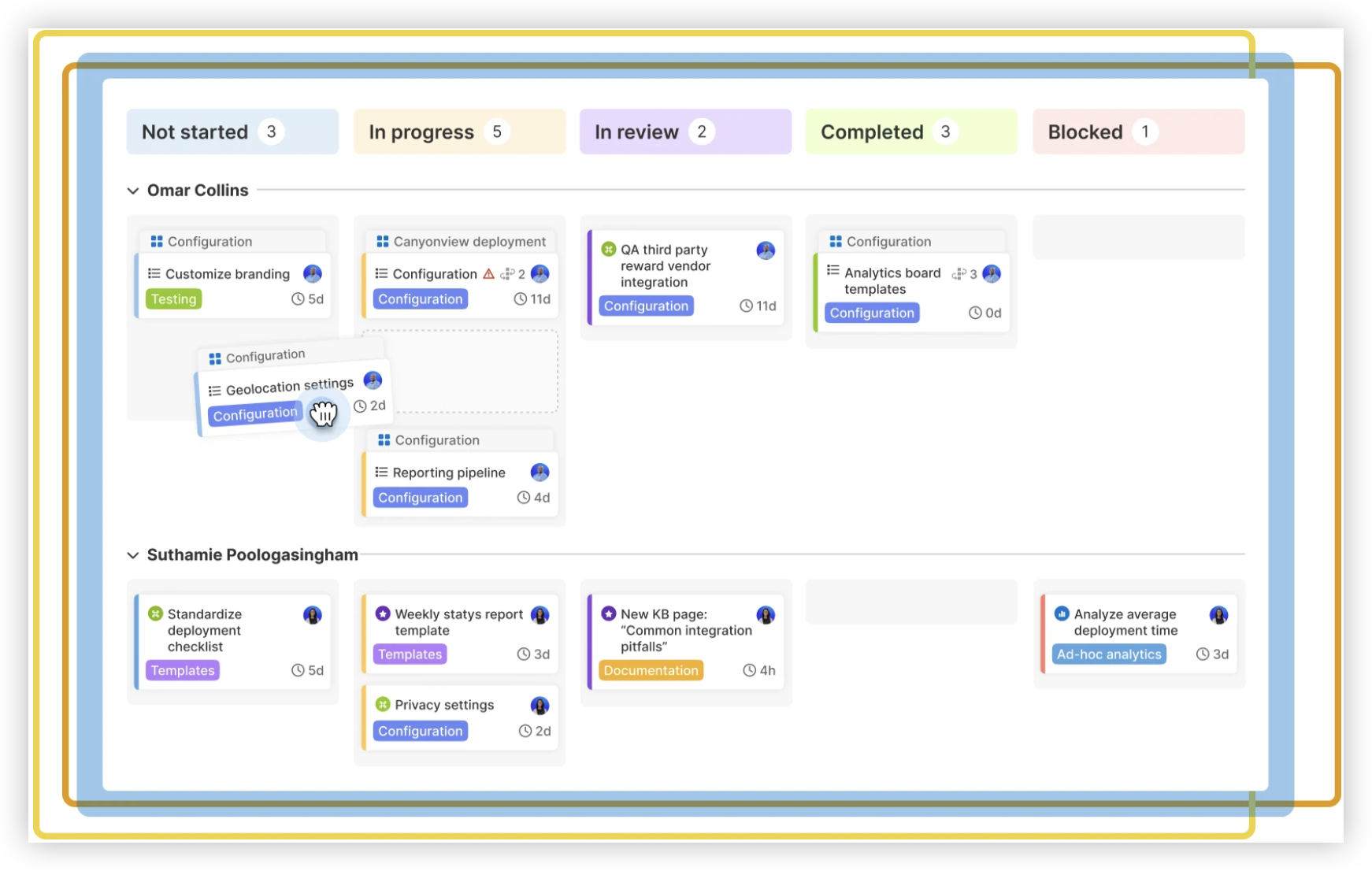
For a career search, you can use project workflows to organize research, application tasks, and follow-ups. This is a way to manage the process, not an Atlassian hiring portal or a source of job listings.
Core Capabilities
Scattered application tasks: ONES Project provides project tracking, so you can organize target roles, application dates, and follow-ups in one workflow.
Different steps for each opportunity: Custom workflows let you represent stages such as researching, preparing, applied, and interview scheduled.
Need to track role details consistently: Custom fields can capture information such as location, role type, and next action, making opportunities easier to compare.
Difficulty seeing progress: Built-in reporting helps you review work and identify tasks that need attention.
Recurring follow-up work: Automation can reduce repetitive workflow steps, helping you keep a consistent process.
Coordinating a group project: Sprint management can help teams plan and track work in defined periods.
Moving from Jira workflows: Jira-compatible workflows can help teams familiar with Jira structure project processes in ONES Project.
Managing restricted deployment needs: ONES.com offers Cloud, On-Premise, Private Cloud, and Air-gapped deployments, with full feature parity between cloud and self-hosted versions.
Application Scenarios
An individual job seeker could create a workflow for researching openings, tailoring applications, and scheduling follow-ups. A small career support group could coordinate mock interviews or shared advice without losing track of responsibilities.
For a company team, ONES Project can support project workflows, reporting, custom fields, sprint management, and automation. ONES.com offers a free plan for up to 30 seats. Teams can use ONES Project as a Jira alternative, with native capabilities that may reduce reliance on plugins; self-hosted deployment is available when needed.
ONES Wiki can support a team knowledge base, while ONES Project manages project work. These products are sold separately, so a team can choose the capability it needs.
Common Challenges When Searching for Jira-Related Careers
Confusing Atlassian jobs with Jira-related jobs: Decide whether you want to work for Atlassian or use Jira in another role. Search the Atlassian careers portal for the first goal and employer listings for the second.
Finding an outdated vacancy: Confirm the opening on Atlassian’s careers site before applying. If the employer link no longer works or the role is absent, look for another current listing.
Searching only one job title: Add related job families and skills. Someone searching for “Jira administrator” might also find relevant roles under project coordination or Agile operations.
Misreading remote or location requirements: Review the listing’s location and work arrangement details. Contact the employer through its stated process if a key requirement remains unclear.
Encountering suspicious application requests: Be cautious if a listing asks for payment or sensitive information unusually early. Return to the official careers portal and use its listed application path.
Frequently Asked Questions About Jira Careers
Does Jira have a separate careers portal?
Jira is an Atlassian product, so people looking for jobs at the company behind Jira should use Atlassian’s careers portal. Jira itself is not a separate employer with an independent hiring site. If you mean jobs that use Jira, search employers and role descriptions for relevant skills such as Jira administration, project coordination, or Agile delivery.
What is the official Atlassian careers website?
Atlassian’s careers portal is careers.atlassian.com. Check the address carefully when you visit, especially before entering personal information. If you find a vacancy through a job board, follow its link and confirm that the application route leads to an Atlassian-controlled careers page.
How do I find Jira-related jobs outside Atlassian?
Search employer career pages and job boards using role names and skills, such as “Jira administrator,” “project coordinator,” or “Agile project manager.” Read the responsibilities to confirm that Jira is part of the work. The role may involve managing workflows, supporting teams, or coordinating projects rather than developing Jira itself.
Can I apply if I do not meet every listed qualification?
Review the listing to distinguish essential qualifications from preferred experience. If you meet the core requirements and can show relevant examples, consider applying even if you lack an optional skill. Tailor your application to the responsibilities and explain how your experience could transfer to the role.
How can I tell whether a job listing is legitimate?
Look for the vacancy on the employer’s official careers portal and check that the application link leads to a legitimate employer-controlled page. Be cautious about requests for payment or unusually sensitive details before a standard application process. When uncertain, navigate to the careers portal directly rather than relying on an unfamiliar link.
Conclusion
To find jobs at the company behind Jira, start with Atlassian’s official careers portal. Search by role and location, read each listing carefully, and confirm that an opening is current before applying.
If you mean a job that uses Jira, broaden your search to other employers and related titles. Keep your applications focused, protect your personal information, and track each next step. A clear process can turn a confusing search into a manageable plan.