Jira Discovery Project Pricing: A Practical Cost Guide 2026
Wondering about jira discovery project pricing? Learn how plans, seats, billing, and add-ons shape your 2026 costs. Read now.
Jira Discovery pricing can look simple until you calculate the people who create ideas, the people who contribute feedback, and the plan your team actually needs. A small team may spend nothing, while a larger product organization can face a recurring cost that grows quickly with creator seats.
That uncertainty makes budgeting difficult. You might compare a headline price and still miss annual billing, user tiers, add-ons, taxes, or the difference between creators and contributors. One wrong assumption can turn a modest product planning tool into an unexpected monthly expense.
But here’s the truth: you can estimate Jira Product Discovery costs accurately by separating user roles, plan requirements, billing periods, and optional Jira expenses. This guide gives you a practical 2026 pricing framework, calculation examples, and a clear way to compare alternatives.
Jira Product Discovery Pricing: The Practical Answer
Jira Discovery project pricing usually depends on your plan, the number of creator seats, your billing cycle, and any connected Atlassian products your team uses. Contributors may participate without requiring the same paid access as creators, so counting every stakeholder as a full-price user can overstate the cost.
For a realistic estimate, use this formula:
Estimated subscription cost = paid creator seats × current price per creator × billing period
Then add any applicable taxes, marketplace apps, premium features, or related Jira subscriptions. Atlassian may change plan names, limits, and prices, so treat any public price example as an estimate until you confirm it during checkout.
What Jira Product Discovery is designed to do
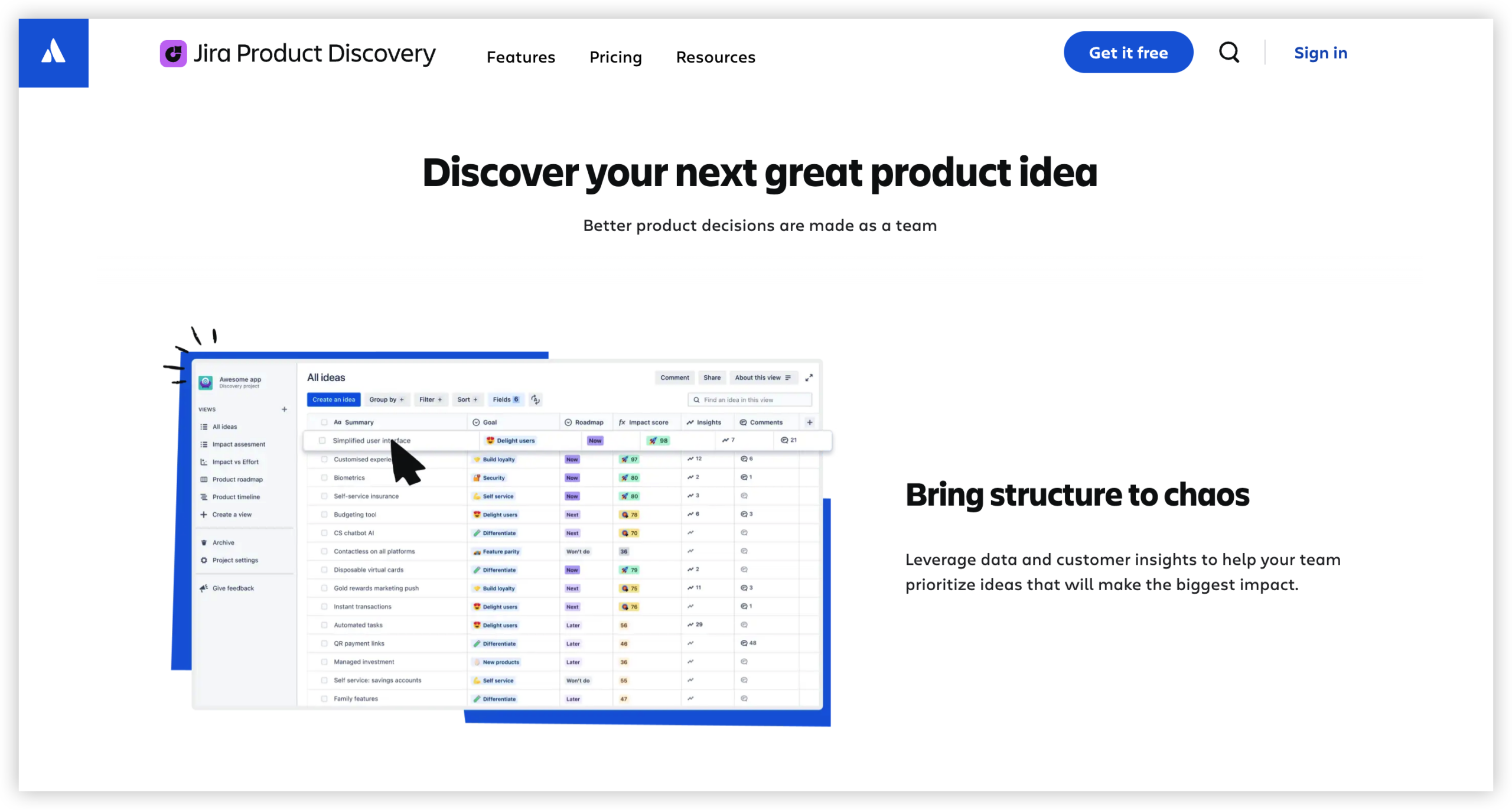
Jira Product Discovery helps product teams collect ideas, compare opportunities, prioritize work, and explain why certain initiatives deserve attention. It sits earlier in the product lifecycle than delivery-focused Jira Software.
A typical workflow might look like this:
- A product manager creates an opportunity or feature idea.
- Sales, support, and engineering teammates add feedback.
- The product team scores the idea using criteria such as customer impact, confidence, effort, or strategic fit.
- Stakeholders view a roadmap or prioritization view.
- Selected ideas move into a delivery workflow in Jira.
This distinction matters because Jira Product Discovery and Jira Software can represent separate subscriptions. Paying for one does not automatically cover every planning or delivery requirement.
The pricing variables that matter most
- Creator seats: People who build, edit, prioritize, and manage product ideas may need paid creator access.
- Contributor access: Stakeholders who only provide feedback or view information may have different access rules.
- Plan level: Advanced permissions, administration, reporting, or governance can affect the price.
- Billing term: Monthly billing offers flexibility, while annual billing may use different commitments and calculations.
- Team size: Costs can rise sharply when more product managers need full editing rights.
- Additional Atlassian products: Jira Software, Confluence, or other services may create a separate budget line.
How to Calculate Your 2026 Budget
Start with roles rather than total headcount. This gives you a more useful estimate because a 40-person product group may include only five people who actively manage discovery work.
Step 1: Count active creators
List the people who need to create ideas, change prioritization scores, manage views, or maintain product strategy. Product managers, product operations specialists, and selected engineering leaders often belong here.
For example, imagine a team with three product managers, one product operations lead, and two engineering managers. If all six need editing access, your initial estimate uses six creator seats.
Step 2: Separate contributors from creators
Next, identify people who only comment, vote, review, or provide customer context. These might include sales representatives, customer success specialists, designers, and executives.
Suppose your company has 30 stakeholders, but only six manage the workspace. Do not automatically multiply the displayed price by 36. Review the current access rules and confirm which people require paid seats.
Step 3: Choose a working price assumption
Use the current Atlassian checkout price for your region and billing term. If you are planning before procurement starts, create a low estimate, expected estimate, and high estimate.
| Scenario |
Planning assumption |
| Low estimate |
Only essential product managers receive creator access. |
| Expected estimate |
Product managers, product operations, and selected engineering leads receive access. |
| High estimate |
Every regular editor and cross-functional owner receives creator access. |
This range protects your budget from a common mistake: underestimating the number of people who will eventually ask for editing rights.
Step 4: Calculate monthly and annual totals
If your planning assumption is six paid seats at an illustrative rate of $25 per seat each month, the simple monthly estimate is $150. Across 12 months, that becomes $1,800 before taxes or extras.
This example is for budgeting logic, not a guaranteed 2026 rate. Use the live regional price when you approve the purchase.
For annual billing, compare the committed annual total with the flexible monthly total. A lower effective annual rate may be useful when your seat count is stable. Monthly billing may be safer when the team is changing quickly.
Step 5: Add connected tools and implementation costs
Jira Product Discovery may be only one part of your planning environment. Include Jira Software, Confluence, marketplace apps, identity management, administration time, and training when calculating total ownership cost.
For instance, a team may save money on discovery seats but spend more on several reporting apps because its default views do not match internal governance needs. The subscription price is only the starting point.
What You May Pay For Beyond the Headline Price
The visible seat price is easy to find. The less visible costs usually come from expansion, administration, and process design.
Seat growth
Teams often begin with two or three product managers. After a successful pilot, engineering managers, designers, and regional product owners may request editing access.
A workspace that starts with four creators can become a 15-seat environment within a year. Model both your current headcount and your likely growth.
Jira Software overlap
Product discovery and delivery are related, but they serve different jobs. Discovery helps you decide what deserves attention. Jira Software helps teams plan and track delivery.
If your organization needs both, calculate them separately. A product team may require five discovery creators and 50 Jira Software users, producing two distinct recurring costs.

Marketplace applications
Reporting, roadmapping, capacity planning, or advanced governance may lead you toward third-party applications. Each app can have its own pricing model, user-count rules, and billing cycle.
Before approving an app, test whether native views, custom fields, filters, and automation can cover the requirement. Fewer add-ons usually make administration easier.
Administration and training
A product discovery workspace needs naming conventions, prioritization rules, permissions, and review habits. Someone must maintain those standards.
For example, a team may spend several hours creating scoring criteria and teaching stakeholders how to submit useful feedback. That effort belongs in your implementation estimate, even though it does not appear on the subscription invoice.
Free, Standard, and Higher-Tier Planning Considerations
Plan names and limits can change, so evaluate each tier by capability rather than by label alone. Ask what your team needs to accomplish during the next 12 months.
Free access for early experiments
A free tier can suit a small pilot with a few creators and a limited set of ideas. It lets you test whether the team will consistently capture feedback and use prioritization views.
A practical pilot might include two product managers, one designer, and 20 invited stakeholders. Set a clear success measure, such as reviewing the top 10 opportunities every two weeks.
Standard access for regular product operations
A paid standard tier may fit a growing team that needs ongoing discovery work, broader collaboration, and more administrative control.
Before upgrading, confirm the limits affecting your workflow. Check creator capacity, contributor permissions, view controls, automation, reporting, storage, and integration behavior.
Higher-tier access for governance-heavy organizations
Larger organizations may need stronger administration, centralized controls, audit features, or more formal access management. These requirements can justify a higher tier when several teams share one workspace.
However, an advanced plan is not automatically better for every team. If you only need a prioritization board and feedback collection, paying for enterprise-level controls may add cost without improving decisions.
How to Compare the Cost With Your Team’s Needs
Price comparison works best when you compare the same workflow across products. A lower subscription may still cost more if it requires extensive customization or manual coordination.
| Evaluation area |
Question to ask |
| Discovery workflow |
Can the team capture, score, group, and prioritize opportunities in one place? |
| Stakeholder participation |
Can occasional contributors participate without unnecessary paid access? |
| Delivery connection |
Can approved ideas move into engineering work without repeated manual entry? |
| Reporting |
Can leaders see why priorities changed and what is receiving attention? |
| Administration |
Can a small operations team manage permissions, fields, and workflows? |
Here’s why this matters: a tool that costs $100 less each month may require ten hours of manual administration. At an internal labor rate of $50 per hour, that difference becomes $500 in monthly effort.
Calculate both subscription cost and operating effort. The better choice is usually the one that supports reliable decisions with fewer workarounds.
Common Pricing Mistakes to Avoid
Counting every participant as a paid creator
Many teams multiply the displayed price by their entire stakeholder group. First determine who needs editing rights and who only needs visibility or feedback access.
Ignoring annual commitment
A monthly estimate can look affordable while an annual commitment creates a larger approval request. Present both figures to finance before choosing a billing term.
Forgetting related Atlassian subscriptions
If product discovery connects to Jira Software or Confluence, include those subscriptions in the broader planning budget. Otherwise, the discovery estimate may look complete while the actual program cost remains incomplete.
Buying add-ons before testing native capabilities
Start with the built-in workflow. Add an extension only when it solves a verified problem and the benefit exceeds its recurring cost.
Allowing unmanaged seat growth
Review access quarterly. Remove inactive creators, convert occasional editors where appropriate, and keep a record of why each paid seat exists.
Natural Product Discovery Solution: ONES.com

Value Proposition
ONES.com combines project management and knowledge management in one platform powered by ONES Assistant. ONES Project can support discovery-to-delivery workflows as a Jira alternative, while ONES Wiki provides a knowledge base that can serve as a Confluence alternative. They are sold separately.
For teams comparing discovery costs, the value comes from consolidating planning, execution, reporting, and knowledge workflows while retaining deployment flexibility.
Core Capabilities
- Scattered planning information → ONES Project custom fields and views → Product teams can organize opportunities, priorities, ownership, and status in a structured workspace.
- Manual movement from discovery to delivery → Jira-compatible workflows → Teams can preserve familiar planning patterns while connecting product decisions with execution.
- Limited prioritization control → custom workflows and fields → You can reflect criteria such as customer impact, confidence, effort, risk, or strategic alignment.
- Slow progress reporting → built-in reporting → Managers can review work status and trends without depending on several disconnected reporting tools.
- Separate sprint planning processes → sprint management → Delivery teams can plan iterations after product priorities become actionable.
- Repeated administrative steps → automation → Routine status changes, notifications, and handoffs can require less manual coordination.
- Plugin-heavy environments → native feature parity → Teams can reduce dependence on several extensions when core planning and delivery capabilities are available within the platform.
- Deployment restrictions → Cloud, On-Premise, Private Cloud, or Air-gapped options → Organizations can choose an operating model that matches security and infrastructure requirements.
- Uncertain self-hosted capability → full feature parity between cloud and self-hosted versions → A restricted deployment does not require accepting a deliberately reduced feature set.
- Large upfront adoption risk → free access for up to 30 seats → A smaller team can test the workflow before making a broader rollout decision.
Application Scenarios
Growing product department: A product organization with several managers can use ONES Project to connect opportunity assessment, custom prioritization fields, sprint planning, and delivery reporting. This can reduce repeated handoffs between planning and engineering.
Restricted-network engineering team: A company with strict network controls can evaluate an On-Premise, Private Cloud, or Air-gapped deployment. The team can keep project operations inside its required environment while maintaining the same core capability level.
Multi-team transformation: An organization replacing several plugins can begin with a focused project workflow, then add knowledge management through ONES Wiki when the separate knowledge requirement becomes clear.
Common Challenges With Product Discovery Pricing
Challenge: The price changes when more people need editing access
Solution: Define creator responsibilities before inviting the wider organization. Review access every quarter and reserve full editing rights for people who actively maintain priorities.
Challenge: Stakeholders do not understand their access level
Solution: Create a short access guide. Show one example of a creator workflow and one example of a contributor workflow, such as adding feedback without changing prioritization criteria.
Challenge: The team cannot predict annual spending
Solution: Build three scenarios using current regional pricing: current seats, expected growth, and maximum likely adoption. Include related Jira products and optional applications.
Challenge: A low subscription cost creates high manual effort
Solution: Track administration time during the pilot. If reporting, synchronization, or permissions require repeated manual work, include that effort in the comparison.
Challenge: Pricing research becomes outdated
Solution: Recheck the vendor’s pricing calculator and checkout estimate before renewal. Record the date, region, plan, seat count, and billing term used in your calculation.
FAQs
Is Jira Product Discovery free?
Jira Product Discovery may offer a free option for small teams, subject to current creator limits and feature restrictions. Treat it as a pilot route rather than assuming it will cover a growing organization permanently. Confirm the current regional terms before inviting a larger group, because creator capacity, contributor access, and plan conditions can affect your final cost.
Do contributors need paid seats?
Contributors may have different access rules from creators, depending on the current plan. A contributor might only provide feedback, comment, or view priorities, while a creator manages ideas and scoring. Before calculating your budget, classify each person by the actions they need to perform rather than counting every stakeholder as a full editor.
Does Jira Product Discovery include Jira Software?
No assumption is safe here. Product discovery and delivery can be separate Atlassian products with separate subscription requirements. Product Discovery helps teams evaluate and prioritize opportunities, while Jira Software focuses on planning and tracking implementation work. If your workflow needs both, calculate the subscriptions independently and then combine them into your broader technology budget.
Should I choose monthly or annual billing?
Monthly billing offers more flexibility when your team size or product strategy is changing. Annual billing can be easier to manage when seat counts are stable and the committed term fits your procurement policy. Compare the total annual amount, expected hiring, possible restructuring, and cancellation terms before deciding. A small price difference may be less important than avoiding unused seats.
How can I reduce product discovery costs?
Begin with the smallest creator group that can operate the workflow effectively. Give broader stakeholders contributor access where appropriate, remove inactive seats during regular reviews, and test native capabilities before purchasing add-ons. Also compare the administrative time required by each option. A slightly higher subscription can be economical if it removes recurring manual work.
Conclusion
Jira Product Discovery pricing becomes easier to understand when you separate creator seats, contributor access, plan features, billing terms, connected products, and optional applications.
Use a three-part estimate: calculate the current team, model likely growth, and include the operational effort around the subscription. Then confirm the live regional price before approval because plan details can change.
But here’s the practical takeaway: start small, define access clearly, measure adoption, and compare the complete workflow rather than one headline number. That approach helps you choose a discovery environment that supports better product decisions without creating avoidable costs.