Jira Epic vs Story vs Task: A Practical Guide for Teams
Confused by jira epic vs story vs task? Learn how each issue type supports planning, estimation, and reporting. Read now to plan sprints clearly.
Jira teams often use epics, stories, and tasks together, yet the boundaries can feel confusing. A story may look like a task, while an epic can become a vague bucket for unfinished work. That confusion creates oversized tickets, unclear ownership, and reports that fail to show real progress.
The problem grows when a sprint contains a mixture of small actions, customer outcomes, and broad initiatives. People then estimate different types of work as though they were comparable.
But here's the truth: each issue type answers a different planning question. Once you understand that distinction, you can build cleaner backlogs, write sharper tickets, and connect daily work to meaningful outcomes. This guide explains the difference between a Jira epic, story, and task, then shows how to choose the right level for every piece of work.
Jira Epic vs Story vs Task: The Essential Difference
A Jira epic is a large body of work, a story describes a valuable outcome for a customer or stakeholder, and a task represents a specific piece of work needed to complete an outcome.
In practice, an epic provides direction, a story defines value, and a task explains execution. The exact hierarchy can vary by team configuration, but this model gives you a reliable starting point.
| Issue type |
Primary purpose |
Typical size |
Example |
| Epic |
Group a significant initiative or outcome |
Several weeks or more |
Launch a redesigned checkout experience |
| Story |
Describe a valuable capability or user outcome |
Several days to one sprint |
As a shopper, I want to save my payment method |
| Task |
Capture a concrete action or technical activity |
A few hours to several days |
Build the payment-token storage service |

What an epic means
An epic is a container for related work that supports a broad business or product goal. It should be too large for one sprint or too broad for one person to complete as a single ticket.
For example, “Improve mobile checkout” could be an epic. It might include stories for guest checkout, saved payment methods, address suggestions, and order confirmation.
An epic should communicate the destination. It does not need to list every technical action at the start, because discovery may change the work underneath it.
What a story means
A story describes something a customer, colleague, administrator, or another stakeholder needs to accomplish. It focuses on value rather than a particular implementation.
A common format is: “As a [type of person], I want [capability], so that [benefit].” For example, “As a shopper, I want to save my payment method, so that I can complete future purchases faster.”
A strong story also includes acceptance criteria. Those criteria explain what must be true before the team can consider the work complete.
What a task means
A task captures a specific activity that contributes to a story, an epic, or another operational goal. It may involve engineering, design, testing, analysis, administration, or coordination.
For example, “Create payment-token service,” “Update checkout error messages,” and “Run accessibility checks” could be tasks connected to a saved-payment story.
A task does not always need a user-facing result. It can represent essential technical or operational work, provided the purpose and completion condition are clear.
How the Three Levels Work Together
The most useful relationship is a hierarchy that moves from intent to delivery:
- Epic: Define the broader outcome the team wants to achieve.
- Story: Break that outcome into valuable capabilities or user experiences.
- Task: Identify the concrete work required to deliver each capability.
Here’s why: a team can finish several tasks without delivering a meaningful result. A completed API task, for example, does not prove that customers can successfully use a new checkout flow.
Stories keep the team focused on usable outcomes. Tasks make the work manageable. Epics keep related progress visible across multiple sprints.
A practical example
Imagine a subscription company wants to reduce cancellations. The product team creates an epic called “Improve subscription retention.”
One story might say, “As a subscriber, I want to pause my plan, so that I can take a short break without cancelling.” Tasks could include designing the pause screen, adding the pause endpoint, updating billing rules, and testing renewal dates.
The hierarchy gives every person a different level of information. Executives can view the epic, product managers can review stories, and delivery specialists can work through tasks.
Where subtasks fit
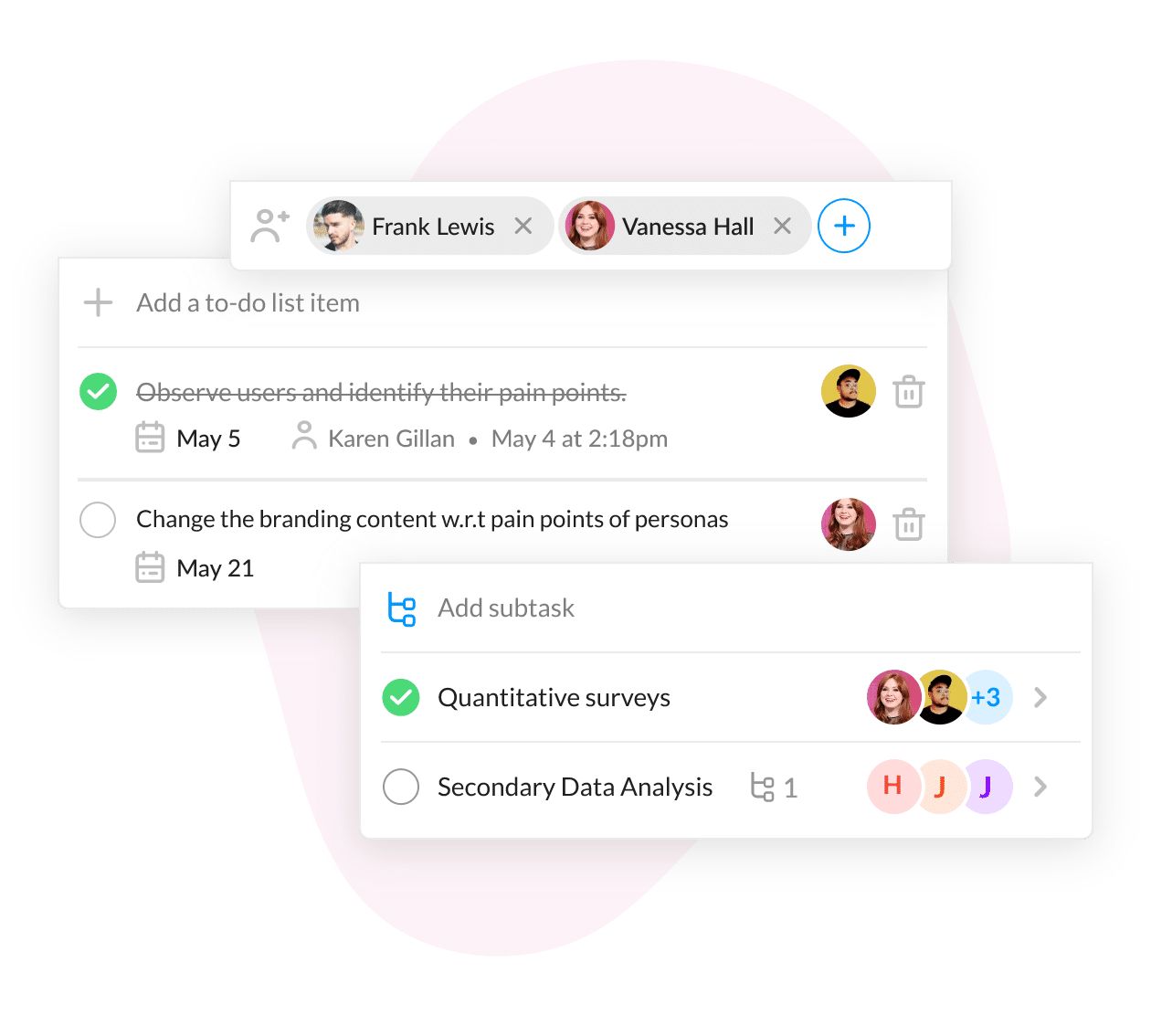
A subtask is a more detailed work item beneath a parent issue. Teams often use subtasks under stories or tasks when several people need to contribute to one deliverable.
For example, a story about pausing a subscription might contain subtasks for interface design, backend development, analytics tracking, and quality checks.
Use subtasks when the parent issue still represents one coherent outcome. If the work has its own stakeholder value, acceptance criteria, and release importance, it may deserve a separate story instead.
When to Create an Epic, Story, or Task
You can choose the right issue type by asking what kind of question the ticket answers. This simple test prevents many planning mistakes.
| Ask yourself |
Best fit |
| What major outcome or initiative are we pursuing? |
Epic |
| What should a person be able to do when this work is complete? |
Story |
| What specific activity must someone perform? |
Task |
| Does this activity belong to one larger, coherent issue? |
Subtask |
Use an epic for broad initiatives
Create an epic when the work spans multiple stories, teams, releases, or planning cycles. The initiative should have a recognizable goal and a meaningful completion point.
Good epic examples include “Modernize account security,” “Expand into European markets,” and “Reduce support response time.”
A weak epic is simply “Miscellaneous improvements.” It gives the team nowhere useful to aim and makes progress difficult to interpret.
Use a story for a valuable result
Create a story when the outcome can be described from a person’s perspective. The story should be small enough to estimate and review, but large enough to deliver recognizable value.
For example, “Allow customers to export their invoices” is usually a story. It may require interface work, permission checks, and export generation, but the outcome remains clear.
Use a task for a concrete action
Create a task when the work is primarily an action rather than a user-facing capability. “Configure monitoring alerts” or “Review third-party authentication settings” are reasonable task examples.
Tasks still need context. A task called “Update code” tells nobody what success means. A better version is “Update authentication timeout handling to match the security policy.”
Common Mistakes Teams Make
Even experienced teams can blur these categories. The following mistakes usually create planning noise rather than better visibility.
Turning every ticket into a story
A team may label every activity as a story because stories feel more agile. This makes the backlog less honest. Infrastructure maintenance, research, and internal administration do not always need artificial user-story wording.
If an activity has no direct user outcome, call it a task and explain its purpose. Clear language is more valuable than forcing every ticket into one template.
Making epics too large
An epic can become a permanent theme with no finish line. “Improve the product” is far too broad, while “Launch one-click invoice downloads for business customers” is easier to track.
A useful epic has boundaries. You should know which product area, customer group, or business outcome it covers.
Making stories too technical
“Refactor the payment repository” may be important, but it does not tell stakeholders what changes. If the technical work supports a customer-facing story, connect it to that story.
When the work has independent value, keep it as a technical task. Either choice can work if the relationship and expected result are visible.
Creating tasks that are too vague
Vague tasks create delays because people must ask for clarification before starting. “Check performance” is unclear. “Measure checkout response time under 500 concurrent sessions” gives the team a practical target.
Let me explain: clarity does not require a long ticket. It requires a clear verb, an object, and a completion condition.
How to Write Better Issues in Jira
Issue quality affects estimation, handoffs, reporting, and sprint reviews. A small writing habit can improve all four areas.
Start with the outcome
Before adding technical detail, write one sentence describing what should change. For a story, describe the experience or capability. For a task, describe the completed activity.
Example: “Customers can download monthly invoices in PDF format from the billing page.” This sentence gives design, engineering, and testing a shared target.
Add acceptance criteria
Acceptance criteria turn an intention into a checkable result. Use specific conditions such as:
- The billing page shows an invoice download action for eligible accounts.
- The generated invoice includes the customer name, billing period, and total amount.
- Customers without invoices see a helpful empty-state message.
Acceptance criteria should help the team decide whether the work is complete. They should not become a lengthy technical specification.
Connect issues to their parent
Link stories to epics and tasks to the stories or initiatives they support. This relationship lets you move between strategic context and daily execution.
Suppose a testing task fails. Its parent story shows the customer capability at risk, while the epic reveals the larger milestone that may need attention.
Keep size visible
Use estimates consistently within your team. A story point, time estimate, or sizing label should communicate relative effort using a shared approach.
Do not compare a two-point story with a two-hour task as though they represented the same kind of work. Their labels answer different planning questions.
Choosing the Right Level During Planning
Planning works best when you move from broad intent toward smaller commitments. Start with the result, then decide how much detail the current planning stage requires.
During roadmap planning, focus on epics. During backlog refinement, shape stories and acceptance criteria. During sprint planning, identify tasks only when they help the team coordinate delivery.
The best part? You do not need to predict every task months ahead. Keeping detail close to execution reduces rework when priorities or technical findings change.
A simple refinement workflow
- Write the initiative in outcome-oriented language.
- Identify the people or systems that should benefit.
- Describe the capabilities needed to reach the outcome.
- Split oversized capabilities into smaller stories.
- Add acceptance criteria to each story.
- Create tasks when multiple activities must be coordinated.
- Review whether every item still connects to a meaningful goal.
For example, an account-security epic may produce stories for passwordless sign-in, suspicious-login alerts, and recovery options. Each story can then receive technical and testing tasks.
When a story should become several stories
Split a story when it contains multiple user outcomes, needs several independent releases, or cannot be completed within your normal delivery cycle.
“Manage team permissions” may hide separate capabilities for inviting people, assigning roles, removing access, and reviewing permission history. Splitting those capabilities makes progress easier to demonstrate.
When a task should become a story
Promote a task when stakeholders care about its result independently or when it requires its own acceptance discussion. “Add two-factor authentication” is likely a story because it represents a meaningful security capability.
“Add two-factor authentication tests” is more likely a task because it supports the larger capability.

Value Proposition
ONES.com brings project management and knowledge management into one platform, powered by AI through ONES Assistant. ONES Project is a Jira alternative for teams that need structured planning, reporting, and flexible workflows.
ONES Project and ONES Wiki are sold separately, so you can choose the project or knowledge capabilities that fit your operating model.
Core Capabilities
1. Confusing issue hierarchy → structured work relationships → clearer planning
When epics, stories, tasks, and subtasks become difficult to connect, ONES Project provides Jira-compatible workflows and configurable relationships. Your team can preserve familiar planning patterns while making ownership and progress easier to follow.
2. Plugin-heavy processes → built-in reporting → fewer disconnected workarounds
Teams often add multiple extensions to understand delivery health. ONES Project includes built-in reporting, so sprint progress, workload, and issue trends can be reviewed within the project environment.
3. Rigid ticket fields → custom workflows and fields → better process fit
Different teams need different review steps and information. Custom workflows and fields let you capture the details required for engineering, product, support, or operational work.
4. Manual sprint coordination → sprint management → more predictable delivery
When sprint planning depends on scattered coordination, commitments can become unclear. Sprint management features help teams organize scope, monitor progress, and review completed work in one place.
5. Repetitive administration → automation → less routine handling
Repeated status changes, assignments, and notifications consume attention. Automation can handle defined transitions and recurring actions, helping people focus on decisions and delivery.
6. Restricted deployment requirements → cloud and self-hosted options → greater control
Some organizations cannot place project information in a standard public-cloud environment. ONES.com supports Cloud, On-Premise, Private Cloud, and Air-gapped deployments.
7. Different deployment concerns → full feature parity → consistent planning capability
Self-hosted teams should not need to accept a reduced product experience. ONES.com maintains full feature parity between its cloud and self-hosted versions.
8. Separate project and knowledge contexts → ONES Project and ONES Wiki → connected team understanding
Project work and team knowledge often drift apart. ONES Project supports delivery management, while ONES Wiki supports knowledge management, giving teams the option to use each product separately or together.
Application Scenarios
Product development: A software team can organize a product initiative as an epic, track customer capabilities as stories, and assign development or testing work as tasks. Sprint management and reporting provide visibility without requiring several disconnected add-ons.
Regulated environments: A company with strict network controls can use an On-Premise, Private Cloud, or Air-gapped deployment. The team keeps familiar project workflows while meeting its deployment requirements.
Cross-functional operations: Product, engineering, and support teams can configure fields and workflows for their distinct responsibilities. ONES Wiki can separately support shared knowledge management when that capability is needed.
Common Challenges and Practical Solutions
Challenge: A single story is too large for one sprint
Solution: Identify separate user outcomes and split the work vertically. Each smaller story should deliver a usable slice where possible, rather than dividing work only by technical layer.
Challenge: Tasks lose their business context
Solution: Link every task to a parent story or epic. Add one sentence explaining how the task supports the expected outcome.
Challenge: Epics remain open indefinitely
Solution: Define an epic completion condition. For example, close it when the agreed customer group has access to the new capability and the success measure is being tracked.
Challenge: Teams estimate different issue types inconsistently
Solution: Agree on what your estimation method measures. Use story points for relative delivery effort, while using time estimates for operational activities when that better reflects the work.
Challenge: Reports show activity without meaningful progress
Solution: Review outcomes at the story and epic levels. A high number of completed tasks may indicate activity, but completed stories provide stronger evidence of delivered value.
FAQs
Is a Jira story the same as a task?
No. A story usually describes a valuable capability or outcome for a person, while a task describes a specific activity required to complete work. A story about saving payment methods could contain tasks for interface design, service development, and testing. Some teams use the terms differently, so agree on internal definitions and apply them consistently.
Can an epic contain tasks directly?
Yes, depending on your Jira configuration and team workflow. However, direct tasks under an epic can weaken the connection between execution and user value. If the task supports a customer capability, placing it under a story may provide better context. Direct epic tasks can still make sense for research, administration, or cross-cutting technical work.
Should every story have subtasks?
No. A story can remain as one issue when one person or pair can complete it without detailed coordination. Add subtasks when several contributors, work streams, or verification activities must be tracked separately. Too many subtasks can create unnecessary administration, especially for small stories.
How large should an epic be?
An epic should be large enough to contain related stories, yet narrow enough to have a clear outcome and completion point. Its duration depends on your release cycle and team size. “Improve onboarding for new customers” may be suitable, while “Improve the product” is too broad to guide prioritization.
What should I do when technical work has no direct user story?
Create a technical task or technical story with a clear reason and completion condition. For example, “Upgrade the payment library to remove a security vulnerability” explains the work and its purpose. You can connect it to an epic such as “Strengthen payment security” when the activity forms part of a broader initiative.
Conclusion
Epics, stories, and tasks work at different levels of planning. An epic frames a major initiative, a story describes meaningful value, and a task turns that value into concrete action.
But here's the truth: better issue types cannot rescue an unclear outcome. Start with the result, connect each work item to its parent, and split only when the added detail helps your team deliver.
When your current Jira setup creates reporting gaps, rigid workflows, or deployment concerns, ONES.com offers a Jira alternative with Jira-compatible workflows, built-in reporting, automation, and flexible deployment choices. The goal remains simple: help every person see what matters, what needs doing, and how today’s work supports the larger outcome.