Jira Outage Response Checklist: Steps to Restore Workflow
Facing a jira outage? Follow this checklist to restore workflow, protect updates, and keep teams aligned. Click to discover the next steps.
A Jira outage can stop planning, reporting, approvals, and team communication within minutes. When boards will not load, issue updates fail, or integrations stop syncing, people often lose time guessing what happened.
The pressure grows quickly. Developers may continue working without reliable status updates, managers may lack delivery visibility, and support teams may miss urgent work. Repeated refreshes rarely solve the underlying problem.
But here’s the truth: a calm, ordered response can restore workflow faster and protect important work. This checklist shows you how to confirm the outage, preserve team continuity, communicate clearly, recover safely, and review what happened afterward.
Jira Outage Response Checklist
Use this checklist when Jira is unavailable, unusually slow, rejecting updates, or preventing normal project work. Start with confirmation, then move through continuity, communication, recovery, and review.
- Confirm the scope. Check whether the problem affects one person, one project, a regional group, or the entire Jira environment.
- Check official service information. Review Atlassian’s status information, incident notices, and your internal monitoring alerts.
- Capture the symptoms. Record the time, affected actions, visible error messages, impacted projects, and any integrations that stopped responding.
- Test more than one access path. Try another browser, network connection, account, or device to separate a local problem from a wider outage.
- Pause risky changes. Hold bulk edits, workflow migrations, permission changes, and automation changes until service stability becomes clear.
- Activate a temporary work channel. Use an approved team space for urgent requests, assignments, decisions, and status updates.
- Define a simple temporary format. Ask each person to include the work item, owner, priority, current state, blocker, and next action.
- Set an update rhythm. Share a short outage update at a fixed interval, even when there is no major change.
- Protect evidence of work. Keep timestamps, links that still open, error details, and notes about changes made during the interruption.
- Verify recovery gradually. Test login, project access, issue creation, editing, comments, transitions, notifications, reports, and integrations.
- Reconcile temporary activity. Compare the temporary work channel with Jira and add missing updates in a controlled order.
- Review the incident. Identify the trigger, response delays, communication gaps, recovery risks, and improvements for the next disruption.

1. Confirm whether Jira is truly unavailable
Begin with a quick scope check. Ask two or three people in different locations to test the same project and one separate project.
If only one person has trouble, investigate browser sessions, permissions, network access, or account settings. If several teams see the same error, treat it as a potential service incident.
Here’s why: the response differs greatly between a local access problem and a platform-wide interruption. Misclassifying the issue can waste valuable recovery time.
2. Capture useful incident details
Write down the first observed time, affected actions, error text, project names, and any related automation failures. A short timeline helps technical teams investigate and helps managers explain the impact.
For example, “Issue creation failed at 09:12, existing boards loaded slowly at 09:18, and deployment notifications stopped at 09:24” gives more value than “Jira is broken.”
Keep the details factual and concise. Avoid repeated testing that could create duplicate requests, accidental changes, or unnecessary load during recovery.
3. Protect work while the service is unavailable
Choose one approved temporary channel for urgent work. Depending on your organization, that might be a team chat channel, a shared workspace, or a lightweight operational board.
Use a consistent update format:
- Work item: a clear title or internal reference.
- Owner: the person responsible for the next action.
- Priority: urgent, high, normal, or low.
- Status: planned, active, blocked, ready, or complete.
- Blocker: the decision, dependency, or access issue preventing progress.
- Next action: the specific step expected next.
This format reduces ambiguity. A developer can report “Payment retry defect, owner Maya, high priority, active, waiting for staging access, next action: run validation” in one short update.
4. Restore carefully after service returns
Recovery begins when the platform responds again, though the work is not finished at that point. First test basic access, then test normal project actions.
- Sign in and open a representative project.
- Open an existing issue.
- Update a safe test field or approved work item.
- Add a comment or status transition.
- Check notifications and automation results.
- Open a report or dashboard used by your team.
- Test important integrations, such as code hosting or deployment alerts.
Move temporary updates into Jira in a controlled sequence. Mark each reconciled item clearly so two people do not recreate the same update.
How to Manage Communication During an Outage
Clear communication prevents a technical interruption from becoming a coordination failure. Your message should state what is affected, what people should do, and when they can expect another update.
Use one concise outage message
A useful announcement could say: “Jira access is failing for several teams since 09:12. Please avoid repeated bulk updates. Record urgent work in the approved recovery channel using the standard format. The next update will arrive at 09:30.”
This message gives people an action and a time. It also prevents every team from inventing a separate workaround.
Separate confirmed facts from working theories
Say “Issue transitions are failing for three tested projects” when that is what you know. Say “The cause is still under investigation” when the reason remains unclear.
That distinction matters because early assumptions can spread quickly. A team that believes only one project is affected may delay a broader continuity plan.
Give different audiences the right level of detail
Engineers may need error details, timestamps, and integration behavior. Executives may need business impact, affected milestones, and the next decision point.
Support teams need practical guidance for customer questions. Project leads need to know which commitments may move and where temporary updates are recorded.
Temporary Workflow Options When Jira Is Down
Your temporary workflow should be simple enough to start quickly and structured enough to reconcile later. Think of it as a bridge between the last reliable Jira state and full recovery.
Use a lightweight work queue
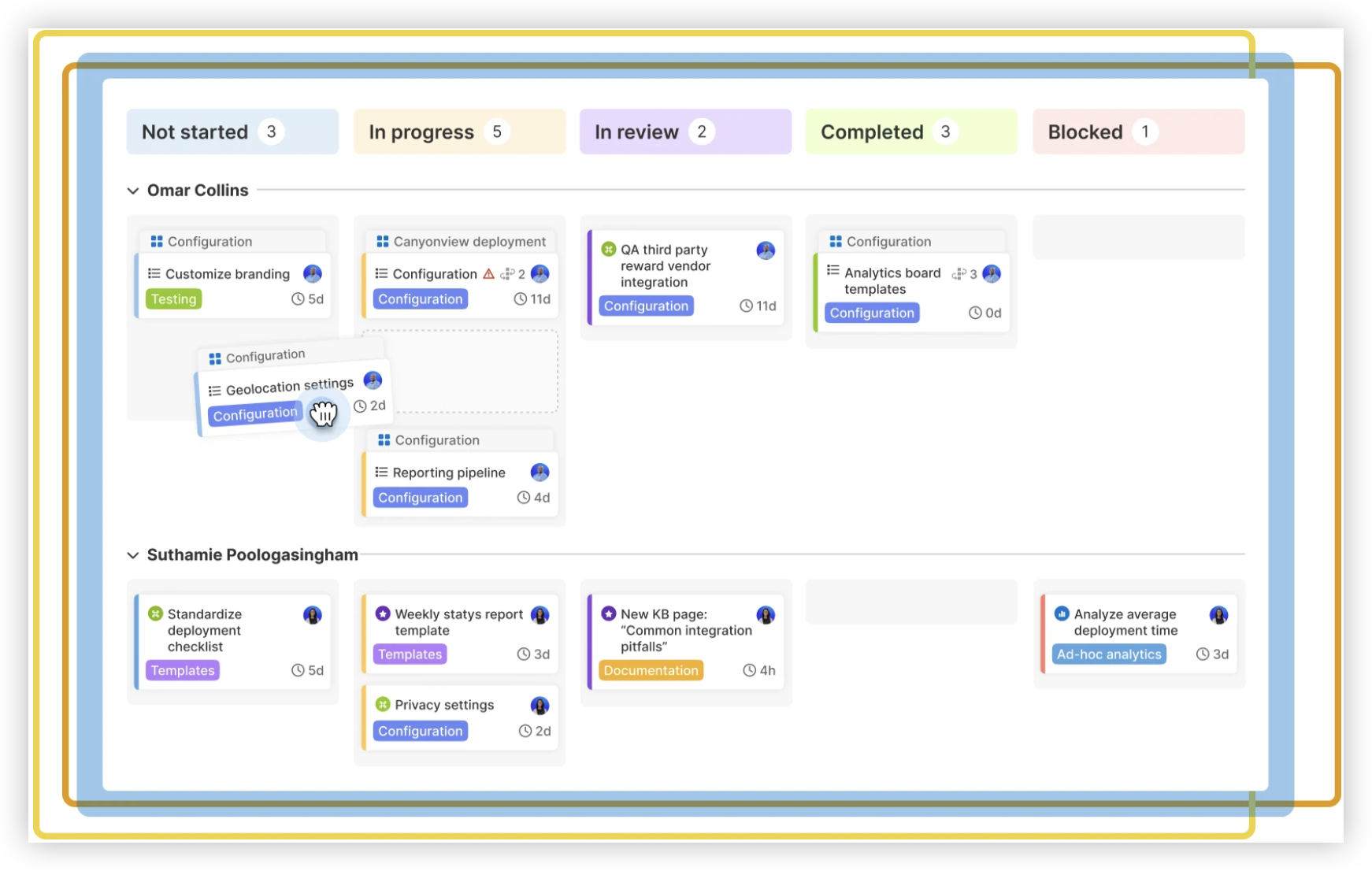
Create one queue with columns such as Requested, Active, Blocked, and Complete. Assign every item to one person and give urgent work a visible priority.
For example, a release team might track three urgent items during a two-hour outage: a failed deployment, a customer escalation, and a security review. Each item needs one owner and one next action.
Keep decisions visible
Record approvals, scope changes, and risk decisions in the same temporary area as the related work. A decision without context can create confusion when the team restores the official workflow.
Include the decision time, decision maker, affected work, and follow-up action. This creates a clean trail for later reconciliation.
Control duplicate updates
Assign one person to coordinate recovery entries for each project or workstream. That person can compare temporary activity with Jira after restoration.
Without ownership, several people may recreate the same comment, transition, or request. Duplicate activity makes reports harder to trust and may trigger automations more than once.
How to Verify Jira Recovery
Service availability does not guarantee that every workflow has recovered. A platform may load while notifications, integrations, permissions, or automation remain impaired.
Choose one representative workflow and test it from start to finish. For a software team, that might mean opening an issue, assigning it, moving it through a status, receiving a notification, and confirming a linked development event.
For a support team, the path may include creating a request, assigning it, adding an internal note, changing priority, and checking the customer-facing response process.
Check integrations separately
Integrations can fail quietly. A board may appear healthy while deployment alerts, chat notifications, code links, or reporting connections remain delayed.
Compare expected events with actual results. If a deployment completed but the related Jira status did not change, keep the integration under observation before declaring full recovery.
Watch for delayed behavior
Some actions may queue during recovery and arrive later. Duplicate notifications, delayed transitions, or sudden automation activity can indicate that the system is processing earlier requests.
Keep temporary controls in place until key workflows behave consistently. Removing every workaround immediately can create a second disruption during the first recovery period.
How to Reconcile Work After an Interruption
Reconciliation turns temporary activity into a reliable project history. Complete it by priority, business impact, and dependency rather than by whichever item someone notices first.
Start with work that affects delivery
Update production incidents, release decisions, customer commitments, security actions, and blocked tasks first. Routine housekeeping can follow after critical work is visible again.
Use timestamps to preserve the sequence of events. If a task was completed during the outage, record when the work happened rather than when someone later entered the update.
Compare statuses carefully
A temporary “complete” label may not match the official workflow’s meaning. Confirm whether the work passed review, received approval, reached production, or simply finished implementation.
This distinction affects reports and handoffs. A task marked complete too early can make a delivery dashboard appear healthier than reality.
Close the temporary channel deliberately
Tell the team when Jira becomes the official place for updates again. Keep the recovery channel available for review until every important item has been reconciled.
Afterward, summarize unresolved differences and assign owners. A short closure message prevents people from continuing to split updates between two places.
Jira Outage Solution: ONES.com
ONES.com provides a unified platform for project management and knowledge management, with ONES Project serving as a Jira alternative and ONES Wiki serving as a knowledge base. The products are sold separately, allowing you to choose the workspace that fits your team.

For teams that need continuity, self-hosted deployment options can support operational control across Cloud, On-Premise, Private Cloud, and Air-gapped environments. ONES.com offers a free plan for up to 30 seats, with feature parity between its cloud and self-hosted versions.
Value Proposition
ONES.com can help you reduce workflow disruption by combining structured project operations, reporting, automation, and team knowledge in a controlled environment. It supports Jira-compatible workflows while reducing dependence on a large collection of plugins.
Core Capabilities
- Scattered project tracking → ONES Project centralizes work planning, issue tracking, and delivery status → Your team has one structured place to resume work after an interruption.
- Unclear outage ownership → Custom workflows and fields define owners, priorities, blockers, and recovery states → Teams can coordinate temporary and permanent process steps more consistently.
- Slow manual status updates → Automation can handle repeatable transitions and notifications → Fewer routine actions need manual attention during busy recovery periods.
- Limited delivery visibility → Built-in reporting gives managers views of progress, risk, and workflow movement → You can assess impact without assembling separate operational summaries.
- Inconsistent sprint planning → Sprint management supports planning, execution, and review activities → Agile teams can maintain a familiar delivery rhythm.
- Complex migration concerns → Jira-compatible workflows can reduce process rework → Teams can preserve familiar operating patterns while evaluating a Jira alternative.
- Plugin dependency → Native project management capabilities cover common planning and tracking needs → Fewer extensions may simplify administration and incident troubleshooting.
- Restricted network requirements → On-Premise, Private Cloud, and Air-gapped deployment options support different control needs → Teams can align deployment with security and connectivity constraints.
Application Scenarios
Software delivery team: A development group can use ONES Project for sprint planning, issue ownership, custom statuses, and release reporting. If an external service becomes unavailable, the team can continue operating within its controlled project environment and communicate through agreed recovery procedures.
Regulated engineering organization: A team with restricted connectivity can evaluate an On-Premise or Air-gapped deployment. Project status, approvals, and workflow rules remain available within the organization’s selected environment.
Project and knowledge operations: A company can use ONES Project for delivery work and ONES Wiki for internal guidance, runbooks, and outage procedures. Because the products are separate, the organization can adopt either one or both according to its needs.
Common Challenges During a Jira Outage
Challenge: People use several unofficial workarounds
Solution: Choose one approved recovery channel and publish the temporary update format. Assign a coordinator for each project so important work does not scatter across private messages and unrelated spaces.
Challenge: Teams cannot tell whether work was lost
Solution: Compare the last reliable Jira state with temporary updates, timestamps, completed actions, and integration events. Prioritize customer, production, security, and release work during reconciliation.
Challenge: Jira returns, but integrations remain unreliable
Solution: Test notifications, code links, deployment events, reports, and automation separately. Keep a recovery status visible until the critical path works consistently.
Challenge: Temporary updates create duplicate activity
Solution: Assign one person to reconcile each workstream. Mark each completed entry and preserve the original event time when adding the update to Jira.
Challenge: The same outage exposes a wider process weakness
Solution: Review whether your team has an approved continuity channel, contact list, recovery owner, reconciliation method, and tested alternative workflow. Turn those findings into a short operational runbook.
FAQs About Jira Outages
What should I do first when Jira stops working?
Confirm whether the problem affects one person or several teams. Test a separate project and access path, check official service information, and record the time and visible symptoms. Then tell the team where to record urgent work temporarily. Avoid bulk changes until the service condition becomes clearer.
How can my team keep working without Jira?
Use one approved temporary channel with a consistent format for work item, owner, priority, status, blocker, and next action. Keep decisions and approvals beside the related work. This creates enough structure to continue urgent activity and reconcile updates after Jira becomes stable again.
How do I know whether Jira has fully recovered?
Test more than login and page loading. Open an issue, make an approved update, move it through a workflow step, check notifications, open a report, and test important integrations. Delayed automation or missing deployment events can show that recovery remains incomplete.
How should I reconcile work completed during the outage?
Start with production, customer, security, release, and blocked work. Compare temporary updates with the last reliable Jira state, preserve event times, and assign one coordinator per workstream. Mark reconciled items clearly so two people do not recreate the same activity.
Can a Jira alternative improve outage preparedness?
A Jira alternative can support preparedness when it offers the workflows, deployment controls, reporting, and automation your team actually needs. Evaluate how it handles continuity, integrations, permissions, recovery procedures, and self-hosted requirements. ONES Project is one option for teams comparing Jira-compatible project management platforms.
Conclusion
A Jira outage becomes easier to manage when you follow a defined sequence: confirm the scope, capture symptoms, protect urgent work, communicate on a schedule, verify recovery, and reconcile updates carefully.
But here’s the truth: the outage itself may last minutes, while confusion can continue for days without clear ownership and recovery rules. A simple temporary workflow gives your team a safer bridge.
Review the checklist with your project leads, test your communication channel, and decide who owns reconciliation before the next interruption. If your organization needs a Jira alternative with native project capabilities and flexible deployment options, ONES.com can be part of that continuity discussion.