Jira Planning: A 7-Step Guide for Smarter Sprint Plans
Is your sprint plan already slipping? Use this 7-step Jira planning guide to set realistic priorities, balance capacity, and deliver with confidence. Read now.
A sprint can start with a full backlog and still go off track by Wednesday. Priorities shift, estimates miss, and work gets added without anyone checking the team’s capacity. When planning feels like a rushed task inside Jira, the sprint plan may become a list of hopes instead of a workable commitment.
That makes delivery harder to predict and leaves the team spending more time negotiating tasks than completing them. But here's the truth: useful Jira planning depends less on filling every field and more on making clear choices together. This seven-step guide shows you how to prepare a focused backlog, agree on realistic scope, and keep the plan useful after the sprint begins. You’ll also learn how to handle common planning challenges and compare another project management approach if your current workflow needs more flexibility.
How to Plan a Jira Sprint in 7 Steps
Start by confirming the sprint goal, team capacity, and highest-priority ready work. Then use these seven steps to turn that shared understanding into a plan you can inspect and adjust.
-
1. Review the previous sprint
Look at completed work, unfinished issues, and any recurring blockers. The point is to learn what affected delivery, not to assign blame.
For example, if two urgent support requests interrupted the last sprint, discuss whether similar interruptions are likely again. That context matters when you estimate the team’s available time.
-
2. Set a clear sprint goal
Write one outcome that explains why the sprint matters. “Improve checkout” is broad; “Let returning customers complete checkout with saved payment details” gives the team a concrete target.
Keep the goal visible during planning. When someone proposes another issue, the team can ask whether it supports the outcome or should wait.
-
3. Check team capacity
Estimate the time the team can actually spend on planned work. Account for holidays, planned leave, meetings, support duties, and other known commitments.
If your team usually completes 40 story points but two people will be away, do not assume the same capacity. Recent sprint performance can guide the discussion, while the current calendar helps you adjust it.
-
4. Refine and prioritize the backlog
Review candidate issues before adding them to the sprint. Confirm each item has a clear description, acceptance criteria, an owner or responsible team, and any important dependencies.
Sort work by value and urgency. A high-priority item that still needs major clarification may be less suitable than a ready issue that supports the same goal.
-
5. Estimate the work together
Use a consistent method, such as story points or time estimates, and make sure the team understands what each estimate represents. Estimates should help reveal uncertainty and relative effort.
If one person estimates an issue at two points and another estimates it at eight, ask what assumptions differ. The conversation can expose hidden testing, integration, or design work.
-
6. Build a realistic sprint scope
Add the highest-priority ready issues until the planned workload fits the team’s capacity. Leave room for uncertainty when the team regularly handles interruptions or support requests.
Check the plan as a whole. For example, five individually small issues may all depend on one specialist, creating a bottleneck the point estimates do not show.
-
7. Confirm ownership and review the plan
Before starting the sprint, make sure each issue has a clear next action and that the team understands how work connects to the goal. Resolve unclear dependencies where possible.
During the sprint, review progress regularly. If priorities or capacity change, discuss the impact openly and adjust scope rather than quietly adding work.
Prepare the Backlog Before Sprint Planning
A productive planning meeting starts before the team gathers. Refine likely work in advance so people can focus on decisions instead of interpreting vague issues.
For each candidate issue, check that the expected result is understandable and testable. An issue such as “Improve account settings” needs more detail than “Allow customers to update their phone number from account settings.”
Here's why: unclear work creates false confidence. The team may commit to an issue quickly, then discover during implementation that requirements, design decisions, or dependencies remain unresolved.
Use backlog refinement to discuss these gaps early. Keep the meeting focused on work likely to enter an upcoming sprint, rather than trying to perfect every item at once.
Estimate Effort Without Treating Estimates as Promises
Estimates help a team compare work and identify uncertainty. They are not guarantees that a task will finish on a precise date.
Suppose a team estimates a login improvement at three points because the interface is familiar. A similar-looking issue may need extra effort if it changes authentication rules or requires coordination with another team.
Let me explain: the useful part of estimation is often the discussion behind the number. Ask what could make an issue harder, what assumptions the estimate relies on, and whether the issue should be split.
Track how much work the team tends to complete over several sprints. Use that pattern as a planning aid, then account for differences in team availability and work complexity.
Keep the Sprint Goal and Scope Connected
A sprint goal gives the team a way to make trade-offs when new work appears. Without one, every urgent request can seem equally important.
For example, if the goal is to reduce failed payments, a small reporting task may be less valuable than a payment retry improvement. The goal helps the team explain that choice to stakeholders.
You might be wondering: should every sprint issue directly support the goal? Not always. Teams may need maintenance or operational work, but the main outcome should still be clear.
When a new request arrives, compare its urgency with current commitments. If it must enter the sprint, agree on what will move out and update expectations with affected people.
Use Jira Views to Make Progress Easier to Read
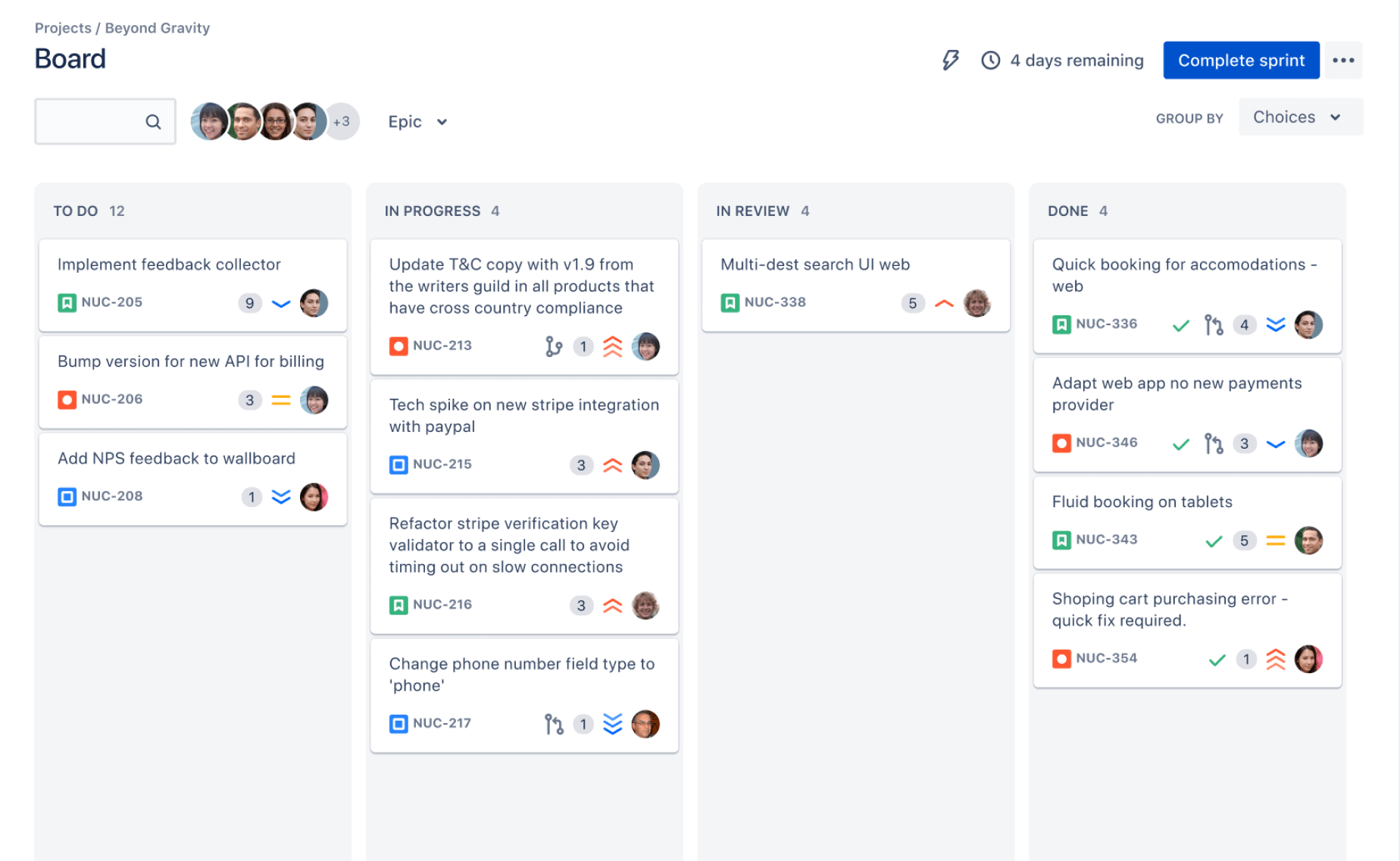
Jira boards and reports can show which issues are ready, in progress, blocked, or complete. A clear workflow helps the team spot stalled work without relying on status updates scattered across conversations.
Keep issue statuses meaningful. If an issue stays “In Progress” while waiting for review, the board hides the real bottleneck. A distinct review status can make the handoff easier to see.
The best part? You do not need a complicated workflow to get useful visibility. A small team might need only a few well-defined statuses, while a regulated or multi-team project may need additional approval stages.
Review the board during the sprint and use built-in reports to discuss progress, scope changes, and blockers. Treat the visuals as prompts for conversation, not as a substitute for team judgment.
Jira Planning Solution: ONES.com

Value Proposition
ONES.com brings project management and knowledge management together in a unified platform powered by ONES Assistant. ONES Project is a Jira alternative for planning and tracking work, while ONES Wiki is a Confluence alternative; the products are sold separately.
For teams reviewing their planning setup, ONES Project offers Jira-compatible workflows and core project management capabilities, with cloud and self-hosted deployment options.
Core Capabilities
- Planning information is scattered: ONES Project provides project workspaces and built-in reporting, helping teams review issue status and sprint progress in one place.
- Standard workflows do not fit team handoffs: Custom workflows let teams reflect their review, approval, and delivery stages, making responsibilities clearer.
- Issue fields miss important context: Custom fields let teams capture details such as risk, customer impact, or release target, so planning decisions include relevant information.
- Sprint setup feels disconnected from daily work: Sprint management supports planning and tracking, helping teams connect selected work with an iteration’s progress.
- Repeated actions take time: Automation can handle routine workflow actions, reducing manual updates and keeping work moving through agreed stages.
- Teams rely on too many add-ons: Built-in reporting and project capabilities can reduce plugin dependence for common planning needs.
- Teams need familiar Jira processes: Jira-compatible workflows help teams carry over established ways of working while adapting them to their needs.
- Hosting restrictions limit platform choices: ONES.com offers Cloud, On-Premise, Private Cloud, and Air-gapped deployments, with full feature parity between cloud and self-hosted versions.
Teams can try ONES.com with up to 30 seats on the free plan. The deployment choice can support teams that need cloud access or must run project management in a controlled environment.
Application Scenarios
A growing software team may need custom issue fields and workflow stages as its release process becomes more involved. ONES Project can provide those controls while keeping sprint planning and reporting within the project management platform.
A team in a restricted network may need to manage work in an air-gapped environment. ONES.com’s deployment options include Air-gapped and On-Premise, with feature parity across cloud and self-hosted versions.
A team reducing plugin complexity can assess whether built-in reporting, automation, and workflow customization cover its everyday planning needs. ONES Project can serve as a Jira alternative when the team wants those capabilities in its project management setup.
Common Jira Planning Challenges
Overcommitting the sprint
Problem: The team selects more work than its capacity allows, often because estimates ignore leave, support duties, or unexpected tasks.
Solution: Check availability before selecting issues and compare the proposed scope with recent delivery. Leave room for known interruptions, then agree which issue moves out if urgent work enters.
Planning issues that are not ready
Problem: Vague acceptance criteria or unresolved dependencies create delays after the sprint begins.
Solution: Refine likely work before planning. Ask whether someone outside the issue’s author can understand the expected result and how the team will verify it.
Adding work without adjusting scope
Problem: New requests are inserted during the sprint, but the original commitment stays unchanged.
Solution: Review the request against the sprint goal and capacity. If it must be added, discuss which existing work should be delayed and communicate the trade-off.
Using reports without discussing blockers
Problem: A board shows status but does not explain why work is stuck or what help the team needs.
Solution: Use status changes and reports to start focused conversations. Ask what is blocking progress, who can resolve it, and when the team should check again.
FAQs About Jira Sprint Planning
How long should a Jira sprint planning meeting take?
The right length depends on sprint duration, team size, and how well the backlog is prepared. A two-week sprint might need a meeting of a few hours, but teams with refined issues may finish sooner. If planning regularly runs long, check whether issues need more clarification beforehand. The meeting should end with a shared goal, realistic scope, and clear understanding of the selected work.
How many story points should a team plan in Jira?
There is no universal number that fits every team. Review the team’s recent delivery, then account for availability, planned work, and known interruptions. A team that usually completes 35 points may need to plan less when a teammate is away or support work is expected. Treat the number as a planning reference, not a target that overrides the team’s judgment.
Should a Jira sprint backlog include unestimated issues?
It can, but the team should understand the uncertainty before committing to the work. If an issue is too unclear to estimate, refine it or split it into a smaller investigation and a delivery task. Some teams use time-boxed discovery work when they cannot yet define the full solution. Make the risk visible so it does not appear unexpectedly halfway through the sprint.
What should a team do when sprint priorities change?
First, check whether the new request supports the sprint goal or responds to a genuine urgent need. Then review the effect on capacity and existing commitments with the team. If the new work must enter, agree what will leave or be delayed. Update the sprint plan and tell affected stakeholders about the trade-off, rather than letting scope expand without discussion.
Conclusion
Effective Jira sprint planning begins with a clear goal, a ready backlog, and an honest view of team capacity. Estimation, prioritization, and regular progress reviews help turn a collection of issues into a plan the team can use.
When planning feels rushed or unreliable, take a closer look at the decisions behind the sprint scope. Refine work earlier, make trade-offs visible, and adjust commitments when circumstances change. If your current setup no longer supports the way your team plans, compare its workflows and deployment needs with alternatives such as ONES Project.