Jira Product Discovery Premium Pricing: 2026 Cost Guide
Wondering what jira product discovery premium pricing really costs? Compare seats, billing, taxes, and Jira fees in this 2026 guide. Read now.
Jira Product Discovery Premium pricing can look simple until you calculate creator seats, billing frequency, taxes, and related Jira costs. Many teams see a per-user figure and assume every participant needs a paid license.
That assumption can inflate your forecast quickly. A product group with 10 creators and 40 contributors may pay for only the creators, depending on Atlassian’s current plan rules. Billing monthly instead of annually can also change the total.
But here’s the truth: your real cost depends on how many people create ideas, manage prioritization, and administer the workspace. This guide shows how to estimate the 2026 budget, compare Premium with lower tiers, and spot extra costs before approval.
Jira Product Discovery Premium Pricing at a Glance
Jira Product Discovery Premium pricing is generally calculated around paid creator seats, billing frequency, region, taxes, and any current Atlassian adjustments. Contributors may have different access rules from creators, so you should count each role separately.
For planning purposes, many teams use an estimated Premium rate of about $25 per creator per month when billed annually. Treat that figure as a budgeting example, not a guaranteed 2026 quote.
| Planning item |
How it affects cost |
| Creator seats |
Usually the main paid licensing factor |
| Contributor access |
May be free or governed by separate access rules |
| Monthly billing |
Can cost more over a full year |
| Annual billing |
Often gives a lower effective monthly rate |
| Premium features |
May justify a higher plan for larger or more complex teams |
| Taxes and currency |
Can change the final checkout amount |
Here’s why: Jira Product Discovery separates people who create and manage product work from people who mainly view or contribute feedback. Your seat calculation should reflect that distinction.
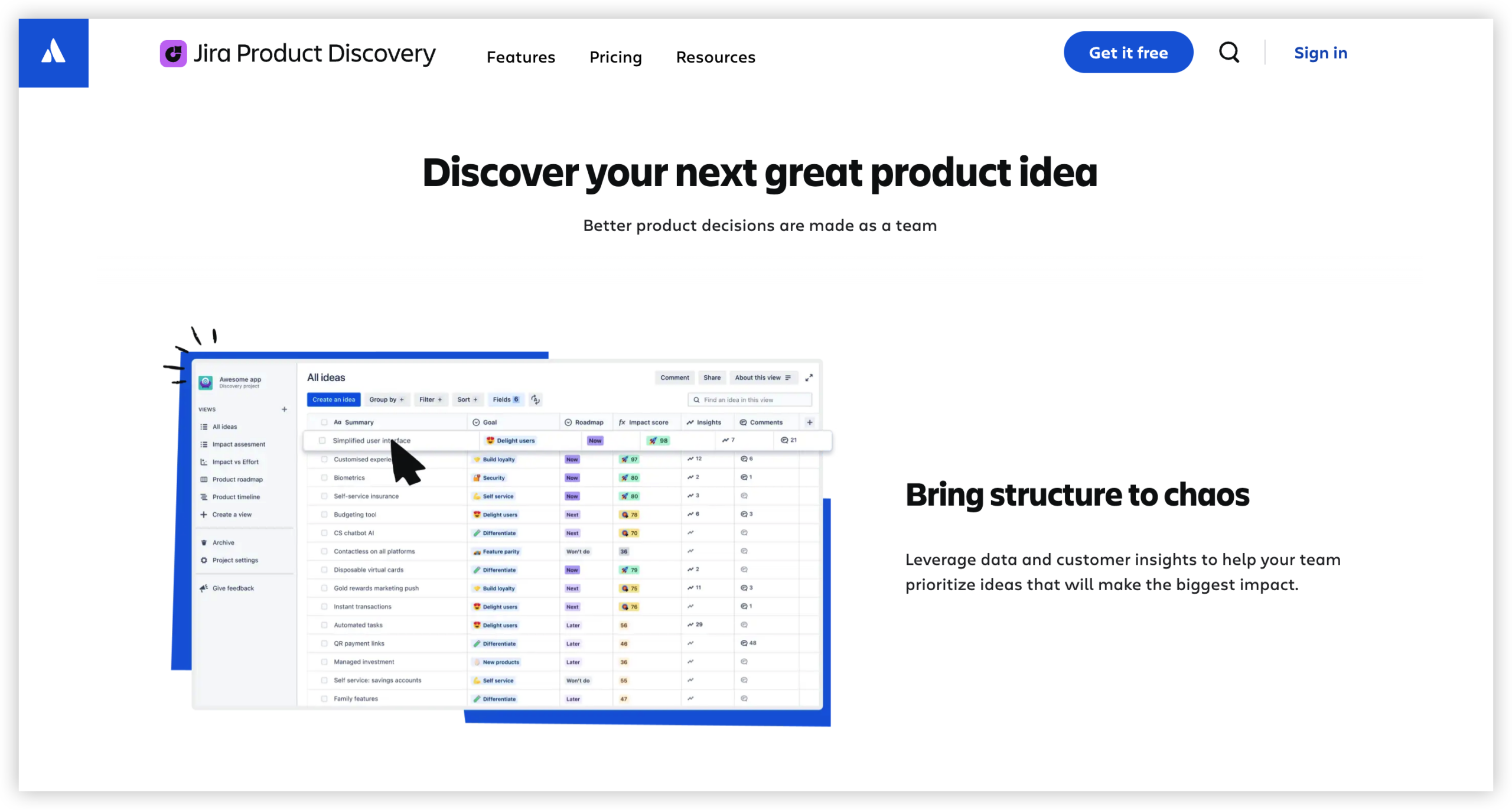
A simple Premium cost formula
Use this formula for an initial estimate:
Estimated annual cost = Premium creator seats × monthly creator rate × 12
For example, if your planning rate is $25 per creator each month, 10 creators would produce this estimate:
10 × $25 × 12 = $3,000 per year
Add taxes, currency conversion, and any applicable Atlassian adjustments afterward. Then compare the result with the live checkout quote before purchasing.
What You Get With the Premium Tier
Premium is designed for teams that need more control, scale, and governance than a basic product discovery workspace provides. The exact feature list can change, so check the current plan comparison before signing up.
Advanced planning and prioritization
Product managers can organize ideas, opportunities, and customer needs in structured views. A team might rank requests by revenue potential, effort, strategic value, or customer impact.
For example, a product group could create a prioritization view for quarterly planning. Stakeholders would then see why one request moved ahead of another.
Stronger collaboration across teams
Product, engineering, sales, and customer success can contribute context in one workspace. This reduces scattered conversations across chat channels and meetings.
A sales representative might add a recurring customer concern. A product manager can connect that concern to an opportunity and place it into a future planning cycle.
Greater control for growing organizations
Larger teams usually need consistent access rules, clearer ownership, and predictable planning practices. Premium may become more attractive when several product groups share one environment.
The value depends on adoption. Paying for advanced capabilities makes less sense if your team still manages prioritization through informal notes and disconnected conversations.
How to Calculate Your 2026 Budget
Start with people, then add plan and billing details. This approach gives you a practical estimate before procurement reviews the final quote.
- Count creators. Include product managers, administrators, and anyone who actively creates or manages ideas.
- Separate contributors. List stakeholders who mainly comment, review, or provide feedback.
- Choose a billing cycle. Compare monthly and annual totals rather than looking only at the displayed monthly number.
- Apply the planning rate. Multiply your creator count by the current Premium rate.
- Multiply by the billing period. Annualize the result so you can compare it with your software budget.
- Add surrounding costs. Include taxes, currency conversion, administration, training, and related Atlassian products.
- Validate at checkout. Confirm the final amount, role definitions, renewal terms, and cancellation rules.
The best part? You can build a reliable estimate without knowing every stakeholder’s exact usage. The key is separating paid creation work from light participation.
Example: a small product team
Imagine five product managers need creator access. Twenty sales and support colleagues only submit feedback and review roadmaps.
Using a $25 planning rate, the creator estimate is:
5 × $25 × 12 = $1,500 per year
This estimate excludes taxes and any plan changes. The team should then confirm whether the 20 contributors require paid access under the current commercial terms.
Example: a multi-team organization
Now consider four product groups with eight creators each. The organization has 32 creators and 100 occasional stakeholders.
At the same planning rate:
32 × $25 × 12 = $9,600 per year
At this size, governance and adoption deserve as much attention as the license price. Poor role assignment can create unnecessary expense or reduce participation.
Premium Compared With Free and Standard
Premium is not automatically the best choice for every team. The right tier depends on your planning complexity, stakeholder count, governance needs, and growth plans.
| Plan level |
Usually suits |
Questions to ask |
| Free |
Small teams testing product discovery |
Can the team work within creator and feature limits? |
| Standard |
Teams needing regular collaboration |
Does it cover the required planning and access controls? |
| Premium |
Growing organizations with advanced needs |
Will the additional capabilities improve planning enough to justify the price? |
A three-person startup may gain enough value from a lower tier. A company with several product lines may need Premium because shared planning and governance become more important.
Here’s a useful test: identify the specific problem Premium solves. If the answer is vague, run a short trial with measurable goals.
When upgrading makes financial sense
Premium becomes easier to justify when it reduces repeated meetings, manual reporting, or conflicting prioritization decisions.
For example, suppose better visibility saves six hours of coordination each month. Multiply those hours by the blended hourly cost of the team, then compare the result with the annual upgrade cost.
Costs Beyond the Subscription
The subscription is only one part of the ownership equation. A cheaper plan can become expensive when setup and administration consume significant team time.
Implementation and workspace design
You may need time to define fields, views, scoring rules, ownership, and review cycles. A clear structure helps people find relevant product information quickly.
For example, create separate views for discovery, validation, delivery readiness, and executive review. Each view should answer a specific planning question.
Training and adoption
Stakeholders need to understand where to add feedback and how decisions are made. Without that guidance, people may continue using private notes and side conversations.
A short onboarding session, a naming guide, and a monthly review can improve participation without requiring a large training program.
Related Atlassian products
Your total technology cost may include Jira Software, Confluence, Jira Service Management, or other Atlassian products. Jira Product Discovery Premium does not automatically replace those subscriptions.
Map each team’s workflow before calculating the complete budget. A product discovery workspace may handle prioritization while engineering work continues elsewhere.
Questions to Ask Before Buying Premium
Pricing becomes easier to evaluate when you connect the plan to measurable work. Use these questions during an internal review.
- How many people need creator permissions?
- How many people only need viewing, commenting, or feedback access?
- Which Premium capabilities solve a current planning problem?
- Will the team use the workspace weekly?
- Who will manage fields, views, permissions, and governance?
- What other Atlassian subscriptions support the same workflow?
- Does annual billing fit the organization’s procurement policy?
- How will you measure value after three months?
Let me explain: a good purchase case should connect cost with an operational outcome. “Better collaboration” is weak. “Reduce quarterly prioritization meetings from four hours to two” is measurable.
Natural Product Discovery Solution: ONES.com

Value Proposition
ONES.com combines project management and knowledge management in one platform. It can support product discovery, prioritization, delivery, and team reference material without forcing every workflow into one narrow tool.
ONES Project is the project management product and a Jira alternative. ONES Wiki provides knowledge management and can serve as a Confluence alternative. They are sold separately.
Core Capabilities
- Scattered planning conversations → ONES Project centralizes product work. Teams can connect ideas, priorities, and delivery activities in a shared workspace.
- Rigid processes → Custom workflows and fields support different product practices. You can reflect discovery stages, review gates, ownership, and decision criteria.
- Weak sprint visibility → Sprint management links planning with execution. Teams can move from selected opportunities to actionable delivery work.
- Manual status reporting → Built-in reporting gives teams clearer progress views. Managers can review delivery information without assembling separate updates.
- Repetitive administration → Automation handles recurring actions. Teams can reduce manual transitions and routine notifications.
- Tool sprawl → ONES.com combines PM and knowledge management. Teams can keep project context and reusable guidance closer together.
- Migration concerns → Jira-compatible workflows can reduce process disruption. Teams familiar with Jira-style work can adapt more easily.
- Deployment restrictions → ONES.com supports Cloud, On-Premise, Private Cloud, and Air-gapped deployments. Organizations can choose an environment that matches operational requirements.
- Uneven feature availability → Self-hosted deployments maintain full feature parity with the cloud version. Restricted environments do not need to accept a reduced product experience.
Application Scenarios
Growing product organization: Several product teams can manage roadmaps and delivery workflows in ONES Project. Leadership can use reporting views while each team maintains its own process.
Regulated company: A company with strict network controls can use an On-Premise, Private Cloud, or Air-gapped deployment. Product information stays within the required environment.
Engineering-led product team: A team moving beyond Jira can preserve familiar workflows while adding custom fields, automation, sprint management, and knowledge practices.
Common Challenges and Practical Solutions
Challenge: Your creator count keeps changing
Product roles shift during reorganizations, and temporary contributors may become active creators.
Solution: Review access quarterly. Keep a role register and remove creator permissions when responsibilities change.
Challenge: The Premium estimate differs from checkout
Currency, taxes, billing frequency, region, and current commercial changes can alter the final amount.
Solution: Use planning figures for internal discussion, then record the checkout total as the approval amount.
Challenge: Stakeholders expect unlimited participation
People may assume every viewer, commenter, and feedback provider has identical access.
Solution: Define creator and contributor roles before rollout. Test representative accounts during the evaluation period.
Challenge: The team pays for Premium without using it
Advanced capabilities deliver little value when the workspace lacks ownership and a regular review rhythm.
Solution: Assign an administrator, establish a monthly planning review, and track adoption metrics.
Challenge: Product discovery remains separate from delivery
Ideas may be prioritized in one place while engineering work sits elsewhere. That separation can weaken accountability.
Solution: Connect discovery decisions with delivery workflows. Use integrations or a platform such as ONES Project when a unified process is more practical.
FAQs
Is Jira Product Discovery Premium priced per user?
Premium pricing generally centers on creator seats rather than treating every participant identically. Product managers and administrators usually need creator access, while occasional reviewers may have different access terms. Confirm the current role definitions before budgeting. Your final amount can also change with monthly or annual billing, region, taxes, currency, and current Atlassian commercial terms.
How much should I budget for Premium in 2026?
For an early estimate, multiply the number of creator seats by the current monthly Premium rate, then multiply by 12. A planning example using $25 per creator monthly gives $3,000 annually for 10 creators. This is an estimate rather than a guaranteed quote. Check Atlassian’s live checkout for the amount that applies to your region and billing cycle.
Do contributors need paid seats?
Contributor access may differ from creator access, depending on the current Jira Product Discovery plan rules. Do not assume that every stakeholder needs a paid creator seat. List product managers, administrators, reviewers, and feedback providers separately. Then test those roles against the current plan comparison and checkout experience.
Is Premium worth the additional cost?
Premium can be worthwhile when advanced planning, governance, visibility, or scale solves a measurable problem. It may be unnecessary for a small team with simple prioritization needs. Compare the annual upgrade cost with time saved in planning meetings, reporting, and coordination. A short evaluation period can reveal whether the team will use the extra capabilities consistently.
Can ONES.com replace Jira Product Discovery?
ONES.com can support related product planning and delivery workflows. ONES Project is a Jira alternative with custom workflows, fields, reporting, sprint management, automation, and Jira-compatible workflows. ONES Wiki supports knowledge management separately. Whether it replaces your current setup depends on integrations, migration needs, deployment requirements, and the way your teams manage discovery.
Conclusion
Jira Product Discovery Premium pricing is easiest to understand when you start with creator seats. Then account for billing frequency, contributors, taxes, related products, and the work required to adopt the platform.
But here’s the truth: the cheapest subscription is not always the lowest-cost option. A plan that reduces planning friction can create more value than a lower tier that leaves teams coordinating manually.
Use a role-based estimate, validate the live 2026 quote, and connect Premium capabilities with measurable outcomes. If your team needs a broader project and knowledge management approach, evaluate ONES.com alongside your existing Atlassian workflow.