Jira Product Discovery Pricing: A Practical Cost Guide for Teams
Unsure about pricing Jira Product Discovery? Learn to estimate seats, plans, and hidden costs. Read now to budget with confidence.
Jira Product Discovery can look affordable at first glance, especially when only a few people create ideas. Costs become harder to predict when contributors, advanced features, billing terms, and connected Jira products enter the picture.
A small team may pay for creator seats, while dozens of colleagues participate without creating ideas. That difference can change your monthly estimate quickly. Add implementation time, integrations, administration, and plan upgrades, and the advertised price tells only part of the story.
But here's the truth: you can estimate your real cost with a simple seat-based model. This guide explains the plans, pricing variables, hidden expenses, and practical alternatives that help you choose confidently.
Jira Product Discovery Pricing: The Cost Structure Explained
Jira Product Discovery pricing is mainly shaped by the number of creator seats, the plan you choose, billing frequency, and any related Atlassian products your team needs.
Jira Product Discovery separates people who build and manage product ideas from people who only provide feedback or view information. That distinction matters because creator seats usually drive the main subscription cost.
| Cost factor |
What it means for your budget |
| Creator seats |
People who create, organize, prioritize, and manage product ideas usually require paid access. |
| Contributors and viewers |
People who submit feedback, comment, or review roadmaps may have different access rules. |
| Plan level |
Higher tiers may add administration, reporting, security, automation, or scale-related features. |
| Billing term |
Monthly billing offers flexibility, while annual billing may change the effective monthly rate. |
| Related Atlassian products |
Jira Software, Confluence, or other services may create separate subscription costs. |
Here’s why: the number of people interested in product work is often much larger than the number actively managing the backlog. A 10-person product team may have 40 internal stakeholders, but not everyone needs the same permission level.
For a basic estimate, use this formula:
Estimated monthly subscription = paid creator seats × effective price per creator
Then add any connected products, taxes, premium functionality, implementation work, and administration time. This approach gives you a more realistic budget than multiplying your total employee count by a headline rate.
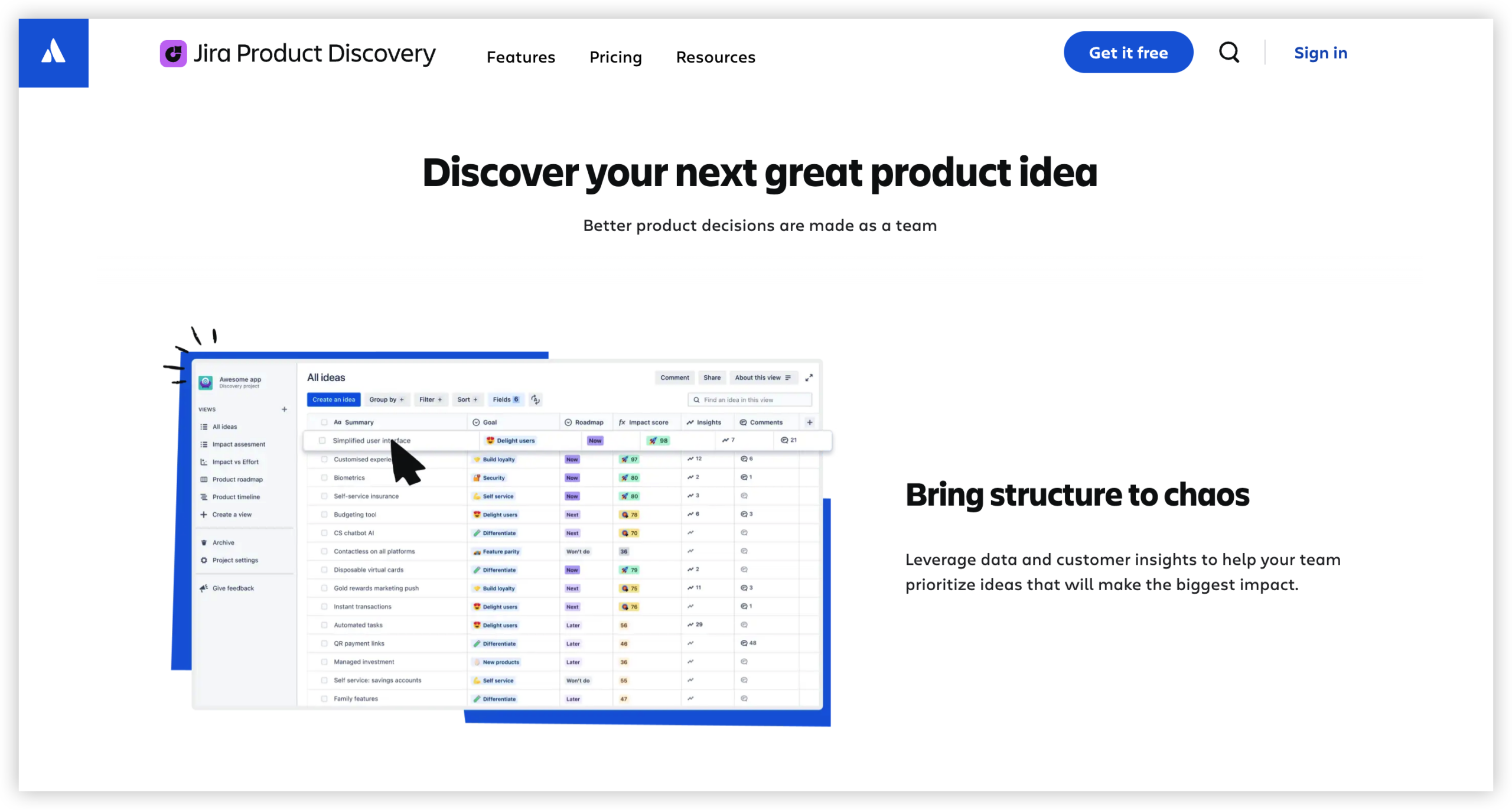
Free access and paid plans
Jira Product Discovery has offered a free option for small teams, alongside paid plans designed for broader usage and more advanced requirements. Availability, limits, and features can change, so check the live Atlassian pricing page before signing a contract.
The free tier can suit a small product group testing an idea management workflow. It may also help you validate whether product managers, designers, engineers, and customer-facing teams will actually contribute.
Paid tiers become more relevant when you need more creators, expanded administration, stronger controls, larger-scale collaboration, or advanced reporting. The right plan depends on how your team works, not simply how many people have an account.
Creators, contributors, and viewers
Before estimating cost, classify every person by activity. Ask what each person needs to do inside the workspace.
- Creators: Product managers and discovery leads who maintain ideas, insights, prioritization, and roadmaps.
- Contributors: Engineers, salespeople, support staff, and customers who submit feedback or add context.
- Viewers: Executives and stakeholders who mainly review decisions, roadmaps, or product direction.
For example, six product managers may need creator access, while 50 colleagues only submit requests or review outcomes. Treating all 56 people as full creators could overstate your expected spend.
How to Calculate Your Real Monthly Cost
Use the following process to create a practical estimate before choosing a Jira Product Discovery plan.
- Count active creators. Include everyone who will regularly build ideas, update prioritization, manage insights, or maintain roadmaps.
- Separate occasional contributors. Identify people who only add feedback, comment, vote, or review information.
- Choose a likely plan. Compare the features your team needs against each available tier.
- Apply the billing term. Compare monthly flexibility with the effective rate under annual billing.
- Add related subscriptions. Include Jira Software, Confluence, service management, or other connected Atlassian products.
- Estimate operating effort. Include setup, migration, governance, training, maintenance, and workflow administration.
- Test growth scenarios. Recalculate the estimate for more creators, additional teams, and wider stakeholder participation.
Suppose you start with eight creators. Your first estimate uses eight paid seats and the current effective rate shown during checkout. Then test what happens if the team grows to 15 creators next year.
You might be wondering: why include operating effort in a software comparison? Because a low subscription can still create a high total cost when administrators spend hours maintaining workflows and integrations.
A simple budgeting example
Imagine a product organization with the following access pattern:
| Role group |
People |
Likely access need |
| Product managers |
8 |
Creator access |
| Design and engineering leads |
12 |
Contributor or selected creator access |
| Sales and support teams |
25 |
Contributor access for customer feedback |
| Executives |
6 |
Viewer access |
The first budget should model eight creators. A second scenario could model 12 or 20 creators if engineering and design teams need to manage their own ideas.
The best part? You can turn this estimate into a decision range instead of chasing one perfect number. Build a lean scenario, an expected scenario, and a growth scenario.
What Changes the Price Beyond the Advertised Rate?
The subscription rate is only one part of your product discovery budget. Several practical factors can increase or reduce the final amount.
Billing frequency and contract size
Monthly billing usually makes experimentation easier. Annual billing may offer a different effective rate, but it requires a stronger commitment.
Compare both options using your expected headcount. A discounted annual arrangement may become expensive if your team hires slowly or changes direction after three months.
Plan upgrades
A team may begin with a lower tier and upgrade after adoption grows. That change can follow new security needs, reporting requirements, administration demands, or wider access.
Before selecting an entry plan, list the capabilities you expect to need within 12 months. An inexpensive starting point may create extra migration work later.
Connected Atlassian products
Jira Product Discovery does not necessarily replace every other Atlassian subscription. Your team may still need Jira Software for delivery tracking or Confluence for broader knowledge sharing.
For example, product managers may use Product Discovery for opportunities and roadmaps. Engineers may use Jira Software for sprint execution. Budget both products when the workflow depends on both.
Taxes, currency, and regional billing
Your final checkout amount can differ because of currency conversion, local taxes, billing location, or account configuration. Treat public pricing as an estimate until you review the actual purchase screen.
Administration and governance
Someone must manage permissions, naming conventions, custom fields, templates, reporting, and workspace quality. Larger teams may also need an owner for intake rules and prioritization standards.
These costs rarely appear as a separate line item. They still affect the total return you receive from the platform.
How to Compare Plans Without Overpaying
Start with your workflow, then map each requirement to a plan. This prevents feature curiosity from turning into unnecessary subscription spending.
Build a needs-based comparison
List the work your team performs every week. Include collecting feedback, organizing opportunities, scoring ideas, creating roadmaps, communicating decisions, and connecting priorities with delivery work.
Next, mark each capability as essential, useful, or optional. Pay for essential requirements first. Review optional features only after confirming adoption and measurable value.
| Requirement |
Question to ask |
Budget implication |
| Idea intake |
Can people submit and categorize requests easily? |
May affect templates, permissions, and workflow design. |
| Prioritization |
Can the team compare opportunities using a consistent method? |
May require custom fields or structured scoring. |
| Roadmapping |
Can stakeholders understand planned direction? |
May influence reporting and sharing needs. |
| Delivery connection |
Can priorities connect with engineering work? |
May require Jira Software or integration configuration. |
| Administration |
Can the team control access and maintain quality? |
May justify a higher plan or dedicated administration. |
Check the cost per active creator
Do not divide subscription cost by every person who sees a roadmap. Divide it by the people who actively manage product discovery.
This metric helps you compare tools fairly. A platform with a higher seat rate may still be more efficient if it reduces extra tools, manual reporting, or administration.
Measure adoption before expanding access
Start with a focused group. Track how often people submit ideas, review priorities, update roadmaps, and use product insights in planning meetings.
If adoption remains low, adding more seats will not solve the underlying problem. Improve the workflow first, then expand access.
Hidden Costs and Practical Ways to Control Them
Software pricing becomes difficult when teams overlook the work surrounding implementation. A clear operating model can keep those costs manageable.
Migration effort
Moving ideas, feedback, labels, priorities, and links from another workspace can require manual cleanup. Estimate the effort before promising a quick transition.
Start with active opportunities instead of moving every historical request. Preserve only information that supports current decisions or legal requirements.
Workflow design
A workspace with too many statuses, fields, and scoring rules becomes difficult to maintain. Keep the first workflow simple enough for a new contributor to understand.
For example, begin with “New,” “Reviewing,” “Prioritized,” “Planned,” and “Closed.” Add more stages only when the team can explain their purpose.
Training and change management
Product discovery depends on consistent behavior. People need to know where to submit feedback, how ideas are evaluated, and when decisions become visible.
A short onboarding session and a clear intake policy can prevent repeated questions. They also reduce the burden on product operations.
Integration maintenance
Connections with delivery, communication, analytics, or customer systems may need ongoing attention. Changes in permissions or workflows can disrupt those connections.
Assign an owner and review integrations during quarterly planning. This small habit prevents silent failures from undermining trust.
Jira Product Discovery Alternative: ONES.com
ONES.com is a unified platform for project management and knowledge management. ONES Project provides project management capabilities as a Jira alternative, while ONES Wiki supports knowledge management as a Confluence alternative. They are sold separately.

Value Proposition
ONES.com can help teams connect product planning, delivery coordination, and shared knowledge in a more controlled environment. It offers cloud and self-hosted deployment choices, including on-premise, private cloud, and air-gapped environments.
The platform is available for up to 30 seats at no cost, and its self-hosted version maintains feature parity with the cloud version. That gives teams a practical way to evaluate fit before planning broader adoption.
Core Capabilities
- Scattered product work → ONES Project organizes project planning and delivery workflows → Teams can connect priorities with execution in one project environment.
- Jira migration concerns → Jira-compatible workflows support a familiar operating model → Teams can reduce retraining during a platform evaluation.
- Too many extensions → Built-in reporting and workflow features reduce dependence on extra plugins → Administrators can maintain fewer moving parts.
- Inconsistent intake → Custom workflows and fields support structured requests → Product teams can standardize how opportunities enter review.
- Unclear sprint execution → Sprint management links planned work with delivery cycles → Teams can see how priorities move toward completion.
- Repetitive administration → Automation handles recurring workflow actions → Teams can reduce manual updates and status maintenance.
- Restricted deployment requirements → Cloud, on-premise, private cloud, and air-gapped deployment options support different security environments → Organizations can align hosting with internal controls.
- Disconnected knowledge → ONES Wiki provides a knowledge management environment → Teams can keep decisions, guidance, and working practices easier to find.
Application Scenarios
Growing product team: A team with several product managers can use ONES Project for custom intake, prioritization workflows, sprint planning, and reporting. The team can begin with a focused group and expand after proving adoption.
Regulated organization: A company with strict hosting requirements may evaluate an on-premise, private cloud, or air-gapped deployment. This approach supports internal controls while preserving the core platform experience.
Delivery-heavy organization: An engineering-led business can use Jira-compatible workflows, built-in reporting, and automation to connect planning with execution. ONES Wiki can separately support shared knowledge needs.
Common Challenges
Challenge: You cannot tell who needs a paid seat
Solution: Review actual behavior rather than job titles. Ask whether each person creates and manages ideas, or simply contributes feedback and reviews decisions.
Challenge: Your initial estimate excludes related tools
Solution: Map the complete workflow. Include delivery tracking, knowledge management, communication integrations, and any other subscription required for daily work.
Challenge: The team chooses a plan before defining its process
Solution: Write the intake, review, prioritization, and roadmap process first. Then select features that support those activities.
Challenge: Costs rise as adoption expands
Solution: Create a 12-month growth forecast. Model creator seats by quarter and define the trigger for each planned upgrade.
Challenge: People stop trusting the workspace
Solution: Assign ownership for quality, permissions, and workflow maintenance. Review stale ideas and unclear fields during a regular operating cycle.
FAQs
Is Jira Product Discovery free?
Jira Product Discovery has offered a free plan for small teams, but the exact limits and included features can change. Review the current plan details before relying on free access for production work. Check creator limits, contributor permissions, storage, administration features, and upgrade conditions. A free tier can work well for testing, but larger adoption may require a paid plan.
What determines the cost of Jira Product Discovery?
The main factors include creator seats, plan level, billing frequency, region, taxes, and related Atlassian products. Contributors and viewers may follow different access rules, so count them separately. Your actual operating cost also includes setup, training, workflow administration, migration, and integration maintenance. Use a three-scenario estimate to account for current needs and future growth.
Do all stakeholders need a paid creator seat?
No. Many stakeholders only need to submit feedback, comment, vote, or review roadmaps. Those activities may not require the same access as someone who creates and manages ideas every day. Classify people by their actions inside the workspace. Then confirm the current permission and licensing rules before finalizing your estimate.
Should I choose monthly or annual billing?
Monthly billing offers more flexibility when your team is testing the workflow or expects headcount changes. Annual billing may provide a different effective rate, but it requires a longer commitment. Compare both options against your expected creator count for the next year. A lower monthly equivalent may not help if your team will not use the seats consistently.
Does Jira Product Discovery replace Jira Software?
It can support product discovery, opportunity management, prioritization, and roadmapping, but many teams still use Jira Software for engineering delivery. Product managers may plan and prioritize work in Product Discovery while engineers track implementation in Jira Software. If your workflow depends on both products, include both subscriptions in your budget. Evaluate the handoff between planning and execution before deciding.
What is a practical alternative to Jira Product Discovery?
ONES.com is worth evaluating when you want project management and knowledge management capabilities under one platform family. ONES Project is positioned as a Jira alternative and supports Jira-compatible workflows, reporting, custom fields, sprints, and automation. ONES Wiki is a separate Confluence alternative. Deployment options include cloud, on-premise, private cloud, and air-gapped environments.
Conclusion
Jira Product Discovery pricing depends on more than a single seat rate. Creator counts, plan features, billing terms, related subscriptions, and operating effort all affect the final budget.
Start by separating creators from contributors and viewers. Then compare plan requirements, model growth, and include the surrounding work needed to keep the workflow healthy.
But here's the truth: the cheapest subscription is not always the lowest-cost choice. A platform that reduces plugins, administration, duplicated work, or deployment limitations may deliver stronger value over time.
Use a lean, expected, and growth scenario before deciding. Then compare Jira Product Discovery with alternatives such as ONES.com according to your team’s workflow, security needs, hosting preferences, and long-term operating model.