Jira Product Discovery Pricing: A Practical Guide for Teams
Unsure about jira product discovery pricing? Compare seats, plans, billing, and access costs to budget confidently. Read now to choose wisely.
Jira Product Discovery pricing can look simple until you compare creator seats, contributor access, plan limits, billing cycles, and the rest of your Atlassian stack. A small product team may pay very little, while a larger organization can see costs rise quickly as more people need editing rights.
That uncertainty creates practical problems. You may choose a plan with too few creators, overlook guest access rules, or compare a monthly price without considering annual billing. The wrong estimate can also make an otherwise affordable product discovery process difficult to justify.
Here’s the solution: separate the pricing model into seats, features, limits, and total operating cost. This guide explains how Jira Product Discovery pricing generally works, what each plan means for a team, and how to compare alternatives fairly.
Jira Product Discovery Pricing at a Glance
Jira Product Discovery pricing is generally based on creator seats, plan level, billing frequency, and the number of people who need to create or manage product ideas. Contributors can often participate without requiring the same paid access as creators.
Jira Product Discovery usually offers a free tier alongside paid plans. The free option is designed for small teams testing the product discovery workflow, while paid plans add greater capacity, administration, permissions, and advanced capabilities.
Because Atlassian can change prices, regional currency, taxes, and plan packaging, treat the figures below as planning guidance. Check the live Atlassian pricing calculator before approving a purchase.
| Pricing factor |
Why it matters |
| Creator seats |
People who create, organize, prioritize, and manage product ideas typically drive the paid-seat count. |
| Contributors |
Stakeholders who submit feedback, comment, or vote may have different access requirements. |
| Plan level |
Higher tiers can add administration, controls, capacity, and advanced product discovery features. |
| Billing cycle |
Monthly billing offers flexibility, while annual billing may change the effective monthly cost. |
| Team size |
Adding product managers, designers, researchers, and product leaders can increase the subscription total. |
| Atlassian ecosystem |
Jira Product Discovery may be only one part of your wider Jira, Confluence, or Atlassian Cloud spend. |
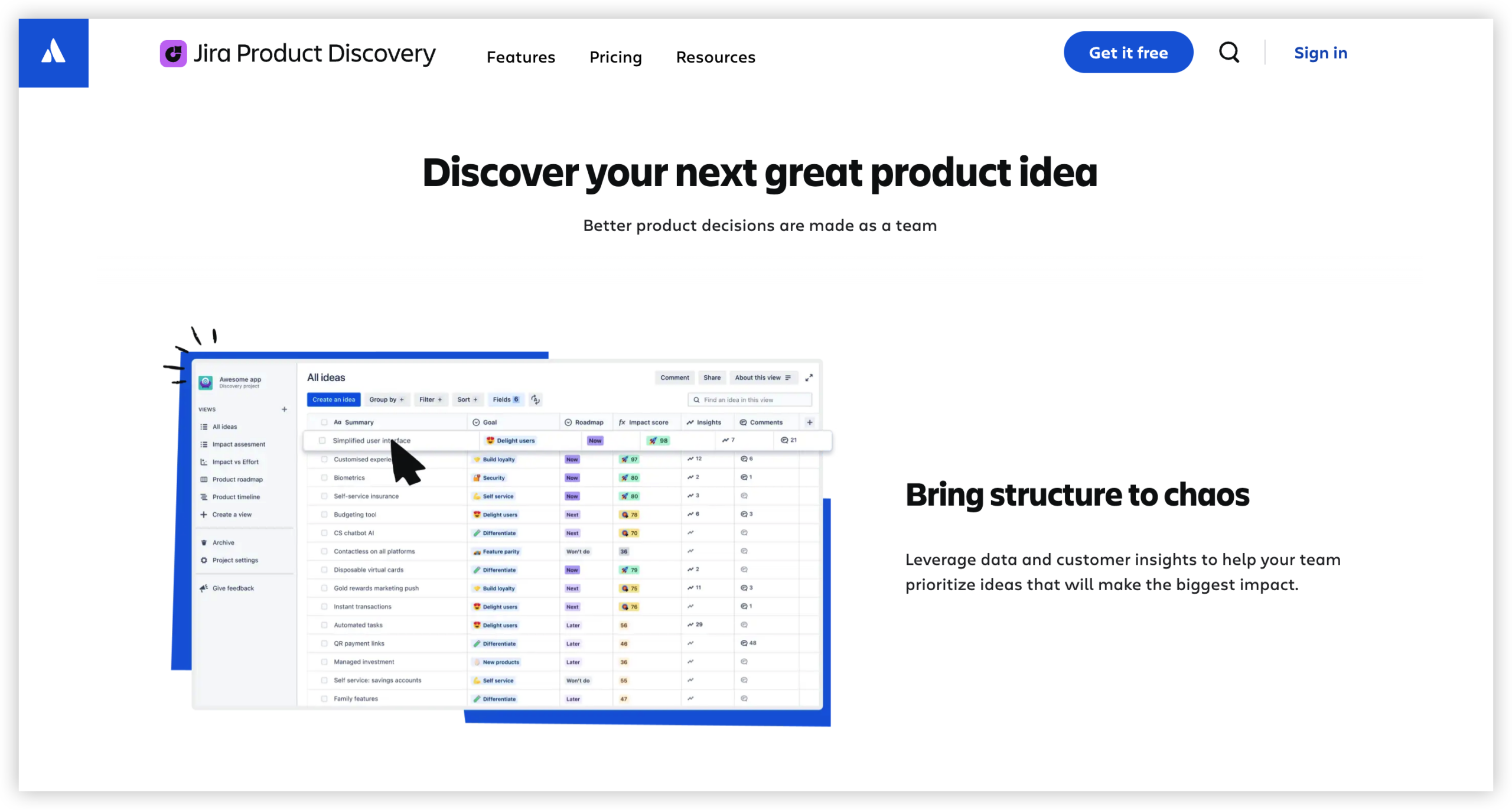
Free access and paid plans
The free tier can suit a small product group with a limited number of creators. It gives you a practical way to test idea capture, prioritization, roadmaps, and stakeholder collaboration before committing budget.
Paid plans become more relevant when several product managers need creator permissions, when leadership requires stronger controls, or when your team needs a more structured process across multiple products.
Creator seats versus contributors
This distinction has the biggest effect on your estimate. A creator usually builds and maintains product discovery content. A contributor may provide feedback, vote on ideas, comment, or review priorities.
For example, a product team with five product managers, two designers, and 40 stakeholders may need seven creator seats, while many stakeholders can participate with lighter access. Your actual configuration depends on Atlassian’s current permission rules.
How the Cost Model Works for Your Team
Start with access requirements rather than headcount alone. Count people who need to create or manage ideas, then separate them from people who only provide feedback or review decisions.
- List every role involved. Include product managers, product operations, designers, researchers, engineers, sales representatives, customer-facing teams, and executives.
- Define the work each role performs. Someone who creates custom views and prioritization frameworks may need more access than someone who only votes.
- Estimate creator seats. Use the highest realistic number for regular editors, rather than counting every person who may occasionally view a product area.
- Check the free-tier limits. Confirm the current creator allowance, project limits, storage rules, and collaboration permissions.
- Compare monthly and annual billing. Calculate the full commitment, including taxes and any related Atlassian subscriptions.
- Review the plan’s operational features. Administration, permissions, support, reporting, and governance can matter more than a small monthly price difference.
Here’s why: two teams with the same headcount can pay different amounts. A 20-person product organization may need only four creators, while another 20-person group may require nearly everyone to edit ideas.
A simple planning example
Imagine a company with three product managers, one product operations lead, four designers, six engineering leads, and 30 business stakeholders.
The first planning estimate might include eight creator seats for the product managers, product operations lead, designers, and engineering leads. Stakeholders could participate through lighter collaboration permissions if the selected plan allows it.
That estimate is more useful than saying, “The company has 44 people.” Pricing follows the access model, so role-based planning gives you a closer forecast.
Monthly versus annual billing
Monthly billing works well when your team is experimenting, hiring quickly, or running a short evaluation. Annual billing can make sense when the workflow is already established and the seat count is predictable.
Before choosing annual billing, test a likely growth scenario. If your team expects to add 10 creators within six months, calculate the cost of those seats before signing a longer commitment.
What You Get at Each Plan Level
Pricing tiers usually reflect more than the number of people you can invite. They can affect governance, capacity, administration, security controls, reporting, and the ability to scale discovery across several product groups.
The free plan is usually best for a compact team proving the workflow. A paid standard tier may fit a growing product organization. A higher tier can be more appropriate when product discovery becomes a company-wide operating process.
| Team situation |
Likely fit |
Questions to ask |
| Small product group testing the workflow |
Free or entry-level paid plan |
How many creators need access, and are the free limits sufficient? |
| Several product squads sharing one system |
Standard paid plan |
Can each squad manage its own product area while following common standards? |
| Large organization with governance needs |
Higher paid tier |
Are permissions, administration, reporting, and support strong enough for adoption? |
Free plan considerations
A free plan lowers the risk of testing a new workflow. You can create a small product area, invite a focused group, and see whether people actually contribute useful ideas.
Free access may become restrictive when more product managers need editing rights or when the team needs broader administration. A successful pilot can reveal the right paid tier more clearly than a theoretical estimate.
Paid plan considerations
Paid plans can support broader adoption and more consistent governance. Look for controls that help you manage access, standardize prioritization, and keep several product teams aligned.
Do not evaluate a plan only by its monthly seat price. A cheaper plan that creates manual work, inconsistent reporting, or permission problems can cost more in operational effort.
Premium capabilities and scale
Higher-tier capabilities matter most when discovery decisions affect many teams. For example, a portfolio group may need leadership views, stronger controls, and a repeatable way to compare opportunities across product areas.
The right question is simple: does the extra plan cost reduce enough coordination work to justify itself? If the answer is unclear, run a limited pilot with a representative product group.
Hidden Costs to Include in Your Budget
The subscription price is only one part of the total cost. Implementation, training, administration, integration work, and internal change management can influence the final value.
For example, a team may purchase five creator seats but spend several weeks defining fields, importing ideas, building prioritization views, and teaching stakeholders how to participate. That effort should appear in your evaluation.
Related Atlassian subscriptions
Jira Product Discovery may sit alongside Jira Software, Jira Service Management, Confluence, or other Atlassian products. Each product can have separate billing rules and access requirements.
Review the complete workspace configuration. A low price for one product may not represent the total cost of the collaboration environment.
Administration and setup effort
Someone must maintain fields, views, permissions, templates, and lifecycle rules. If product operations owns that work, include the time in your internal estimate.
A clear structure helps. For instance, one administrator can maintain shared standards while product managers own their own discovery areas. That division reduces duplicate configuration.
Training and adoption
People need to understand what belongs in the system, how ideas are evaluated, and when a request becomes a product opportunity. Without those rules, the workspace can become a long list of loosely described suggestions.
A short onboarding session, a few examples of strong ideas, and a regular review cadence can improve adoption more than adding another feature.
Migration and cleanup
If your team already tracks ideas across email, chat, meeting notes, and other systems, consolidation takes time. Review old items before moving them into a new workflow.
Keep active opportunities, merge duplicates, archive stale requests, and assign an owner to every item that remains. This gives the new workspace a clean starting point.
How to Compare Jira Product Discovery With Alternatives
A fair comparison requires the same scenario on both sides. Compare creator seats, contributor access, integrations, administration, reporting, hosting requirements, and implementation effort.
For example, a team may compare Jira Product Discovery with a general project management platform. The first tool may offer deeper product discovery features, while the second may combine discovery and delivery in one broader workspace.
Compare workflow fit
Ask how easily each option handles idea capture, customer feedback, prioritization, roadmaps, scoring, and links to delivery work. A platform that matches your existing process can reduce training time.
Compare collaboration needs
Check how stakeholders submit feedback and whether they need paid access. A product discovery system is more valuable when engineers, sales teams, support specialists, and executives can participate without creating unnecessary licensing friction.
Compare administration
Consider how much effort you need to manage permissions, custom fields, templates, reports, and integrations. A flexible tool can become difficult to maintain if every team creates its own structure.
Compare total operating cost
Build a three-year estimate using realistic growth. Include subscriptions, onboarding, administration, migration, training, and integration maintenance.
The cheapest subscription is not always the cheapest operating model. A slightly higher license cost may deliver better value if it reduces duplicate tools and manual coordination.
Natural Product Discovery Solution: ONES.com

Value Proposition
ONES.com is a unified platform for project management and knowledge management, powered by ONES Assistant. ONES Project can serve as a Jira alternative for teams that want product planning, delivery workflows, reporting, and collaboration in one environment.
It is sold separately from ONES Wiki, the knowledge management product. You can choose the product that fits your team’s immediate need instead of adopting both at once.
Core Capabilities
Separate planning and delivery tools
Pain: Product teams often capture opportunities in one place and manage execution somewhere else.
ONES capability: ONES Project combines product and project workflows with delivery management.
Result: Your team can connect discovery decisions with execution work more directly.
Jira-compatible workflows
Pain: Teams moving away from Jira may worry about retraining people and rebuilding familiar processes.
ONES capability: ONES Project supports Jira-compatible workflows.
Result: Existing delivery habits can transfer more smoothly during a platform change.
Custom fields and workflows
Pain: Every product organization evaluates opportunities differently.
ONES capability: You can configure custom workflows and fields for product stages, scoring, ownership, and approval.
Result: The workspace can reflect your operating model instead of forcing one rigid process.
Sprint management
Pain: Product decisions lose value when they remain disconnected from engineering execution.
ONES capability: Sprint management supports planning and delivery coordination.
Result: Teams can move from selected opportunities to organized implementation work.
Built-in reporting
Pain: Manual reporting consumes time and can produce inconsistent leadership updates.
ONES capability: Built-in reporting gives teams visibility into progress and work status.
Result: Product and delivery leaders can review execution without assembling every update manually.
Automation
Pain: Repetitive status changes, assignments, and notifications create avoidable administration.
ONES capability: Automation can handle recurring workflow actions.
Result: Your team spends more time evaluating opportunities and less time maintaining routine transitions.
Deployment flexibility
Pain: Some organizations cannot place project information in a public cloud environment.
ONES capability: ONES.com supports Cloud, On-Premise, Private Cloud, and Air-gapped deployments.
Result: Teams with strict infrastructure or network requirements have more deployment choices.
Feature parity across deployments
Pain: Self-hosted products sometimes remove capabilities available in hosted plans.
ONES capability: ONES.com provides full feature parity between its cloud and self-hosted versions.
Result: Deployment constraints do not automatically require a reduced feature set.
Entry-level access
Pain: A team may need to validate a workflow before making a broad purchase.
ONES capability: ONES.com offers a free plan for up to 30 seats.
Result: You can test a smaller implementation before expanding across product and delivery groups.
Application Scenarios
Growing software company: A product organization can use ONES Project for product planning, custom prioritization fields, sprints, and reporting. Engineering and product teams can work within connected workflows instead of maintaining separate systems.
Regulated organization: A company with network restrictions can evaluate On-Premise, Private Cloud, or Air-gapped deployment options. This can help align project management with infrastructure requirements.
Jira replacement project: A team exploring a Jira alternative can assess Jira-compatible workflows, built-in reporting, automation, and deployment flexibility during a controlled migration.
Common Challenges and Practical Solutions
Challenge: confusing creators with contributors
Solution: Map each role to a real action. If someone only comments or votes, do not automatically classify that person as a creator. Confirm the current access rules before finalizing your estimate.
Challenge: underestimating growth
Solution: Build a low, expected, and high-growth scenario. For example, calculate the cost for five, 10, and 20 creators over the next 12 months.
Challenge: focusing only on license price
Solution: Add setup, administration, training, integrations, and migration effort. A broader estimate gives decision-makers a more realistic view of value.
Challenge: buying advanced features too early
Solution: Start with the smallest plan that supports your pilot. Upgrade when a specific limitation affects adoption, governance, or reporting.
Challenge: low stakeholder participation
Solution: Define what makes a useful idea, how feedback is reviewed, and when decisions are communicated. A clear operating rhythm encourages better participation than an open invitation alone.
FAQs
Is Jira Product Discovery free?
Jira Product Discovery generally offers a free tier for small teams, subject to current limits on creator seats and available capabilities. The free option can work for an initial pilot or a compact product group. Check the current Atlassian pricing page before relying on a specific seat allowance, since plan rules and regional charges can change.
Do all stakeholders need a paid creator seat?
No. Many teams separate creators from contributors. Creators build and manage ideas, while contributors may provide feedback, vote, comment, or review priorities. The exact permission model depends on the current plan. List the actions each role needs before estimating your subscription rather than paying for full editing access across the entire organization.
What affects the final subscription cost?
The main factors include creator-seat count, plan level, monthly or annual billing, regional currency, taxes, and related Atlassian products. Your total operating cost can also include setup, training, administration, integrations, and migration. A role-based estimate is usually more accurate than multiplying the total company headcount by a published monthly rate.
Is annual billing better than monthly billing?
Annual billing can suit a stable team with predictable access needs, while monthly billing offers more flexibility during a pilot, reorganization, or hiring period. Compare both options using your expected seat growth. If your creator count may change significantly, calculate the cost of unused access and additional seats before choosing a longer commitment.
How should I compare Jira Product Discovery with another platform?
Use the same team size and workflow for every option. Compare creator and contributor access, idea capture, prioritization, reporting, integrations, administration, security, hosting, and implementation effort. Then estimate the total cost over several years. A platform with a higher subscription can still deliver better value if it reduces duplicate tools and manual coordination.
Conclusion
Jira Product Discovery pricing becomes easier to understand when you separate creator seats, contributor access, plan capabilities, billing terms, and operating effort. Start by defining what each role needs to do, then compare the free and paid options against a realistic growth scenario.
Remember the core lesson: the subscription is only one part of the decision. Training, administration, integrations, adoption, and the rest of your Atlassian environment can change the final value.
If your current workflow feels fragmented, evaluate a broader product and project management platform such as ONES.com. A focused pilot can show whether connected planning, delivery, reporting, and flexible deployment provide a better long-term fit.