Jira Production Workflow: A 2026 Release Checklist for Teams
Is your Jira production release truly ready? Use this 2026 jira prod checklist to verify tests, approvals, ownership, and rollback plans. Read now.
A production release can look ready in Jira while a critical test is still running, an approval is missing, or nobody knows who will roll back a failed deployment. Those gaps create rushed decisions, avoidable downtime, and late-night confusion for your team.
A Jira board alone cannot guarantee a safe release. Your team needs a workflow that connects clear ownership, tested changes, approval gates, deployment checks, and post-release monitoring.
But here's the truth: you can make production releases more predictable without turning every deployment into a maze of process. Use this practical 2026 checklist to prepare a Jira production workflow, spot missing safeguards, and give each release a clear path from planning to follow-up.
Your Jira Production Release Checklist
Use these steps before, during, and after each production release. Adapt the gates to your risk level: a small copy change may need fewer checks than a payment-system update.
- Define the release outcome. Record what the release should change, who benefits, and how your team will confirm success. Set a release window and identify the person responsible for the final decision.
- Group the work under a release. Link every change, bug fix, and operational task to the relevant release or delivery milestone in Jira. Confirm each item has an owner, a clear status, and acceptance criteria.
- Check readiness and dependencies. Identify work that is unfinished, blocked, or dependent on another team. For example, a mobile release may need an API change to reach production first.
- Confirm testing and quality gates. Record which checks apply, who completed them, and what happened. Include automated tests, manual testing, security review, and performance checks where the risk calls for them.
- Review approvals and communication. Make required business, technical, and operations approvals visible. Tell affected teams when the release is planned and where they can find status updates.
- Prepare the deployment and rollback plan. Specify the deployment owner, sequence, monitoring signals, and steps for stopping or reversing the release. A rollback plan should name who can authorize action.
- Run the release gate. Before deployment, verify that required work is complete, checks have passed, approvals are recorded, and the release owner is available. Pause if a critical condition is still unknown.
- Verify production and close the loop. Check service health and key user journeys after deployment. Record incidents or follow-up work, notify stakeholders, and review what to improve before the next release.
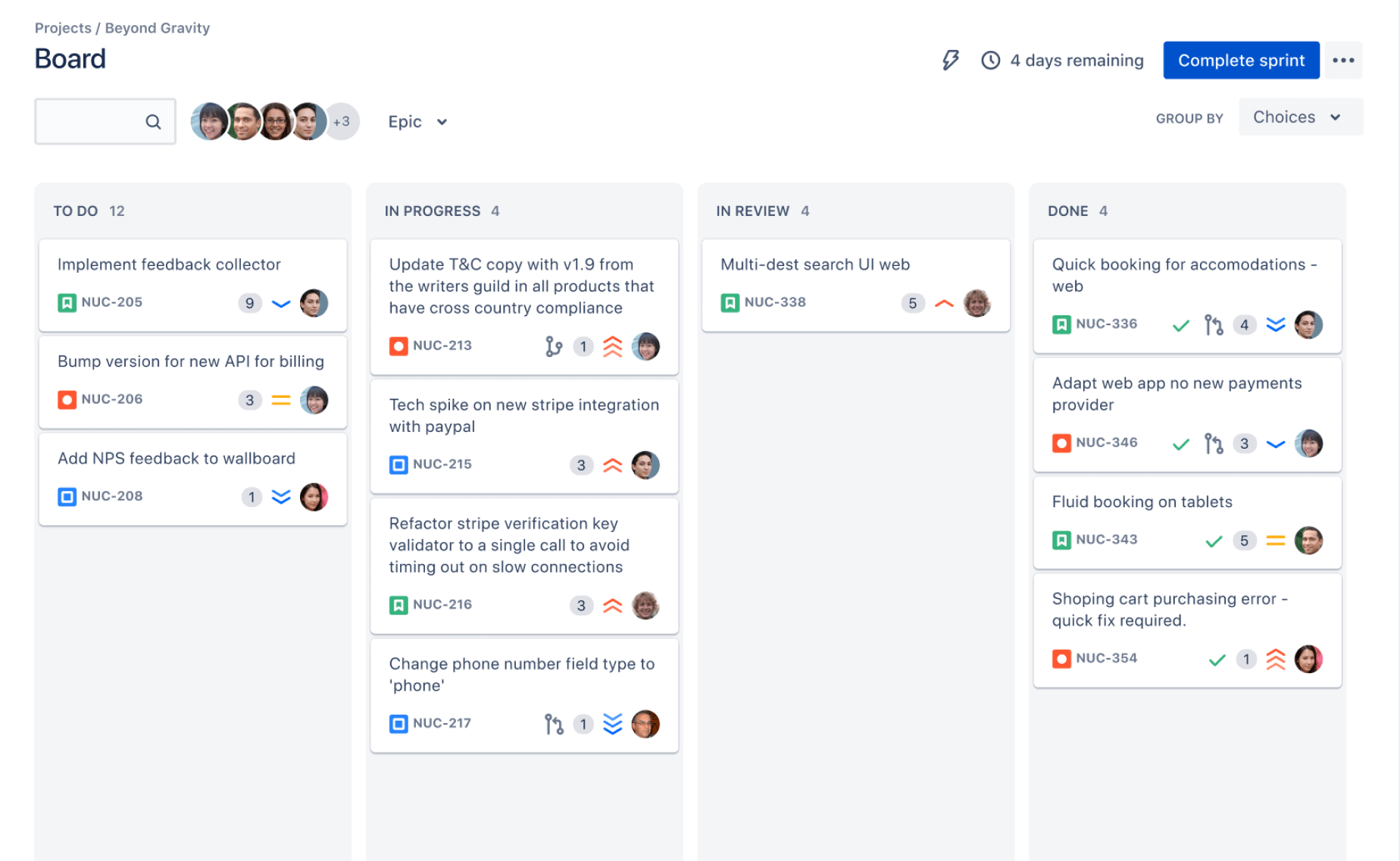
Design Jira Workflows Around Release Decisions
Make each status describe a meaningful state
A status should tell the team what has happened and what must happen next. A simple path might include To Do, In Progress, Ready for Test, Approved, and Released. Choose names that match your team's actual handoffs.
Here's why: a status such as Done can mean coding is complete to one person and live in production to another. Use separate states when testing, approval, or deployment still needs to happen.
Set gates where risk changes
Transitions can represent decisions, not just movement across a board. For a high-impact change, moving into Ready for Production might require a test result, an assigned release owner, and an approval.
Keep gates proportionate. A team that requires several approvals for every low-risk change may create workarounds. A team that has no approval path for a customer-impacting change may miss a crucial review.
Keep ownership visible at handoffs
Every transition should make clear who acts next. If quality assurance passes a change to operations, name the receiving role or owner instead of leaving the item in a shared queue.
For example, a release manager can own the go-or-no-go decision while an engineer owns deployment and an on-call teammate watches service health. Clear roles reduce delays when a release encounters trouble.
Prepare Testing, Approvals, and Dependencies
Use acceptance criteria to make readiness testable
Acceptance criteria turn a broad request into checks that a teammate can verify. “Improve checkout” leaves room for guesswork; “a customer can complete payment with a saved card and receive confirmation” is testable.
Link test work to the change it covers, and make the result easy to find in Jira. If a test fails, the release owner should be able to identify the affected change without asking several teams.
Track dependencies before release day
A dependency can be a service update, a configuration change, an external approval, or a team handoff. Make the relationship visible and identify who will confirm it is ready.
Imagine that a reporting feature needs a permissions update. If the permissions work is delayed, the release team can decide whether to postpone the feature or ship a safe, reduced scope.
Match approvals to the risk
Write down which changes require review and who can approve them. A routine internal improvement may need a technical review, while a change affecting customer payments may also need security and business approval.
Let me explain: approval is useful only when the reviewer can assess the change and respond in time. Set an expected response window, and define who can make a decision if the primary approver is unavailable.
Plan Deployment, Rollback, and Communication
Make the deployment sequence explicit
List the order of changes when one release includes several services or coordinated updates. Include prerequisites such as configuration changes or data migrations, and assign a person to confirm each critical action.
For example, an API update may need to reach production before a new mobile app can use it. A visible sequence helps the team catch that dependency before users encounter an incompatible combination.
Define rollback conditions before a problem occurs
Choose signals that indicate a release is unhealthy, such as a sharp increase in failed payments, error rates, or support requests. Name the person who monitors those signals and the threshold that prompts investigation.
A rollback plan should explain how to stop, reverse, or contain a change. Some updates cannot be reversed cleanly, so identify a fallback option and the owner who can approve it.
Communicate with the people affected
Share the planned timing, expected impact, and status channel with support, operations, and other affected teams. For a customer-facing change, prepare a concise update that support staff can use when questions arrive.
The best part? A brief, timely update can prevent several teams from chasing the same answer. Keep communications tied to the release record so teammates can find the current status quickly.
Measure Release Health and Improve the Process
Review outcomes, not just completed tickets
Track measures that help explain delivery quality, such as deployment frequency, time to restore service, change failure rate, and lead time for changes. Use trends to start a team discussion rather than treating a single number as a verdict.
If deployments are frequent but failures rise, investigate testing coverage, change size, or missing operational checks. If release work waits days for approval, examine the review path and reviewer availability.
Use incidents and near misses to refine gates
After an incident, record what happened, which warning signs were missed, and what action would reduce the chance of recurrence. A near miss deserves attention too; it may reveal a weak handoff before it causes customer impact.
Keep improvements specific. Instead of “improve testing,” create a follow-up task to add a named check, assign an owner, and decide how the team will confirm the change helped.
Keep Jira reporting useful to the team
Use Jira reporting to see blocked work, aging approvals, unresolved defects, and release readiness. A report is most useful when it answers a decision-making question, such as whether every high-priority item has passed testing.
Review the workflow when teams change, services split, or release frequency shifts. A process that worked for monthly releases may slow down a team deploying several times a day.
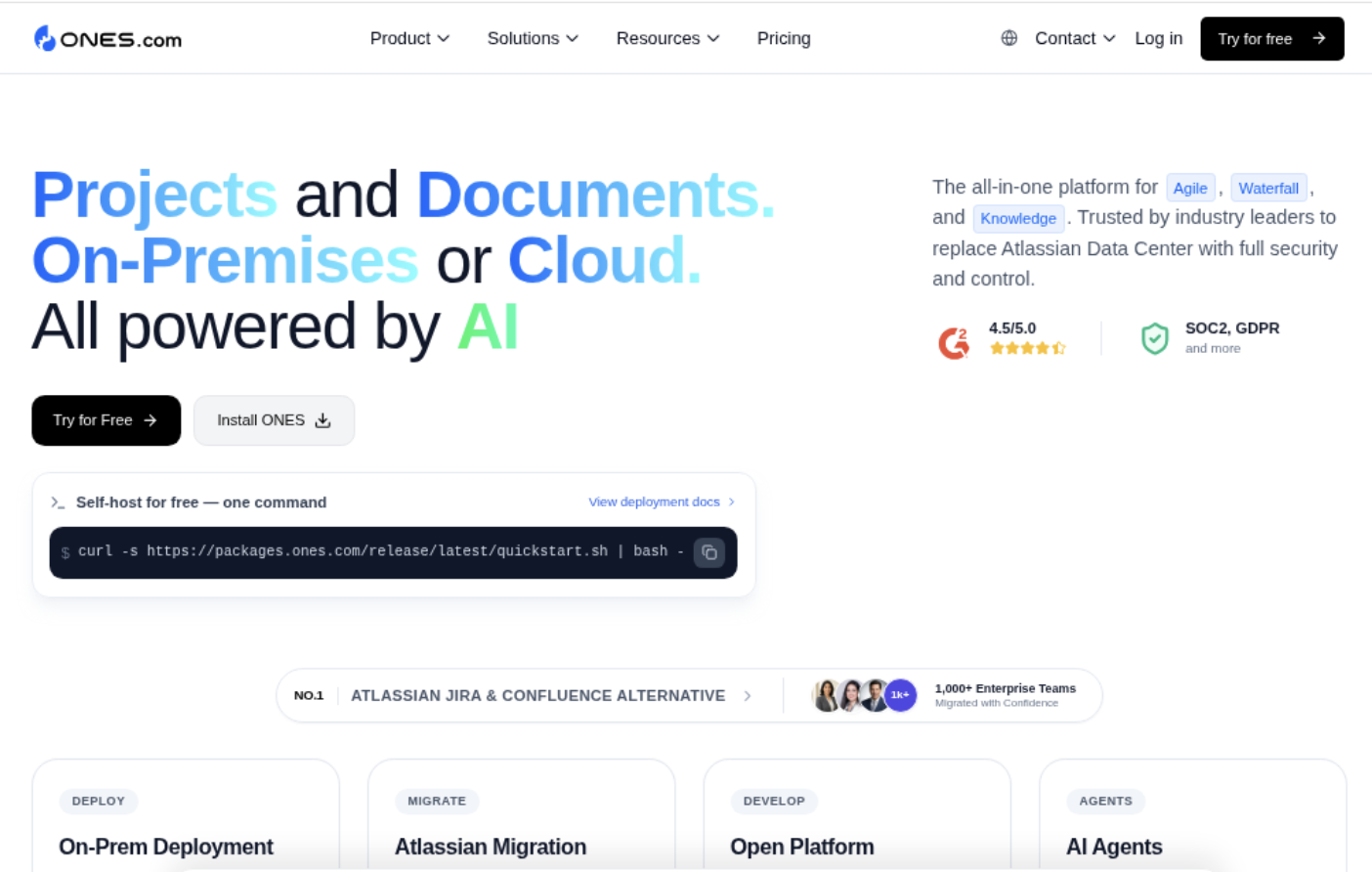
Jira Production Workflow Solution: ONES.com
Value Proposition
ONES.com combines project management and knowledge management in a unified platform, with ONES Project for project management and ONES Wiki for knowledge management. They are sold separately, so you can select the capability that fits your team.
ONES Project is a Jira alternative with Jira-compatible workflows, built-in reporting, and deployment choices that include on-premise and air-gapped environments. It can help teams keep release coordination and project information together while reducing reliance on extra plugins.
Core Capabilities
- Workflow friction → Jira-compatible workflows → familiar release paths. Configure custom workflows and fields to reflect testing, approvals, and production states without forcing the team into a generic process.
- Limited release visibility → Built-in reporting → clearer readiness checks. Use reports to review work status and spot delays or blockers before the release window.
- Unclear sprint commitments → Sprint management → more visible planned work. Teams can organize delivery work into sprints and connect planned changes to release preparation.
- Repeated manual handoffs → Automation → fewer routine status updates. Automate appropriate workflow actions so recurring transitions require less manual coordination.
- Many separate work tools → ONES.com platform options → connected project and knowledge work. Use ONES Project for project management and ONES Wiki for knowledge management when both needs matter.
- Plugin-heavy processes → Native capabilities → fewer add-ons to maintain. Built-in reporting and configurable workflows can cover common project needs without relying on a long chain of extensions.
- Restricted hosting requirements → On-premise, private cloud, or air-gapped deployment → more deployment choice. Teams can select from Cloud, On-Premise, Private Cloud, and Air-gapped deployments.
- Concern about changing deployment models → Feature parity across cloud and self-hosted versions → consistent capability planning. Teams can evaluate hosting needs without giving up feature parity between those versions.
Application Scenarios
Software team with approval gates: A team can configure ONES Project workflow states for development, testing, security review, approval, and release. Custom fields can capture the release owner and planned window, while reporting helps identify items that are not ready.
Organization with restricted network requirements: A team that cannot use a public cloud service can consider an on-premise, private cloud, or air-gapped deployment. Its release workflow can still use project tracking features and reporting within the selected environment.
Team connecting project work with guidance: A group can manage release tasks in ONES Project and keep operational guidance in ONES Wiki if it needs both products. Since the products are sold separately, the team can start with the part it needs.
Common Challenges and Practical Fixes
Release tickets show progress but not readiness
Problem: Items appear nearly complete, but testers cannot tell whether checks passed or approval is outstanding.
Solution: Define a readiness state with clear entry conditions. Capture test outcomes, required approvals, and the next owner before moving work into that state.
Approvals slow down the release
Problem: Work waits because reviewers are unclear, unavailable, or asked to approve changes without enough context.
Solution: Assign approvers by risk, set response expectations, and make the review evidence easy to find. Name a backup decision-maker for time-sensitive releases.
Teams discover dependencies too late
Problem: A release depends on another service or group, but nobody confirms readiness until deployment day.
Solution: Link dependency work early, assign an owner on each side, and set a checkpoint before the release window. Agree on a reduced scope if the dependency misses its deadline.
Rollback plans are vague
Problem: The plan says “revert if needed” but does not identify the trigger, steps, or decision-maker.
Solution: Name the health signals to watch, the person who can call a rollback, and the action to take. If a change cannot be reversed safely, define a containment or fallback approach.
FAQs
What should a Jira production release checklist include?
Include the release goal, linked work, owners, dependencies, test outcomes, approvals, deployment order, monitoring signals, and rollback or containment steps. Add communication tasks for affected teams and a post-release verification step. Adjust the checks to match risk; a small internal change usually needs fewer gates than a customer-facing payment change.
How should I set up Jira statuses for production releases?
Choose statuses that represent distinct work states and decisions, such as development, testing, approval, ready for production, and released. Make the conditions for each transition clear, so “ready” does not mean something different to engineering and operations. Keep the workflow as simple as possible while preserving the checks your team genuinely needs.
Should every production change require approval?
That depends on the change's impact, risk, and your organization's policies. A routine, low-risk update may need automated checks and a technical review, while a high-impact change may require additional approval. Define the rules in advance and explain who can approve each type of release, including who acts when the usual reviewer is unavailable.
How can my team track release readiness in Jira?
Use a consistent release record or milestone that links the work included in the deployment. Make blockers, failed checks, missing approvals, and dependencies visible through statuses, fields, and reports. Before release, have an owner verify those conditions and record the go-or-no-go decision. After deployment, capture production verification and follow-up work.
Conclusion
A reliable Jira production workflow gives every release a clear path through planning, testing, approval, deployment, and verification. The checklist helps your team see missing owners and safeguards before they become urgent production problems.
Start with the release steps that address your biggest risks, then refine the workflow using incidents, near misses, and delivery trends. You do not need more process for its own sake; you need clear decisions and a practical response when a release does not go to plan.
With visible readiness checks, proportionate approvals, and a rollback plan people can follow, your team can make production releases more predictable in 2026 and beyond.