Jira Release Planning: A Step-by-Step Guide for Agile Teams
Is your release plan at risk? Follow this step-by-step Jira release planning guide to align scope, capacity, and dates. Read now to plan with confidence.
A release can look ready in Jira while key work remains unestimated, dependencies are unresolved, or testing has no room in the schedule. That gap can turn a planned launch into a last-minute scramble, leaving your team to explain delays and make rushed trade-offs.
Jira release planning gives you a practical way to connect scope, team capacity, dependencies, and delivery dates. Start by defining the release goal, then choose work your team can reasonably complete, track it against milestones, and review risks regularly. But here's the truth: a release plan is a forecast, not a promise. I’ll walk you through a clear process for building one in Jira, keeping it current, and communicating changes before they surprise anyone.
How to Plan a Jira Release Step by Step
Use this sequence to turn a release goal into a plan your team can inspect and update. Keep the first version simple; add detail as estimates and dependencies become clearer.
- Define the release outcome. Write down what the release should accomplish, who it serves, and how you’ll recognize success. For example, a mobile release might aim to let customers reset passwords without contacting support.
- Set a target window. Choose a planned release date or date range, plus any fixed events that affect delivery. Treat the date as a planning assumption until scope, capacity, and risks have been reviewed.
- Gather candidate work. Review the product backlog with product, engineering, testing, and relevant stakeholders. Include features, bug fixes, technical work, and compliance tasks that may affect the release.
- Prioritize and define the release boundary. Agree which items are essential, which are optional, and what can move to a later release. Record acceptance criteria so the team can tell when each item is complete.
- Estimate effort and check capacity. Use your team’s normal estimation approach, then compare the committed work with available capacity. Account for leave, support duties, meetings, and other work that reduces delivery time.
- Map dependencies and milestones. Identify work that must happen first, external approvals, testing windows, and deployment tasks. Add milestones such as feature freeze, release candidate, and go/no-go review.
- Track progress and revise the forecast. Review work, blockers, risks, and remaining capacity during team check-ins. If the forecast changes, adjust scope or timing and tell affected stakeholders promptly.
Here's why: each step answers a different planning question. Together, they help you see whether the release is achievable and what needs attention before launch.
Clarify Scope, Timing, and Release Criteria
A useful release plan gives everyone the same definition of “ready.” Start with a short release goal, then connect each planned item to that outcome. If a proposed task does not support the goal or a required quality standard, ask whether it belongs in this release.
For example, a team releasing a new checkout flow might mark payment processing and order confirmation as essential. A redesigned help page may be valuable but optional. This distinction makes scope trade-offs easier when testing reveals a delay.
Agree on a Release Boundary
Define the work that must be complete for the release to proceed. Include acceptance criteria, testing expectations, security or compliance checks, and any operational readiness tasks. A vague boundary invites late additions and conflicting assumptions.
The best part? A clear boundary also gives you a sensible way to discuss change. A new request can be evaluated against the release goal, remaining capacity, and the risk of moving the target date.
Organize Release Work in Jira
Jira can help you connect planned work to delivery progress. Teams often group work with a version or release field, then associate relevant issues with that release. The exact setup depends on your Jira project type and team workflow.
Keep issue details usable: include an owner, priority, estimate, acceptance criteria, and links to related work where appropriate. If a task depends on another task, represent that relationship clearly so the team can see what may block progress.
Use Views That Answer Planning Questions
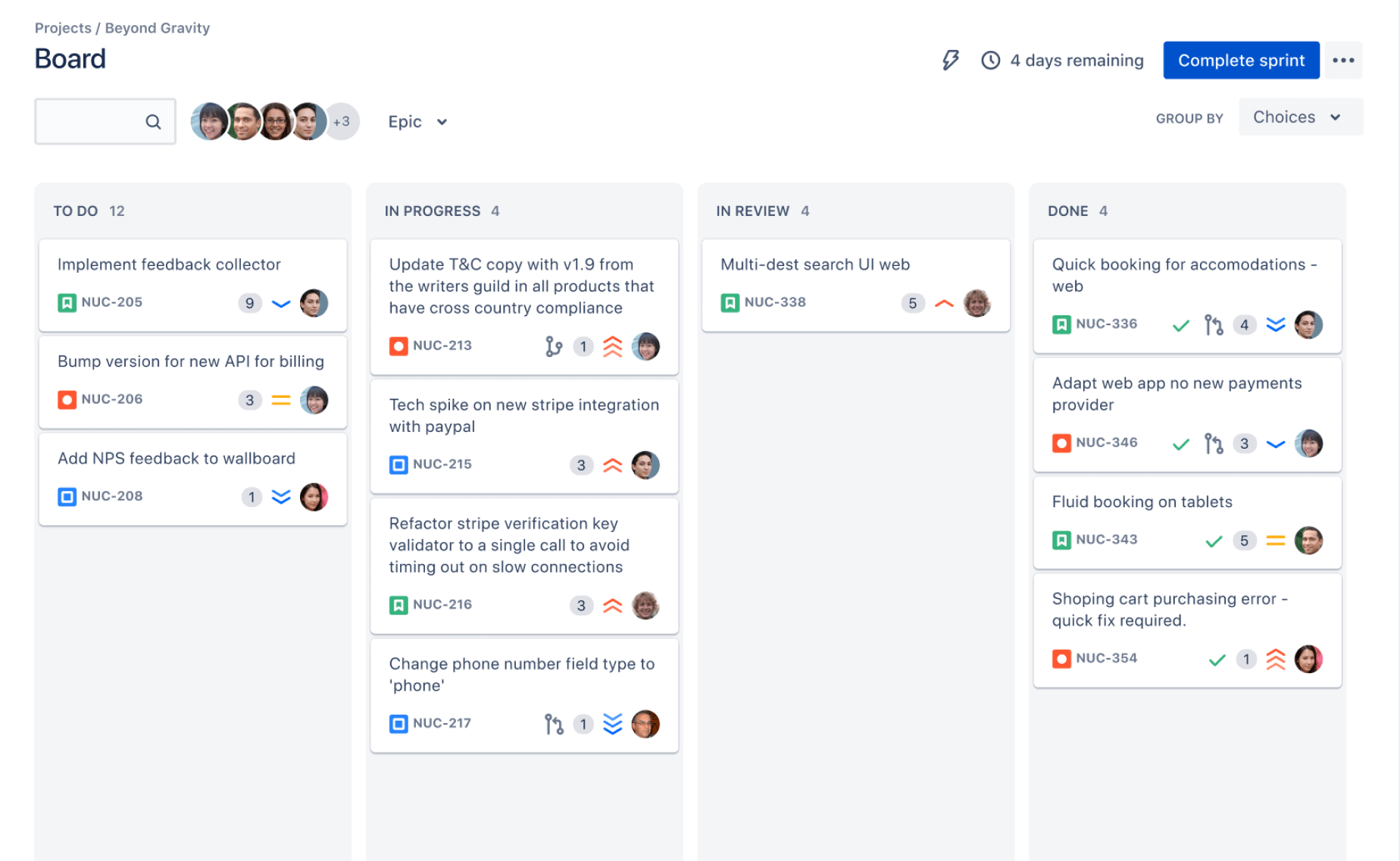
A backlog view can help you prioritize candidate work. A board can show how tasks move through the team’s workflow. A release or version view can help you inspect the items assigned to a target launch.
Let me explain: a view is useful only when it helps someone make a decision. A release lead may need to know which high-priority items are blocked, while a tester may need to see which completed items still require verification.
Keep the Workflow Consistent
Agree what statuses mean, especially for testing, review, and release readiness. If one person marks an issue complete when coding ends and another does so after testing, progress reports will be hard to interpret.
Use Jira fields and workflow rules consistently. Avoid adding fields simply because they might be useful someday. A small set of well-maintained planning details is often more valuable than a crowded issue screen.
Estimate Capacity and Build a Realistic Forecast
Capacity is the work your team can reasonably deliver during the planning period. It is not the same as the total hours on everyone’s calendar. Support requests, leave, reviews, and coordination all take time away from planned feature work.
For example, if a six-person team has two people on planned leave and one engineer covering production support, the team should not plan as if all six have uninterrupted availability. Use past delivery patterns as a check, then discuss unusual circumstances openly.
Make Estimates Useful, Not Perfect
Estimates help compare work and expose uncertainty. They do not guarantee an exact completion date. Choose a method your team understands, such as story points or relative sizing, and apply it consistently.
You might be wondering: what if estimates are still rough? Mark uncertain items, break large work into smaller pieces, and identify what the team needs to learn before committing. A short technical investigation can improve the forecast more than an elaborate estimate.
Protect Some Room for Change
Plans can be disrupted by defects, urgent support, or unexpected technical complexity. Leave reasonable capacity for these events, especially if your team regularly handles operational work.
When a release forecast becomes strained, compare the available choices: reduce optional scope, move the target window, or address a blocker. Making that choice early usually gives stakeholders more options than waiting until the final week.
Manage Dependencies, Risks, and Quality Gates
Dependencies can make a release fragile when one team’s work relies on another team, vendor, approval, or environment. Record the dependency, name an owner, and agree on the date when it must be resolved.
For example, a new reporting feature may depend on an analytics event being available first. If the event is late, the team could test the interface with a temporary approach, reduce the feature’s initial scope, or revise the release forecast.
Turn Risks Into Actions
For each significant risk, note the possible effect, its likelihood, and a response. “Testing may run late” is too vague by itself. “The test environment is shared; reserve a window by Tuesday” gives the team something to do.
Review risks during planning and regular progress checks. A risk that no longer applies can be closed. A new blocker should be made visible while there is still time to respond.
Set Readiness Checks Before Launch
Define the checks needed before release, such as completed testing, reviewed defects, deployment approval, support readiness, and a rollback approach. The right checks depend on the product and the impact of a failed release.
A short go/no-go review can confirm whether those conditions are met. If the team decides to proceed with a known issue, record the reason, owner, and follow-up plan so the trade-off stays clear.
Track Progress and Communicate Changes
During delivery, compare completed work with the release goal and remaining capacity. Pay attention to blocked issues, work that repeatedly rolls forward, and testing that is accumulating faster than the team can complete it.
Share changes in plain language. Instead of saying, “The release is at risk,” explain which item is blocked, what it affects, and what decision is needed. That gives stakeholders a way to help rather than merely react.
Use a Regular Review Rhythm
Set a cadence that fits the release, such as a weekly review for a longer initiative and more frequent checks near launch. Review scope, progress, dependencies, defects, and decisions in one place when possible.
Keep a brief record of important decisions and changed expectations. If a feature moves out of scope, make sure the release view and stakeholder update reflect the same plan.
Run a Release Retrospective
After launch, compare the plan with what happened. Ask where estimates were off, which dependencies caused delays, and whether quality checks caught issues early enough.
Use specific observations to improve the next planning cycle. If testing repeatedly starts late, for example, bring test planning into scope discussions instead of treating it as a final handoff.
ONES.com for Project and Knowledge Management
Value Proposition
ONES.com combines project management and knowledge management in one platform, powered by ONES Assistant. ONES Project supports project and delivery workflows, while ONES Wiki supports team knowledge management; the products are sold separately.
Core Capabilities
- Scattered planning details → Jira-compatible workflows → Teams can work with familiar issue and process patterns while coordinating project delivery.
- Limited visibility into progress → built-in reporting → Teams can review work status and identify delivery concerns without relying only on manual updates.
- Rigid issue tracking → custom workflows and fields → Teams can reflect their planning stages and capture details relevant to their release process.
- Sprint work disconnected from release goals → sprint management → Teams can organize iteration work and connect it with broader delivery planning.
- Repeated manual steps → automation → Teams can reduce routine workflow actions and keep common processes more consistent.
- Many separate tools for project and team knowledge → ONES Project and ONES Wiki → Teams can manage work and knowledge within the ONES.com platform, choosing the products they need.
- Need for self-hosted deployment → four deployment options → Teams can choose Cloud, On-Premise, Private Cloud, or Air-gapped deployment to fit their environment.
- Concern about feature differences across hosting options → feature parity → Cloud and self-hosted versions have full feature parity, helping teams select deployment based on operational needs.
ONES Project can be considered a Jira alternative for teams assessing project management platforms. ONES Wiki is a Confluence alternative for knowledge management. A free plan supports up to 30 seats.
Application Scenarios
Agile release coordination: A product team can use ONES Project to organize sprint work, set custom release workflows, and review progress through built-in reporting. This can help the team spot blocked work during a release cycle.
Restricted deployment environments: An organization that requires its project platform to run in a controlled environment can evaluate On-Premise, Private Cloud, or Air-gapped deployment. It can maintain feature parity with the cloud version while choosing the deployment that fits its requirements.
Project work with team knowledge: A team can choose ONES Project for project coordination and ONES Wiki for internal knowledge. Since they are sold separately, the team can adopt the product that fits its immediate need.
Common Jira Release Planning Challenges
Scope Keeps Growing
Problem: New requests arrive after the team has agreed on the release boundary, making the original forecast less reliable.
Solution: Compare each request with the release goal, remaining capacity, and launch risk. If it must be added, identify what will move out or whether the target window needs to change.
Estimates Do Not Match Delivery
Problem: The team repeatedly commits to more work than it completes, or estimates vary widely between contributors.
Solution: Review recent delivery patterns and look for causes such as unplanned support, oversized work, or unclear acceptance criteria. Improve those conditions before asking for more precise estimates.
Dependencies Surface Late
Problem: A required approval, team contribution, or environment is discovered after related work is already underway.
Solution: Review dependencies during scope and technical discussions. Assign an owner and a resolution date, then check the dependency during regular release reviews.
Jira Statuses Do Not Reflect Reality
Problem: Teams use different meanings for the same status, so a release view looks healthier than the work actually is.
Solution: Agree on status definitions and make testing and review expectations explicit. Check that the workflow matches how the team completes work in practice.
FAQs About Planning Jira Releases
What is the difference between a Jira release and a sprint?
A sprint is a time-boxed period in which a team plans and completes a set of work. A release groups work intended for delivery to customers or another audience. A release may span several sprints, depending on the team’s workflow and product needs. Jira project configuration affects how teams represent releases, so check which release and version features are available in your project.
How far ahead should I plan a release?
Plan far enough ahead to identify scope, dependencies, capacity needs, and major quality checks. Avoid treating distant estimates as firm commitments, because uncertainty grows as the release gets farther away. A team may set a broad target window early, then refine scope and timing as work is estimated and dependencies become clearer. The right horizon depends on your delivery cadence and how quickly priorities change.
Can Jira guarantee that a release date will be met?
No planning setup can guarantee a delivery date. Jira can help your team organize work and make progress visible, but the outcome still depends on scope, capacity, dependencies, quality, and unexpected changes. Treat dates as forecasts that need review. When assumptions change, revise the plan and communicate the effect rather than preserving an outdated date for appearances.
How should I handle work that is not finished by the release date?
First, confirm whether the unfinished work is essential to the release goal or can move to a later release. Review its effect on quality, customer value, and dependencies before deciding. Update the release scope and communicate the change to affected people. If the remaining work is required for a safe launch, consider moving the release window instead of bypassing a necessary quality check.
What should a release plan include?
A practical plan includes the release goal, target window, prioritized scope, estimates, capacity assumptions, owners, dependencies, milestones, risks, and readiness checks. It should also show how the team will review progress and communicate changes. You do not need elaborate detail for every task at the start. Add precision where it helps the team make a decision or manage a meaningful risk.
Conclusion
Good Jira release planning starts with a clear outcome and a realistic boundary. Add estimates, capacity, dependencies, and readiness checks, then review the forecast as the work progresses.
But here's the truth: even a careful plan will change when new information appears. Keep the team aligned, make trade-offs visible, and communicate changes early. That turns release planning into a practical way to deliver with fewer surprises, rather than a date on a calendar that nobody can explain.