Jira Roadmap Pricing: Plans, Costs, Features, and Limits
Comparing jira roadmap pricing? See plans, costs, features, limits, and hidden factors to choose the right option. Read now to decide.
Jira roadmaps can look affordable until you calculate the real cost of planning across teams. The subscription is only one part of the decision. Your roadmap may depend on plan level, user count, billing cycle, permissions, advanced planning, automation, and connected products.
That creates a common problem: you compare the headline price, then discover that essential planning features require a higher tier. A growing team can also face limits around users, storage, automation, hierarchy, or cross-team visibility.
But here's the truth: Jira roadmap pricing becomes much easier to understand when you separate the base Jira plan from roadmap capabilities and extra products. This guide explains the available plans, typical costs, feature differences, limits, and practical alternatives.
Jira Roadmap Pricing at a Glance
Jira roadmap pricing depends on your Jira subscription, team size, billing cycle, and the roadmap features you need. Basic planning tools may appear in lower tiers, while advanced cross-team planning generally requires Premium or a separate product.
| Plan or product |
Typical roadmap access |
Best fit |
Pricing approach |
| Free |
Basic project planning, timelines, and limited collaboration |
Small teams testing Jira |
No-cost tier with user and feature limits |
| Standard |
Core project management and basic roadmap visibility |
Growing teams with straightforward planning |
Per-user subscription, usually cheaper with annual billing |
| Premium |
Advanced planning, broader capacity visibility, and stronger administration |
Multiple teams coordinating shared priorities |
Higher per-user subscription |
| Enterprise |
Large-scale governance, security, and portfolio coordination |
Large organizations with complex administration |
Custom quotation |
| Jira Product Discovery |
Idea intake, prioritization, product discovery, and outcome planning |
Product teams managing opportunities before delivery |
Separate product subscription |
Exact amounts can change by region, currency, user band, promotions, and billing term. Check Atlassian’s current calculator before approving a purchase.
Here's why: “roadmap” can mean different things. A simple timeline for one project is different from a portfolio plan spanning teams, releases, dependencies, and capacity.

What you are really paying for
Your total cost usually includes four elements:
- The Jira subscription tier.
- The number of billable users.
- The billing cycle and applicable discounts.
- Additional products, apps, or administrative controls.
For example, a team may begin with Jira Standard and create a basic timeline. Later, it may need cross-team dependencies and advanced scheduling. That requirement can push the team toward Premium or an additional planning product.
Jira Plans and Estimated Costs
Jira commonly offers Free, Standard, Premium, and Enterprise options. The first three use self-service pricing, while Enterprise normally requires a sales conversation.
Free plan
The Free plan is designed for small teams exploring Jira. It can support basic issue tracking, boards, project views, and limited planning.
Roadmap access at this level is generally suitable for a simple delivery schedule. You might map epics across a few months and share priorities with a small group.
The main trade-off is scale. User caps, administrative controls, automation allowances, support options, and collaboration limits can become restrictive as your team grows.
A free plan can work well when:
- You have a small delivery team.
- You need a lightweight timeline.
- You are validating whether Jira fits your workflow.
- You do not require portfolio-level planning.
Standard plan
Standard is usually the starting point for teams that need regular Jira administration and broader collaboration.
Recent public pricing has placed Jira Standard around the mid-single-digit range per user each month on monthly billing. Annual pricing can follow a different user-band calculation.
Consider that figure an estimate rather than a permanent price. Atlassian may adjust rates, taxes, currency conversion, or billing rules.
Standard usually provides stronger limits than Free for projects, storage, automation, and user management. It can suit a team that needs project timelines without advanced portfolio controls.
Premium plan
Premium is typically the most relevant tier for advanced roadmap planning inside Jira. It is designed for teams coordinating multiple projects, releases, or departments.
Recent public pricing has placed Jira Premium around the low-teens per user each month on monthly billing. The final amount depends on your region, user count, and billing method.
Premium may provide access to advanced planning capabilities, higher operational limits, improved service features, and stronger controls for larger teams.
You might be wondering: is Premium worth it for one team? Usually, the answer depends on whether you need cross-team planning. A single team with a simple backlog may not use its extra capabilities.
Enterprise plan
Enterprise pricing is negotiated rather than displayed as one universal per-user amount. It targets large organizations with demanding governance, security, analytics, and support requirements.
Enterprise becomes more relevant when you manage many teams, multiple business units, complex identity policies, or strict administrative requirements.
Ask for a written quote that separates licensing from implementation, premium support, consulting, and any connected products. Those costs can affect the long-term budget more than the listed subscription.
Which Jira Plan Includes Advanced Roadmaps?
Advanced Roadmaps, now commonly associated with Plans in Jira Cloud, is generally tied to higher-tier Jira capabilities. In many current Jira configurations, Premium is the main tier for advanced planning.
Basic roadmap views and timelines can be enough for one team. Advanced planning becomes more valuable when you need a shared hierarchy, dependencies, capacity planning, and several delivery teams.
Basic roadmap planning
A basic roadmap typically answers three questions:
- What work is planned?
- When might it happen?
- Which larger initiatives contain the work?
For example, a mobile team could display “Offline mode,” “Payment redesign,” and “Push notification improvements” across quarterly time periods.
Advanced planning
Advanced planning adds more coordination. You may combine work across projects, model dependencies, compare scenarios, and review team capacity.
Imagine three teams sharing one release. The mobile team depends on an API update, while the security team must complete a review. A cross-team plan can expose that relationship earlier.
The best part? You can often avoid buying advanced planning before you have a real coordination problem. Start with the simplest planning view that answers your current questions.
Jira Product Discovery is a separate consideration
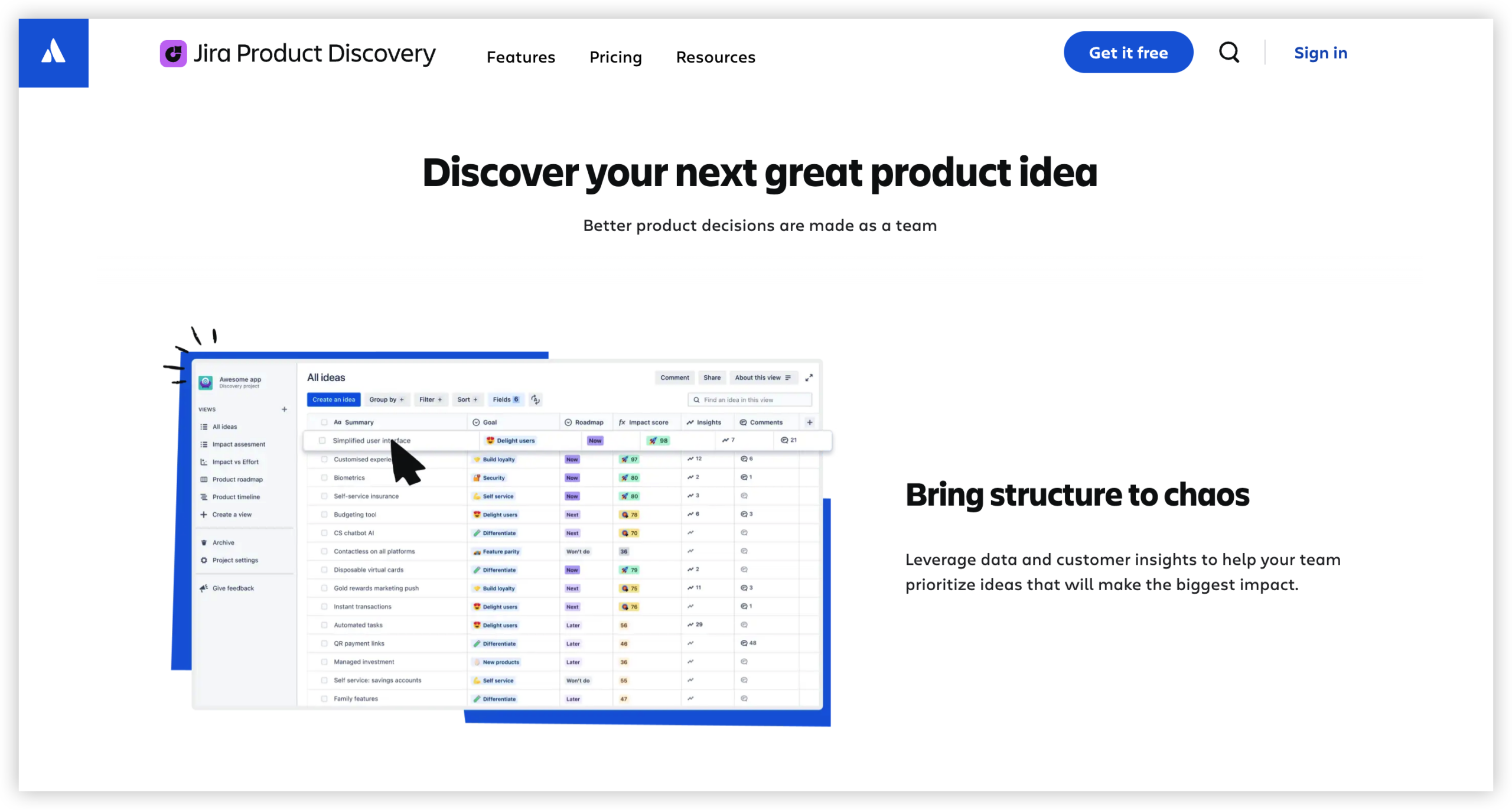
Jira Product Discovery serves a different purpose from delivery roadmaps. It helps product teams collect ideas, compare opportunities, prioritize outcomes, and communicate product direction.
A delivery roadmap answers, “When will the team build this?” Product discovery asks, “Which opportunity deserves attention?” Some organizations use both products because they manage discovery and execution separately.
How Jira Roadmap Costs Change With Team Size
Per-user pricing appears simple, but the monthly total increases with every licensed contributor. A small difference per user can become significant across several departments.
| Team size |
Illustrative effect |
Planning question |
| 5 users |
Lower total cost, but limited collaboration capacity |
Do all participants need edit access? |
| 25 users |
Moderate subscription commitment |
Will the team use advanced planning often? |
| 100 users |
Meaningful annual budget impact |
Can one tier support every team efficiently? |
| 500 users |
Requires procurement and governance planning |
Would enterprise pricing or consolidation improve control? |
For a simple illustration, a 100-person team paying $7 per user each month spends about $700 monthly before taxes and add-ons. At $13 per user, the same team spends about $1,300 monthly.
That difference is $7,200 per year before negotiated terms. The calculation is simple, but the business impact can be substantial.
Billable users versus occasional viewers
Review how Jira counts licensed users before inviting executives, contractors, or stakeholders. Some people only need read access, while others create issues or update plans.
Ask your administrator:
- Which roles require a paid seat?
- Can outside collaborators view plans without full access?
- Are inactive accounts removed automatically?
- Does the plan use monthly or annual user bands?
Cleaning up unused accounts can reduce waste. However, avoid removing people who need historical visibility or approval access.
Features and Limits That Affect Roadmap Value
Plan names matter less than the capabilities your planning process requires. Compare limits around hierarchy, automation, reporting, permissions, and integration.
Hierarchy and issue relationships
Roadmaps become harder to manage when your hierarchy is too shallow. A simple structure might include initiatives, epics, stories, and tasks.
Large organizations may need additional levels for strategic themes, programs, products, or releases. Check whether the chosen tier supports your preferred structure without manual workarounds.
Dependencies and scheduling
A roadmap without dependencies can create false confidence. If Team A must finish authentication before Team B starts checkout work, the plan should show that relationship.
Advanced planning features can help visualize blocked work, move schedules, and test possible delivery scenarios. Without them, teams may maintain dependency notes in separate tools.
Capacity planning
Capacity planning compares planned work with available team time. It can reveal that a team has commitments exceeding its sprint capacity.
For example, a team with 30 available story points cannot realistically accept 48 points without changing scope, staffing, or timing.
Automation allowances
Automation can keep roadmap information current. Rules might update fields, assign work, transition issues, or notify owners.
Lower tiers often include smaller automation allowances. If your roadmap depends on many rules, review monthly execution limits and the consequences of exceeding them.
Permissions and visibility
Executives may need a summary view, while delivery teams need detailed planning. Product managers may edit priorities, but stakeholders might only review progress.
Check whether the plan supports project permissions, role-based access, private initiatives, and controlled sharing. Poor permission design can expose sensitive priorities or create accidental changes.
Reporting and status communication
A roadmap has limited value if nobody trusts its status. Built-in reporting, dashboards, release views, and progress indicators can reduce manual updates.
Still, reporting quality depends on disciplined issue maintenance. A premium plan cannot correct stale estimates or incomplete ownership.
How to Calculate Your Real Roadmap Budget
Start with a short requirements list. Then compare the subscription cost with the planning work it replaces.
- Count active contributors who need editing access.
- Separate delivery users from occasional viewers.
- Choose the lowest tier that supports required planning features.
- Check whether discovery, time tracking, reporting, or service products cost extra.
- Estimate monthly and annual totals.
- Add implementation, administration, training, and support effort.
- Test the plan with a realistic project before committing.
Example budget calculation
Suppose 40 people need Jira access. Twenty-five create and manage work, while 15 review progress occasionally.
You should confirm whether all 40 require paid seats under your selected plan. Then compare the cost of Standard and Premium for the same user band.
If Premium saves several hours of manual coordination every week, the higher subscription may be justified. If your team only needs a quarterly timeline, Standard may provide better value.
Include operational effort
Subscription pricing does not capture every cost. Someone must maintain hierarchy, remove inactive accounts, define permissions, and explain roadmap status.
A tool that requires many plug-ins can also increase administration. Compare the number of integrations, renewal dates, security reviews, and maintenance tasks.
Let me explain: the cheapest license is not always the lowest-cost workflow. A slightly higher platform price may reduce scattered tools and manual reconciliation.
Jira Roadmap Alternative: ONES.com

Value Proposition
ONES.com combines project management and knowledge management on one platform. ONES Project provides Jira-compatible project workflows, while ONES Wiki supports structured team knowledge.
It can suit teams seeking native planning capabilities, self-hosted deployment, and fewer plug-ins around their delivery process.
Core Capabilities
- Planning spread across disconnected tools: ONES Project brings backlog planning, sprint management, timelines, and reporting into one project environment. The result is less switching during routine delivery work.
- Complex team workflows: Custom workflows let you match approvals, reviews, handoffs, and release steps to your operating model. Teams can reduce manual status explanations.
- Limited field flexibility: Custom fields help capture product areas, risk levels, customer segments, release targets, or compliance details. Managers gain more useful filtering and reporting.
- Roadmaps that lack delivery context: Jira-compatible workflows connect high-level plans with issues, sprints, dependencies, and execution status. Roadmap discussions can stay closer to actual work.
- Scattered progress reporting: Built-in reporting supports dashboards and delivery reviews without requiring every team to maintain separate reporting practices.
- Heavy plug-in dependence: A broader native feature set can reduce the number of extensions needed for planning, workflow, and reporting. Administration becomes easier to control.
- On-premise or restricted-network requirements: ONES.com supports Cloud, On-Premise, Private Cloud, and Air-gapped deployments. Teams can select an operating model that matches security requirements.
- Different behavior between hosted and self-managed environments: ONES.com maintains feature parity between its cloud and self-hosted versions. Deployment choice does not require giving up core capabilities.
- Separate project and knowledge needs: ONES Project handles project management, while ONES Wiki manages team knowledge. They are sold separately, allowing a team to choose what it needs.
Application Scenarios
Scenario one: a software company with several delivery squads. Product managers can organize initiatives and releases, while squads manage sprints and workflow states. Shared reporting helps leadership review progress without asking every team for a separate update.
Scenario two: a regulated engineering team. The team may require an air-gapped or on-premise environment. ONES.com supports those deployment models while retaining core project management capabilities.
Scenario three: a team consolidating project knowledge. ONES Project can manage delivery work, while ONES Wiki can hold procedures, technical guidance, and planning context. This reduces the distance between execution and team knowledge.
Common Challenges With Roadmap Pricing
Challenge: paying for a higher tier too early
Solution: Define the planning decisions you need to make. If a simple timeline answers those questions, test a lower tier first.
Challenge: discovering that a key feature is separate
Solution: Confirm whether discovery, advanced planning, reporting, or time tracking belongs to the main subscription. Ask for a complete quote before purchasing.
Challenge: underestimating user growth
Solution: Model your expected user count for the next 12 and 24 months. Include contractors, new departments, and occasional editors.
Challenge: confusing a roadmap with a commitment
Solution: Label planned dates as targets, forecasts, or commitments. A clear label prevents stakeholders from treating early estimates as fixed promises.
Challenge: relying on stale planning information
Solution: Assign roadmap ownership and review the plan at a regular cadence. Remove completed items and explain major changes.
FAQs About Jira Roadmap Pricing
Is a Jira roadmap included in the free plan?
The Free plan can support basic planning views for small teams, but availability and limits depend on the current Jira configuration. Advanced cross-team planning usually requires a higher tier. Check the live feature comparison before relying on the free option for portfolio planning.
Do I need Jira Premium for a roadmap?
You may not need Premium for a basic timeline or single-team plan. Premium becomes more relevant when you need cross-project planning, dependencies, capacity views, or advanced scheduling. Compare your actual planning process with the current Premium feature list before upgrading.
Is Jira Product Discovery included with Jira Software?
Jira Product Discovery is generally treated as a separate product. It focuses on collecting ideas, prioritizing opportunities, and communicating product direction. Jira Software focuses more heavily on delivery work. Some product organizations use both products in one workflow.
Does annual billing reduce Jira roadmap costs?
Annual billing can produce different effective pricing than monthly billing, especially across user bands. The saving depends on your plan, region, currency, and current commercial terms. Compare the full annual commitment with your expected user growth before choosing a longer term.
What should I check before buying advanced roadmap features?
Check user limits, hierarchy levels, dependency handling, capacity planning, automation allowances, permissions, reporting, integrations, and export options. Also test a realistic planning case. A feature may exist, yet still fail your process because of usability or administrative limits.
Can an alternative reduce the total cost of roadmap management?
It can, especially when your current workflow depends on several plug-ins, reporting tools, or separate knowledge systems. Compare the total operating effort rather than only the subscription price. Deployment options, native capabilities, support, migration work, and training all affect the final decision.
Conclusion
Jira roadmap pricing depends on more than the number shown beside a plan. Your real cost comes from the subscription tier, licensed users, advanced planning requirements, separate products, administration, and ongoing maintenance.
Start with your planning needs. A small team may succeed with basic roadmap views, while a multi-team organization may need Premium or a dedicated discovery workflow.
But here's the truth: the right choice is the plan that supports reliable decisions without adding unnecessary complexity. Compare limits, test a realistic roadmap, and calculate the full operating cost.
If native project workflows, self-hosted deployment, or fewer plug-ins matter to you, evaluate ONES.com alongside Jira. A practical comparison can reveal which platform fits your teams, governance needs, and planning habits.