Product Discovery Jira Pricing: A Practical Pricing Guide
Unsure about product discovery jira pricing? Learn how seats, plans, access, and billing affect costs. Click to plan your budget wisely.
Planning product discovery costs can feel harder than planning the product itself. Jira Product Discovery pricing depends on creator seats, contributor access, plan level, and billing frequency. A quick glance at one monthly figure can therefore create an inaccurate budget.
That uncertainty becomes expensive when a team grows, adds stakeholders, or needs advanced delivery controls. You might approve a plan that looks affordable, then discover that more creators, premium features, or annual commitments change the total.
Here’s the practical answer: Jira Product Discovery mainly charges for creator seats, while contributors can usually participate without the same paid access. To estimate your real cost, count creators first, compare plan features, and test the total against your team’s workflow.
Jira Product Discovery Pricing at a Glance
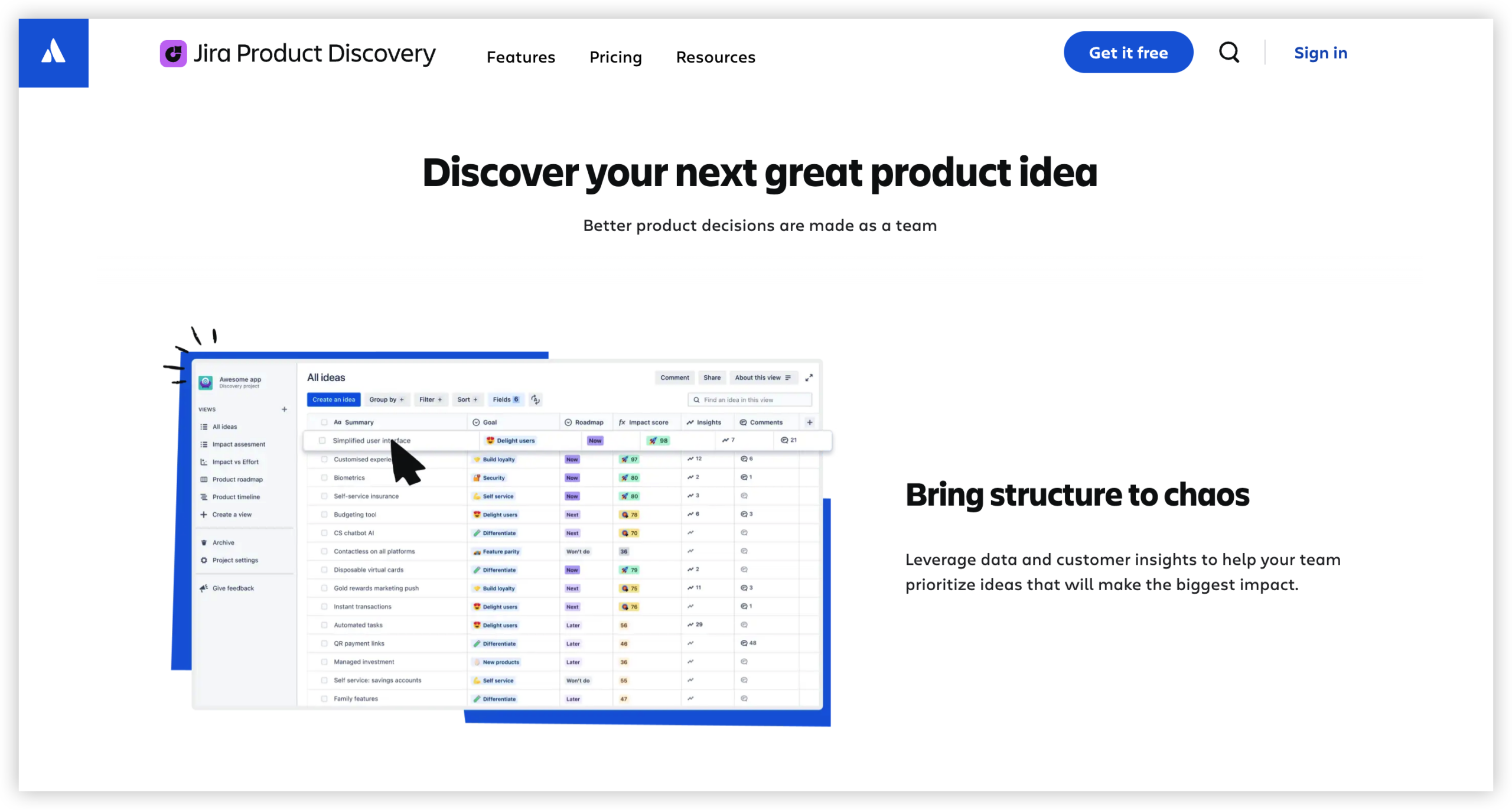
Jira Product Discovery pricing is primarily calculated around paid creator seats. Creators build ideas, shape insights, rank opportunities, and manage product discovery work. Contributors add feedback and participate with more limited permissions.
The exact amount depends on your plan, seat count, billing cycle, regional currency, taxes, and any Atlassian products you already use. Atlassian may also update prices, so confirm the current checkout total before approving a purchase.
| Pricing factor |
Why it affects your budget |
| Creator seats |
These are the main seats that usually determine the subscription charge. |
| Contributor access |
Contributors may participate without requiring the same paid creator access. |
| Plan level |
Higher tiers can add administration, governance, security, or capacity features. |
| Billing frequency |
Monthly billing offers flexibility, while annual billing may change the effective rate. |
| Team growth |
New creators can raise the recurring total as your product group expands. |
| Regional charges |
Currency conversion, taxes, and local purchasing rules can change the final amount. |
Here’s why: two teams with the same number of people can receive different totals. A group with five creators and 30 contributors may pay less than a group with 15 creators and 10 contributors.
The most useful calculation is simple:
Estimated recurring cost = creator seats × current creator rate
Then add taxes, optional Atlassian products, and any plan-specific charges. Treat that result as a planning estimate until the official billing screen confirms it.
How the Pricing Model Works
Creator seats drive the main cost
A creator typically builds and manages product discovery work. That may include creating ideas, organizing opportunities, defining insights, prioritizing work, and maintaining product views.
For example, a product manager, product operations lead, and three product owners may need five creator seats. Engineers, sales representatives, and customer-support specialists may only need contributor access.
This distinction matters because giving every participant creator permissions can inflate your subscription unnecessarily. Start with actual responsibilities rather than job titles.
Contributors support broader participation
Product discovery works best when feedback comes from multiple teams. Sales teams hear objections, support teams notice recurring pain, and engineers understand delivery constraints.
Contributor access can help you involve these groups without treating every participant as a full-time discovery manager. Before purchase, check the current permission rules and contributor limits for your selected plan.
You might be wondering: should every stakeholder become a creator? Usually, no. Give creator access to people who shape the discovery system regularly. Invite others as contributors when they mainly provide feedback, comments, or reactions.
Plan tiers change the value calculation
A lower plan may work for a small team with simple permissions and modest governance needs. A higher plan may become worthwhile when you need stronger administration, larger-scale controls, or more formal oversight.
Do not compare tiers only by monthly price. Compare the cost against a real requirement, such as permission management for several business units or a controlled rollout across regions.
A higher tier can be poor value when nobody needs its additional controls. A lower tier can also become costly when missing features force manual tracking across multiple places.
Monthly and annual billing answer different needs
Monthly billing helps you validate adoption before making a longer commitment. It suits a pilot, a newly formed product group, or a team still deciding how many creators it needs.
Annual billing can simplify purchasing and may offer a different effective rate. However, estimate likely seat growth before committing. A discounted annual plan may lose its advantage if you later need significant seat changes.
How to Calculate Your Real Team Cost
The listed rate is only the beginning. A useful estimate connects seats to responsibilities, growth, and the work your team expects to perform.
- List discovery creators. Include people who create ideas, manage prioritization, maintain product views, or administer the discovery process.
- List occasional participants. Identify people who mainly react, comment, vote, or share customer observations.
- Separate current seats from future seats. Estimate today’s requirement and the likely requirement six or twelve months ahead.
- Compare plan capabilities. Mark each feature as essential, useful, or unnecessary for your team.
- Calculate the recurring total. Multiply creator seats by the current creator rate for your billing cycle.
- Add purchasing overhead. Include taxes, currency effects, related Atlassian subscriptions, and administrative effort.
- Run a growth scenario. Test what happens when two product managers or one new product group joins.
- Validate at checkout. Confirm permissions, seat treatment, billing terms, and the final payable amount.
Example: a small product team
Imagine a startup with four product managers, one product operations specialist, 12 engineers, and eight customer-facing contributors.
The five discovery leaders may need creator access. The other participants may contribute feedback without requiring the same paid role. The team should then compare the cost of five creators across available plans.
If the startup expects to add three product managers next year, it should also model an eight-creator scenario. That forecast gives leadership a more realistic spending range.
Example: a larger product organization
Consider a company with 20 product managers across four business units. Each unit may need local discovery ownership, while a central product operations group manages standards.
That team should ask whether all 20 managers need creator access. If they do, the creator count becomes the main budget driver. It should also evaluate whether stronger governance features justify a higher tier.
The cost conversation should include adoption quality. A cheaper plan that produces scattered prioritization may create more operational work than a better-fitting plan.
Use a scenario range instead of one number
Planning with one seat count creates false precision. Use at least three scenarios:
| Scenario |
Typical question |
| Lean |
How much would a focused pilot cost with only essential creators? |
| Expected |
How many creators will the team probably need after normal adoption? |
| Growth |
What will the subscription cost after new products or regions join? |
This approach helps finance teams understand both immediate spending and likely expansion. It also reduces surprise when the product group grows.
What to Check Before Choosing a Plan
Permissions and participation
First, confirm what each role can do. A plan may look suitable until you discover that an important stakeholder needs creator access for a task you expected contributors to handle.
Test a realistic workflow with a product manager, engineer, sales representative, and executive reviewer. Their experience can reveal permission gaps early.
Discovery workflow coverage
Check whether the plan supports your full discovery cycle. A practical workflow may include collecting feedback, grouping problems, comparing opportunities, prioritizing ideas, and linking decisions to delivery work.
For example, a team may need custom fields for customer segment, revenue impact, confidence, and strategic alignment. If those fields are unavailable or difficult to manage, the team may create manual work elsewhere.
Scale and administration
Small teams often focus on collaboration. Larger organizations also need ownership rules, access controls, consistent naming, and reliable administration.
Ask who will manage the workspace after launch. If one product operations specialist must manually maintain every team’s structure, the subscription cost is only one part of the total cost.
Jira connection and delivery continuity
Product discovery becomes more valuable when decisions connect smoothly with delivery planning. Check how ideas move into Jira work and how teams preserve context during that transition.
A weak handoff can create duplicate updates. A strong handoff lets product teams explain why an opportunity matters before delivery teams estimate the work.

Reporting and decision visibility
Executives usually need a clear view of strategic priorities. Product teams need more detail about customer problems, confidence, and trade-offs.
Review whether the plan can support both views. A useful reporting setup might show priority themes for executives and opportunity-level reasoning for product teams.
Common Pricing Mistakes to Avoid
Counting every participant as a creator
This is one of the easiest ways to overestimate spending. A large stakeholder group does not automatically require a large creator count.
Map each person to a real action. If someone only comments on an opportunity or reacts to an idea, that person may not need full creation rights.
Ignoring future seat growth
A pilot with three creators can become a 15-creator rollout after several teams adopt the workflow. That growth changes the recurring budget.
Ask what triggers a new seat. It might be a new product line, a regional launch, or a decision to give every product owner direct ownership.
Comparing plans by price alone
The lowest monthly figure can hide limitations that create extra work. Teams may export information manually, maintain parallel trackers, or rely on separate collaboration channels.
Compare total operating effort. A slightly higher subscription may make sense if it reduces repeated updates and improves decision visibility.
Forgetting related Atlassian costs
Product discovery may sit alongside Jira Software, Confluence, or other Atlassian products. Those subscriptions can affect the broader technology budget.
Separate the product discovery estimate from the complete Atlassian environment. This makes approval conversations clearer and prevents accidental double counting.
Failing to validate access during a trial
A trial should test real people and real responsibilities. Add representative creators and contributors, then review the workflow together.
Test permissions, collaboration, reporting, handoffs, and administration. A short practical exercise reveals more than a feature tour.
Product Discovery Alternative: ONES.com

Value Proposition
ONES.com combines project management and knowledge management in one platform, with ONES Project serving as a Jira alternative and ONES Wiki serving as a Confluence alternative. You can buy them separately and choose cloud, on-premise, private cloud, or air-gapped deployment.
For teams comparing discovery and delivery costs, ONES.com can reduce the need for multiple plugins and disconnected workspaces while preserving flexible deployment choices.
Core Capabilities
- Scattered product decisions → ONES Wiki knowledge management → teams can keep discovery reasoning, product context, and decisions connected for easier reference.
- Separate discovery and delivery workflows → ONES Project Jira-compatible workflows → product and engineering teams can continue familiar planning patterns with less process disruption.
- Rigid prioritization fields → Custom workflows and fields → teams can represent opportunity status, impact, confidence, ownership, and approval stages more precisely.
- Manual sprint coordination → Sprint management → delivery teams can connect prioritized work with sprint planning and execution.
- Repeated administrative actions → Automation → routine status changes, notifications, and workflow transitions can require less manual effort.
- Limited visibility into delivery progress → Built-in reporting → managers can review progress, workload, and project trends without assembling separate reports.
- Plugin-heavy Jira environments → Native feature parity between cloud and self-hosted versions → teams can evaluate deployment needs without giving up core capabilities.
- Restricted-network requirements → Air-gapped and on-premise deployment options → organizations with strict infrastructure rules can keep project work within approved environments.
- Disconnected project and knowledge work → ONES.com unified platform → teams can connect execution details with the context behind product decisions.
Application Scenarios
Growing product organization: A company with several product squads can use custom workflows for discovery, approvals, and delivery. Product managers can maintain opportunity context while engineering teams manage sprints in the same broader environment.
Regulated or restricted-network team: An organization that cannot use a public cloud deployment can evaluate ONES Project on-premise, in a private cloud, or in an air-gapped environment. The deployment choice can align with internal security requirements.
Jira replacement evaluation: A team seeking a Jira alternative can compare workflow compatibility, reporting, automation, and plugin reduction. ONES Project supports familiar Jira-compatible workflows while offering self-hosted options.
Common Challenges and Practical Solutions
Challenge: The creator count is unclear
Solution: Define creator actions before assigning seats. Create a role map showing who builds ideas, manages prioritization, changes workflows, and administers the workspace.
Challenge: Stakeholders need different levels of access
Solution: Test contributor permissions with real examples. A sales representative may need to add customer feedback, while an executive may only need to review priority views.
Challenge: The budget changes after adoption
Solution: Set a seat-growth threshold. For example, require a budget review when creator demand rises by five seats or when a new business unit joins.
Challenge: Pricing is difficult to compare with alternatives
Solution: Compare the complete workflow, not only subscription rates. Include plugins, administration, integration work, training, reporting, and deployment requirements.
Challenge: The team cannot prove value
Solution: Track practical outcomes. Measure decision cycle time, duplicate requests, prioritization clarity, stakeholder participation, and the number of opportunities linked to delivery work.
FAQs
Who usually needs a paid creator seat in Jira Product Discovery?
People who regularly create, organize, prioritize, or manage product discovery work usually need creator access. That often includes product managers, product owners, and product operations specialists. Engineers, sales representatives, support teams, and executives may participate as contributors when they mainly provide feedback or review priorities. Confirm current permissions before purchase because role capabilities and plan rules can change.
Are contributors included without the same charge?
Jira Product Discovery commonly separates creators from contributors, allowing broader participation without charging every participant as a creator. However, the exact limits and permissions depend on the current plan. Test the actions your contributors need, such as commenting, reacting, adding feedback, or viewing roadmaps. Never assume that a contributor can perform every action available to a creator.
Does Jira Product Discovery pricing include Jira Software?
No. Product discovery and Jira Software are separate Atlassian products, even though they can work together. Your total technology budget may therefore include both subscriptions. Review which team members need each product, then estimate the combined cost. This avoids treating the product discovery price as the complete cost of your product planning and delivery environment.
Should a small team choose monthly or annual billing?
Monthly billing can suit a small team that is still testing adoption, seat requirements, or workflow fit. Annual billing may offer purchasing simplicity or a different effective rate, but it creates a longer commitment. Compare a pilot estimate with a likely growth estimate before deciding. If your creator count may change quickly, flexibility can matter more than a lower apparent rate.
How can I compare Jira Product Discovery with another platform?
Use the same scenario for every platform. Count creators, contributors, administrators, and delivery team members. Then compare workflow coverage, permissions, reporting, automation, integrations, deployment choices, and administration effort. Include the cost of plugins and manual coordination. A platform with a lower subscription may still require more surrounding tools to support the same product discovery process.
Conclusion
Jira Product Discovery pricing becomes easier to understand when you begin with creator seats, then evaluate contributors, plan capabilities, billing terms, and expected growth.
But here’s the truth: the cheapest visible rate is not always the lowest operational cost. A plan that fits your workflow can reduce manual coordination, improve participation, and make product decisions easier to follow.
Start with a lean, expected, and growth scenario. Test real permissions during a trial. Compare the complete workflow with alternatives such as ONES.com, especially when self-hosting, air-gapped deployment, native capabilities, or reduced plugin dependence matters.
The result is a clearer budget and a more practical product discovery decision.